
In our MausBot setup guide we showed how to move MausBot, the open-source Grok Bot alternative, from a laptop to a small Linux server so your bots keep working while the laptop is closed. The next question is practical: which server? This article compares virtual server (VPS) providers that fit this kind of AI agent, on specs, price, regions, latency from Asia and Vietnam, ease of setup, and whether you need a GPU, and then suggests picks by use case.
How we built this comparison: requirements come from MausBot’s documentation (Deploy on a VPS, Cloud computer and your own VPS, Local VM). Prices and specs come from each provider’s official pricing page or public pricing API, checked on 12 November 2026, in each provider’s own currency and excluding tax. Prices change, regions sell out, and some plans vary by location, so treat every number here as “as of Nov 2026” and confirm before you buy. We did not benchmark these servers, and we give no latency figures, because we could not measure them fairly from every Vietnamese network; the article shows you how to measure your own. Orauria has no partnership or affiliate deal with MausBot or any provider below.
Key takeaways. A MausBot server does not need a GPU, because the bots’ “brains” are cloud models reached through engine CLIs such as Claude Code or Codex. The documented minimum for the one-command installer is Ubuntu 22.04 or 24.04 on x86-64 with 2 CPU cores, 4 GB of memory and 20 GB of disk; 8 GB is suggested. That puts most readers in the 2 vCPU / 4 GB class, which costs roughly USD 20 to 24 a month in Singapore at Vultr, DigitalOcean, Akamai (Linode) and AWS Lightsail, and EUR 26.99 at Hetzner Singapore. Move to 4 vCPU / 8 GB when several bots work at the same time or browse the web. If you never want to touch a server, MausBot’s own Cloud plans start at USD 15 a month, without model usage.

The day the shop’s bots went quiet
Meet Thu, an example persona rather than a client: mid-thirties, she runs operations for a small online clothing shop in Ho Chi Minh City. After reading about MausBot, she set up three bots on the office laptop: one that drafts replies to customer emails for her to approve, one that checks a supplier’s stock page every morning, and one that writes a short sales summary each evening. For a week it felt like having two extra people.
Then the office laptop went home with a colleague over a long weekend, and nothing ran. On Monday, a freelance IT contact suggested “a proper AI server with a GPU” and quoted a price that made her wince. She was not sure whether she needed it, which region to pick when none of the big providers seemed to list Vietnam, or whether the cheapest European offer would feel slow from Saigon.
What she needed was smaller and cheaper than the GPU quote: a 2 vCPU, 4 GB Ubuntu server in Singapore, the documented installer, and a habit of checking the bill once a month. The rest of this article explains how to reach that kind of decision for your own business, and when a bigger or different option is worth it.
What an agent server actually needs, and how to judge the result
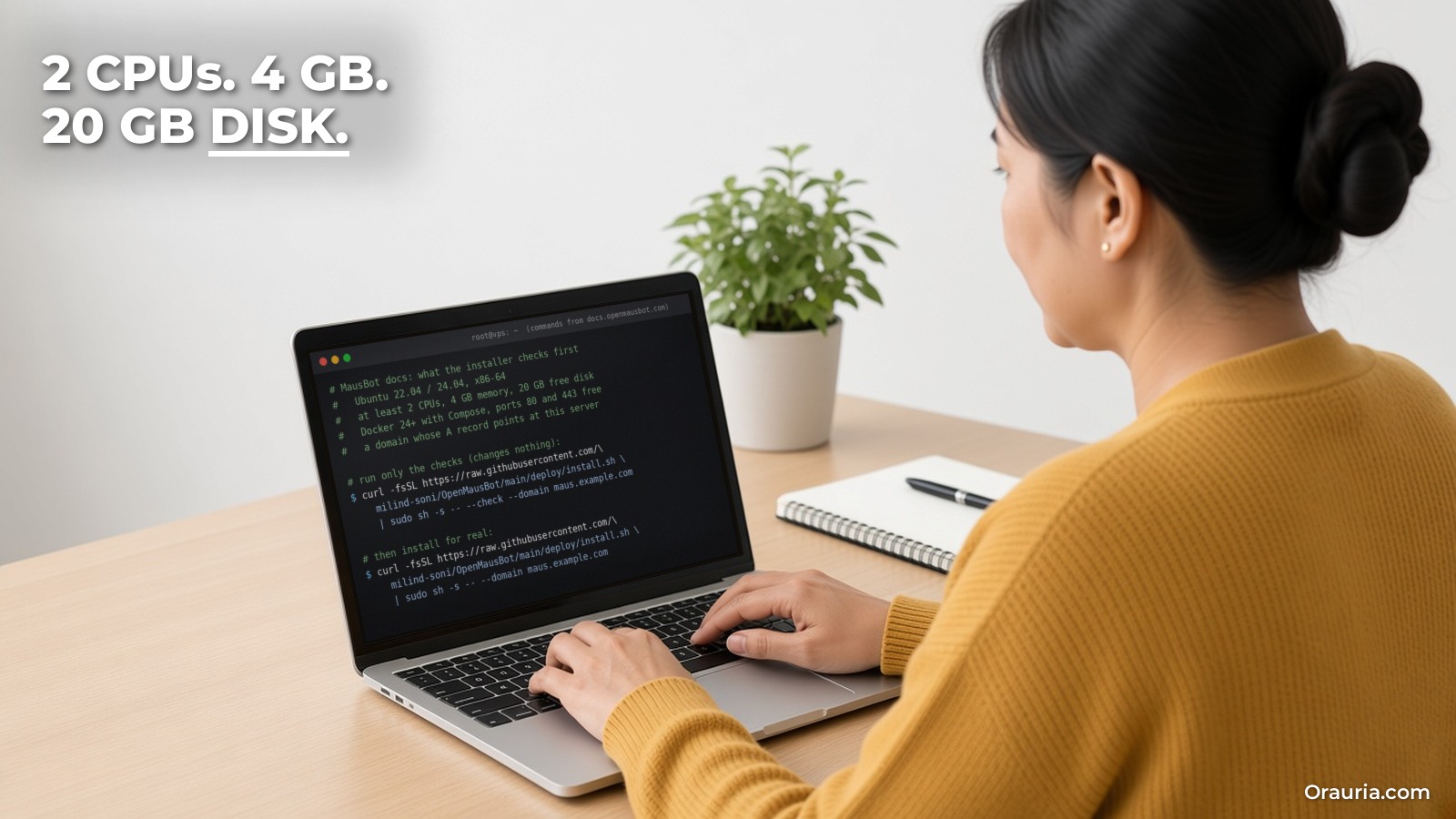
Start from what MausBot itself asks for. The one-command installer checks, before installing anything:
- Ubuntu 22.04 or 24.04, x86-64, 2 CPU cores or more;
- 4 GB of memory or more (8 GB suggested) and 20 GB of free disk;
- Docker 24 or newer with the Compose plugin (it can install Docker for you after asking);
- ports 80 and 443 free, a domain whose A record points at the server, and outbound HTTPS to the image registries and Let’s Encrypt.
The docs’ own launch check ran on a blank Hetzner CX43, and the VPS guide says “2 CPUs and 4 GB of RAM is plenty” and names Hetzner, DigitalOcean and Lightsail as fine hosts. Three more numbers from MausBot’s site and docs help you size up:
- Memory per working bot. MausBot’s Cloud pricing notes that a bot at work uses about 0.5 to 1 GB of memory. On a 4 GB server, that leaves room for a few bots working at the same moment, not dozens.
- Desktops are heavier. If you run a Local VM desktop for a bot, each one gets 2 CPUs and 4 GiB of memory by default. Desktop-heavy work on the same machine pushes you to 8 GB or more, or to a separate computer such as a Boat cloud computer.
- Updates need disk headroom. Container images, your data folder and the backups you keep all take space over time, so leave headroom beyond the 20 GB minimum. If you build MausBot’s image yourself, the docs say building needs about 6 GB of memory; on a smaller server, add swap or use the published image.
Do you need a GPU? For MausBot with Claude, Codex, Grok or other hosted engines, no: the model runs at the provider, and your server only runs the harness, the CLIs, Docker and maybe a browser. A GPU only becomes relevant if you want to run open models locally on the server. That is a different project with different hardware, and it is out of scope here; we did not price GPU servers for this article.
How to judge the result. Pick a few things you can check yourself after a month: did every scheduled routine run on time; how does the app feel from your phone on 4G; did the server ever run out of memory (check docker compose logs or the journal); what was the total bill including any extra bandwidth; and how long did updates and backups take you. If routines run and the bill is predictable, the server is good enough. Speed of replies depends mostly on the model provider, not on your VPS.
How the pieces fit: three ways to host MausBot
MausBot’s docs describe three hosting patterns, and they need different things from a provider.
1. The whole MausBot server on a VPS. This is the “Deploy on a VPS” path from our setup guide. The harness, engine CLIs, chats, routines, connected apps and webhooks all run on the server, and your laptop, browser and phone connect to it after pairing. This is what you want if routines must run with every laptop closed. You need an x86-64 Ubuntu server for the installer (ARM64 images exist if you install the Docker path by hand).
2. MausBot on your computer, a bot’s desktop on your VPS. The Your own VPS (BYO) backend keeps MausBot and its engine sign-ins on your computer, and only runs a desktop container on an x86_64 Linux server with Docker, over an SSH alias. It is useful for giving a bot an isolated computer to browse and click in, but it does not keep routines running when your computer sleeps. The docs warn that Docker access is root-equivalent on that server, so use a dedicated VPS and allow inbound SSH only.
3. Managed: MausBot Cloud, or Boat for computers. MausBot Cloud runs your bots on an always-on cloud machine for you (Starter USD 15, Pro USD 49, Max USD 99 a month on 12 November 2026), with cloud computers included and model usage billed separately by your provider. Boat (boat.dev) is the third-party service MausBot uses for hosted cloud desktops; its site lists plans from USD 20 a month with a 7-day trial, and a “small” 2 vCPU / 4 GB sandbox at USD 0.018 an hour. Boat is for bot computers, not for hosting the MausBot server itself.
Where latency matters, and where it does not. Most of a bot’s waiting time is spent on the model provider and on the websites it visits, both of which are far from you anyway. Latency between you and your server mostly affects how responsive the app feels, the live screen when you “take control” of a bot’s desktop, and webhooks from local services. For readers in Vietnam: none of the international providers below listed a data center in Vietnam on the pages we checked. Singapore is the closest region they all share, followed by places such as Tokyo, Osaka, Seoul, Jakarta or Mumbai depending on the provider. Vietnamese providers such as BizFly Cloud run servers inside the country. If you need data to stay in Vietnam, that matters more than milliseconds.
Measure it yourself. Most providers bill by the hour. Create the smallest server in two candidate regions, run ping and mtr to each from your office and from your phone’s mobile network at a busy hour, then delete them. That costs little and replaces guesswork with your own numbers.
Provider comparison for MausBot (as of November 2026)
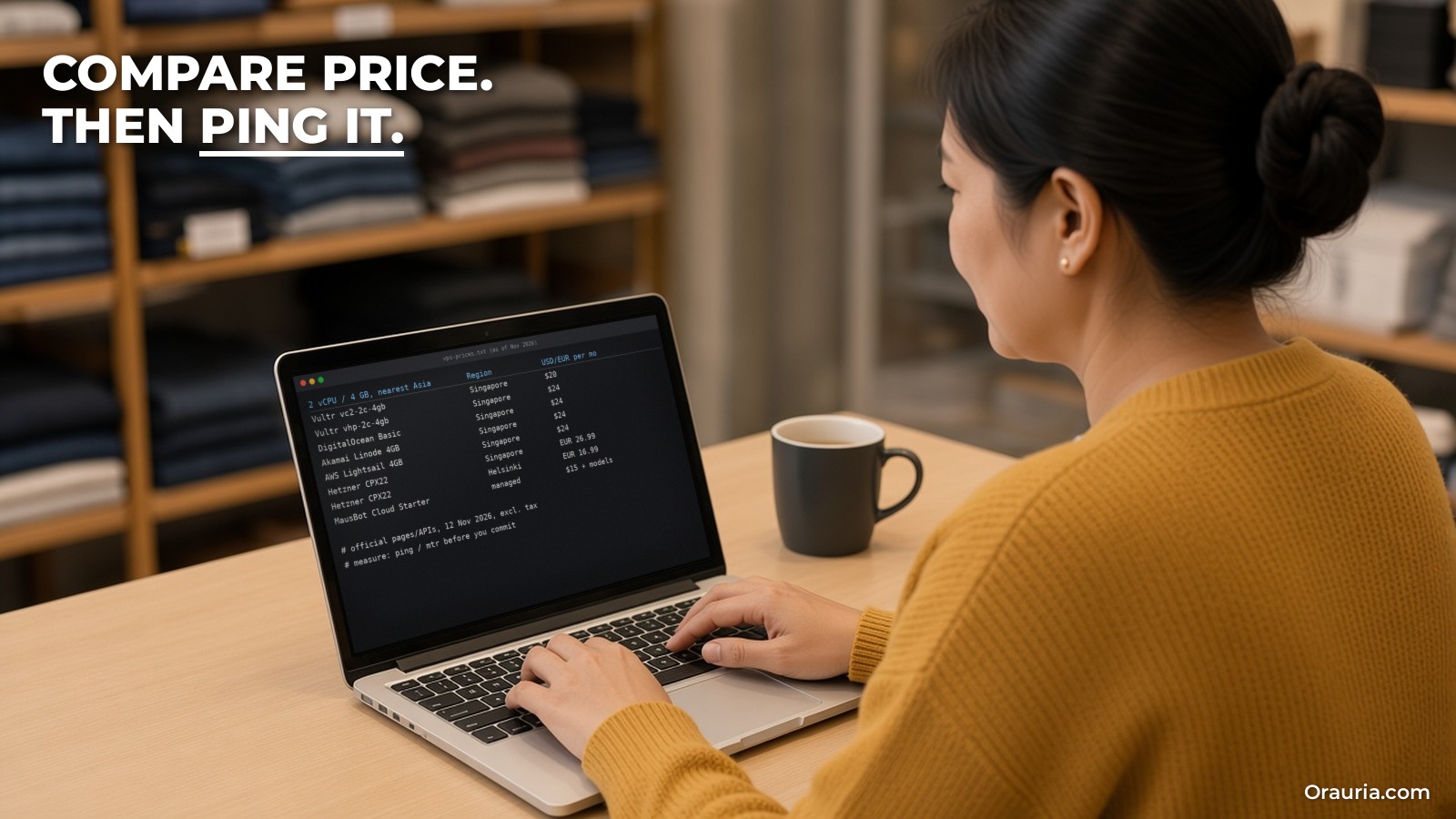
The table compares the plan closest to MausBot’s documented baseline (2 vCPU, 4 GB) at each provider, in the region nearest to Vietnam where available. Prices are monthly, excluding tax, from official pages or public APIs on 12 November 2026.
| Provider and plan | vCPU / RAM / disk | Price per month | Included transfer | Asia regions listed |
|---|---|---|---|---|
| Hetzner Cloud CPX22 (Regular Performance) | 2 AMD / 4 GB / 80 GB NVMe | EUR 26.99 in Singapore; EUR 16.99 Helsinki; EUR 19.99 Nuremberg | 1 TB in Singapore; 20 TB in EU | Singapore |
| Hetzner Cloud CX23 (Cost-Optimized) | 2 / 4 GB / 40 GB NVMe | EUR 5.99 | 20 TB | None (Nuremberg, Helsinki only) |
| Vultr Regular Cloud Compute (vc2-2c-4gb) | 2 / 4 GB / 80 GB | USD 20 | 3 TB | Singapore, Tokyo, Osaka, Seoul, Mumbai, Delhi, Bangalore |
| Vultr High Performance (vhp-2c-4gb) | 2 / 4 GB / 100 GB NVMe | USD 24 | 5 TB | Same as above |
| DigitalOcean Basic Droplet | 2 / 4 GiB / 80 GiB | USD 24 | 4,000 GiB | Singapore, Bangalore, Sydney |
| Akamai (Linode) Shared 4 GB | 2 / 4 GB / 80 GB | USD 24 (USD 28.80 in Jakarta) | 4 TB | Singapore, Tokyo, Osaka, Jakarta, Mumbai, Chennai |
| AWS Lightsail Linux 4 GB bundle | 2 / 4 GB / 80 GB SSD | USD 24 | 4 TB (half in Jakarta, Malaysia, Mumbai, Hong Kong) | Singapore, Tokyo, Seoul, Jakarta, Malaysia, Mumbai, Hong Kong |
| Oracle Cloud Always Free (Ampere A1, Arm) | Up to 2 OCPU / 12 GB in total | USD 0 within free limits | Per OCI terms | Your home region only |
| Contabo Cloud VPS 4 | 4 / 8 GB / 100 GB SSD | EUR 4.40 (EUR 5.50 incl. VAT on the page) | Not confirmed | Not confirmed on the page we read |
| BizFly Cloud (Vietnam), Cloud Server “Gói Large” | 6 cores / 4 GB / 100 GB | 945,100 VND | Not confirmed | Vietnam |
| MausBot Cloud Starter / Pro (managed) | 2 shared / 2 GB; 4 shared / 4 GB | USD 15 / USD 49 | Not a VPS; includes cloud-computer hours | Not stated |
Notes and caveats per provider.
- Hetzner. Strong value in Europe, and MausBot’s docs used a Hetzner server for their launch check. In Singapore the same CPX22 costs more and includes far less traffic (1 TB versus 20 TB, with extra traffic at EUR 7.40 per TB there). The cheapest CX23 is EU-only, and Hetzner’s page showed several plans as currently unavailable when we checked.
- Vultr. The lowest Singapore price for the 2 vCPU / 4 GB class in our list, and the widest choice of Asian regions. Figures come from Vultr’s public plans API; its pricing page did not render for our fetch, so confirm regional pricing at checkout.
- DigitalOcean. Simple, flat pricing and a Singapore region. A good choice if you value documentation and a clean console.
- Akamai (Linode). Same price class with two Singapore locations plus Jakarta (at a higher price), Tokyo, Osaka, Mumbai and Chennai, from Linode’s public API.
- AWS Lightsail. Fixed monthly bundles inside AWS, with many Asian regions; note the halved transfer allowance in some of them. Mentioned by name in MausBot’s docs as a fine host.
- Oracle Always Free. Free Arm capacity (1,500 OCPU hours and 9,000 GB hours a month, which Oracle equates to 2 OCPUs and 12 GB) in your home region. Two catches for MausBot: the one-command installer is x86-64 only, so you would follow the Docker path by hand with the ARM64 image; and the BYO-VPS desktop backend requires x86_64. Good for experiments, not our first recommendation for a business.
- Contabo. Very high specs for the price. We could not confirm from the page we read whether Asian locations are available for this plan or what surcharge applies, so check before you buy.
- Vietnamese providers. BizFly Cloud’s price list (excluding VAT) shows several tiers and tabs; the figure above is from the default tab of the page, and we could not confirm which CPU family or disk type it maps to. VNG Cloud, Viettel IDC and FPT Cloud also operate in Vietnam; we did not collect their prices. Choose a local provider when data residency or domestic network quality matters most, and check that Ubuntu 22.04 or 24.04 on x86-64 is offered.
Ease of setup, in practice. Every option above offers Ubuntu images, so the MausBot installer runs the same way. The steps that differ are around the server: add your SSH key when creating it; open only ports 22, 80 and 443 in the provider’s firewall (or only 22 if you use the Tailscale path); create the DNS A record; then run the installer with --check first. Providers with hourly billing let you try, delete and retry without a monthly commitment.

Picks by use case, and how Thu’s setup evolved
These are our suggestions based on the documented requirements and the prices above, not on benchmarks.
- First always-on server for a small team in Vietnam or Southeast Asia: a 2 vCPU / 4 GB server in Singapore. Vultr is the lowest-priced in our list; DigitalOcean, Linode and Lightsail cost a little more and may suit you better if you already use them.
- Several bots working at once, or bots that browse: step up to 4 vCPU / 8 GB, which matches the docs’ “8 GB suggested”. In our data that is USD 40 at Vultr (vc2-4c-8gb), USD 48 at DigitalOcean and Linode, or EUR 49.49 for Hetzner CPX32 in Singapore.
- Lowest cost, latency not critical: Hetzner in Europe (CPX22 from EUR 16.99, or CX23 at EUR 5.99 when available). Measure it from your network first.
- Data must stay in Vietnam: a Vietnamese provider, after checking OS, CPU architecture and support.
- Free experiments: Oracle Always Free on Arm, if you are comfortable with the manual Docker path.
- No server administration at all: MausBot Cloud. According to MausBot’s pricing page, Pro adds priority support and a free 30-minute setup call.
- Isolated computers for browser-heavy bots: Boat, or a separate dedicated VPS through the BYO backend, rather than piling desktops onto your MausBot server.
How Thu’s hosting might evolve. v1: bots on the office laptop; routines skipped whenever the laptop left the office. v2: a 2 vCPU / 4 GB Singapore server, created with an SSH key and a firewall allowing only 22, 80 and 443; the installer run with --check and then for real; her laptop and phone paired; a monthly reminder to run the update script and copy a backup off the server. She keeps the email bot on “draft only”. v3: after a month of logs, she sees memory close to full when the stock-check bot opens its browser while the others work, so she resizes to 4 vCPU / 8 GB rather than adding a GPU. She tries a Vietnamese provider on hourly billing for a week to compare how the app feels, and keeps whichever is steadier for her team.
What to try this week
Write down what your bots must do while your laptop is closed, and how many work at the same time. Create one hourly 2 vCPU / 4 GB Ubuntu server in Singapore at a provider you trust, and another in a second region or at a Vietnamese provider; ping both from your office and your phone, then delete the slower one. Run the MausBot installer with --check, fix anything it reports, install, pair your devices and sign your engine in. Put a monthly note in your calendar to update, back up and look at the bill. Re-check prices on the provider’s page before you commit, because the numbers in this article are a snapshot from November 2026.
For the full installation walkthrough, read how to set up MausBot. For ideas on scheduled work worth hosting, see daily competitor price and stock monitoring and webhook-driven lead triage, and for the architecture behind agents, tools and cloud computers, this integration overview. If you would rather have the servers, agents and approvals set up and maintained for you, send Orauria a brief.
Leave a Reply