Clients ask for “20 AI images.” You deliver a zip. Next week they ask again — new prompt chaos, new drift, same arguments about brand. You get paid for pixels and lose the compound value of process.
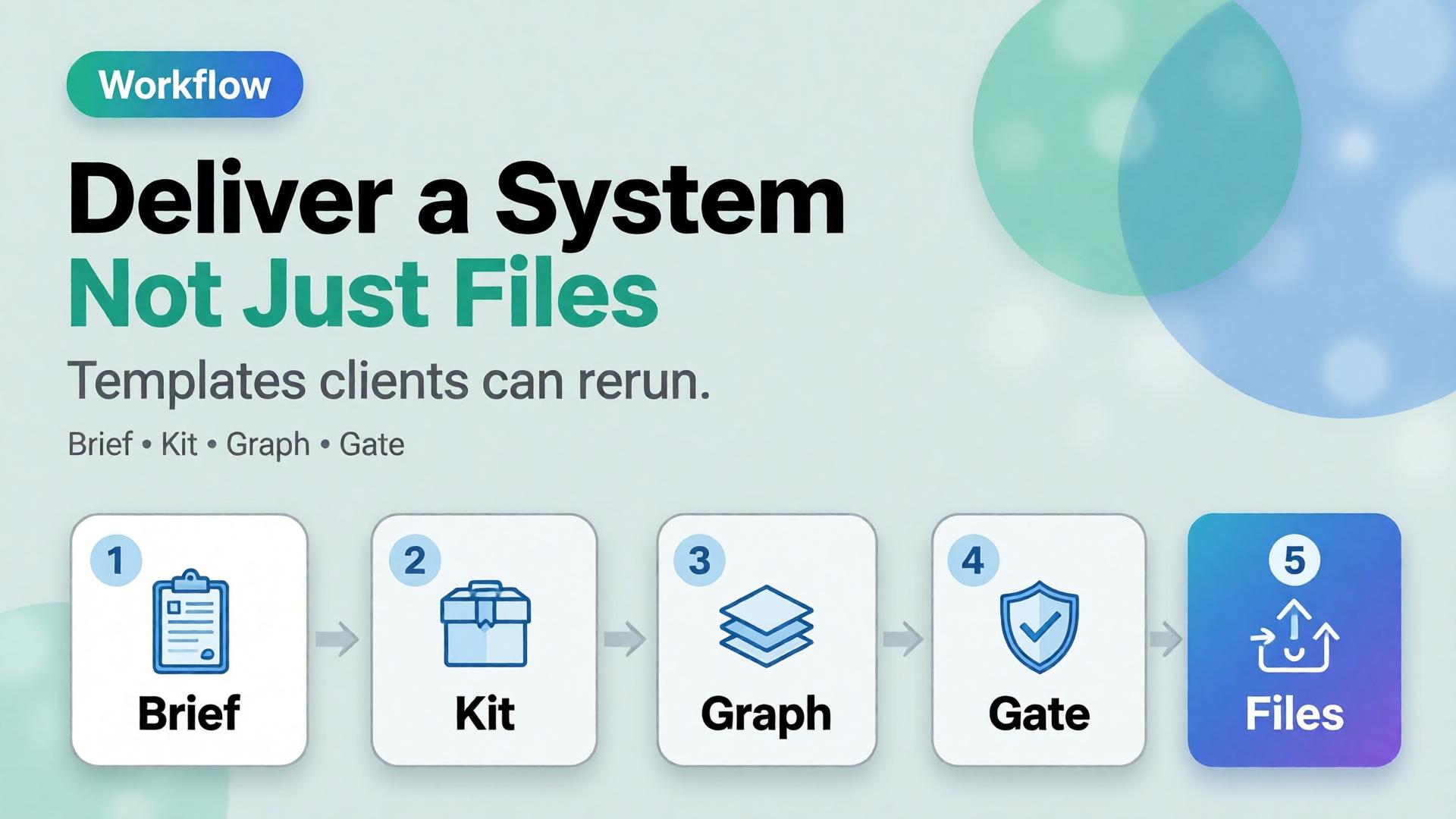
Freelancers who survive AI price pressure sell a different unit: the creative system — templates, kits, graphs, and gates — with files as outputs of that system.
They pay when you show the cost of restarting — drift, reshoots, late Friday crops. Show before/after of set coherence.
What if they only want cheap images?
Either decline or sell a minimal system (brief + gate) as non-negotiable. Pure pixel racing races to zero.
How is this different from a brand guideline PDF?
Guidelines are static. Your deliverable is operable: nodes, checklists, naming, slot maps tied to AI production.
Can agencies use the same packaging?
Yes — especially multi-brand teams that need identical spines with swappable kits.
Conclusion
Stop selling only endings. Sell the machine that produces endings.
Brief. Kit. Graph. Gate. Files. That is an AI design deliverable freelancers can defend on price — and clients can reuse without calling you to reinvent Monday.
Most ecommerce creative “pipelines” are not pipelines. They are tab archaeology: upload in one tool, restyle in another, upscale somewhere else, crop in Canva, rename in Drive, lose the brief by Thursday.
That is why the same SKU looks like three brands across feed, story, and PDP. The model did not forget your brand. You never stored the path.
AI workflow builder ecommerce work starts when you stop treating each step as a separate app and start treating it as a node — a named job with inputs, rules, and a gate before the next job runs.
Key Takeaways
>
– Node thinking means every creative step is a contract: input asset, brand rule, output job, pass/fail gate.
– Adobe’s 2026 Creators’ Toolkit Report found 60%+ of creators juggle multiple creative AI tools in a quarter — sprawl without a builder is how identity drifts (Adobe, 2026).
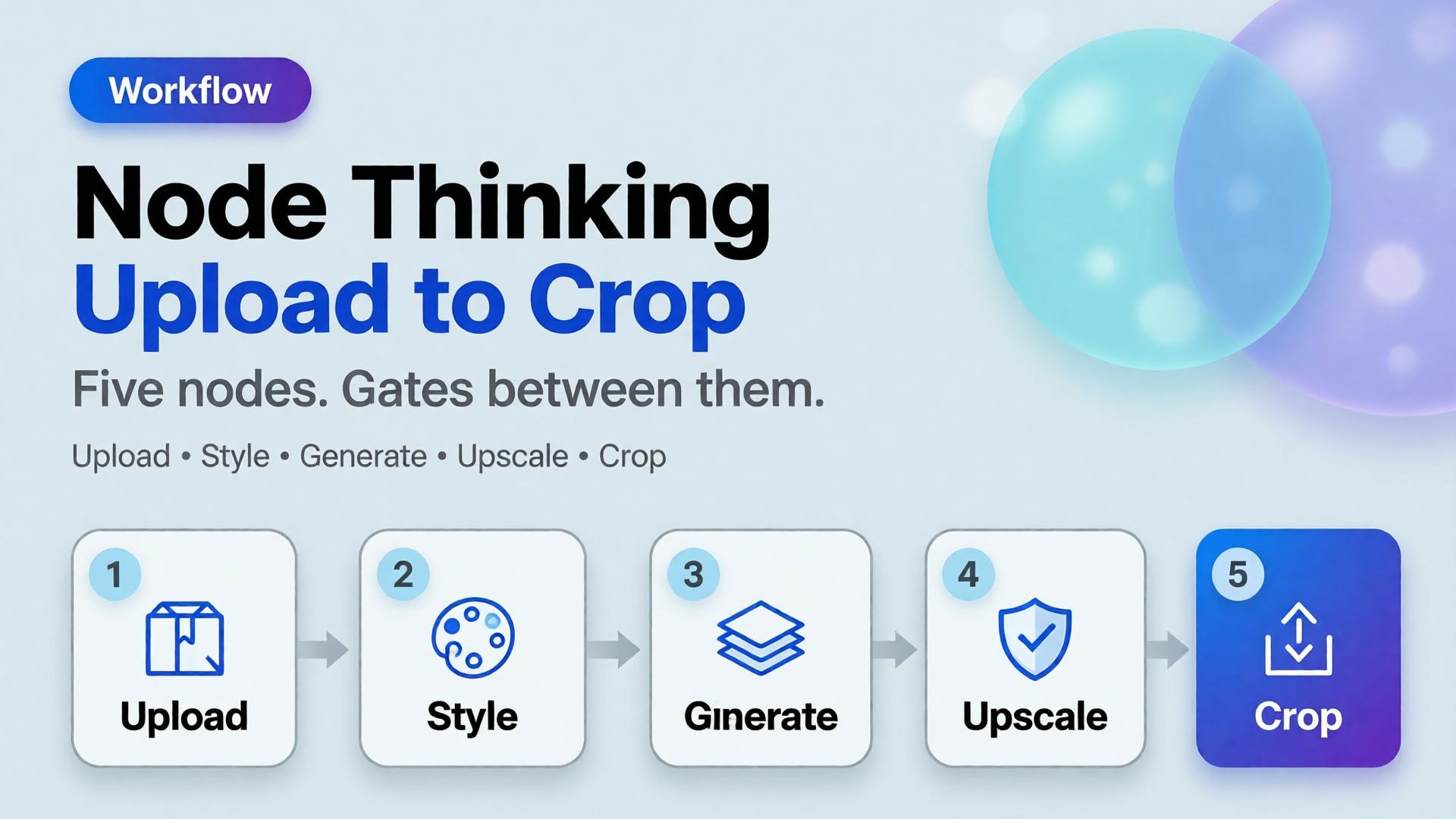
– The default ecommerce spine is five nodes: Upload → Brand Style → Generate → Upscale → Crop.
– Save the graph, not just the JPEG. Next drop should reuse the path with a new reference.
Because teams automate pixels before they name jobs.
Habit
What it optimizes
What breaks
New chat per task
Speed today
No memory tomorrow
Tool hopping by vibe
Novelty
Brand drift
Crop last, think never
File delivery
Wrong focal job per ratio
Upscale everything
Sharpness
Amplifies bad geometry
No gate
Throughput
Pretty failures ship
Scattered stacks feel powerful until Friday’s format request. Then Orauria vs scattered AI stack becomes a lived experience, not a blog title.
A workflow builder does not make you faster at prompting. It makes you slower at skipping gates — which is how catalogs stay coherent.
What Is Node Thinking?
Node thinking is the habit of describing creative production as a graph:
Each node has a single job
Each node declares required inputs
Each node enforces brand or geometry rules
Each node ends with a curator gate (pass / reject / regenerate)
Edges are intentional — not “whatever tab is open”
It is the production twin of a 3-line brief: brief sets direction; nodes execute it without renegotiating identity every step.
The Five-Node Ecommerce Spine
1. Upload — lock the reference truth
Job: ingest the honest product reference (phone packshot, shelf photo, studio plate).
Gate:
Label readable?
Geometry usable?
Color approximately true?
Fail here and every later node invents a product.
2. Brand Style — lock the world rules
Job: attach palette, light logic, no-go list, character rules if a face appears.
This is where batch thinking lives. Without Brand Style as a node, Generate becomes fashion roulette.
Gate:
Kit selected?
Season / campaign tag set?
Forbidden styles listed?
3. Generate — create against the brief, not against vibes
Job: produce candidates for a named slot (hero, lifestyle, demo still) using SCENE or a 3-line brief.
Gate:
Matches brief job?
Product fidelity hold?
No new brand personality?
Adobe’s finding that 57% of creators still edit AI outputs heavily is not an excuse to skip direction. It is why Generate must be gated — editing without a checklist just polishes drift.
4. Upscale — sharpen only what already passed
Job: increase resolution for marketplace or print-adjacent crops.
Gate:
Did upscale invent texture or typography?
Edges still true to package?
Never upscale rejects. Upscale is not forgiveness.
5. Crop — assign channel jobs
Job: express one approved master as a ratio family — feed, story, cover — without redesigning the scene.
It is a system that chains creative jobs — reference ingest, brand style, generation, upscale, crop — with rules and gates so catalogs stay coherent across channels.
Do I need software called “workflow builder” to practice node thinking?
No. Node thinking is a design discipline. A builder product makes the graph durable; a spreadsheet of stages with pass/fail still beats tab chaos.
Where should creative direction sit in the graph?
Before Generate. Direction is an input to the Generate node (brief + kit), not a vibe applied after upscale.
How is this different from phone-to-campaign workflow?
Phone-to-campaign is the journey metaphor for SMEs. Node thinking is the engineering pattern for repeating that journey without rebuilding it.
Should every SKU regenerate from scratch?
No. Reuse Brand Style and Crop recipes. Swap Upload references. Regenerate only when the scene family or product truth changes.
What is the biggest failure mode?
Skipping gates because a frame “looks fine alone.” Nodes exist so you review the path, not just the PNG.
Conclusion
Upload. Brand Style. Generate. Upscale. Crop.
Five nodes. One brand kit. Gates between them. That is AI workflow builder ecommerce in practice — not another prompt trick.
Save the graph. Next week’s drop should inherit it. The teams that scale AI creative are not the ones with the most tabs open. They are the ones who named the jobs — and refused to ship anything that failed a gate.
Freelancer Playbook: One Workflow Template for Five Clients
The freelance trap in AI creative work is not bad clients. It is rebuilding the pipeline from zero every Monday.
Client A wants lifestyle product shots. Client B wants lookbook scenes. Client C sends a phone photo and needs a campaign by Thursday. You open three different tools, three different folder structures, three different prompt habits — and bill for hours of setup you cannot charge for.
An AI freelance design workflow should work like a production template, not a one-off experiment. One spine. Five brand slots. Same curator discipline. Different 3-line briefs, same nodes.
Key Takeaways
>
> – One template = fixed pipeline stages + swappable client slots (brief, references, brand style, output formats).
> – Adobe's 2026 Creators' Toolkit Report found 60% of creators used more than one creative AI tool in three months — freelancers who survive that chaos run one workflow, not one tool per client (Adobe, 2026).
> – 85% insist the final creative decision must remain theirs — your template should separate explorer (generate) from curator (approve), not collapse both into one tired freelancer at midnight (Adobe, 2026).
> – Charge for the system handoff, not just the image folder. The template is a deliverable.
If you have read Phone Photo to Campaign, you know the five-stage mindset: Capture → Clean → Direct → Extend → Adapt. This playbook is the freelancer layer on top — how to run that pipeline five times without five mental resets.
Why Do Freelancers Rebuild Workflows Per Client?
Three habits eat margin:
1. Client-shaped folders, not workflow-shaped folders. Every job starts as ClientName_Final_v3_NEW. No saved nodes. No reusable SCENE grid. Next launch, you reverse-engineer your own process from screenshots.
2. Tool-shaped workflows, not deliverable-shaped workflows. Midjourney for exploration, another tool for upscale, another for crop. Each client picks a different stack because you never standardized what the pipeline produces.
3. Generation without curation. Adobe reports 57% of creators say AI outputs need moderate or extensive editing before publish (2026). When one person generates and approves in the same session, quality drifts — and the brand consistency trap shows up on invoice day.
What Is the One-Template, Five-Client Model?
Think of your workflow as a film production kit — same crew, same call sheet structure, different cast and location each shoot.
That is your AI freelance design workflow skeleton. Client five uses the same skeleton. Only the brief and references change.
How Do Five Different Clients Fit One Template?
Here is a realistic week — five clients, one template:
Client
Category
Reference input
Brief emphasis
Scene count
Mode
A — DTC serum brand
Beauty
Phone shelf shots
Morning ritual, calm
5
Reference-heavy
B — Indie fashion label
Fashion
Lookbook flat lay
Urban commute world
8
Explore → lock
C — Ceramic homeware SME
FMCG
Phone desk shot
Unhurried warmth
4
Reference
D — Agency white-label
Mixed
Client pack per SKU
Their mandatories
6
Reference
E — Personal brand coach
Service
Portrait + props
Authority + approachability
4
Explore
Same template. Different slot values. You are not learning five workflows — you are configuring five instances.
For fashion Client B, cross-check worlds against lookbook thinking. For beauty Client A, use beauty context mapping so morning scenes are not generic stock.
Rule: templates live outside client folders. Clients get instances, not forks. If you copy-paste the whole pipeline per client, you will maintain five divergent messes by month two.
How Do You Onboard a New Client in One Session?
Kickoff agenda (45 minutes):
Deliverable definition — What does "done" look like? (images only vs system handoff)
3-line brief — Fill together live; client leaves with alignment
Reference rules — What they send, how they name files, what you reject
When consistency breaks across clients, the failure mode is the same as brand consistency trap — you skipped direction and curation, not AI capability.
How Does This Connect to Node Thinking?
This playbook is the operating model. Node thinking (coming soon) is the infrastructure — Upload → Brand Style → Generate → Upscale → Crop as reusable nodes in a builder.
On Orauria-style platforms:
Build SKU_Launch_v1 once with explicit nodes
Duplicate workflow → rename client instance
Swap reference pack + brand style slot
Run → curate → export → hand off duplicate
Client six onboards in an afternoon, not a rebuild week.
Run one template across clients on Orauria:Try Orauria
Frequently Asked Questions
Can one template really work for beauty and fashion clients?
Yes, if the pipeline stages are fixed and only scene content changes. Beauty and fashion differ in SCENE rows and references — not in Capture → Adapt logic.
How many clients can one freelancer run on one template?
Depends on curator capacity, not AI speed. Most solo freelancers stabilize at 4–6 active retainers when the template is real — not at 15 chaotic one-offs.
Should each client get their own AI tool login?
Prefer one workspace with client-separated folders and brand style slots. Multiple logins multiply handoff errors.
What if a client insists on their own workflow?
Deliver in their format if required — but run your template internally. Export finals to their spec; keep your spine for margin.
Is the workflow template really a billable deliverable?
Yes. Clients pay for independence — the ability to rerun launches without you. Price it as a productized add-on.
How does this differ from the 3-line brief article?
The 3-line brief is what to decide per job. This playbook is how to run five jobs without rebuilding how you work.
Conclusion
Freelancers do not need five workflows for five clients. They need one template with five configuration slots — brief, references, brand style, scenes, exports.
Build the spine once. Onboard clients into it. Curate before export. Hand off the template as part of the deliverable.
The competitive edge is not prompting faster. It is shipping the same reliable system — client after client — without starting from zero every Monday.
The 3-Line Brief: Creative Direction for AI (Not 3 Pages)
The traditional creative brief was built for committees. Background. Competitive landscape. Mandatories. Tone of voice appendix. Three pages later, the art director still asks: "So what are we actually making?"
AI did not kill the brief. It exposed which parts of the brief were theatre — and which three sentences actually steer every image downstream.
An AI creative brief does not need more words. It needs fewer, sharper decisions made before generation starts. The 3-line brief is that format: three lines, three decisions, one coherent batch.
Key Takeaways
>
> – Line 1: Who buys (persona + moment). Line 2: What world (context + light). Line 3: What feeling closes (emotion + channel job).
> – In 2026, Adobe found 85% of creators insist the final creative decision must remain theirs — a tight brief protects that judgment instead of burying it in prose (Adobe Creators' Toolkit Report, 2026).
> – Adobe's 2025 survey showed 48% use creative AI for ideation and 52% for asset generation (Adobe MAX 2025, 2025) — the 3-line brief sits before both, not inside the prompt box.
> – Expand a 3-line brief into SCENE rows only after the three lines are locked.
If you run phone-to-campaign workflows, the 3-line brief is Stage 3 in one page. If you run lookbook thinking, it is the world sentence before the eight scenes.
Why Do Three-Page Briefs Fail for AI Creative Work?
Three-page briefs optimize for alignment meetings, not generation pipelines.
Three-page habit
What AI actually needs
Brand history essay
One buyer moment
Competitor matrix
One differentiated world
Mood adjectives ("premium, modern, fresh")
One enforceable emotion
Channel appendix added last
Channel named in Line 3
Mandatories buried on page 2
References uploaded separately
When teams paste paragraph briefs into prompts, models grab random adjectives and ignore commercial intent. You get technically on-brief images that do not belong together — the brand consistency trap in brief form.
Adobe reports 57% of creators say AI outputs need moderate or extensive editing before publish (2026). Much of that editing is really brief failure disguised as retouching.
What Are the Three Lines?
Copy this template at the top of every AI creative job:
LINE 1 — BUYER: [Who + life moment in one sentence]
LINE 2 — WORLD: [Physical context + light logic in one sentence]
LINE 3 — CLOSE: [Primary emotion + channel job in one sentence]
That is the entire AI creative brief for exploration or first-pass generation. Everything else — SCENE rows, reference packs, format list — attaches after.
Line 1: Buyer (who + moment)
Not demographics alone. Moment.
Weak: "Women 25–40 interested in skincare."
Strong: "Urban professional, 32, pre-meeting bathroom mirror — needs to look composed in ninety seconds."
The moment tells you which scenes are plausible before you write any prompt.
Line 2: World (context + light)
Not "beautiful lifestyle." Enforceable environment.
Weak: "Clean, premium bathroom."
Strong: "Small apartment bathroom, soft morning window light, warm neutrals, no marble, no gold fixtures."
Line 2 is where reference vs explore splits: exploration varies Line 2 widely; scale mode locks Line 2 across every render.
Line 3: Close (emotion + channel)
Not "inspiring." One feeling + one job.
Weak: "Aspirational and modern for social."
Strong: "Calm confidence — hero for Instagram carousel slot 1, thumb-stop in under two seconds."
Line 3 connects brief to channel adaptation from AI ecommerce design — the image must do a commercial job, not just look good.
What Do Three-Line Briefs Look Like by Category?
Fashion — structured blazer
Line
Content
1
Urban professional, 34, Monday lobby commute — wants to read capable before the meeting starts.
Do not write SCENE tables before Line 2 is specific enough to reject a neon bathroom prompt.
When Is a 3-Line Brief Enough vs When Do You Need More?
Situation
3-line brief
Add SCENE grid
Add full doc
Freelancer pitch concept
✅
Optional
No
Hero SKU launch
✅
✅ 4–6 rows
No
Enterprise rebrand
✅
✅
Legal mandatories only
100-SKU catalog batch
✅ per family
✅ per hero
Brand kit link
Client needs sign-off paper
✅ as cover
Attach SCENE
One-page PDF max
If the client demands a three-page brief for politics, write it — then work from the three lines internally. The PDF is for the meeting; the three lines are for the pipeline.
What Are Common 3-Line Brief Mistakes?
Mistake
Example
Fix
Adjective stacking
"Premium, elevated, timeless, modern"
One emotion in Line 3 only
Missing light
"Kitchen scene"
Add time-of-day + temperature to Line 2
Channel omitted
"For Instagram"
Name slot job: hero, carousel 1, ad
Buyer too broad
"Gen Z consumers"
One moment, one mirror, one commute
Skipping curator
Brief written by whoever generates
Separate explorer from approver
How Does the 3-Line Brief Fit Freelancer Workflow?
Freelancers win when the deliverable is direction + system, not a folder of files.
Suggested client-facing flow:
Kickoff: agree 3-line brief (15 minutes)
Exploration: 2–3 world options obeying Line 1 only
Write and run 3-line briefs on Orauria:Try Orauria
Frequently Asked Questions
Is a 3-line brief too short for serious brands?
No. Serious brands need clear decisions, not long documents. Enterprise teams can attach mandatories separately; the three lines still drive generation.
Can I paste the three lines directly into an AI prompt?
Use them as the header block above scene-specific prompts — not as the entire prompt. Lines 2–3 should repeat in every scene brief for consistency.
How is this different from SCENE?
SCENE is a per-scene framework (five dimensions). The 3-line brief is project-level — one spine for the whole job. Write three lines first, then SCENE rows.
What if the client changes direction mid-project?
Change Lines 2 or 3 explicitly and regenerate affected scenes only. Do not tweak prompts randomly — that is how consistency traps start.
Should freelancers charge for brief development?
Yes. Briefing is creative direction. Many freelancers underprice generation and overgive strategy; the 3-line brief is a billable discovery deliverable.
Does this work for non-visual AI (copy, video)?
Yes. Line 1–3 map to audience, setting/tone, and desired response — video teams add motion rules; copy teams add voice — same spine.
Conclusion
AI does not need a three-page brief. It needs three decisions: who, world, close.
Write those lines before opening any model. Expand into SCENE only after they hold. Reference when scaling, explore when discovering, curate before publish.
The brief is not documentation. It is steering — and three lines are enough if they are specific enough.
From Phone Photo to Campaign: A Workflow Mindset for Small Brands
The most common excuse in small-brand ecommerce is also the least true: "We can't shoot a campaign — we only have phone photos." The phone is not the bottleneck. The workflow is.
A founder snaps a product on a kitchen table. It is slightly crooked, the light is mixed, the background is busy. Most teams do one of two things: post it anyway and hope, or open an AI tool, generate something prettier, and discover marketing needs six more formats by Friday. Both paths treat the image as a one-off. Neither treats it as the first node in a pipeline.
AI product photo workflow for small brands is not about fixing a single file. It is about turning a rough reference into a campaign system — hero, lifestyle scenes, social crops, email header — with creative direction that survives every step.
Key Takeaways
Your phone photo is a reference asset, not a final deliverable. The workflow starts with what you have, not what you wish you had.
In 2026, Adobe found 72% of creators frequently create content on mobile — and 60% used more than one creative AI tool in three months to match the right tool to each task (Adobe, 2025–2026).
The Phone → Campaign pipeline has five stages: Capture, Clean, Direct, Extend, Adapt. Skip a stage and you rebuild from scratch next launch.
Workflow mindset beats better prompts: save the creative logic, not just the pixels.
If you have read AI Ecommerce Design Is Not AI Image, you know commercial creative is a system — not a single render. This article is the SME entry point: how to run that system when your only studio is a windowsill and your only camera is in your pocket.
Your phone is node one — not a dead end.
Why Do Small Brands Treat Phone Photos as Dead Ends?
Three beliefs block the pipeline before it starts:
1. "Professional means professional camera." Buyers care about clarity, context, and trust — not EXIF data. A well-directed phone reference processed through a consistent workflow often outperforms a random DSLR shot with no brief.
2. "AI will fix everything in one click." Adobe's 2026 Creators' Toolkit Report found 57% of creators say AI outputs need moderate or extensive editing before publish. AI accelerates production; it does not replace creative direction.
3. "We will redo it properly later." "Later" becomes never. Meanwhile every channel gets a different ad hoc image — and the brand drifts before it scales.
What Is the Phone → Campaign Workflow?
A campaign is not one image. It is a coordinated set: marketplace hero, PDP gallery, paid social, email, maybe short video. The Phone → Campaign workflow maps how one capture becomes that set without reinventing the brief each time.
Stage
Job
Question it answers
1. Capture
Document the real product
What does truth look like?
2. Clean
Normalize the reference
Can AI read shape, label, color accurately?
3. Direct
Apply SCENE / context map
What story and scenes does this SKU need?
4. Extend
Generate scene family
What images belong in the same world?
5. Adapt
Export per channel
What does each platform require?
This is AI ecommerce design at SME scale — five layers compressed into a pipeline a two-person team can run in an afternoon.
Capture → Clean → Direct → Extend → Adapt: five stages, one pipeline.
Stage 1: Capture — What Phone Photos Actually Need
You do not need a light tent. You need repeatable capture rules:
One hero angle that shows label, shape, and true color
Even, indirect light — window light beats overhead kitchen LED
Simple background — white poster board, neutral table, plain wall
Scale reference — hand, coin, or known object so size is honest
Detail shot — texture, cap, ingredient panel if relevant
Capture three to five phone frames. That is your truth pack — the anchor every generated scene must respect.
Adobe's 2025 inaugural Creators' Toolkit Report noted 72% of creators frequently create content on mobile (Adobe MAX 2025, 2025). Small brands are not behind the curve. They are often native to how content is actually made.
Stage 2: Clean — Turn Noise into Reference
Before scene generation, normalize the phone file:
Crop to product with breathing room
Correct white balance — phone auto-WB lies
Remove distracting background if needed (not beauty-filter the product)
Upscale only after composition is locked
The goal is not Instagram polish. The goal is a machine-readable reference: clear edges, honest color, readable label. AI scene tools need truth more than glamour at this stage.
If the product geometry is wrong here, every downstream scene inherits the lie.
Stage 3: Direct — SCENE Before Generate
This is where most phone-to-AI workflows fail. Teams jump from Clean straight to Extend — "make it look professional."
Example for a handmade ceramic mug sold on Shopify:
Scene
Story
Context
Channel
1
Slow morning
Kitchen window, steam rising
PDP lifestyle
2
Clarity
Studio-style hero on neutral
Marketplace
3
Gift
Wrapped, ribbon, soft light
Email hero
4
Desk companion
Laptop, notebook, afternoon
Instagram
Same mug. Phone reference. Four directed scenes — not four random prompts.
Stage 4: Extend — Build the Scene Family
With reference images uploaded and SCENE rows defined, generate one winner per scene. Explore freely; curate ruthlessly.
Rules for extension:
Lock product geometry from the phone reference — do not let the model redesign the SKU
Lock light logic across scenes — same season, same time-of-day feel
Lock palette from brand kit — not model defaults
Separate explorer from curator — whoever generates should not be the only approver
Adobe found in 2026 that 85% of creators insist the final creative decision must remain theirs (Adobe Creators' Toolkit Report, 2026). Phone-to-campaign workflows respect that: AI proposes scenes; humans protect the brand.
Fashion brands extend this logic through lookbook thinking. The phone photo of a garment on a hanger is still a valid reference — the world-building happens in Stage 3, not Stage 1.
Stage 5: Adapt — Channel Is Design Work
A campaign dies in adaptation if nobody planned formats upfront.
Channel
Typical need
Adaptation job
Marketplace
Compliant hero, white or neutral
Crop, compliance check
PDP gallery
Clarity + lifestyle mix
4–6 image sequence
Instagram
4:5 or 1:1, thumb-stop
Crop, contrast bump
TikTok Shop
Vertical, native feel
Reframe, motion extract
Email
Wide banner, text-safe zones
Crop with overlay room
Adaptation is not resize-and-pray. It is intentional reframing — planned in Stage 3 when you listed formats in the Extension column.
Stage 5: each channel gets intentional adaptation — not emergency cropping on Friday.
What Does a One-Afternoon Phone → Campaign Run Look Like?
For a two-person SME team launching one hero SKU:
Time block
Task
Output
0:00–0:30
Capture truth pack (phone)
3–5 reference frames
0:30–0:45
Clean + upload references
Normalized anchor files
0:45–1:15
SCENE / context map (4 rows)
Written brief
1:15–2:30
Generate + curate (4 scenes)
4 approved images
2:30–3:00
Adapt per channel
8–12 publishable files
3:00–3:15
Save workflow template
Repeatable pipeline
Three hours. One product. One campaign skeleton — not a single pretty picture and a panic attack.
A two-person SME team can run the full pipeline in one afternoon — with a saved template for next SKU.
Phone Photo vs Studio Shoot: When Does Each Win?
Situation
Phone + workflow
Studio shoot
Pre-launch, no budget
✅ Best option
❌ Delayed
1–10 hero SKUs
✅ Fast iteration
Optional
100+ SKU catalog
Hybrid — phone truth + batch workflow
Scale studio for heroes
Character-led fashion
Phone for product truth; AI for worlds
Model shoot if budget allows
Marketplace compliance
Phone hero + AI lifestyle
Studio for main if required
The workflow mindset does not claim phone beats studio forever. It claims waiting for studio is a worse strategy than shipping a directed campaign now.
What Breaks Phone → Campaign Workflows?
Failure
Symptom
Fix
Skip SCENE
Pretty orphans
Write brief before generate
Over-trust AI cleanup
Product shape drifts
Lock geometry from phone ref
No saved template
Reinvent every launch
Save workflow after first SKU
One person generates + approves
Brand drift, no taste
Split explorer / curator roles
No adaptation plan
Friday crop panic
List channels in Stage 3
When consistency breaks across scenes, read Brand Consistency Trap (coming soon) — the failure modes are the same whether your reference came from a phone or a Phase One.
How Does This Connect to Workflow Builder Thinking?
Phone → Campaign is the mindset. Node thinking (coming soon) is the infrastructure — Upload → Brand Style → Generate → Upscale → Crop as reusable nodes.
In platforms like Orauria, the pattern is explicit:
Upload phone reference pack
Apply Brand Style guardrails
Run SCENE scene nodes per context row
Upscale and channel-crop outputs
Save as template: "Phone SKU Launch v1"
Next SKU swaps the reference images. The creative logic stays.
Turn phone photos into campaigns on Orauria:Try Orauria
Frequently Asked Questions
Can a phone photo really be good enough for a professional campaign?
For many small brands, yes — as a reference, not always as a final hero. The workflow uses the phone capture for truth (shape, color, label), then builds directed scenes around it. Marketplace-compliant heroes may still need a clean packshot pass.
Do I need expensive AI tools for each stage?
Adobe's 2025 data shows 60% of creators used more than one creative AI tool in a three-month window — but that is a choice for flexibility, not a requirement. An integrated workspace reduces handoffs; scattered tools work if your brief and file naming are disciplined.
How is this different from "enhance my photo with AI"?
Enhancement fixes one file. Phone → Campaign builds a scene family + channel set from one reference, with SCENE direction and saved workflow. Enhancement is Stage 2. Campaign is Stages 1–5.
What phone settings matter most?
Indirect light, tap-to-expose on the product (not the background), avoid digital zoom, shoot more frames than you think you need. Consistency across captures matters more than megapixels.
Can freelancers sell this as a service?
Yes. The deliverable is not "10 AI images." It is a campaign kit + saved workflow template the client can rerun. That is a higher-value offer than per-image generation.
What is the first step if I only have one bad phone photo today?
Clean it, write a four-row SCENE map, and generate one lifestyle scene that matches your buyer's real morning — not a generic luxury backdrop. Prove the pipeline with one scene before scaling to four.
Conclusion
Small brands do not fail because they lack studios. They fail because they treat a phone photo as a dead end instead of node one in a campaign pipeline.
Capture with honesty. Clean for reference truth. Direct with SCENE. Extend with curation. Adapt with channel intent. Save the workflow so next month's drop starts at minute zero — not at panic o'clock.
Your phone is already a camera. The only missing piece is the mindset that connects it to a campaign.