
The first article in this series, 7 Grok Bot Tips to Schedule Posts, Filter Upwork Jobs, and Research Faster, mapped seven practical tips, including a short look at filtering Upwork jobs. This piece goes deeper on that one tip. It is a setup and optimization guide for a job-filtering system with a scoring rubric you own, proposal drafts you still review, and a hard rule that nothing is submitted until you confirm — written as an illustrative week, not as a client case study, and without any claim of official partnership with xAI or Grok Bot.
Facts about Grok Bot come from public pages on x.ai/bot and docs.x.ai, including the documentation on skills and routines and the cloud computer and apps (the Connect apps page was updated 11 November 2026). Facts about Upwork’s official MCP server come from upwork.com/ai/mcp (updated 10 November 2026) and Upwork’s help articles on using AI agents through MCP and MCP rate limits. We checked those sources on 12 November 2026 (Asia/Saigon, UTC+7).
Key takeaways. A useful Upwork filter does not “apply while you sleep.” It searches or reads an inbox you control, applies a rubric you wrote, and returns a short shortlist plus draft proposals for you to accept, edit, or reject. Upwork’s official MCP can search and draft, but it does not score jobs on its own, and Connects are spent only when you confirm a proposal. Effectiveness is something you measure on your own pipeline — shortlist quality, review time, rework, and Connects spent below your own threshold — not a promised reply rate. One important caveat, stated plainly below: Grok Bot can add a custom Remote HTTPS connector, but Upwork says hosted or web-based agents that are not on its approved list may not be able to complete OAuth yet. We did not verify the connection end-to-end in this run. The scoring skill still works if you paste or save job posts yourself, and you should not scrape Upwork in a browser.
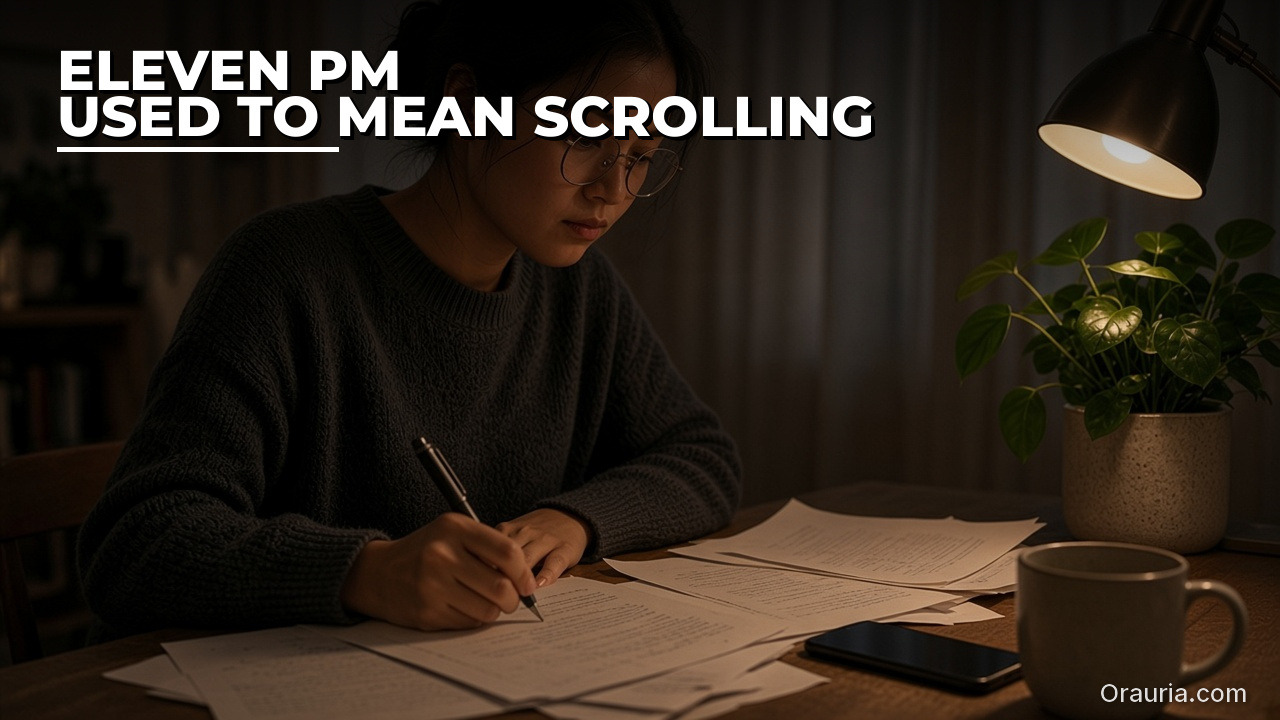
The 11 p.m. scroll that never quite ends
Meet Trang — an illustrative freelance product designer, not a real named client. She is good at the work. The part that drains her is the marketplace. At 11 p.m. the feeling is familiar: a tight jaw, a thumb that keeps scrolling, and a private promise that “just two more jobs” will be the last. Some posts are vague. Some want a full design system for a budget that would barely cover a week. Some look perfect until the tenth line asks for a free test. She spends Connects anyway, because the quiet fear is that a good job is sliding by while she sleeps. She writes proposals after midnight, in a voice that sounds a little too eager, and wakes up wondering which ones she should not have sent.
The emotion is not greed. It is the particular loneliness of freelance hope: if she stops looking, she might miss the one client who would have been a fit. The after we are aiming for is quieter. Morning, Trang opens a short summary: five jobs scored against a rubric she wrote, two of them clearly below her line, three with a draft proposal that cites a real project from her portfolio and a note about one claim she still needs to check. She spends twenty minutes rejecting one, tightening two, and confirming nothing until the words are hers. The tightness in her jaw is gone, replaced by a smaller, sturdier feeling: she is still the person who decides where her Connects go. Your week will not look exactly like hers. The feeling you want — a review instead of a midnight rescue — can.

What effectiveness looks like, and how to measure your own pipeline
It is tempting to judge a filter by reply rate, hire rate, or “how many proposals went out.” Those numbers move for many reasons — season, profile strength, pricing, luck — and we will not invent a percentage improvement and pretend it came from a real freelancer. Effectiveness, in this workflow, is closer to a pipeline you can inspect than to a lucky week. You can start measuring this week, with a notebook or a Sheet, using five questions:
- Shortlist discipline. Of the jobs that entered your inbox or search, how many did you actually shortlist, and did the list stay inside a cap you chose — for example five?
- Review time. How many minutes did you spend accepting, editing, or rejecting, once the Bot had done the first pass?
- Rework. How many drafts did you send back, and for what reason — off-voice, overclaimed fit, wrong portfolio piece, ignored a red flag?
- Connects below the line. How many Connects did you spend on jobs that scored under your own threshold, or that you would not have pursued after a sober morning read?
- Process failures. How often did a run come back empty, hit a rate limit, invent a fit, or try to submit without you?
Trang’s illustrative targets, which you should replace with your own, look like this. Before the system, a typical week might mean a late-night scroll, eight rushed proposals, and a lingering sense that half of them were a stretch. After a few iterations, a “healthy” week might be a morning shortlist of five, two or three drafts actually confirmed, a review that fits in a short coffee, and zero Connects spent on jobs she had already marked as a hard no. Reply rate, if she tracks it, is her own measurement over several weeks — never a number the Bot is allowed to forecast. If a week falls short, the notes tell you whether the problem was a vague rubric, a noisy search, a habit of raising every score, or a skipped approval step. That is more useful than a screenshot of one client who wrote back.
One more rule of honesty: do not let the Bot congratulate you with made-up odds of winning. Ask it to report the jobs it considered, the score against your rubric with a one-line reason, what it could not judge, and what is waiting on you. The feeling of effectiveness is not “the machine applied for me.” It is “I can see the shortlist, and I still hold the last click.”

How the loop works: a rubric, official tools, and a human in the loop
Under the hood, this is a small agent loop, not a magic “apply all” button. You give the Bot a job and a boundary. It uses tools, or it reads an inbox you filled. It brings a shortlist and drafts back for approval. Then, and only then, a proposal may be submitted — by you.
Grok Bot is an AI teammate with a persistent cloud computer — a browser, files, and a terminal — so work can continue after you close your laptop. Official documentation describes two complementary pieces. A skill is a reusable set of instructions: when to use it, required inputs, the steps, how to check the result, what to return, and what needs your approval. A routine tells one Bot when to run that work, on a schedule or when an event happens. Routines run in the cloud while your laptop is closed. The same docs page (updated 9 November 2026) publishes rate limits: all of your routines together can run up to 300 times an hour, and each routine up to 200 times an hour. A twice-daily job shortlist does not need to come close to those limits, and, as we will see, Upwork has its own, stricter search limits you should respect first.
The tool layer, when it is available, should be Upwork’s official MCP server — not a browser script, and not an unofficial plugin that asks for your Upwork password. Upwork hosts that official server at https://mcp.upwork.com/mcp and describes it as the only official connector for AI agents. Authentication is OAuth 2.1 with your own Upwork account; Upwork does not accept API keys for this connector. For freelancers, the documented capabilities include a dashboard snapshot (invitations, offers, messages, matched jobs, Connects balance), search by skill, category, budget, or type, saving jobs, and generating a proposal draft grounded in your profile and the job, with review before submitting. Upwork is explicit: Connects only apply when you confirm, and most write actions are drafts until you confirm. Binding financial or contract actions finish on upwork.com. A person confirms every binding action in the current release.
Two official limits on “scoring” matter for this article. First, Upwork MCP does not add its own scores or rankings; search results come back in the order you choose, or from Upwork’s own Best Matches and Most Recent feeds. Second, Upwork says your AI agent can sort, filter, and summarize using criteria you give it, but it should not rank, score, or pick jobs using its own criteria — you decide which jobs to pursue. The rubric in this guide is therefore yours. You write it. The Bot applies those explicit criteria as a decision aid and a shortlist. It does not get to invent a “best job” of its own, and you do not outsource the decision.
Now the caveat you should read before you spend an evening on setup. Grok Bot’s documentation (updated 11 November 2026) explains how to add a custom Remote HTTPS connector: a name, a server URL, optional headers, and optional OAuth client fields, saved from Connect apps. In principle, that is the documented way to point a Bot at a remote MCP server. Upwork’s own FAQ, however, lists Claude, ChatGPT, Cursor, and Codex as the agents with first-party setup guides, and it states that web-based or hosted agents that are not on the approved list may not be able to connect yet, because hosted agents need an approved OAuth callback URL. Grok Bot runs as a hosted teammate with a cloud computer. We have not independently verified that the Upwork OAuth sign-in completes inside Grok Bot. Treat a successful connection as something to test, not as a finished recipe. If the sign-in fails, stop. Do not fall back to logging into Upwork in the Bot’s browser and scraping the site: Upwork says it conducts automated enforcement for bots and browser tools that access the website, while use of the official MCP, within its terms and rate limits, is the supported path.
The fallback that always works is unglamorous and honest. You — or a supported desktop agent, if you already use one — save or paste job posts into a folder or a Sheet on the Bot’s cloud computer. The skill reads that inbox, applies your rubric, and drafts proposals for the top few. A routine can still remind you, or process whatever landed in the folder, without touching Upwork’s website. Context and memory belong in the skill and in that inbox, not in a long chat from last month: your positioning, rate range, a short list of portfolio pieces you may cite, hard disqualifiers, and the sentence “Never submit a proposal or spend Connects without my explicit confirmation of the exact text.” The cloud computer is shared across every Bot on your account, so session cookies, passwords, and OAuth secrets do not belong in /workspace or in Slack.
If a live official connection does work in your account, keep the routine conservative. Upwork allows scheduled read-only searches if your agent supports them, and it warns that frequent runs can consume a large part of a daily search limit (the help article, checked 12 November 2026, lists search and discovery at 15 requests per minute, 150 per hour, and 750 per day, shared across all of your agents). If Upwork starts refusing or slowing requests, pause the schedule rather than retrying. Two thoughtful runs a day are enough for this design.
The human-in-the-loop step is not a formality. It is the difference between a teammate and an unsupervised applicant. In this design the routine may search, score against your rubric, and draft. It must not submit. If you ever feel the system is “so good we can skip review,” that is usually the week a wrong rate, a copied claim, or a job you were never qualified for would have cost you Connects.

Setup experience: from a written filter to the first shortlist
The first setup is a morning of careful work, not a five-minute trick. The payoff is that you do it once, then improve the skill instead of improvising every night.
1. Write the rubric before you touch a connector. On paper or in a document, name the work you actually want, the budget or rate range you will consider, client signals that matter to you (for example a clear scope, a written brief, a history of hiring), and hard disqualifiers (unpaid tests, “build everything for $50,” a job that is mostly a different craft). Give each criterion a simple weight, and decide a minimum total below which you will not draft a proposal. This is your criteria, not the Bot’s taste.
2. Try the official connector, and have a fallback ready. In Grok Bot, first look under Connect apps for an official Upwork listing. If there is none, you can try adding https://mcp.upwork.com/mcp as a custom Remote HTTPS connector and completing the Upwork OAuth screen if it appears. If it appears and you finish sign-in, ask the Bot to pull a harmless read — for example your Connects balance or a short search you already run by hand — and stop if anything looks wrong. If OAuth does not complete, use the inbox fallback: create a folder such as /workspace/upwork/inbox and put three or four real job posts there yourself. An empty inbox is the most common reason a first run invents “perfect” jobs.
3. Write a narrow skill, not a manifesto. Say where to read jobs, how to apply your rubric (quote the weights), what to do with a hard disqualifier, how many items may appear on the shortlist, that drafts may cite only portfolio pieces you listed, and the hard rule: never submit, never spend Connects, never send a message, never boost a profile, unless you have confirmed the exact action. Ask the Bot to show you the skill text and save it. Run it once by hand, on a single job, while you watch.
4. Draft only the top of the shortlist, then consider a routine. For the first week, let the skill return a compact table — job title, your score, one-line reason, red flags, a recommended yes/no — and a draft only for the top two or three yeses. Read every draft against the original post. When that feels safe, you may attach a routine, for example early morning and late afternoon in your timezone, that processes new inbox items or, if and only if the official connector is working, runs a narrow saved search. Official Grok Bot docs are clear that routines keep running when your laptop is closed. Set the timezone explicitly. Keep the cadence slow.
Pitfalls we see in the first week (and that Trang hits in this illustrative run). A third-party listing promised “auto-apply” and asked for a password; she declined. The Bot treated “draft a proposal” as “submit it.” The rubric existed only as “find good jobs,” so everything scored as an 8. A draft cited a case study she does not have. The search was so broad it burned through early requests. Someone suggested signing in through the Bot’s browser “just this once.” The routine ran at the wrong local time. A second Bot on the same account could see files on the shared computer. None of these are reasons to give up. They are reasons to tighten the skill, as the next section does on purpose.

The optimization journey: three versions of the same scoring skill
If the first run feels disappointing, that is normal. A filter is a process you revise. Here is an illustrative v1 → v2 → v3, using Trang’s week as the example. Your wording will differ; the shape of the revisions is what matters.
Version 1 — “Find me good jobs and write proposals.” The prompt is short and optimistic. The Bot, eager to be useful, treats almost every post as a fit, writes five proposals in a generic enthusiastic voice, offers to submit the first one, and invents a “similar project” that is not in her portfolio. Trang’s feeling after v1 is a familiar irritation: this is faster than a blank page, but it is not her judgment, and she does not trust it with Connects. The measurement, if she is honest, is a high rework rate and a shortlist that is not short.
Version 2 — Rubric, inbox, and a ban on submitting. Trang pastes her criteria and weights into the skill, points the Bot at the inbox, and adds the sentence “Never submit a proposal or spend Connects. Return a shortlist and drafts only.” The week gets better. The Bot stops inventing work she does not do. Review time drops because the drafts at least sound closer to her. New problems show up: scores still cluster high because she never defined a hard no; the Bot drafts a proposal for every item on a ten-job list; the morning summary is a wall of prose she does not want to read on her phone; one “8/10” ignored a client who asked for an unpaid sample.
Version 3 — Hard disqualifiers, a cap, evidence, and a short report. The skill now names hard disqualifiers that set the score to zero, a shortlist cap of five, and a rule that a proposal is drafted only for the top three items that clear her minimum. Every score must cite a short piece of evidence from the job post, and any claim about her past work must map to a portfolio item she listed — if it cannot, the Bot must flag it instead of inventing one. The morning message becomes a compact table: title, score, reason, red flag, draft yes/no, waiting on her. In this illustrative v3 week, five jobs are scored by morning, two are hard nos, two drafts are confirmed after a light edit, one draft is sent back because the hook overclaimed her industry experience, and no Connects are spent below her line. That is what “optimized” means here: fewer surprises, a shorter review, and a pipeline you still own.
When you revise, change one constraint at a time and keep a dated copy of the skill. If you later want a second Bot to help with product images or a case-study visual for a proposal, that is a different layer — the one we sketched in the first tips article, and in What Grok Bot Is, and How Orauria Extends It for Product Creative, where Orauria’s Studio and MCP tools can extend Grok Bot for product creative. As of 12 November 2026, adding Orauria as a custom Remote HTTPS connector inside Grok Bot is documented design, not an independently verified recipe, so do not treat it as a finished how-to. The path you can use today is to open Studio in the Bot’s cloud browser, or to hire Orauria to build it if you want a connector, a skill, or a creative Bot built around your portfolio and your approval rules.
What to try this week
You do not need a fully automatic apply engine, and you should not want one. Write your rubric first. Try the official Upwork MCP path, and if Grok Bot cannot complete the sign-in, use a folder of jobs you saved yourself — do not scrape the site. Run the skill once with you in the loop. Measure shortlist size, review time, and Connects spent below your line for a single week. Then write v2 of the skill — weights, hard nos, no unattended submitting — and only then consider a slow routine. If the loop needs a sharper skill, a second Bot, or a product-creative handoff, send a brief to hire Orauria.
Use Grok Bot for the teammate layer: the filter, the first draft, the morning summary. Use Upwork’s official tools, when they are actually connected, for search and draft-confirm. Keep a person on the last click. The 11 p.m. scroll gets lighter when the shortlist is already waiting, and when you can still say no.
Leave a Reply