When to Use Reference Images vs Let AI Explore
Every AI creative project starts with the same fork in the road. Lock the references — product geometry, model face, brand palette — and generate variations that stay on brief. Or open the exploration — let the model search for worlds, moods, and scenes you have never visualized before.
Choose wrong and you waste a week. Reference-heavy when you needed discovery produces safe, boring sameness. Exploration-heavy when you needed continuity produces gorgeous drift — twelve images that do not belong to the same brand.
This is a decision guide, not a tool tutorial. By the end you will know which mode your brief requires, how to blend both, and where each fits in lookbook thinking and AI ecommerce design.
Key Takeaways
- Reference-heavy when continuity is the brief: same face, same product, same brand silhouette across formats.
- Exploration-heavy when the world is unknown: new season, rebrand, first lookbook, pitch mood discovery.
- Adobe's 2025 survey found 85% of creators would consider AI that learns their creative style — because consistency is harder than first render (Adobe MAX 2025, 2025).
- The best pipelines explore first, reference second for new lines — and reference first, explore never for SKU scale.
What Is the Difference Between Reference Images and Open Exploration?
Reference images anchor generation. You upload product shots, model faces, moodboard frames, or brand examples — and the AI is constrained to respect them. Shape, color, character, composition habits travel downstream.
Open exploration removes anchors. You describe worlds, emotions, and contexts — and the AI searches broadly. Discovery is the goal. Consistency is deferred until something worth protecting appears.
| Mode | Primary question | Risk | Reward |
|---|---|---|---|
| Reference-heavy | "Keep this exact truth across scenes" | Safe, repetitive if over-constrained | Scale without drift |
| Exploration-heavy | "What world could this product inhabit?" | Aesthetic drift, orphans | Breakthrough mood, new direction |
| Blended | "Find the world, then lock it" | Process discipline required | Best of both |
In 2026, Adobe found 85% of creators insist the final creative decision must remain theirs (Adobe Creators' Toolkit Report, 2026). References and exploration are inputs. Curation is still the human job.
When Should You Use Reference Images?
Use references when the brief has a continuity requirement — something that must not change between outputs.
Reference-heavy scenarios
| Scenario | What to reference | Why |
|---|---|---|
| SKU scaling | Product packshots, label details | Bottle shape cannot drift across 50 SKUs |
| Character-led campaigns | Model face, posture rules | Same person across 12 formats |
| Campaign extension | Prior season hero frames | New scenes must match established world |
| Marketplace compliance | Approved hero angle | Main image must match listed product |
| Brand refresh (partial) | Logo, palette, typography rules | Evolution, not reinvention |
If your SCENE map has eight contexts for one product, references protect product geometry and character while contexts change around them. That is the core of the eight-scene experiment: explore scenes, reference the outfit.
What to upload as references
- Product truth pack — phone or studio shots showing honest shape and color
- Character sheet — face, hair, posture language (if human-led)
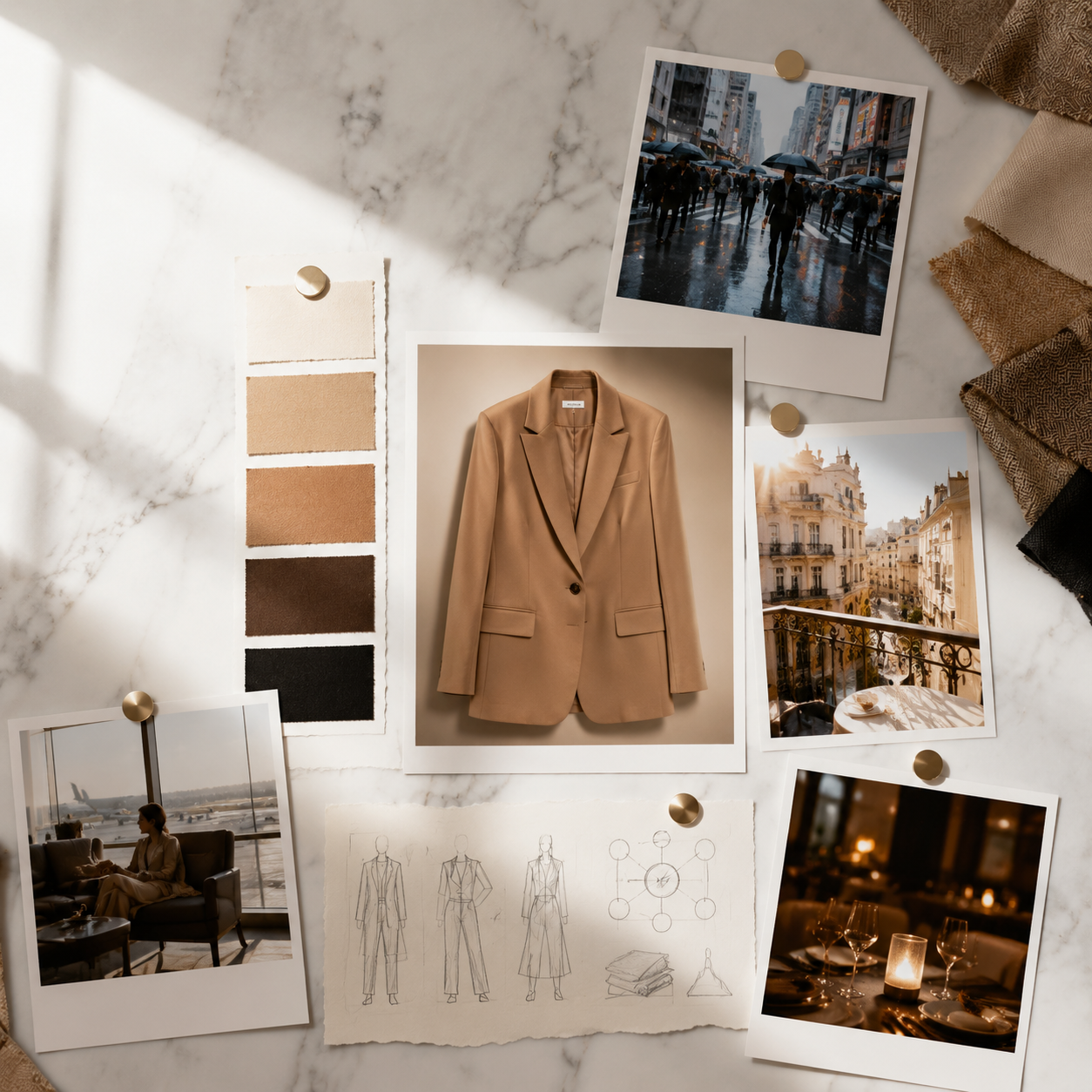
- Moodboard anchors — 3–5 frames locking light temperature and palette
- Brand Style rules — hex codes, forbidden tones, composition habits
References are not for copying. They are for constraining drift.
When Should You Let AI Explore?
Use open exploration when the brief is discovery — you do not yet know the world, and premature locking would kill the idea.
Exploration-heavy scenarios
| Scenario | What to explore | Why |
|---|---|---|
| New season / new line | Worlds, contexts, emotional range | No established visual language yet |
| Rebrand pitch | 3–5 divergent directions | Client needs options, not one safe path |
| First lookbook ever | Buyer moments, lifestyle contexts | Lookbook thinking starts here |
| Mood discovery deck | Light, palette, environment | Pre-committed moodboard does not exist |
| Creative reset | Break aesthetic rut | References would reinforce the old world |
Adobe's 2025 data shows 48% of creators use creative AI for ideation and brainstorming, while 52% use it for generating new assets (Adobe MAX 2025, 2025). Exploration and production are different jobs. Assign them explicitly.
Exploration rules that prevent chaos
- Time-box — 90 minutes of open generation, then stop
- No approval during exploration — explorer role only
- Cluster outputs — group by mood, not by prettiness
- Pick one cluster — curator chooses direction
- Then switch to references — lock what won
Exploration without a gate produces folders of orphans. The gate is a moodboard decision, not a model upgrade.
What Is the Blended Workflow (Explore → Lock → Scale)?
Most professional pipelines use three phases:
Phase 1: EXPLORE (open)
    → Generate 20–40 mood frames, no product yet
    → Curator picks 1 world direction
Phase 2: LOCK (references + moodboard)
→ Upload winning frames as style anchors
→ Define Brand Style + character rules
→ Write SCENE map for hero SKU
Phase 3: SCALE (reference-heavy)
→ Generate scene family per SCENE row
→ Adapt per channel
→ Save workflow template
`
This is phone-to-campaign logic for teams with studio assets — and AI ecommerce design logic for everyone: find the world, protect it, repeat it.
| Project phase | Dominant mode |
|---|---|
| Pitch / concept | Exploration |
| Client approval | Exploration → Lock transition |
| Launch production | Reference-heavy |
| Catalog extension | Reference-only |
| Season refresh | Blended (explore accents, reference core) |
Quick Decision Tree: Which Mode Is Your Brief?
Answer three questions:
1. Does the product or face already exist in approved assets?
– No → Start with exploration
– Yes → Reference the truth pack
2. Is the commercial world already defined?
– No → Exploration for mood and context
– Yes → Reference moodboard + SCENE map
3. Is the deliverable one direction or twelve matching formats?
– One direction / pitch → Exploration OK
– Twelve matching formats → Reference-heavy required
Decision matrix
| Brief type | Reference | Explore | Blend |
|---|---|---|---|
| New fashion lookbook (season 1) | Low | High | Medium |
| Campaign extension (season 3) | High | Low | Medium |
| 100-SKU beauty catalog | High | Very low | Low |
| Rebrand pitch (3 directions) | Low | High | — |
| TikTok ad variant test | Medium | Medium | High |
| Character-led video series | High | Low | Medium |

When references fail and drift wins anyway, read Brand Consistency Trap (coming soon).
What Are Common Mistakes With References and Exploration?
| Mistake | Symptom | Fix |
|---|---|---|
| Reference too late | Product shape wrong in all scenes | Upload truth pack before scene 1 |
| Explore too long | 200 images, no direction | 90-minute time-box + cluster |
| Reference moodboard only | Pretty but wrong product | Separate product refs from style refs |
| Explore during scale | Drift across SKU batch | Switch to reference-only for catalog |
| Same person explores + approves | No taste gate | Split explorer / curator roles |
| No saved lock point | Re-explore every Monday | Document winning refs in Brand Style |
Adobe reports 57% of creators say AI outputs need moderate or extensive editing before publish (2026). References reduce fundamental failure. Editing handles polish. Do not confuse them.
How Many Reference Images Should You Upload?
| Use case | Recommended count | What they cover |
|---|---|---|
| Product SKU | 3–5 | Angles, label, scale |
| Character face | 2–4 | Front, 3/4, expression range |
| Mood / style | 5–8 | Light, palette, composition |
| Brand kit | Rules + 3 anchors | Hex, type, photo habits |
More references is not always better. Conflicting references confuse the model — warm moodboard plus cool product shot plus neon brand guideline produces mush. Curate the reference set like you curate outputs.
How Does This Connect to Brand Style and Workflow?
References live in three layers:
- Asset references — product, face, specific frames
- Brand Style — enforceable rules (palette, light, voice)
- Workflow template — saved node order for repeat runs
In workspaces like Orauria, Phase 2 (Lock) maps to Brand Style + reference upload nodes. Phase 3 (Scale) maps to saved workflows per SKU or scene batch.
Exploration finds what to save. References protect what you saved. Workflows replay what worked.
Explore and lock creative worlds on Orauria: Try Orauria
Frequently Asked Questions
Can I use reference images and exploration in the same session?
Yes — but sequentially, not simultaneously. Explore first without product references. Once direction wins, upload references and regenerate. Mixing both at minute zero produces muddled briefs.
Do reference images limit creativity?
They limit drift, not ideas. You can still place a referenced product in twelve contexts via SCENE. References constrain what must stay true; SCENE defines what may change.
What if I only have phone photos as references?
Phone photos are valid truth packs — especially for SMEs. Clean them for reference use (phone-to-campaign), then scale scenes around them.
When should freelancers default to exploration?
Pitch decks, first client concepts, and rebrand directions — anywhere the client must choose a world before production locks. Bill exploration as discovery; bill reference workflows as production.
How do I know exploration is finished?
When the curator can write a one-sentence world definition and pick 5–8 moodboard frames without hesitation. If you cannot write that sentence, exploration continues.
Is open exploration risky for brand reputation?
It is risky to publish exploration outputs without curation. Exploration itself is low risk in private — publishing without a lock phase is where brands break identity.
Conclusion
Reference images and open exploration are not rivals. They are phases.
Explore when the world is unknown. Reference when the world must survive scale. Blend when the season is new but the brand is not.
The wrong question is "which mode is better?" The right question is "which mode is this brief?" — then run the pipeline that matches.
References
- Adobe, Inaugural Creators' Toolkit Report (Adobe MAX 2025), October 28, 2025. https://news.adobe.com/news/2025/10/adobe-max-2025-creators-survey
- Adobe, 2026 Creators' Toolkit Report, June 16, 2026. https://news.adobe.com/news/2026/06/creators-toolkit-report-2026
- 9to5Mac, "Adobe survey: AI is helping creators grow, but not without tradeoffs," June 16, 2026. https://9to5mac.com/2026/06/16/adobe-survey-ai-is-helping-creators-grow-but-not-without-tradeoffs/
Leave a Reply