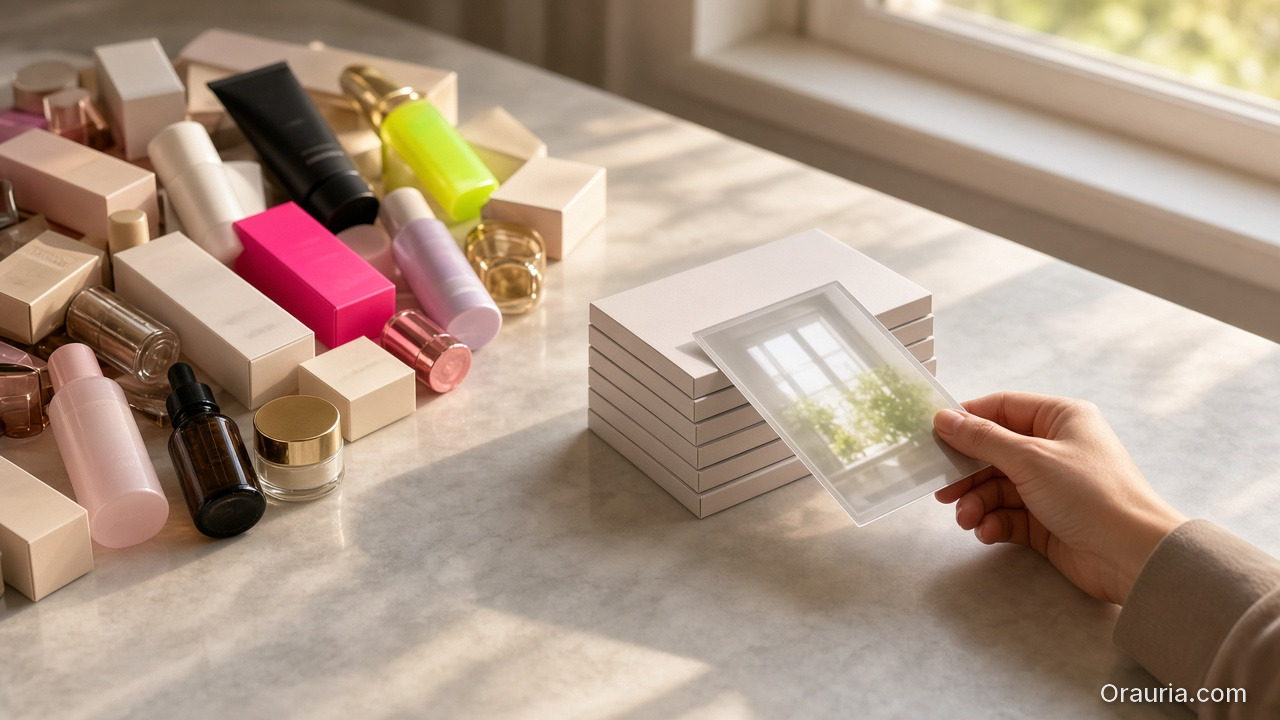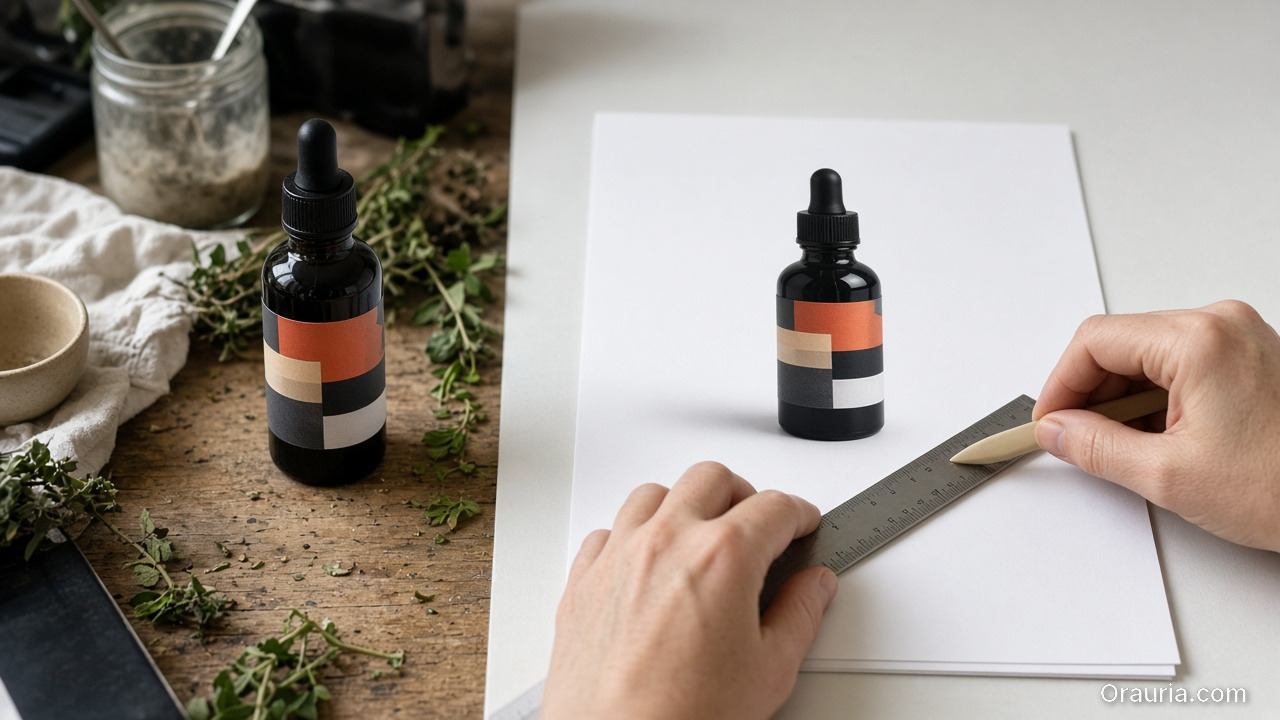
Category: New Ways of Working

  • 7 Grok Bot Tips to Schedule Posts, Filter Upwork Jobs, and Research Faster

    7 Grok Bot Tips to Schedule Posts, Filter Upwork Jobs, and Research Faster

    If you freelance, sell products, or run a one-person marketing stack, a lot of the week disappears into three jobs that never quite end: planning the next social posts, scanning Upwork for work you can actually do, and researching a client, a keyword, or a competitor before you reply. Grok Bot is built for that kind of work. It is an AI teammate with a persistent cloud computer — a browser, files, and a terminal — so it can keep going after you close the laptop. Official pages on x.ai/bot and in the Grok Bot documentation describe skills, routines, Connect apps, and custom connectors, plus channels on desktop, mobile, Slack, and X. We checked those docs, together with official Postiz and Upwork materials, on 12 November 2026 (Asia/Saigon, UTC+7).

    This article opens a practical-tips series. It is not a partnership announcement, and it does not claim that Orauria is an official partner of xAI or Grok Bot. The first six tips stay inside features Grok Bot already documents, or that official plugins provide. The last tip is where Orauria comes in: when a scheduled post needs product images or a short video, you can extend the Bot with Orauria’s Studio and MCP tools — as a user-side integration, not a joint product.

    Key takeaways. Use Postiz to draft and schedule social posts, and keep a human in the loop before anything goes live. Use an official Upwork connector to filter jobs and draft pitches — then review them yourself before you spend Connects. Use web research and the cloud computer to turn a long reading pile into a short, sourced brief. Save a good run as a skill, put it on a routine, and talk to the Bot from Slack or X. When the work needs sell-ready product creative, attach Orauria.
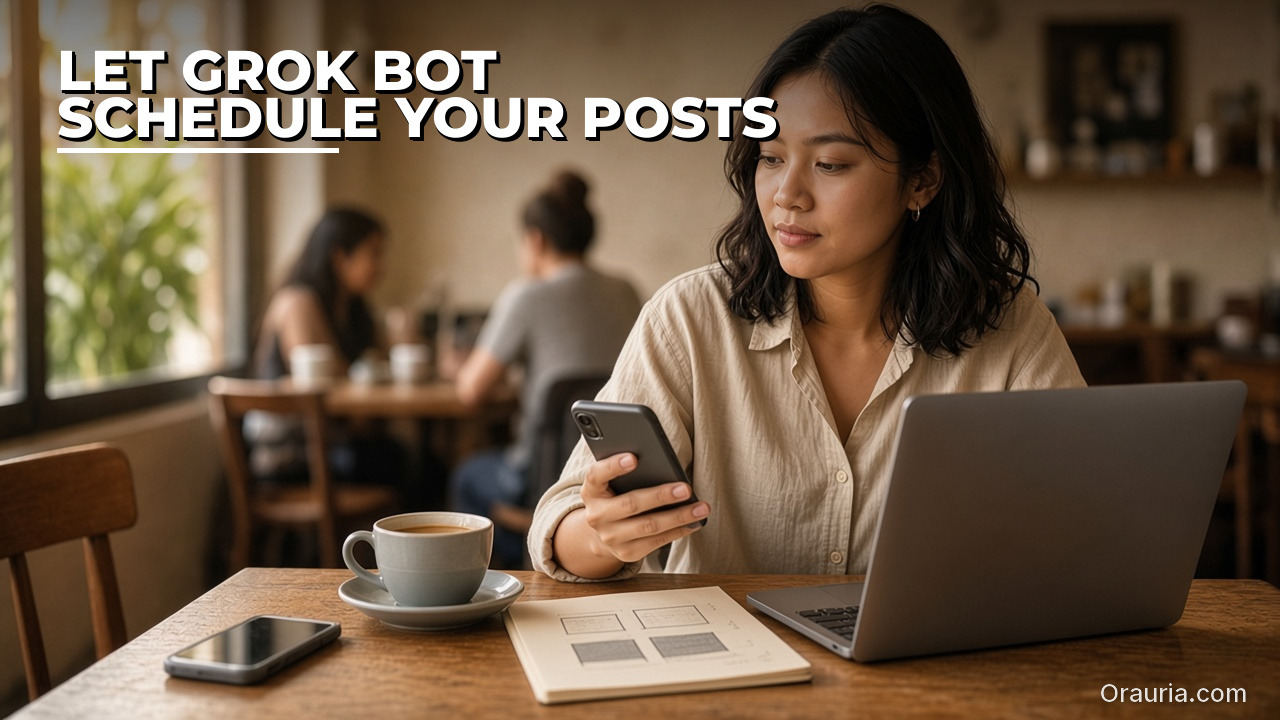
    The same freelancer sits in a cafe, checking her phone beside a notebook of sketched post squares and an open laptop. Hook text: Let Grok Bot schedule your posts.

    Let Grok Bot plan and schedule your social posts

    Most people start by asking a chatbot for captions, then paste them into a scheduler by hand. With Grok Bot you can keep the draft and the calendar in one place. Postiz publishes an official Grok Bot plugin for this. In any Bot chat you can run /add-plugin postiz, or add it from the Plugins sidebar or the marketplace listing. When you are prompted, store your POSTIZ_API_KEY as a Bot secret — not in ordinary chat. Postiz’s guide describes what happens next: the plugin installs a CLI and a skill on the Bot’s cloud computer, and the Bot can list your connected channels, draft posts, attach media, apply platform settings, and pick a time. It should ask you to approve before anything is published. Postiz says that coverage includes 30+ platforms, among them X, LinkedIn, Instagram, YouTube, and TikTok.

    The useful habit is not a one-off “post this now.” It is a queue. Keep approved copy and images in a folder on the cloud computer, or in a connected Sheet or Drive file. Then ask the Bot to build a week of slots — for example two posts a day, weekdays only — and to schedule drafts via Postiz for you to review. You can also save that as a routine, so every weekday morning the Bot checks for new drafts, books them into the calendar, and sends you a summary. Official Grok Bot documentation is clear that routines run in the cloud while your laptop is closed. Leave the last mile to yourself: captions, timing, and brand still need a person.
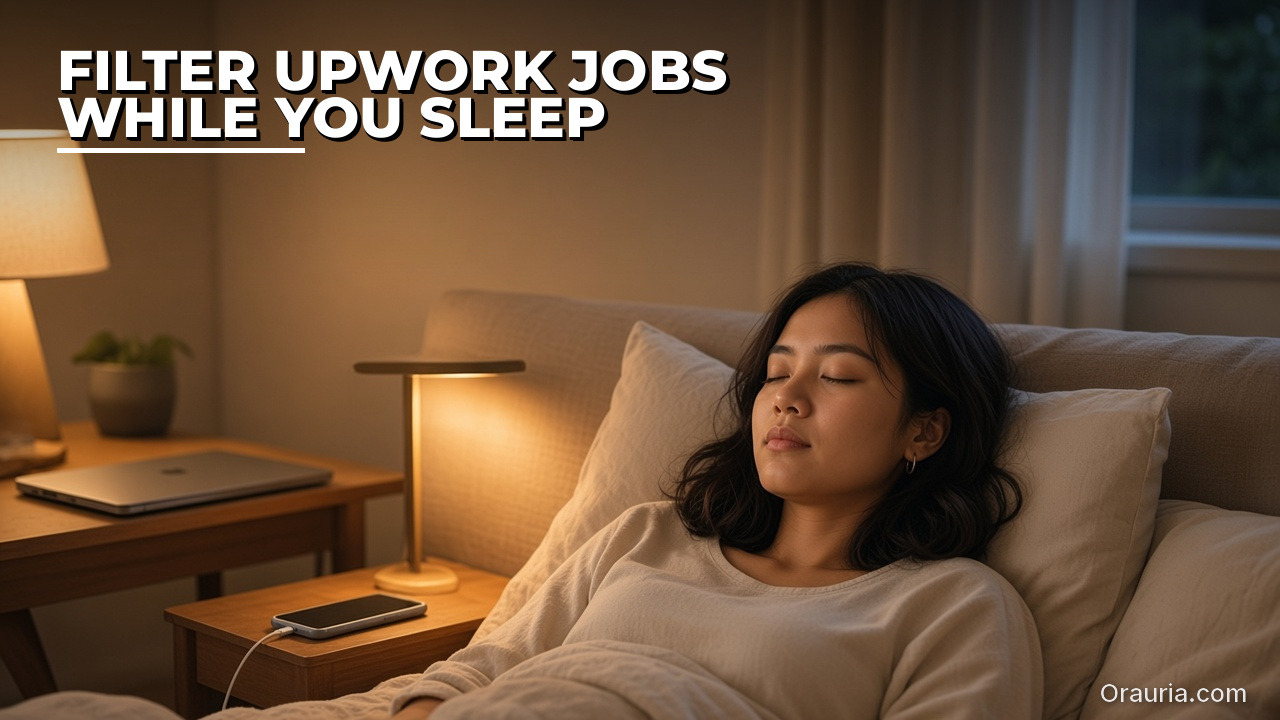
    The same freelancer sleeps in a quietly lit bedroom, with a phone charging on the nightstand and a closed laptop on a nearby table. Hook text: Filter Upwork jobs while you sleep.

    Filter Upwork jobs while you sleep

    Scanning Upwork at midnight is a poor use of a freelancer’s attention. A better pattern is a Bot that already knows what you sell, your minimum budget, and the clients you will not take, and that leaves you a shortlist in the morning.

    Grok Bot can connect to Upwork through a plugin, and Upwork documents its own MCP server for supported AI agents. Prefer that official path over asking the Bot to click through the site in a browser. Some sites block automation, and a browser login is a weaker, easier-to-break setup — and a poorer fit for Upwork’s terms — than a documented connector.

    A practical routine looks like this. Every few hours, or once in the morning and once in the evening, the Bot searches for jobs that match your skills, drops anything below your budget floor, scores the rest, and writes the good ones to a Google Sheet or a Doc. For the best two or three, it can look at the client’s public profile or website and draft a short pitch in your voice. Upwork’s own MCP FAQ is explicit on the next step: an AI agent can help you draft a proposal, but you review the details and explicitly confirm before it is submitted. Do not let a routine auto-submit. Connects cost money, and a weak pitch sent at 2 a.m. is worse than no pitch.

    The same freelancer sits at a tidy home desk, circling notes in a notebook beside a coffee cup and a laptop. Hook text: Research in 5 minutes, not 5 hours.

    Research in minutes, not hours

    The hook is a little sharp on purpose. A Bot will not always finish serious research in five minutes, and we will not pretend it will. What it can do is collapse the first pass — the tab explosion of “open twenty pages and maybe write notes later” — into a brief you can actually use.

    Grok Bot’s cloud computer includes a browser, so it can search the web and open pages when there is no app connector. The computer-and-apps documentation also says Bots can search and read what is public on X without you connecting an X account; that access is read-only. For your own DMs, bookmarks, or home timeline, you add the X plugin and sign in. When a connector exists for the place you want the notes to land — Google Docs, Sheets, Drive, Notion — use it. Structured tools beat a pile of untitled files in /workspace.

    Give the Bot a tight brief: the question, the audience, which sources to prefer or avoid, the output shape (a one-pager with links and a “still uncertain” list), and when you need it. Ask it to quote or link rather than invent. Then you read the brief, not twenty tabs. That is the real win: not a promise about the clock, but a shorter path from a question to a decision.
    The same freelancer files an index card into a standing organizer at a tidy desk, with a notebook and laptop nearby. Hook text: Save the workflow. Reuse it every week.

    Turn a good run into a skill

    A tip only sticks if you do not have to re-explain it every Monday. Grok Bot’s skills and routines documentation (updated 9 November 2026) splits this into two parts. A skill is a reusable set of instructions: when to use it, required inputs, the steps, how to check the result, what to return, and what needs your approval. A routine tells one Bot when to run that work — on a schedule, or when something happens in Slack, email, or a webhook.

    After you have had one clean run — a week of scheduled posts, a useful Upwork shortlist, a research brief you did not have to rewrite — ask the Bot to save the process as a skill. Put your constraints in the skill, not in a long chat: brand voice, banned claims, budget floor, “never publish or submit without me.” Then attach a routine only when the trigger is clear. The same docs page publishes rate limits: all of your routines together can run up to 300 times an hour, and each routine up to 200 times an hour. That is plenty for a freelancer’s daily queue; it is not a reason to fire the Bot at every new email.

    The same freelancer walks a sunlit city sidewalk, looking at her own phone, a tote bag on her shoulder. Hook text: Message the Bot from Slack or X.

    Meet the Bot in Slack or on X

    You do not have to open the Grok Bot desktop app to use these tips. Official materials say you can work with Bots on desktop, on mobile, in Slack, and on X. That matters when the work arrives where you already live. A mention in a Slack channel can start a job-filter pass. A message on the go can ask for a research brief before a call. Grok Bot also documents an email address for your Bots at mail.grokbot.com, and routines can start from an email or a webhook as well as from a clock.

    Treat public channels with the same care you would give a shared computer — because, in a way, you are. Do not paste API keys, Postiz secrets, or Upwork credentials into a Slack thread or an X message. Official Grok Bot guidance is to use a Vault, a Secure Form, or a secret card for passwords and keys. And remember the sharing model: every Bot on your account uses the same cloud computer, including its sign-ins and files. A convenience in Slack should not become a leaked key.
    The same freelancer sorts three plain folders labeled Posts, Jobs, and Research on a wooden table. Hook text: One Bot per job. Less messy context.

    Give each job its own Bot

    If the same Bot is writing Instagram captions, scoring Upwork jobs, and researching a competitor, context gets messy. Official Grok Bot materials describe running more than one Bot, letting them message each other, working in a group chat, and handing work along for you to approve. A simple split works well: one Bot owns the social queue (Postiz), one owns the job filter (Upwork), one owns research. They can still pass files to each other because they share the same cloud computer — which is also the caution. Cookies, sign-ins, and files are visible to every Bot you run. Separate Bots are a way to keep prompts and memory clean, not a security wall. Do not put a credential on the machine if another Bot should not see it.
    The same freelancer holds a simple glass bottle next to a printed product photo at a cafe table. Hook text: Need product photos? Extend Grok Bot.

    When you need product creative, extend Grok Bot with Orauria

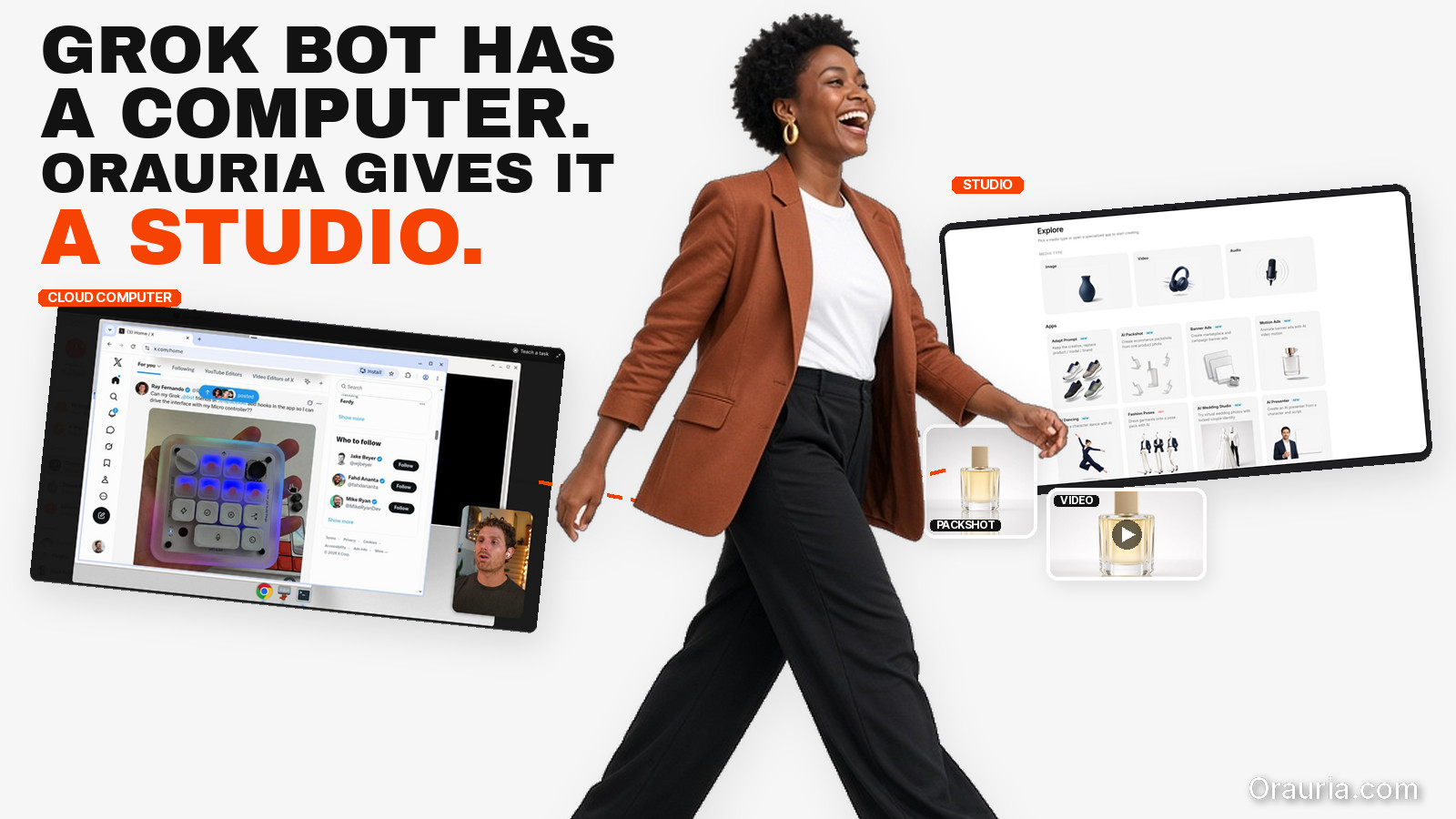
    Scheduling a post is only half the work if you sell a physical product. You still need packshots, ratio variants, and sometimes a short video. Grok Bot will not become a product studio on its own. That is a boundary, not a slight. For the creative layer, Orauria already ships Studio and an MCP server whose published tools include generate_image, generate_video, chat, list_models, get_wallet, and get_task. Calls use the same credit wallet and prices as Studio. If you are new to the product, start with What is Orauria or the MCP setup page.

    There are two ways this can fit. The intended default is to add Orauria as a custom Remote HTTPS connector, with an API key in an Authorization header — the shape Orauria already documents for Cursor, Claude, and Codex, and the shape Grok Bot documents for custom connectors. As of 12 November 2026, that path is documented design. Orauria’s MCP page does not yet include a Grok Bot recipe, and we have not published an independent end-to-end test inside Grok Bot. Until that test exists, do not treat this as a finished how-to. Keep the API key in the connector header or a secret card, never in ordinary chat. The second path is available today: a Bot can open orauria.com in its cloud browser and use Studio the way a person would, especially when you need a visual UI.

    If you want a connector, a skill, or a creative Bot built around your catalog and your approval rules, that is a software project. Hire Orauria to build it — the same team that already shipped Studio and the MCP server. The framing stays the same as in our earlier guide, What Grok Bot Is, and How Orauria Extends It for Product Creative: this is how to use Orauria with Grok Bot, not a claim of official partnership.

    What to try first

    You do not need all seven tips this week. Pick one queue that already hurts — the social calendar or the job board — connect the official plugin, run it once with you in the loop, and save the skill if the run was clean. Keep research briefs short and sourced. Keep keys out of chat. When the posts need product images, bring Orauria in, and if you want that wired into a routine instead of a one-off, send a brief to hire Orauria.

    Use Grok Bot for the teammate layer: schedules, shortlists, and first-pass research. Use Orauria when the work has to look like a product you can sell. Keep a person on the last click.
  • Integration Architecture: MCP, the Cloud Computer, and Studio

    In the first article of this series, we mapped what Grok Bot is — from public xAI docs — and what Orauria already ships for product images and video. This piece is an architecture note for a tech lead or technical founder who will attach the two systems or hire a team to do it.

    It is not a partnership announcement, and it is not a click-by-click tutorial. Grok Bot facts come from public pages on x.ai/bot and docs.x.ai, checked on 11 November 2026 (Asia/Saigon). Orauria facts come from Orauria’s own site, especially the MCP page. We describe three layers that fit those documents. We do not claim an official partnership with xAI. We do not claim that Orauria’s MCP server has been verified end-to-end inside Grok Bot. A connection tutorial will be published only after that test.

    Key takeaways. Treat the connection as three layers: a contracted MCP tool path, a browser path on the Bot’s cloud computer, and an orchestration layer of skills, routines, and multiple Bots. MCP is the intended default because a tool call is easier to repeat and test than a click path through a web UI. Grok Bot documents a custom Remote HTTPS connector — server URL, optional HTTP headers — or a Command type. Orauria documents a Bearer API key and six tools that bill a Studio credit wallet. Whether Grok Bot will accept and store Orauria’s Authorization: Bearer header has not been independently verified here. Workflow Builder, Fashion Poses, upscale, and Chrome extensions are not MCP tools. And because the cloud computer is shared across every Bot on an account, API keys belong in a connector header or a secret card — never in ordinary chat, and never in /workspace.

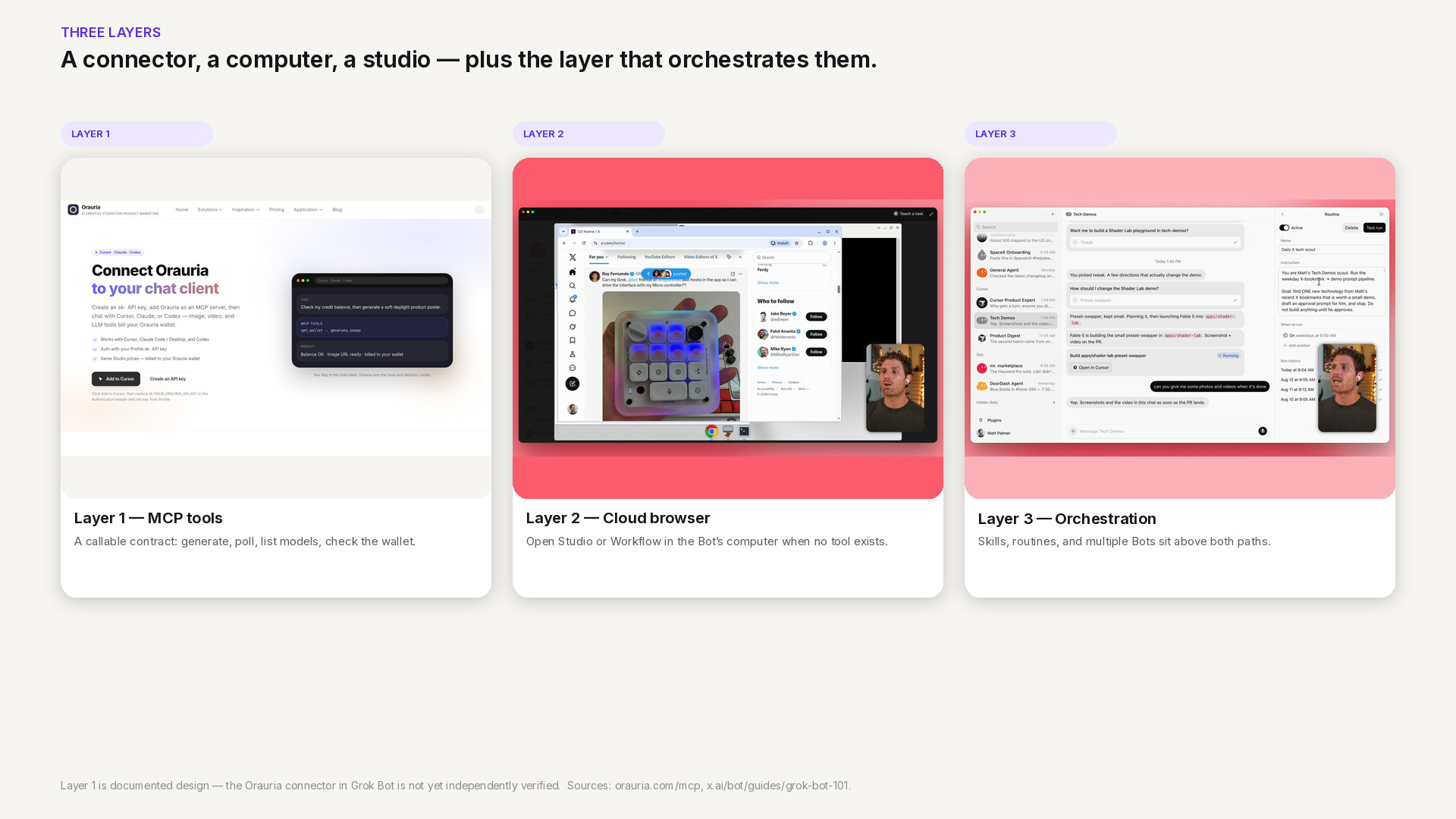
    Three layers for connecting Grok Bot to Orauria: documented MCP tools, the cloud-computer browser, and skills or routines that orchestrate both. The MCP path is documented design, not independently verified.

    Three layers: MCP, the browser, and orchestration

    A useful architecture starts by naming the layers, not the vendor logos. When a merchandising brief arrives, which contract does the Bot actually call — and what happens when that contract is not enough?

    Layer 1 is the tool path. Model Context Protocol gives a Bot a small, explicit set of functions it can call over a documented interface. On Orauria today, that set is public: generate_image, generate_video, chat, list_models, get_wallet, and get_task. A call has a typed result you can inspect — an image URL, a job id, a credit balance — which is what you want if a routine or a specialist Bot will run the same step tomorrow.

    Layer 2 is the browser path. Every Bot on a Grok Bot account shares a persistent cloud computer with a browser, a filesystem, and a terminal. When a job needs a visual UI that MCP does not expose — a node canvas in Workflow Builder, a Fashion Poses board, a click-through in Studio — the Bot can open the public site in that browser, the same way it would open any other page. This path is available today. It is also harder to test, easier to break when the UI moves, and a poorer home for a standing routine.

    Layer 3 is orchestration. Grok Bot’s skills, routines, and multi-bot chats sit above both paths. One Bot can write a brief; another can call image tools or watch a job; a routine can fire on a schedule. The collaboration model is documented. Wiring it to Orauria still waits on a verified connector, and on skills we will only publish after they run for real.

    If you only remember one sentence from the opening guide, let it be this: MCP is the intended default; the browser is the escape hatch; skills and routines are how you stop doing the same handoff by hand.

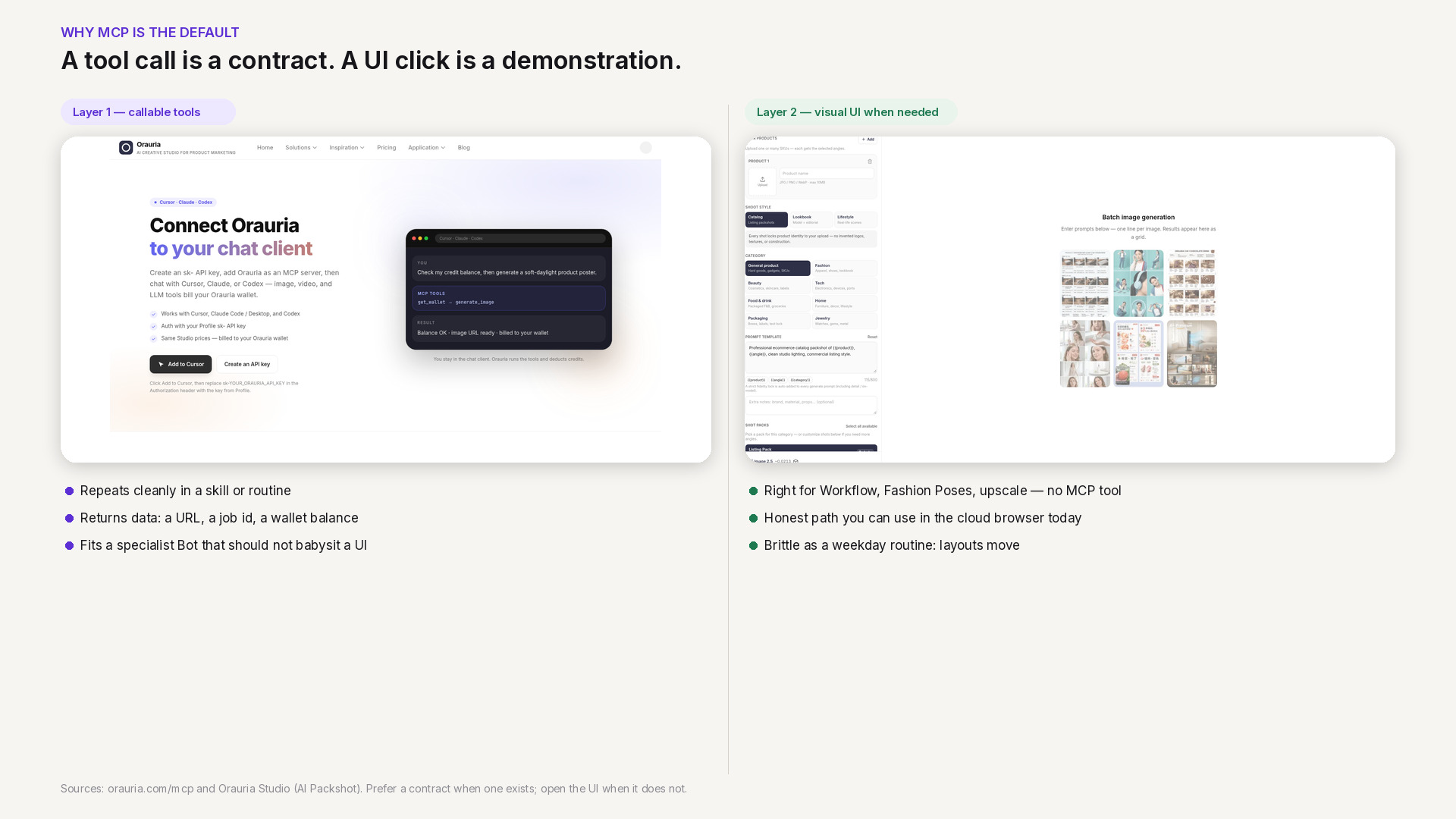
    Two-column comparison: calling a documented Orauria MCP tool versus clicking through Studio in a cloud browser. The tool path is repeatable; the browser path is visual but brittle for routines.

    Why MCP is the preferred path

    There is a reason we keep calling MCP the default, even though the browser path is the one you can use this afternoon. The difference is whether the work can survive contact with a calendar.

    A UI click is a demonstration. You watch the Bot open Studio, choose a model, wait, and download a frame. That is useful for a one-off, and it is the honest answer for any Studio surface that has no MCP tool. It is a weak foundation for a routine that should run every weekday at 09:00, or for a specialist Bot that should generate a packshot set without you watching the computer preview. Layouts change. Buttons move. The Bot has to see, infer, and click again. You can recover, but you cannot write a tight skill around that recovery.

    A tool call is a contract. get_wallet returns a balance. list_models returns the current catalog. generate_image, when it succeeds, returns a URL you can file or hand to the next step. get_task lets you poll an asynchronous job — video especially — until it finishes or fails in a way the Bot can report. Success and failure are data, not a screenshot of a spinner. That is also why MCP is the better home for a team of Bots: a merchandising Bot and a retouching Bot can share named tools without sharing a click script or the same brief.

    The browser path is not second-class. It is the right tool for the remainder: Workflow Builder’s node canvas, any Fashion Poses or upscale flow, and any review that is simply faster in a visual UI. The rule is narrow: prefer a callable contract when one exists; open the UI when it does not. Do not pretend a missing contract is already there because the page looks impressive.

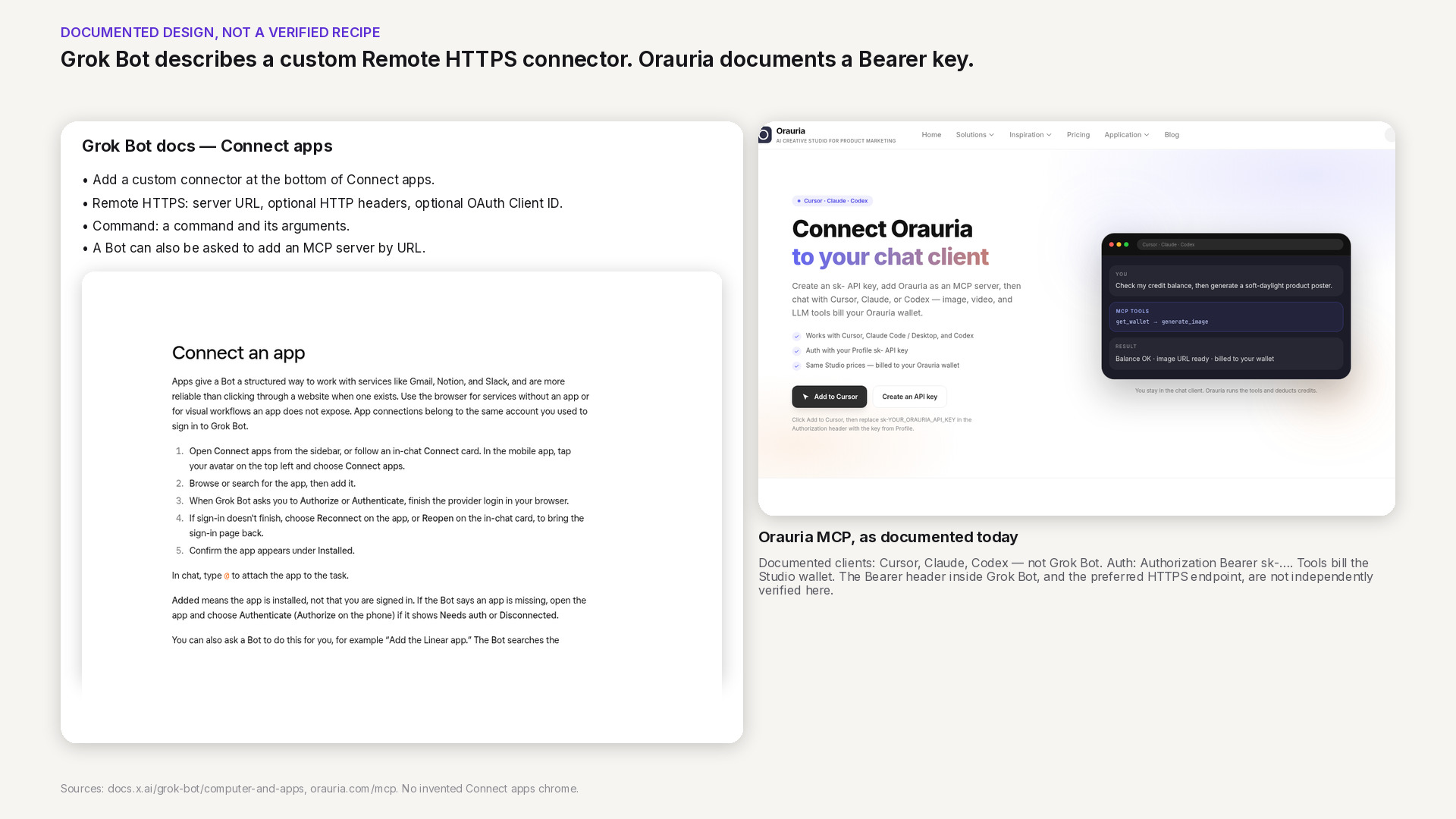
    How Grok Bot documents a custom Remote HTTPS connector — server URL and optional headers — beside Orauria’s MCP authentication model. The Bearer header in Grok Bot is not yet independently verified.

    Custom connectors, as Grok Bot documents them

    Grok Bot’s public computer-and-apps documentation describes how to add a custom connector in the desktop app. You choose Add a custom connector at the bottom of Connect apps, give it a name, and pick a type. Remote HTTPS takes a server URL, with optional HTTP headers and an OAuth Client ID — a Client Secret field appears once you enter one. Command takes a command and its arguments. You then save the plugin. The same documentation says you can also ask a Bot to add an MCP server that is not in the catalog, by URL, or by a command that runs on its computer.

    That shape is what we mean by “documented design.” It is the interface Grok Bot already publishes for third-party MCP servers. It is not, by itself, a verified recipe for Orauria.

    Orauria’s side of the contract is also public, and narrower than a casual reader might hope. The MCP page documents how to connect Cursor, Claude, and Codex today. Auth is a Bearer token: an sk-… API key created in your Orauria profile, sent as Authorization: Bearer. Tools bill the same Studio credit wallet you see on the pricing page. The technical endpoint is written in places as http://orauria.com/api/mcp; HTTPS should be preferred, and that exact URL has not been independently confirmed here. Documented clients, as of the date on this article, do not include Grok Bot.

    Put the two documents side by side and a plausible mapping appears: a custom Remote HTTPS connector would carry Orauria’s server URL and an Authorization header, and a Bot would call list_models or get_wallet without pasting a key into the transcript. Two things remain unverified. First, whether Grok Bot will accept, store, and actually send that Bearer header on each tool call. Second, whether the HTTPS endpoint we would prefer is the one that should be entered, given the http:// form still visible in docs. A later tutorial will record those results with real, redacted screenshots. Until then, do not treat the mapping as a setup guide, and do not paste a key into chat to “just try it.”

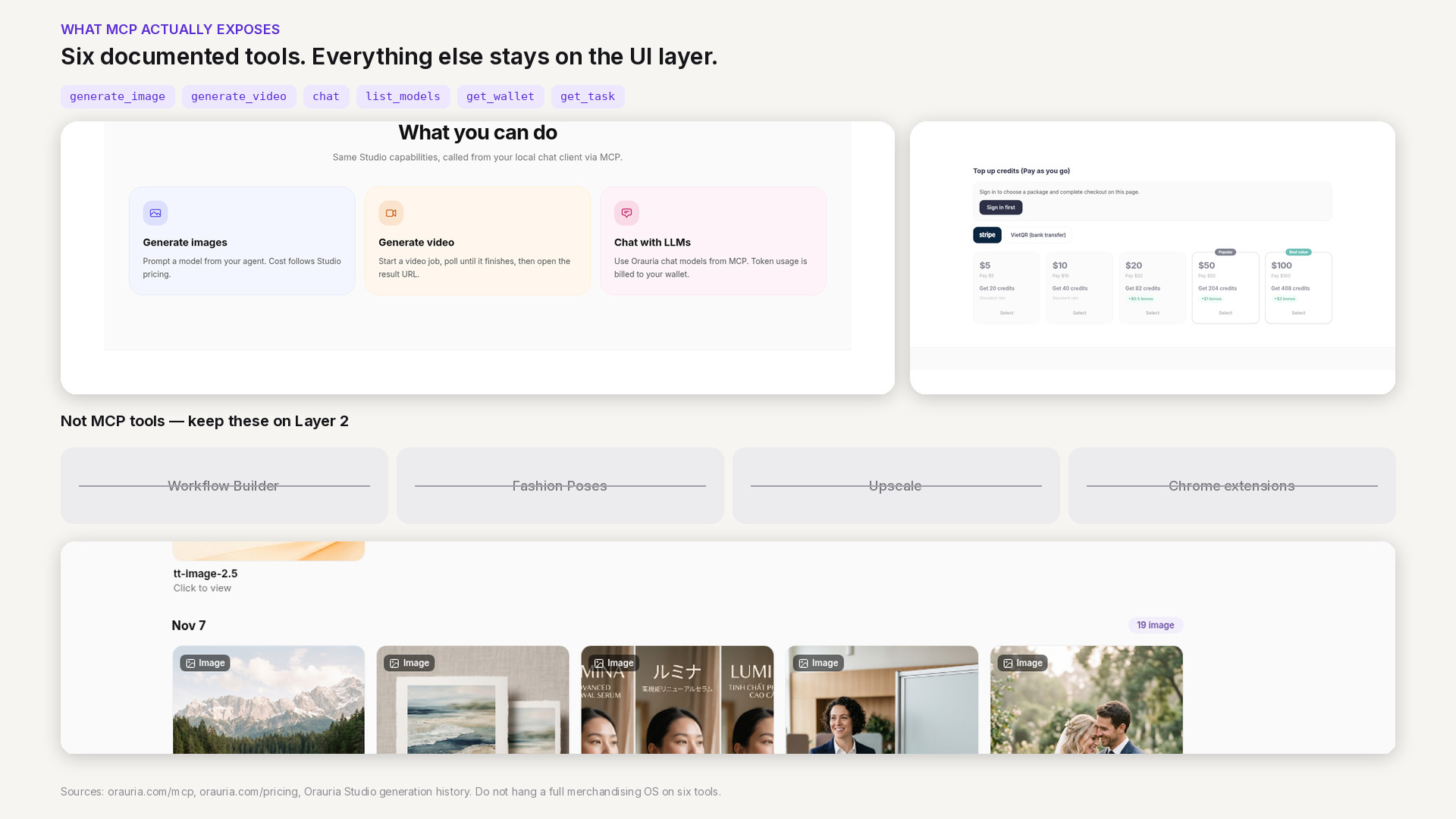
    The six documented Orauria MCP tools beside Studio features that are not MCP tools: Workflow Builder, Fashion Poses, upscale, and Chrome extensions, plus a credit-wallet crop from pricing.

    The current boundary of Orauria’s MCP tools

    Architecture goes wrong when it draws boxes around products that do not yet have an interface. Orauria is a creative workspace for product marketing — Studio, Workflow Builder, specialized apps, and a credit wallet. Only a slice of that surface is callable through MCP.

    The six tools have clear jobs. list_models tells a Bot which image, video, or chat models it can use. get_wallet is the gate before you spend: read a balance, and stop cleanly if the wallet is empty. generate_image and generate_video create the work and bill that same wallet at Studio prices. get_task is how you wait on a long job — particularly video — without guessing. chat calls Orauria’s billed chat models through the same server. That is a complete, if thin, pipeline for “brief in, media URL out,” as long as the brief fits those tools.

    What is not in the list matters as much. There is no MCP tool to run a Workflow Builder graph, and none for Fashion Poses, upscale, or the Chrome extensions. Those are real Studio capabilities, and they remain Layer 2: the Bot can open them in its cloud browser, or a person can open them in their own. They are not contracts you should put in a skill and promise will fire unattended.

    If you are designing a system, or briefing a vendor to extend one, keep this boundary visible. The honest diagram is smaller than a single box labeled “Orauria.” MCP covers generation, model discovery, wallet checks, job polling, and chat. Everything else is UI, a future tool, or a custom server someone has to build — which is exactly the kind of work a custom AI team can take on, but not something this architecture should pretend already ships.

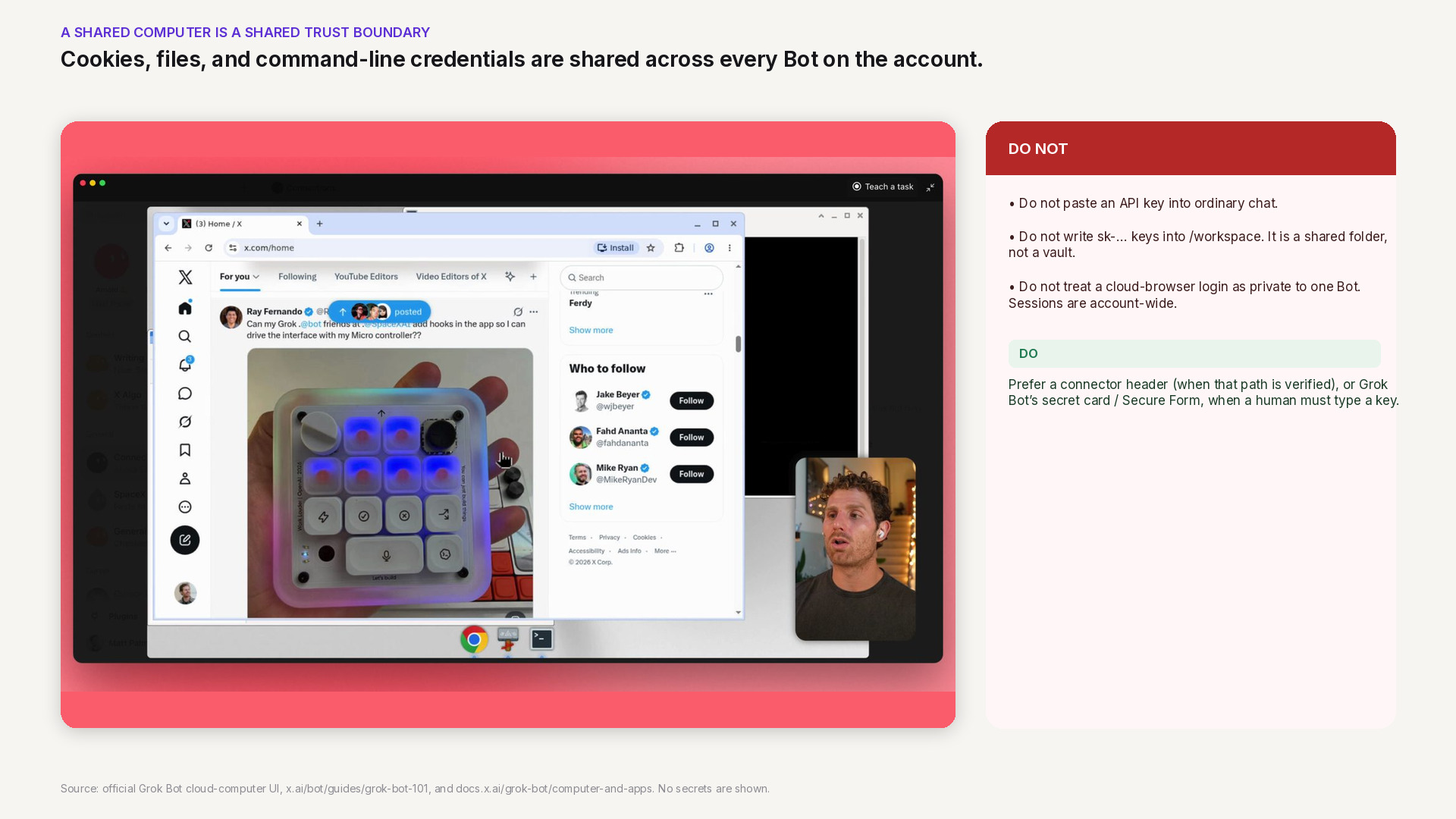
    Official Grok Bot cloud-computer UI with a warning that sessions, files, and CLI credentials are shared across Bots on the account. API keys do not belong in ordinary chat or in /workspace.

    A shared cloud computer, and the credential risk

    Grok Bot’s documentation is blunt about the computer. Every Bot on your account uses the same one. Browser cookies and signed-in sessions are shared. Files are visible to every Bot. Command-line credentials are shared. One Bot can continue from work another Bot saved. The computer is assigned to your user account, not to an individual Bot. Isolation between users is strict; isolation between your own Bots is not.

    That design is what makes handoffs between Bots possible. It is also a credential hazard if you treat the computer like a private laptop. A store login you complete so one Bot can download a reference pack is available to the next Bot that opens a browser. A file in /workspace is not a vault. An API key pasted into a prompt, saved in a scratch file, or typed into a page the Bot is watching can leak into a transcript, a log, or another role’s context.

    The safer pattern follows both products’ public advice. Orauria’s key should live as a connector header — if and when that path is verified — or be entered through Grok Bot’s secret card or Secure Form when a human has to type it. It should not be pasted into ordinary chat, and it should not be written to /workspace. If you sign into orauria.com in the cloud browser for Layer 2 work, remember that the session is account-wide: do not leave a privilege on that computer that a less trusted Bot should never have. We will return to vaults and key rotation later in this series. The point already belongs on the architecture diagram: a shared computer is a shared trust boundary.

    Design tradeoffs, and what to do next

    Three decisions follow from the documents we have, and they are enough to brief a build.

    First: MCP-first. If a step has a documented tool — generate, poll, list models, check the wallet — that is the path a skill or routine should call. It is the path you can test, and the path a specialist Bot can share without inheriting a click script.

    Second: use the UI when the tool does not exist. Workflow Builder, Fashion Poses, upscale, and the Chrome extensions stay on Layer 2 until they have contracts of their own. The cloud browser is a valid, documented way to reach them. It is not a substitute for a missing tool in an unattended routine.

    Third: do not inflate the diagram. Do not label Orauria as an official Grok Bot app. Do not assume the Bearer header already works. Do not hang a full merchandising OS on six tools. The thinness is a feature. A small, billing-aware MCP is something you can reason about, hire against, or extend without pretending the rest of Studio is already an API.

    To see how that MCP is documented for the clients it already supports, start at orauria.com/mcp. If you need a connector, a workflow, or a pipeline that does not yet exist as a tool, send a brief to Orauria’s custom AI team. A step-by-step tutorial for attaching Orauria to Grok Bot will come only after we have run that connection ourselves. Until then, this architecture is the map: three layers, a clear boundary, and no keys in the wrong place.

  • What Grok Bot Is, and How Orauria Extends It for Product Creative

    What Grok Bot Is, and How Orauria Extends It for Product Creative

    If you already brief work, sort a calendar, or watch a Slack channel in Grok Bot, you have felt the difference between an assistant that talks and an agent that can act. Product creative is still a different job. Listing images, ratio variants, and short product videos need models, credits, and a pipeline you can trust — not one more loose prompt.

    This article is a map, not a partnership announcement. Grok Bot facts come from public pages on x.ai and docs.x.ai, checked on 11 November 2026 (Asia/Saigon, UTC+7). Orauria facts come from Orauria’s own site, including the MCP page, What is Orauria, and Orauria là gì. We describe how the two systems can fit together on paper. We do not claim an official partnership with xAI, and we do not claim that Orauria MCP has already been verified end-to-end inside Grok Bot. A connection tutorial will come only after that test.

    Key takeaways. Grok Bot is an AI teammate with a persistent cloud computer, skills, routines, and Connect apps — including a documented way to add a custom MCP server. Orauria already ships Studio plus an MCP server whose tools generate images and video and bill a credit wallet. The cleanest intended path is to add that server as a Remote HTTPS connector with an Authorization header; a second path is to open Studio in the Bot’s browser when you need a visual UI. Until the connector is tested, treat the first path as documented design, not a finished how-to.

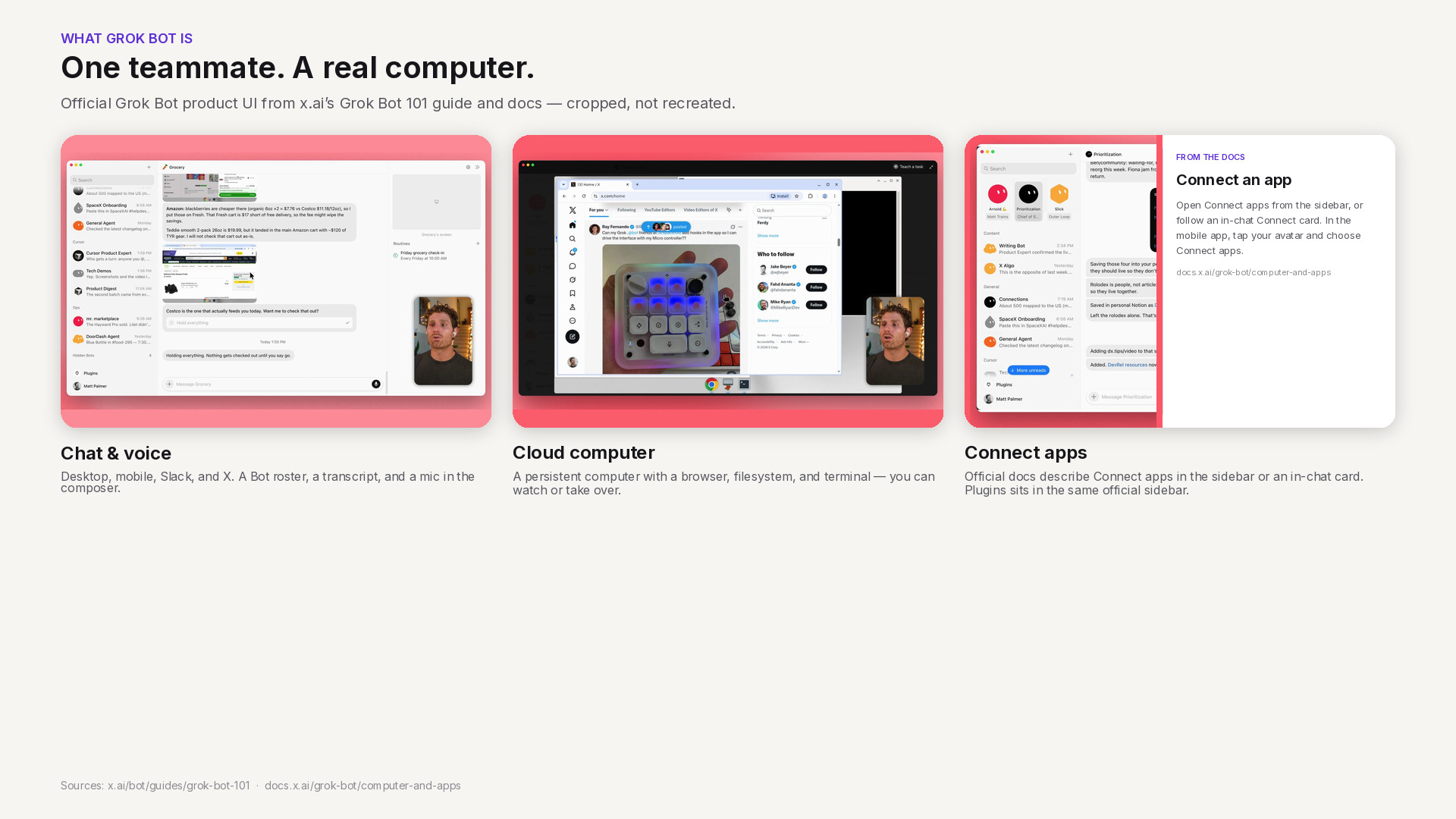
    Official Grok Bot interface in three panels: chat and voice, the shared cloud computer, and Connect apps as described in xAI documentation.

    What Grok Bot is — public facts only

    xAI describes Grok Bot as a proactive AI teammate: an agent with access to a real computer in the cloud, so it can do the kinds of work a person can do on a machine. The overview is on x.ai/bot and in the Grok Bot documentation. Chat is the main interface. You can also start a voice call or send a voice note. The same docs say you can work with Bots on desktop, on mobile, in Slack, or on X.

    That combination is the useful starting point for ecommerce teams. You are not only asking a model for copy. You are handing work to an agent that can keep going after you close the laptop.

    A shared cloud computer and a team of Bots

    Under the hood, your Bots share a persistent cloud computer with a browser, a filesystem, and a terminal. Files, sign-ins, and browser sessions persist between tasks, and work continues while your own laptop is closed. The documentation on using the computer and apps is explicit about the sharing model: every Bot on your account uses the same computer. Browser cookies, signed-in sessions, files, and command-line credentials are visible to every Bot you run. The computer is assigned to your user account, not to one Bot. Each Bot gets its own screen, so several Bots can use browser and desktop tools in parallel, but those screens are separate work surfaces, not separate security boundaries. Durable project files belong in the shared workspace at /workspace.

    You can also run more than one Bot. Official materials describe Bots that message each other, work in a group chat, hand work along, and bring you in to approve, edit, or send something back. That is the collaboration model, not a promise that every workflow is already built for your catalog.

    Skills, routines, and Connect apps

    Grok Bot turns a successful task into a repeatable process in two parts, as described in the skills and routines documentation (that page was last updated 9 November 2026). A skill is a reusable set of instructions for how to do a task: when to use it, required inputs, the sequence of work, how to validate the result, what to return, and what requires approval. A routine tells one Bot when to run a workflow — on a schedule, or when something happens, such as a Slack message, a GitHub, Linear, Sentry, or PagerDuty event, an email, or a webhook. Routines run in the cloud while your laptop is closed. They also have published rate limits: all of your routines together can run up to 300 times an hour, and each routine up to 200 times an hour.

    Bots work more reliably when they use structured app connections rather than only clicking through a website. The overview mentions everyday tools such as Slack, Notion, Drive, and Teams. The computer-and-apps documentation goes further on what a connected app can do, including Google Calendar, Sheets, Docs, Slack, Gmail, Stripe, an X plugin, 1Password, and an Email address for your Bots at mail.grokbot.com. Connected apps belong to the account you used to sign in to Grok Bot and are available to every Bot you run.

    Custom tools are part of the same picture. The official overview states that Grok Bot supports custom tooling, so it can interact with any MCP or API. The Grok Bot 101 guide (11 September 2026) says Grok Bot supports the same MCP servers, plugins, and skills as Cursor. To add a server that is not in the catalog, the computer-and-apps documentation tells you to open Connect apps, choose Add a custom connector, and pick a type: Remote HTTPS takes a server URL, with optional HTTP headers and an OAuth Client ID; Command takes a command and its arguments. You can also ask a Bot to add an MCP server by URL or by a command that runs on its computer.

    Two safety notes from the same public docs will matter later in this series. Do not paste passwords or API keys into ordinary chat; Grok Bot’s documented path is a Vault, a Secure Form, or a secret card. And because the computer is shared, a login or file you leave there is available to your other Bots.

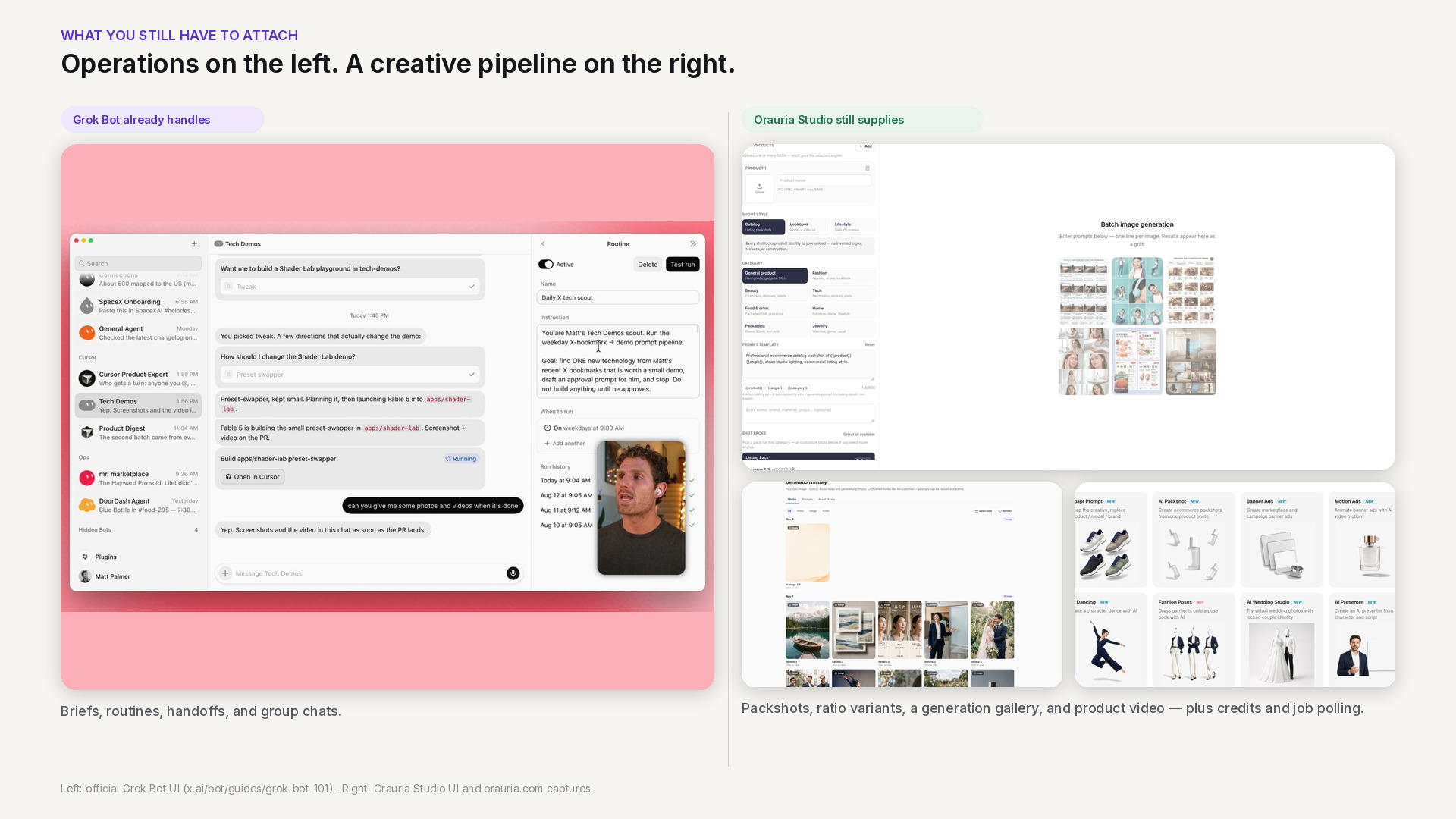
    Side-by-side: official Grok Bot chat and routines on the left, Orauria Studio packshots, generation history, and product apps on the right.

    The product-creative work you still have to attach

    None of the above makes Grok Bot a product photography studio. That is not a criticism. It is a boundary. Grok Bot is strong at intake, coordination, and repetition: a brief in chat, a routine every morning, a mention in Slack, a handoff between specialist Bots, a pause for your approval. Those are real advantages for a merchandising or marketing team.

    Selling a physical product still asks for a different layer. You need a consistent set of packshots, not one pretty frame. You need 1:1 and 9:16 variants from the same SKU. You often need a short video after the stills are clean. You need to know which model you called, whether the wallet still has credit, and how to wait for a long video job without guessing. We have written about that production mindset in pieces such as node thinking in the Workflow Builder — the point here is simply that the agent needs a tool with a contract, not only a browser window and a prompt.

    If you do not attach that layer, the Bot will improvise: scrape a site, invent a pipeline, or stop halfway. If you do attach it, the Bot can call the same capabilities you already use in a studio, then bring the URLs back for you to review.

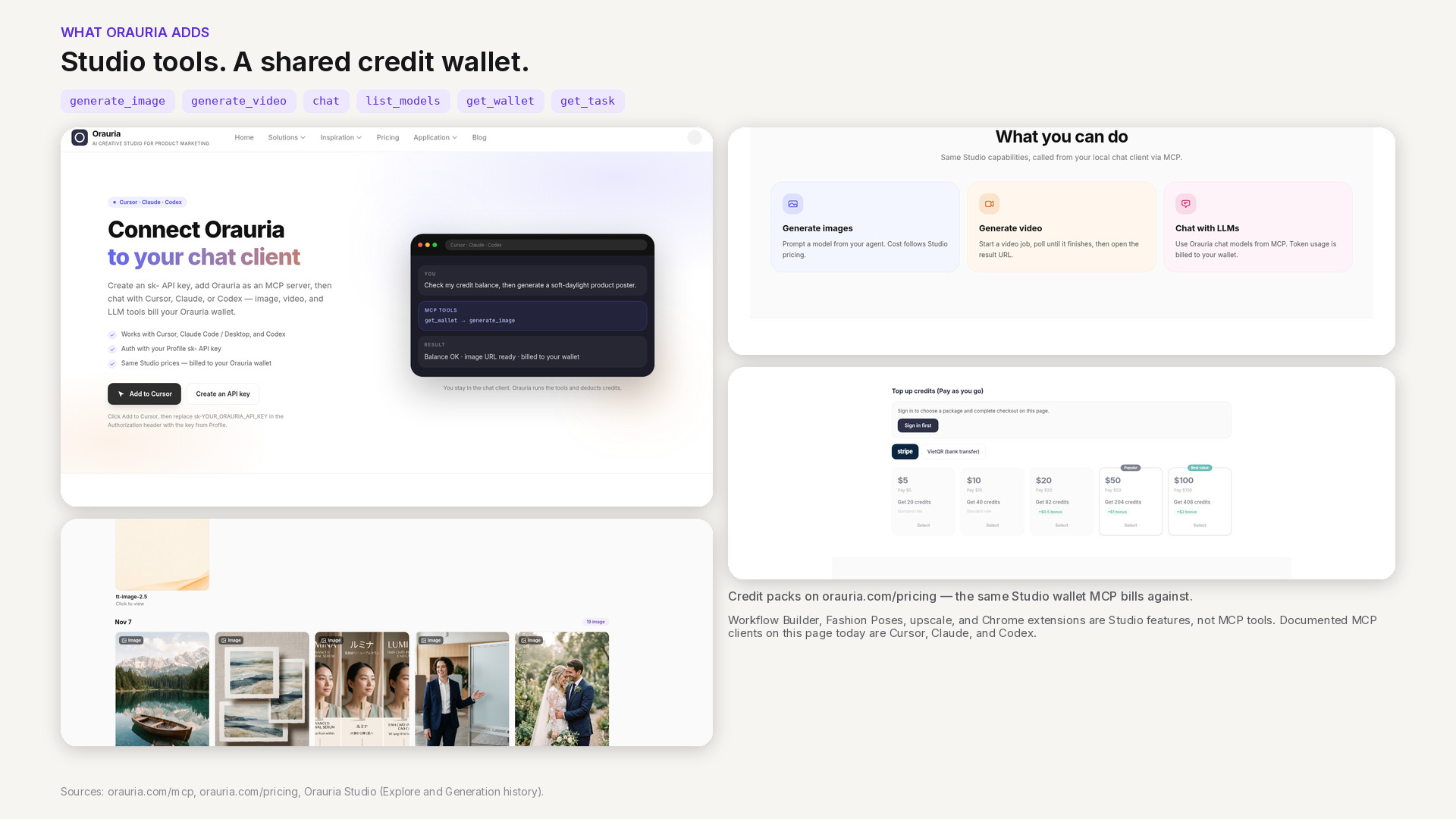
    Orauria MCP page, the six documented tools, credit packs on the pricing page, and product stills from Studio generation history.

    What Orauria adds: Studio, MCP, and a credit wallet

    Orauria is a creative production workspace for ecommerce and marketing teams — a place to generate and QA product images, video, and campaign variants. If you are new to the product, start with What is Orauria or the Vietnamese introduction Orauria là gì.

    The part that matters for Grok Bot is not only the Studio UI. Orauria also publishes an MCP server. The MCP setup page documents how to connect Cursor, Claude (Code or Desktop), and Codex with an sk-… API key in an Authorization: Bearer header. Image, video, and chat calls use the same wallet and prices as Studio; pricing is public. If credit is too low, the call returns an error rather than silently skipping a charge.

    The tools currently listed on that page are:

    • generate_image — create an image from a prompt and model; returns a result URL.
    • generate_video — start a video job.
    • chat — chat with an Orauria LLM, billed per token.
    • list_models — see available image, video, and chat models.
    • get_wallet — check remaining credits before you generate.
    • get_task — poll an image or video job until it finishes.

    That list is also a list of things the MCP server does not currently expose. The published MCP documentation does not list tools for Workflow Builder, Fashion Poses, marketplace upscale, or the Chrome extensions. Those remain Orauria products you can use on the web (for example Workflows). We will not pretend they are MCP tools until the docs say they are.

    One documentation detail to treat carefully: the MCP page currently shows the endpoint as http://orauria.com/api/mcp. A cloud agent should almost always call a public HTTPS URL. Whether Grok Bot accepts that exact URL, and whether the production endpoint you should save is the HTTPS form, still needs to be confirmed. We will not invent the answer here.

    The framing for every article in this series is the same: how to use Orauria with Grok Bot. That is a user-side integration, not a claim that xAI endorses Orauria or that the two companies have a commercial partnership.

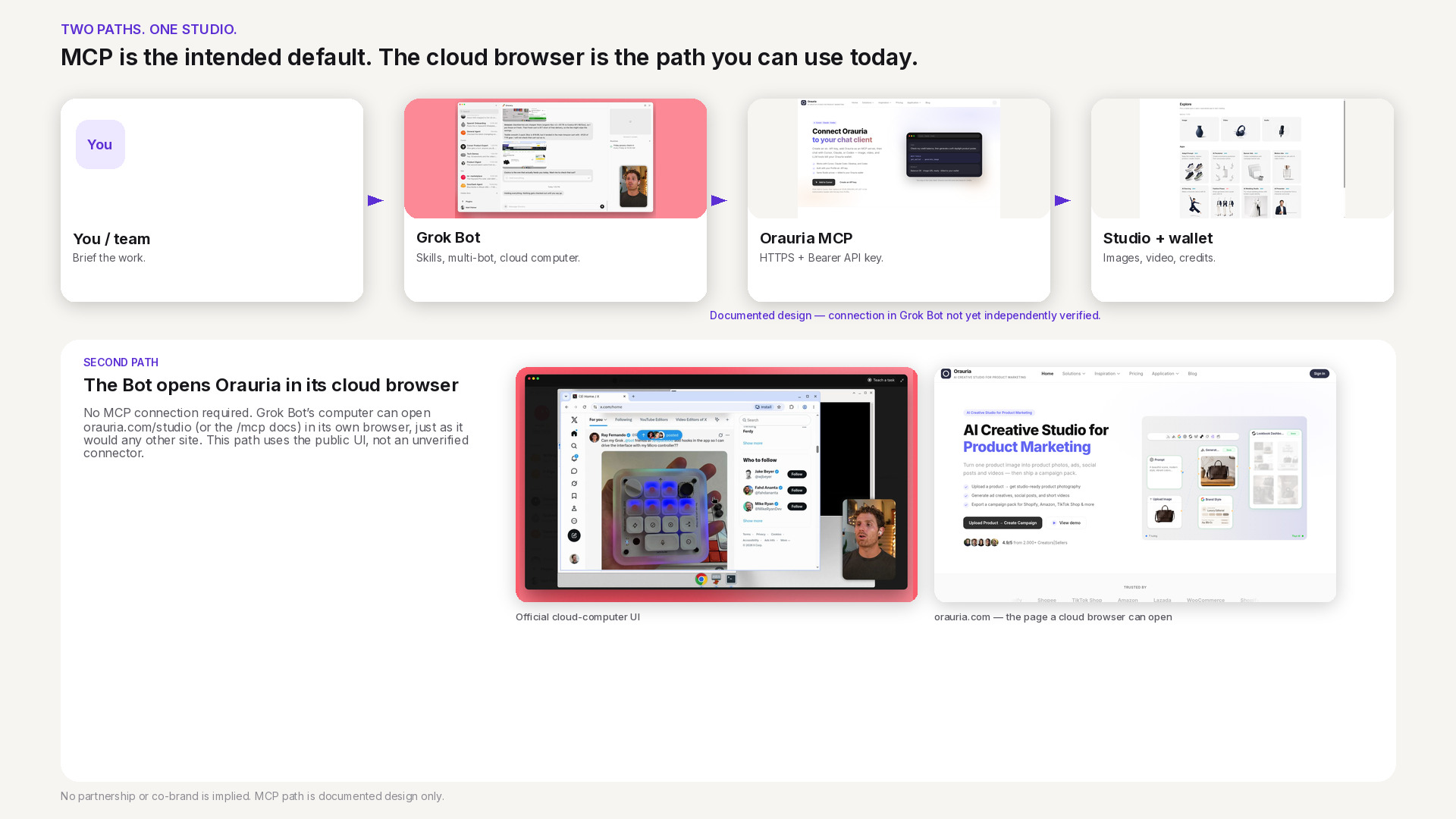
    Architecture of two paths: a documented MCP design from you to Grok Bot to Orauria MCP to Studio, and a second path where the Bot opens orauria.com in its cloud browser.

    Two paths: MCP, and the browser on the cloud computer

    Once you put the public facts side by side, two integration paths appear.

    Path 1 — MCP, the intended default. Grok Bot’s own docs say you can add a custom Remote HTTPS connector with a server URL and optional HTTP headers. Orauria’s MCP docs say the server authenticates with an Authorization: Bearer sk-… header. Those two shapes match. In principle, a Bot could call get_wallet, list_models, and generate_image from chat or from a routine, then return result URLs for you to approve. That is the clean path: structured tools, measurable credit use, and instructions you can save as a skill.

    It is also the path we will not walk through click by click in this article. As of 11 November 2026, Orauria’s MCP page documents Cursor, Claude, and Codex — not Grok Bot. We have not published an official “it works” test of Remote HTTPS plus a Bearer header inside Grok Bot. Until that test exists, Path 1 is a design that follows both sets of public docs, not a verified recipe. If you try it yourself, keep the API key in the connector header or a secret card, never in ordinary chat.

    Path 2 — the cloud browser, for visual work. When you need a canvas, a crop, or on-screen QA, a Bot can open orauria.com in its cloud browser and use Studio or Workflow the way a person would. Grok Bot’s computer documentation is clear that browser sessions persist and that a sign-in for one Bot is available to your other Bots. That is convenient, and it is a reason not to leave extra credentials on the machine. Path 2 does not replace MCP. It is the overflow path for UI that the current MCP tool list does not cover.

    A third layer sits on top of both: skills, routines, and multiple Bots. You can imagine one Bot writing a merchandising brief and another calling image tools, then handing a pack to you. The collaboration model is documented. Wiring it to Orauria, again, waits on a verified connector and on skills we will only publish after they run for real.

    How to read the rest of this series, and what to do next

    This is the pillar for a cluster of guides and design essays around Grok Bot and Orauria. The next piece zooms in on architecture: why MCP should be the default, where the browser path belongs, and how to think about secrets on a shared computer. A step-by-step connection tutorial will follow only after we have tested the connector and updated the MCP page with Grok Bot instructions. Later articles will cover skill templates, image and video workflows, routines, and security — always with a clear label when a step is still unverified.

    If you want to use Orauria from an agent today, start where the docs are already complete: connect Cursor, Claude, or Codex with a key from your profile, check the wallet, and generate one image. If you want a connector, a skill, or a creative Bot built around your own catalog and approvals, that is a software project. Hire Orauria to build it — the same team that already shipped Studio and the MCP server.

    Use Grok Bot for the teammate layer. Use Orauria for the product-creative layer. Keep the language honest: this is how the two systems can work together, not a joint product and not a completed integration announcement.

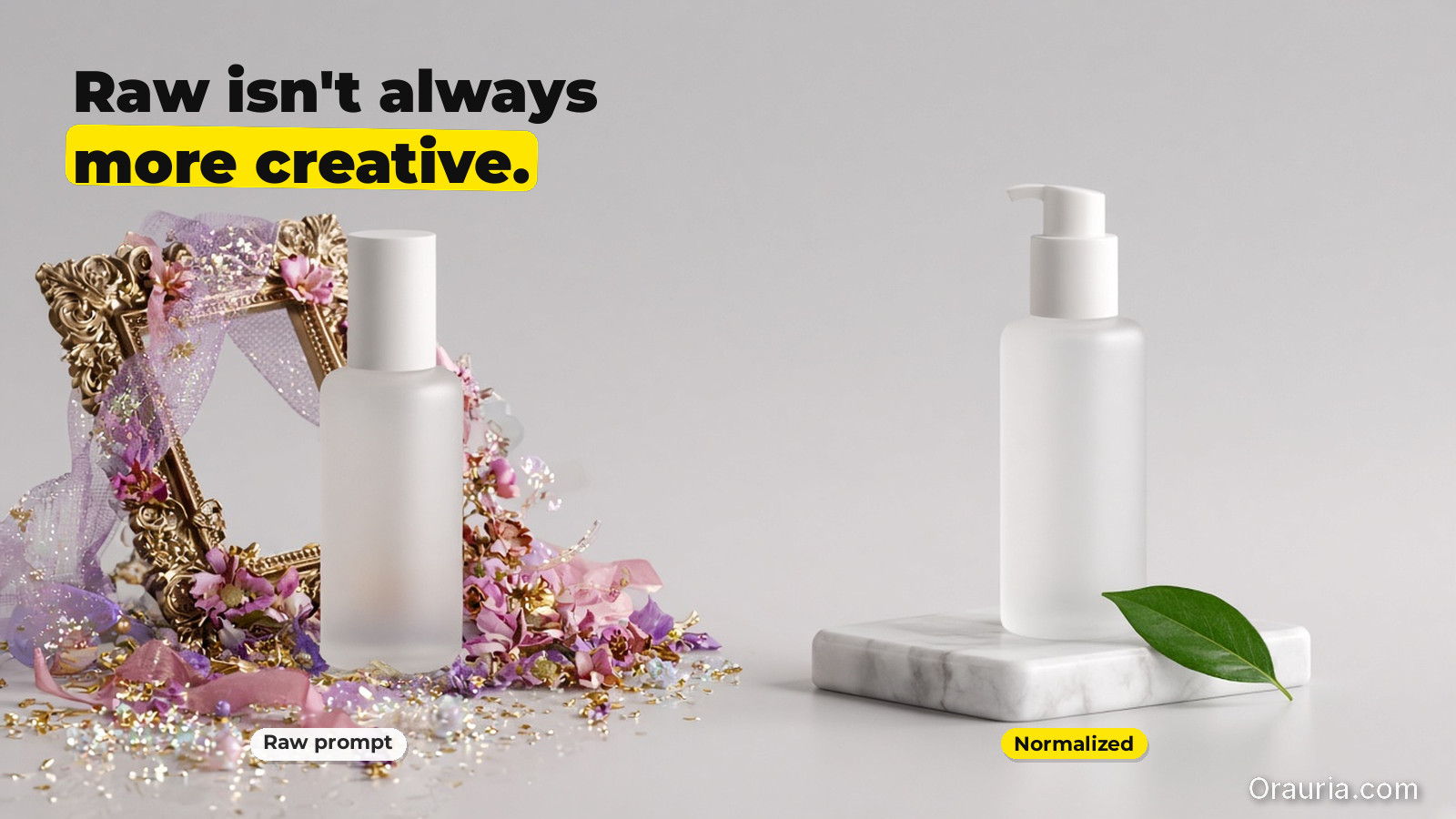
  • When to Use Prompt Normalizer vs Raw Creative Prompts

    When to Use Prompt Normalizer vs Raw Creative Prompts

    Most teams treat “prompting” as one skill. It isn’t.

    For ecommerce production, prompting is actually two different jobs:

    • turning a messy idea into a structured intent (a normalizer),
    • and pushing style choices inside a locked direction (a raw creative prompt).

    If you mix these jobs, you get inconsistent outputs and wasted iterations.

    Key Takeaways

    • Raw prompts are good for exploration.
    • Normalizers are good for alignment and repeatability.
    • Your workflow should choose the tool by bottleneck, not by preference.
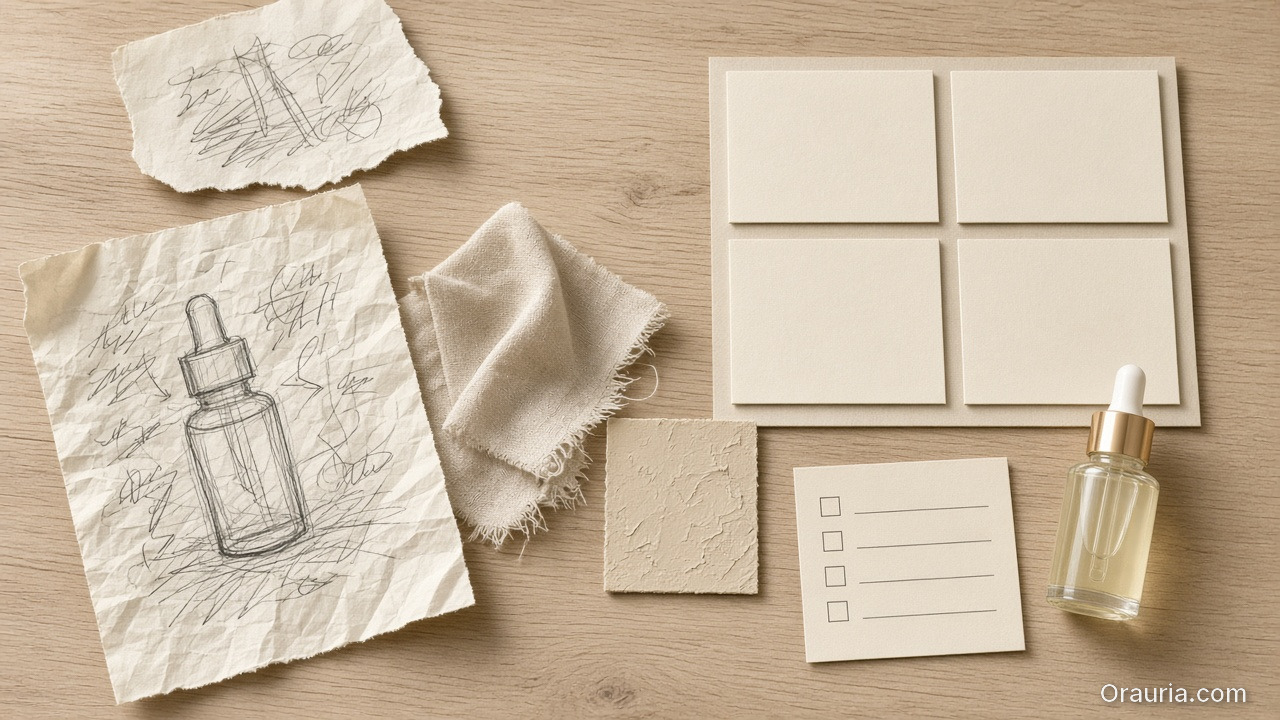
    A messy bottle sketch on crumpled paper beside a tidy blank brief grid, beige swatches, a checklist and a glass dropper bottle

    What is a prompt normalizer (production view)?

    A normalizer takes input like:

    • “make it premium”,
    • “use the same model”,
    • “make it look like our brand”,
    • “turn this into an ad”.

    And converts it into a structured brief:

    1. Intent: what outcome it must achieve,
    2. Slots: what can vary vs what cannot,
    3. Constraints: QA-gate rules (geometry, readability, world logic),
    4. Output routing: which model family fits the bottleneck.

    In other words, it is the briefing layer.

    Four prints of the same frosted serum bottle in cool window light, warm stone light, a dark scene, and a linen lifestyle setup

    What are raw creative prompts (exploration view)?

    Raw prompts are where you:

    • try a new visual twist,
    • adjust scene tone,
    • explore typography density,
    • test hook variations.

    Raw prompts are not wrong. They are just wrong for tasks that require alignment.

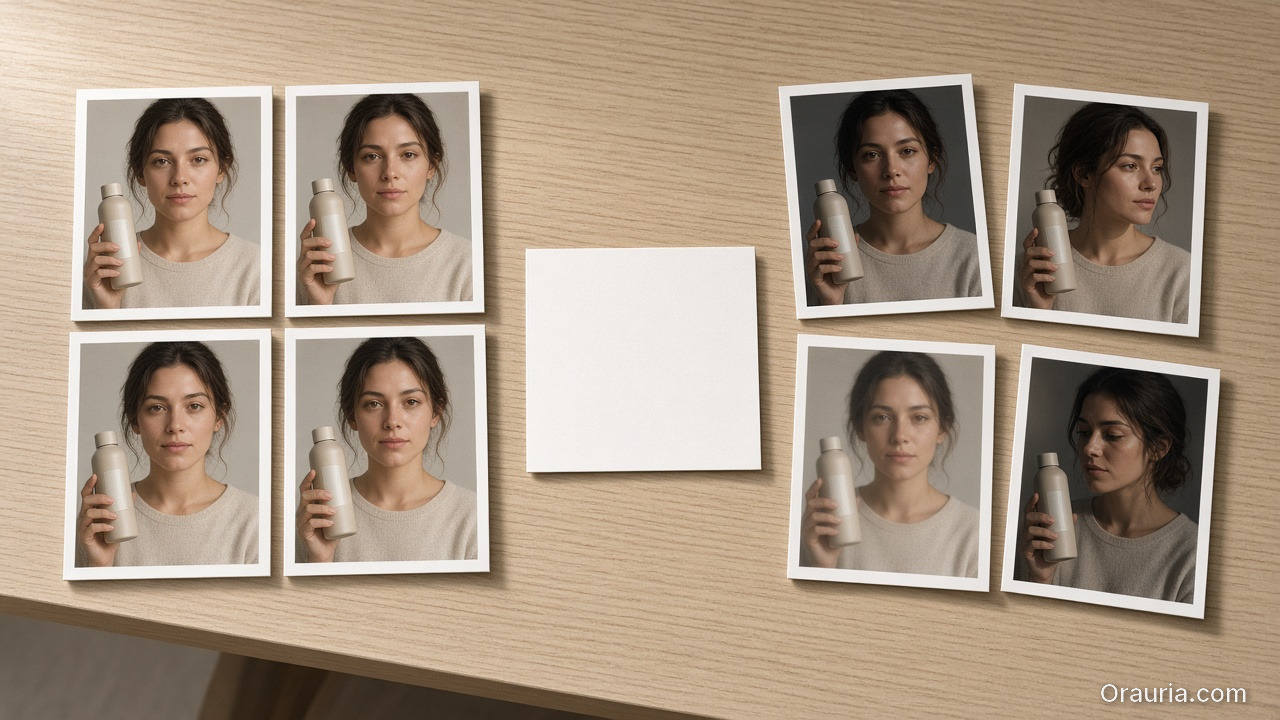
    Two groups of prints of a woman holding a beige bottle: tightly aligned faces on the left, drifted angles and lighting on the right

    The decision guide: choose by bottleneck

    Ask this:

    A) Are you missing alignment?

    If results drift in:

    • face/identity,
    • shadow family,
    • label clarity,
    • caption promise vs visuals,

    then you are missing rules. Use a prompt normalizer.

    B) Are you already aligned and just exploring?

    If identity is stable and only style options are unclear, then exploration is fine. Use raw creative prompts.

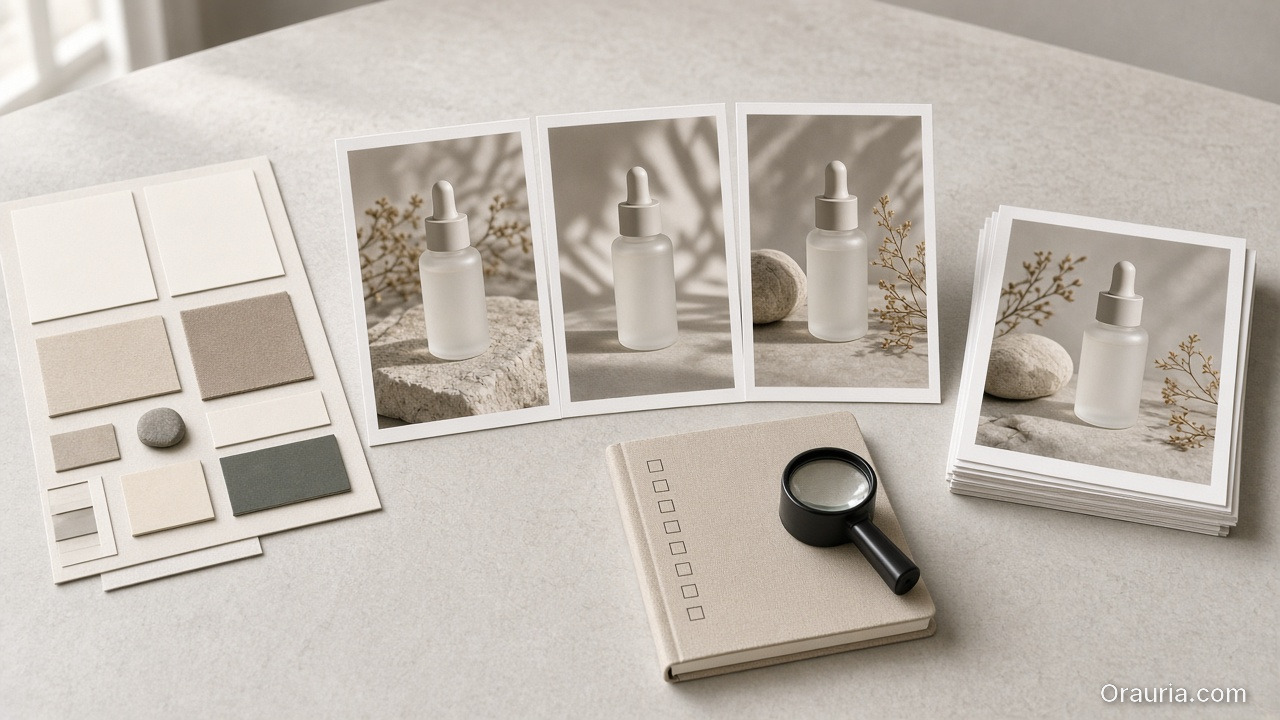
    A four-step desk: a swatch brief, three consistent bottle stills, a blank checklist with a loupe, and a stack of selected prints

    A simple workflow that prevents waste

    Use this loop:

    1. Normalize the brief (intent + slots + constraints)
    2. Generate exploration variants inside the locked world kit
    3. Gate by QA checks
    4. Ship only the winners into your content system

    This is what “workflow mindset” means in prompting: you are building a reusable system, not repeating trials.

    What to do next

    If you want the brief template:

    If you want workflow routing:

  • Your Deliverable Is a Creative System, Not Just Files

    Your Deliverable Is a Creative System, Not Just Files

    Clients ask for “20 AI images.” You deliver a zip. Next week they ask again — new prompt chaos, new drift, same arguments about brand. You get paid for pixels and lose the compound value of process.

    Freelancers who survive AI price pressure sell a different unit: the creative system — templates, kits, graphs, and gates — with files as outputs of that system.

    Key Takeaways

    • Files are perishable. Systems get reused across drops and clients (one workflow, five clients).
    • Package: brief template + kit slot + node graph + reject checklist + slot map.
    • Price the setup; do not hide it inside per-image rates forever.
    • You are practicing AI creative director work even without the title.
    A cardboard box spills unlabeled prints of a terracotta mug across a cluttered freelance desk, souvenir-like and unnamed

    Why PNG-Only Invoices Trap You

    PNG-onlySystem deliverable
    Client owns chaosClient owns a kit
    You re-brief weeklyThey fill a template
    Race to cheaper gensPaid for coherence
    Drift debatesGate language shared

    AI made images cheap. Coherence stayed expensive — bill for that.

    If your zip needs you to interpret it next month, you delivered souvenirs, not a system.

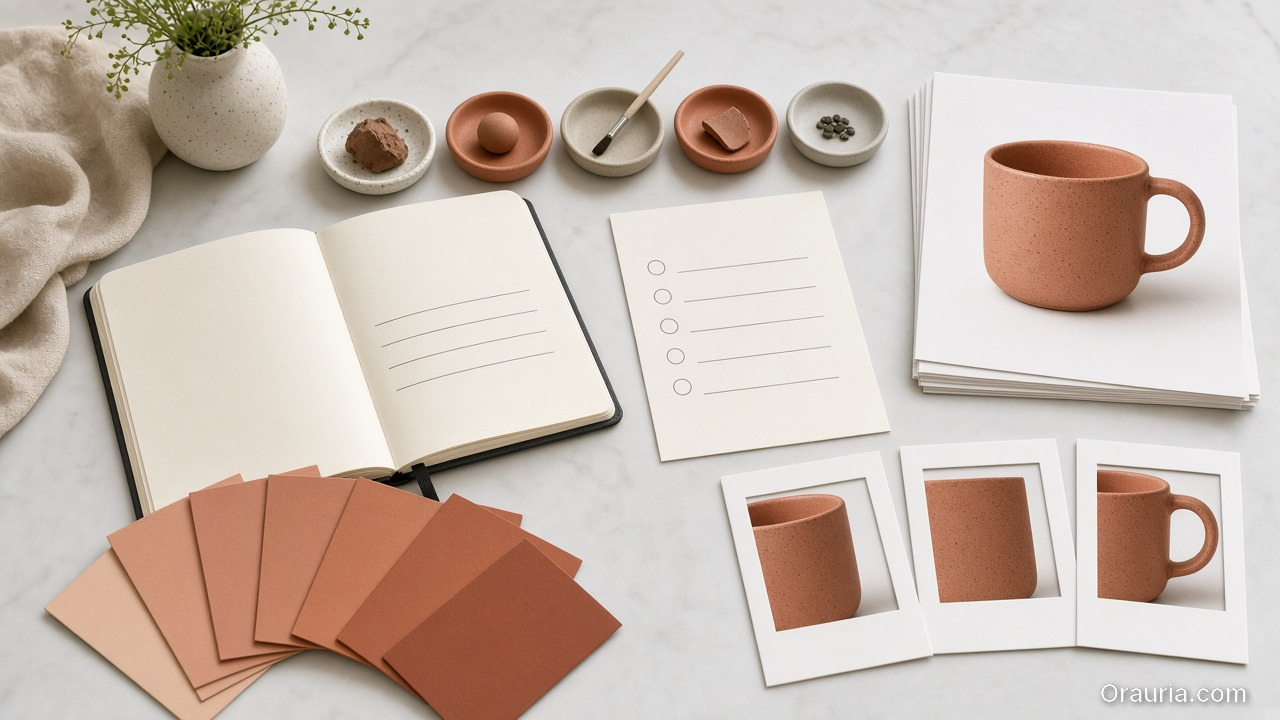
    An organized handoff: a three-line blank notebook, clay swatches, a checklist, stacked master prints of a terracotta mug, and three crop frames

    What to Put in the Handoff

    1. 3-line brief template — blank fields for job / audience / proof
    2. Brand kit slot — palette, light, no-gos, character rules
    3. Node graph — Upload → Style → Generate → QA → Upscale → Crop (node thinking)
    4. Reject checklist — geometry, type, world leak
    5. Channel slot map — which masters feed which ratios
    6. Approved masters — the files, clearly named

    That package is the product. The PNGs are the receipt.

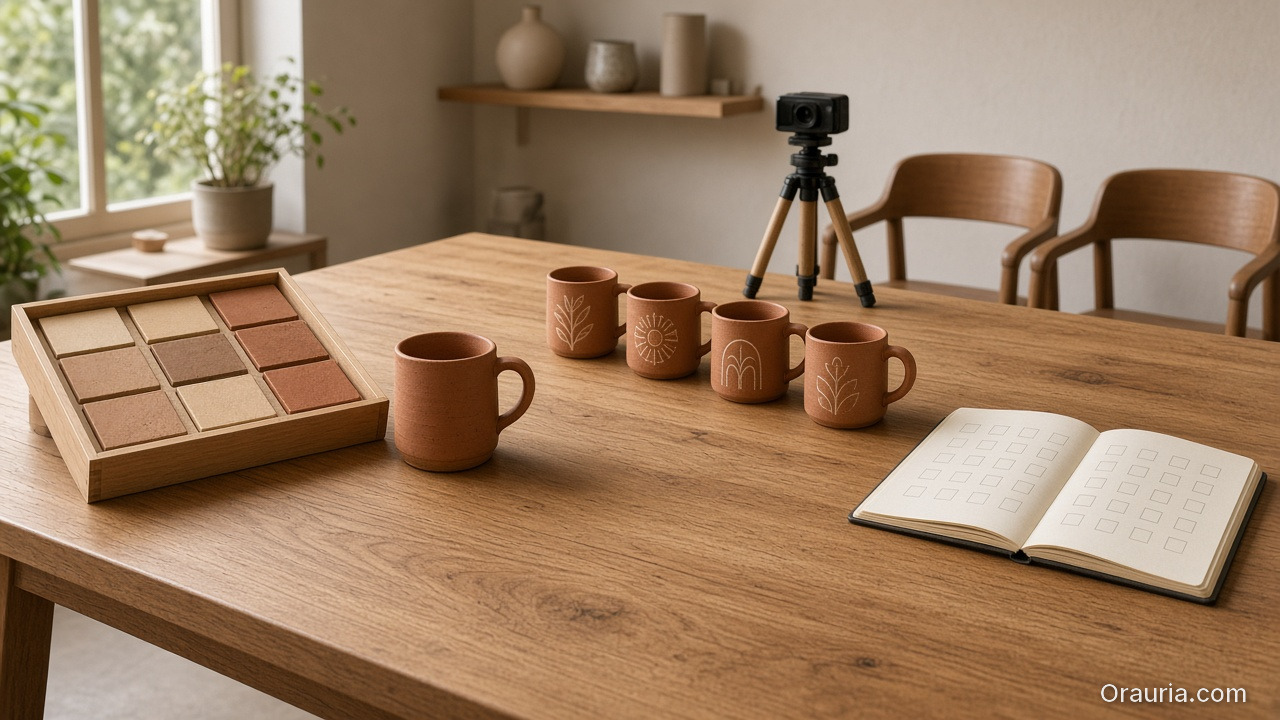
    Three phases on a long oak desk: a clay swatch kit, a line of terracotta mugs toward a small tripod, and two empty chairs with an open blank checklist

    How to Scope It Commercially

    • Phase A — System build (fixed fee): kit + graph + templates
    • Phase B — Drop production (per drop or retainer): run the graph
    • Phase C — Train client (optional): they operate gates with you as QA

    Do not let Phase B absorb unpaid Phase A forever.

    Soft CTA

    Operate client systems in one workspace: Workflow · Pricing

    Frequently Asked Questions

    Will clients pay for “process”?

    They pay when you show the cost of restarting — drift, reshoots, late Friday crops. Show before/after of set coherence.

    What if they only want cheap images?

    Either decline or sell a minimal system (brief + gate) as non-negotiable. Pure pixel racing races to zero.

    How is this different from a brand guideline PDF?

    Guidelines are static. Your deliverable is operable: nodes, checklists, naming, slot maps tied to AI production.

    Can agencies use the same packaging?

    Yes — especially multi-brand teams that need identical spines with swappable kits.

    Conclusion

    Stop selling only endings. Sell the machine that produces endings.

    Brief. Kit. Graph. Gate. Files. That is an AI design deliverable freelancers can defend on price — and clients can reuse without calling you to reinvent Monday.


    References

    1. Adobe, 2026 Creators’ Toolkit Report, June 16, 2026. https://news.adobe.com/news/2026/06/creators-toolkit-report-2026
    2. Buffer, How to Grow on Social Media in 2026 (consistency compounds). https://buffer.com/resources/creator-growth-playbook/
  • Node Thinking: Upload, Brand Style, Generate, Upscale, Crop

    Node Thinking: Upload, Brand Style, Generate, Upscale, Crop

    Most ecommerce creative “pipelines” are not pipelines. They are tab archaeology: upload in one tool, restyle in another, upscale somewhere else, crop in Canva, rename in Drive, lose the brief by Thursday.

    That is why the same SKU looks like three brands across feed, story, and PDP. The model did not forget your brand. You never stored the path.

    AI workflow builder ecommerce work starts when you stop treating each step as a separate app and start treating it as a node — a named job with inputs, rules, and a gate before the next job runs.

    Key Takeaways

    • Node thinking means every creative step is a contract: input asset, brand rule, output job, pass/fail gate.
    • Adobe’s 2026 Creators’ Toolkit Report found 60%+ of creators juggle multiple creative AI tools in a quarter — sprawl without a builder is how identity drifts (Adobe, 2026).
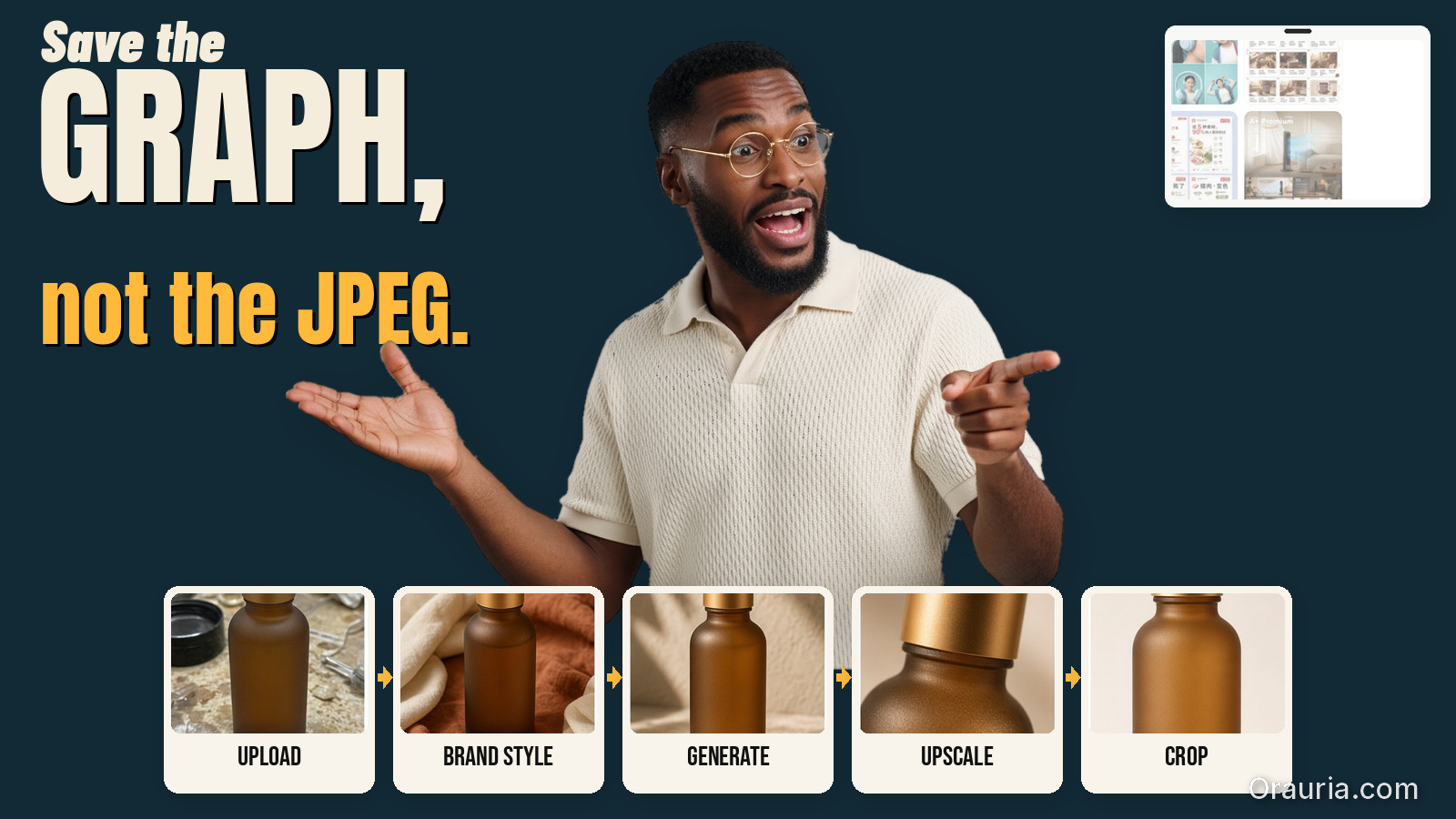
    • The default ecommerce spine is five nodes: Upload → Brand Style → Generate → Upscale → Crop.
    • Save the graph, not just the JPEG. Next drop should reuse the path with a new reference.

    This article extends From Phone Photo to Campaign. That post is the SME mindset. This one is the builder pattern freelancers and design leads need when volume rises — sibling to one workflow for five clients.

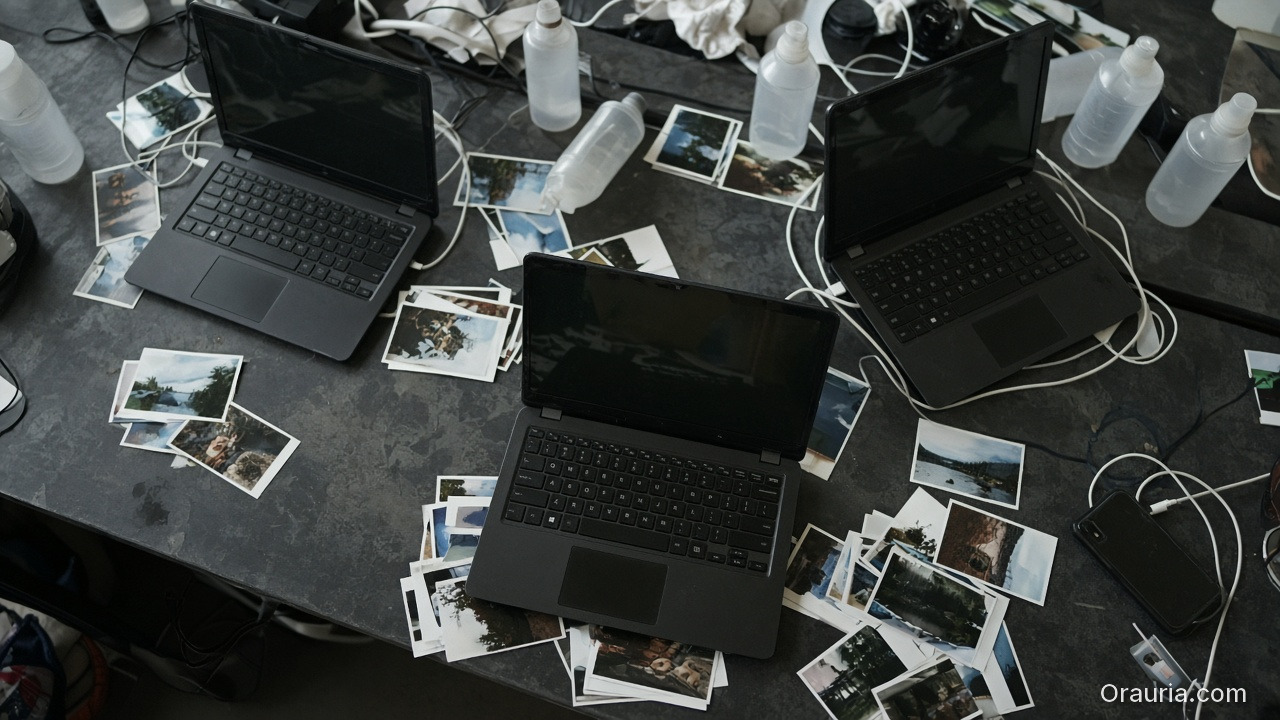
    Three dark-screen laptops, tangled cables, loose photo prints and frosted bottles scattered across a gray worktable, a phone face-down at the edge

    Why Do “Pipelines” Still Feel Like Chaos?

    Because teams automate pixels before they name jobs.

    HabitWhat it optimizesWhat breaks
    New chat per taskSpeed todayNo memory tomorrow
    Tool hopping by vibeNoveltyBrand drift
    Crop last, think neverFile deliveryWrong focal job per ratio
    Upscale everythingSharpnessAmplifies bad geometry
    No gateThroughputPretty failures ship

    Scattered stacks feel powerful until Friday’s format request. Then Orauria vs scattered AI stack becomes a lived experience, not a blog title.

    A workflow builder does not make you faster at prompting. It makes you slower at skipping gates — which is how catalogs stay coherent.

    Five small wooden trays in a neat row on pale wood; the first holds an unlabeled frosted bottle, the second holds a few color swatches, the last three are empty

    What Is Node Thinking?

    Node thinking is the habit of describing creative production as a graph:

    1. Each node has a single job
    2. Each node declares required inputs
    3. Each node enforces brand or geometry rules
    4. Each node ends with a curator gate (pass / reject / regenerate)
    5. Edges are intentional — not “whatever tab is open”

    It is the production twin of a 3-line brief: brief sets direction; nodes execute it without renegotiating identity every step.

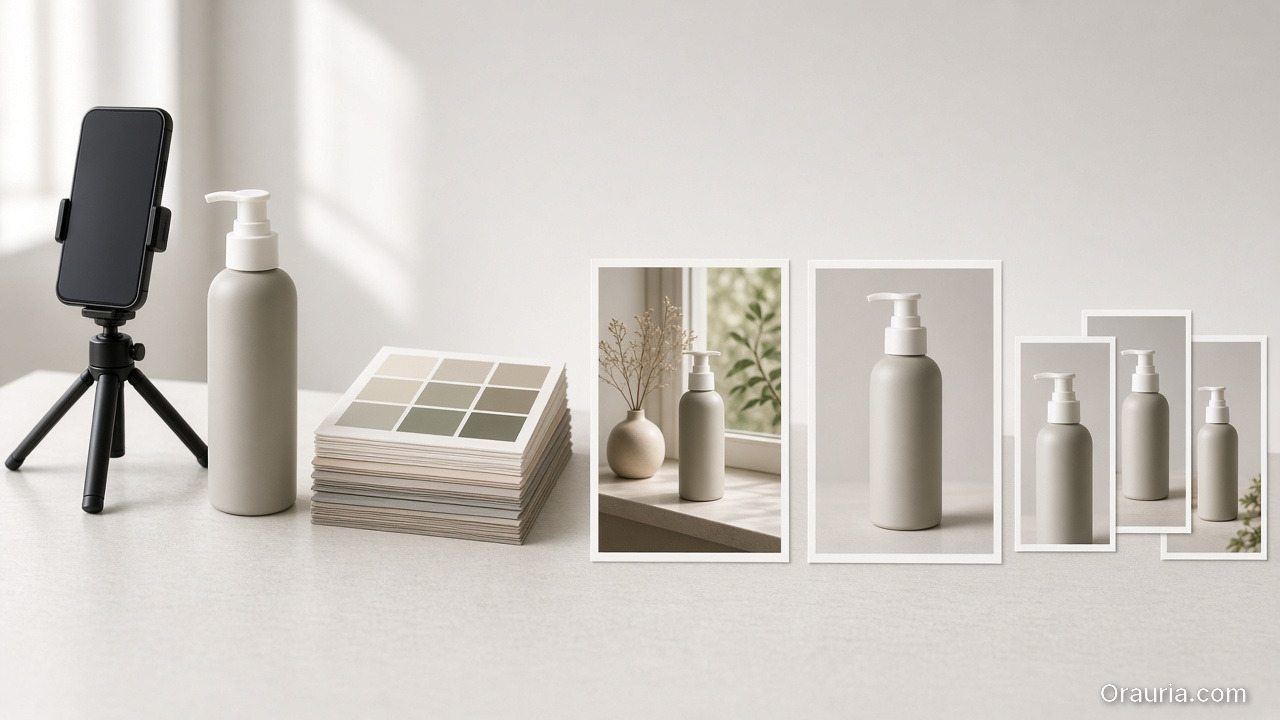
    A phone on a mini tripod beside a pump bottle and color swatches, then a lifestyle print, a clean packshot, and three smaller cropped prints of the same bottle

    The Five-Node Ecommerce Spine

    1. Upload — lock the reference truth

    Job: ingest the honest product reference (phone packshot, shelf photo, studio plate).

    Gate:

    • Label readable?
    • Geometry usable?
    • Color approximately true?

    Fail here and every later node invents a product.

    2. Brand Style — lock the world rules

    Job: attach palette, light logic, no-go list, character rules if a face appears.

    This is where batch thinking lives. Without Brand Style as a node, Generate becomes fashion roulette.

    Gate:

    • Kit selected?
    • Season / campaign tag set?
    • Forbidden styles listed?

    3. Generate — create against the brief, not against vibes

    Job: produce candidates for a named slot (hero, lifestyle, demo still) using SCENE or a 3-line brief.

    Gate:

    • Matches brief job?
    • Product fidelity hold?
    • No new brand personality?

    Adobe’s finding that 57% of creators still edit AI outputs heavily is not an excuse to skip direction. It is why Generate must be gated — editing without a checklist just polishes drift.

    4. Upscale — sharpen only what already passed

    Job: increase resolution for marketplace or print-adjacent crops.

    Gate:

    • Did upscale invent texture or typography?
    • Edges still true to package?

    Never upscale rejects. Upscale is not forgiveness.

    5. Crop — assign channel jobs

    Job: express one approved master as a ratio family — feed, story, cover — without redesigning the scene.

    This is marketplace banner thinking as a node, not a Friday panic.

    Gate:

    • Focal subject survives each ratio?
    • Logo / claim safe zones clear?
    • Same campaign read across sizes?
    A family of unlabeled bottles, tins and droppers on oak, a fan of muted color papers, and a neat stack of consistent product stills

    How Do You Draw the Graph for a Real Drop?

    Example: 20 SKUs, one brand kit, TikTok Shop + marketplace cover.

    NodeRuns once perOutput
    UploadSKUReference locked
    Brand StyleDropKit attached to all SKUs
    GenerateSKU × scene family2–3 candidates
    UpscaleWinners onlyDelivery masters
    CropMaster × channelFeed / Story / Cover set

    Notice Brand Style is once per drop, not once per SKU. That single decision is what keeps soul at catalog scale.

    A heap of crumpled blank papers on the left, a wooden block in the middle, and two tidy stacks of the same small-bottle stills on the right

    Node Thinking vs Prompt Thinking

    Prompt thinkingNode thinking
    “Make it better”“Pass Upload gate”
    New adjectives each timeFixed kit + slot brief
    Hope the model remembersGraph stores the path
    Deliver filesDeliver a reusable system
    Freelancer rebuilds MondayFreelancer swaps kit slot

    Freelancers who bill for setup hours are usually missing node thinking. The template is the product — see freelancer workflow playbook.

    What Belongs Outside the Default Spine?

    Add nodes only when the job is real:

    • Background remove before Generate when marketplace compliance demands it (background removal)
    • Character lock when a face repeats across formats
    • QA packshot checklist when geometry risk is high (packshot thinking)
    • Translate / localize text-in-image for cross-border — as a gated node, not a surprise regenerate

    Do not add nodes for novelty. Every node is a place identity can break.

    Soft CTA

    Build ecommerce creative as a graph, not a scavenger hunt: Orauria Workflow · Studio Guide

    Frequently Asked Questions

    What is an AI workflow builder for ecommerce?

    It is a system that chains creative jobs — reference ingest, brand style, generation, upscale, crop — with rules and gates so catalogs stay coherent across channels.

    Do I need software called “workflow builder” to practice node thinking?

    No. Node thinking is a design discipline. A builder product makes the graph durable; a spreadsheet of stages with pass/fail still beats tab chaos.

    Where should creative direction sit in the graph?

    Before Generate. Direction is an input to the Generate node (brief + kit), not a vibe applied after upscale.

    How is this different from phone-to-campaign workflow?

    Phone-to-campaign is the journey metaphor for SMEs. Node thinking is the engineering pattern for repeating that journey without rebuilding it.

    Should every SKU regenerate from scratch?

    No. Reuse Brand Style and Crop recipes. Swap Upload references. Regenerate only when the scene family or product truth changes.

    What is the biggest failure mode?

    Skipping gates because a frame “looks fine alone.” Nodes exist so you review the path, not just the PNG.

    Conclusion

    Upload. Brand Style. Generate. Upscale. Crop.

    Five nodes. One brand kit. Gates between them. That is AI workflow builder ecommerce in practice — not another prompt trick.

    Save the graph. Next week’s drop should inherit it. The teams that scale AI creative are not the ones with the most tabs open. They are the ones who named the jobs — and refused to ship anything that failed a gate.


    References

    1. Adobe, 2026 Creators’ Toolkit Report, June 16, 2026. https://news.adobe.com/news/2026/06/creators-toolkit-report-2026
    2. Adobe, Inaugural Creators’ Toolkit Report (Adobe MAX 2025), October 28, 2025. https://news.adobe.com/news/2025/10/adobe-max-2025-creators-survey
  • Freelancer Playbook: One Workflow Template for Five Clients

    Freelancer Playbook: One Workflow Template for Five Clients

    The freelance trap in AI creative work is not bad clients. It is rebuilding the pipeline from zero every Monday.

    Client A wants lifestyle product shots. Client B wants lookbook scenes. Client C sends a phone photo and needs a campaign by Thursday. You open three different tools, three different folder structures, three different prompt habits — and bill for hours of setup you cannot charge for.

    An AI freelance design workflow should work like a production template, not a one-off experiment. One spine. Five brand slots. Same curator discipline. Different 3-line briefs, same nodes.

    Key Takeaways

    • One template = fixed pipeline stages + swappable client slots (brief, references, brand style, output formats).
    • Adobe's 2026 Creators' Toolkit Report found 60% of creators used more than one creative AI tool in three months — freelancers who survive that chaos run one workflow, not one tool per client (Adobe, 2026).
    • 85% insist the final creative decision must remain theirs — your template should separate explorer (generate) from curator (approve), not collapse both into one tired freelancer at midnight (Adobe, 2026).
    • Charge for the system handoff, not just the image folder. The template is a deliverable.

    If you have read Phone Photo to Campaign, you know the five-stage mindset: Capture → Clean → Direct → Extend → Adapt. This playbook is the freelancer layer on top — how to run that pipeline five times without five mental resets.

    Freelancer workspace with laptop and organized client folders for reusable AI design workflow

    Why Do Freelancers Rebuild Workflows Per Client?

    Three habits eat margin:

    1. Client-shaped folders, not workflow-shaped folders. Every job starts as ClientName_Final_v3_NEW. No saved nodes. No reusable SCENE grid. Next launch, you reverse-engineer your own process from screenshots.

    2. Tool-shaped workflows, not deliverable-shaped workflows. Midjourney for exploration, another tool for upscale, another for crop. Each client picks a different stack because you never standardized what the pipeline produces.

    3. Generation without curation. Adobe reports 57% of creators say AI outputs need moderate or extensive editing before publish (2026). When one person generates and approves in the same session, quality drifts — and the brand consistency trap shows up on invoice day.

    Open linen binder on a sunlit desk with five prints fanning out: camel blazer, serum bottle, ceramic mug, white sneaker, and a skincare box.
    One spine, five brand slots: the same template holds five different product worlds.

    What Is the One-Template, Five-Client Model?

    Think of your workflow as a film production kit — same crew, same call sheet structure, different cast and location each shoot.

    LayerFixed (template)Swappable (per client)
    Pipeline stagesCapture → Clean → Direct → Extend → Adapt—
    Brief format3-line brief + SCENE rowsBuyer, world, close
    Reference packUpload slot, naming rulesProduct shots, brand refs
    Brand styleGuardrail nodePalette, light logic, no-go list
    Scene set4–8 scene node patternContext rows per SKU
    Output matrixChannel crop presetsPDP, social, email sizes
    Curator gateApprove before exportClient sign-off rules

    You build this once. Each new client fills the swappable column — not the pipeline.

    Laptop with code and workflow tools on desk for freelance AI design pipeline

    What Does the Master Template Look Like?

    Name it something boring and reusable: SKU_Launch_v1 or Lifestyle_Pack_v2. Boring names survive client churn.

    Stage 1 — Intake (15 minutes, billable)

    • Collect phone or studio references
    • Write 3-line brief with client
    • Confirm channel list (PDP, Meta 4:5, email hero, etc.)

    Stage 2 — Clean (reference truth)

    • Normalize uploads — geometry, label, color accuracy
    • Same cleanup settings per product category (beauty vs fashion vs FMCG)
    • Lock reference before any scene generation

    Stage 3 — Direct (SCENE)

    • Expand brief into 4–6 SCENE rows
    • One row = one scene node
    • Light logic from Line 2 of brief applies to every row

    Stage 4 — Extend (generate + curate)

    • Run scene nodes in explore or reference mode per job (reference vs explore guide)
    • Curator pass: reject orphans, keep same-world set
    • Never export first batch unreviewed

    Stage 5 — Adapt (channel export)

    • Crop and format per agreed matrix
    • Deliver folder + saved workflow template
    • Optional: Loom walkthrough of how to rerun

    That is your AI freelance design workflow skeleton. Client five uses the same skeleton. Only the brief and references change.

    Five identical wooden frames in a row on a pale oak table, each showing a different product photo — blazer, serum, mug, sneaker, and skincare box.
    Five clients, one frame: only the product in the slot changes.

    How Do Five Different Clients Fit One Template?

    Here is a realistic week — five clients, one template:

    ClientCategoryReference inputBrief emphasisScene countMode
    A — DTC serum brandBeautyPhone shelf shotsMorning ritual, calm5Reference-heavy
    B — Indie fashion labelFashionLookbook flat layUrban commute world8Explore → lock
    C — Ceramic homeware SMEFMCGPhone desk shotUnhurried warmth4Reference
    D — Agency white-labelMixedClient pack per SKUTheir mandatories6Reference
    E — Personal brand coachServicePortrait + propsAuthority + approachability4Explore

    Same template. Different slot values. You are not learning five workflows — you are configuring five instances.

    Creative team collaborating on multi-client project workflow

    For fashion Client B, cross-check worlds against lookbook thinking. For beauty Client A, use beauty context mapping so morning scenes are not generic stock.

    What Should Your Folder Structure Look Like?

    Workflow-shaped beats client-shaped:

    /workflow-templates/
      SKU_Launch_v1/
        00-brief-template.md
        01-scene-grid-template.csv
        02-output-matrix.pdf
    /clients/
      client-a-serum/
        references/
        briefs/
        approved-exports/
      client-b-fashion/
        ...

    Rule: templates live outside client folders. Clients get instances, not forks. If you copy-paste the whole pipeline per client, you will maintain five divergent messes by month two.

    Desk with business planning documents and laptop for client onboarding session

    How Do You Onboard a New Client in One Session?

    Kickoff agenda (45 minutes):

    1. Deliverable definition — What does "done" look like? (images only vs system handoff)
    2. 3-line brief — Fill together live; client leaves with alignment
    3. Reference rules — What they send, how they name files, what you reject
    4. Brand guardrails — Palette, light, no-go clichés (marble bathrooms, neon gradients)
    5. Curator protocol — Who approves, how many revision rounds, turnaround SLA
    6. Template preview — Show saved workflow; explain what they get at handoff

    Bill this session. It is creative direction, not admin.

    A cream paper spine across a walnut desk with a shorter strip branching off and two variant fashion prints at the fork.

    Fork a variant of the spine when the deliverable changes — not when the client name does.

    When Do You Fork the Template vs Keep One Spine?

    SituationKeep one templateFork a variant
    New client, same product-photo job✅—
    Client needs video nodes later—Add SKU_Launch_v1_video
    Enterprise legal mandatories✅ spine + appendix doc—
    Completely different deliverable (logo only)—Separate template family
    White-label agency batch (100 SKUs)✅Scale scene nodes, not pipeline

    Fork variants, not clients. SKU_Launch_v1 and Lookbook_8Scene_v1 are siblings. ClientB_special_FINAL is technical debt.

    Closed leather folio, a cotton-tied stack of photographic prints, a ceramic coffee cup, and a brass pen on linen in warm window light.
    Charge for the system handoff, not only the image folder.

    What Should Freelancers Charge For?

    Most underprice generation and give away the system.

    Line itemWhat client buys
    Discovery + 3-line briefDirection and alignment
    Production runCurated image set
    Workflow handoffSaved template they can rerun
    RetainerMonthly slot in your template queue

    The handoff is why AI ecommerce design beats "10 AI images" as a pitch — you are selling repeatable commercial creative, not a folder of renders.

    Organized creative workspace with multiple monitors for freelance design workflow

    What Breaks Multi-Client Templates?

    FailureSymptomFix
    No curator gateEvery client set looks like a different freelancerFixed approve step before export
    Client-shaped promptsCannot reuse anythingPrompts live in scene nodes, not chat history
    Skipping briefPretty orphans per client3-line brief mandatory
    Tool sprawlLost files across five loginsOne workspace or strict export naming
    No output matrixFriday crop panicDefine channels in Stage 1

    When consistency breaks across clients, the failure mode is the same as brand consistency trap — you skipped direction and curation, not AI capability.

    How Does This Connect to Node Thinking?

    This playbook is the operating model. Node thinking is the infrastructure — Upload → Brand Style → Generate → Upscale → Crop as reusable nodes in a builder.

    On Orauria-style platforms:

    1. Build SKU_Launch_v1 once with explicit nodes
    2. Duplicate workflow → rename client instance
    3. Swap reference pack + brand style slot
    4. Run → curate → export → hand off duplicate

    Client six onboards in an afternoon, not a rebuild week.


    Run one template across clients on Orauria: Try Orauria

    Frequently Asked Questions

    Can one template really work for beauty and fashion clients?

    Yes, if the pipeline stages are fixed and only scene content changes. Beauty and fashion differ in SCENE rows and references — not in Capture → Adapt logic.

    How many clients can one freelancer run on one template?

    Depends on curator capacity, not AI speed. Most solo freelancers stabilize at 4–6 active retainers when the template is real — not at 15 chaotic one-offs.

    Should each client get their own AI tool login?

    Prefer one workspace with client-separated folders and brand style slots. Multiple logins multiply handoff errors.

    What if a client insists on their own workflow?

    Deliver in their format if required — but run your template internally. Export finals to their spec; keep your spine for margin.

    Is the workflow template really a billable deliverable?

    Yes. Clients pay for independence — the ability to rerun launches without you. Price it as a productized add-on.

    How does this differ from the 3-line brief article?

    The 3-line brief is what to decide per job. This playbook is how to run five jobs without rebuilding how you work.

    Conclusion

    Freelancers do not need five workflows for five clients. They need one template with five configuration slots — brief, references, brand style, scenes, exports.

    Build the spine once. Onboard clients into it. Curate before export. Hand off the template as part of the deliverable.

    The competitive edge is not prompting faster. It is shipping the same reliable system — client after client — without starting from zero every Monday.


    References

    1. Adobe, 2026 Creators' Toolkit Report, June 16, 2026. https://news.adobe.com/news/2026/06/creators-toolkit-report-2026
    2. Adobe, Inaugural Creators' Toolkit Report (Adobe MAX 2025), October 28, 2025. https://news.adobe.com/news/2025/10/adobe-max-2025-creators-survey
  • The 3-Line Brief: Creative Direction for AI (Not 3 Pages)

    The 3-Line Brief: Creative Direction for AI (Not 3 Pages)

    The traditional creative brief was built for committees. Background. Competitive landscape. Mandatories. Tone of voice appendix. Three pages later, the art director still asks: "So what are we actually making?"

    AI did not kill the brief. It exposed which parts of the brief were theatre — and which three sentences actually steer every image downstream.

    An AI creative brief does not need more words. It needs fewer, sharper decisions made before generation starts. The 3-line brief is that format: three lines, three decisions, one coherent batch.

    Key Takeaways

    • Line 1: Who buys (persona + moment). Line 2: What world (context + light). Line 3: What feeling closes (emotion + channel job).
    • In 2026, Adobe found 85% of creators insist the final creative decision must remain theirs — a tight brief protects that judgment instead of burying it in prose (Adobe Creators' Toolkit Report, 2026).
    • Adobe's 2025 survey showed 48% use creative AI for ideation and 52% for asset generation (Adobe MAX 2025, 2025) — the 3-line brief sits before both, not inside the prompt box.
    • Expand a 3-line brief into SCENE rows only after the three lines are locked.

    If you run phone-to-campaign workflows, the 3-line brief is Stage 3 in one page. If you run lookbook thinking, it is the world sentence before the eight scenes.

    Minimal creative brief on notebook beside laptop for AI art direction workflow

    Why Do Three-Page Briefs Fail for AI Creative Work?

    Three-page briefs optimize for alignment meetings, not generation pipelines.

    Three-page habitWhat AI actually needs
    Brand history essayOne buyer moment
    Competitor matrixOne differentiated world
    Mood adjectives ("premium, modern, fresh")One enforceable emotion
    Channel appendix added lastChannel named in Line 3
    Mandatories buried on page 2References uploaded separately

    When teams paste paragraph briefs into prompts, models grab random adjectives and ignore commercial intent. You get technically on-brief images that do not belong together — the brand consistency trap in brief form.

    Adobe reports 57% of creators say AI outputs need moderate or extensive editing before publish (2026). Much of that editing is really brief failure disguised as retouching.

    Creative team reviewing brief documents in meeting room

    What Are the Three Lines?

    Copy this template at the top of every AI creative job:

    LINE 1 — BUYER: [Who + life moment in one sentence]
    LINE 2 — WORLD: [Physical context + light logic in one sentence]
    LINE 3 — CLOSE: [Primary emotion + channel job in one sentence]

    That is the entire AI creative brief for exploration or first-pass generation. Everything else — SCENE rows, reference packs, format list — attaches after.

    Laptop with handwritten notes representing concise creative brief template

    Line 1: Buyer (who + moment)

    Not demographics alone. Moment.

    • Weak: "Women 25–40 interested in skincare."
    • Strong: "Urban professional, 32, pre-meeting bathroom mirror — needs to look composed in ninety seconds."

    The moment tells you which scenes are plausible before you write any prompt.

    Line 2: World (context + light)

    Not "beautiful lifestyle." Enforceable environment.

    • Weak: "Clean, premium bathroom."
    • Strong: "Small apartment bathroom, soft morning window light, warm neutrals, no marble, no gold fixtures."

    Line 2 is where reference vs explore splits: exploration varies Line 2 widely; scale mode locks Line 2 across every render.

    Line 3: Close (emotion + channel)

    Not "inspiring." One feeling + one job.

    • Weak: "Aspirational and modern for social."
    • Strong: "Calm confidence — hero for Instagram carousel slot 1, thumb-stop in under two seconds."

    Line 3 connects brief to channel adaptation from AI ecommerce design — the image must do a commercial job, not just look good.

    A director's table with three prints side by side — a camel blazer in a lobby, a serum bottle in morning bathroom light, and a ceramic mug on a home desk.
    The same three-line shape, three product worlds: blazer, serum, mug.

    What Do Three-Line Briefs Look Like by Category?

    Fashion — structured blazer

    LineContent
    1Urban professional, 34, Monday lobby commute — wants to read capable before the meeting starts.
    2Glass office interior, late autumn, soft directional daylight, camel-cream-black palette only.
    3Composed confidence — PDP gallery image 2, lifestyle proof after studio hero.

    Expand to eight-scene experiment grid only after these three lines pass the "same film day" test.

    Modern glass office interior with soft daylight for fashion lifestyle world

    Beauty — vitamin C serum

    LineContent
    1Woman 28–38, first morning skincare step before email — wants calm control, not spa fantasy.
    2Real bathroom shelf, indirect window light, warm tile, no luxury marble clichés.
    3Calm renewal — paid social 4:5, thumb-stop texture + ritual in one frame.

    Cross-check Line 2 against beauty context mapping so "morning ritual" is not generic stock.

    Skincare products on bathroom shelf with soft natural morning light

    FMCG — ceramic mug (SME)

    LineContent
    1Remote worker, 30, afternoon desk pause — mug as small daily comfort, not gift luxury.
    2Home desk by window, overcast afternoon, muted ceramics and linen tones.
    3Unhurried warmth — email hero banner, text-safe right third empty.

    Pairs directly with phone-to-campaign capture → clean → direct flow.

    Hands arrange a three-print scene family of the same camel blazer moving from lobby to street commute to evening.
    Three lines become a scene family: same blazer, lobby to commute to evening.

    How Do You Expand Three Lines Into SCENE?

    The 3-line brief is the spine. SCENE is the ribs.

    3-line elementSCENE mapping
    Line 1 BuyerStory + Context
    Line 2 WorldContext + light (Narrative setup)
    Line 3 CloseEmotion + channel (Extension formats)

    Workflow:

    1. Write 3-line brief (5–10 minutes)
    2. Add 4–6 SCENE rows that obey Line 2 light logic
    3. Upload references if scaling (reference-heavy mode)
    4. Generate → curate → adapt per channel

    Do not write SCENE tables before Line 2 is specific enough to reject a neon bathroom prompt.

    Three ceramic mugs on one side of a linen table, a character-angle reference stack on the other, hands choosing which brief path is needed.
    A simple launch can live on three lines; a character-led campaign needs more locked assets.

    When Is a 3-Line Brief Enough vs When Do You Need More?

    Situation3-line briefAdd SCENE gridAdd full doc
    Freelancer pitch concept✅OptionalNo
    Hero SKU launch✅✅ 4–6 rowsNo
    Enterprise rebrand✅✅Legal mandatories only
    100-SKU catalog batch✅ per family✅ per heroBrand kit link
    Client needs sign-off paper✅ as coverAttach SCENEOne-page PDF max

    If the client demands a three-page brief for politics, write it — then work from the three lines internally. The PDF is for the meeting; the three lines are for the pipeline.

    A messy pile of generic beauty products opposite a hand holding a single clear morning-window print above a tight approved stack.
    The mistake is a cluttered generic world; the fix is one locked, specific frame.

    What Are Common 3-Line Brief Mistakes?

    MistakeExampleFix
    Adjective stacking"Premium, elevated, timeless, modern"One emotion in Line 3 only
    Missing light"Kitchen scene"Add time-of-day + temperature to Line 2
    Channel omitted"For Instagram"Name slot job: hero, carousel 1, ad
    Buyer too broad"Gen Z consumers"One moment, one mirror, one commute
    Skipping curatorBrief written by whoever generatesSeparate explorer from approver

    How Does the 3-Line Brief Fit Freelancer Workflow?

    Freelancers win when the deliverable is direction + system, not a folder of files.

    Suggested client-facing flow:

    1. Kickoff: agree 3-line brief (15 minutes)
    2. Exploration: 2–3 world options obeying Line 1 only
    3. Lock: client picks world → Lines 2–3 finalized
    4. Production: SCENE grid + references + curated set
    5. Handoff: 3–5 images + saved workflow template

    Next step in the series: One Workflow Template for Five Clients. Infrastructure deep-dive: Node Thinking.


    Write and run 3-line briefs on Orauria: Try Orauria

    Frequently Asked Questions

    Is a 3-line brief too short for serious brands?

    No. Serious brands need clear decisions, not long documents. Enterprise teams can attach mandatories separately; the three lines still drive generation.

    Can I paste the three lines directly into an AI prompt?

    Use them as the header block above scene-specific prompts — not as the entire prompt. Lines 2–3 should repeat in every scene brief for consistency.

    How is this different from SCENE?

    SCENE is a per-scene framework (five dimensions). The 3-line brief is project-level — one spine for the whole job. Write three lines first, then SCENE rows.

    What if the client changes direction mid-project?

    Change Lines 2 or 3 explicitly and regenerate affected scenes only. Do not tweak prompts randomly — that is how consistency traps start.

    Should freelancers charge for brief development?

    Yes. Briefing is creative direction. Many freelancers underprice generation and overgive strategy; the 3-line brief is a billable discovery deliverable.

    Does this work for non-visual AI (copy, video)?

    Yes. Line 1–3 map to audience, setting/tone, and desired response — video teams add motion rules; copy teams add voice — same spine.

    Conclusion

    AI does not need a three-page brief. It needs three decisions: who, world, close.

    Write those lines before opening any model. Expand into SCENE only after they hold. Reference when scaling, explore when discovering, curate before publish.

    The brief is not documentation. It is steering — and three lines are enough if they are specific enough.


    References

    1. Adobe, 2026 Creators' Toolkit Report, June 16, 2026. https://news.adobe.com/news/2026/06/creators-toolkit-report-2026
    2. Adobe, Inaugural Creators' Toolkit Report (Adobe MAX 2025), October 28, 2025. https://news.adobe.com/news/2025/10/adobe-max-2025-creators-survey
    3. 9to5Mac, "Adobe survey: AI is helping creators grow, but not without tradeoffs," June 16, 2026. https://9to5mac.com/2026/06/16/adobe-survey-ai-is-helping-creators-grow-but-not-without-tradeoffs/
  • From Phone Photo to Campaign: A Workflow Mindset for Small Brands

    From Phone Photo to Campaign: A Workflow Mindset for Small Brands

    The most common excuse in small-brand ecommerce is also the least true: "We can't shoot a campaign — we only have phone photos." The phone is not the bottleneck. The workflow is.

    A founder snaps a product on a kitchen table. It is slightly crooked, the light is mixed, the background is busy. Most teams do one of two things: post it anyway and hope, or open an AI tool, generate something prettier, and discover marketing needs six more formats by Friday. Both paths treat the image as a one-off. Neither treats it as the first node in a pipeline.

    AI product photo workflow for small brands is not about fixing a single file. It is about turning a rough reference into a campaign system — hero, lifestyle scenes, social crops, email header — with creative direction that survives every step.

    Key Takeaways

    • Your phone photo is a reference asset, not a final deliverable. The workflow starts with what you have, not what you wish you had.
    • In 2026, Adobe found 72% of creators frequently create content on mobile — and 60% used more than one creative AI tool in three months to match the right tool to each task (Adobe, 2025–2026).
    • The Phone → Campaign pipeline has five stages: Capture, Clean, Direct, Extend, Adapt. Skip a stage and you rebuild from scratch next launch.
    • Workflow mindset beats better prompts: save the creative logic, not just the pixels.

    If you have read AI Ecommerce Design Is Not AI Image, you know commercial creative is a system — not a single render. This article is the SME entry point: how to run that system when your only studio is a windowsill and your only camera is in your pocket.

    Hand holding smartphone photographing product for ecommerce reference
    Your phone is node one — not a dead end.

    Why Do Small Brands Treat Phone Photos as Dead Ends?

    Three beliefs block the pipeline before it starts:

    1. "Professional means professional camera." Buyers care about clarity, context, and trust — not EXIF data. A well-directed phone reference processed through a consistent workflow often outperforms a random DSLR shot with no brief.

    2. "AI will fix everything in one click." Adobe's 2026 Creators' Toolkit Report found 57% of creators say AI outputs need moderate or extensive editing before publish. AI accelerates production; it does not replace creative direction.

    3. "We will redo it properly later." "Later" becomes never. Meanwhile every channel gets a different ad hoc image — and the brand drifts before it scales.

    Smartphone showing a ceramic mug product photo beside printed campaign crops of the same mug
    One phone capture becomes a campaign set — hero, lifestyle, social, and email — when the workflow is directed.

    What Is the Phone → Campaign Workflow?

    A campaign is not one image. It is a coordinated set: marketplace hero, PDP gallery, paid social, email, maybe short video. The Phone → Campaign workflow maps how one capture becomes that set without reinventing the brief each time.

    StageJobQuestion it answers
    1. CaptureDocument the real productWhat does truth look like?
    2. CleanNormalize the referenceCan AI read shape, label, color accurately?
    3. DirectApply SCENE / context mapWhat story and scenes does this SKU need?
    4. ExtendGenerate scene familyWhat images belong in the same world?
    5. AdaptExport per channelWhat does each platform require?

    This is AI ecommerce design at SME scale — five layers compressed into a pipeline a two-person team can run in an afternoon.

    Five-stage phone to campaign workflow pipeline on analytics dashboard
    Capture → Clean → Direct → Extend → Adapt: five stages, one pipeline.

    Stage 1: Capture — What Phone Photos Actually Need

    You do not need a light tent. You need repeatable capture rules:

    • One hero angle that shows label, shape, and true color
    • Even, indirect light — window light beats overhead kitchen LED
    • Simple background — white poster board, neutral table, plain wall
    • Scale reference — hand, coin, or known object so size is honest
    • Detail shot — texture, cap, ingredient panel if relevant

    Capture three to five phone frames. That is your truth pack — the anchor every generated scene must respect.

    Phone product photo capture on desk with natural window light
    Capture rules beat camera price: indirect light, simple background, honest scale.

    Adobe's 2025 inaugural Creators' Toolkit Report noted 72% of creators frequently create content on mobile (Adobe MAX 2025, 2025). Small brands are not behind the curve. They are often native to how content is actually made.

    Hands normalizing a dark glass bottle photo from a cluttered table onto a clean white board
    Stage 2 is not Instagram polish. It is a machine-readable reference: honest color, clear edges, usable geometry.

    Stage 2: Clean — Turn Noise into Reference

    Before scene generation, normalize the phone file:

    • Crop to product with breathing room
    • Correct white balance — phone auto-WB lies
    • Remove distracting background if needed (not beauty-filter the product)
    • Upscale only after composition is locked

    The goal is not Instagram polish. The goal is a machine-readable reference: clear edges, honest color, readable label. AI scene tools need truth more than glamour at this stage.

    If the product geometry is wrong here, every downstream scene inherits the lie.

    Open notebook with four empty frames beside a ceramic mug and lifestyle reference prints
    Direct before you generate: a SCENE or context map turns one mug into four intended scenes.

    Stage 3: Direct — SCENE Before Generate

    This is where most phone-to-AI workflows fail. Teams jump from Clean straight to Extend — "make it look professional."

    Stop. Open a SCENE brief or context map first:

    • Who buys this?
    • What four moments do they live in?
    • What emotion closes each moment?
    • What formats ship this month?

    Example for a handmade ceramic mug sold on Shopify:

    SceneStoryContextChannel
    1Slow morningKitchen window, steam risingPDP lifestyle
    2ClarityStudio-style hero on neutralMarketplace
    3GiftWrapped, ribbon, soft lightEmail hero
    4Desk companionLaptop, notebook, afternoonInstagram

    Same mug. Phone reference. Four directed scenes — not four random prompts.

    Four coordinated photo prints of the same ceramic mug in morning, hero, gift, and desk scenes
    Extend as a family: one winner per scene, same product geometry, same light logic, same palette.

    Stage 4: Extend — Build the Scene Family

    With reference images uploaded and SCENE rows defined, generate one winner per scene. Explore freely; curate ruthlessly.

    Rules for extension:

    • Lock product geometry from the phone reference — do not let the model redesign the SKU
    • Lock light logic across scenes — same season, same time-of-day feel
    • Lock palette from brand kit — not model defaults
    • Separate explorer from curator — whoever generates should not be the only approver

    Adobe found in 2026 that 85% of creators insist the final creative decision must remain theirs (Adobe Creators' Toolkit Report, 2026). Phone-to-campaign workflows respect that: AI proposes scenes; humans protect the brand.

    Fashion brands extend this logic through lookbook thinking. The phone photo of a garment on a hanger is still a valid reference — the world-building happens in Stage 3, not Stage 1.

    Stage 5: Adapt — Channel Is Design Work

    A campaign dies in adaptation if nobody planned formats upfront.

    ChannelTypical needAdaptation job
    MarketplaceCompliant hero, white or neutralCrop, compliance check
    PDP galleryClarity + lifestyle mix4–6 image sequence
    Instagram4:5 or 1:1, thumb-stopCrop, contrast bump
    TikTok ShopVertical, native feelReframe, motion extract
    EmailWide banner, text-safe zonesCrop with overlay room

    Adaptation is not resize-and-pray. It is intentional reframing — planned in Stage 3 when you listed formats in the Extension column.

    Laptop and phone showing multi-channel ecommerce campaign assets
    Stage 5: each channel gets intentional adaptation — not emergency cropping on Friday.

    What Does a One-Afternoon Phone → Campaign Run Look Like?

    For a two-person SME team launching one hero SKU:

    Time blockTaskOutput
    0:00–0:30Capture truth pack (phone)3–5 reference frames
    0:30–0:45Clean + upload referencesNormalized anchor files
    0:45–1:15SCENE / context map (4 rows)Written brief
    1:15–2:30Generate + curate (4 scenes)4 approved images
    2:30–3:00Adapt per channel8–12 publishable files
    3:00–3:15Save workflow templateRepeatable pipeline

    Three hours. One product. One campaign skeleton — not a single pretty picture and a panic attack.

    Small team collaborating on creative workflow in modern office
    A two-person SME team can run the full pipeline in one afternoon — with a saved template for next SKU.

    Phone Photo vs Studio Shoot: When Does Each Win?

    SituationPhone + workflowStudio shoot
    Pre-launch, no budget✅ Best option❌ Delayed
    1–10 hero SKUs✅ Fast iterationOptional
    100+ SKU catalogHybrid — phone truth + batch workflowScale studio for heroes
    Character-led fashionPhone for product truth; AI for worldsModel shoot if budget allows
    Marketplace compliancePhone hero + AI lifestyleStudio for main if required

    The workflow mindset does not claim phone beats studio forever. It claims waiting for studio is a worse strategy than shipping a directed campaign now.

    Cork board of inconsistent bottle photos with a hand removing a drifted shot
    What breaks the pipeline: skipped briefs, drifted geometry, and no one protecting the brand.

    What Breaks Phone → Campaign Workflows?

    FailureSymptomFix
    Skip SCENEPretty orphansWrite brief before generate
    Over-trust AI cleanupProduct shape driftsLock geometry from phone ref
    No saved templateReinvent every launchSave workflow after first SKU
    One person generates + approvesBrand drift, no tasteSplit explorer / curator roles
    No adaptation planFriday crop panicList channels in Stage 3

    When consistency breaks across scenes, read Brand Consistency Trap — the failure modes are the same whether your reference came from a phone or a Phase One.

    How Does This Connect to Workflow Builder Thinking?

    Phone → Campaign is the mindset. Node thinking is the infrastructure — Upload → Brand Style → Generate → Upscale → Crop as reusable nodes.

    In platforms like Orauria, the pattern is explicit:

    1. Upload phone reference pack
    2. Apply Brand Style guardrails
    3. Run SCENE scene nodes per context row
    4. Upscale and channel-crop outputs
    5. Save as template: "Phone SKU Launch v1"

    Next SKU swaps the reference images. The creative logic stays.

    That is the difference between an AI product photo workflow and a one-time AI image — the topic of AI Ecommerce Design Is Not AI Image.


    Turn phone photos into campaigns on Orauria: Try Orauria

    Frequently Asked Questions

    Can a phone photo really be good enough for a professional campaign?

    For many small brands, yes — as a reference, not always as a final hero. The workflow uses the phone capture for truth (shape, color, label), then builds directed scenes around it. Marketplace-compliant heroes may still need a clean packshot pass.

    Do I need expensive AI tools for each stage?

    Adobe's 2025 data shows 60% of creators used more than one creative AI tool in a three-month window — but that is a choice for flexibility, not a requirement. An integrated workspace reduces handoffs; scattered tools work if your brief and file naming are disciplined.

    How is this different from "enhance my photo with AI"?

    Enhancement fixes one file. Phone → Campaign builds a scene family + channel set from one reference, with SCENE direction and saved workflow. Enhancement is Stage 2. Campaign is Stages 1–5.

    What phone settings matter most?

    Indirect light, tap-to-expose on the product (not the background), avoid digital zoom, shoot more frames than you think you need. Consistency across captures matters more than megapixels.

    Can freelancers sell this as a service?

    Yes. The deliverable is not "10 AI images." It is a campaign kit + saved workflow template the client can rerun. That is a higher-value offer than per-image generation.

    What is the first step if I only have one bad phone photo today?

    Clean it, write a four-row SCENE map, and generate one lifestyle scene that matches your buyer's real morning — not a generic luxury backdrop. Prove the pipeline with one scene before scaling to four.

    Conclusion

    Small brands do not fail because they lack studios. They fail because they treat a phone photo as a dead end instead of node one in a campaign pipeline.

    Capture with honesty. Clean for reference truth. Direct with SCENE. Extend with curation. Adapt with channel intent. Save the workflow so next month's drop starts at minute zero — not at panic o'clock.

    Your phone is already a camera. The only missing piece is the mindset that connects it to a campaign.


    References

    1. Adobe, 2026 Creators' Toolkit Report, June 16, 2026. https://news.adobe.com/news/2026/06/creators-toolkit-report-2026
    2. Adobe, Inaugural Creators' Toolkit Report (Adobe MAX 2025), October 28, 2025. https://news.adobe.com/news/2025/10/adobe-max-2025-creators-survey
    3. 9to5Mac, "Adobe survey: AI is helping creators grow, but not without tradeoffs," June 16, 2026. https://9to5mac.com/2026/06/16/adobe-survey-ai-is-helping-creators-grow-but-not-without-tradeoffs/