A YouTube thumbnail is a poster for a two-second glance. A TikTok cover has to do the same job in a vertical frame. The market for that work is real: mid-size creators, product accounts, and small agencies pay for files that still read at a small size — a face, a number, and a line of type you can finish in one look. The useful skill is not copying a trending pin. It is learning why a layout clicks, then writing a new face and a new title into that structure.
This playbook starts from a Pinterest search for YouTube thumbnail design, runs Image to prompt on three pins, and generates three original covers in Orauria Studio — two 16:9 YouTube thumbnails and one 9:16 TikTok cover. The faces are new, fictional people. The topics were changed on purpose. What we kept is the layout energy: a tight crop, a high-contrast type block, a palette that still works when the file is 160 pixels wide.
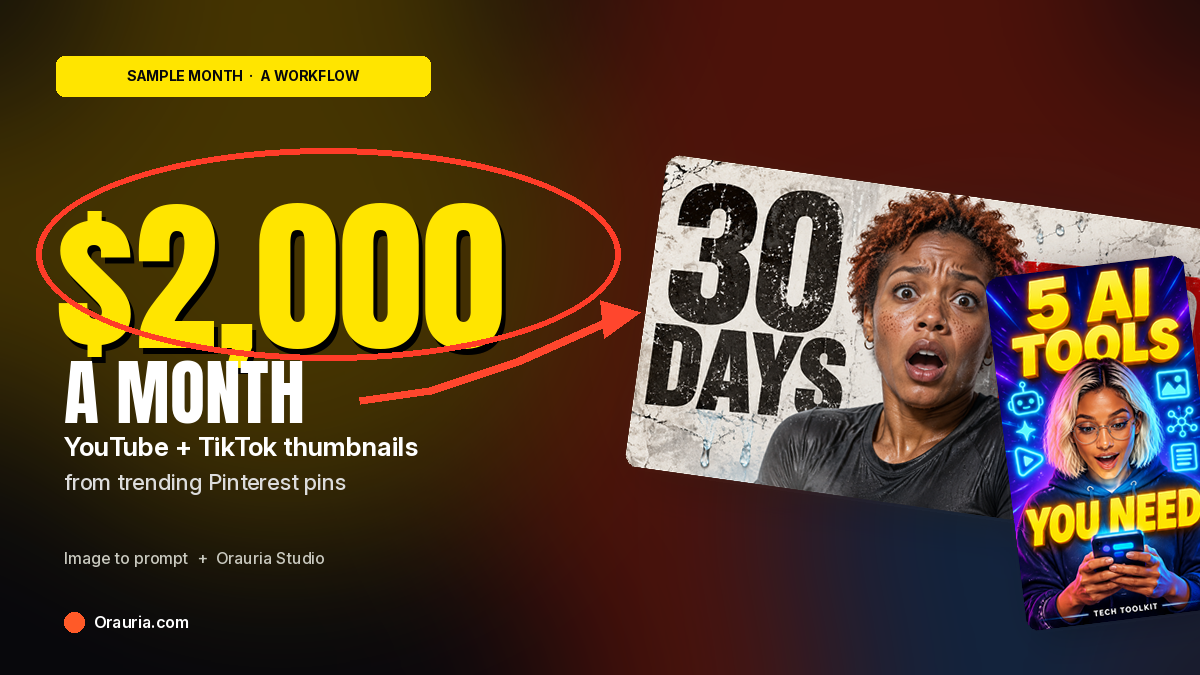
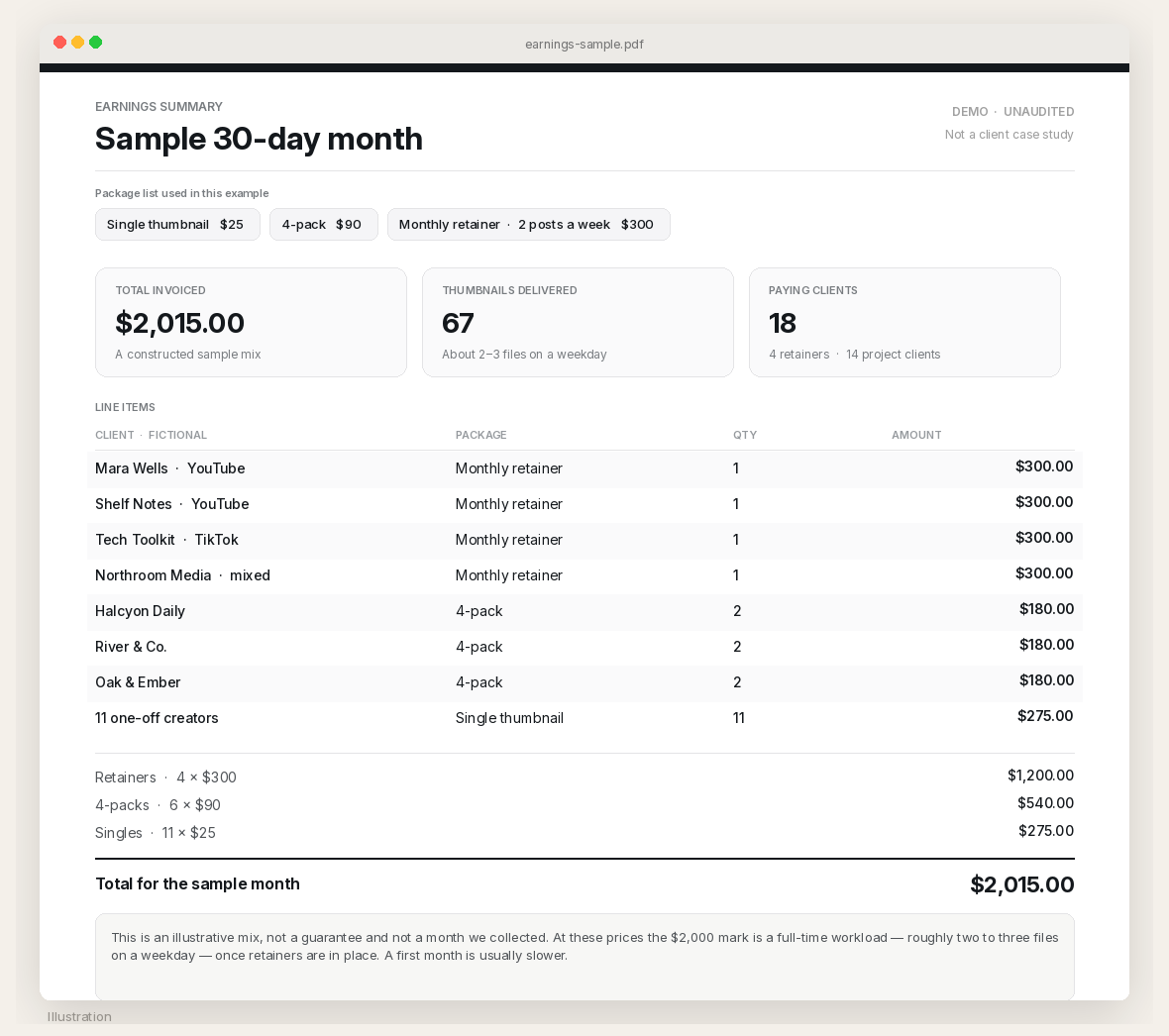
It is also a pricing walkthrough. The packages in this post — $25 for a single thumbnail, $90 for a 4-pack, and a $300 monthly retainer for two posts a week — are an example, not a rate card you have to use. A sample month built from those numbers adds up to $2,015. That is a constructed mix, not a month we collected, and not a figure anyone is owed. At those prices it is a full-time workload once retainers are in place. A first month is usually slower.
The playbook at a glance
- Install the Chrome extension.
- Search Pinterest for thumbnail design, not for a face to clone.
- Run Image to prompt on a few pins that teach layout — a type block, a crop, a contrast trick — and copy the briefs.
- Rewrite each brief. Change the face. Change the text and the topic. Keep only the structure.
- Generate the covers in Orauria Studio: 16:9 for YouTube, 9:16 for TikTok.
- Put a tight before-and-after portfolio in front of clients. Price a week, then a month. Do not promise a number you have not earned.
First, install the extension
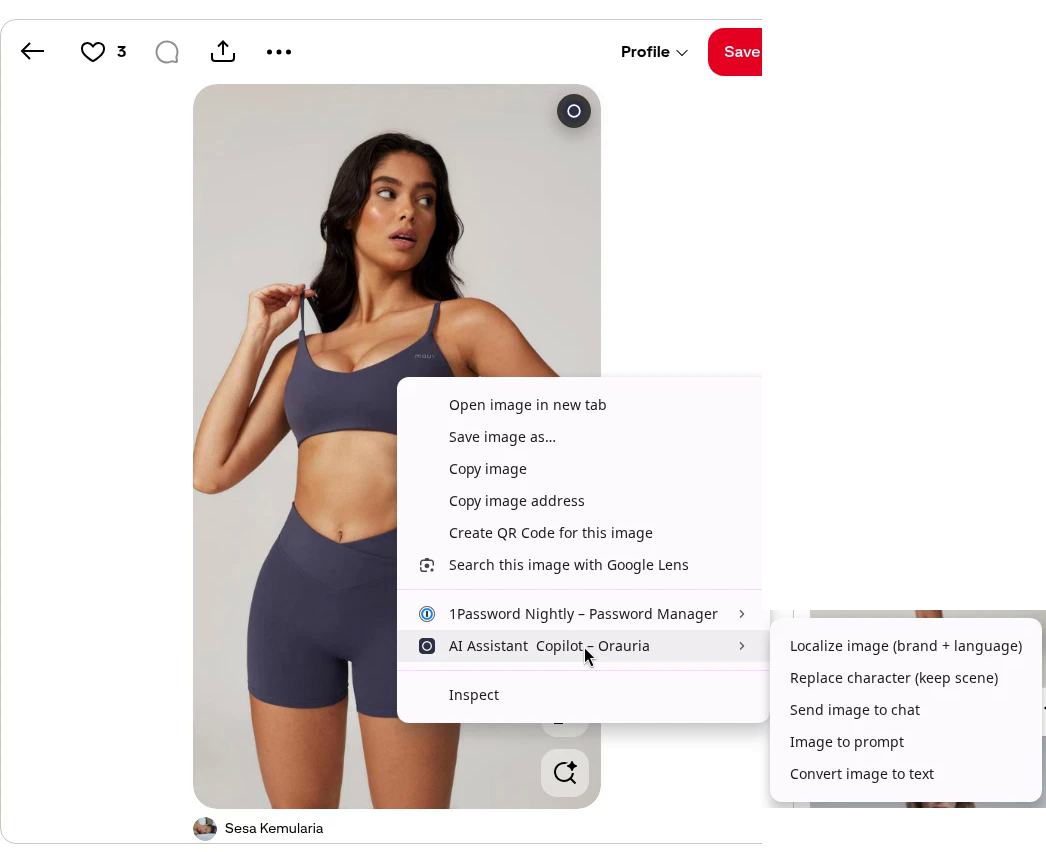
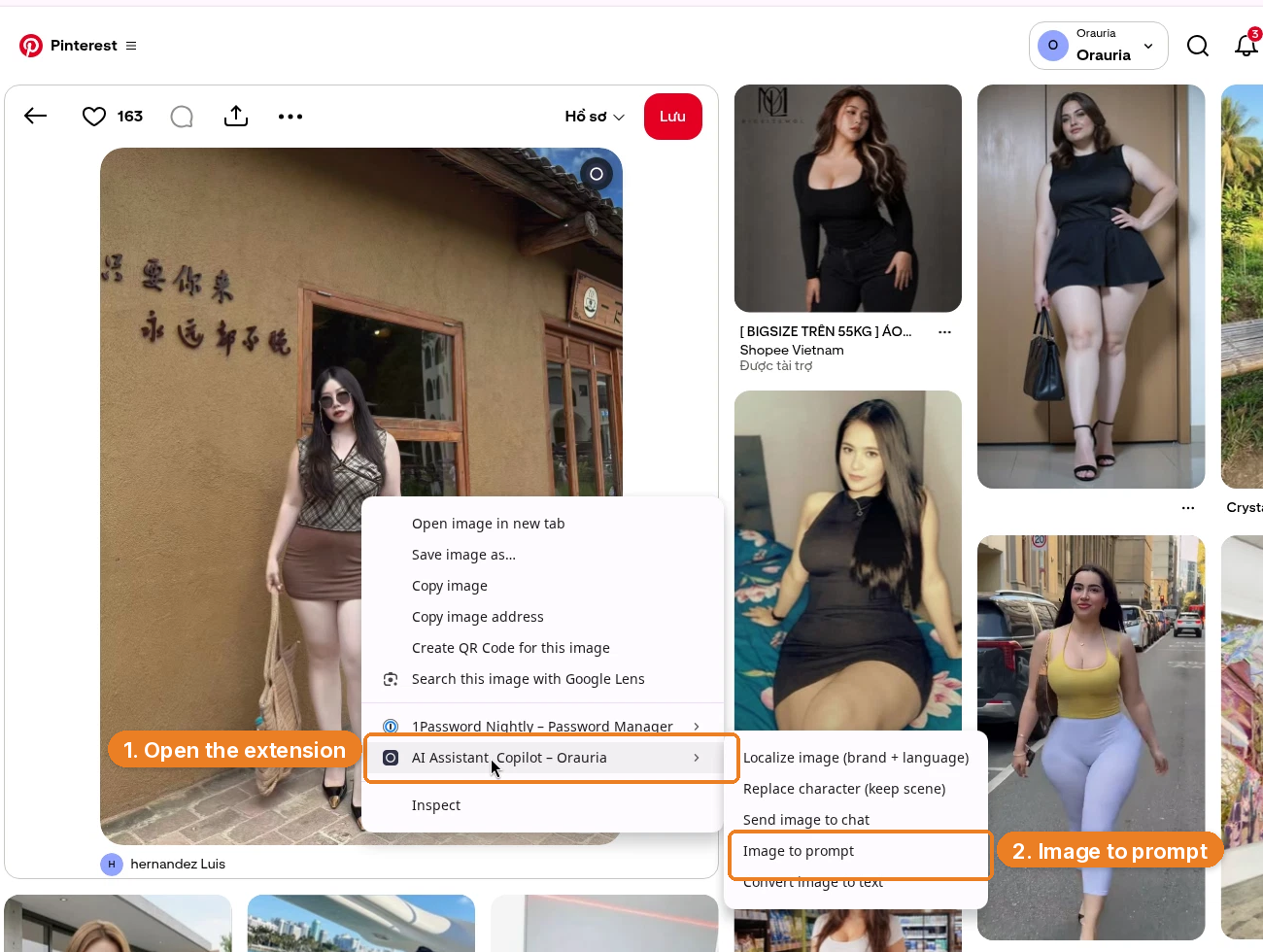
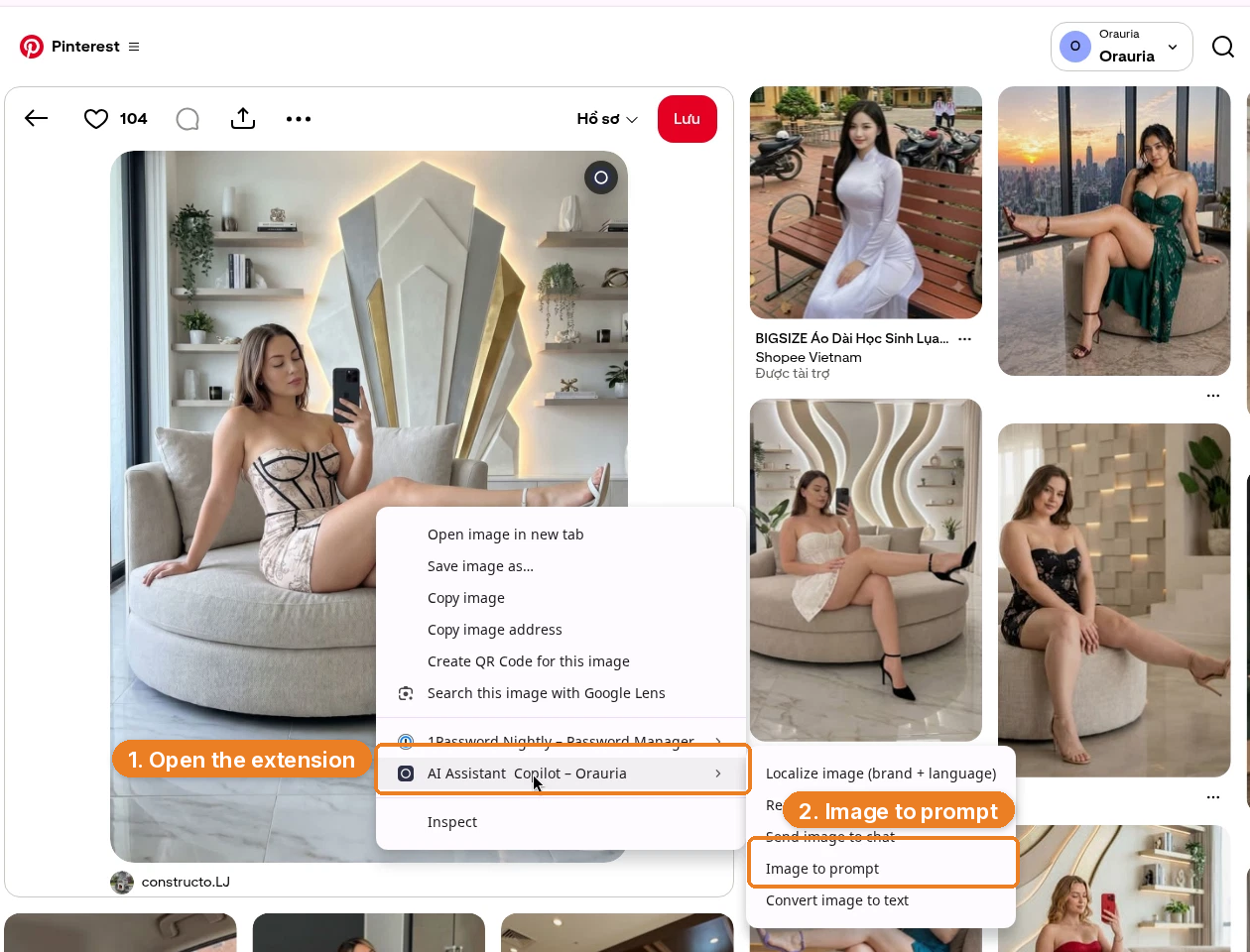
Image to prompt only works after you install the Chrome extension AI Assistant Copilot – Orauria. Get it from the Chrome Web Store before you go looking for a reference. Once it is on, you can right-click a pin and pull a prompt from it.
Start from a thumbnail search, not a face to copy
The useful Pinterest search is not a creator’s name. It is a layout search. We used thumbnail design youtube, which surfaces a wall of high-contrast, type-heavy covers: a face, a short line, a color block. That wall is a classroom. It is not a catalog of people you are allowed to reprint.
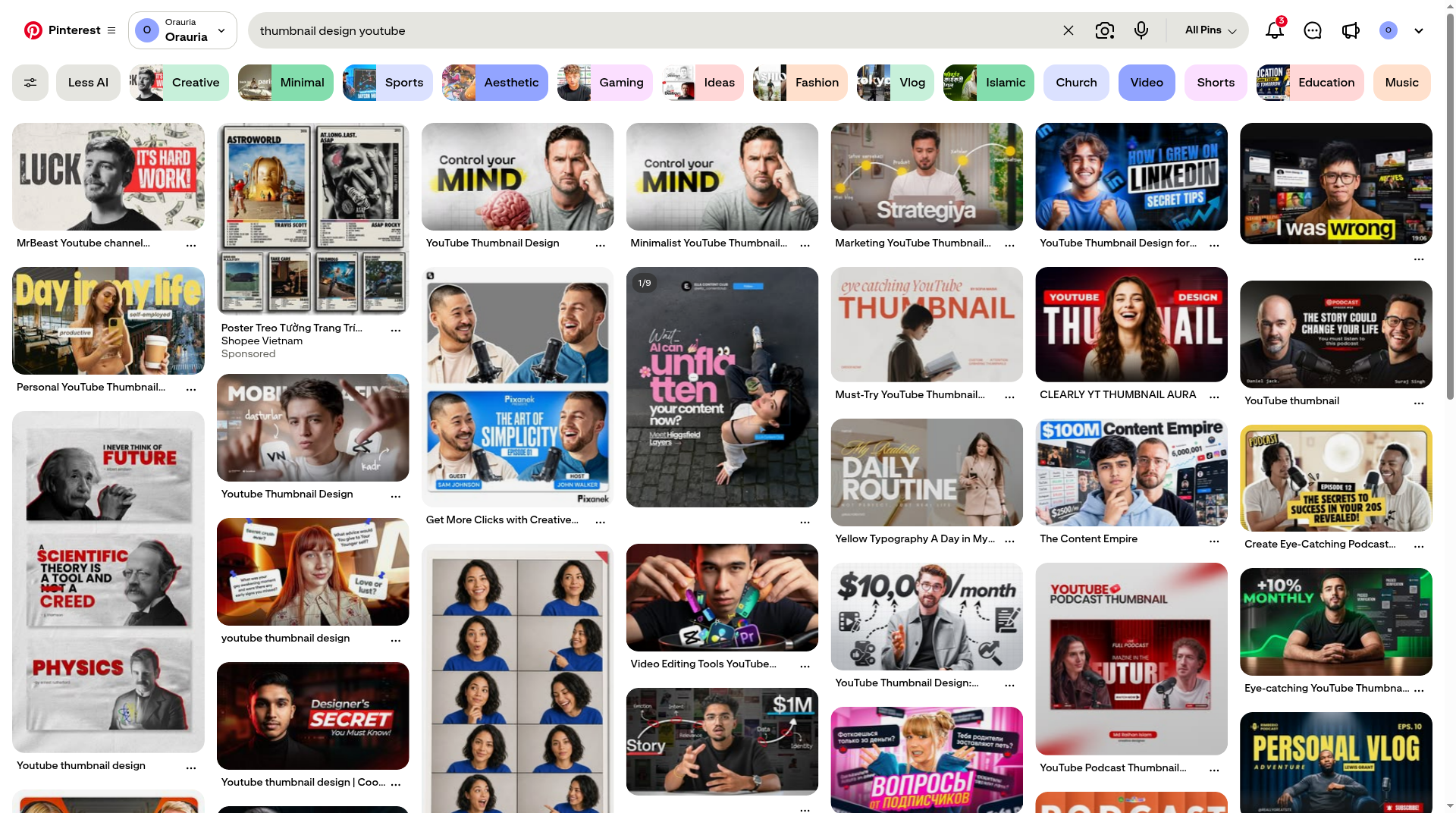
Pick two or three that do different jobs. A single hero portrait with a red type panel is one lesson. Two hosts framing a milestone number is another. A vertical neon cover is a third, and it is already thinking in 9:16. Credit the people who posted them, then write someone else.
Pin A: a distressed type panel, a new face, a new title
The first reference is this pin by GraphicDayan, titled “MrBeast Youtube channel thumbnail design.” It is a 16:9 poster: a black-and-white chest-up portrait of a young man against cracked off-white paper, dollar bills in the background, the word “LUCK” in oversized distressed type, and a red panel that says “IT’S HARD WORK!” It is a strong thumbnail structure. It is also someone else’s face, someone else’s line, and a title that points at a real creator. None of that should travel into a file you sell.
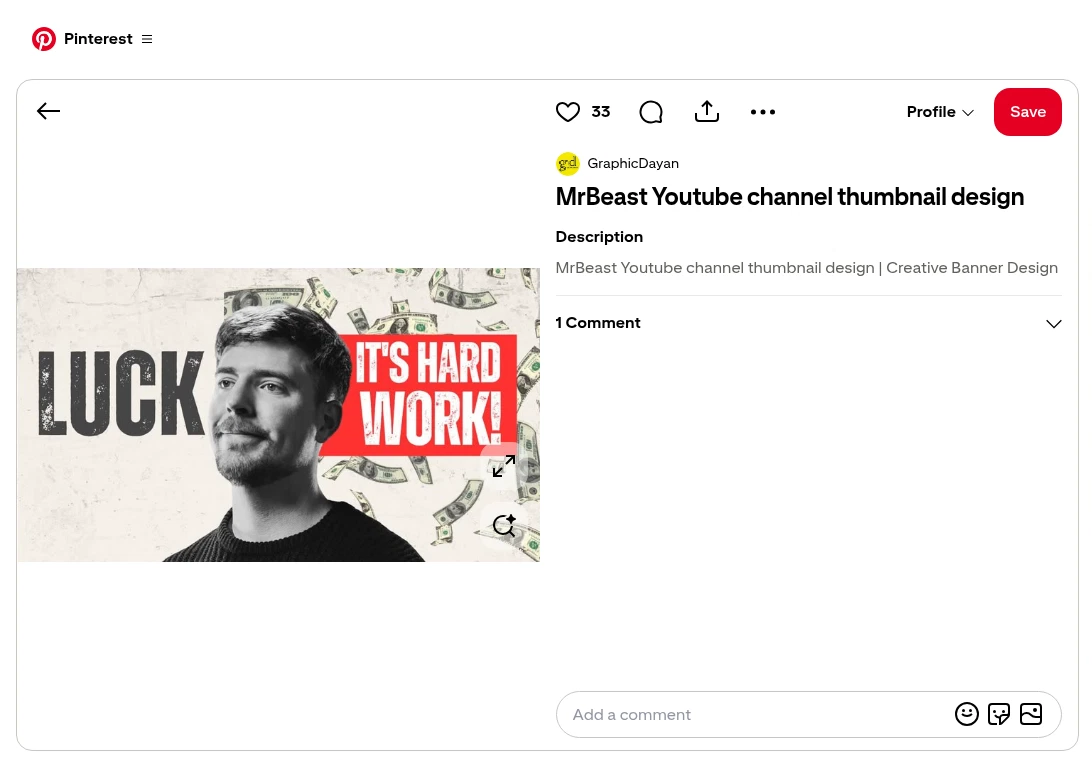
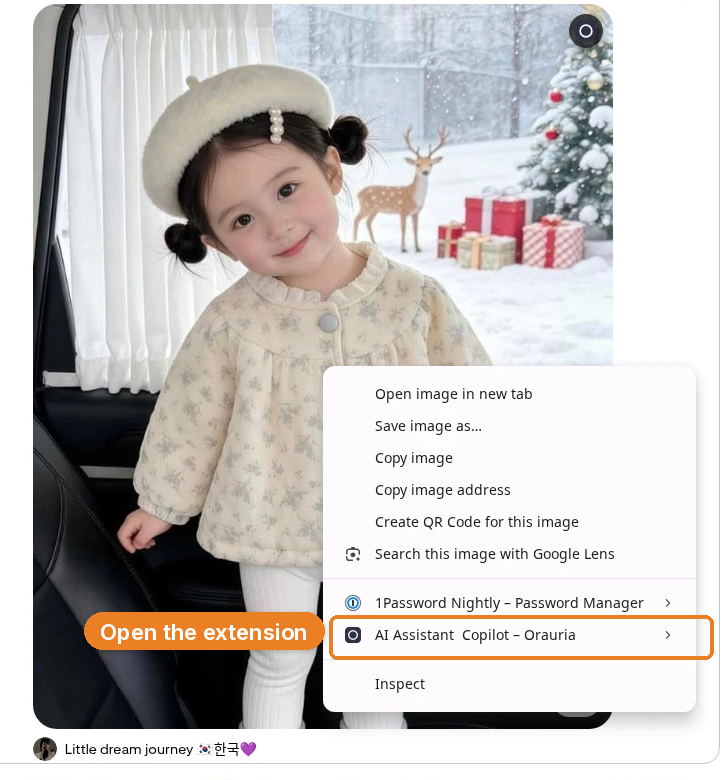
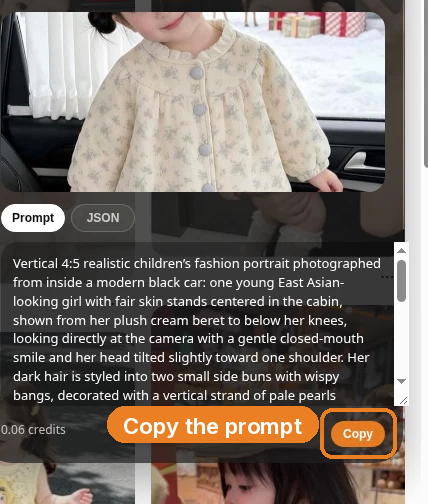
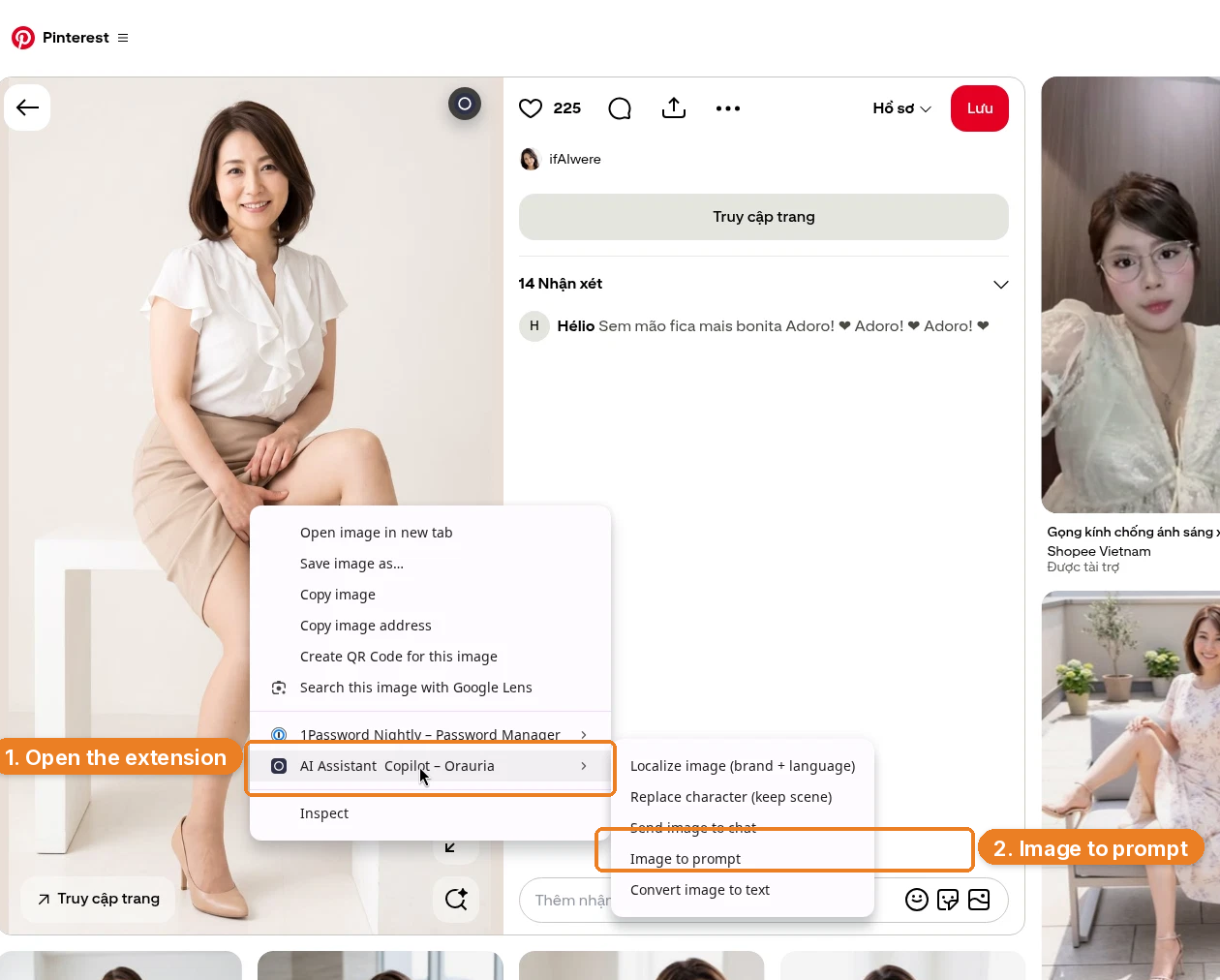
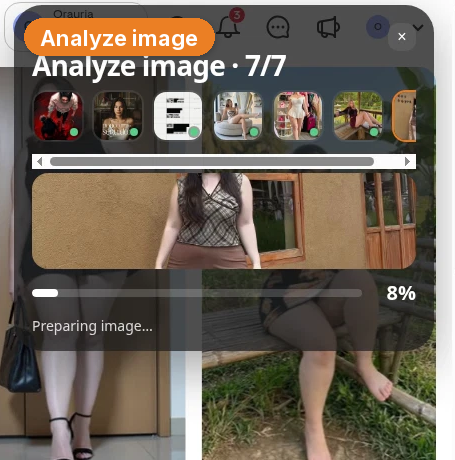
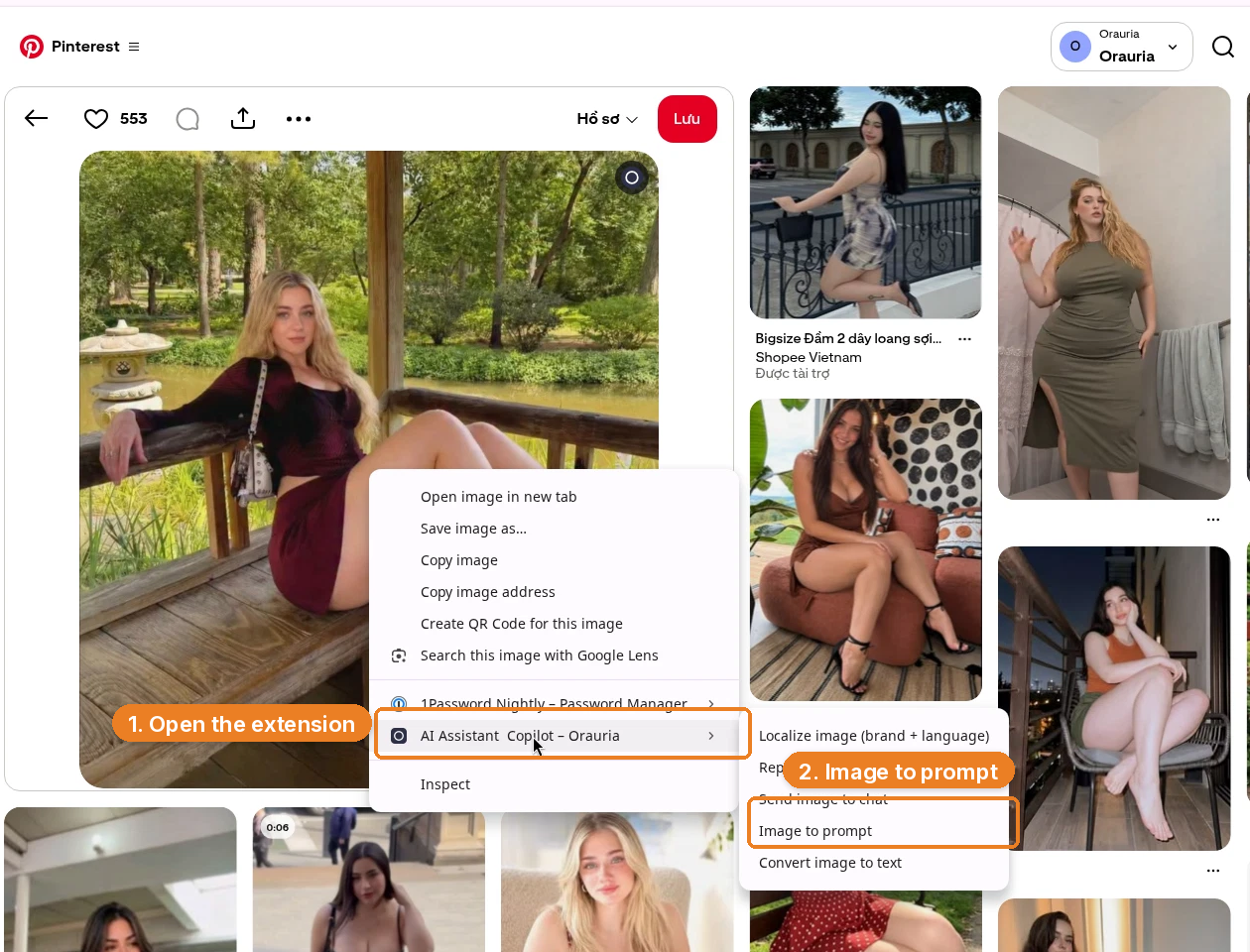
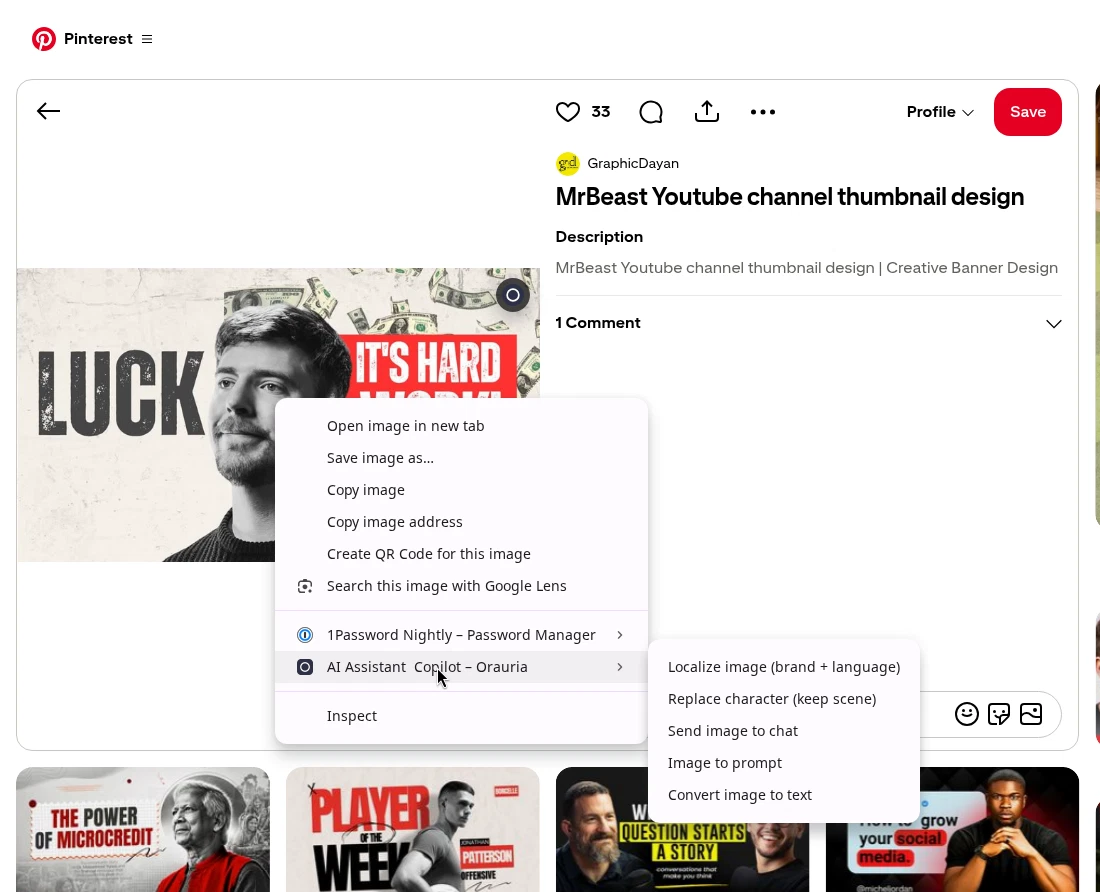
Right-click the image, open AI Assistant Copilot – Orauria, and then choose Image to prompt. In the frame below, the Copilot row is the one that is open; Image to prompt is the next click, in the extension’s submenu.
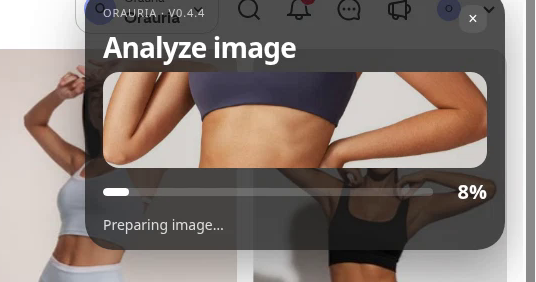
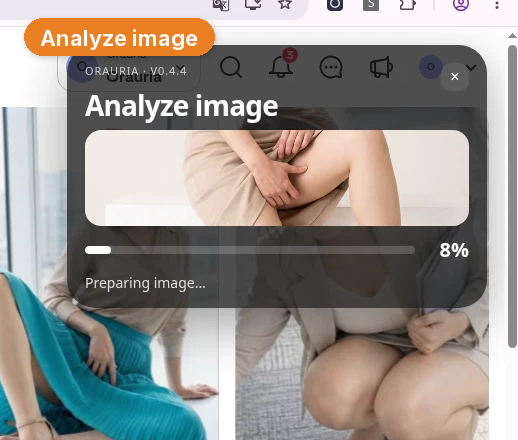
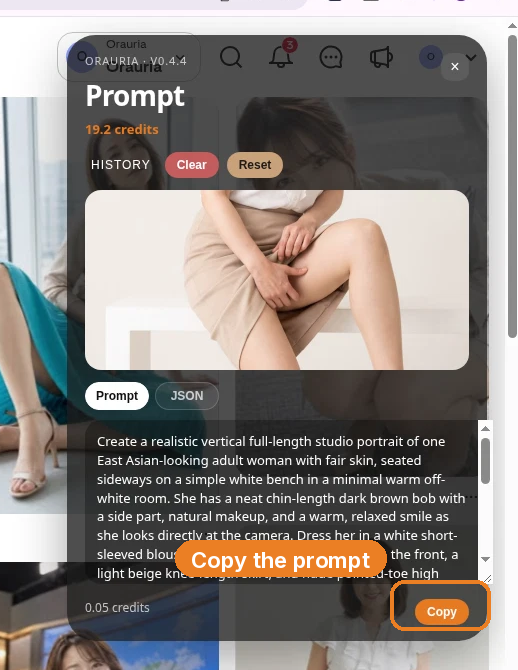
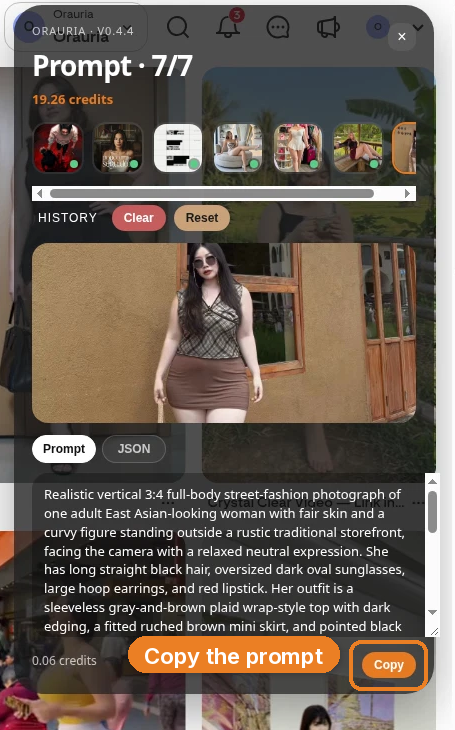
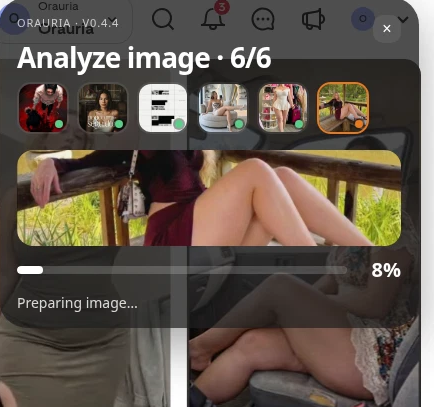
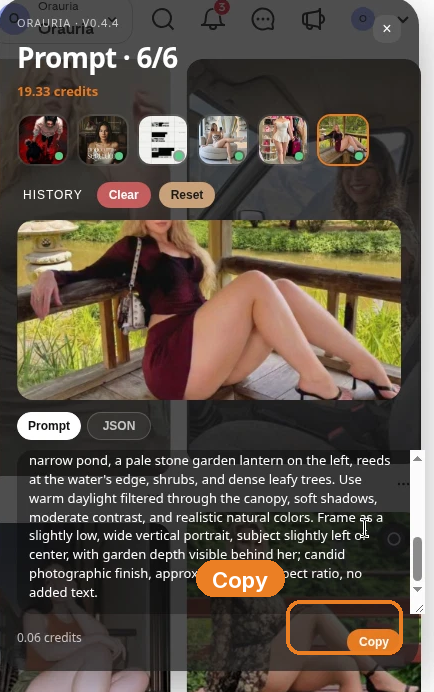
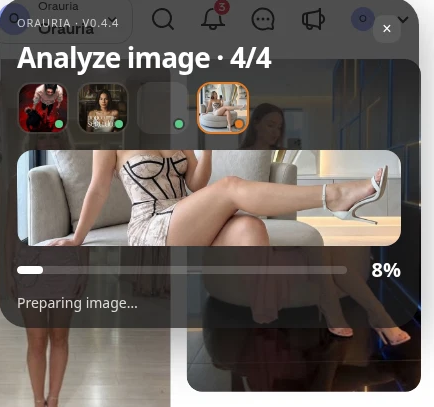
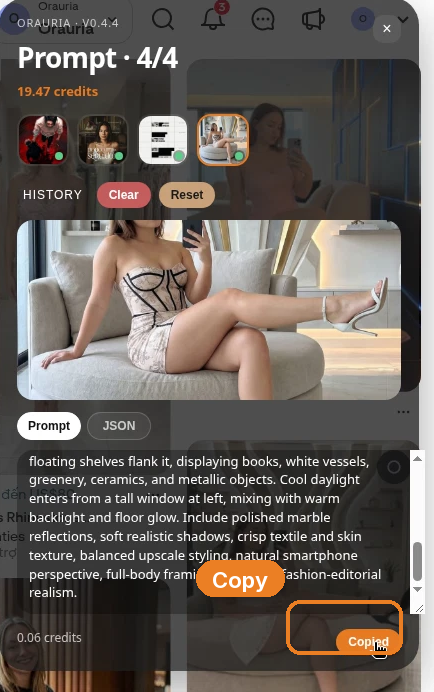
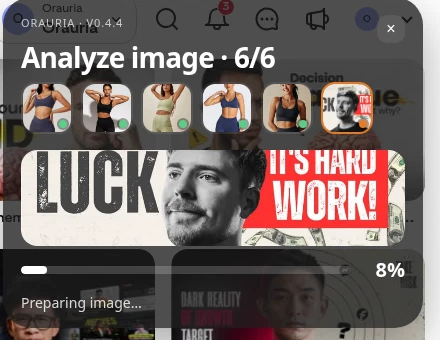
The panel analyzes the picture, then returns a prompt you can copy. Generation takes a few seconds; the result then appears in the same panel.
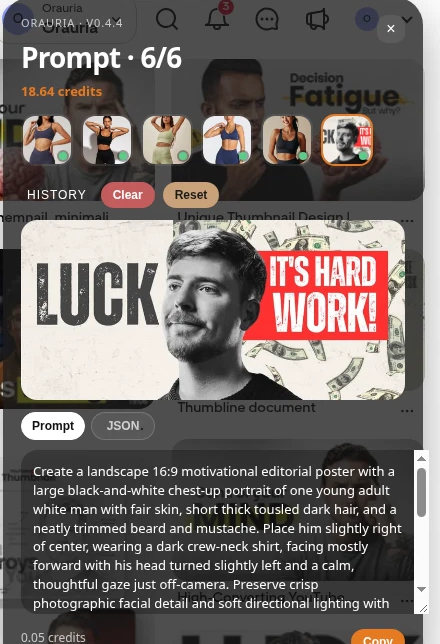
This is the brief the extension wrote from the pin, quoted in full:
Create a landscape 16:9 motivational editorial poster with a large black-and-white chest-up portrait of one young adult white man with fair skin, short thick tousled dark hair, and a neatly trimmed beard and mustache. Place him slightly right of center, wearing a dark crew-neck shirt, facing mostly forward with his head turned slightly left and a calm, thoughtful gaze just off-camera. Preserve crisp photographic facial detail and soft directional lighting with gentle shadows. Set him against an off-white cracked, scuffed, speckled paper background, with scattered U.S. dollar bills floating behind him, especially across the top and right. Use the open space on the left for the oversized distressed black word “LUCK”. On the right, place a vivid red rectangular panel containing large distressed white capitals on two lines: “IT’S HARD” and “WORK!” Let the portrait overlap the central typography area while keeping the face and wording clear. Limit the palette to off-white, black, gray, and red; finish with gritty ink wear, subtle grain, and a bold screen-printed poster aesthetic.
The useful part is the craft: a landscape 16:9 poster, a large chest-up portrait slightly right of center, a cracked off-white field, a left-hand type block, a vivid red panel of distressed white capitals, a limited palette, and a screen-printed finish. The part you owe the rewrite is the person, the floating dollar bills if they lock you to a money story you do not want, and the original wording — “LUCK,” “IT’S HARD WORK!” You are borrowing a structure. You are not reprinting a MrBeast-style poster, and you are not using that likeness.
Two more layout teachers
One pin will teach you one move. A small set will teach you a service. We ran Image to prompt on two more pins from the same search.
The second is this pin by Md Shah Sultan: two smiling hosts framing a central milestone, “ZERO TO 472 MILLIONS,” studio microphones in the foreground, a pale tiled backdrop, and name strips in the corners. The original pin names real people. The brief the extension wrote does too. That is exactly why the rewrite has to be thorough.
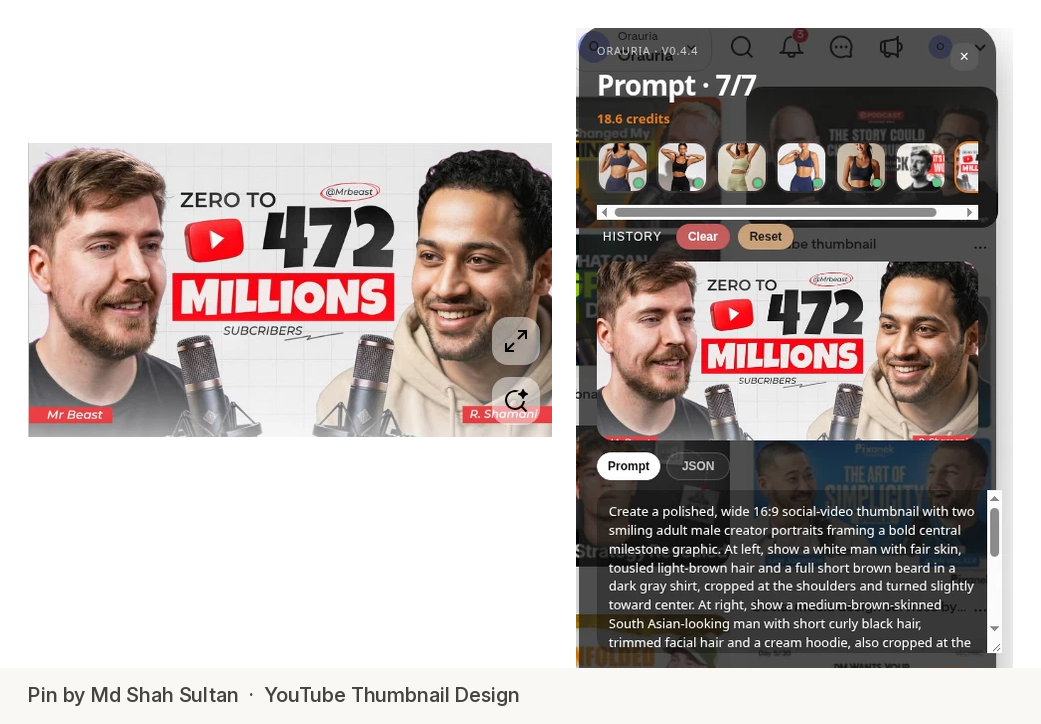
This is the brief, quoted in full:
Create a polished, wide 16:9 social-video thumbnail with two smiling adult male creator portraits framing a bold central milestone graphic. At left, show a white man with fair skin, tousled light-brown hair and a full short brown beard in a dark gray shirt, cropped at the shoulders and turned slightly toward center. At right, show a medium-brown-skinned South Asian-looking man with short curly black hair, trimmed facial hair and a cream hoodie, also cropped at the shoulders and smiling inward. Place large central black text “ZERO TO” above an oversized “472”, with a red rounded play-button icon beside the number, then “MILLIONS” in heavy white letters on a vivid red rectangular band. Add smaller “SUBCRIBERS” below, a small circled “@Mrbeast” above, and red lower-corner name strips reading “Mr Beast” and “R. Shammi”. Put two silver studio microphones with dark mesh grilles in the bottom foreground. Use a pale gray tiled-grid background, soft bright frontal studio light, crisp realistic faces, balanced near-symmetry, strong red-black-white contrast and clean digital typography.
The useful part is the symmetry: two shoulder-up portraits turned inward, a huge number in the middle, a red band, a small tag under the figure, and a simple studio prop in the foreground. The part that must not ship is the likeness, the “@Mrbeast” label, the name strips, and a subscriber claim you cannot stand behind. We kept the frame and wrote a different business story: “$0 to $10K: My First Store,” with two fictional creators and a phone and shipping boxes in the foreground instead of microphones.
The third is this pin by Digital AI Orbit: a vertical 9:16 poster of a young man looking down at a glowing phone, oversized yellow type that reads “AI MAKES YOU RICH,” and cyan neon graphics on a navy-purple field. It already thinks like a TikTok cover. The original also carries platform marks and a get-rich line you should not reprint.
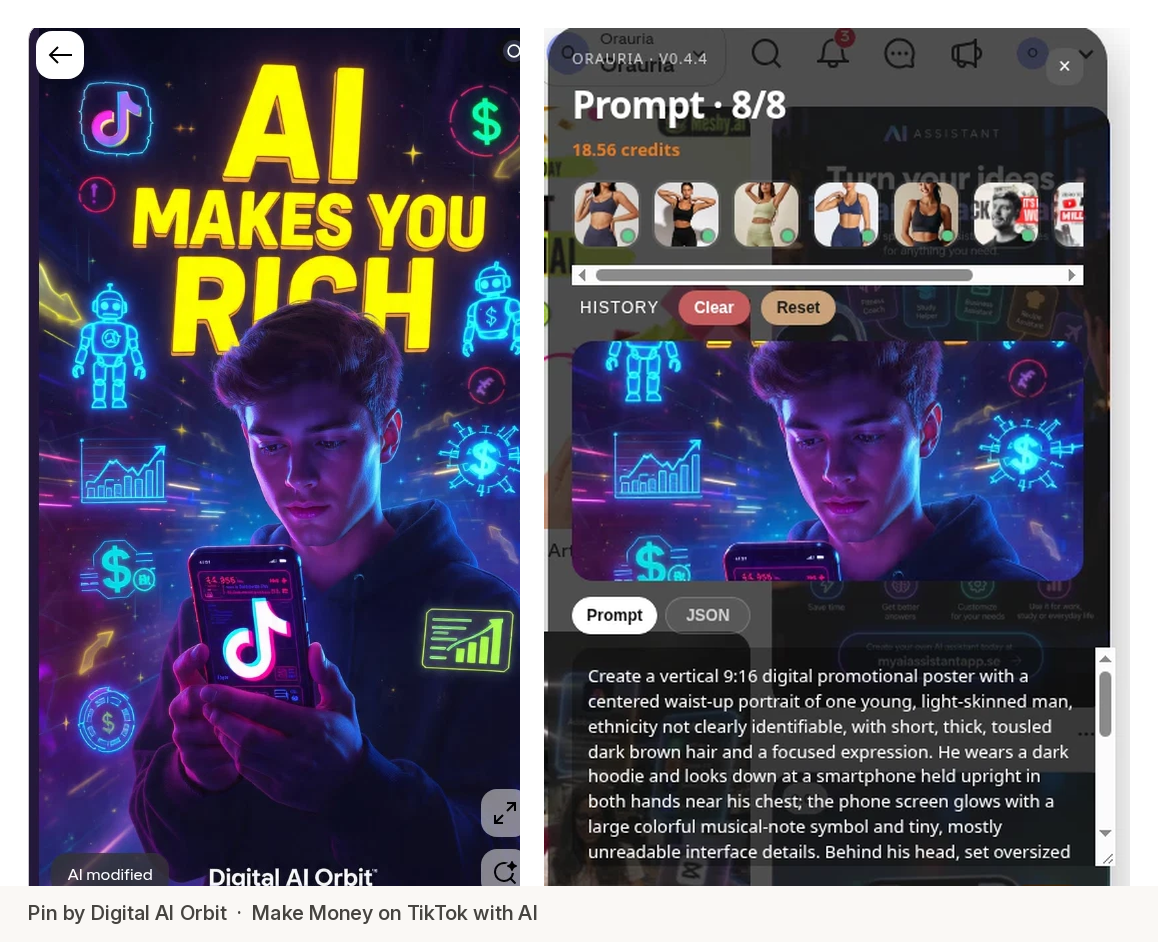
This is the brief, quoted in full:
Create a vertical 9:16 digital promotional poster with a centered waist-up portrait of one young, light-skinned man, ethnicity not clearly identifiable, with short, thick, tousled dark brown hair and a focused expression. He wears a dark hoodie and looks down at a smartphone held upright in both hands near his chest; the phone screen glows with a large colorful musical-note symbol and tiny, mostly unreadable interface details. Behind his head, set oversized bold dimensional yellow lettering in three stacked lines: “AI” at the top, “MAKES YOU” beneath, and “RICH” partly hidden by his hair and head. Add cyan neon outline robots, dollar signs, rising bar charts, arrows, and circular data graphics around both sides of the figure, floating against a deep navy-purple star-speckled digital background with fine light streaks. Use vivid magenta and electric-blue rim lighting on his face and hands, bright cyan graphic glow, and warm yellow headline illumination. Keep the portrait crisp, the graphics luminous but controlled, and place the small white footer “Digital AI Orbit” at the bottom.
The useful part is the 9:16 stack: a waist-up figure, a lit phone, dimensional yellow type that sits behind the head and still reads, and controlled neon on a dark field. The rewrite drops the logos, drops the “makes you rich” promise, and gives the cover a title a tech channel can actually post: “5 AI Tools You Need,” with a fictional woman in a hoodie and a small “TECH TOOLKIT” footer.
Rewrite the brief: new face, new text, same energy
This is the whole method, and it is the same rule as the rest of this series. The pin is a teacher. It is not a source file.
For each brief, change three things on purpose:
- The person. Invent a fictional adult with a specific, original look — hair, skin, age, expression — and say clearly that this is not a real creator. If the source pin points at a public figure, that is a reason to rewrite harder, not a reason to get close.
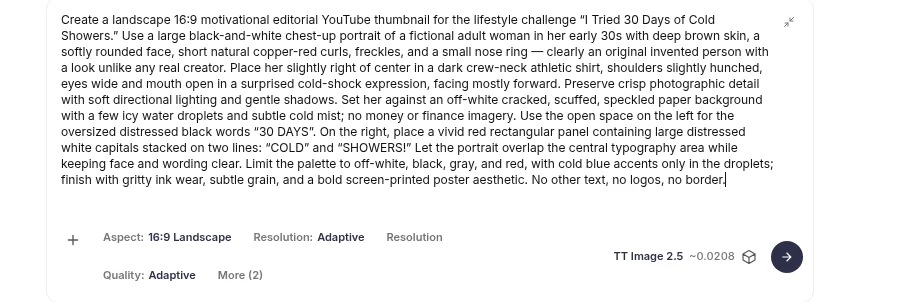
- The text and the topic. A thumbnail is a title you can see. If you keep the original line, you have a reprint. We turned “LUCK / IT’S HARD WORK!” into a 30-day cold-shower challenge, “ZERO TO 472 MILLIONS” into a first-store milestone, and “AI MAKES YOU RICH” into a tools-you-need cover.
- Brand marks, name strips, and claims you cannot support. They do not belong in a client file.
Keep the structure: the crop, the type hierarchy, the panel or the central number, the palette, the finish. That is the layout energy. It is inspiration, not a copy.
Generate the covers in Orauria Studio
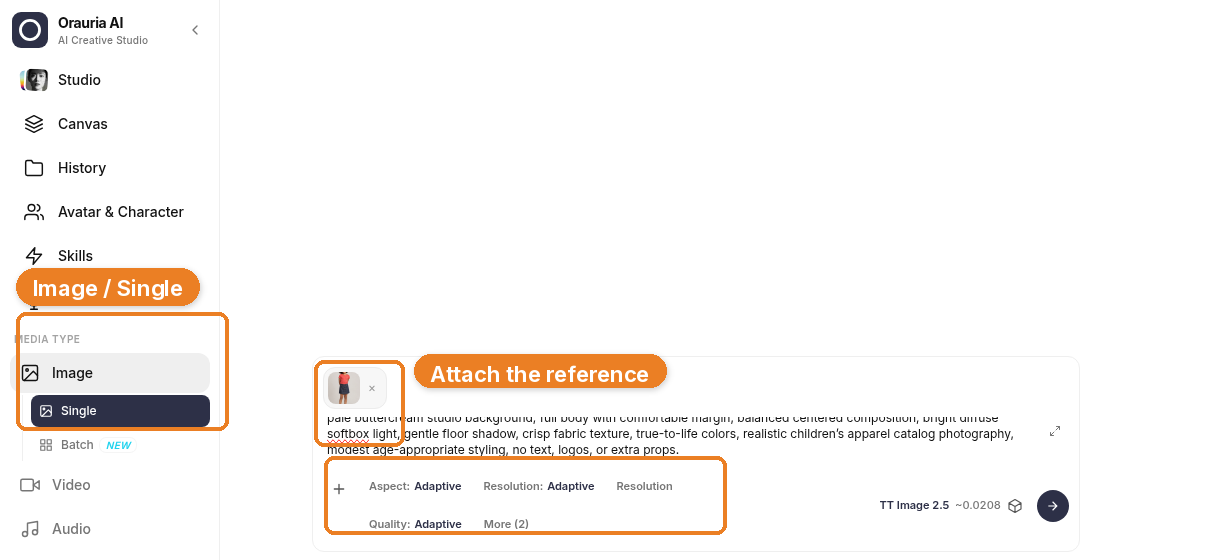
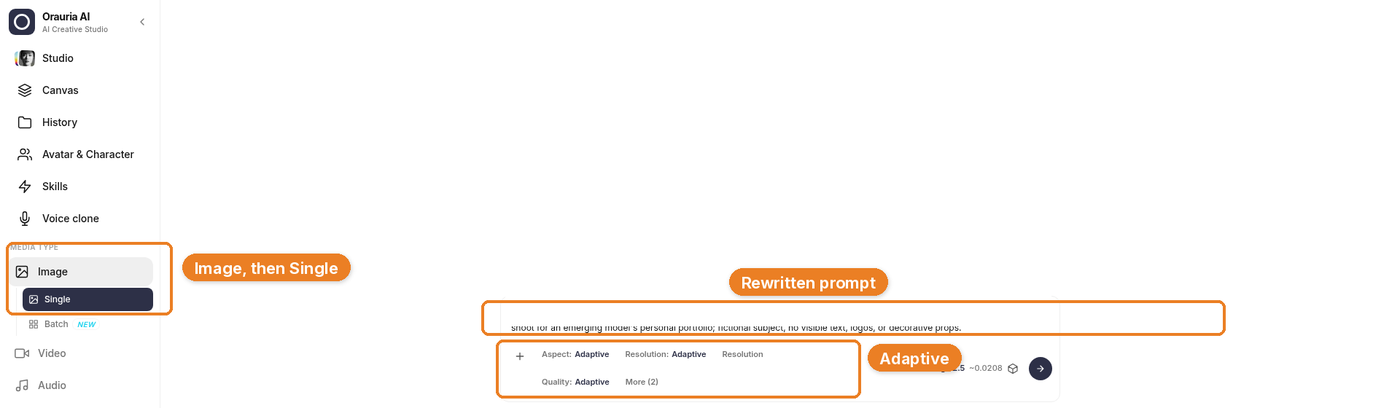
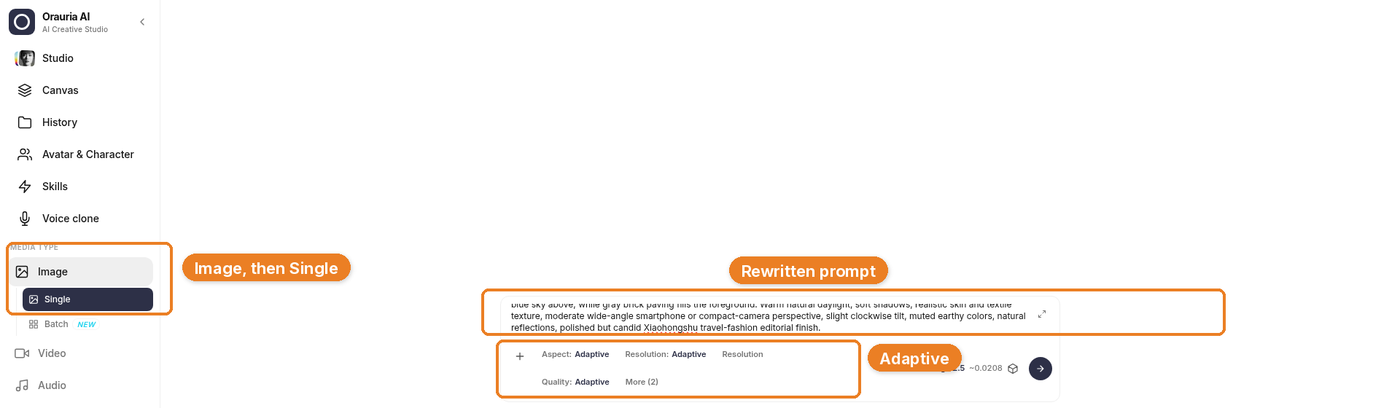
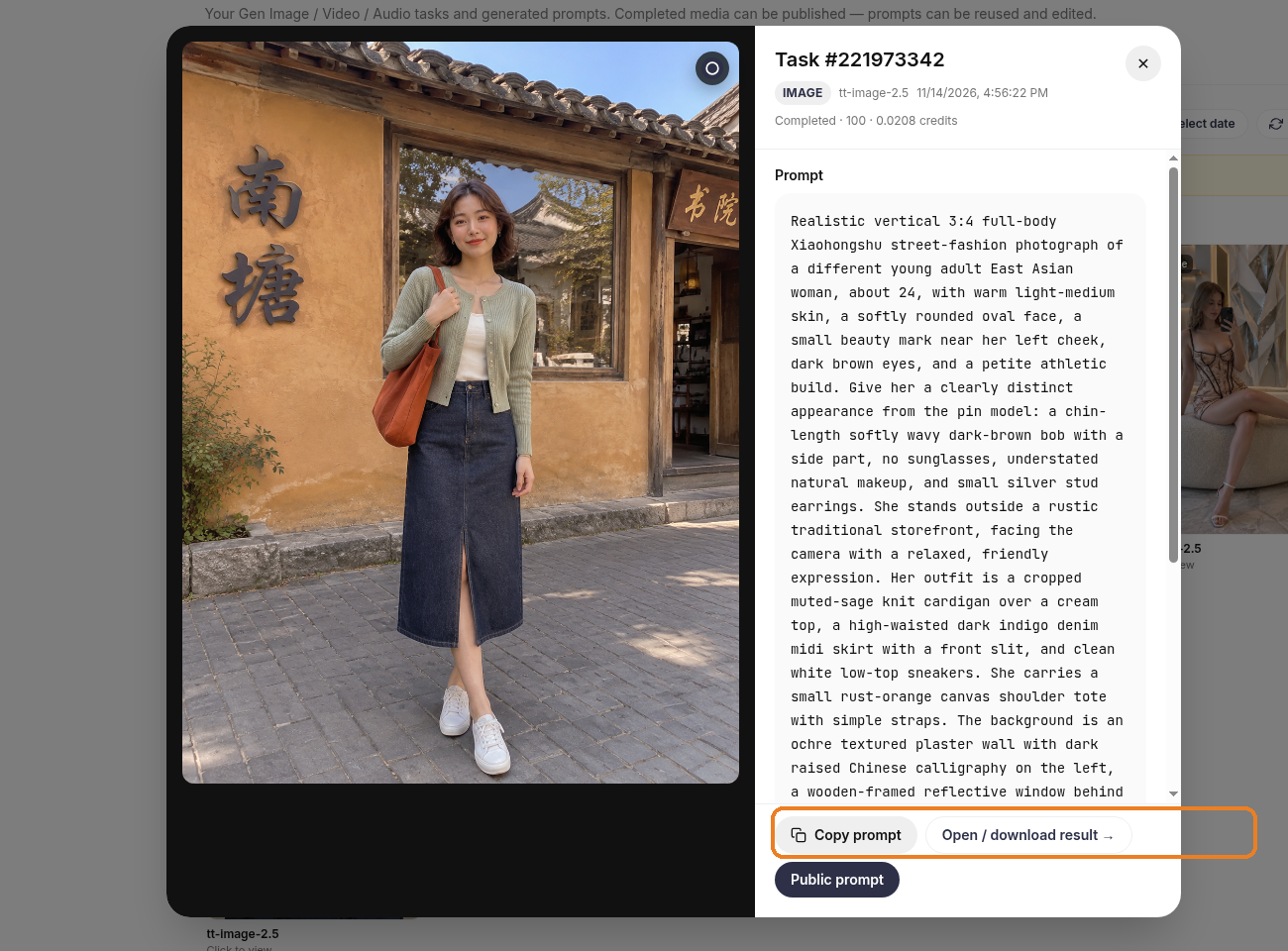
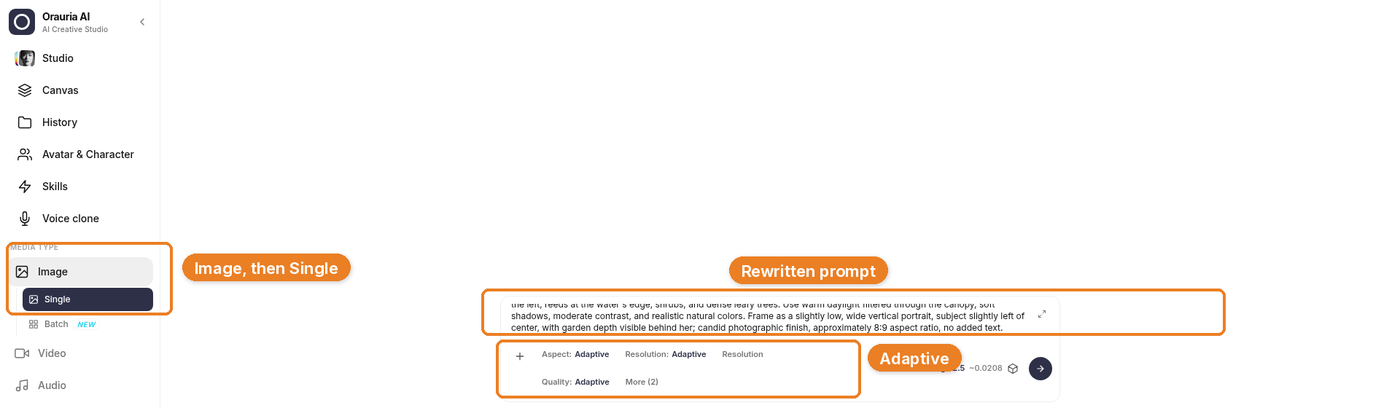
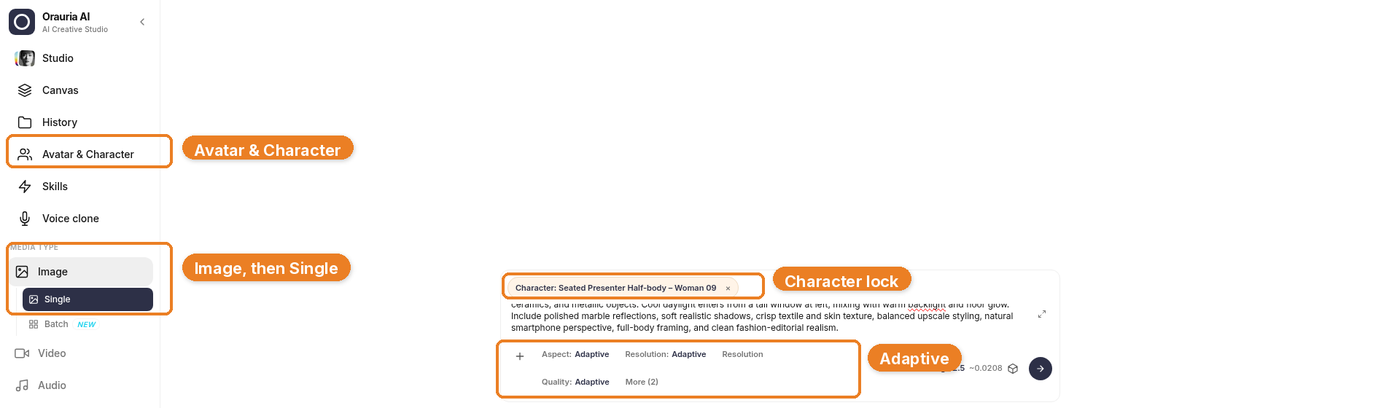
Open Orauria Studio and paste the rewritten brief into the composer. For these three files we used Image, Single, TT Image 2.5, and Adaptive, at about 0.02 credit each. Set the aspect to match the platform: 16:9 Landscape for YouTube, 9:16 Portrait for TikTok. The site UI in these frames is in English.
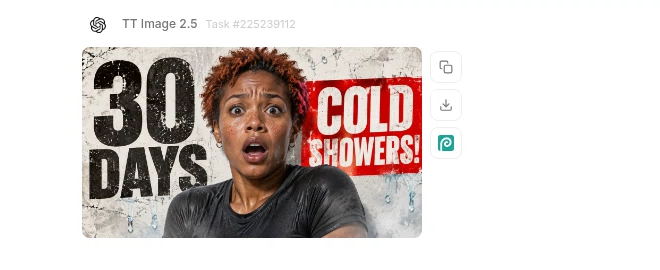
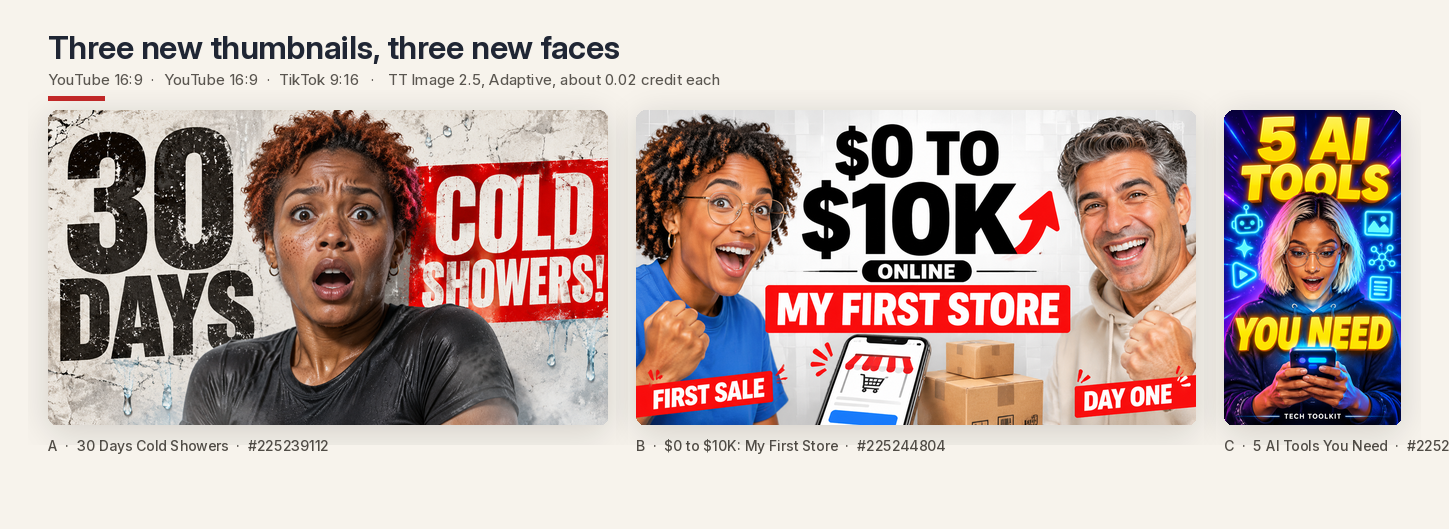
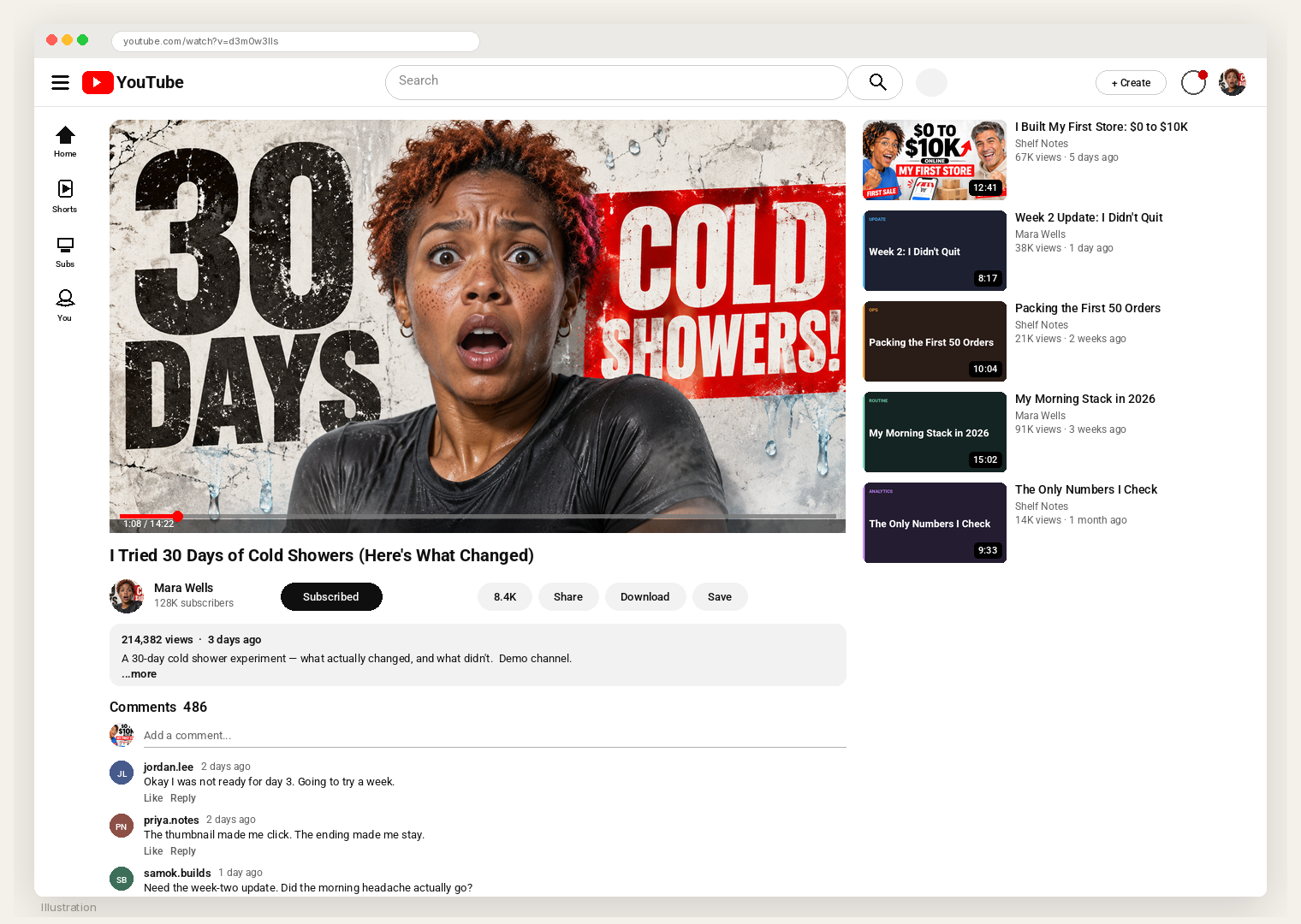
The first result is a 16:9 YouTube thumbnail, task #225239112: a fictional woman in her early thirties with short copper-red curls and a cold-shock expression, “30 DAYS” in distressed black type, and a red panel that reads “COLD SHOWERS!” The cracked paper and the red panel came from pin A. The face and the title did not.
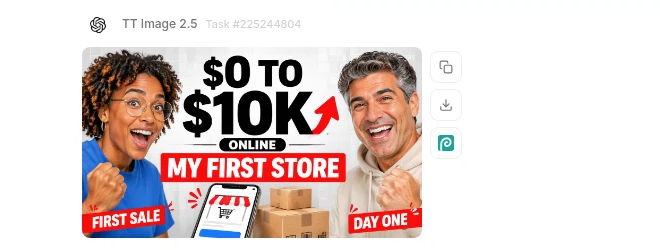
The second is task #225244804: two fictional creators framing “$0 TO $10K” and a red band that says “MY FIRST STORE,” with a phone and shipping boxes in the foreground. The two-host symmetry came from pin B. The people, the names, and the milestone did not.
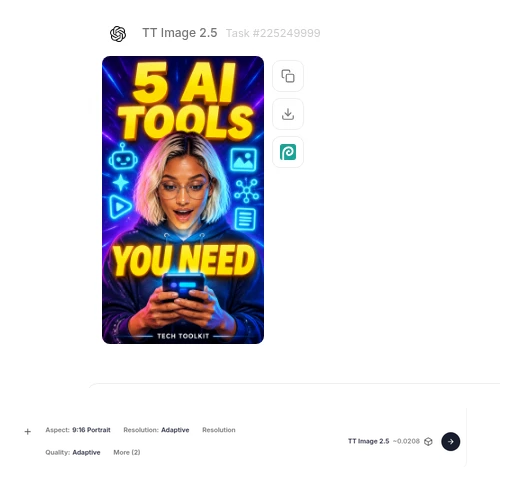
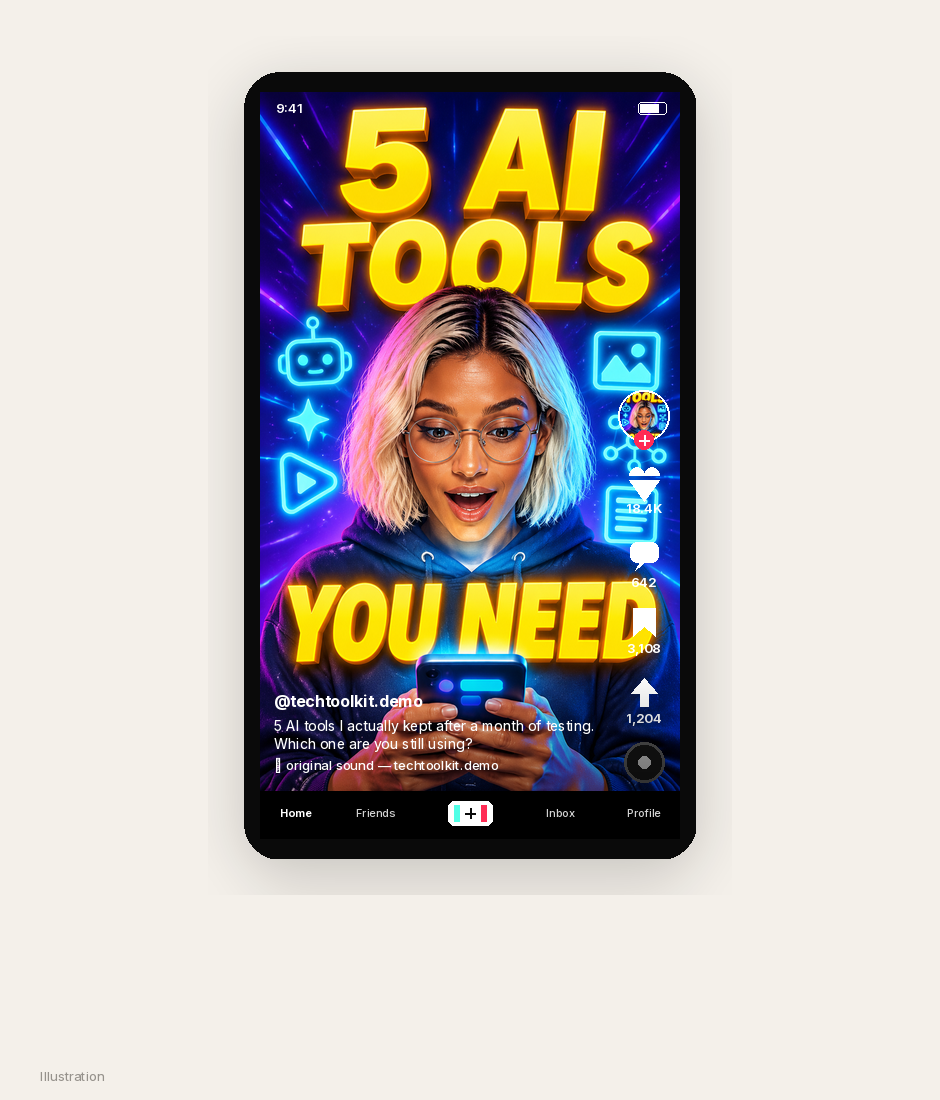
The third is task #225249999, generated at 9:16 Portrait: a fictional woman in a navy hoodie looking down at a phone, stacked yellow type that reads “5 AI TOOLS YOU NEED,” and generic cyan tool icons on a navy-purple field. The vertical energy came from pin C. The face, the logos, and the original promise did not.
Together, the three files are a first portfolio: a lifestyle challenge, a business story, and a vertical tools cover. Three layouts, three fictional people, three titles you can actually stand behind.
Show the rewrite, side by side
A client does not need a lecture about prompts. They need to see what changed. A simple inspiration-versus-new comparison is the most honest portfolio piece you can put on a Fiverr gig, an Upwork proposal, or a cold email. The pin stays on the left, credited. The new file sits on the right. The face is different. The title is different. The structure is the thing that survived.
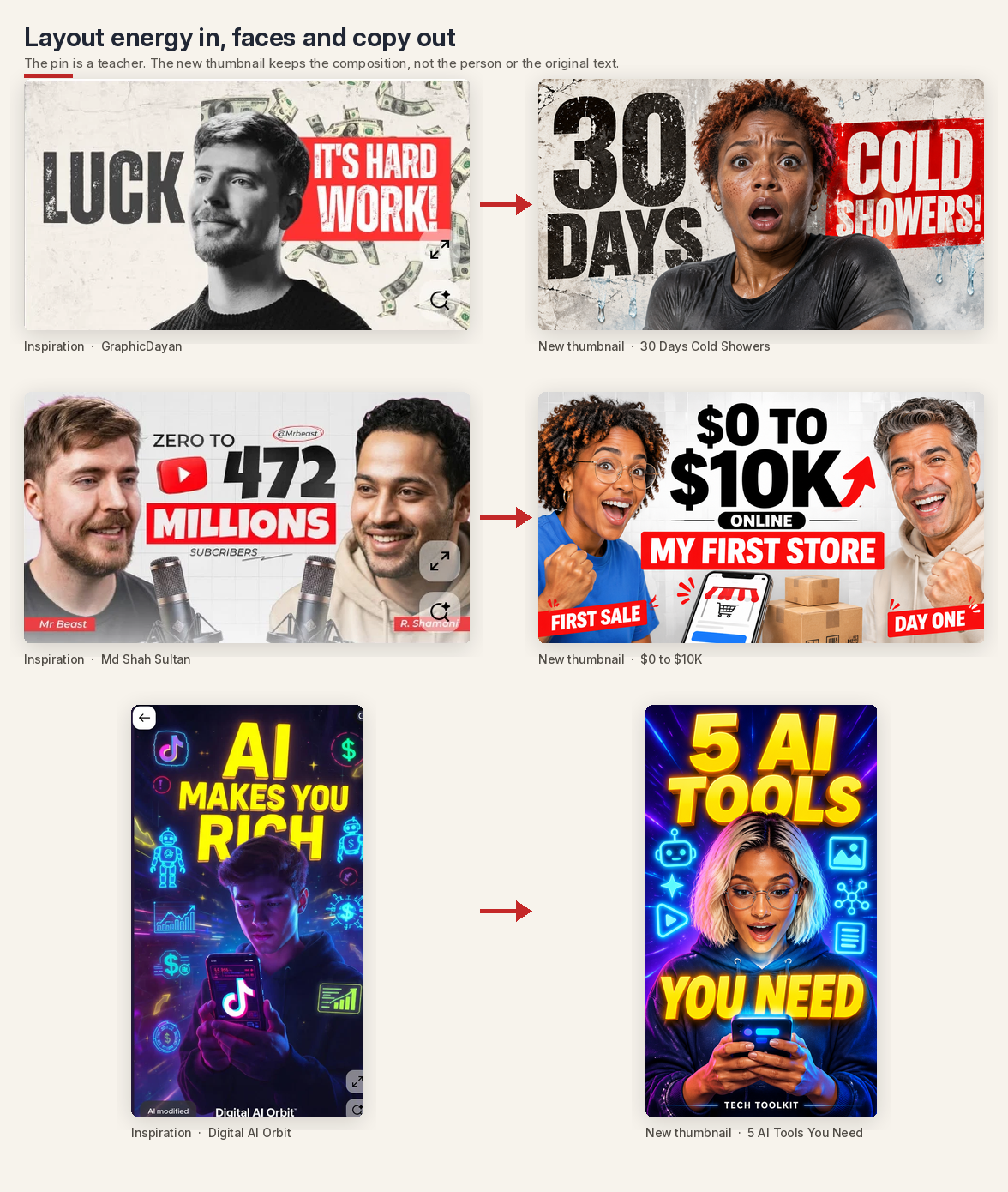
If the person on the right is still the person on the left, you do not have a portfolio yet. You have a reprint with cleaner margins.
Put the files where a client can imagine them
A thumbnail has to work in the interface it was made for. The frames below are illustrations, labeled as such, of fictional demo channels. The view counts, likes, and comments are not metrics we collected. They are there so you can see the files at the size a viewer actually sees them, in a crowded grid, with no empty cells.
The first is a YouTube watch page. The cold-shower thumbnail sits in the player for a demo channel, Mara Wells, with a natural view line — 214,382 views, three days ago. The first-store thumbnail sits in the suggested sidebar for a second demo channel, Shelf Notes, at 67K views, five days ago. The other suggested cards are simple typographic placeholders, so the sidebar looks like a real watch page and not a two-item gap.
The second is a TikTok video view, with the 9:16 cover filling the frame for @techtoolkit.demo. Engagement in the rail — 18.4K likes, 642 comments, 3,108 saves — is likewise an illustration. The point is the crop: a vertical cover has to hold a face, a title, and the interface chrome at the same time.
A small set like this is enough to start pitching: one lifestyle thumbnail, one business thumbnail, one vertical cover, and a side-by-side that shows how you work.
How a $2,000 month can be priced
The number in the title is a sample mix, not a guarantee. It is also not a month of revenue we collected. It is what these three packages add up to when the calendar is full.
A simple, plausible list looks like this:
- A single thumbnail at $25, useful for one-off YouTube or TikTok jobs and for first-time clients who want to test you.
- A 4-pack at $90, which is a small discount for a batch — a week of uploads, or a set of A/B variants.
- A monthly retainer at $300 for two posts a week, which is eight thumbnails in a 30-day month, with a weekly delivery and a revision window.
Those are starting prices, on the modest side, for a designer who can turn a file around in a sitting. You can charge more as the book gets stronger. You should not charge these rates and then expect $2,000 from a handful of jobs. The arithmetic only reaches that mark if the month is busy.
One constructed month, using exactly those packages, looks like this:
- Four retainers at $300 — $1,200. That is the stable base: two YouTube channels, one TikTok account, and one mixed client, each at two posts a week.
- Six 4-packs at $90 — $540. Batch jobs from three project clients.
- Eleven singles at $25 — $275. One-off covers and first-time tests.
That is $2,015, and 67 files. At two posts a week, the four retainers already account for 32 of them. The rest is project work. Spread across a weekday calendar, it is about two to three deliveries a day. The speed of Image to prompt plus Studio is what makes that volume possible. It does not make the month light, and it does not make the first month look like this. A realistic start is a few singles and a first 4-pack, then a retainer once a client has seen you hit a date.
Where the work comes from
The clients for this kind of file are not mysterious.
YouTube creators in the middle of the graph — often in the 10K to 200K range — already upload on a schedule and often have thumbnails that do not match the quality of the edit. A tight before-and-after of one of their public titles, redrawn with a new face and a clearer type block, is a more useful note than a generic “I make thumbnails” pitch.
TikTok shops and product or tools accounts need 9:16 covers that still read under captions and a like rail. The vertical file in this post is the sample you send them, not a YouTube thumbnail cropped on the sides.
Fiverr and Upwork still work if the gig is specific: YouTube 16:9 and TikTok 9:16, a two-revision window, a quoted turnaround, and a portfolio of before-and-after prompt variations rather than a moodboard of other people’s pins.
Cold DMs are slower, and they should be polite. A useful note is short, names the layout problem you actually see, and offers one original redraw — a new face, a new line — not a copy of a pin they did not ask for. If they did not invite a sample, ask first.
A/B tests, variants, and turnaround
A retainer is easier to keep if you deliver options. For a title that has to perform, generate two or three prompt variations: the same person and the same promise, with a different crop, a different panel color, or a calmer expression. The client can run YouTube’s own thumbnail test, or post one version for 24 to 48 hours and swap if the click-through is soft. Put that in the package so you are not arguing about “one more try” after the invoice.
Turnaround should be written down. A plausible set for this workflow is a single in 24 hours, a 4-pack in two to three days, and a retainer delivered as a weekly batch, with revisions inside 48 hours. The Studio generation is the short part. The time is in the rewrite, the typography check, and the pass where you ask whether the file still reads at the size of a phone search result.
Keep the portfolio honest. Every sample should show the inspiration pin, credited, and the new file with a changed face and a changed title. If you cannot point to what you changed, you are not ready to sell the method.
What this playbook is not
It is not an income report, and it is not a guarantee. We are not going to borrow a pin’s like count, invent a client who paid these invoices, or treat $2,015 as a typical first month. The YouTube views, the TikTok likes, and the ledger are illustrations, labeled as such. It is not a shortcut around the face-and-copy rewrite. If the woman in the red panel is still the man from the pin, or if the milestone still names a real creator, you do not have a product yet. You have a reprint. And it is not a license to use a celebrity likeness, a platform logo, or a claim you cannot support, even if the layout came out well.
Start here
Install AI Assistant Copilot – Orauria from the Chrome Web Store, search Pinterest for thumbnail layouts rather than faces, and run Image to prompt on two or three pins that teach a different job — a type panel, a two-host frame, a vertical cover. Rewrite the person. Rewrite the title. Generate a 16:9 and a 9:16 in Orauria Studio. Then price a week you can actually deliver, and let a month add up from work you have already done, not from a number in a headline.
Start here: orauria.com, and the Chrome Web Store listing for AI Assistant Copilot – Orauria.