
Not every channel that wants serious reach has to look like a virtual influencer grid or a fashion lookbook. Some of the feeds people actually linger on are messier on purpose: a Sunday photo dump, a pocketful of frames from the same afternoon, the same light hitting a bench, a railing, a pond, a person who seems to live there.
This playbook starts from one outdoor pin and treats it as the seed of that kind of channel — an aesthetic lifestyle dump on Instagram or TikTok, built with Orauria’s Image to prompt. A million views is the direction of the work, not a result we are claiming. We have one generated still, and a layout that shows where the rest of the dump would go.
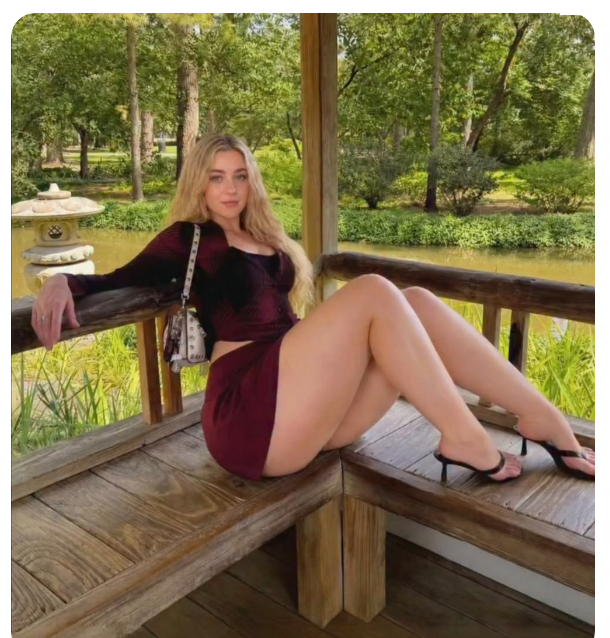
The reference is this Pinterest pin: a casual portrait on a weathered wooden bench in an open garden pavilion, burgundy set, strappy heels, a stone lantern and a pond behind the railing. It is a complete little world. It is also someone else’s afternoon. The woman in the still we generated is a different person, on purpose.
The playbook at a glance
- Install the Chrome extension.
- Find a pin with a place you could return to — not just a pose, a setting with depth.
- Run Image to prompt and copy the brief.
- Rewrite the character. Keep the pavilion, the light, the crop.
- Generate the first frame in Studio, then plan the dump as a set of related stills, not as copies of the original portrait.
First, install the extension
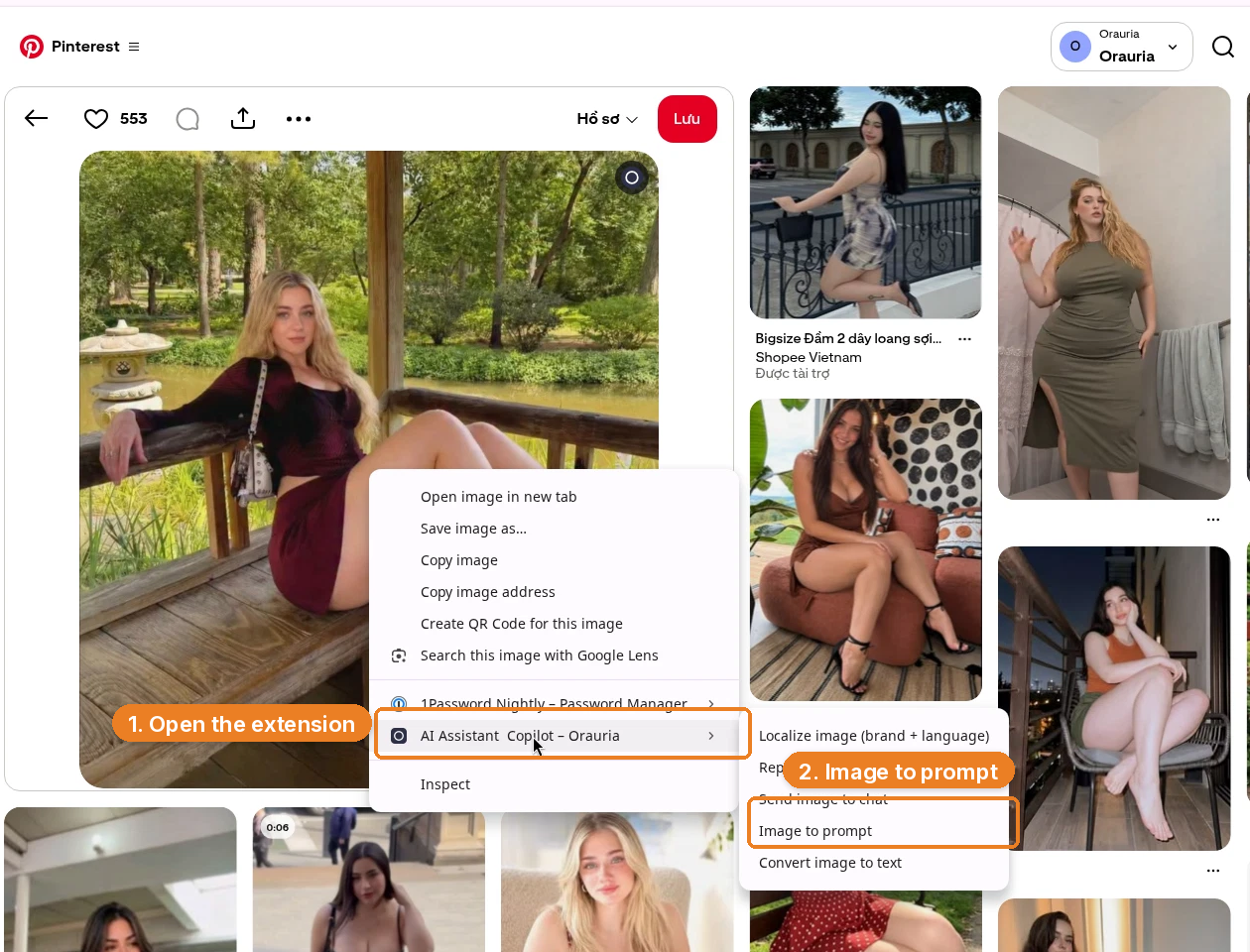
Image to prompt only works after you install the Chrome extension AI Assistant Copilot – Orauria. Get it from the Chrome Web Store before you go looking for a reference. Once it is on, you can right-click a pin and pull a prompt from it.
Find a place, not a portrait to clone
Photo dumps work when the frames feel like they came from the same hour. That is why this pin is useful. The pavilion, the timber floor, the lantern, the water, the filtered daylight through the canopy — those can host more than one still. A second frame might be closer on the railing, or turned toward the pond, or caught as she stands. The original face should not travel with any of them.
Right-click the image, open AI Assistant Copilot – Orauria, and choose Image to prompt.
The panel analyzes the picture, then returns a prompt you can copy.
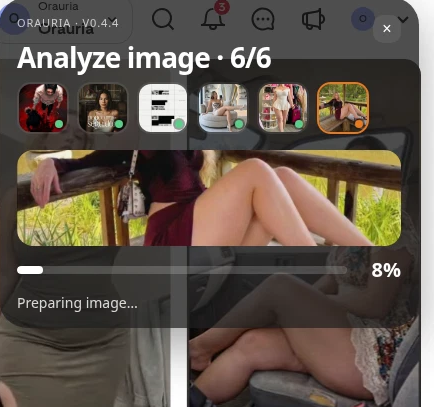
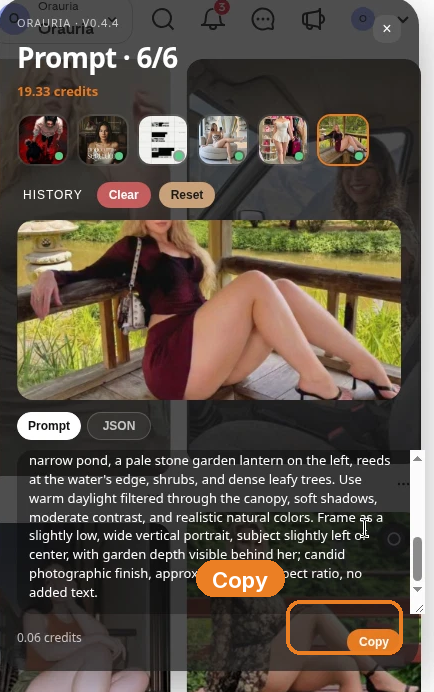
This is the prompt as it came back:
Create a naturalistic casual outdoor portrait photograph of one adult white woman with fair skin, a curvy build, and long loose blonde hair, seated sideways on a weathered wooden bench inside an open garden pavilion. She leans back comfortably with one arm draped along the railing and looks toward the camera with a calm, neutral expression; her bent, crossed legs extend diagonally across the lower-right foreground. Dress her in a fitted dark burgundy and black long-sleeved crop top, a matching short burgundy skirt, black open-toe strappy high heels, and a small light-colored patterned shoulder bag hanging at her side. Show the timber floorboards, broad bench, railings, and a vertical support post around her. Beyond the pavilion, include a narrow pond, a pale stone garden lantern on the left, reeds at the water’s edge, shrubs, and dense leafy trees. Use warm daylight filtered through the canopy, soft shadows, moderate contrast, and realistic natural colors. Frame as a slightly low, wide vertical portrait, subject slightly left of center, with garden depth visible behind her; candid photographic finish, approximately 8:9 aspect ratio, no added text.
The useful part is almost everything after the first clause: the bench, the drape of the arm, the lantern, the 8:9 crop, the “no added text.” The part you owe the rewrite is the person.
Put a new character in the same afternoon
A lifestyle dump is easy to get wrong in the other direction, too: you change so much that the set no longer feels like one day. So be surgical. We kept the pavilion, the outfit, the pose, the light. We changed the woman.
Create a naturalistic casual outdoor portrait photograph of one adult Black woman with deep brown skin, short natural black curls, dark brown eyes, a clearly distinct face, and a curvy athletic build, seated sideways on a weathered wooden bench inside an open garden pavilion. She leans back comfortably with one arm draped along the railing and looks toward the camera with a calm, neutral expression; …
That is the entire ethical move, and it is also the aesthetic one. Followers of a dump channel are not signing up to watch you reprint a viral pin. They are signing up for a person and a place that can show up again next Sunday.
Generate the first frame in Studio
Open Orauria Studio:
- Image, then Single
- Aspect ratio, Resolution, and Quality: Adaptive
- Model: TT Image 2.5
- Generate with the send button, or Ctrl+Enter
Paste the rewritten prompt.
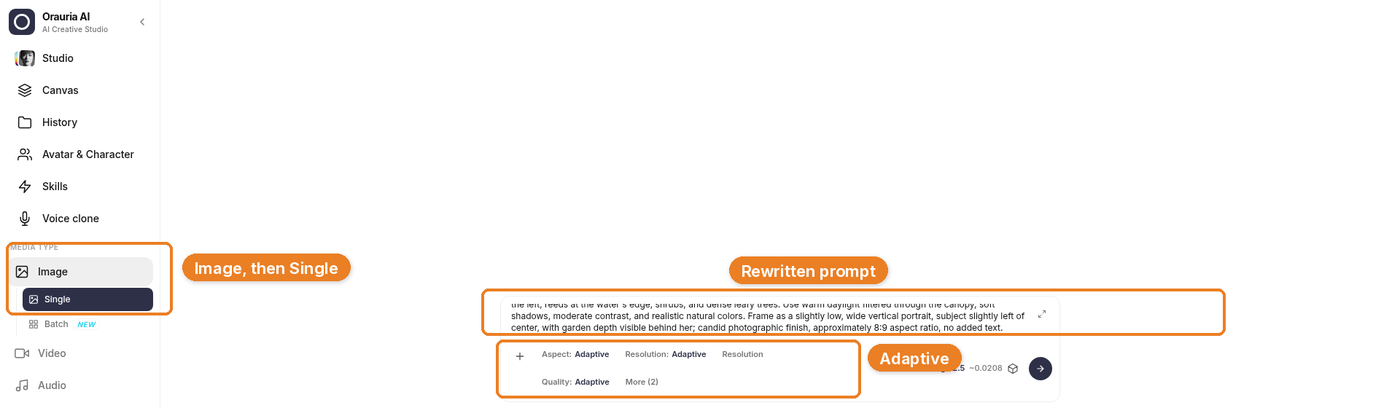
Generation takes a few seconds; the result then appears. The brief is already yours; this is just the model catching up.
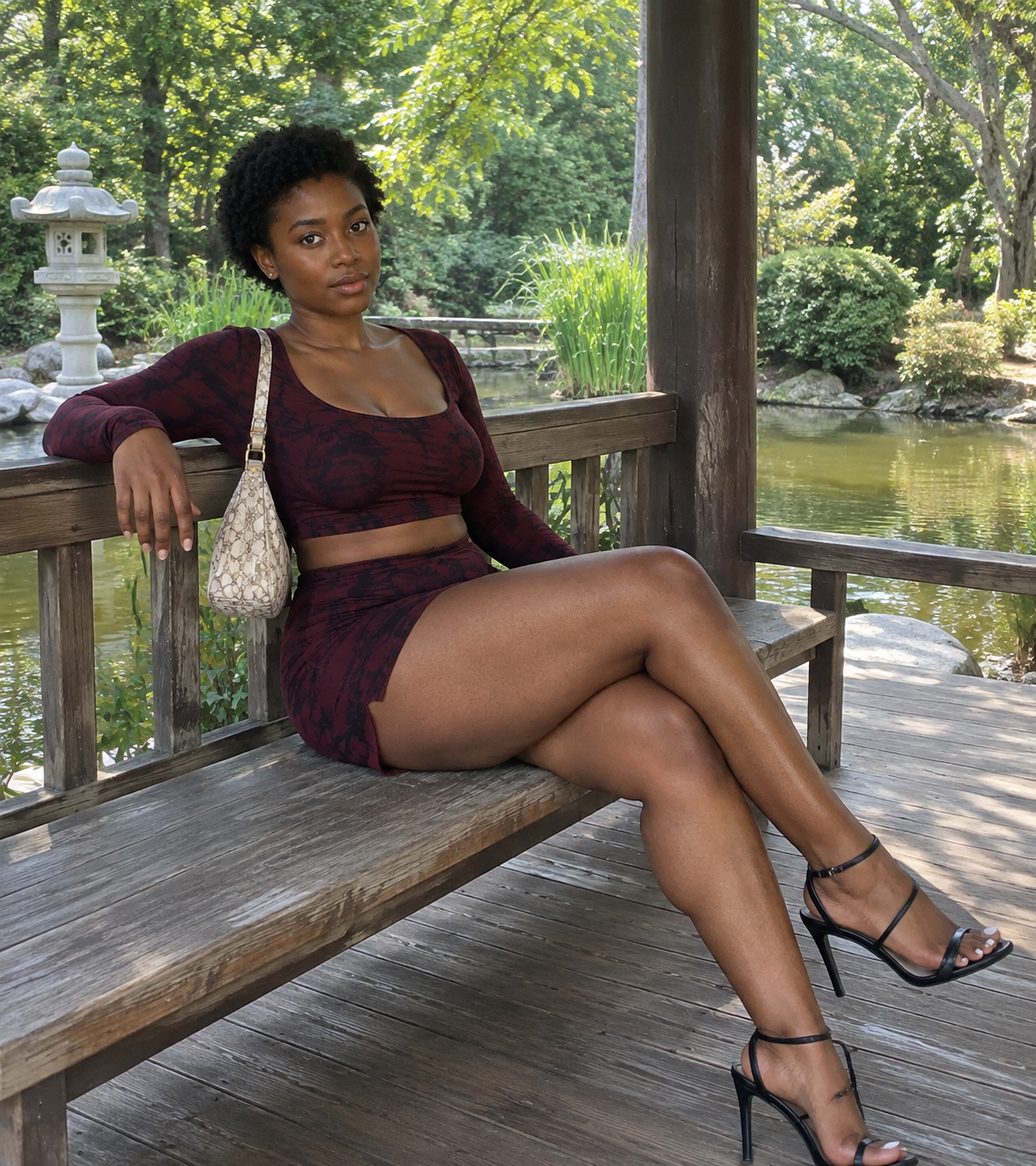
The still that came back kept the pavilion, the pond, the lantern, and the burgundy set. The woman is not the woman in the pin. That is the standard for every later frame in the dump as well.
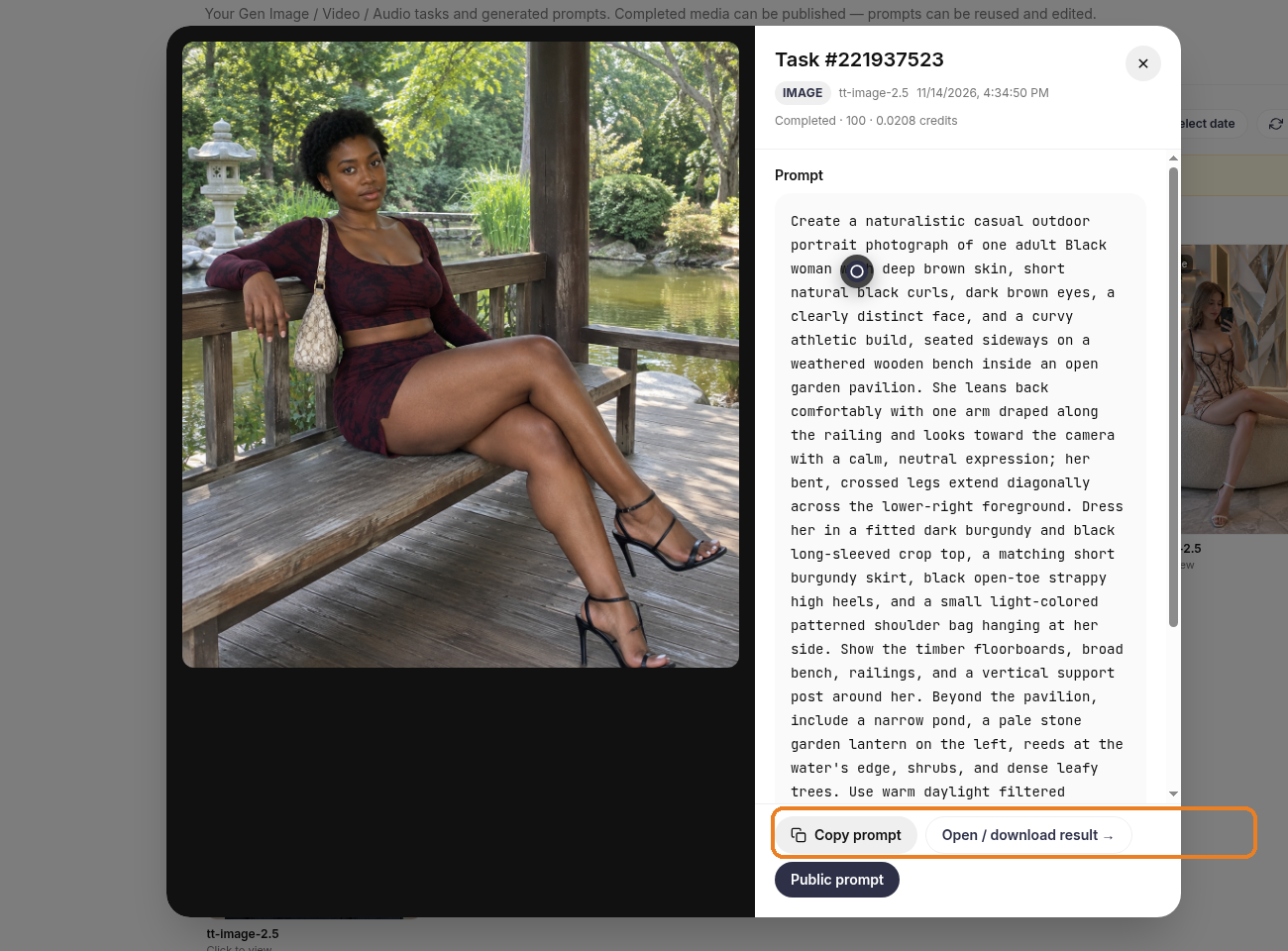
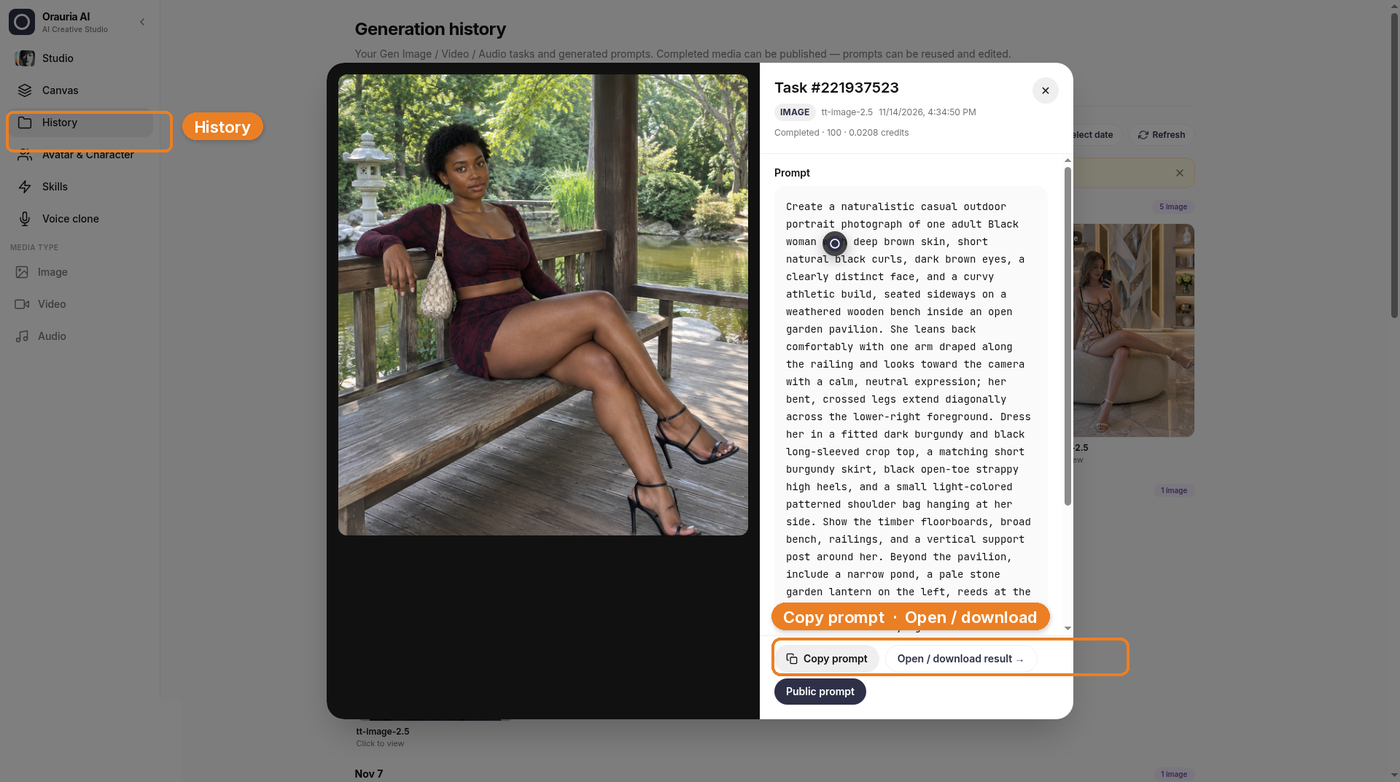
Open History if you want a larger view, a copy of the prompt, or a download. Use Copy prompt and Open / download result. The high-resolution still in this article is the downloaded result, not a crop of the chat thumbnail.
What a dump looks like when you only have one still
A photo dump is a small set: a few frames that feel like they were taken before the light changed. We only made one, so the other cells in the layout below are empty placeholders. The layout is a realistic Instagram-style interface so you can see the shape of a popular dump. The likes, comments, and follower counts are fictional — they are not results from this channel, and this is not a live post. The small Illustration label is there for the same reason.
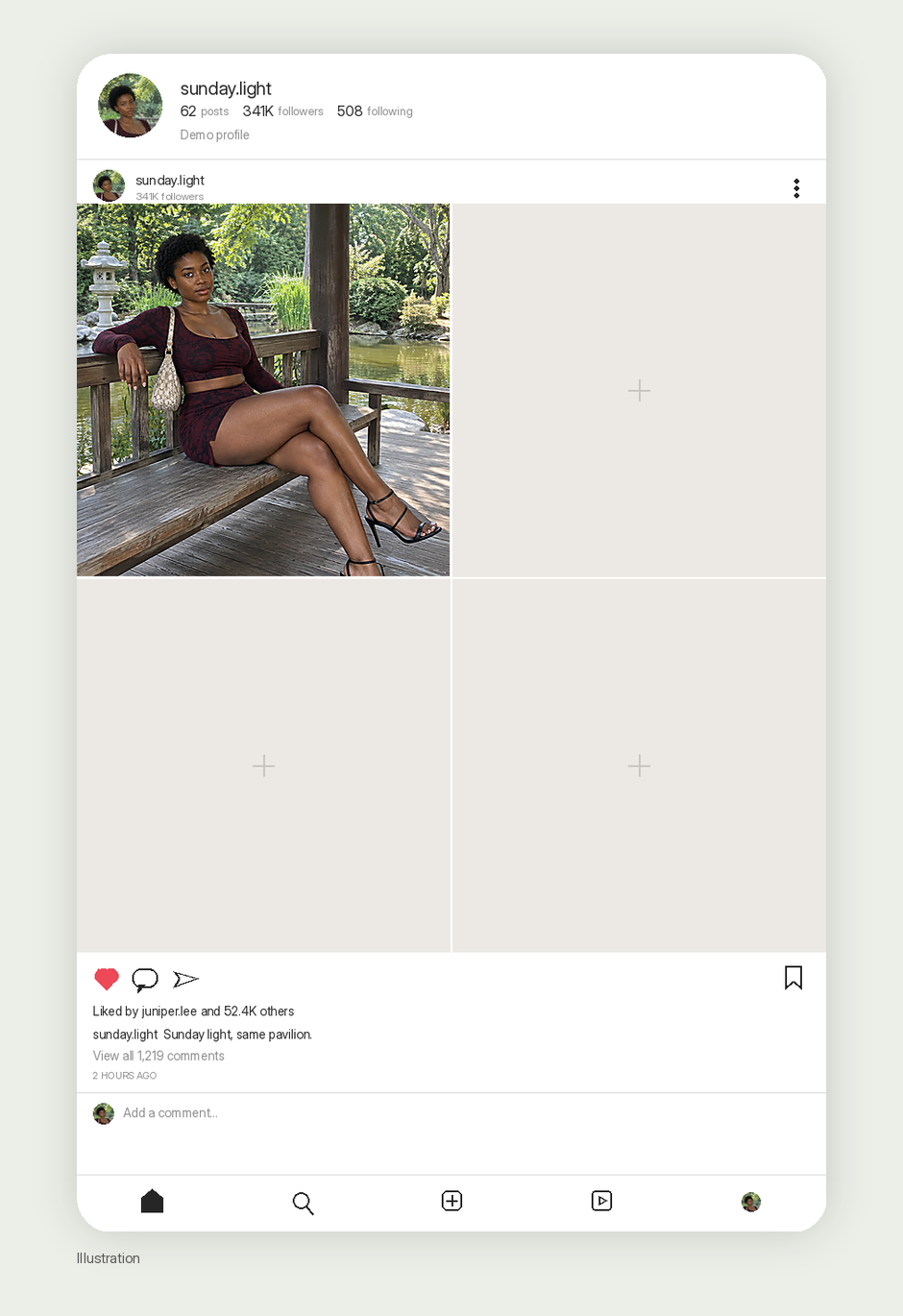
When you fill those cells, stay in the same hour. Change the crop, the gesture, the direction she is looking, maybe the bag or the shoes, not the geography and not the person. You can start each new frame the same way you started this one: Image to prompt on a reference that has the light you want, then a rewrite that keeps your character. The viral pin is a teacher for the first composition. It is not the content of the channel.
The rest of the afternoon
If this were a real dump, the next frames would stay in the same hour. We did not generate them, so consider this a storyboard, not a gallery: a closer crop on the railing, a turn toward the pond and the stone lantern, maybe a still of her standing in the pavilion opening with the trees behind. The light should still be coming through the same canopy. The person should still be the person you wrote into the prompt.
On Instagram, that set can live as a multi-image dump. On TikTok, the same stills can be a short photo slideshow — same character, same afternoon, no need to invent a different format from scratch. What you should not do is wander into a new city just because a different pin went viral that morning. The dump is a place you return to, not a mood board of everywhere.
When a later frame needs a new composition, you can run Image to prompt again on a reference that has the crop or the light you want, then keep your character and the pavilion in the rewrite. The original pin taught the first composition. It does not get to cast the rest of the week.
What this playbook is not
It is not a growth report. We are not going to borrow the pin’s save count, or invent a view count for a dump we have not posted. It is not a fashion carousel and it is not a polished virtual-KOL grid; those are different shapes, and they want different kinds of consistency. And it is not a shortcut around the face rewrite. If the woman in the pavilion is still the woman from the pin, you do not have a channel yet. You have a reprint with better lighting notes.
Start here
Install AI Assistant Copilot – Orauria from the Chrome Web Store, find a pin that is really a place, and write a person who can come back to it. Generate the first frame in Studio. Then build the rest of the dump from that afternoon, not from the original portrait.
Start here: orauria.com, and the Chrome Web Store listing for AI Assistant Copilot – Orauria.
Leave a Reply