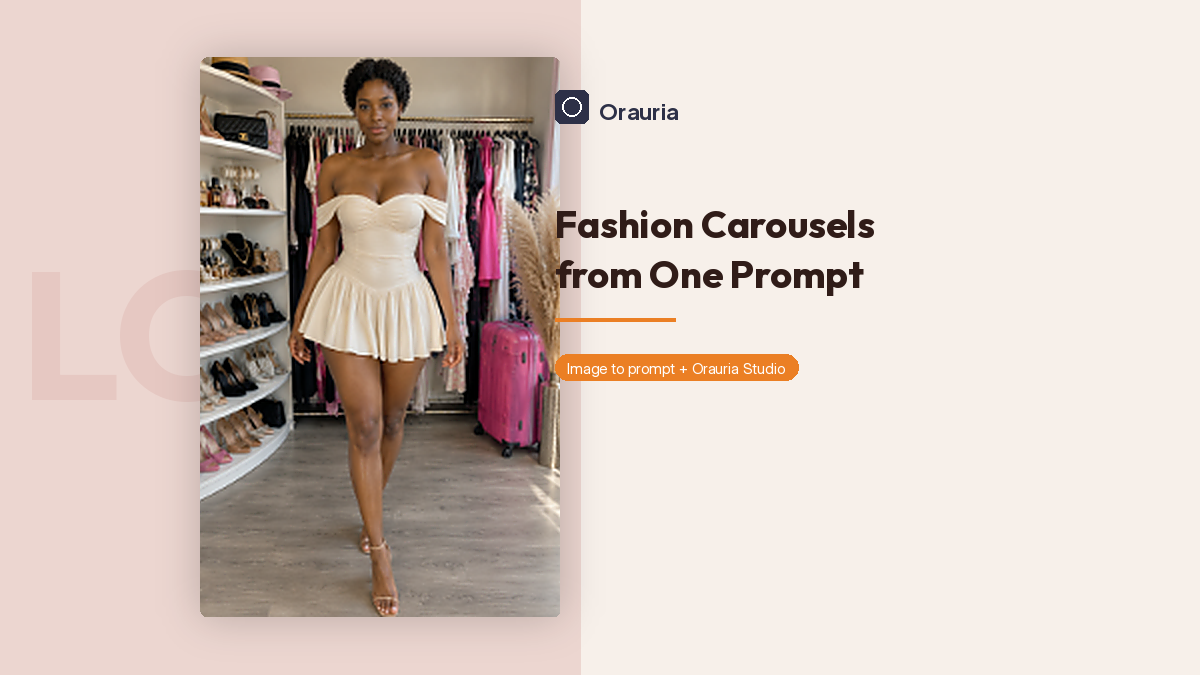
Fashion channels do not usually fail because the dress was wrong. They fail because the third post looks like a photocopy of the first, or worse, like a photocopy of someone else.
This playbook is for a very specific kind of feed: a fashion channel built almost entirely from carousel posts, using Orauria’s Image to prompt as the way you steal structure — the rack, the light, the hem, the walk toward the camera — without stealing a face. A million-view fashion page is the goal of that discipline, not a result we are reporting. We generated one look. The other slides in the carousel are still empty, on purpose.
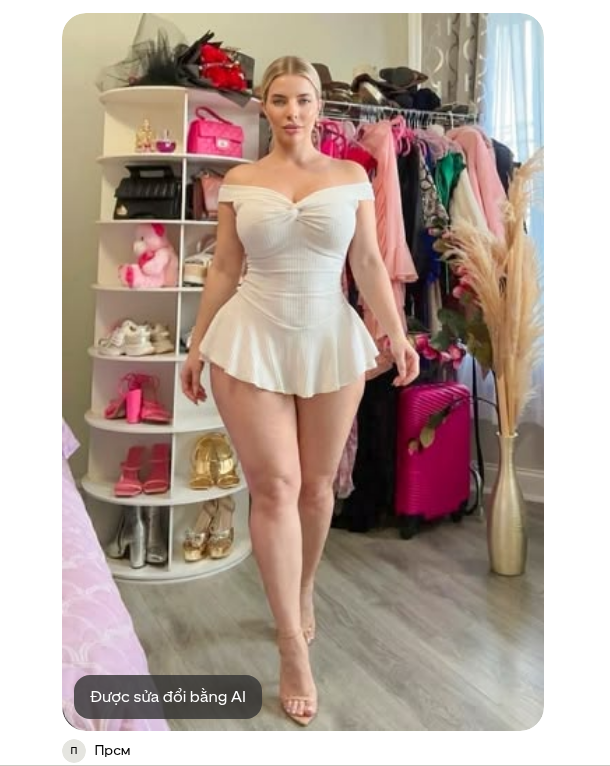
The reference is a pin from the Прсм account: an ivory off-the-shoulder mini dress in a compact dressing room, pink suitcase, pampas, a wall of shoes. Pinterest itself flags the pin as modified with AI. That makes the next step more important, not less. If the source may already be a generated or edited face, you still do not get to ship it as yours.
The playbook at a glance
- Install the Chrome extension.
- Find a fashion pin whose set and garment can support more than one slide.
- Run Image to prompt and copy the brief.
- Rewrite the face on purpose before you generate anything.
- Make the first look in Studio, then plan the rest of the carousel as variations — not as copies of the person in the pin.
First, install the extension
Image to prompt only works after you install the Chrome extension AI Assistant Copilot – Orauria. Get it from the Chrome Web Store before you start saving references. Once it is on, right-click on Pinterest will include the extension.
Find a look, not a likeness
A carousel channel lives on repeatable structure. This pin has it: a full-length 2:3 walk, a dressing room that can hold a second outfit, daylight from the right, props that already feel like a set. Credit Прсм, and notice the AI-modified badge on the image itself.
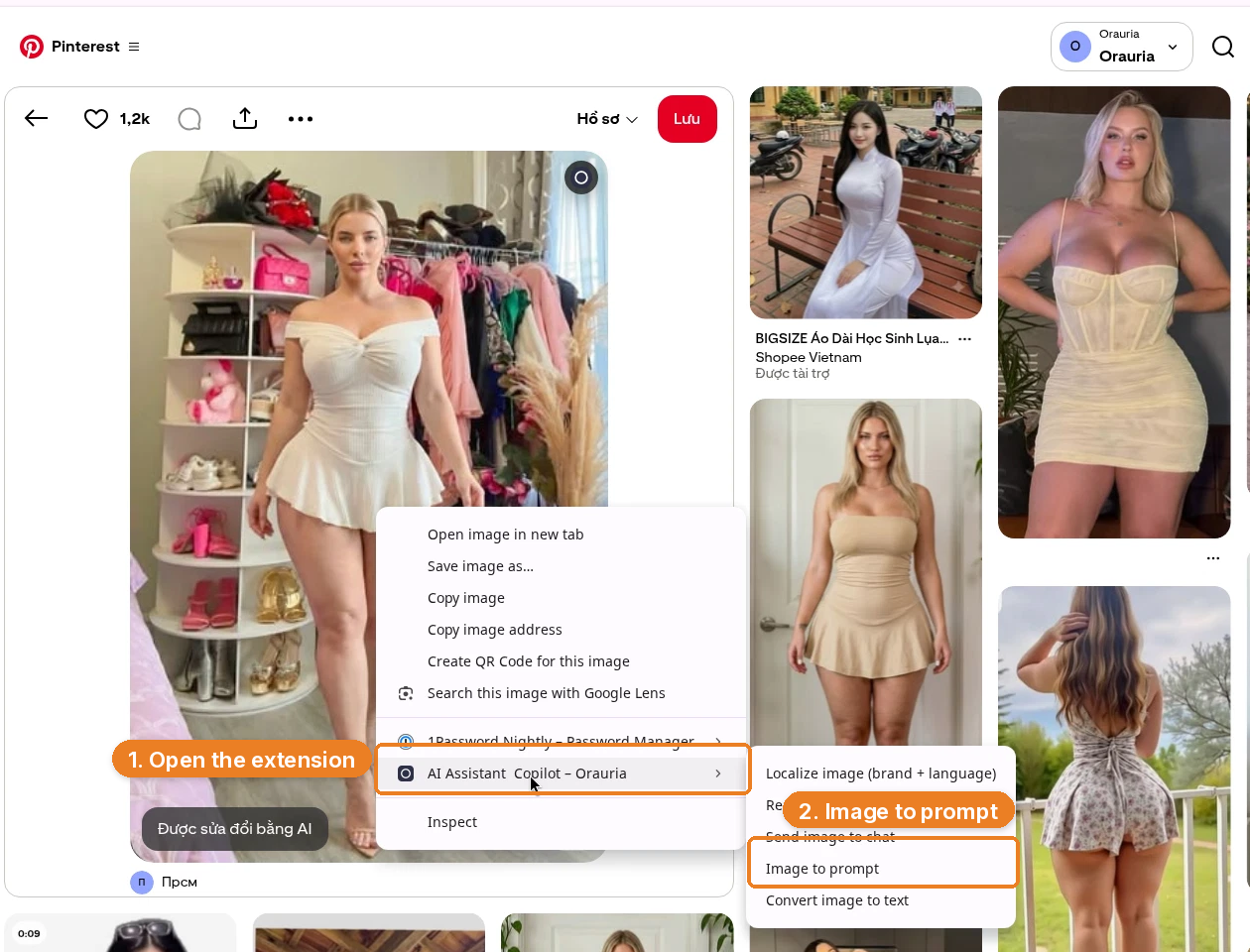
Right-click the image, open AI Assistant Copilot – Orauria, and choose Image to prompt.
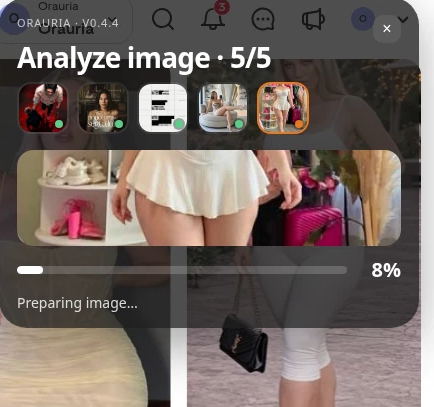
The panel analyzes the picture, then writes a prompt you can copy.
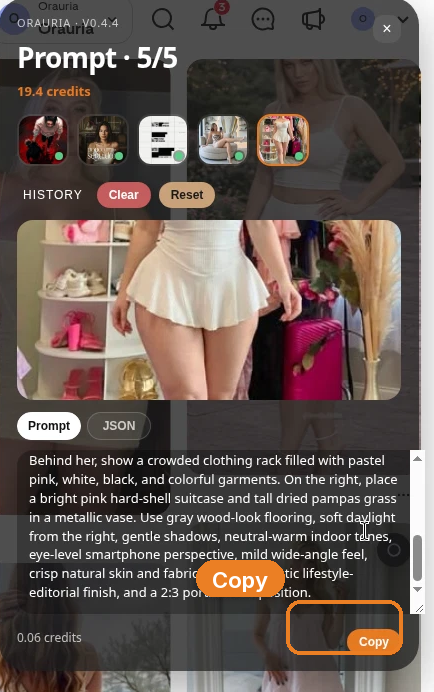
Here is the prompt as it came back. Read the first sentence carefully.
Realistic vertical full-length fashion photograph of one white woman with fair skin, blonde hair, and a curvy figure, centered in a compact elegant dressing room and stepping gently toward the camera. She has center-parted blonde hair styled neatly back, understated natural makeup, and a calm direct gaze. Her outfit is a fitted ivory off-the-shoulder mini dress with a ruched sweetheart bodice, gathered waist, sculpted fit, and short flared pleated skirt, paired with thin nude strappy heels. Show her entire body from head to feet, with one leg crossing slightly forward and relaxed arms. On the left, include rounded white open shelving densely arranged with shoes, handbags, hats, and accessories. Behind her, show a crowded clothing rack filled with pastel pink, white, black, and colorful garments. On the right, place a bright pink hard-shell suitcase and tall dried pampas grass in a metallic vase. Use gray wood-look flooring, soft daylight from the right, gentle shadows, neutral-warm indoor tones, eye-level smartphone perspective, mild wide-angle feel, crisp natural skin and fabric texture, realistic lifestyle-editorial finish, and a 2:3 portrait composition.
That is a complete fashion brief: garment, set, light, crop. It is also a description of a specific woman. If you paste it unchanged, you are asking the model to aim at her.
Change the face on purpose
This is the step most “AI fashion” feeds skip, and it is the step that decides whether you have a channel or a lookalike problem.
We kept the dressing room, the ivory dress, the suitcase, the pampas, the 2:3 walk. We rewrote the person:
Realistic vertical full-length fashion photograph of one adult woman with warm deep-brown skin, short natural black curls, dark brown eyes, a distinct oval face, and an athletic build, centered in a compact elegant dressing room and stepping gently toward the camera. She has understated natural makeup and a calm direct gaze. Her outfit is a fitted ivory off-the-shoulder mini dress with a ruched sweetheart bodice, gathered waist, sculpted fit, and short flared pleated skirt, paired with thin nude strappy heels. …
The rest of the prompt is the same. The face is not. That is deliberate. A fashion carousel can repeat a silhouette, a palette, even a room. It should not repeat a real person’s identity — and it should not repeat a face from a pin that may already have been modified with AI. Invent the woman who wears the clothes. Then, if you want consistency across slides, keep her, not the reference.
Generate the first slide in Studio
Open Orauria Studio. The controls you need are:
- Image, then Single — we are making one still, not a batch
- Aspect ratio, Resolution, and Quality set to Adaptive
- Model: TT Image 2.5
- Generate with the send button, or Ctrl+Enter
Paste the rewritten prompt, not the original.
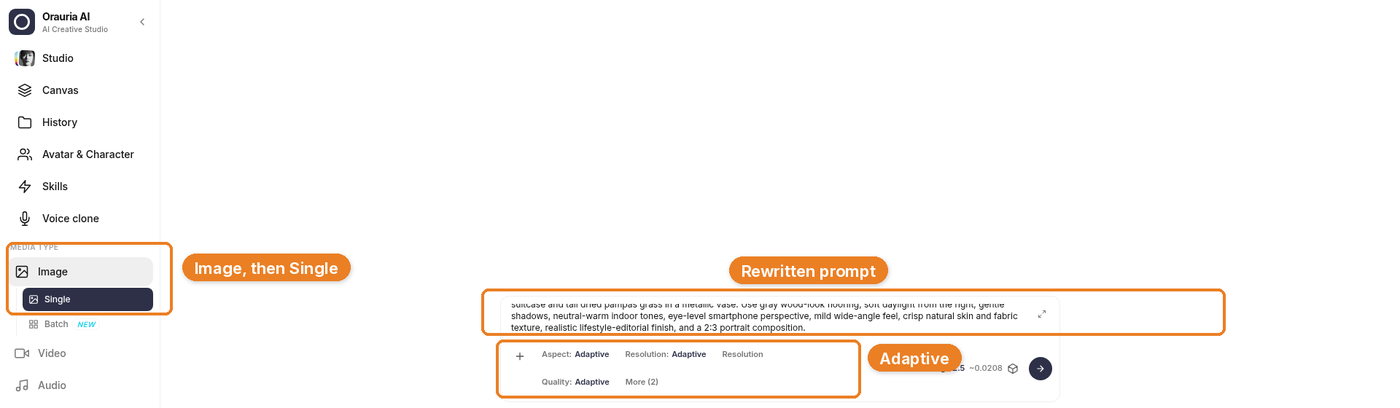
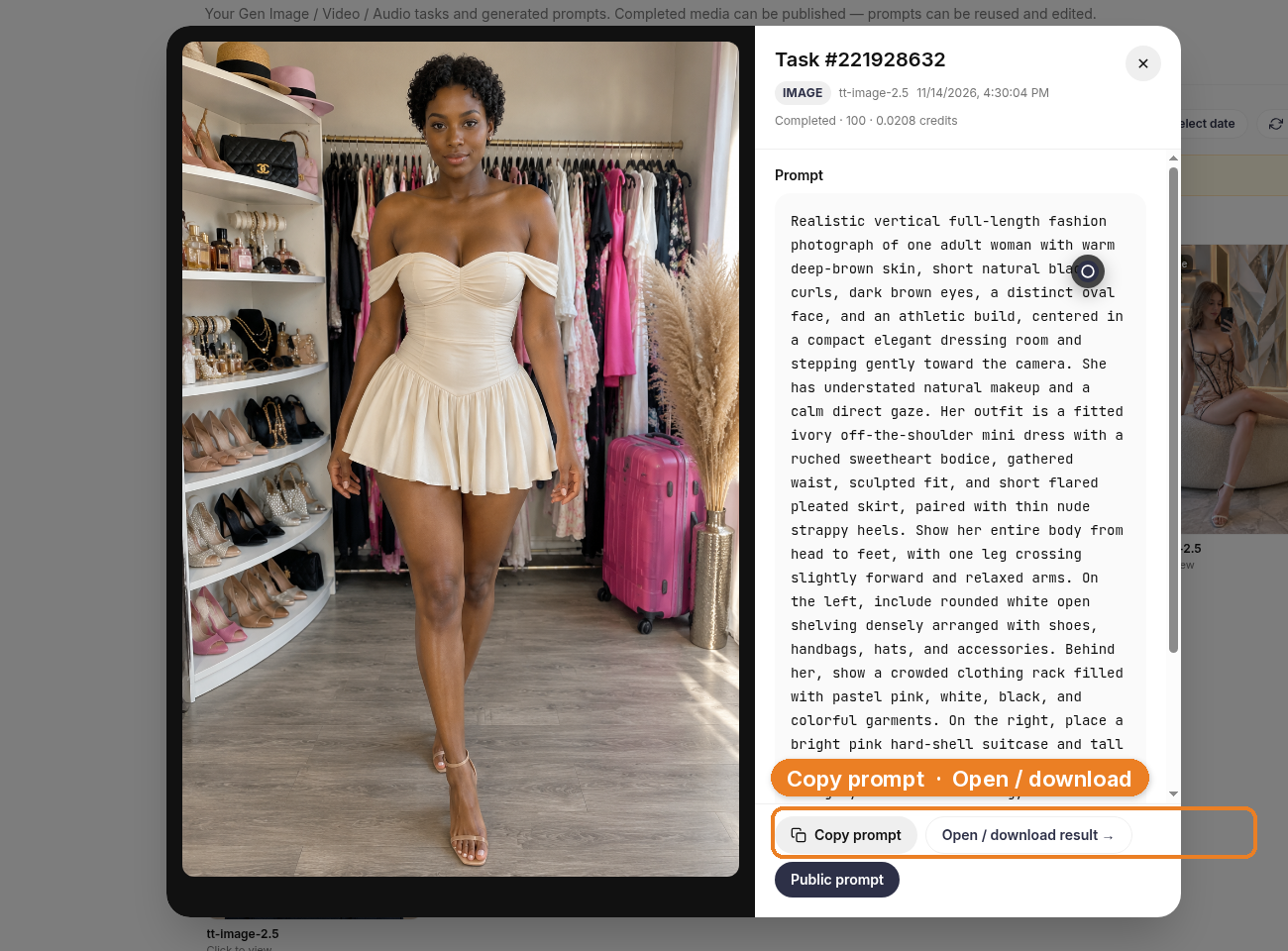
Generation takes a few seconds; the result then appears. That wait is between a rewritten brief and a still you can judge.
The result kept the room and the dress, and it did not keep the woman from the pin. That is the standard. If a generation comes back looking like the reference face, it is not a keeper, no matter how well the pleats fell.
Build the channel as carousels, not as single shots
A fashion feed made of carousels has a simple job: slide one earns the swipe, the next slides pay it off — a second angle, a detail, a different outfit in the same world. We only generated one look for this demo, so we are not going to pretend the other slides exist. The mockup below is an illustration: the real still, plus clearly empty placeholders for looks we have not made.
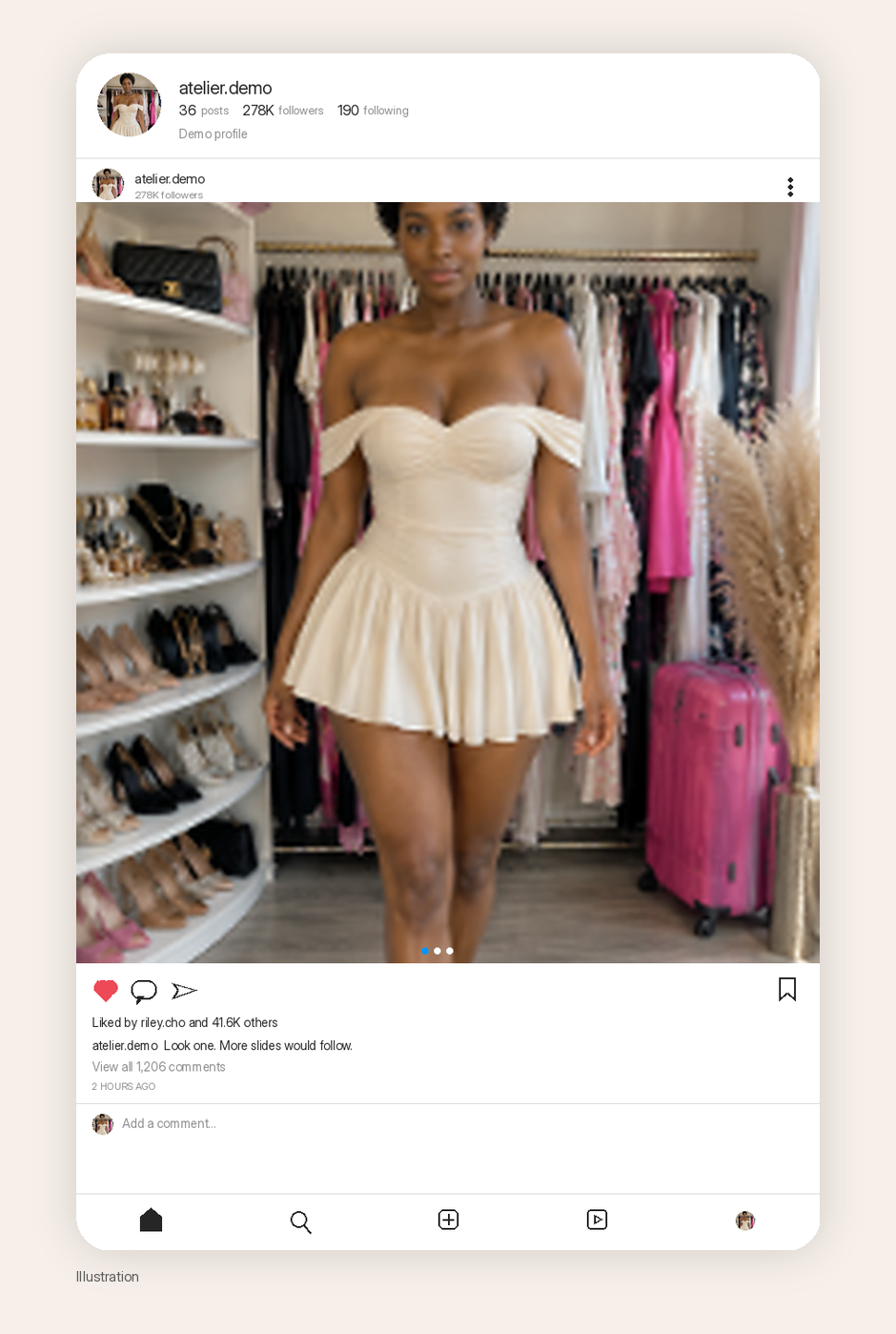
When you do fill those slides, vary the thing the carousel is about — the outfit, the accessory, the crop — and hold the person still, or hold the room still, depending on the series you are building. Image to prompt can start each new look the same way: find a pin with a structure you want, copy the brief, change the face, generate. Do not skip the rewrite because you are in a hurry to fill Saturday’s post.
How to fill the other slides
A carousel is a short argument. Slide one has to earn the swipe; the rest have to pay it off. A simple storyboard, if you want one that does not invent images we did not make:
- Slide one. The full look, head to toe, in the room you have already earned.
- Slide two. A tighter crop: the neckline, the walk, the back of the dress, the shoe against the floor.
- Slide three. A second outfit in the same dressing room, or the same outfit in a slightly different crop — still the same woman.
We did not generate slides two and three for this article. The placeholder in the mockup is there so that stays obvious. When you do make them, change the thing the carousel is about, and hold the person still. If you need a new garment, you can run Image to prompt on another pin whose construction you like, then keep your character and drop her into the new brief. Rewrite the face every time a reference tries to bring one along.
What you should not do is fill a ten-slide carousel with ten mild variations of the same frame. Readers can tell, and you will too, the moment you look at the set on a phone.
What this playbook is not
It is not a report of reach, revenue, or follower growth. The save count on the original pin is Pinterest’s number, not yours. The likes and follower counts in the mockup are fictional, not a report of reach. And it is not an argument that “AI fashion” is finished when the dress looks expensive. If the face still belongs to the reference, the post is not ready.
Start here
Install AI Assistant Copilot – Orauria from the Chrome Web Store, right-click the next fashion pin whose set you actually want to work in, and rewrite the person before you ever press generate. Make one honest first slide. Then build the rest of the carousel from that character, not from the pin.
Start here: orauria.com, and the Chrome Web Store listing for AI Assistant Copilot – Orauria.
Leave a Reply