Category: Fashion

  • How to Build a Model Portfolio When You Don’t Have Brand Bookings

    How to Build a Model Portfolio When You Don’t Have Brand Bookings

    A model book is not a client list. Bookers and brand teams look first at whether they can see you: a clean headshot, a full-length, a three-quarter, a second look, all of the same person, lit and styled with some discipline. Campaign credits help later. They are not what you need to start.

    If you do not yet have brand bookings, the useful work is a first profile: a tight shot list, test-shoot concepts you actually intend to make, and a face that stays the same from frame to frame. This playbook uses one trending Pinterest pin as a lighting and composition teacher, then builds an original test-shoot still — and a small set of matching book shots — in Orauria Studio. It is a workflow, not a placement report. We are not going to invent a booking we do not have.

    The reference is this pin by ifAIwere: a vertical full-length studio portrait of an East Asian woman with a chin-length bob, a white ruffled blouse, a beige skirt, and nude heels, seated sideways on a simple white bench in a warm off-white room. It is a clean hero frame for a comp card. It is also someone else’s face and someone else’s look. The woman in the still we generated is a different person, on purpose, in a different outfit, in the same kind of studio.

    The playbook at a glance

    1. Install the Chrome extension.
    2. Find a pin that is really a test-shoot frame — full-length or three-quarter, simple light, generous negative space — not a face to clone.
    3. Run Image to prompt and copy the brief.
    4. Rewrite the character. Restyle the look. Keep the studio, the pose, and the crop.
    5. Generate the hero still in Studio, then fill the rest of a first book with the same person: a headshot, a serious close-up, a standing full-length, a simple commercial look.
    6. Put a short, consistent profile in front of brands. Pitch with the book you actually have.

    First, install the extension

    Image to prompt only works after you install the Chrome extension AI Assistant Copilot – Orauria. Get it from the Chrome Web Store before you go looking for a reference. Once it is on, you can right-click a pin and pull a prompt from it.

    Find a test-shoot frame, not a face to copy

    A first book rewards simple pictures. Bookers are trying to read proportion, posture, and a face, not a location they cannot rebook. This pin already thinks that way: a vertical full-length, almost eye-level, bright diffuse studio light, a pale room, a white bench and a low block, and enough negative space that the frame would still hold on a comp card. Those are the useful parts.

    The original face should not travel into the book, and neither should the exact outfit if you want the test to be yours. Treat the pin as a lighting and posing reference. Credit the person who posted it — here, ifAIwere — and then write a different character.
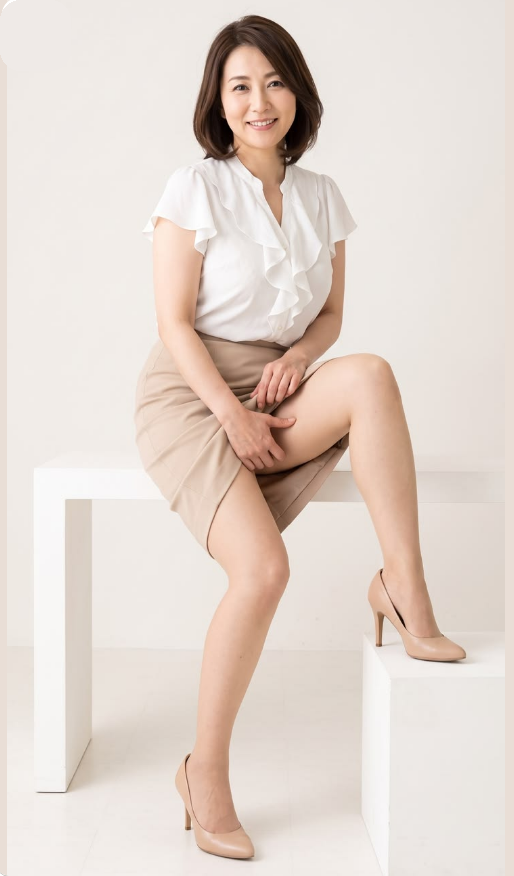
    A Pinterest pin by ifAIwere of an East Asian woman with a chin-length bob, white ruffled blouse, beige skirt, and nude heels, seated sideways on a white bench in a minimal off-white studio.
    The reference pin by ifAIwere. Keep the pale studio, the bench, the crop, and the soft frontal light. The person — and the white ruffles and beige skirt — are not the character of the book.

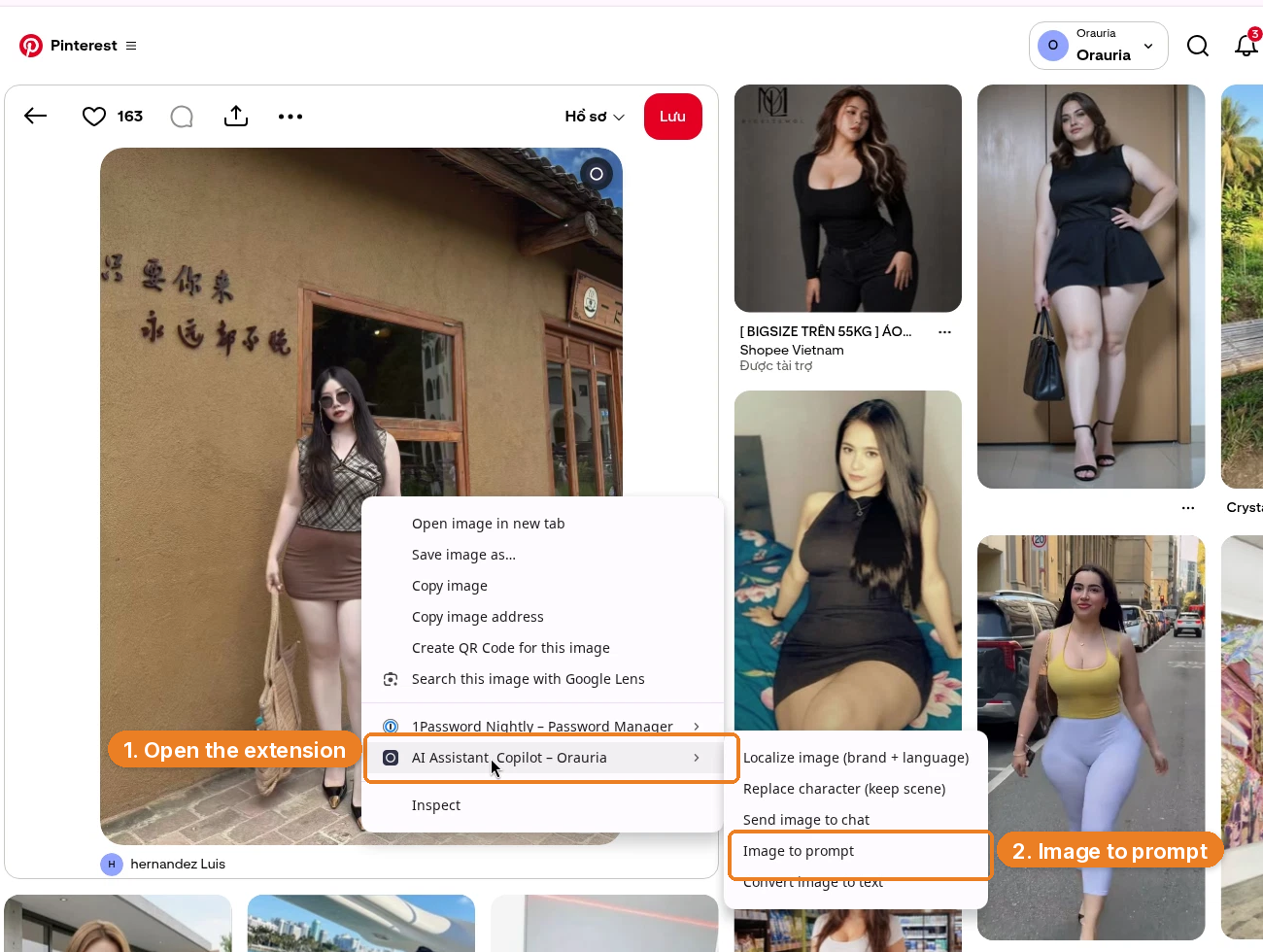
    Right-click the image, open AI Assistant Copilot – Orauria, and choose Image to prompt.
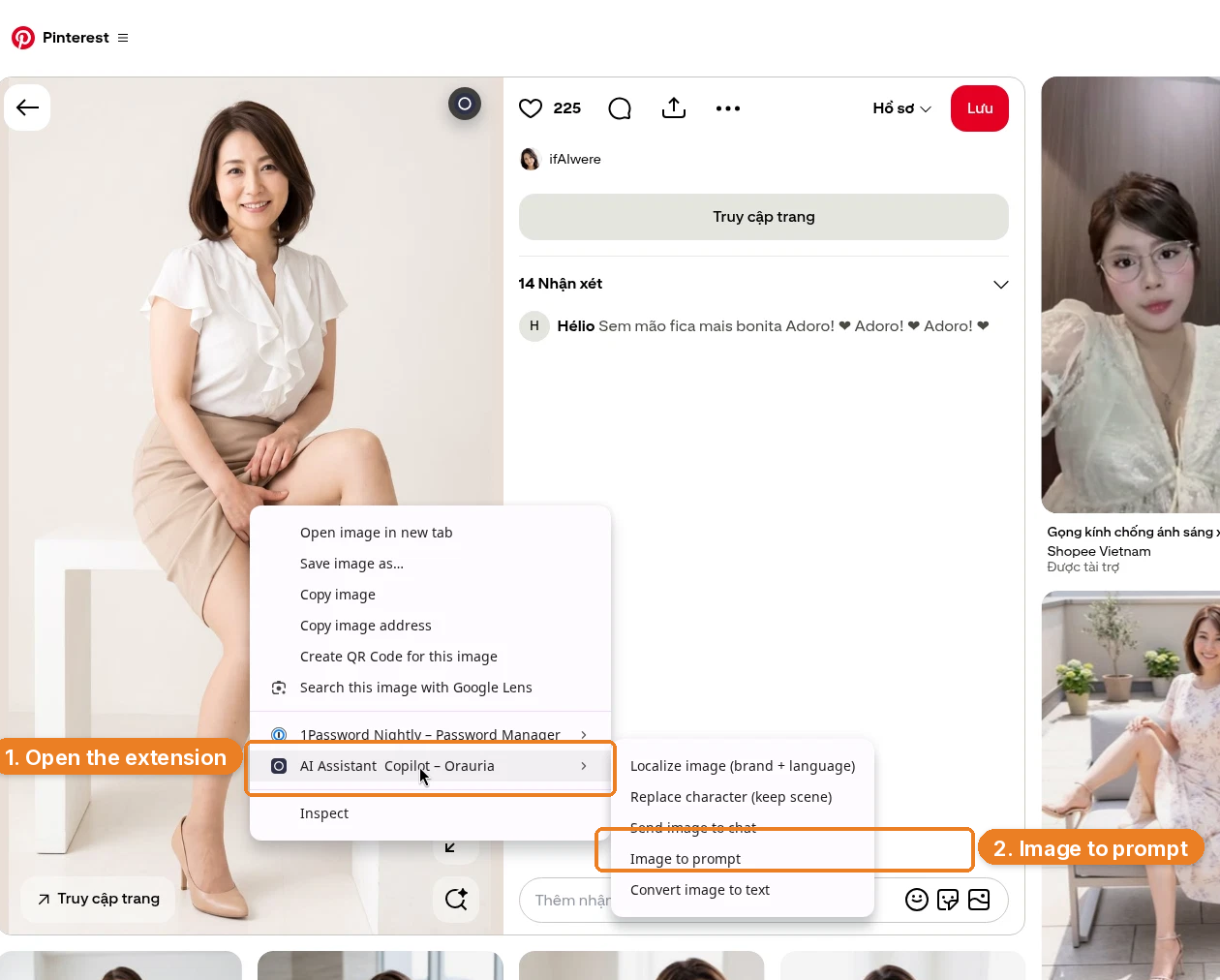
    Right-click menu on the studio portrait, with AI Assistant Copilot – Orauria and Image to prompt highlighted.
    Right-click the pin, open the extension, then click Image to prompt.

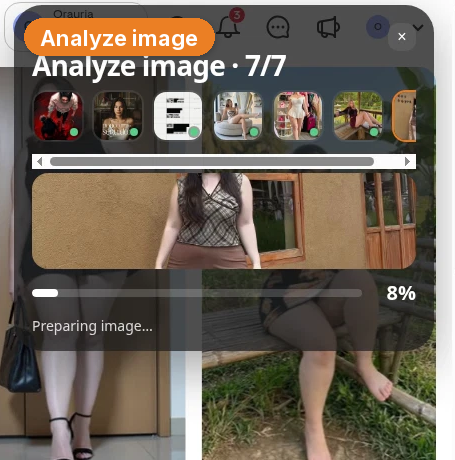
    The panel analyzes the picture, then returns a prompt you can copy.
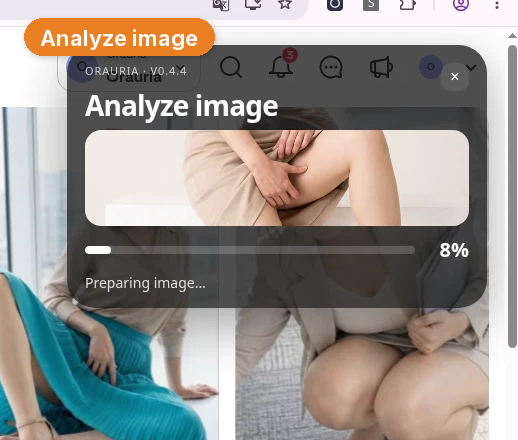
    The Orauria extension analyzing the pin, with Analyze image and a progress bar at 8 percent.
    Analyze image is the wait state. The prompt arrives in the same panel.
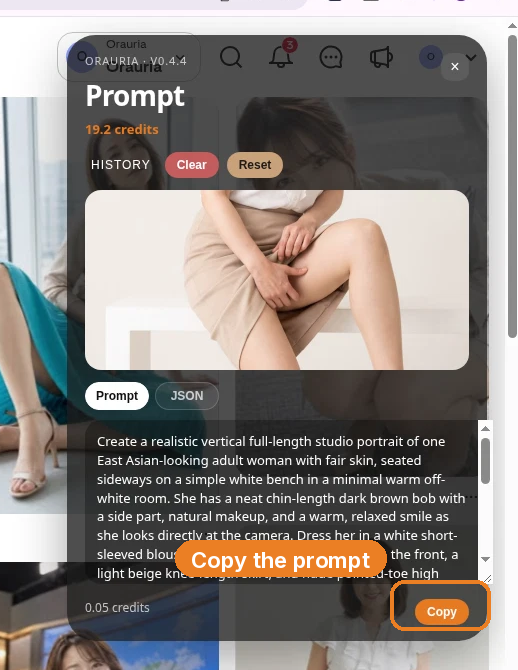
    The Image to prompt panel showing the extracted studio-portrait brief, with Copy highlighted.
    Copy the prompt, then take it somewhere you can edit it. Do not send this version to Studio unchanged.

    This is the brief the extension wrote from the pin, quoted in full:

    Create a realistic vertical full-length studio portrait of one East Asian-looking adult woman with fair skin, seated sideways on a simple white bench in a minimal warm off-white room. She has a neat chin-length dark brown bob with a side part, natural makeup, and a warm, relaxed smile as she looks directly at the camera. Dress her in a white short-sleeved blouse with soft cascading ruffles down the front, a light beige knee-length skirt, and nude pointed-toe high heels. Her shoulders are relaxed; her hands rest gently over her legs, one knee lifted and bent toward a low white rectangular block on the right, the other leg extending down toward the floor. Keep her figure centered slightly left, with the bench visible behind her and the block supporting the raised heel; include both shoes and leave generous pale negative space around her. Use a nearly eye-level camera, straightforward perspective, bright diffuse frontal studio light, low contrast, soft shadows, even skin tones, natural proportions, crisp but gentle photographic detail, and a restrained palette of warm white, beige, and dark brown. No visible text or decorative props.

    The useful part is the studio: the warm off-white room, the white bench and the low rectangular block, the almost eye-level camera, the bright diffuse frontal light, the low contrast, the pale negative space, the vertical full-length crop. The part you owe the rewrite is the person — and, for a first test look, the clothes.

    Change the face, then restyle the test look

    A portfolio is easy to get wrong in both directions. If you keep the pin’s face, you do not have a book; you have a reprint. If you keep every stitch of the outfit and only tweak a hairstyle, you are still too close. So we changed both.

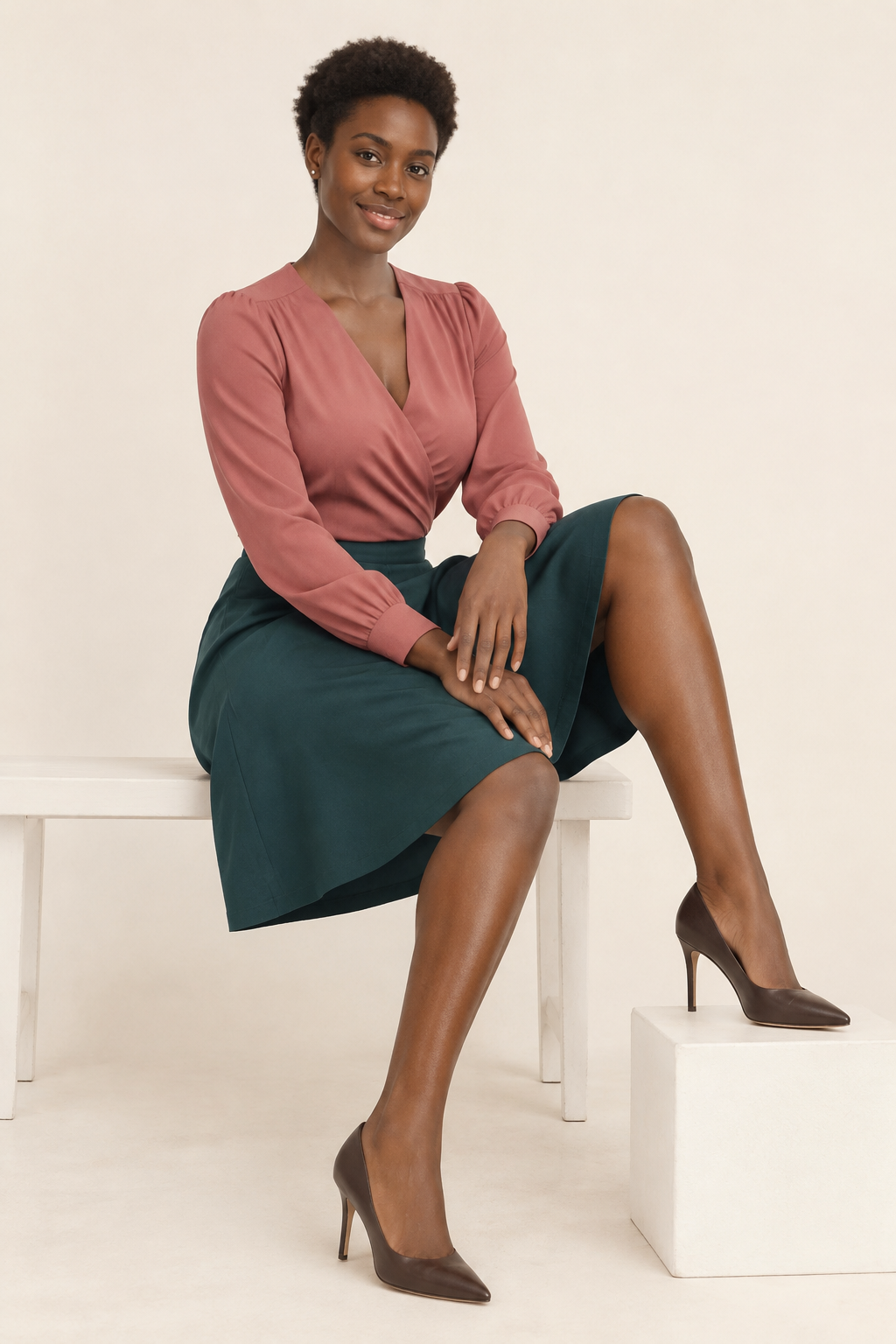
    The new character is a fictional adult Black woman with deep espresso-brown skin, a softly angular oval face, dark brown eyes, and short natural tightly coiled hair in a cropped tapered shape. She is not the woman in the pin. The chin-length bob, the fair skin, and the original features stay with the pin.

    Then we restyled the test look, the way you would if you were planning an original sitting in this same studio: a dusty-rose long-sleeved wrap blouse, a deep teal knee-length A-line skirt, and dark chocolate pointed-toe heels. The white ruffles, the beige skirt, and the nude heels stay with the pin too. The pose is the one worth keeping — seated sideways, one knee lifted onto the block, hands easy over the legs, a calm smile into the lens — because that is the composition the pin taught, not the identity of the sitter.

    Create a realistic vertical full-length fashion portfolio test-shot of a fictional adult Black woman with deep espresso-brown skin, a softly angular oval face, dark brown eyes, and short natural tightly coiled hair in a cropped tapered shape. She is seated sideways on a simple white bench in a minimal warm off-white studio, facing the camera with a calm, easy smile. Keep the same relaxed editorial pose: her shoulders rest naturally, her hands lie gently over her legs, one knee is lifted and bent toward a low white rectangular block on the right, and the other leg extends down toward the floor. Dress her in a dusty-rose long-sleeved wrap blouse with soft gathered details, a deep teal knee-length A-line skirt, and dark chocolate pointed-toe high heels. Keep her figure centered slightly left, with the bench visible behind her and the block supporting the raised heel; show both shoes and leave generous pale negative space around her. Use a nearly eye-level camera and straightforward perspective, bright diffuse frontal studio light, low contrast, soft shadows, even skin tones, natural proportions, and crisp but gentle photographic detail. Restrained warm-white, dusty-rose, deep-teal, and dark-brown palette. An authentic, polished test shoot for an emerging model’s personal portfolio; fictional subject, no visible text, logos, or decorative props.

    That is the ethical move, and it is also the practical one. A booker who has already seen the original pin should not meet the same face again with your name under it. They should meet a consistent person who can show up in a headshot and a full-length and still be recognizable.

    Generate the hero still in Studio

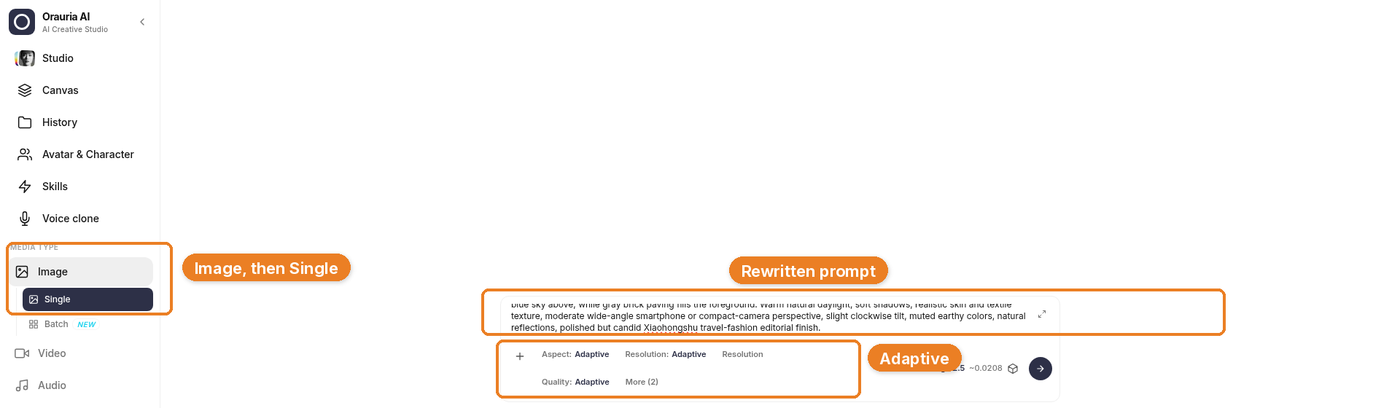
    Open Orauria Studio:

    • Image, then Single
    • Aspect ratio, Resolution, and Quality: Adaptive
    • Model: TT Image 2.5
    • Generate with the send button, or Ctrl+Enter

    Paste the rewritten prompt. The vertical full-length is already in the brief; with Adaptive on, the model can pick up that framing.

    Orauria Studio with Image then Single, the rewritten prompt, and Adaptive settings highlighted.
    The composer is holding the rewritten brief — here scrolled to the closing line about an emerging model’s personal portfolio. The first line of the prompt, quoted above, is the face change.

    This job is TT Image 2.5, task #222172135. The still that came back kept the pale room, the bench, the block, the lifted knee, the soft frontal light, and the generous negative space. The woman is not the woman in the pin, and the outfit is not the pin’s outfit.

    The generated still in Studio under TT Image 2.5, task 222172135: a Black woman with short cropped natural coils, a dusty-rose wrap blouse, a deep teal skirt, and dark chocolate heels, seated on a white bench in a warm off-white studio.
    Frame one, in the Studio chat. Same studio and pose, a different character, a different test look.
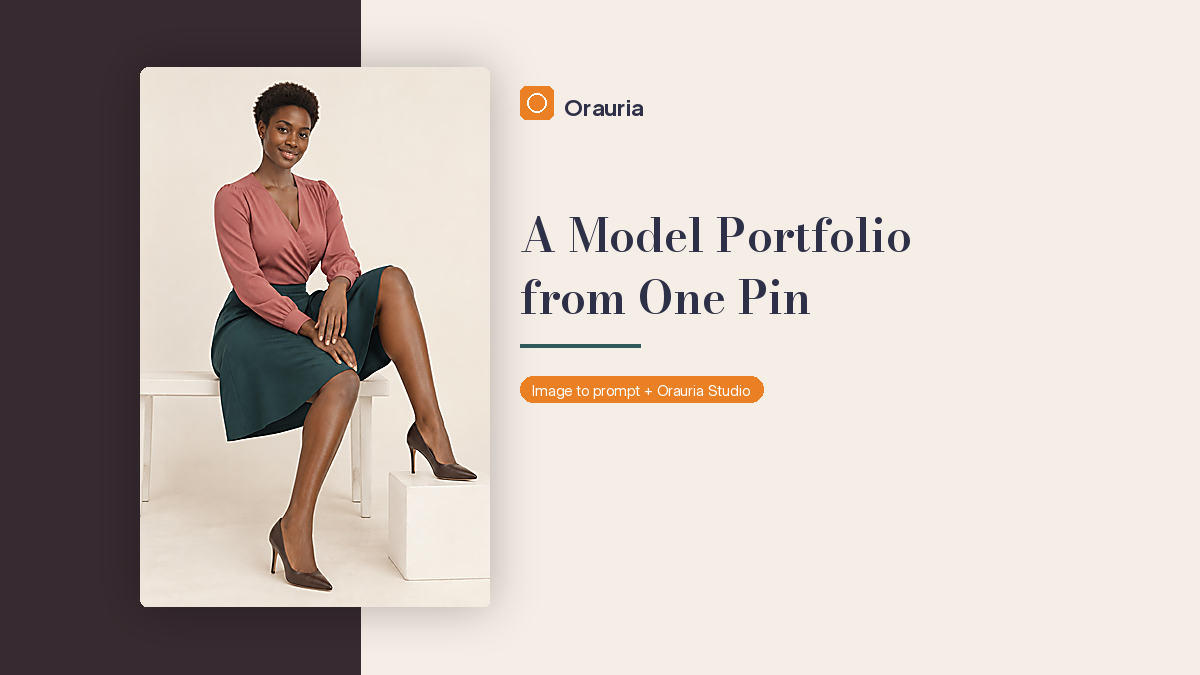
    The downloaded high-resolution result: the new character seated on the white bench in the dusty-rose blouse and teal skirt.
    The downloaded result, at full resolution. This is the hero frame we used in the profile illustration below.

    What belongs on a first comp card

    A classic comp card is a short, portable book: one strong headshot on the front, two to four more images on the back, plus the facts a booker actually needs — height, measurements, hair, eyes, and a way to reach you. You do not need twelve locations and a fog machine. You need a set of pictures in which the same person is easy to read.

    A practical first shot list, whether you will later shoot it with a photographer or storyboard it like this, usually includes:

    • A clean beauty headshot, smiling, cropped at the upper chest
    • A serious or editorial close-up, no smile, so the face can be read two ways
    • A three-quarter or waist-up
    • A full-length standing, simple posture, shoes in the frame
    • One second look that is more commercial than editorial — jeans and a tank, not another gown

    Keep the lighting family consistent. If the hero is a bright, low-contrast studio, do not follow it with a neon street and a wind machine. The point of a first book is recognition. Hair, makeup, and skin should feel like the same sitting, or at least the same person a week later.

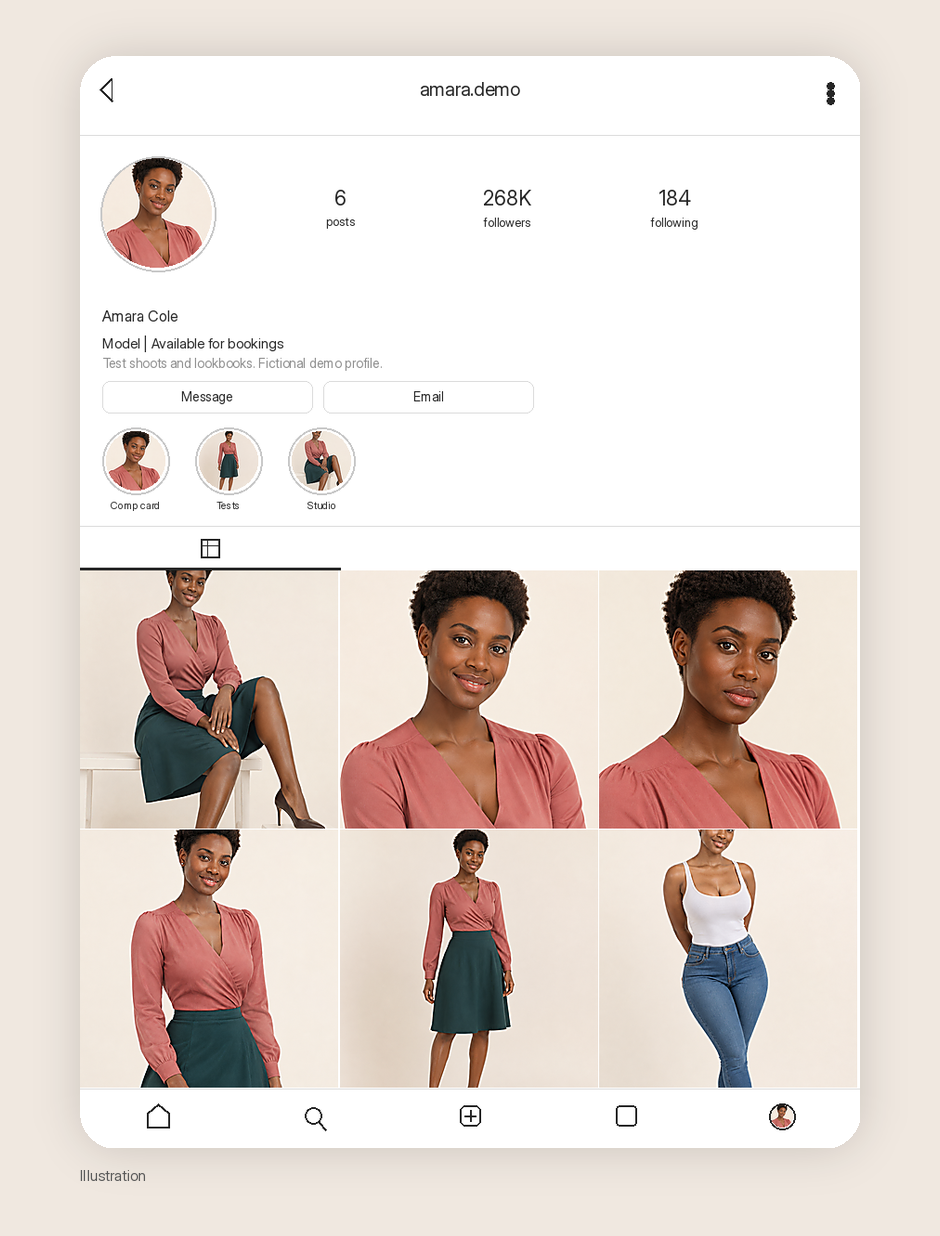
    We used the hero still as a character reference and generated the rest of that list of the same woman: a smiling headshot, a serious close-up, a three-quarter, a standing full-length in the dusty-rose and teal look, and a cleaner commercial frame in a white tank and indigo jeans. Those frames are in the profile illustration below. They are test-shoot stills of a fictional character, not photographs from a booked campaign.

    Build test-shoot concepts from trending pins

    This is the habit to keep, even after you have a photographer. When a pin has the crop, the light, or the posture you want, run Image to prompt, keep the studio notes, and rewrite the person. Do that before you book the test, and you have a brief you can hand to a team. Do it in Studio, and you have a storyboard you can hold against the final selects.

    A few rules keep the concepts honest:

    • Steal light, crop, and pose. Do not steal a face, and do not reprint a look stitch for stitch.
    • Prefer pins that already look like book frames: simple backgrounds, full-length or three-quarter, space around the figure.
    • Write the character once, in enough detail that later prompts can match her. If the model supports a reference image, use the hero still so the face does not drift.
    • One concept, one job. A seated studio hero, a standing full-length, and a commercial look are three briefs, not one prompt with a wish list.

    The pin by ifAIwere was a good teacher because it was already a test-shoot picture. A cluttered lifestyle crop would have taught the wrong lesson for a first card.

    Keep the look consistent, then put it on a profile

    A profile is just the book, held still long enough for someone to scroll it. The handle, the bio, and the grid should agree with each other. “Model | Available for bookings” is enough of a bio when that is the actual ask. The grid should be the same person in the same lighting family, not a moodboard of other people’s jobs.

    The mockup below is an illustration of how that profile might look, built from the stills we actually generated of this character. The handle amara.demo, the name, the follower counts, and the engagement are fictional. They are not a channel we run and not a result this workflow produced. The small Illustration label is there for the same reason.

    Illustration of a realistic Instagram-style profile for a demo model account, with the bio Model | Available for bookings, a six-image grid of the generated character, fictional follower counts, and a small Illustration label.
    Illustration. A demo profile — amara.demo — with a booking bio and a six-image grid of the same generated character. The follower counts are fictional. This is not a live account.

    If you are a real person building a real book, the same grid logic applies, with photographs you actually sat for. Use Image to prompt to plan the sitting. Do not swap a generated face for yours and send it to an agency as a photograph of you.

    How to pitch brands when the book is short

    A short, consistent book is easier to send than a folder of forty mixed looks. Lead with three to five frames that belong together, a simple comp card or a tight PDF, and a short note that says who you are, what you shoot, and why you are writing to this brand. Specific is kinder than flattered: a product you actually wear, a campaign whose lighting you can match, a date you are free for a test.

    Do not pad the email with bookings you do not have. “Available for tests and lookbooks” is a clear sentence. An invented campaign credit is a fast way to end the conversation. If all you have are tests, say they are tests. The work in the frames will do more than a list of names.

    One more practical point: the same face has to survive the jump from a hero still to a headshot to a commercial look. If the person in the jeans frame does not look like the person on the bench, you do not have a book yet. You have a moodboard. That is why the rewrite happens once, up front, and every later prompt or sitting refers back to it.

    What this playbook is not

    It is not a placement report. We are not going to borrow the pin’s like count, or invent a booking, a rate, or a follower number for a profile we have not published. The mockup’s engagement is an illustration, labeled as one. It is not a shortcut around the face rewrite. If the woman on the white bench is still the woman from the pin, you do not have a portfolio yet. You have a reprint with better margins. And it is not a substitute for a real sitting if you are pitching yourself as a photographable person — in that case, this is a way to plan the test, not a way to skip it.

    Start here

    Install AI Assistant Copilot – Orauria from the Chrome Web Store, find a pin that is really a test-shoot frame, and write a person who can come back in a headshot and a full-length. Generate the hero still in Studio. Then build the rest of the card from that same face, not from the original portrait.

    Start here: orauria.com, and the Chrome Web Store listing for AI Assistant Copilot – Orauria.

  • How to Build a Xiaohongshu OOTD Channel from One Travel Pin

    How to Build a Xiaohongshu OOTD Channel from One Travel Pin

    Instagram carousels and TikTok dumps are not the only shape a fashion channel can take. Xiaohongshu — also called RED, or 小红书 — is built around notes: a vertical cover, a short title that has to work in a two-column feed, and a few more frames behind the tap. Travel and street-fashion OOTD notes are a natural fit. The cover is a 3:4 portrait. The title is closer to a search hook than a casual caption. The rest of the note can be the hem, the bag, the street.

    This playbook starts from one Pinterest pin. A million views is the direction of the work, not a result we are claiming. We have one generated still, and an illustration of how a note would hold it.

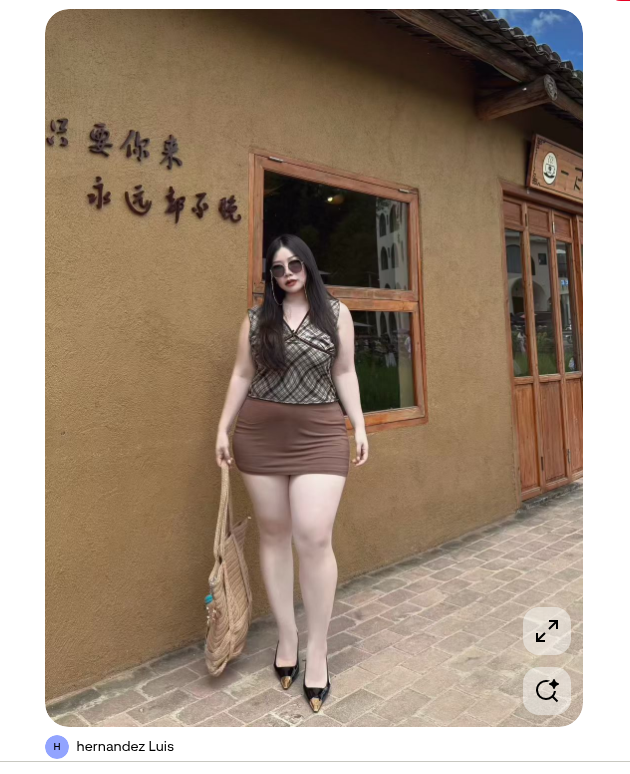
    The reference is this pin by hernandez Luis: a full-body street-fashion portrait outside a rustic ochre storefront, plaid wrap top, brown mini, gold-toe heels, a woven bag, raised calligraphy on the wall. It is a complete travel-OOTD frame. It is also someone else’s face and someone else’s outfit. The woman in the still we generated is a different person, on purpose, in a different look, on the same kind of street.

    The playbook at a glance

    1. Install the Chrome extension.
    2. Find a pin with a place and a 3:4 (or close) full-body crop — a street you could return to, not just a pose.
    3. Run Image to prompt and copy the brief.
    4. Rewrite the character. Restyle the outfit. Keep the storefront and the light.
    5. Generate the first cover in Studio, then plan the note as a cover plus supporting frames, not as a reprint of the pin.

    First, install the extension

    Image to prompt only works after you install the Chrome extension AI Assistant Copilot – Orauria. Get it from the Chrome Web Store before you go looking for a reference. Once it is on, you can right-click a pin and pull a prompt from it.

    Find a street, not a look to clone

    Xiaohongshu’s discovery feed is a two-column waterfall. The first image of a note is what people see before they tap, and in common practice that cover is a 3:4 vertical — taller than a square, shorter than a story, with a larger footprint than a 1:1 card. Other ratios are possible; 3:4 is the one that usually looks native. This pin already thinks that way: a full-body 3:4, a storefront with depth, daylight that can host more than one frame. The original face should not travel into those later frames, and neither should the original outfit if you want the note to be yours.

    A Pinterest pin by hernandez Luis of a woman in a plaid wrap top, brown mini skirt, and gold-toe heels, standing outside a rustic ochre storefront with raised Chinese calligraphy on the wall.
    The reference pin by hernandez Luis. Keep the ochre storefront and the daylight. The person — and the plaid-and-mini look — are not the character of the channel.

    Right-click the image, open AI Assistant Copilot – Orauria, and choose Image to prompt.

    Right-click menu on the storefront pin, with AI Assistant Copilot – Orauria and Image to prompt highlighted.
    Right-click the pin, open the extension, then click Image to prompt.

    The panel analyzes the picture, then returns a prompt you can copy.
    The Orauria extension panel analyzing the storefront pin, showing Analyze image and a progress bar.
    Analyze image is the short read before the brief appears.
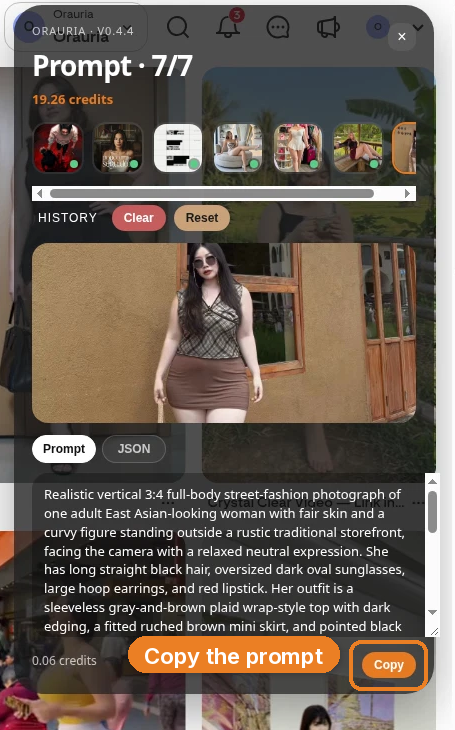
    The Prompt panel showing the start of the generated street-fashion description, with the Copy button highlighted.
    Copy the original first. What you paste into Studio should already be a different woman, in a different outfit, on the same street.

    This is the prompt as it came back:

    Realistic vertical 3:4 full-body street-fashion photograph of one adult East Asian-looking woman with fair skin and a curvy figure standing outside a rustic traditional storefront, facing the camera with a relaxed neutral expression. She has long straight black hair, oversized dark oval sunglasses, large hoop earrings, and red lipstick. Her outfit is a sleeveless gray-and-brown plaid wrap-style top with dark edging, a fitted ruched brown mini skirt, and pointed black high heels with metallic gold toe caps. She holds a large woven beige shoulder bag with fringe, textured handles, and small turquoise decorations. The background is an ochre textured plaster wall with dark raised Chinese calligraphy on the left, a wooden-framed reflective window behind her showing courtyard architecture, and a wooden entrance with partially visible Chinese signage on the right. A dark tiled wooden roof crosses the upper edge with blue sky above, while gray brick paving fills the foreground. Warm natural daylight, soft shadows, realistic skin and textile texture, moderate wide-angle smartphone or compact-camera perspective, slight clockwise tilt, muted earthy colors, natural reflections, documentary travel-fashion finish.

    The useful part is the street: the ochre plaster, the calligraphy, the wooden-framed window, the tiled roof, the 3:4 crop, the slight clockwise tilt, the warm daylight. The part you owe the rewrite is the person — and, for an OOTD channel, the clothes.

    Change the face, then restyle the OOTD

    A Xiaohongshu fashion note is easy to get wrong in both directions. If you keep the pin’s face, you do not have a channel; you have a reprint. If you keep every stitch of the outfit and only tweak a hairstyle, you are still too close. So we changed both.

    The new character is still a young East Asian woman — this street photograph sits in that world — but she is not the woman in the pin. We asked for a clearly distinct face: warm light-medium skin, a softly rounded oval, a small beauty mark near the left cheek, a chin-length softly wavy dark-brown bob with a side part, no sunglasses, understated makeup, small silver studs. The long straight black hair, oversized dark ovals, hoops, and red lipstick stay with the pin.

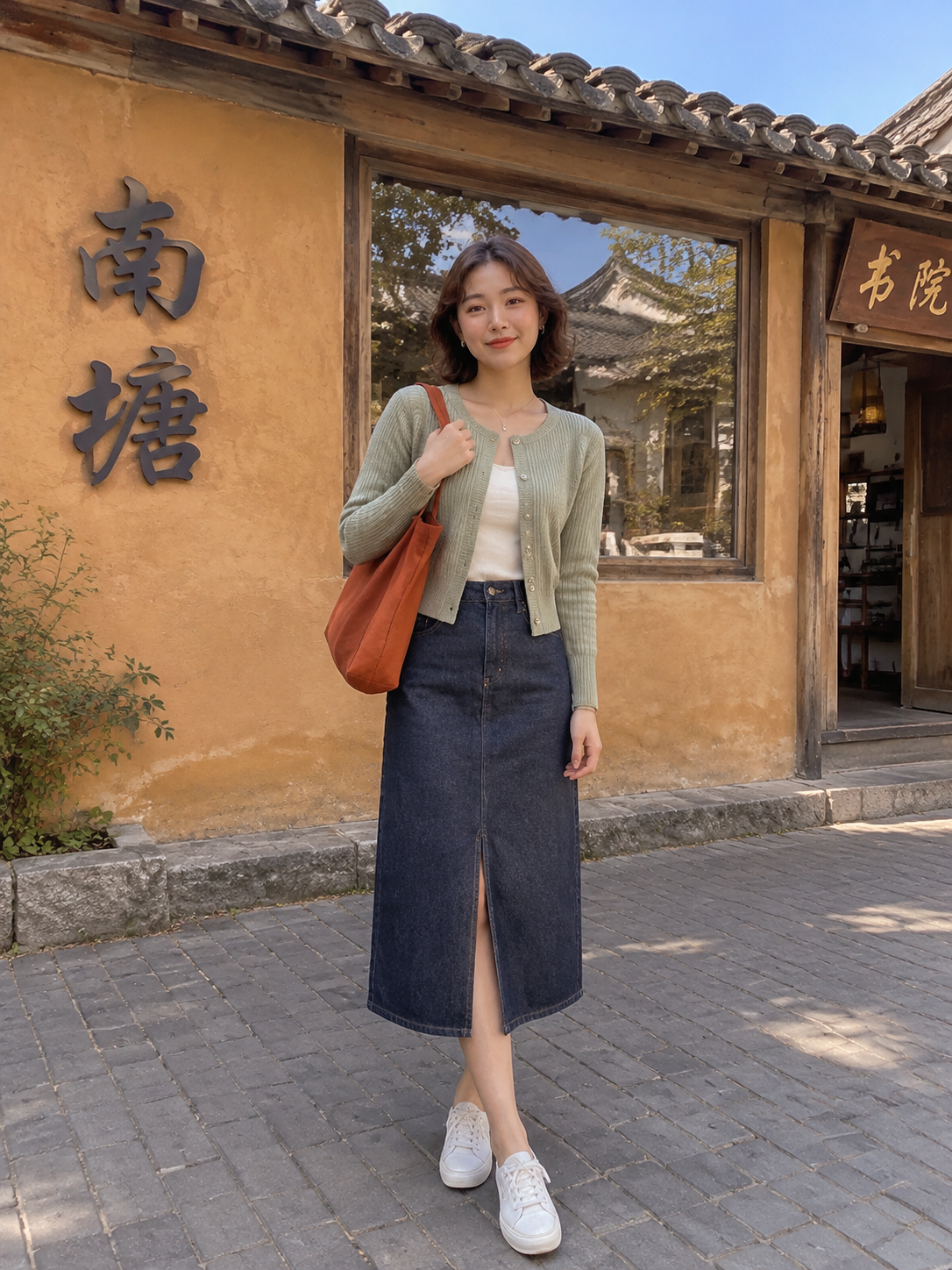
    Then we restyled the look, the way you would if you packed for this street: a cropped muted-sage knit cardigan over a cream top, a high-waisted dark indigo denim midi with a front slit, clean white sneakers, a small rust-orange canvas tote. The plaid wrap, the ruched mini, the gold-toe heels, and the fringed woven bag stay with the pin too.

    Realistic vertical 3:4 full-body Xiaohongshu street-fashion photograph of a different young adult East Asian woman, about 24, with warm light-medium skin, a softly rounded oval face, a small beauty mark near her left cheek, dark brown eyes, and a petite athletic build. Give her a clearly distinct appearance from the pin model: a chin-length softly wavy dark-brown bob with a side part, no sunglasses, understated natural makeup, and small silver stud earrings. She stands outside a rustic traditional storefront, facing the camera with a relaxed, friendly expression. Her outfit is a cropped muted-sage knit cardigan over a cream top, a high-waisted dark indigo denim midi skirt with a front slit, and clean white low-top sneakers. She carries a small rust-orange canvas shoulder tote with simple straps. The background is an ochre textured plaster wall with dark raised Chinese calligraphy on the left, a wooden-framed reflective window behind her showing courtyard architecture, and a wooden entrance with partially visible Chinese signage on the right. A dark tiled wooden roof crosses the upper edge with blue sky above, while gray brick paving fills the foreground. Warm natural daylight, soft shadows, realistic skin and textile texture, moderate wide-angle smartphone or compact-camera perspective, slight clockwise tilt, muted earthy colors, natural reflections, polished but candid Xiaohongshu travel-fashion editorial finish.

    That is the ethical move, and it is also the editorial one. Followers of an OOTD channel are not signing up to watch you reprint a viral pin. They are signing up for a person and a street that can show up again in a new look.

    Generate the first cover in Studio

    Open Orauria Studio:

    • Image, then Single
    • Aspect ratio, Resolution, and Quality: Adaptive
    • Model: TT Image 2.5
    • Generate with the send button, or Ctrl+Enter

    Paste the rewritten prompt. The 3:4 is already in the brief; with Adaptive on, the model can pick up that framing.
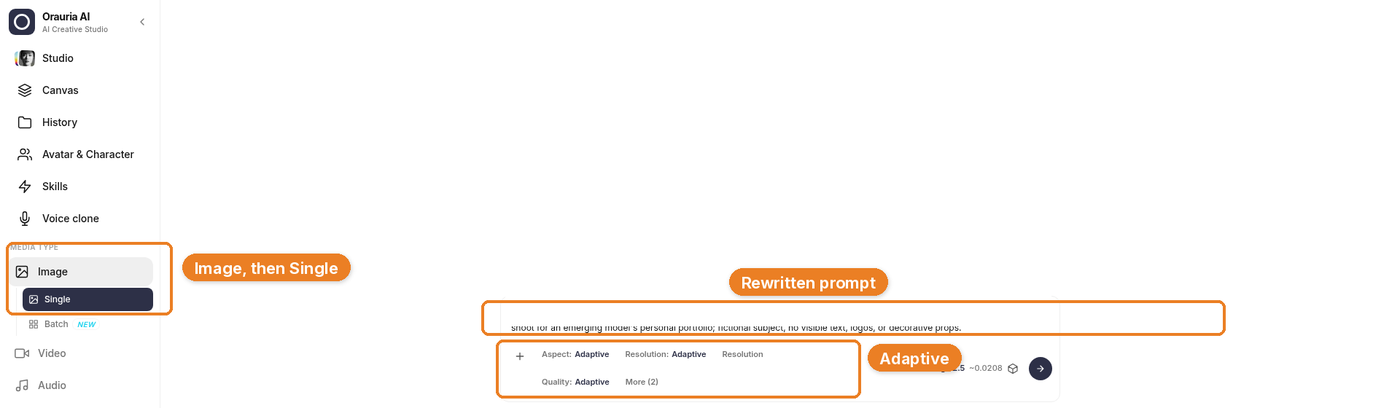
    Orauria Studio with Image then Single, the rewritten prompt, and Adaptive settings highlighted.
    The composer is holding the rewritten brief — here scrolled to the closing line about a Xiaohongshu travel-fashion finish. The first line of the prompt, quoted above, is the face change.

    Generation takes a few seconds; the result then appears. The brief is already yours; this is just the model catching up.

    The still that came back kept the ochre wall, the wooden window, the tiled roof, the brick pavement, the slight tilt. The woman is not the woman in the pin, and the outfit is not the pin’s outfit.
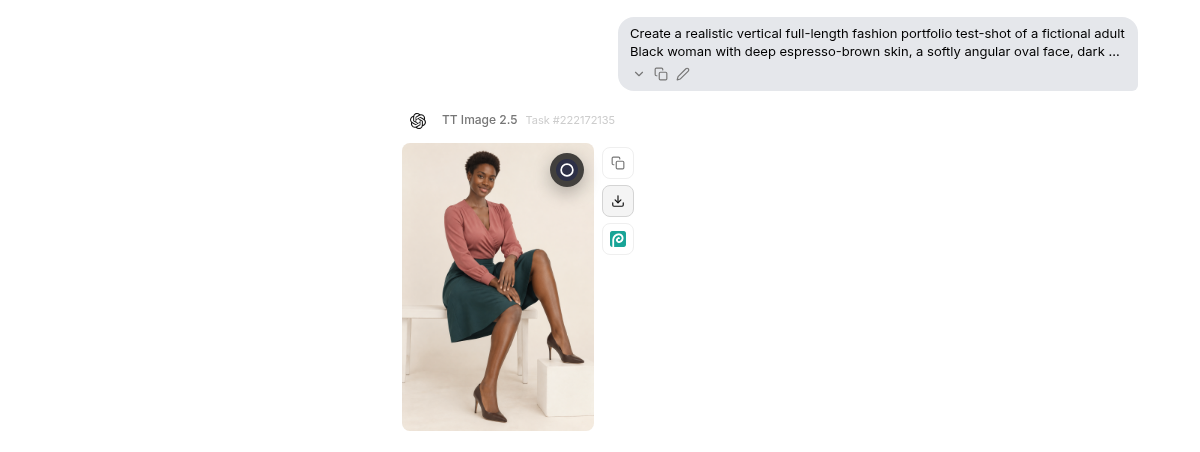
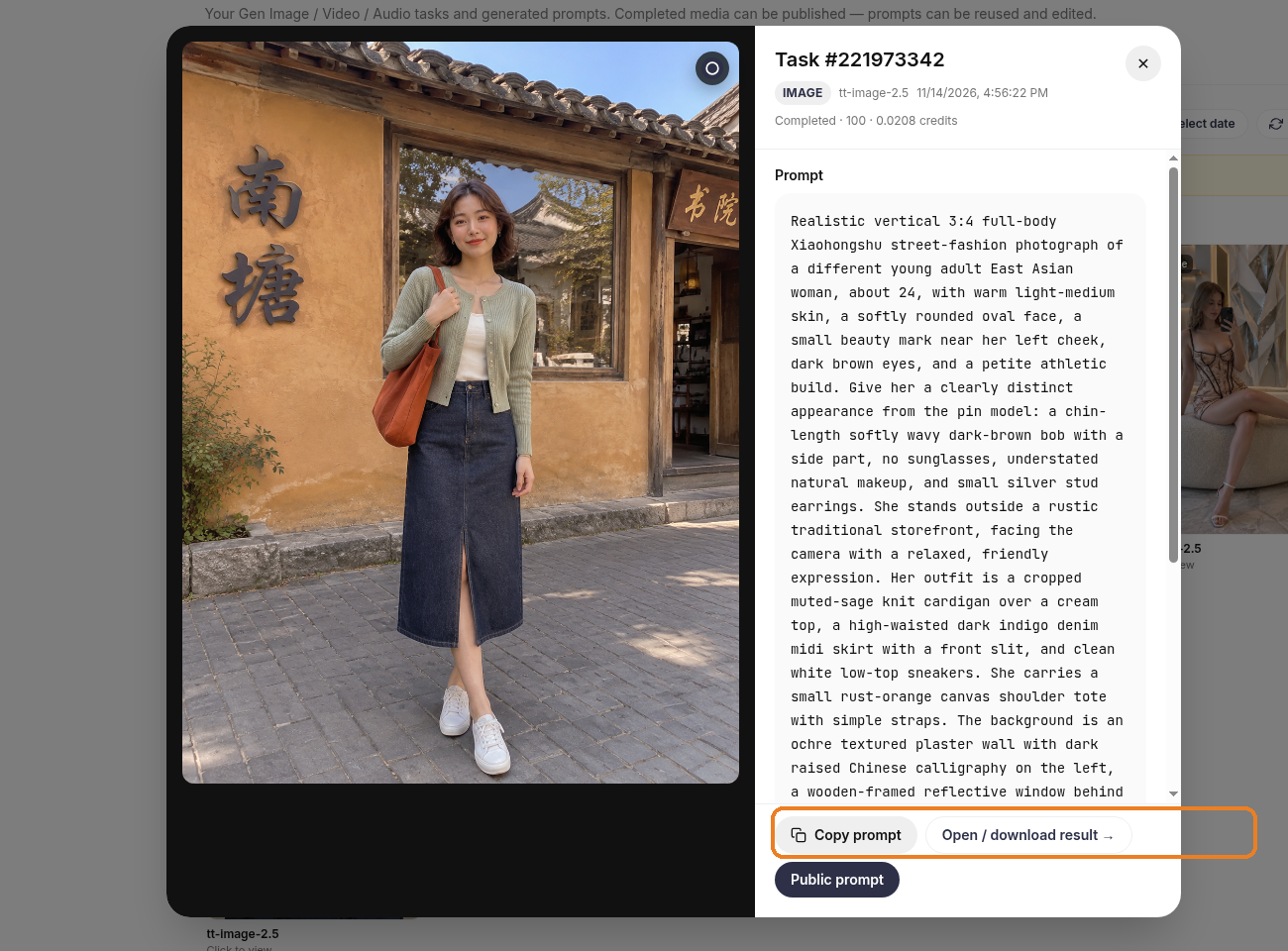
    The generated still in Studio History under TT Image 2.5: a different East Asian woman with a chin-length bob, sage cardigan, denim midi, and white sneakers, standing outside the ochre storefront, with Copy prompt and Open / download result visible.
    Frame one, in Studio History. Same street, a different character, a different OOTD.

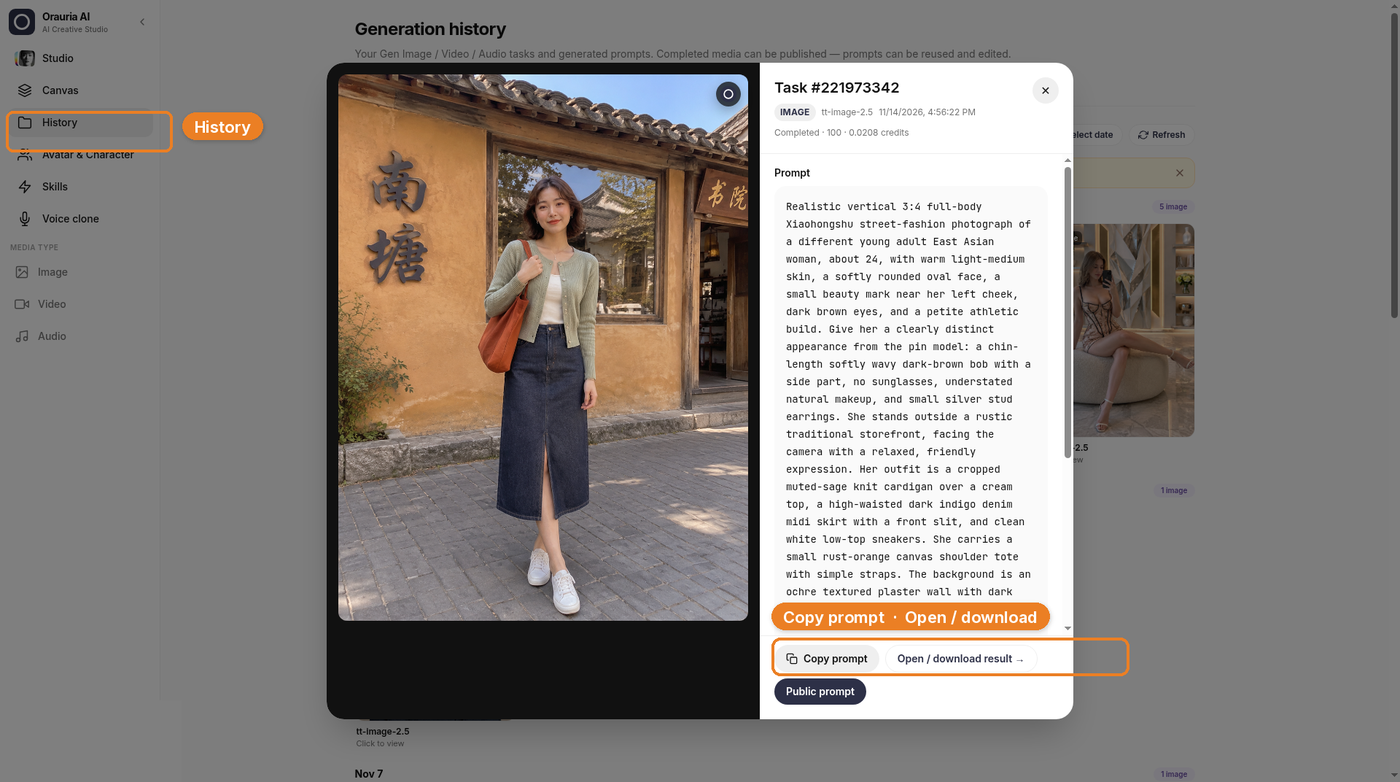
    Open History if you want a larger view, a copy of the prompt, or a download. Use Copy prompt and Open / download result. The high-resolution still in this article is the downloaded result, not a crop of the chat thumbnail.

    Studio History view of the generated street-fashion still, with History highlighted and the Copy prompt and Open / download buttons labeled.
    History is generation history. This is the same still, with the rewritten prompt beside it.
    The downloaded high-resolution result: the new character in a sage cardigan and denim midi, standing outside the ochre storefront.
    The downloaded result, at full resolution. This is the 3:4 frame we used in the mockup below.

    What a note looks like when you only have one still

    On Xiaohongshu, the cover does most of the work in the feed. A short, specific title sits with that cover — place, look, season, something a person might search — and it behaves more like a hook than a casual Instagram caption. Real titles on the platform are usually in Chinese; the English line in the layout below is a stand-in, not a live post.

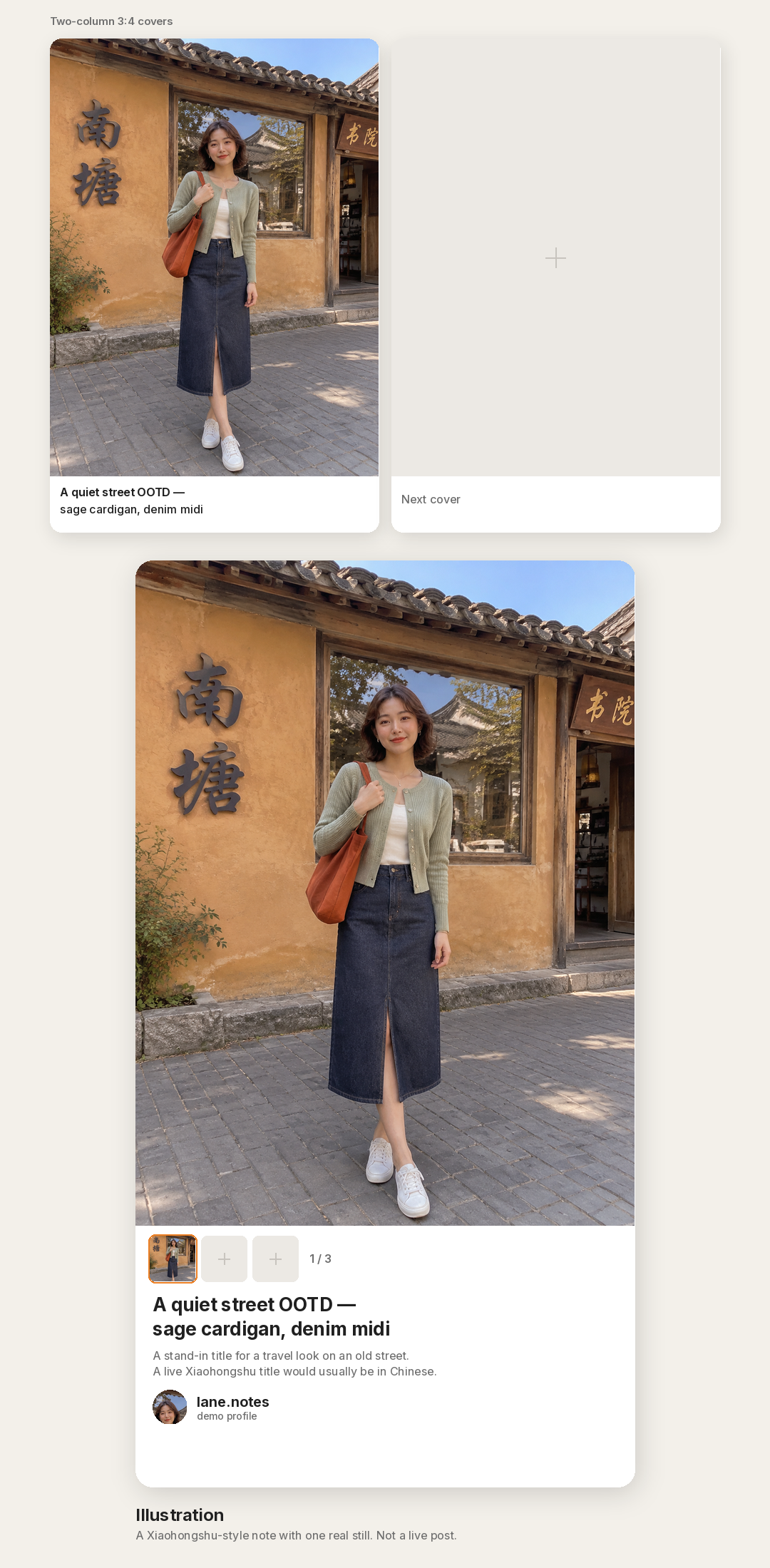
    After the tap, a note can hold more than one image. The useful extras are the ones that still belong to the same hour: a closer crop on the cardigan, the slit in the midi, the rust tote against the plaster, maybe the wooden door or the paving. We only made one still, so the other cells in the illustration are empty placeholders. The image is an illustration, not a live note, and it does not carry like counts, collects, or follower numbers we do not have. It also does not use Xiaohongshu’s logo or official branding.

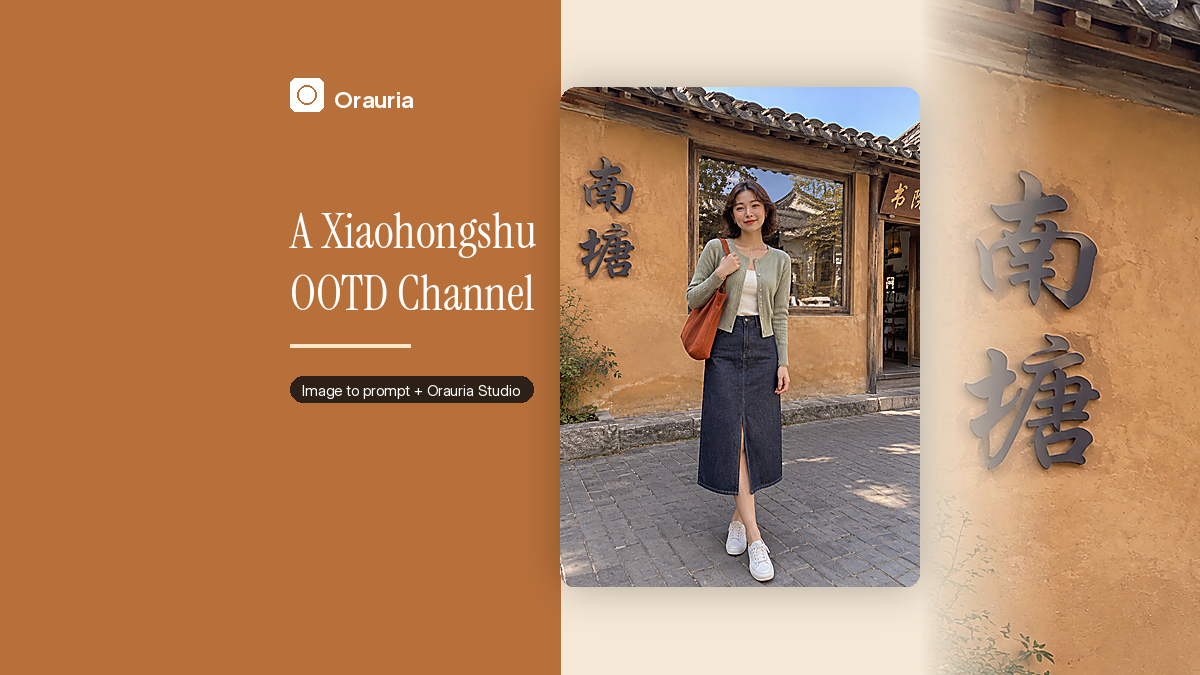
    Illustration of a generic Xiaohongshu-style note: a two-column 3:4 cover sketch, then a note-detail card with the generated still, a note-style title, and empty cells for extra frames. Caption: Illustration.
    Illustration. A Xiaohongshu-style note with a 3:4 cover, a note-style title, and empty cells for the rest of the set. One real still; not a live post.

    How a note earns the second look

    If this were a real note, the next frames would stay on the same street, with the same person, in the same look. We did not generate them, so treat this as a storyboard: a half-body crop that still reads at small size in the two-column feed, a detail of the sage knit and the tote, a step toward the wooden entrance. The cover should stay 3:4, and the other images in the note should share that ratio so the set does not jump when someone swipes.

    A channel, as opposed to a single note, is the same person coming back to streets like this in new outfits — not a new face every time a different pin goes viral. When a later cover needs a new composition, run Image to prompt again on a reference that has the crop or the light you want, then keep your character and restyle the clothes. The original pin taught the first street. It does not get to cast the wardrobe.

    One practical note for anyone actually publishing there: Xiaohongshu is primarily a Chinese-language platform. The prompt can stay in English; the title and the body of a real note usually should not.

    What this playbook is not

    It is not a growth report. We are not going to borrow the pin’s save count, or invent a view count for a note we have not posted. A million views is a goal, not a case study. It is not an Instagram carousel and it is not a lifestyle photo dump. And it is not a shortcut around the face rewrite. If the woman on the ochre street is still the woman from the pin, you do not have a channel yet. You have a reprint with a 3:4 crop.

    Start here

    Install AI Assistant Copilot – Orauria from the Chrome Web Store, find a pin that is really a street, and write a person who can come back to it in a new OOTD. Generate the first 3:4 cover in Studio. Then build the rest of the note from that hour, not from the original portrait.

    Start here: orauria.com, and the Chrome Web Store listing for AI Assistant Copilot – Orauria.
  • How to Build a Fashion Carousel Channel with Image to Prompt

    How to Build a Fashion Carousel Channel with Image to Prompt

    Fashion channels do not usually fail because the dress was wrong. They fail because the third post looks like a photocopy of the first, or worse, like a photocopy of someone else.

    This playbook is for a very specific kind of feed: a fashion channel built almost entirely from carousel posts, using Orauria’s Image to prompt as the way you steal structure — the rack, the light, the hem, the walk toward the camera — without stealing a face. A million-view fashion page is the goal of that discipline, not a result we are reporting. We generated one look. The other slides in the carousel are still empty, on purpose.

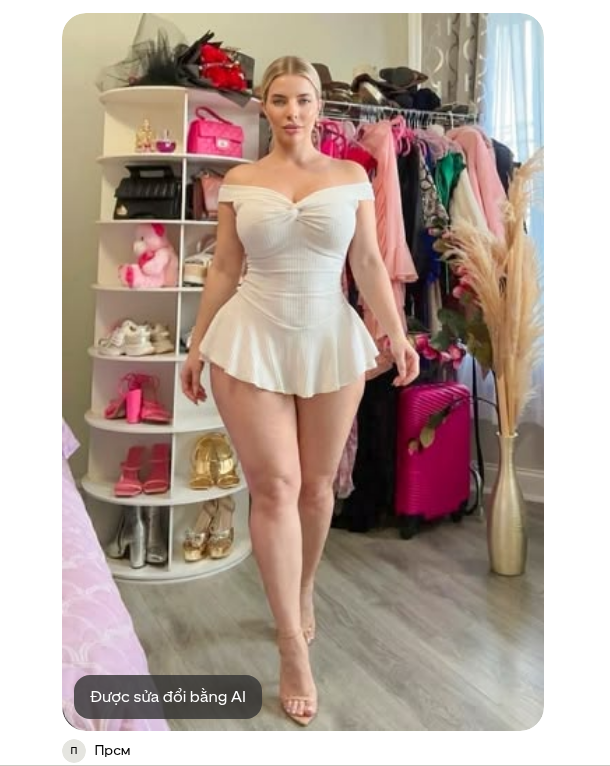
    The reference is a pin from the Прсм account: an ivory off-the-shoulder mini dress in a compact dressing room, pink suitcase, pampas, a wall of shoes. Pinterest itself flags the pin as modified with AI. That makes the next step more important, not less. If the source may already be a generated or edited face, you still do not get to ship it as yours.

    The playbook at a glance

    1. Install the Chrome extension.
    2. Find a fashion pin whose set and garment can support more than one slide.
    3. Run Image to prompt and copy the brief.
    4. Rewrite the face on purpose before you generate anything.
    5. Make the first look in Studio, then plan the rest of the carousel as variations — not as copies of the person in the pin.

    First, install the extension

    Image to prompt only works after you install the Chrome extension AI Assistant Copilot – Orauria. Get it from the Chrome Web Store before you start saving references. Once it is on, right-click on Pinterest will include the extension.

    Find a look, not a likeness

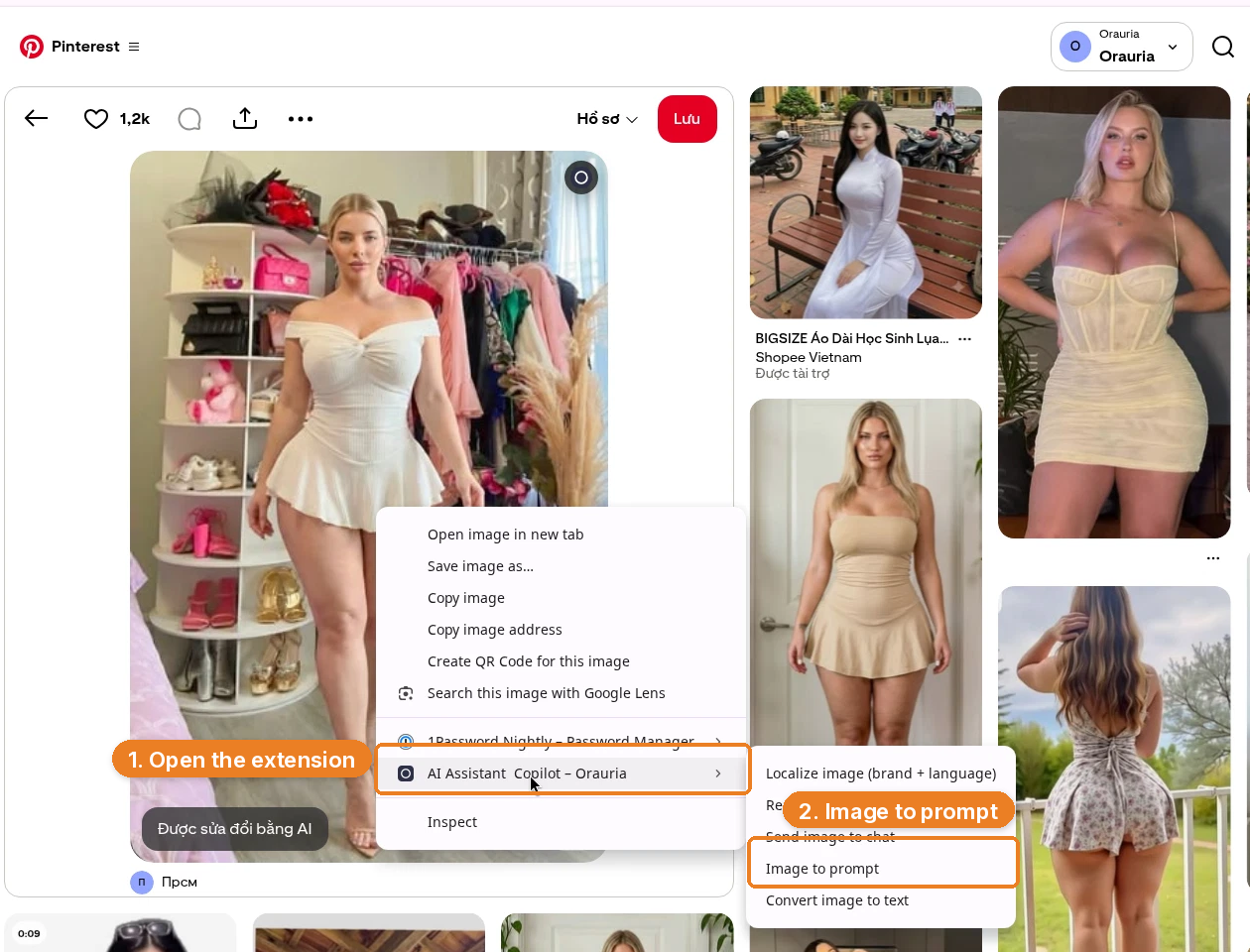
    A carousel channel lives on repeatable structure. This pin has it: a full-length 2:3 walk, a dressing room that can hold a second outfit, daylight from the right, props that already feel like a set. Credit Прсм, and notice the AI-modified badge on the image itself.

    A Pinterest pin from the Прсм account: a blonde woman in an ivory off-the-shoulder mini dress walks toward the camera in a dressing room. A badge flags it as modified with AI.
    The reference pin, from Прсм. Pinterest labels it modified with AI. Use the room and the garment. Do not use the face.

    Right-click the image, open AI Assistant Copilot – Orauria, and choose Image to prompt.

    Right-click menu on the fashion pin, with AI Assistant Copilot – Orauria and Image to prompt highlighted.
    Right-click the pin, open the extension, then click Image to prompt.

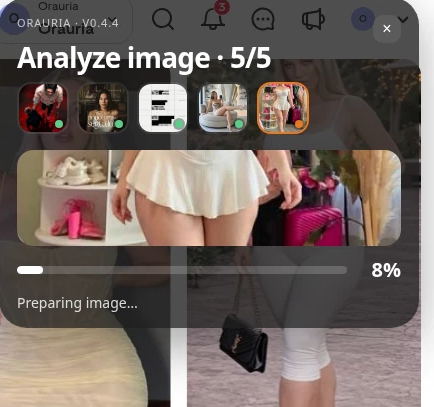
    The panel analyzes the picture, then writes a prompt you can copy.

    The Orauria extension panel analyzing the fashion pin, showing Analyze image and a progress bar.
    Analyze image is the short wait before you get a brief you can actually edit.
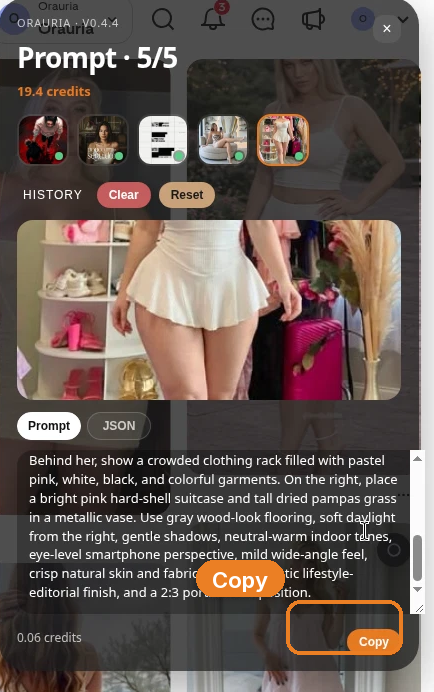
    The Prompt panel showing the end of the generated dressing-room description, with the Copy button highlighted.
    Copy the original prompt first. The rewrite is the whole point of this playbook, and it happens in the next step, not in the panel.

    Here is the prompt as it came back. Read the first sentence carefully.

    Realistic vertical full-length fashion photograph of one white woman with fair skin, blonde hair, and a curvy figure, centered in a compact elegant dressing room and stepping gently toward the camera. She has center-parted blonde hair styled neatly back, understated natural makeup, and a calm direct gaze. Her outfit is a fitted ivory off-the-shoulder mini dress with a ruched sweetheart bodice, gathered waist, sculpted fit, and short flared pleated skirt, paired with thin nude strappy heels. Show her entire body from head to feet, with one leg crossing slightly forward and relaxed arms. On the left, include rounded white open shelving densely arranged with shoes, handbags, hats, and accessories. Behind her, show a crowded clothing rack filled with pastel pink, white, black, and colorful garments. On the right, place a bright pink hard-shell suitcase and tall dried pampas grass in a metallic vase. Use gray wood-look flooring, soft daylight from the right, gentle shadows, neutral-warm indoor tones, eye-level smartphone perspective, mild wide-angle feel, crisp natural skin and fabric texture, realistic lifestyle-editorial finish, and a 2:3 portrait composition.

    That is a complete fashion brief: garment, set, light, crop. It is also a description of a specific woman. If you paste it unchanged, you are asking the model to aim at her.

    Change the face on purpose

    This is the step most “AI fashion” feeds skip, and it is the step that decides whether you have a channel or a lookalike problem.

    We kept the dressing room, the ivory dress, the suitcase, the pampas, the 2:3 walk. We rewrote the person:

    Realistic vertical full-length fashion photograph of one adult woman with warm deep-brown skin, short natural black curls, dark brown eyes, a distinct oval face, and an athletic build, centered in a compact elegant dressing room and stepping gently toward the camera. She has understated natural makeup and a calm direct gaze. Her outfit is a fitted ivory off-the-shoulder mini dress with a ruched sweetheart bodice, gathered waist, sculpted fit, and short flared pleated skirt, paired with thin nude strappy heels. …

    The rest of the prompt is the same. The face is not. That is deliberate. A fashion carousel can repeat a silhouette, a palette, even a room. It should not repeat a real person’s identity — and it should not repeat a face from a pin that may already have been modified with AI. Invent the woman who wears the clothes. Then, if you want consistency across slides, keep her, not the reference.

    Generate the first slide in Studio

    Open Orauria Studio. The controls you need are:

    • Image, then Single — we are making one still, not a batch
    • Aspect ratio, Resolution, and Quality set to Adaptive
    • Model: TT Image 2.5
    • Generate with the send button, or Ctrl+Enter

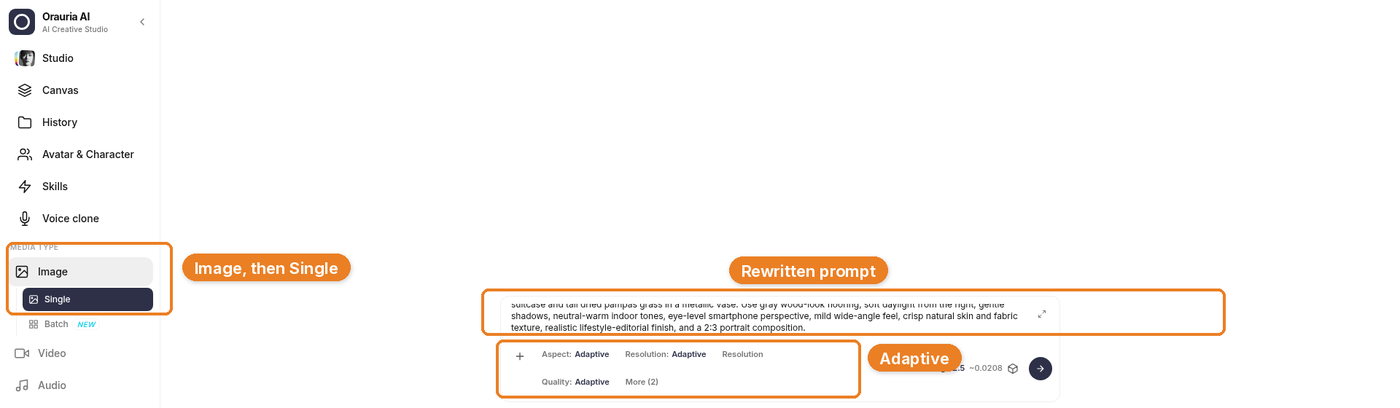
    Paste the rewritten prompt, not the original.

    Orauria Studio with Image then Single, the rewritten prompt describing a different woman, and Adaptive settings highlighted.
    The first line of the composer is the rewrite: “one adult woman with warm deep-brown skin, short natural black curls…” Adaptive is fine for this 2:3 fashion frame.

    Generation takes a few seconds; the result then appears. That wait is between a rewritten brief and a still you can judge.

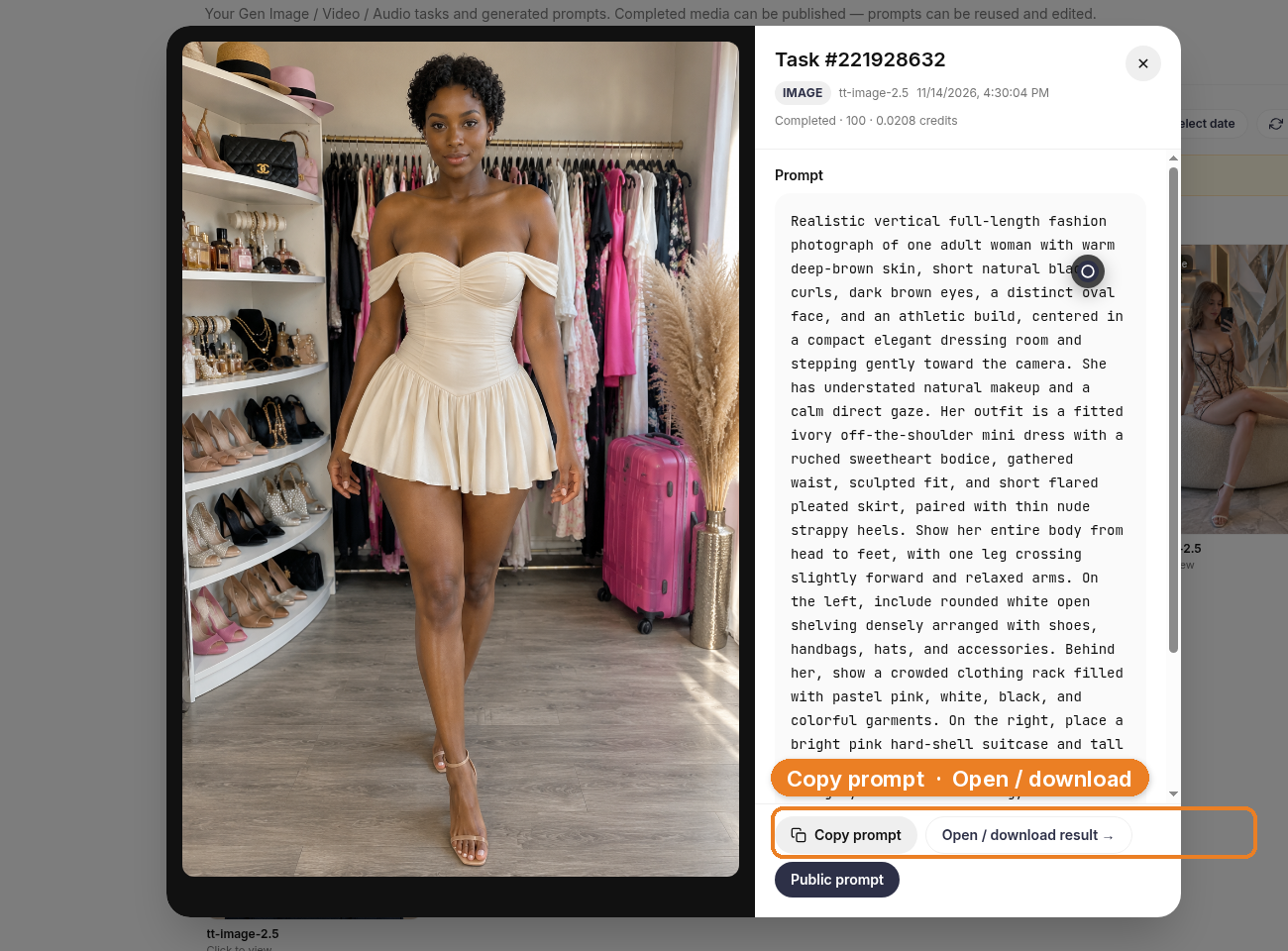
    The result kept the room and the dress, and it did not keep the woman from the pin. That is the standard. If a generation comes back looking like the reference face, it is not a keeper, no matter how well the pleats fell.

    The generated still in Studio History under TT Image 2.5: a woman with deep-brown skin and short black curls in the ivory off-the-shoulder dress, standing in the dressing room with the pink suitcase and pampas, with Copy prompt and Open / download result visible.
    One slide, generated from the rewritten prompt. Same set, same garment, a different person.

    Build the channel as carousels, not as single shots

    A fashion feed made of carousels has a simple job: slide one earns the swipe, the next slides pay it off — a second angle, a detail, a different outfit in the same world. We only generated one look for this demo, so we are not going to pretend the other slides exist. The mockup below is an illustration: the real still, plus clearly empty placeholders for looks we have not made.

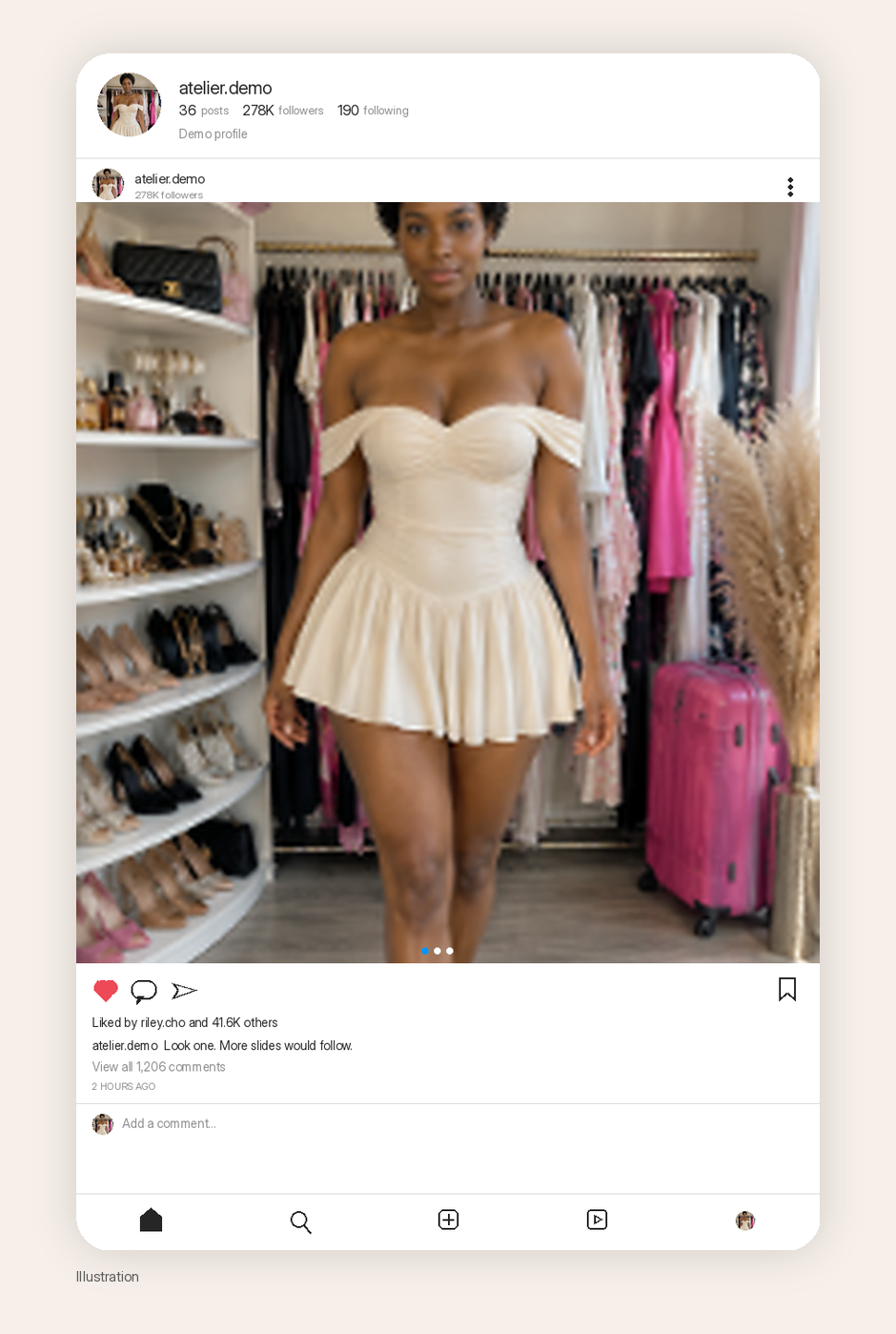
    Illustration of a realistic Instagram-style carousel post with the generated fashion still, carousel dots, fictional high engagement, and a small Illustration label.
    Illustration. One generated look in a realistic Instagram-style carousel. The likes, comments, and follower counts are fictional, not results from this channel. The mockup is not a claim that a three-slide carousel was produced for this article.

    When you do fill those slides, vary the thing the carousel is about — the outfit, the accessory, the crop — and hold the person still, or hold the room still, depending on the series you are building. Image to prompt can start each new look the same way: find a pin with a structure you want, copy the brief, change the face, generate. Do not skip the rewrite because you are in a hurry to fill Saturday’s post.

    How to fill the other slides

    A carousel is a short argument. Slide one has to earn the swipe; the rest have to pay it off. A simple storyboard, if you want one that does not invent images we did not make:

    • Slide one. The full look, head to toe, in the room you have already earned.
    • Slide two. A tighter crop: the neckline, the walk, the back of the dress, the shoe against the floor.
    • Slide three. A second outfit in the same dressing room, or the same outfit in a slightly different crop — still the same woman.

    We did not generate slides two and three for this article. The placeholder in the mockup is there so that stays obvious. When you do make them, change the thing the carousel is about, and hold the person still. If you need a new garment, you can run Image to prompt on another pin whose construction you like, then keep your character and drop her into the new brief. Rewrite the face every time a reference tries to bring one along.

    What you should not do is fill a ten-slide carousel with ten mild variations of the same frame. Readers can tell, and you will too, the moment you look at the set on a phone.

    What this playbook is not

    It is not a report of reach, revenue, or follower growth. The save count on the original pin is Pinterest’s number, not yours. The likes and follower counts in the mockup are fictional, not a report of reach. And it is not an argument that “AI fashion” is finished when the dress looks expensive. If the face still belongs to the reference, the post is not ready.

    Start here

    Install AI Assistant Copilot – Orauria from the Chrome Web Store, right-click the next fashion pin whose set you actually want to work in, and rewrite the person before you ever press generate. Make one honest first slide. Then build the rest of the carousel from that character, not from the pin.

    Start here: orauria.com, and the Chrome Web Store listing for AI Assistant Copilot – Orauria.
  • Seasonal Swim Campaigns with AI: Fast Drops Without Losing the World

    Seasonal Swim Campaigns with AI: Fast Drops Without Losing the World

    Swim drops do not wait for studio weather. Colors change weekly. Cuts multiply. The brand that regenerates a new beach every SKU looks like a stock site by mid-season.

    AI swimwear campaign images scale when you freeze a season world, swap garment refs, and gate fit — the same spine as a zero-budget lookbook, tuned for sun, water, and fabric cling.

    Key Takeaways

    • Seasonal speed comes from one world × many SKUs, not one prompt × many worlds.
    • Swim fabrics exaggerate fit errors — treat try-on gates seriously (virtual try-on ads).
    • Map campaign scenes with SCENE: hero stand, waterline, detail, motion freeze, shade/lifestyle.
    • Keep batch kit rules for palette and light across the season.
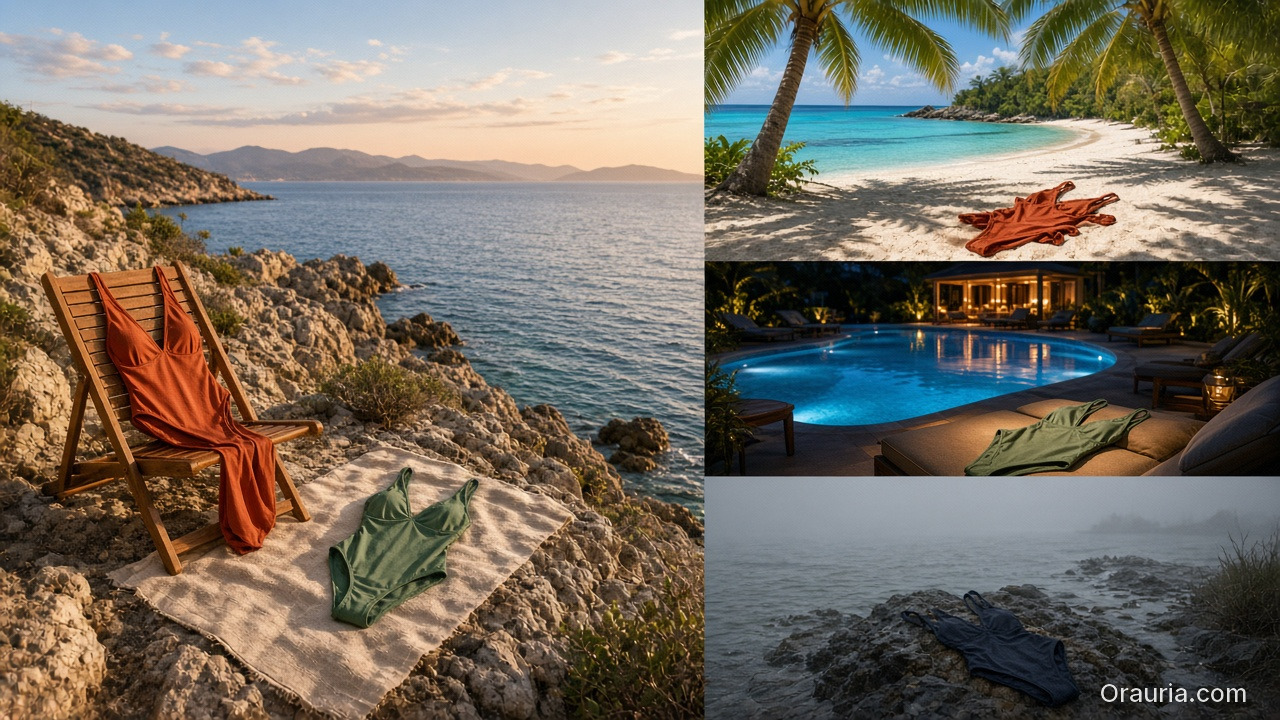
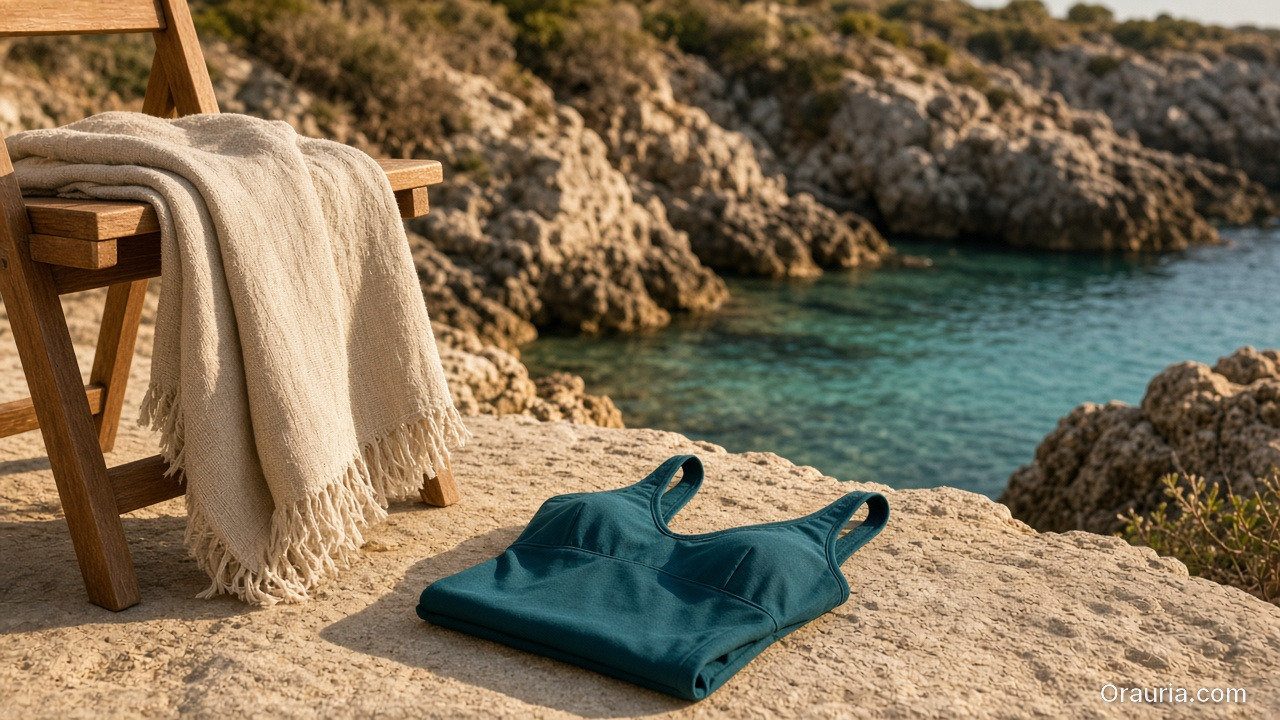
    A locked rocky-coast swim world with two coordinated one-piece suits on a chair and towel, versus three mismatched stock-like beaches, a night pool, and a foggy shore

    Why Do Seasonal AI Sets Look Cheap Mid-Campaign?

    Because time pressure invites world hopping.

    Fast bad habitSeason-safe habit
    New beach per colorwayOne locked coast/pool kit
    New model per drop weekOne character family
    Explore-first alwaysRefs-first after week one
    Publish every generateCurator gate on cling/fit

    Speed without a kit is just accelerated drift.

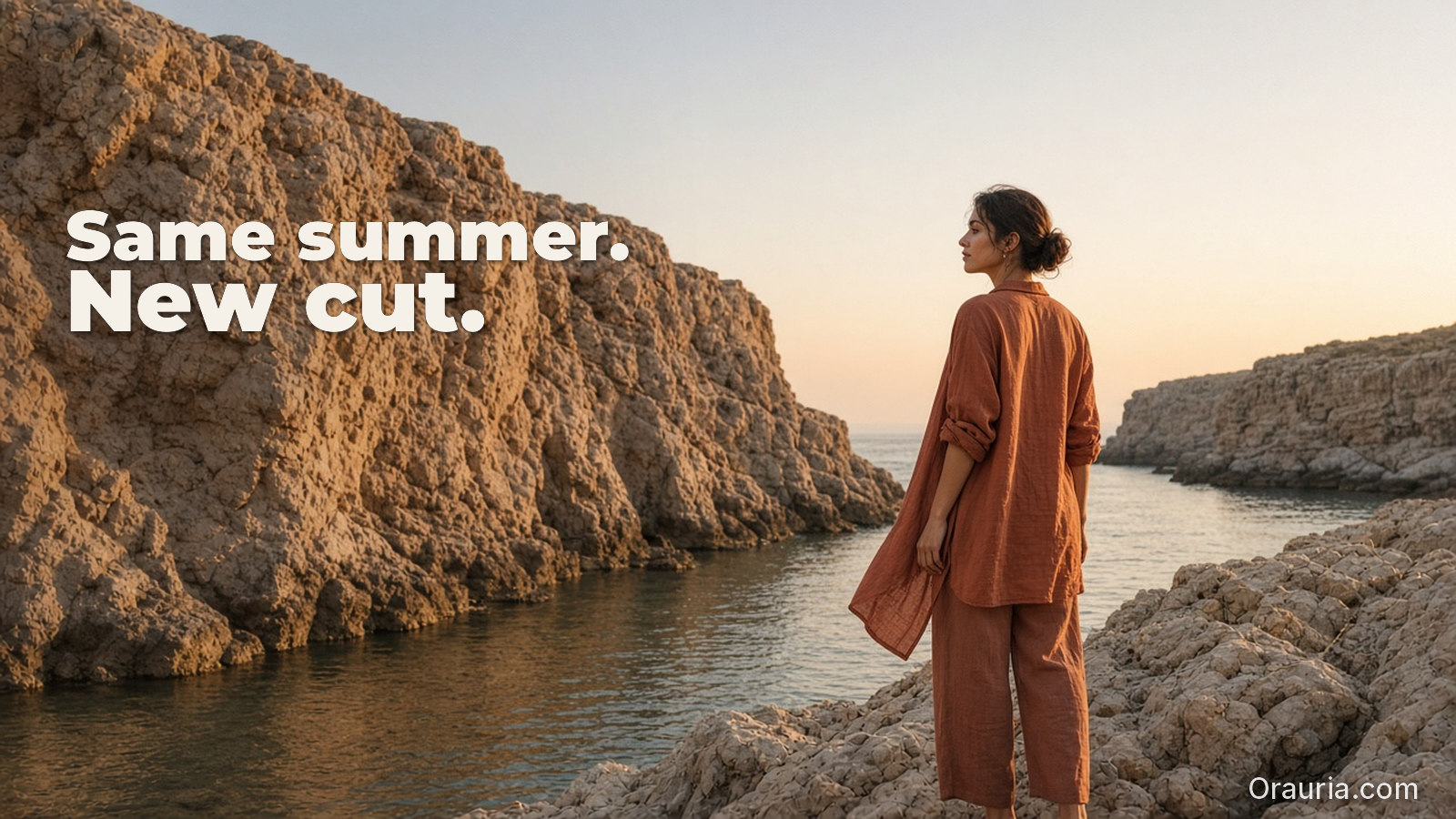
    Seasonal commerce rewards recognizable weather. Shoppers should feel “same summer, new cut” — not “new planet every Thursday.”

    A teal one-piece, linen towel, and teak chair on sun-warmed coastal rock, with a locked rocky cove and turquoise water behind

    Season World Checklist

    Lock before the first SKU batch:

    • Location class (pool / rocky coast / urban sun)
    • Time of day + light temperature
    • Water presence rules (wet fabric yes/no)
    • Prop kit (towel, chair) — minimal
    • Character / body anchors

    Write it in ten lines. Reuse all season.

    Playbook: Weekly Swim Drop

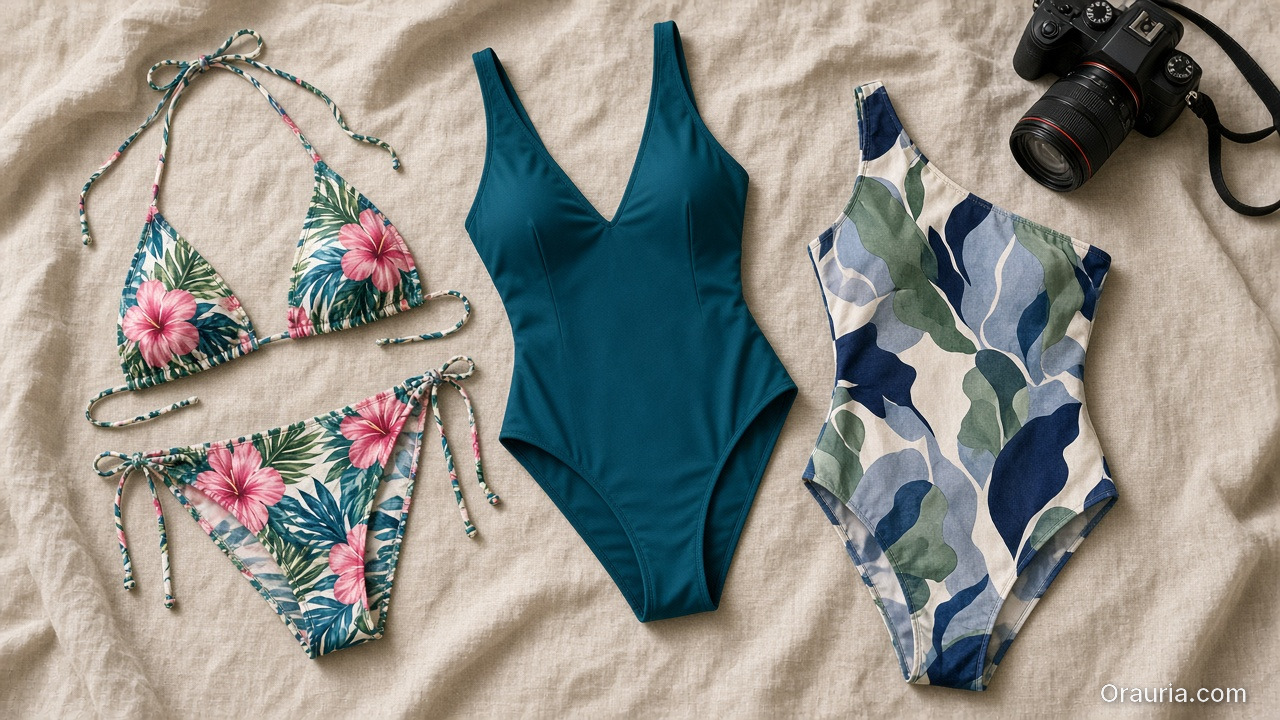
    Flat-lay of a floral bikini, a solid teal one-piece, and a printed one-piece on linen, with a camera for garment references

    Monday — Refs

    Photograph or flat-lay each new cut. Capture print scale.

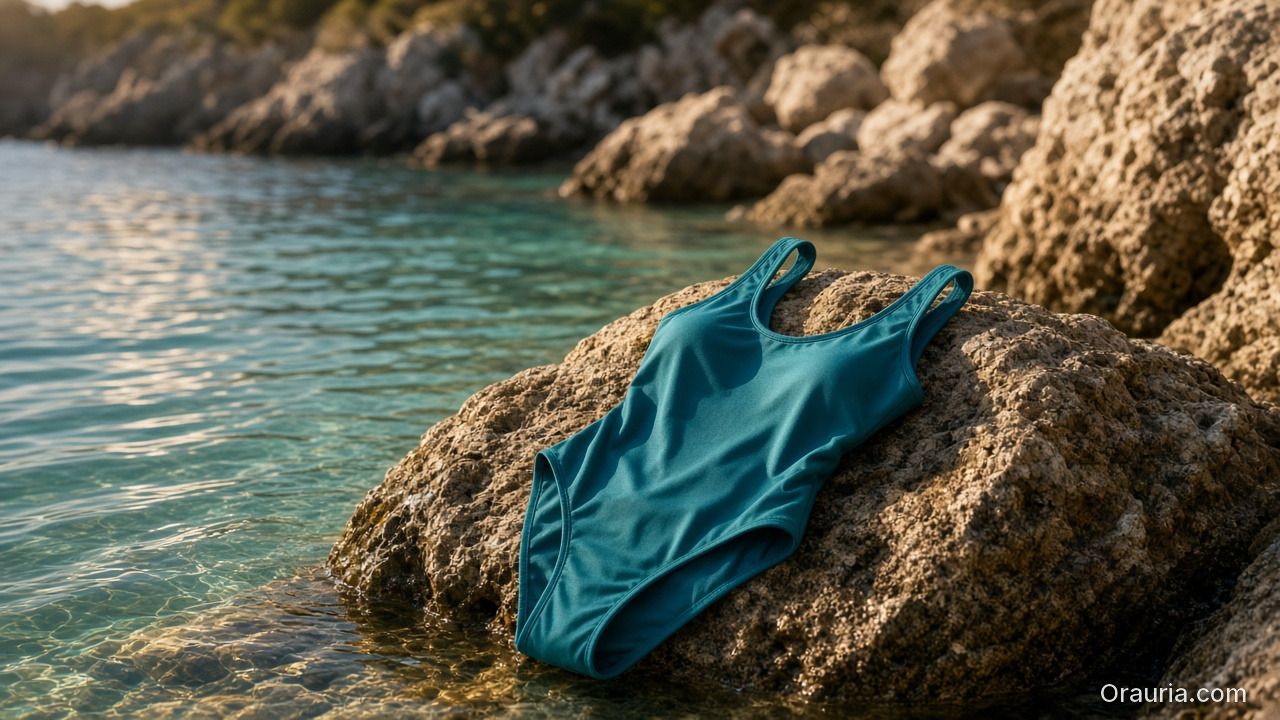
    A teal one-piece swimsuit displayed as a hero still on a sunlit rock at the turquoise waterline of a locked rocky cove

    Tuesday — Generate in-world

    On-body + hero stills with garment lock. No new locations.

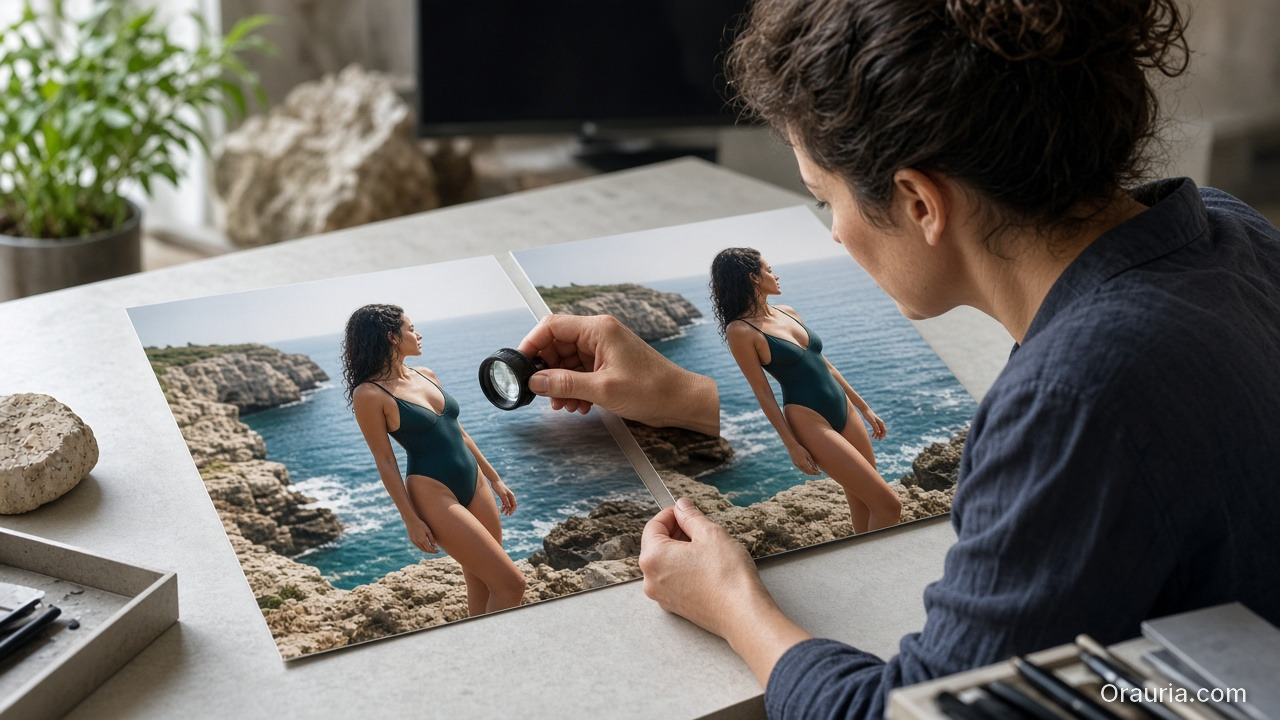
    A curator at a studio desk comparing two nearly identical coastal swim campaign prints with a loupe, no captions on the prints

    Wednesday — Gates

    • Fit/cling accuracy
    • Print placement
    • Character continuity
    • World leak check (suddenly indoor marble)

    Thursday — Channel crops

    Feed / Story / Shop hooks from winners (scene jobs).

    Friday — Archive

    Winners enter the season kit for next colorway swaps.

    Soft CTA

    Ship seasonal listing and campaign stills from locked worlds: Listing Images · Photography

    Frequently Asked Questions

    How many scenes does a swim campaign need?

    Five strong in-world scenes beat fifteen unrelated beaches. Expand SKUs, not planets.

    Wet look — generate or shoot?

    If wet drape matters to the SKU story, brief it explicitly and QA cling. Do not invent wetness that misrepresents fabric.

    Can I reuse last year’s world?

    Yes if brand season identity continues. Update props lightly; keep light logic if it still matches the collection.

    What breaks swim AI images most?

    Print drift on small patterns and strap geometry errors. Zoom those first.

    Conclusion

    Seasonal swim is a world business.

    Lock summer once. Swap cuts weekly. Gate fit. Crop for channels. That is how AI swimwear campaign images stay fast without looking rented from a stock library.


    References

    1. Adobe, 2026 Creators’ Toolkit Report, June 16, 2026. https://news.adobe.com/news/2026/06/creators-toolkit-report-2026
    2. Lumepixa, AI Product Photography Statistics 2026. https://lumepixa.app/blog/ai-product-photography-statistics
  • Virtual Try-On Ads: Fit Storytelling, Not Face Filters

    Virtual Try-On Ads: Fit Storytelling, Not Face Filters

    Virtual try-on promises “see it on me.” Too many AI ads deliver “see a stranger wearing almost your SKU.” Necklines drift. Sleeve lengths invent themselves. The face is gorgeous — and the garment is fiction.

    AI virtual try-on ads work when you treat try-on as fit storytelling: garment truth first, character second, filter effects never.

    Key Takeaways

    • Try-on is a garment fidelity problem with a human in frame — not a beauty filter with clothes attached.
    • Lock garment refs like hard goods lock geometry (hard goods QA); lock faces like character design.
    • Use try-on for Demo / Proof jobs in Shop scene types — not as every hook.
    • Zero-reshoot colorways: swap garment refs inside one pose world (3-day lookbook).
    A glamorous face-and-shoulder beauty crop beside a sharply different square-neck linen dress on a hanger

    Why Do Try-On Ads Fail After the Click?

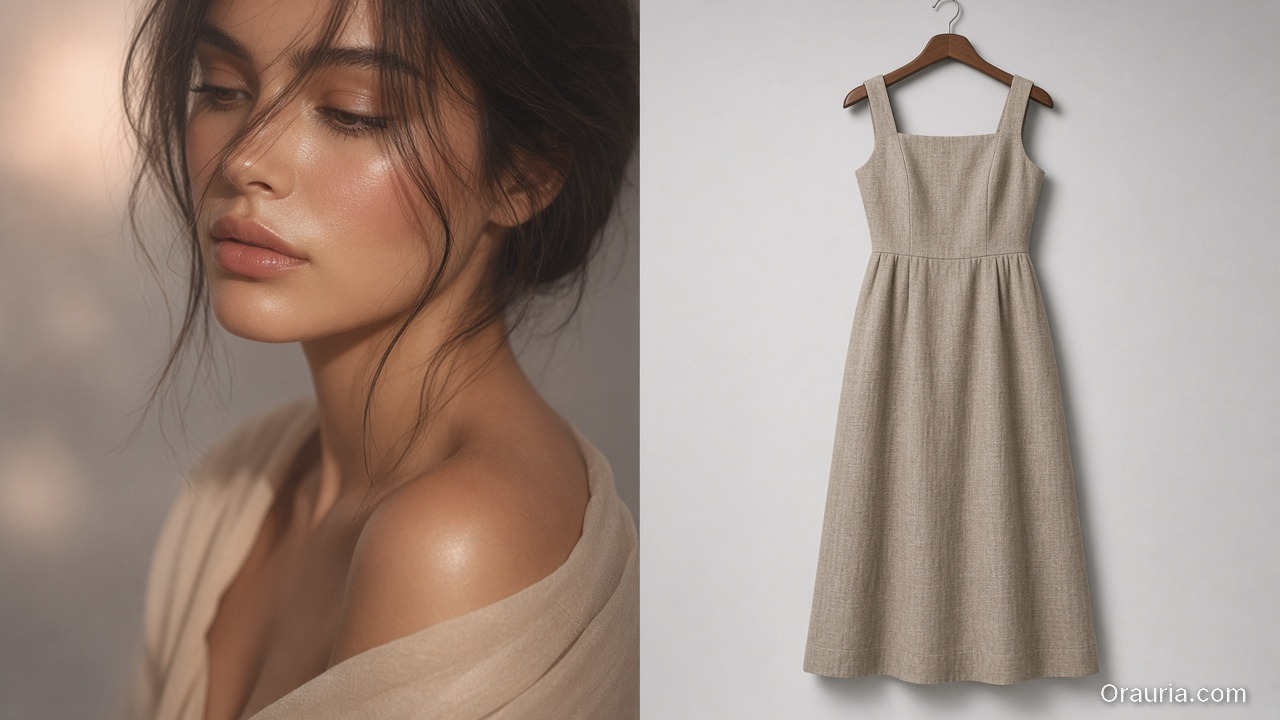
    Because the ad sold a face mood and the PDP shows a different garment.

    Ad promisePDP realityResult
    Perfect drapeStiffer fabricReturn
    Shorter hemTrue lengthDistrust
    Model body matchSize chart ignoredSize chaos
    New face every frameBrand amnesiaLow recall

    Try-on without gates burns paid traffic.

    Shoppers forgive AI skin. They do not forgive AI seam lines. Fit storytelling starts at the stitch, not the smile.

    What Must Be Locked for Honest Try-On?

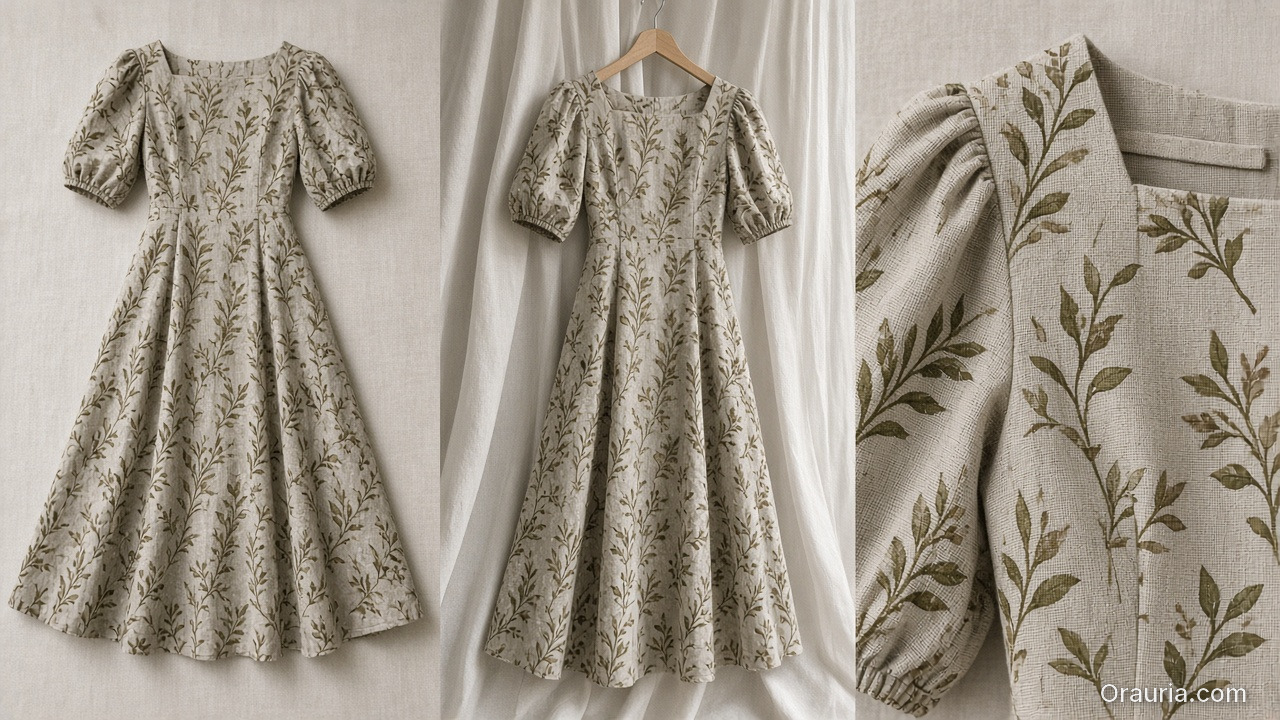
    The same printed midi dress shown flat, on a hanger, and in a close crop of neckline, sleeve, and print scale

    Garment bible

    • Silhouette, neckline, sleeve, length, closure
    • Print scale and placement
    • Fabric category (knit / woven / sheer)
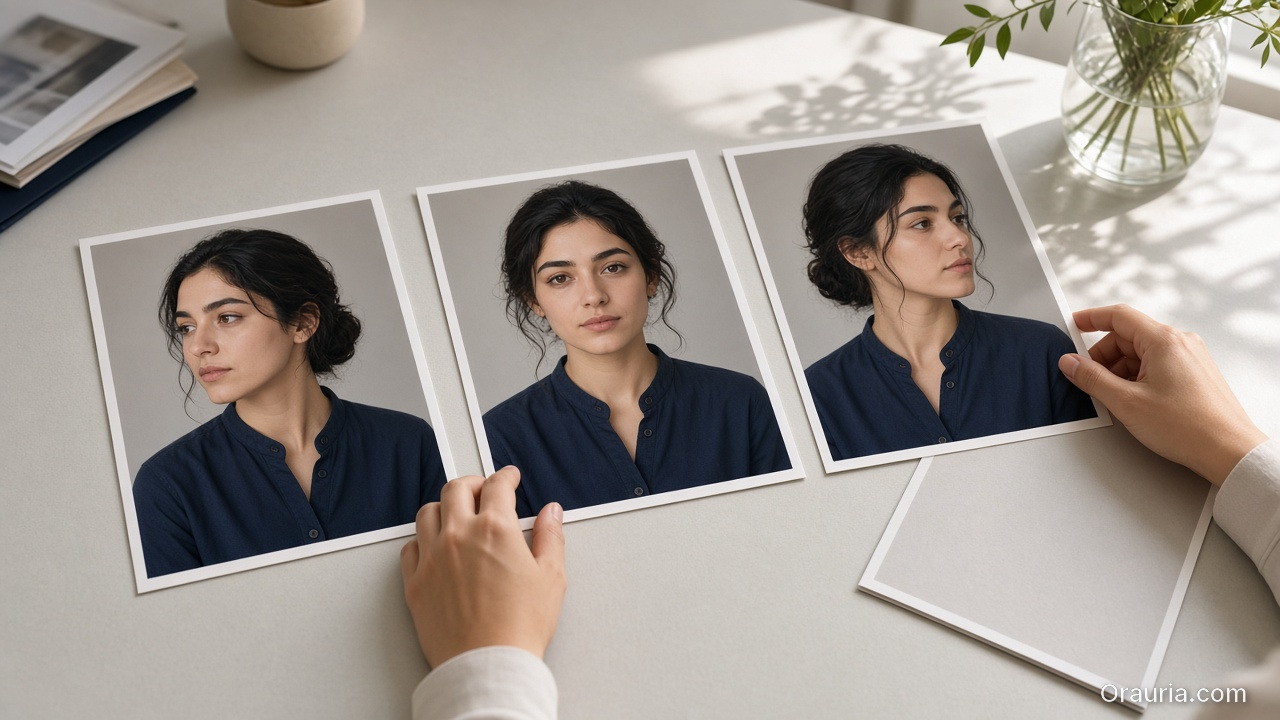
    Three consistent mid-shot prints of the same person in a navy shirt on a studio desk, with one rejected print face-down

    Character rules (if face/body shown)

    • One anchor identity across the set
    • Body proportions stable enough for size intuition
    • No “new cousin” every creative
    Three prints of the same modest dress: on a dress form, a shoulder-and-waist fit detail, and a later hook crop

    Scene job

    • Demo: on-body motion or turn
    • Proof: detail of fit at shoulder/waist
    • Hook: only after garment passes
    A try-on playbook desk with garment refs, a dress-form still, a loupe on the hem, colorway variants, and a rejected beauty-only print

    Playbook: Try-On Without Filter Energy

    1. Capture garment refs — flat + on-hanger + detail
    2. Approve a base on-body still reference-heavy
    3. Garment QA gate — zoom hems, necklines, prints
    4. Extend to ads — crop to 9:16 / 4:5; do not regenerate identity per ratio
    5. Colorway variants — swap garment ref only; keep pose/world
    6. Reject beauty-only winners that fail garment match

    Pair with lookbook world rules (lookbook needs a world).

    Soft CTA

    Build listing and on-body stills from real garment refs: Listing Images · Gallery

    Frequently Asked Questions

    What makes AI virtual try-on ads trustworthy?

    Garment fidelity under zoom, stable character, and clear Demo/Proof jobs — not maximal beauty scores.

    Do I need a different model for try-on vs packshots?

    Choose for the fidelity bottleneck after direction. Try-on usually needs stronger reference lock than lifestyle exploration.

    Can try-on replace size charts?

    No. It supports intuition. Charts and measurements remain mandatory.

    How many try-on frames per SKU?

    One approved on-body hero + one detail proof beats six drifted beauties.

    Conclusion

    Stop shipping face filters in dresses. Ship fit stories.

    Lock the garment. Gate the seams. Keep one character. Use try-on where Demo and Proof matter. That is how AI virtual try-on ads earn clicks that survive the PDP.


    References

    1. Adobe, 2026 Creators’ Toolkit Report, June 16, 2026. https://news.adobe.com/news/2026/06/creators-toolkit-report-2026
    2. Lumepixa, Product Image Statistics 2026. https://lumepixa.app/blog/ecommerce-product-image-statistics
  • Fashion Lookbook on Zero Budget: A 3-Day Playbook for Small Brands

    Fashion Lookbook on Zero Budget: A 3-Day Playbook for Small Brands

    You have twelve SKUs, one phone, no studio booking, and a drop date that will not move. The agency quote is a fantasy. The Instagram moodboard is a trap. What you need is not “more AI fashion.” You need a three-day playbook that produces a coherent lookbook without a budget line for production.

    AI fashion lookbook small brand success is almost never about the prettiest single render. It is about one world, honest garment references, and curator gates that kill cousins before they publish.

    Key Takeaways

    • Zero budget does not mean zero direction. It means world + refs + gates instead of studio days.
    • Pillar idea still holds: a lookbook needs a world, not a studio.
    • Adobe’s 2026 report: 57% of creators say AI outputs need moderate or extensive editing before publish — plan curator time into the three days (Adobe, 2026).
    • Reuse one character / light family across outfits; change garments, not identity — see face consistency when a model face repeats.

    This is the SME fashion spoke under lookbook thinking. Experiment sibling: 1 outfit × 8 scenes.

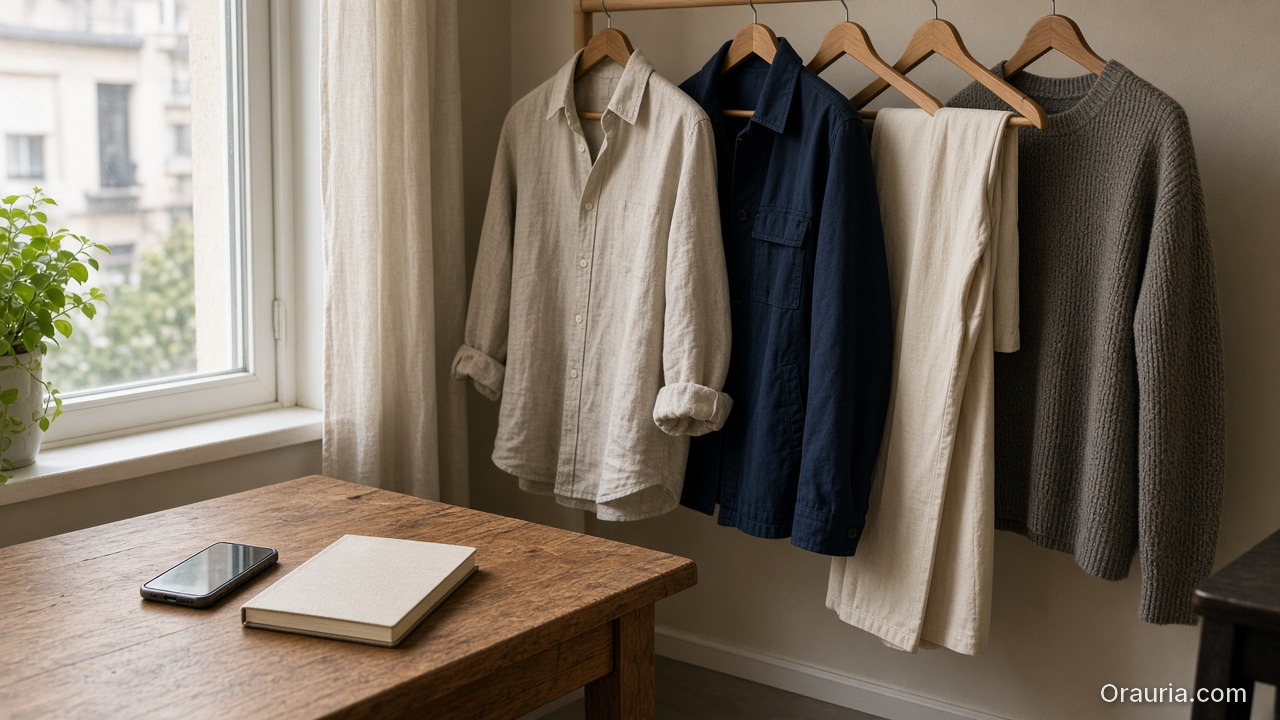
    A wooden table by a window with a phone and a closed notebook, modest shirts, trousers and a sweater hanging on a rail nearby

    What Does “Zero Budget” Actually Mean?

    It means you will not buy:

    • Studio day
    • Pro model booking (optional: founder / friend as anchor face)
    • Agency art direction retainer

    It does not mean you skip:

    • A written world paragraph
    • Flat-lay or on-hanger garment refs
    • A reject pile

    Zero budget without gates produces a folder of beautiful strangers wearing almost-your-clothes.

    Small brands fail AI lookbooks when they try to buy agency aesthetics with scrap references. The fix is fewer scenes, stricter world, better refs — not a bigger model.

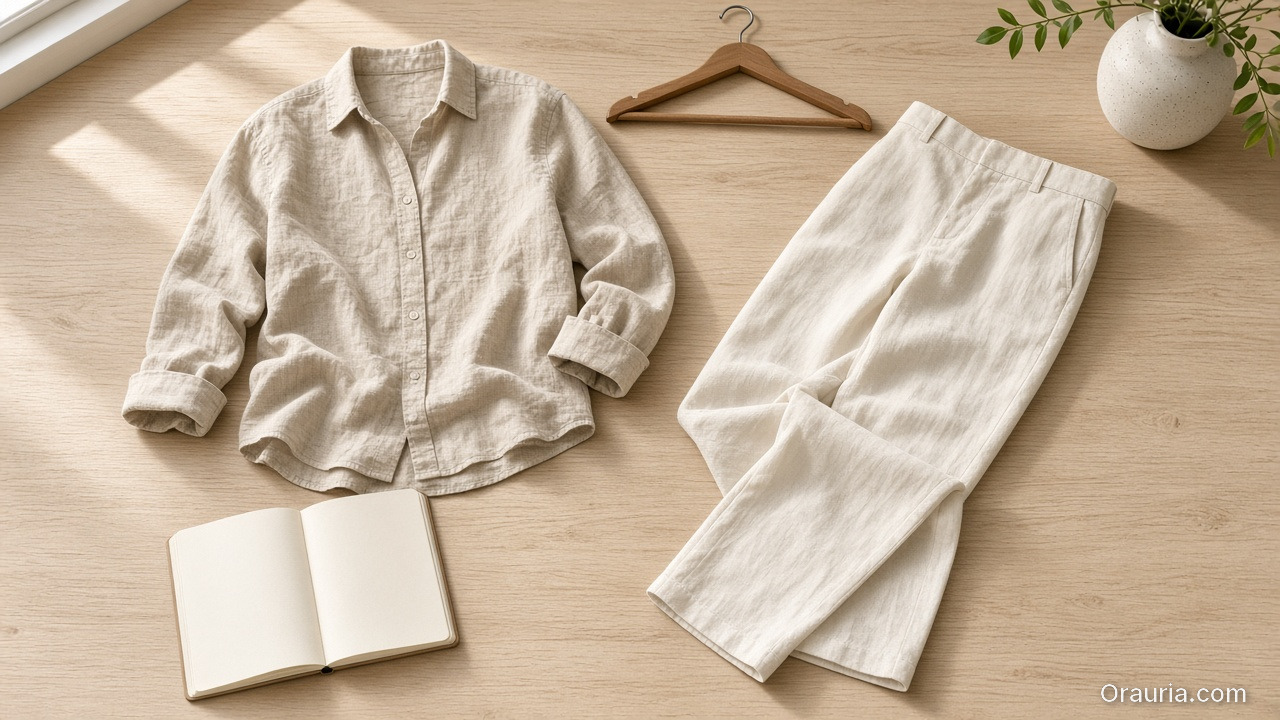
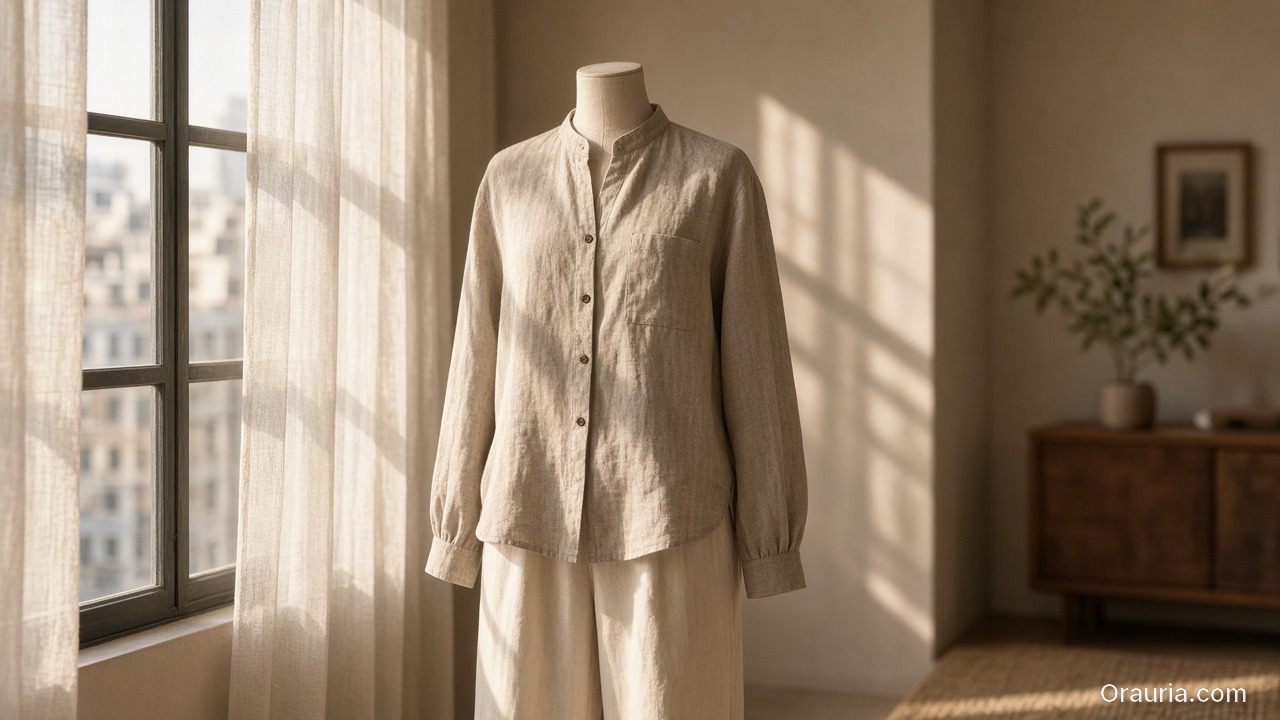
    A beige linen shirt and cream trousers flat-laid on pale wood beside an empty hanger, a blank open notebook, and window light

    The 3-Day Playbook

    Day 1 — World, kit, references (no heavy generating)

    Morning — Write the world (10 lines max)

    • Place (rooftop golden hour / concrete stair / apartment window)
    • Season and light logic
    • Emotion (sharp calm / weekend ease / night out)
    • No-go (neon cyber, beach club, marble bathroom if off-brand)

    This is lookbook thinking compressed — world before wardrobe.

    Afternoon — Capture garment truth

    For each SKU:

    • Front flat or hanger
    • Back / detail if print or hardware matters
    • Color in daylight if possible

    Phone is enough. Crooked is okay. Lying labels are not.

    Evening — Lock character decision

    Gate end of Day 1: world paragraph approved, refs named, face decision frozen.

    A headless dress form in a beige linen shirt and cream trousers standing by a sunlit apartment window with sheer curtains

    Day 2 — Generate inside the world (not across the planet)

    Morning — Scene map (not 30 ideas)

    Pick 6–8 scenes max for the drop:

    SceneJob
    Hero standingCatalog recognition
    Walk / motion freezeLife in garment
    Detail cropFabric / stitch truth
    Seated / leanAttitude
    Pairing / layerStyling story
    Wide environmentalWorld proof

    Use SCENE in one line per scene — skip novel-length prompts.

    Afternoon — Reference-heavy generation

    • Garment ref always on
    • World locked
    • Explore mode only for background micro-variants after one hero scene passes

    Read reference vs explore before you “just try something wild.”

    Evening — Hard curator pass

    Reject:

    • Wrong sleeve length / neckline
    • Fabric that turned into another mill
    • Face cousins
    • World leaks (suddenly beach)

    Adobe’s 57% edit rate is your calendar: leave hours for rejects, not only for generates.

    Day 3 — Adapt, sequence, ship

    Morning — Build the lookbook sequence

    Order matters: world establish → hero SKUs → detail breaths → closer.

    Afternoon — Channel crops

    • Lookbook PDF / site grid
    • 4:5 feed
    • 9:16 story/reel covers

    Same masters; different jobs — do not regenerate a new identity per ratio.

    Evening — Publish set review

    View the full set as one brand. If SKU seven looks like a different label, it does not ship.

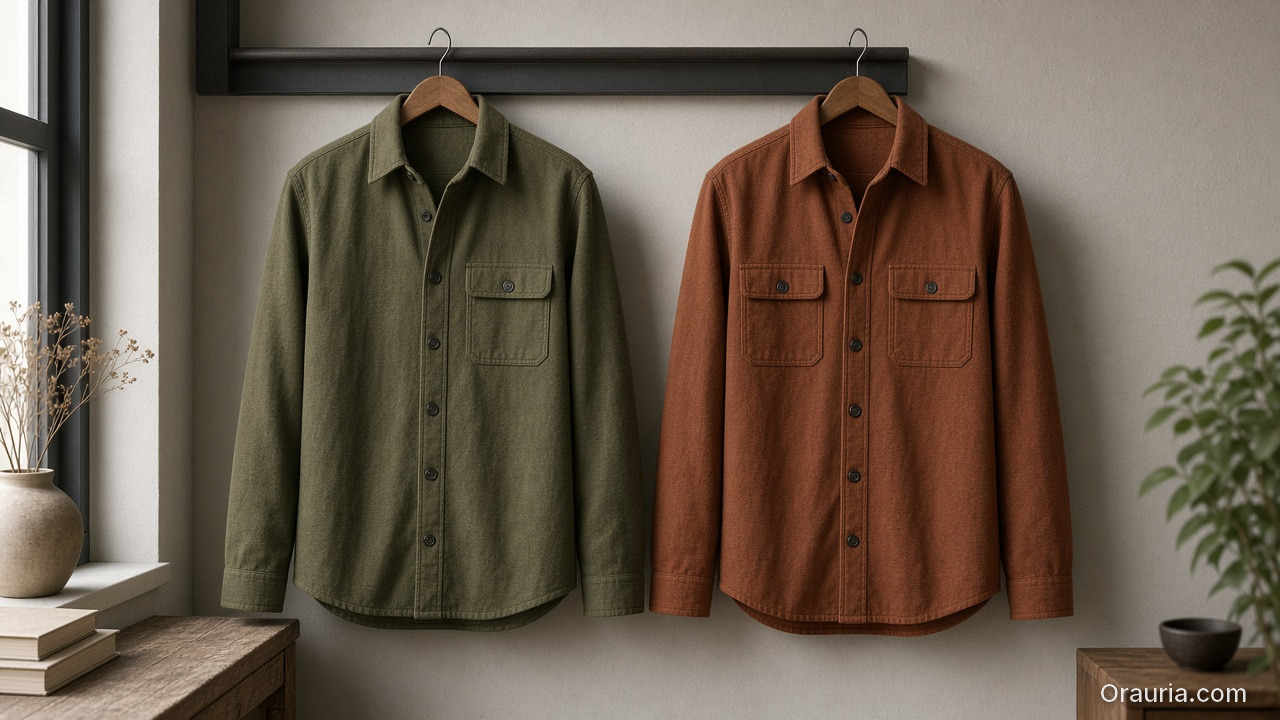
    Two identical modest overshirts hanging side by side in the same window light, one olive and one rust

    Clothes Variants Without a Reshoot

    When you need a second colorway:

    1. Keep pose / world / character locked
    2. Swap only the garment reference
    3. Gate color accuracy against the real SKU
    4. Do not “prompt the color” from memory

    That is the small-brand version of zero-reshoot varianting — still honesty-first.

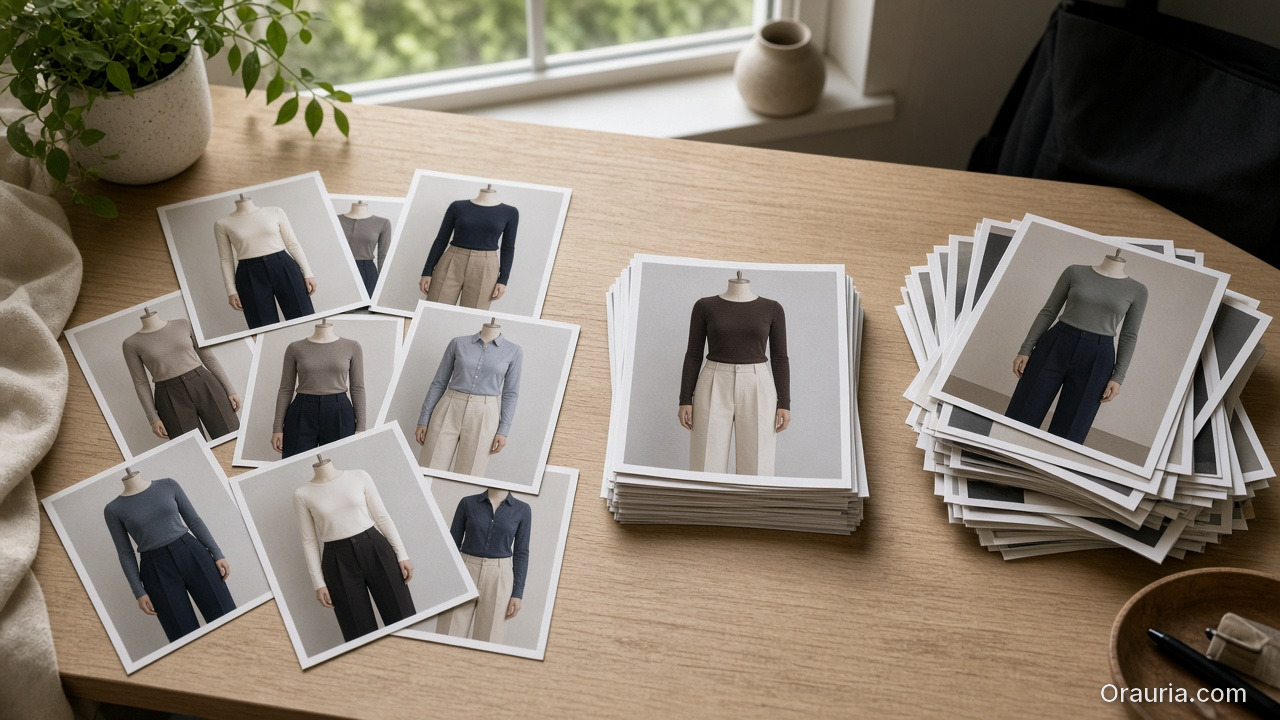
    Lookbook prints of dress-form outfits spread on a desk, with a neat accepted stack in the center and a larger pile to the right

    What to Skip on Purpose

    SkipWhy
    20 scene ideasDilutes world
    New face per outfitBreaks memory
    Luxury stock locations you cannot ownFeels rented
    Text-heavy fashion posters in hero framesAI typography risk
    Publishing every “good enough” frameVolume ≠ lookbook

    Batch thinking still applies: one kit, many SKUs — not one prompt per hanger.

    Soft CTA

    Build listing and lookbook stills from real garment refs in one creative workspace: Listing Images · Gallery

    Frequently Asked Questions

    Can a small brand really ship an AI fashion lookbook in three days?

    Yes — if Day 1 is discipline (world + refs), Day 2 is gated generation, and Day 3 is sequence and crops. Skipping Day 1 guarantees chaos.

    How is this different from general AI lookbook thinking?

    The pillar explains why world beats studio. This playbook is the calendar for SMEs with no budget line.

    Do I need a professional model?

    No. Hands-only or one consistent anchor face often reads more honest for small brands than a rotating cast of AI faces.

    How many outfits can I cover in three days?

    Typically one drop family (8–15 SKUs) if refs are ready. More SKUs need the same world but extra curator hours — not extra worlds.

    What if garment fidelity keeps failing?

    Improve references and lighting truth before changing models. Most “model problems” are ref problems.

    Should I mix AI looks with real phone photos?

    Yes — phone truth for ecom details, AI for world extension, clearly sequenced. Hybrid sets often feel more trustworthy than all-AI fantasy.

    Conclusion

    Zero budget is not a creative death sentence. It is a constraint that forces lookbook thinking.

    Day 1: world and refs. Day 2: generate inside gates. Day 3: sequence and ship. Change outfits, not identity. Reject cousins. Crop masters instead of reinventing them.

    That is how a small brand ships an AI fashion lookbook that looks like a brand — not like a weekend with a random image model.


    References

    1. Adobe, 2026 Creators’ Toolkit Report, June 16, 2026. https://news.adobe.com/news/2026/06/creators-toolkit-report-2026
    2. Adobe, Inaugural Creators’ Toolkit Report (Adobe MAX 2025), October 28, 2025. https://news.adobe.com/news/2025/10/adobe-max-2025-creators-survey