
This article is part of a practical Grok Bot series that began with 7 Grok Bot Tips to Schedule Posts, Filter Upwork Jobs, and Research Faster and continued through a weekly social-posting routine with Postiz, an Upwork job filter with human-reviewed proposal drafts, a research workflow that turns sources and verification into a skill, and a multi-bot team extended with Orauria. The use-case pieces so far have covered a weekday competitor price watch and a pack that turns one blog post into approved social drafts. This third use-case goes deeper on a morning job: a short trend and industry-news digest, built from public posts on X and from the open web, that waits for you before anything is said in public. It is written as an illustrative week, not a client case study, and it does not claim an official partnership with xAI or Grok Bot.
Facts about Grok Bot come from public pages on x.ai/bot and docs.x.ai, including the documentation on skills and routines and the cloud computer and apps (updated 11 November 2026). We checked those sources on 12 November 2026 (Asia/Saigon, UTC+7). Official docs describe a Bot that can search and read public posts on X without connecting an account, in a read-only way. Connecting an X account through the X plugin, if you later want that path, needs X API credits. We have not independently run this exact digest workflow end to end inside Grok Bot.
Key takeaways. A useful morning digest is not a Bot that dumps forty links into the chat and announces that “everything is trending.” It is a short, named skill, a weekday routine in your time zone, a beat list you can audit, and a brief that quotes sources, keeps links, and refuses to invent a trend. Official docs describe a persistent cloud computer with a browser, files, and a command line, plus scheduled routines that keep running while your laptop is closed. Public X and the open web are enough to start; you do not have to connect an X account to read what is already public. Effectiveness is not a promised number of stories caught. It is what you measure on your own beat list: coverage, source quality, invented or unsourced claims, duplicate stories, time to a brief you trust, and whether the Bot stayed silent in public. The Bot prepares. You still decide what is worth a comment, a share, or a longer note.
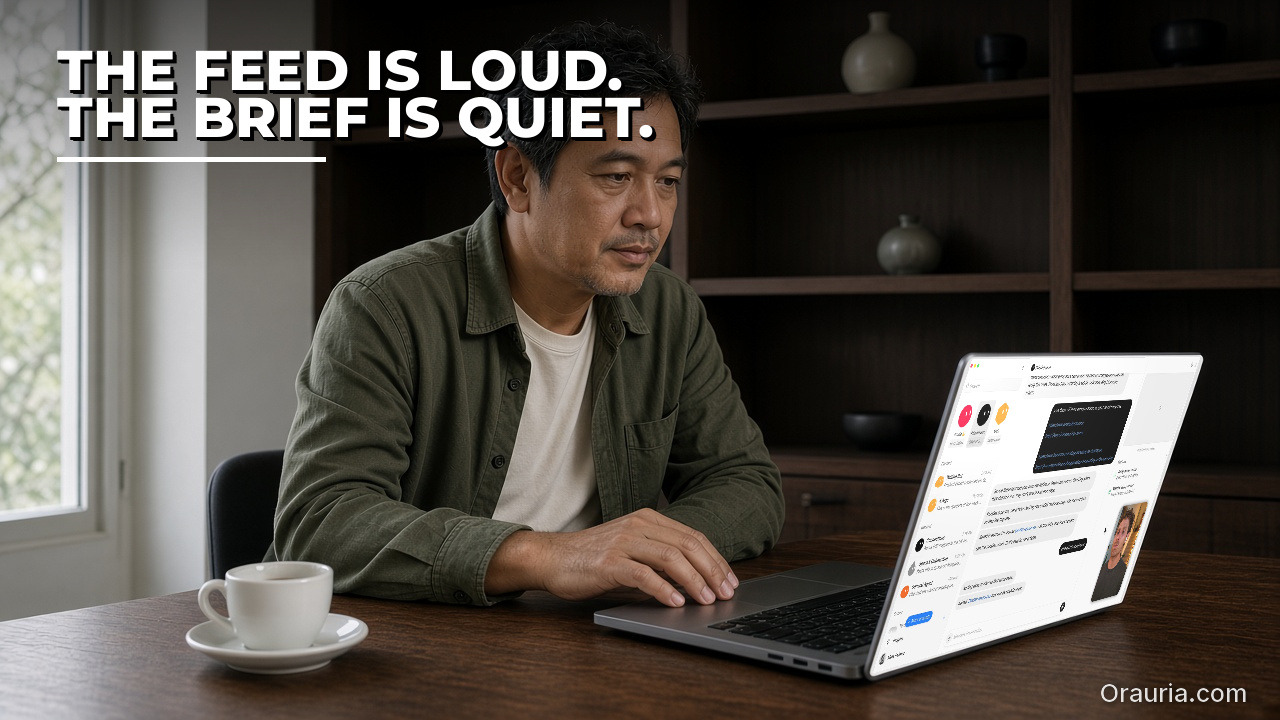
The morning feeling of a feed that will not wait
Meet Minh. He is not a real client. He is an illustrative founder in his mid-forties, running a small B2B brand in an industry that moves in public — trade news, competitor threads, a handful of journalists, and a noisy stretch of X before breakfast. What still wears him down is 6:50 a.m. The feeling is familiar: a tight jaw, a thumb already scrolling, five news tabs, and a vague sense that something important happened overnight and he will hear about it from a customer first. One thread looks loud. A headline is already a reprint of a reprint. A third tab is slow, and he is not sure whether the story is new or he is looking at yesterday’s announcement with a new image. In an hour he will sit in a standup and be asked “did you see that?” He does not want a speech. He wants a short brief he can defend.
That feeling is not curiosity gone wrong. It is the specific fatigue of doing a careful job with a tool that cannot remember what “our beat” means. Minh is good at deciding what matters to his team. He is tired of re-collecting the evidence every morning. The “after” we want is quieter. Mid-morning, he opens a short digest that was waiting for him: twelve items on the beat list, nine checked, one site blocked, two posts no longer public, and four material items with a source link, a one-line why-it-matters, and a note on whether the story is original or a reprint. Nothing has been posted from his accounts. The Bot has not drafted a hot take into a scheduler. His shoulders drop a little. He still owns the next decision, but he no longer has to rebuild the morning from a raw feed before he can make it. Your industry will not be his. The feeling you want — a brief instead of an anxious scroll — is available.

What effectiveness looks like, and how to measure your own digest
It is tempting to judge a digest routine by how early it finishes, or by a promised count of “trends spotted.” If the Bot invents a trend, treats a reprint as breaking news, or misses the one thread your customers will mention, speed is a bad scoreboard. We will not invent a percentage improvement and pretend it came from a real newsroom. In this workflow, effectiveness is closer to a trustworthy brief than to a scroll. You can start measuring this week, in a notebook or a sheet, with five questions.
- Coverage. Of the beats, queries, and public accounts on today’s list, how many were actually opened and recorded?
- Source quality. How many items include a link you can reopen, a clear origin, and a note on whether you are looking at a primary post or a reprint?
- Invented or unsourced claims. How often did the brief use words such as “trending,” “everyone,” or “the industry is moving” without a source you can check?
- Duplicates and false alarms. How many “new” items were the same story under a new headline, a quote-tweet of a quote-tweet, or a rumor the skill should have marked as unverified?
- Time to a usable digest, and unapproved posts. Once the routine has run, how many minutes do you still spend checking, cutting, and deciding — and did the Bot stay silent in public until you said so?
Minh’s illustrative target — you should replace it with your own — looks like this. Before the system, a typical morning might mean twenty hurried tabs, one missed announcement, and a story he only learned because a customer forwarded it. After a few iterations, a “healthy” run might be: a brief waiting before standup, nearly every named beat checked, failures listed instead of guessed, only material items highlighted, and no public post made from the Bot. If a morning goes badly, the record should tell you whether the problem was a vague beat list, a page the Bot could not read, a threshold so loose that every loud thread looked like news, or a habit of trusting a fluent paragraph without reopening the link. That is more useful than a screenshot of a long chat that merely looks busy.
There is one more honesty rule. Do not let the Bot congratulate you with a made-up “trend score” or a count of hours saved. Ask it to report which queries it ran, which public posts and pages it opened, what it could not verify, and what is waiting for you. The feeling of effectiveness is not “the machine already spoke for the brand.” It is “the change in the feed is visible, and the next sentence is still mine.”

How the loop works: public X, the web, a skill, and a human in the loop
Under the hood, this is still a small agent loop, not an autonomous newsdesk. You give the Bot a method. It uses tools. It leaves a digest where you can find it. Only then — and only if you choose — does a story become a comment, a share, or a longer note. You do that part.
Grok Bot is an AI teammate with a persistent cloud computer that has a browser, files, and a terminal, so work can continue after you close your laptop. Official documentation describes two pieces that fit this job. A skill is a reusable set of instructions: when to use it, required inputs, the steps, how to check the result, what to return, and what needs your approval. A routine tells one Bot when to run that work — on a schedule, or when an event happens. Routines run in the cloud while your laptop is closed. The same documentation page states hourly limits: all of your routines together can run up to 300 times an hour, and each routine up to 200 times an hour. A weekday morning digest does not need to approach those limits. Official docs also say a Bot can own up to 50 routines, that schedules must be at least five minutes apart, and that a new routine waits for its next scheduled time rather than running at the moment you create it. Use Test when you want a run now, and remember that a test performs real work.
For this use case, the practical tools are ordinary, and one of them deserves a precise sentence. Official docs describe a Bot that can search and read public posts on X without connecting an account, and that this path is read-only. That is the starting path we recommend here. If you later connect an X account through the X plugin, official materials say that path needs X API credits; we have not independently verified that plugin in this run, so treat it as documented design to test, not as a finished recipe. The Bot’s cloud browser can also open public news pages, company blogs, and filings on a list you provide. It can write the digest as a dated file under /workspace, or as a short brief in the chat. The research discipline from the earlier article on a workflow that turns sources and verification into a skill still applies: keep the link, name the source, and flag what you could not check.
Two boundaries matter more than the tools. First, this workflow should stick to what is already public. Official docs are clear that when a site puts up a login, a passkey, a CAPTCHA, or a human check, the Bot should pause and hand the computer to you rather than invent a workaround, and you should never paste passwords or one-time codes into ordinary chat. A digest skill should say the same in writing: if a page or a post will not load, record the failure and stop. Do not create accounts to get behind a wall, and do not ask the Bot to bypass a block. Second, “trending” is not a fact unless you can show what you measured. A loud thread can be true, stale, coordinated, or theatrical. The brief should quote what it saw, with a time and a link, and leave the judgment to you.
Because the cloud computer — files, logins, and browser sessions — is shared by every Bot on your account, do not leave social logins, analytics passwords, or API keys in the digest folder. Use a secret card, a Connect flow, or Vault for anything that should stay private. The official docs also describe Teach a task: when the control is available, you can demonstrate a browser workflow for up to ten minutes and review the skill the Bot drafts. That capability may be enabled gradually. If you do not see it, write the steps yourself from one successful manual run. Either way, the learned or written skill is a draft until you add failure handling and a hard rule: never invent a trend, never treat a reprint as a primary source without saying so, and never post, comment, or schedule a public message without your explicit approval on that item.
Context and memory follow the same logic as the rest of this series. Do not expect the Bot to “remember” last month’s beat from a long chat. Durable rules live in the skill. The week’s evidence lives in a dated table: beat, query or account, source URL, time captured, a one-line summary, why it might matter, a status such as checked, blocked, missing, or needs review, and a note on whether it is original or a reprint. The morning digest is a contract you can read in a few minutes: what changed enough to care about, what failed, and what still needs you.

Setup experience: from a beat list to the first morning digest
The first setup is not a five-minute trick. It is a careful evening, and the reward is that you name the job once and then improve the skill, instead of improvising the scroll every morning.
1. Write a beat list, not a vague industry. On paper or in a sheet, list the exact public queries, accounts, and news pages you care about this month. A useful row has a name, a URL or a search phrase, a language you expect, and why this beat belongs to you. “Watch the whole industry” is not a list. Twelve named beats you can reopen by hand is a list. Start narrower than you think. A short list you can verify is more valuable than fifty tabs you will never audit.
2. Run the method once, in front of you, before you create a routine. Give the Bot the list and a first version of the skill. Ask it to search public posts on X where that is enough, to open public pages on the list, and to write a short item for anything material — with a link, a time, and a one-line why. Sit with the computer preview open, as the official docs describe, so you can watch the work rather than hoping the chat is enough. If a site asks for a login or shows a CAPTCHA, take over for that step or, better for this job, skip the page and have the Bot record that it could not read it. Never paste a password into the chat to “just finish the digest.”
3. Save a skill a stranger could follow. After one clean run, ask the Bot to save the method as a skill. It should say when to use it, what inputs it needs, the order of work, how to validate a source, what the digest should look like, and what requires your approval. Put the hard rules in writing. Do not invent a trend, a consensus, or a number of impressions. Do not treat a reprint as a primary source without saying so. Quote the page or the post, keep the URL and the time, and flag uncertainty. If the item is gone, blocked, or ambiguous, say so and stop. Do not post, comment, email, or schedule a public message unless you approve that exact item.
4. Only then attach a routine, in the right time zone. Ask the Bot that should own the job to run the skill on weekday mornings, at a time that is early for you and late enough that overnight posts have usually landed. Official docs say schedules use the time zone in Settings, under Bot, labeled Timezone, and that you should open the routine and check When to run, which shows the saved schedule in words. If it does not match what you meant, edit it. A new routine will not run at creation; use Test once on a safe list, then let the next weekday be the first real morning. Keep the cadence slow. You do not need a digest every five minutes. You need a brief you will actually read before standup.
5. Decide where the digest lives, and keep secrets off the shared computer. A dated file in /workspace is enough. If you later connect a sheet or a chat you already read, treat the first connection as a test: confirm the Bot can write only where you intended, and that it still stops before posting anywhere public. Official docs are clear that connected apps are account-wide, and that the cloud computer is shared across your Bots. Social logins and analytics sessions do not belong in the digest folder.
Pitfalls you will see in the first week (and the ones this illustrative run shows Minh). The list was a category, not beats, so the Bot wandered into a louder but irrelevant corner of X. A reprint was written up as breaking news. A blocked page was summarized as “nothing new.” The time zone was wrong, and the digest arrived after standup. The routine tried to be helpful and drafted a reply to a journalist. Someone suggested pasting an X login into the chat when a page asked for a human. A second Bot on the same account could see the file. The morning message was a wall of links he would not read on a phone. None of these is a reason to quit. They are reasons to tighten the skill, which the next section does on purpose.

The optimization journey: three versions of the same morning brief
If the first week is disappointing, that is normal. The digest is a process you revise. Here is an illustrative v1 → v2 → v3, using Minh’s morning as the example. The wording will be different for you. What matters is the shape of the revision.
Version 1 — “Just tell me what’s trending every morning.” The prompt is short and ambitious. The Bot glances at a loud corner of the feed, pastes a fluent paragraph into the chat, and offers to “post a quick take.” A rumor without a link is written as a shift in the market. Two reprints of the same announcement appear as two stories. After v1, Minh’s feeling is a familiar irritation. Faster than twenty tabs, maybe, but he cannot defend a line if a colleague asks for the source, and he does not want the Bot anywhere near his accounts. Measured honestly, coverage is uneven, and the brief is not a digest he can audit.
Version 2 — There is a beat list, but the brief is still noisy. Minh gives the Bot exact queries and public pages and asks for a table. A week improves. The Bot no longer wanders as far. The skill now says it must wait for approval before posting. New problems show up. Every slightly popular thread looks like a trend, so the brief is long. Failures are still sometimes written as “quiet morning.” The first scheduled run is late because the time zone followed a laptop that was set to the wrong zone. The same launch is recorded three times under three headlines. Review time shrinks, then grows again, because he is still the person stitching the digest back together by hand.
Version 3 — A skill, a materiality bar, a source policy, and a short digest. Each run now reads a named beat list and writes to a named file. An item is only “material” if it matches a beat, has a link, and clears a bar he chose — for example a primary announcement, a factual correction, or a thread from a named account on the list — and reprints are labeled as reprints. If a page is blocked, missing, or ambiguous, the row is marked as such and no trend is invented. The morning message is short: checked, failed, material items, links, times, and a reminder that nothing was posted. In this illustrative v3 week, Minh reads the digest with coffee, reopens two links, ignores a noisy thread the skill correctly left out, and writes one note to his team in his own words. “Optimization” here is that: fewer surprises, a shorter review, and a morning brief that is still his.
When you revise, change one constraint at a time and keep a dated copy of the skill. The earlier articles in this series are the same discipline in other jobs — a posting routine, a job filter, a research method, a small Bot team, a price watch, a social pack. If a story later needs a visual or a tighter brief for the team, that is the creative layer we sketched in What Grok Bot Is, and How Orauria Extends It for Product Creative. If you want a connector, a sharper skill, or a Bot that watches a beat list you already trust and still stops for your approval, you can hire Orauria to build it.
What to try this week
You do not need to watch an entire industry. Pick eight to twelve public beats — queries, accounts, or news pages — write why each one belongs to you, and run the method once while you watch the computer. Save a skill that forbids invented trends and forbids posting without your approval. Measure coverage, unsourced claims, and duplicates on one week of digests. Then write v2: a materiality bar, a reprint label, a failure column, and a weekday routine in the time zone where you actually start the morning. Only then consider a slower second pass, or a short alert in a chat you already read, for items above a higher bar. If the loop needs a sharper skill, a tested X-plugin path, or a Bot built around your beat list and your approval rules, send a brief to hire Orauria.
Use Grok Bot for the teammate layer: the beat list, the weekday run, the sourced brief. Keep the first public sentence with a person. The morning gets lighter when the digest is already waiting, and you can still say that today, nothing needs a reply.
Leave a Reply