Category: Industry Playbooks

Applied AI creative thinking per industry — fashion, beauty, F&B, ecommerce, and creator workflows.

  • AI商品画像で白抜きが偽物に見えるのは光とエッジの問題だ

    AI商品画像で検索すると「撮影不要」が並びます。Amazon.co.jp・楽天で実際に壊れるのは別の点です。原画にハイライト・輪郭・ラベル情報が足りないのに、AIがメインを“きれいに”作ってしまう瞬間です。

    本記事はツール紹介ではありません。撮影の話です。実物から何を残し、何をAIに想像させてはいけないか。

    Key Takeaways

    • AI商品画像の失敗の多くは原画データの欠落(ハイライト/エッジ/文字)。
    • 白抜きは切り抜きではなく 照明の規律
    • ガラス・メタル・箔・ジュエリー・シワの出る生地はヒーロー実写を優先。
    • アイデンティティ固定のあとにだけ角度・シーン・広告を拡張する。

    「商品画像」検索はジェネレーター検索と違う

    検索語 本当の仕事 よくある誤り
    AI商品画像 カタログ撮影の代替/スマホ光の補正 Midjourneyをカメラ扱い
    AI商品写真 撮影パイプライン QAなしで出品
    AI商品画像生成 チャネル一式 1枚で全媒体

    キット視点: AI商品画像生成。撮影パイプライン: AI商品写真

    問うべきは「AIが撮れるか」ではなく、実物のどの光子を残してからAIを許すかだ。

    白抜きが安く・偽物に見える3点

    問題 スマホでの見え方 AI前の対処
    ロゴ/箔の過露出 安っぽいプラ感 拡散光;反射角を変える
    接地影なし/強すぎ 浮く/汚れる 弱い接地影+ソフトフィル
    ラベル文字つぶれ 信頼・レビューリスク 寄り;文字優先フォーカス

    ギザギザ縁、グレー背景、ロゴの“美化”変形 → 破棄。写真ではなく合成の痕跡です。

    材質別:AI拡張 vs 実写

    材質 良い原画後のAI拡張 ヒーロー実写
    マット箱・パウチ
    不透明ボトル+平面ラベル 色差に厳しいSKU
    ガラス/透明液体 弱〜中 必須
    メタル/メッキ/箔 必須
    アパレル平置き/ハンガー シルエットとドレープ
    ジュエリー・小物金具 マクロ

    価値信号が表面を走る光なら実写。外形+印刷色面なら東京の窓辺スマホ+白抜き規律で出品・広告まで行けることが多い。

    ハイブリッド手順

    1. 正直なヒーロー(ラベル可読・水平・ぶれなし)
    2. 文書でアイデンティティ固定
    3. 白抜きQA通過後にだけ拡張
    4. 蓋シルエット/ロゴ改変は拒否
    5. サムネ3秒認識テスト後にAmazon/楽天反映

    Orauriaの位置

    Product Marketing向け AI Creative Studio。商品1枚 → 写真・広告・SNS・ショート → campaign pack。真実のキャプチャは出品者側、SKUドリフトのない拡張はシステムの側。

    最初のProduct Kitを作る →

    FAQ

    スタジオは完全に不要?

    マット系カタログと広告バリエーションはしばしば可。ガラス・メタル・ブランドフィルムは実写。ハイブリッドが現実的。

    AI白抜きがプラスチックっぽい理由は?

    原画のスペキュラ/エッジライトが違うか、モデルがハイライトを捏造。再生成の前に撮影幾何を直す。

    アイデンティティブリーフに書くことは?

    箱色、ロゴ無歪み、比率固定、美化禁止材質、シーンで暗示してはいけない訴求。

    結論

    AI商品画像=真実キャプチャ → 固定 → 商業フレーム拡張 → 写真リード式QA。最初の環を飛ばせば、後段のAI画像はコスプレだ。

    Create Your First Product Kit →

  • AI商品写真:きれいな一枚ではなく、売れる写真セットを作る

    AI商品写真を探すなら、ランダムなアート生成ではなく、実物SKUを守る撮影システムが必要です。

    スマホまたは白抜き1枚 → Amazonメイン、楽天サブ、Shopify PDP、Instagram広告まで。パッケージ・ロゴ・色・形状は固定。渋谷スタジオの日程は不要です。

    Key Takeaways

    • 75% の買い物客が購入判断で商品写真に依存(Weebly, 2026)。
    • 5〜7枚(角度+シーン)が1枚より有利なことが多い(Statista / 2025–2026)。
    • 失敗:Midjourney感のカットをAmazon白抜きルールに無理当て。
    • チェック:原画 → アイデンティティ固定 → ジョブ別生成 → 1:1 · 4:5 · 3:4 · 9:16 · 16:9。

    AI商品写真が果たすべき役割

    アート生成 EC向け AI商品写真
    入力 プロンプト 実物写真
    出力 きれいな一枚 チャネル一式
    制約 審美 商品アイデンティティ
    成功 いいね CTR、ROAS、返品減

    関連:AI商品画像生成

    「写真」の単位はファイルではなく、出品できるセットであるべきです。

    きれいなAI写真がAmazonで落ちる理由

    返品の約 22% が写真と実物の不一致(Weebly)。ロゴ崩れ・色ずれは信頼とCSを削ります。

    白背景+ライフスタイルは白のみ比で転換 15–30% リフト例が多い(2026 A/B)。

    1回のアップロード → キット

    段階 Job チャネル
    白抜き/スタジオ メイン Amazon.co.jp、楽天
    シーン 使用文脈 PDP、広告
    モール 規定 Yahoo!ショッピング等
    ソーシャル広告 スクロール停止 IG、TikTok、FB
    キャンペーン 年末年始・セール LP、A+

    USP 5(ART共通)を維持。

    5ステップ

    1. 正直な原画(東京の窓辺スマホOK)
    2. アイデンティティ固定
    3. ジョブ単位で生成
    4. 比率別書き出し
    5. 公開前QA

    Orauria

    Product Marketing向け AI Creative Studio。商品1枚 → 写真・広告・SNS・ショート → campaign pack。別のジェネレーターではなく 商品 → ECコンテンツシステム

    最初のProduct Kitを作る →

    FAQ

    Amazon・楽天でAI商品写真は使える?

    実物表現+ポリシー遵守なら可。メインはクリーン、AIは拡張用。

    背景削除との違いは?

    削除は一工程。AI商品写真はセット・多比率・アイデンティティ固定まで。

    高度なプロンプトは必要?

    アップロード → ジョブ選択 → 生成なら不要。商業ブリーフ優先。

    結論

    売れ筋SKUで5種キットを作り、メインを7〜14日A/B。

    Create Your First Product Kit →

  • AI商品画像生成:1枚の商品写真から売れるクリエイティブ一式へ

    AI商品画像生成:1枚の商品写真から売れるクリエイティブ一式へ

    ランダムなAI画像を作らないでください。売れる状態の商品クリエイティブを作ってください。

    AI商品画像生成とは、実物の商品写真を1枚アップロードすると → 白抜きメイン、シーン画像、広告・SNS素材が揃い、パッケージ・ロゴ・色・形状はそのまま保たれる、という流れです。渋谷のスタジオ日程も、カメラマン日当も、Reels用9:16のたびにCanvaを開き直す必要もありません。

    Key Takeaways

    • オンライン購買はビジュアル依存が強い:約 75% の買い物客が購入判断で商品写真に頼ると回答(Weebly、2026業界まとめ)。
    • 複数画像の出品は単一画像より転換しやすいことが多い。1枚から 5〜7枚(角度+ライフスタイル)へ増やすと業界データでリフトが報告される(Statista / 2025–2026まとめ)。
    • 2026年の典型的な失敗:Midjourney / Flux / GPT Imageをアートツールとして使い、Amazonメイン画像ルールに無理やり当てはめる——商品 → コンテンツキットを作らないこと。
    • 勝ち筋チェック:きれいな原画 → アイデンティティ固定 → 役割別出力(スタジオ/シーン/広告/モール)→ 比率別書き出し(1:1 · 4:5 · 3:4 · 9:16 · 16:9)。

    AI商品画像生成とは?

    AI商品画像生成は、実物写真を入力に、出品・広告・SNS向けの商用ビジュアルを拡張するプロセスです。自由文プロンプトのアート生成ではありません。

    アート生成(Midjourney、Flux…) EC向け AI商品画像生成
    入力 テキスト / ムード 実物写真(スマホまたは白抜き)
    目的 きれい / バズ 出品・出稿できる素材
    制約 少ない——審美優先 形状・ラベル・色・比率を保持
    出力 ばらばらの単発 チャネル一式
    成功指標 いいね、美観 CTR、ROAS、返品減

    「ECデザイン ≠ AI画像1枚」の大きな枠は AI ecommerce design is not AI image を参照。

    日本のセラーに足りないのはモデルではありません。公開システムです。SKUが1つ入れば → 複数チャネルのクリエイティブが出て、商品アイデンティティは同じであるべきです。

    「きれいな」AI画像がAmazonで売れない理由

    実物とずれたきれいなカットは信頼と返品を削ります。返品の約 22% が写真と実物の不一致に関連(Weebly / 業界まとめ)。

    よくある3つの失敗:

    1. アイデンティティドリフト — ロゴ崩れ、箱色ずれ、ボトル比率の歪み(Amazonメイン・楽天画像で致命的)。
    2. 1枚で全チャネル — 楽天の1:1は良いが、リール9:16クロップで構図崩壊。
    3. 角度の体系がない — ヒーローだけ、ディテール・スケール・シーン・証拠カットがない。

    白背景のみよりライフスタイル併用で転換が約 15–30% 上がるケースが多い(2026 A/B業界まとめ)。必要なのはセットであり、「高級」レンダリング1枚ではありません。

    商品1つ → コンテンツキット一式

    Orauriaのポジショニング——スケールしたい日本・越境セラーのブリーフ:

    Don’t generate random AI images. Generate product creatives that are ready to sell.

    短く:ECのためのAI商品写真。

    One Product. An Entire Content Kit.

    商品を一度アップロード。売るために必要な画像を生成。

    パイプライン 画像の役割 使い先
    スタジオ / 白抜き 清潔でプレミアム、背景制御 Amazonメイン、楽天、カタログ
    シーン画像 実使用コンテキスト 商品ページ、広告、SNS
    モール向け 出品最適化 Amazon、楽天、Yahoo!ショッピング
    ソーシャル広告 スクロールを止める Instagram、Facebook、TikTok、X
    キャンペーン ブランド一貫の販促 年末年始、セール、A+、LP

    ヒーロー直下のUSP:

    1. One Product → Multiple Creatives — 商品1枚から販売画像セット。
    2. Keep Your Product Consistent — パッケージ・ロゴ・色・形状を維持。
    3. Built for Ecommerce — Amazon、楽天、Shopify、Yahoo!、SNS広告。
    4. From Product Photo to Ad — 白抜き → シーン → バナー → ソーシャル広告。
    5. Multiple Formats — 1:1 · 4:5 · 3:4 · 9:16 · 16:9。

    AI商品画像生成の進め方(5ステップ)

    ステップ1:十分に「本物」な原画を用意

    原画が天井です。

    • 均等な光——ラベルの白飛びなし
    • 正面+任意で45°
    • 透かし・強いフィルタなし
    • シンプル背景(白 / クラフト / きれいな机)

    東京のマンション窓辺のスマホ写真、大阪倉庫の白抜きでも足ります。スタジオは任意、パックショット思考は必須。Packshot thinking を参照。

    ステップ2:きれいにする前にアイデンティティを固定

    シーンや広告の前にロック:

    • ブランド / パッケージ色
    • ロゴ・ラベル文言(虚偽表現禁止)
    • 形状・比率・材質(マット/グロス/ガラス)
    • 変更禁止項目(SKUバリアント、効能表示、認証)

    ロックなし=生成のたびに「別商品」になります。

    ステップ3:バイブではなくジョブで生成

    SKUあたり最低:

    1. 白抜き/スタジオ 1〜2(メイン向け)
    2. シーン 2〜3(洗面台、デスク、リビング——日本の生活文脈)
    3. ディテール/テクスチャ 1
    4. ソーシャル広告 1(コピー・CTA余白)
    5. バナー/キャンペーン 1(セール、年末年始)

    AIに「もっときれいに」と聞かない。このカットはどの購買質問に答えるか?(見た目 / 使い方 / サイズ / 安い商品との差)

    ステップ4:日本チャネルの比率で書き出し

    チャネル 推奨比率 メモ
    Amazonメイン 1:1(白背景) 現行Amazon画像ルールに沿う
    楽天市場 1:1 などモール規定 メイン+サブ
    Shopify PDP 1:1 または 4:5 ヒーロー+ギャラリー
    Yahoo!ショッピング モール規定 カタログ一貫
    Instagram / Facebook 1:1 または 4:5 シーン・広告
    Reels / TikTok / Stories 9:16 UIセーフゾーン
    A+ / バナー 16:9 など 季節キャンペーン

    マスター1枚の盲目クロップは構図を壊します。最初から比率対応生成One product: feed, story, cover, marketplace banners も参照。

    ステップ5:公開前QA(返品ファイアウォール)

    60秒チェック:

    • [ ] モバイルで1秒で商品を認識
    • [ ] ロゴ/ラベルが読める、歪みなし
    • [ ] 色が実物に近い(販売用フィルタ禁止)
    • [ ] フレーム内の虚偽特典・認証なし
    • [ ] 容量・読み込みが妥当
    • [ ] ギャラリー全体の光ファミリーが一致

    Amazon・楽天・Shopifyで同じキットを使う

    日本のブランドは通常、同じSKUを複数戦線に載せます。

    • Amazon.co.jp: 白抜きメイン+サブ角度+A+
    • 楽天市場: メイン・サブ、店舗バナー
    • Yahoo!ショッピング: カタログ一貫
    • Shopify / 自社EC: PDPヒーロー+信頼カット
    • Meta / TikTok広告: 角度・背景のバリアントでテスト

    キット一つでモールごとに「顔」が変わらないように。セール・年末年始はアイデンティティを再利用して変奏します。

    「日本らしく」読めるシーン

    • スキンケア:明るい洗面台ミラー周り(欧州大理石の定番ネタではない)
    • コーヒー器具:木製テーブル、マンションキッチン
    • アウトドア:週末キャンプ・近郊公園の文脈
    • ホーム:南向きリビングの午後の窓光

    シーンは欲求を売り、商品アイデンティティは千葉・埼玉の物流から出る実物と一致している必要があります。

    実写スタジオ vs AI

    状況 選択
    SKU 30〜100発売、予算タイト AI商品画像生成+きれいなスマホ/白抜き原画
    セール・季節の素材リフレッシュ 固定白抜きからAIでシーン・バナー変奏
    全国キャンペーン、難材質(クロム・ガラス・シアー) ハイブリッド:ヒーロー実写少数+AIで量産
    質感・容量・サイズがCS/法令に関わる 実写で真実、AIは文脈のみ——ディテール改変禁止

    AIはすべての東京・大阪スタジオを代替しません。スケールのボトルネック(SKU×チャネル×季節)を代替します。

    Orauria:商品写真からキャンペーンパックへ

    OrauriaはProduct Marketing向けAI Creative Studioです。商品画像1枚 → 商品写真、広告、SNS、ショート動画まで作り、campaign packとして出します。

    もう一つのAI画像ジェネレーターではありません。商品 → ECコンテンツシステムです。

    • 一度のアップロード → 一貫した多数クリエイティブ
    • 出品と広告でアイデンティティ維持
    • 販売チャネル向けフォーマット

    CTA: 最初のProduct Kitを作る →

    ワークスペース紹介:Orauriaとは?EC向けAIクリエイティブワークスペース

    FAQ — AI商品画像生成

    Amazon・楽天でAI商品画像は使えますか?

    実物を正しく示し、各モールの画像・広告ポリシーに従えば可能です。メインは主体が明確なクリーンカット、AIはシーン・サブ・広告拡張に使うのが安全です。別商品に差し替えてはいけません。

    背景削除と何が違いますか?

    背景削除は一工程です。AI商品画像生成はシーン、広告、バナー、多比率、セット全体のアイデンティティ固定まで含みます。

    出品に何枚が良いですか?

    実務では 5〜7枚(角度+ディテール+シーン)が、1枚や過長ギャラリーよりバランス良いことが多いです。自社トラフィックで測ってください。

    高度なプロンプトは必要ですか?

    ECワークフロー(アップロード → 画像ジョブ選択 → 生成)なら必須ではありません。チャネル・ジョブ・アイデンティティ固定・比率を含む商業ブリーフの方が重要です。

    Midjourneyだけで足りますか?

    きれいなフレームは出ます。アイデンティティ固定・マルチフォーマット・モール向けパイプラインは足りないことが多いです。アートモデルはエンジン層、上に商品キット / 販売ワークフローが必要です。

    結論

    AI商品画像生成はBehance的な「AI感」ではなく、売上と出品信頼で勝ちます。

    3つだけ:

    1. 実物原画でアイデンティティ固定
    2. ジョブ単位で生成(スタジオ → シーン → モール → ソーシャル広告)
    3. 比率書き出し+公開前QA

    次の一歩:Amazonまたは楽天の売れ筋SKUで上表の5種キットを作り、メイン画像を7〜14日A/Bしてください。

    Create Your First Product Kit →

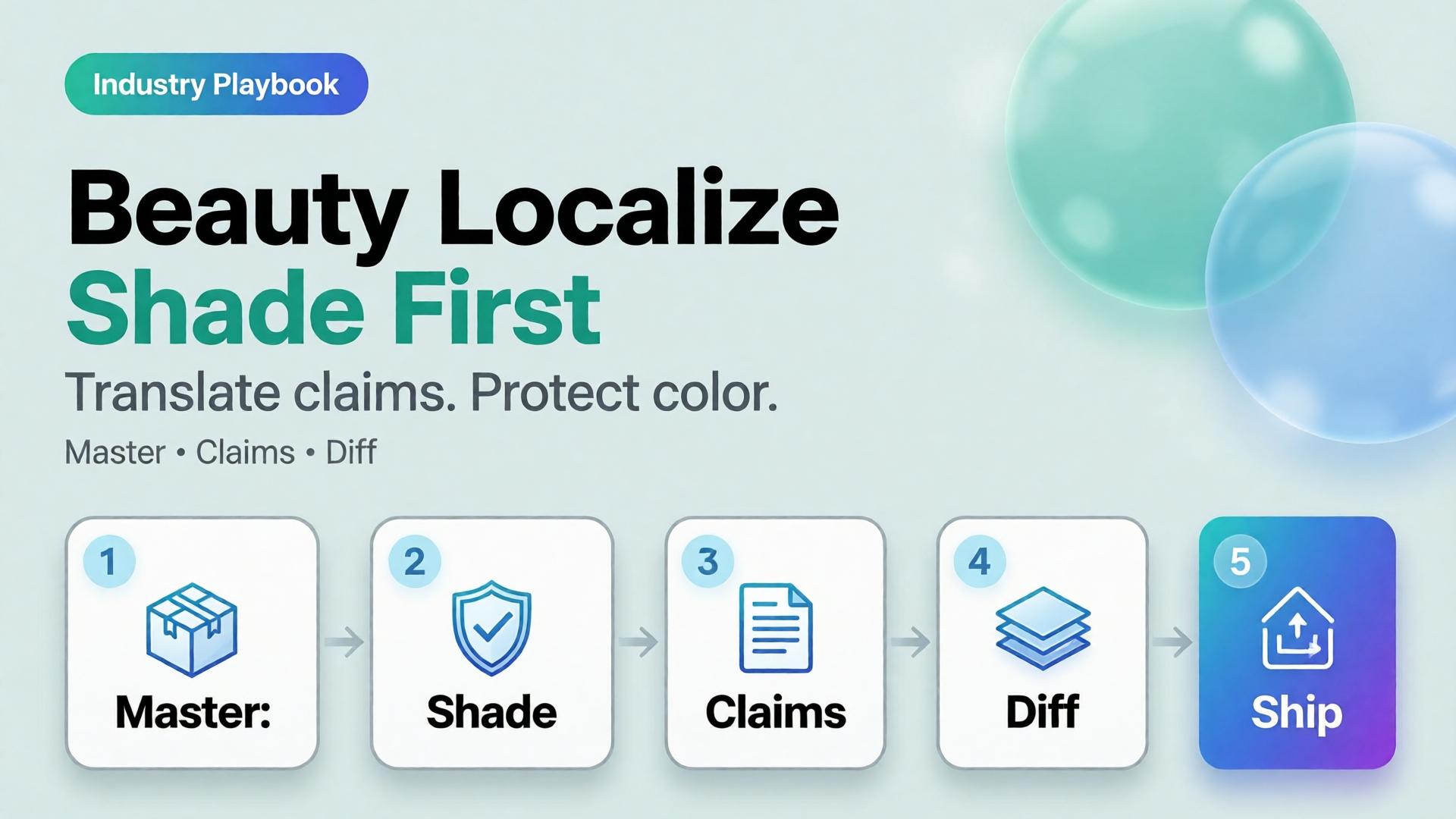
  • Beauty Catalogs Across Languages: Shade Truth First, Claims Second

    Beauty Catalogs Across Languages: Shade Truth First, Claims Second

    Beauty goes global faster than packaging teams can reshoot. The failure mode is familiar: regenerate the whole lifestyle for each language, watch the foundation shade drift, and discover marketplace complaints that “the bottle looked different.”

    AI beauty catalog localization extends cross-border image rules (ecommerce localization) with a beauty-specific law: shade and formula cues are sacred; marketing claims are what you translate.

    Key Takeaways

    >

    – Never “re-beautify” the SKU while translating overlays — color match is the product.

    – Keep ritual contexts from beauty lifestyle mapping; swap language layers, not bathrooms every market.

    – Claim sheets per locale beat prompt translation.

    – Upscale only after shade QA (upscale after QA).

    Why Is Beauty Localization Harder Than Soft Goods Copy?

    Because buyers purchase color and texture promises.

    Safe to localize Dangerous to regenerate
    Promo badges Foundation shade
    Hook lines Serum tone in bottle
    Units / legal lines Cap and label print fidelity
    Ingredient callouts (approved) “Glow” that changes undertone

    If localization changes undertone, you did not translate — you SKU-swapped.

    In beauty, mistranslation is annoying. Mishade is a return. Treat color like a regulatory asset.

    Beauty Localization Stack

    Master layer (global)

    • Packshot truth (packshot thinking)
    • Shade chip / arm swatch if used
    • Ritual scene family (morning mirror, bag, travel)

    Claim layer (per locale)

    • Hook, offer, disclaimer, unit system
    • Character limits per marketplace

    Gate

    • Side-by-side diff: bottle geometry + shade unchanged
    • Text accuracy reviewed by market owner

    Playbook: One Shade, Many Languages

    1. Approve shade-true master stills
    2. Build claim sheet EN → target locales
    3. Localize overlays in safe zones only
    4. Diff QA against master
    5. Attach locale packs to the brand kit for the next SKU drop
    6. Keep ritual contexts stable across languages unless culture blocks a scene

    Soft CTA

    Keep beauty catalogs coherent across markets: Ecommerce · Packshot

    Frequently Asked Questions

    How is this different from general ecommerce image localization?

    Same master-and-layer system — with stricter shade/texture gates and beauty ritual contexts.

    Can AI translate text on the physical label?

    High risk. Prefer real packaging photography for Truth; localize marketing frames separately.

    Should every market get new lifestyle bathrooms?

    Only when culture requires it. Default to one ritual kit + language layers.

    What should QA zoom on first?

    Shade, pump/cap geometry, then translated claims.

    Conclusion

    Translate claims. Protect shade.

    Master first. Locale layers second. Diff always. That is AI beauty catalog localization that grows markets without multiplying undertones.


    References

    1. Lumepixa, AI Product Photography Statistics 2026. https://lumepixa.app/blog/ai-product-photography-statistics
    2. Adobe, 2026 Creators’ Toolkit Report, June 16, 2026. https://news.adobe.com/news/2026/06/creators-toolkit-report-2026
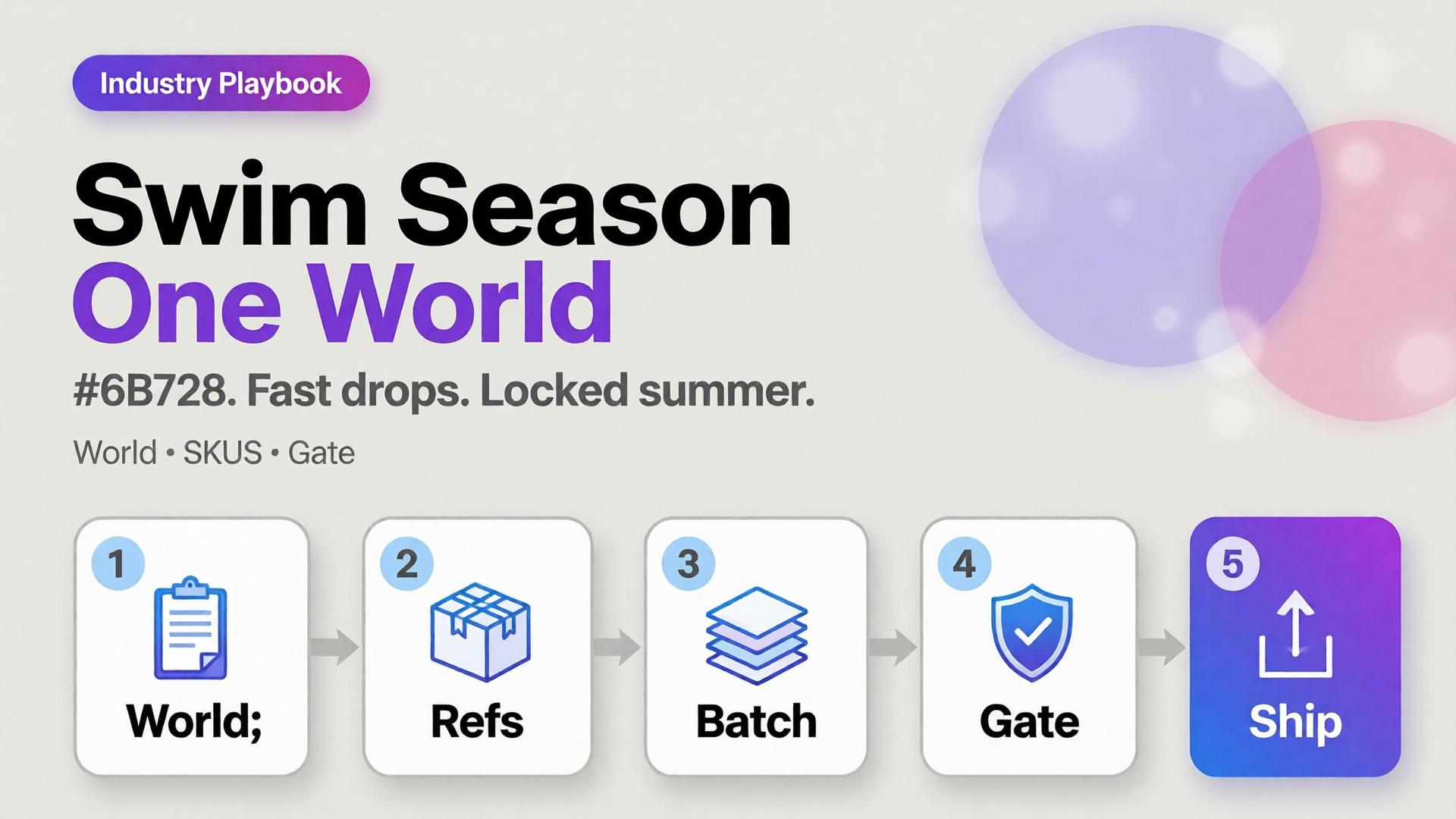
  • Seasonal Swim Campaigns with AI: Fast Drops Without Losing the World

    Seasonal Swim Campaigns with AI: Fast Drops Without Losing the World

    Swim drops do not wait for studio weather. Colors change weekly. Cuts multiply. The brand that regenerates a new beach every SKU looks like a stock site by mid-season.

    AI swimwear campaign images scale when you freeze a season world, swap garment refs, and gate fit — the same spine as a zero-budget lookbook, tuned for sun, water, and fabric cling.

    Key Takeaways

    >

    – Seasonal speed comes from one world × many SKUs, not one prompt × many worlds.

    – Swim fabrics exaggerate fit errors — treat try-on gates seriously (virtual try-on ads).

    – Map campaign scenes with SCENE: hero stand, waterline, detail, motion freeze, shade/lifestyle.

    – Keep batch kit rules for palette and light across the season.

    Why Do Seasonal AI Sets Look Cheap Mid-Campaign?

    Because time pressure invites world hopping.

    Fast bad habit Season-safe habit
    New beach per colorway One locked coast/pool kit
    New model per drop week One character family
    Explore-first always Refs-first after week one
    Publish every generate Curator gate on cling/fit

    Speed without a kit is just accelerated drift.

    Seasonal commerce rewards recognizable weather. Shoppers should feel “same summer, new cut” — not “new planet every Thursday.”

    Season World Checklist

    Lock before the first SKU batch:

    • Location class (pool / rocky coast / urban sun)
    • Time of day + light temperature
    • Water presence rules (wet fabric yes/no)
    • Prop kit (towel, chair) — minimal
    • Character / body anchors

    Write it in ten lines. Reuse all season.

    Playbook: Weekly Swim Drop

    Monday — Refs

    Photograph or flat-lay each new cut. Capture print scale.

    Tuesday — Generate in-world

    On-body + hero stills with garment lock. No new locations.

    Wednesday — Gates

    • Fit/cling accuracy
    • Print placement
    • Character continuity
    • World leak check (suddenly indoor marble)

    Thursday — Channel crops

    Feed / Story / Shop hooks from winners (scene jobs).

    Friday — Archive

    Winners enter the season kit for next colorway swaps.

    Soft CTA

    Ship seasonal listing and campaign stills from locked worlds: Listing Images · Photography

    Frequently Asked Questions

    How many scenes does a swim campaign need?

    Five strong in-world scenes beat fifteen unrelated beaches. Expand SKUs, not planets.

    Wet look — generate or shoot?

    If wet drape matters to the SKU story, brief it explicitly and QA cling. Do not invent wetness that misrepresents fabric.

    Can I reuse last year’s world?

    Yes if brand season identity continues. Update props lightly; keep light logic if it still matches the collection.

    What breaks swim AI images most?

    Print drift on small patterns and strap geometry errors. Zoom those first.

    Conclusion

    Seasonal swim is a world business.

    Lock summer once. Swap cuts weekly. Gate fit. Crop for channels. That is how AI swimwear campaign images stay fast without looking rented from a stock library.


    References

    1. Adobe, 2026 Creators’ Toolkit Report, June 16, 2026. https://news.adobe.com/news/2026/06/creators-toolkit-report-2026
    2. Lumepixa, AI Product Photography Statistics 2026. https://lumepixa.app/blog/ai-product-photography-statistics
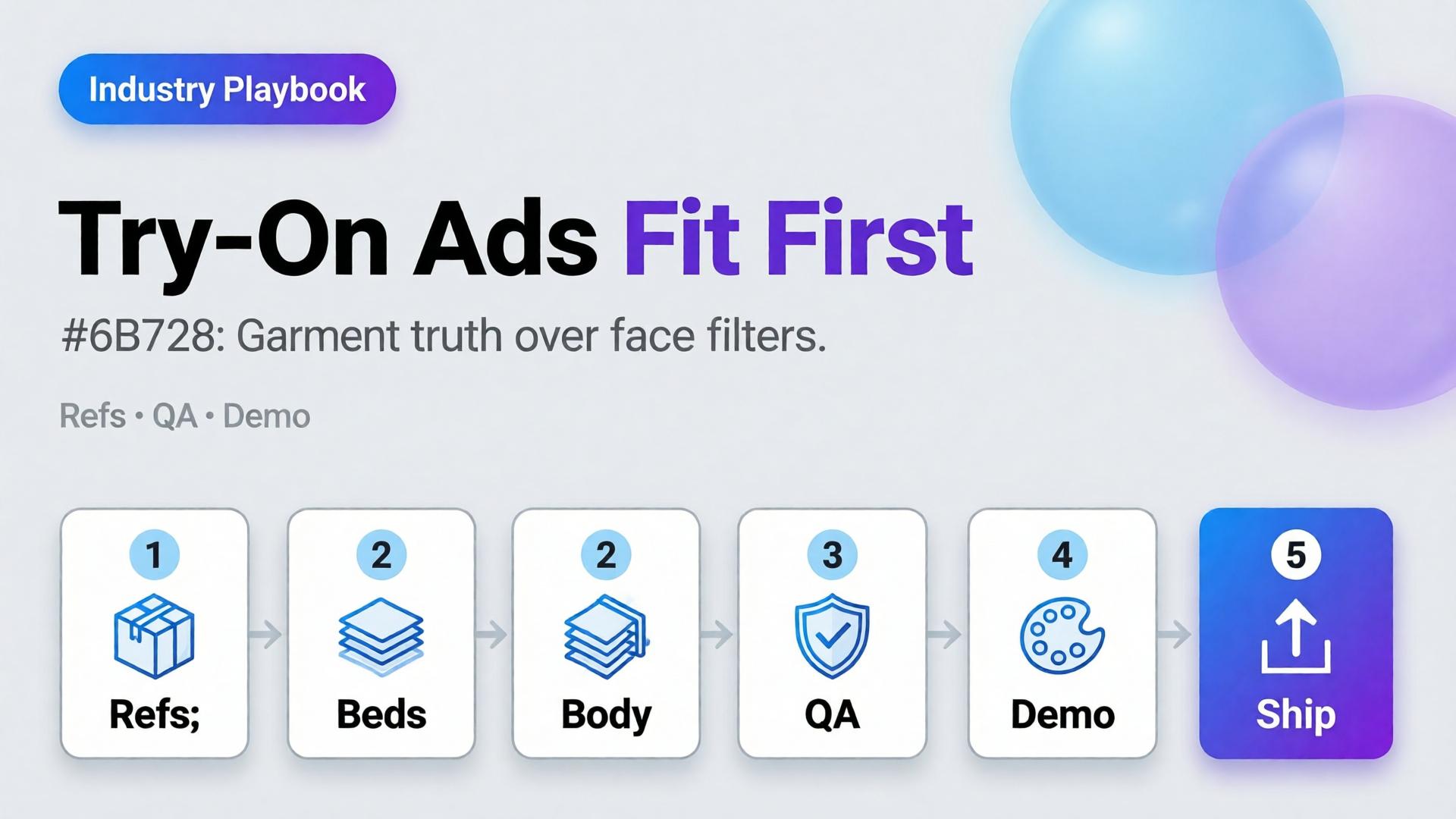
  • Virtual Try-On Ads: Fit Storytelling, Not Face Filters

    Virtual Try-On Ads: Fit Storytelling, Not Face Filters

    Virtual try-on promises “see it on me.” Too many AI ads deliver “see a stranger wearing almost your SKU.” Necklines drift. Sleeve lengths invent themselves. The face is gorgeous — and the garment is fiction.

    AI virtual try-on ads work when you treat try-on as fit storytelling: garment truth first, character second, filter effects never.

    Key Takeaways

    >

    – Try-on is a garment fidelity problem with a human in frame — not a beauty filter with clothes attached.

    – Lock garment refs like hard goods lock geometry (hard goods QA); lock faces like character design.

    – Use try-on for Demo / Proof jobs in Shop scene types — not as every hook.

    – Zero-reshoot colorways: swap garment refs inside one pose world (3-day lookbook).

    Why Do Try-On Ads Fail After the Click?

    Because the ad sold a face mood and the PDP shows a different garment.

    Ad promise PDP reality Result
    Perfect drape Stiffer fabric Return
    Shorter hem True length Distrust
    Model body match Size chart ignored Size chaos
    New face every frame Brand amnesia Low recall

    Try-on without gates burns paid traffic.

    Shoppers forgive AI skin. They do not forgive AI seam lines. Fit storytelling starts at the stitch, not the smile.

    What Must Be Locked for Honest Try-On?

    Garment bible

    • Silhouette, neckline, sleeve, length, closure
    • Print scale and placement
    • Fabric category (knit / woven / sheer)

    Character rules (if face/body shown)

    • One anchor identity across the set
    • Body proportions stable enough for size intuition
    • No “new cousin” every creative

    Scene job

    • Demo: on-body motion or turn
    • Proof: detail of fit at shoulder/waist
    • Hook: only after garment passes

    Playbook: Try-On Without Filter Energy

    1. Capture garment refs — flat + on-hanger + detail
    2. Approve a base on-body still reference-heavy
    3. Garment QA gate — zoom hems, necklines, prints
    4. Extend to ads — crop to 9:16 / 4:5; do not regenerate identity per ratio
    5. Colorway variants — swap garment ref only; keep pose/world
    6. Reject beauty-only winners that fail garment match

    Pair with lookbook world rules (lookbook needs a world).

    Soft CTA

    Build listing and on-body stills from real garment refs: Listing Images · Gallery

    Frequently Asked Questions

    What makes AI virtual try-on ads trustworthy?

    Garment fidelity under zoom, stable character, and clear Demo/Proof jobs — not maximal beauty scores.

    Do I need a different model for try-on vs packshots?

    Choose for the fidelity bottleneck after direction. Try-on usually needs stronger reference lock than lifestyle exploration.

    Can try-on replace size charts?

    No. It supports intuition. Charts and measurements remain mandatory.

    How many try-on frames per SKU?

    One approved on-body hero + one detail proof beats six drifted beauties.

    Conclusion

    Stop shipping face filters in dresses. Ship fit stories.

    Lock the garment. Gate the seams. Keep one character. Use try-on where Demo and Proof matter. That is how AI virtual try-on ads earn clicks that survive the PDP.


    References

    1. Adobe, 2026 Creators’ Toolkit Report, June 16, 2026. https://news.adobe.com/news/2026/06/creators-toolkit-report-2026
    2. Lumepixa, Product Image Statistics 2026. https://lumepixa.app/blog/ecommerce-product-image-statistics
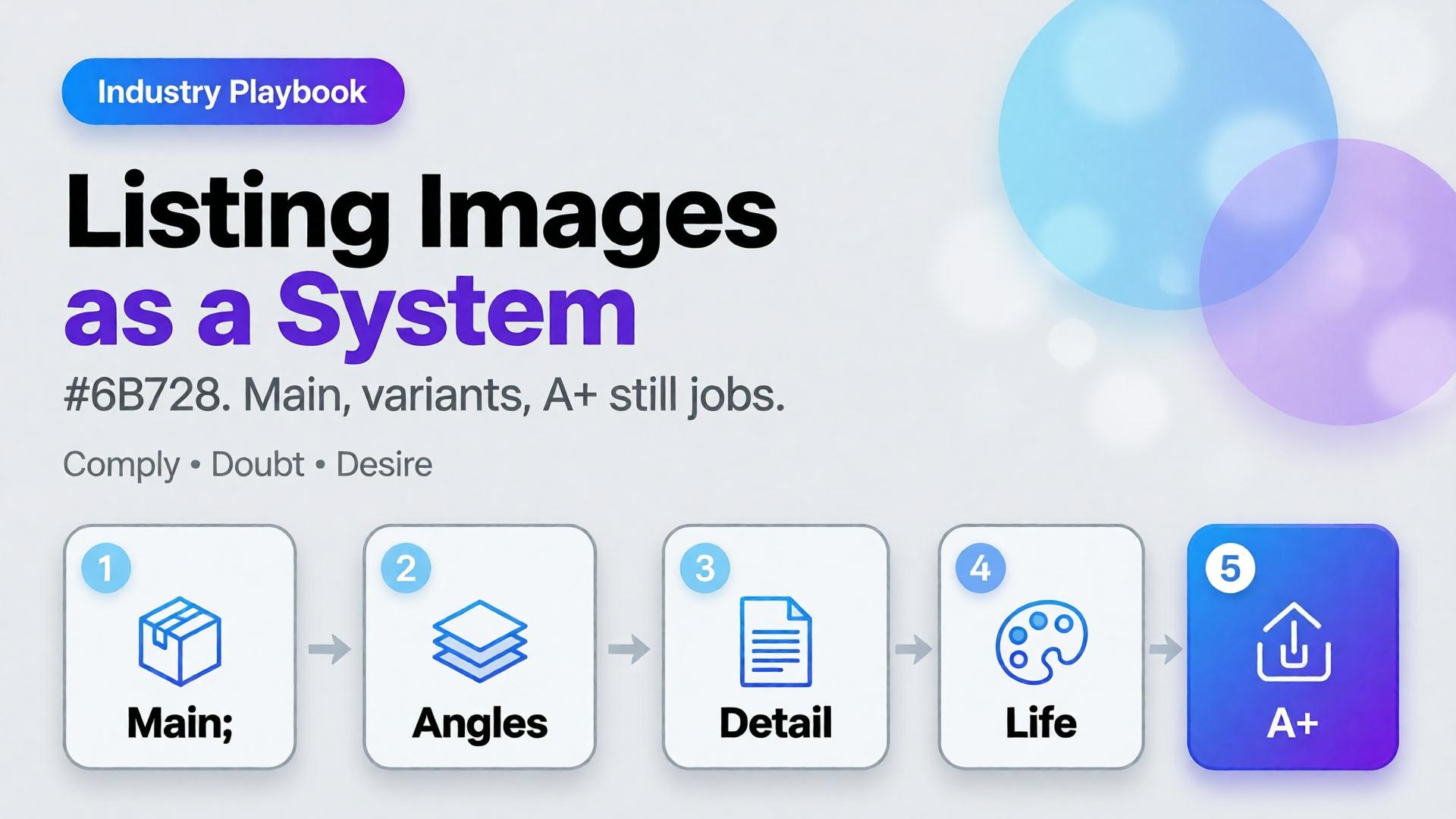
  • Amazon Listing Images as a System: Main, Variants, and A+ Still Logic

    Amazon Listing Images as a System: Main, Variants, and A+ Still Logic

    Amazon does not buy your moodboard. It buys slot performance: a compliant main image, a gallery that answers doubts, and A+ stills that explain without breaking catalog rules. Teams that AI-generate “seven pretty heroes” still lose the Buy Box war on clarity.

    AI Amazon listing images work when you treat the gallery as a system of jobs — not a folder of vibes.

    Key Takeaways

    >

    – Main image = compliance + recognition. Secondary slots = doubt removal. A+ = story without replacing Truth.

    – Listings with richer image sets convert more strongly in large studies (~50% higher with 5+ images vs thinner galleries in Catchlab-cited 2026 roundups).

    – Reuse packshot angle families and scene jobs — mapped to Amazon slots.

    – Upscale only after QA (upscale playbook).

    Why Do Random AI Galleries Underperform on Amazon?

    Because each thumbnail has a job in the purchase path.

    Slot Job Fail mode
    Main Recognize + comply Props, text, lifestyle bleed
    2–3 Form / angle truth Duplicate beauty shots
    4–5 Detail / texture / scale Unreadable macros
    6–7 Lifestyle / in-use Fantasy that fights main
    A+ Features / compare / story Walls of unread text

    If every file tries to be a campaign hero, none of them staff the gallery.

    Amazon creative is information architecture with pixels. AI should fill slots, not audition for a perfume ad.

    The Listing Image System

    Layer A — Compliance Truth

    • Main on approved background
    • True color, full product, no promotional overlays (follow current marketplace policy)
    • Geometry QA for hard goods

    Layer B — Doubt Removers

    • 45° / back / open-box / scale in hand
    • Detail of materials and controls

    Layer C — Desire / Context

    Layer D — A+ Stills

    • Feature callouts in clean layouts
    • Comparison charts as designed graphics (prefer controlled text, not hopeful in-image AI type)

    Playbook: One SKU, One System Day

    1. Write slot map — which file fills which job
    2. Shoot/generate Truth set reference-heavy
    3. QA geometry + typography
    4. Add one lifestyle only after Truth passes
    5. Build A+ frames from approved masters (crop + layout)
    6. Upscale delivery sizes once
    7. Contact-sheet review against competitor galleries in-category

    Ratio/adapt habits from marketplace banners still help for off-Amazon ads — but on Amazon, slot jobs beat ratio panic.

    Soft CTA

    Produce listing-ready packshots and gallery systems: Ecommerce · Packshot

    Frequently Asked Questions

    Can AI generate Amazon main images?

    Yes — if compliance and product fidelity pass. Treat main as the strictest Truth frame, not a creative playground.

    How many lifestyle images should an Amazon gallery include?

    Usually one or two. Fill remaining slots with doubt removers before stacking lifestyles.

    Is A+ a place for experimental AI worlds?

    Keep A+ clearer than experimental. Use approved product masters; add controlled graphics for features.

    How is this different from TikTok Shop scene types?

    TikTok optimizes scroll jobs (hook/demo). Amazon optimizes catalog jobs (compliance/doubt). Share masters; change the slot map.

    Conclusion

    Stop generating seven heroes. Staff seven jobs.

    Main for compliance. Variants for truth. Lifestyle for desire. A+ for explanation. Gate fidelity. Then deliver.

    That is an AI Amazon listing images system — built for the buy path, not the moodboard.


    References

    1. Lumepixa, AI Product Photography Statistics 2026 (Catchlab / Salsify citations). https://lumepixa.app/blog/ai-product-photography-statistics
    2. Adobe, 2026 Creators’ Toolkit Report, June 16, 2026. https://news.adobe.com/news/2026/06/creators-toolkit-report-2026
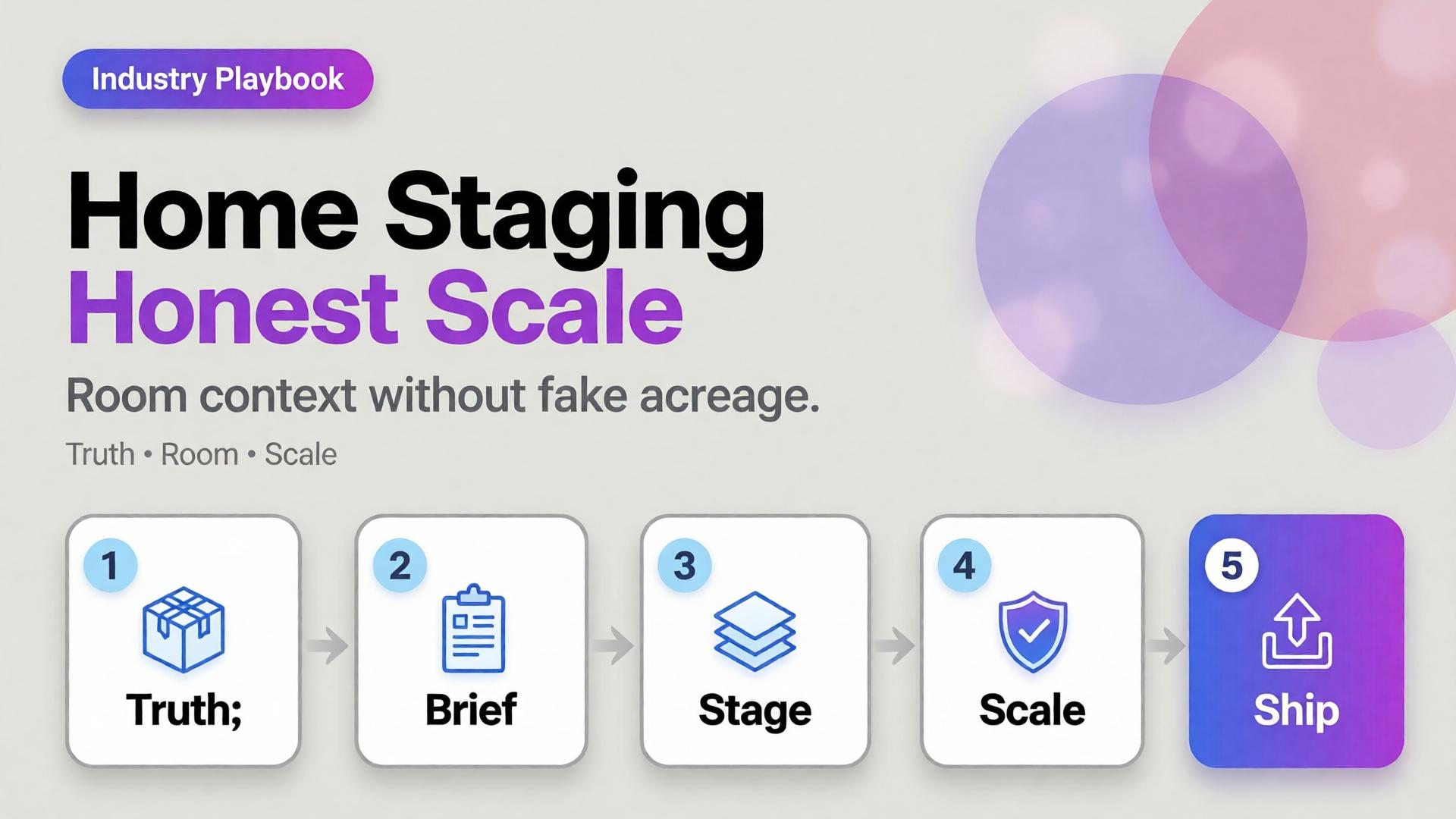
  • Home Product Staging with AI: Room Context Without Fake Square Footage

    Home Product Staging with AI: Room Context Without Fake Square Footage

    A sofa on pure white tells dimensions badly. A sofa in a cathedral living room tells lies well. Home and furniture ecommerce lives in that tension: buyers need context, but context that invents square footage creates “looked bigger online” returns.

    AI home product staging is the discipline of placing SKUs in believable rooms with scale honesty, locked light, and gates — not generating dream interiors that your warehouse cannot ship.

    Key Takeaways

    >

    – White-only home catalogs under-inform; fantasy rooms over-promise. Use dual-layer galleries like visual commerce 2026.

    – Stage with known scale anchors (door, outlet, side table) and real product dimensions in the brief.

    – Map rooms like beauty maps rituals — a context grid before generate (SCENE).

    – Geometry still matters for legs, seams, and hardware (hard goods QA when parts are precise).

    Why Does Home Staging Break Trust Online?

    Because furniture is purchased as space math.

    Staging sin Buyer consequence
    Oversized rooms “Tiny in real life” returns
    Wrong camera height Proportions feel off
    Mixed design eras Brand looks incoherent
    Soft rug hiding feet Leg style unknown
    Invented materials on props Cart confusion

    Lifestyle lift is real in ecommerce image research — but only when lifestyle stays honest.

    Home staging is not interior design porn. It is dimensional storytelling: how big, how it sits, how it lives with ordinary walls.

    Context Map for Home SKUs

    Borrow beauty’s context mapping mindset (beauty lifestyle contexts):

    Context Job Avoid
    Studio / white Spec + color truth Only image on PDP
    Apartment daylight Real-life scale Mansion windows
    Corner / tight wall Small-space proof Endless open plan
    Detail / fabric Material truth Fake weave
    Lifestyle lived-in Emotion Clutter that hides SKU

    Write 4–5 contexts per hero SKU. Reuse the room kit across the catalog (batch thinking).

    Playbook: Honest Room Extension

    1. Lock packshot truth — front, side, fabric detail
    2. Write room brief — room size class (studio / 1BR living), camera height, light (north window / warm lamp)
    3. Place scale anchors — known objects; state approximate room width in brief if critical
    4. Generate staging with product ref locked
    5. Scale QA — does the SKU dominate the room unrealistically?
    6. Ship dual layer — truth + staging for PDP; staging-heavy for ads

    Soft CTA

    Produce catalog truth and room contexts in one ecommerce creative system: Ecommerce · Photography

    Frequently Asked Questions

    What is AI home product staging?

    Placing furniture or home SKUs into room contexts with AI while preserving product fidelity and believable scale for ecommerce.

    Should every furniture PDP drop white backgrounds?

    Keep a truth layer. Add staging as secondary images and ads — same dual-layer logic as visual commerce guidance.

    How do I prevent “mansion staging”?

    Specify room class and camera height in the brief. Reject outputs where the SKU looks doll-sized or palace-scaled.

    Can staging replace dimensions in the listing?

    No. Staging supports intuition; specs remain mandatory.

    Conclusion

    Rooms sell home products. Fake acreage unsells them after delivery.

    Map contexts. Lock scale. Gate the fantasy. Keep a truth layer. That is AI home product staging that converts without breeding return tickets.


    References

    1. Lumepixa, Product Image Statistics 2026. https://lumepixa.app/blog/ecommerce-product-image-statistics
    2. Adobe, 2026 Creators’ Toolkit Report, June 16, 2026. https://news.adobe.com/news/2026/06/creators-toolkit-report-2026
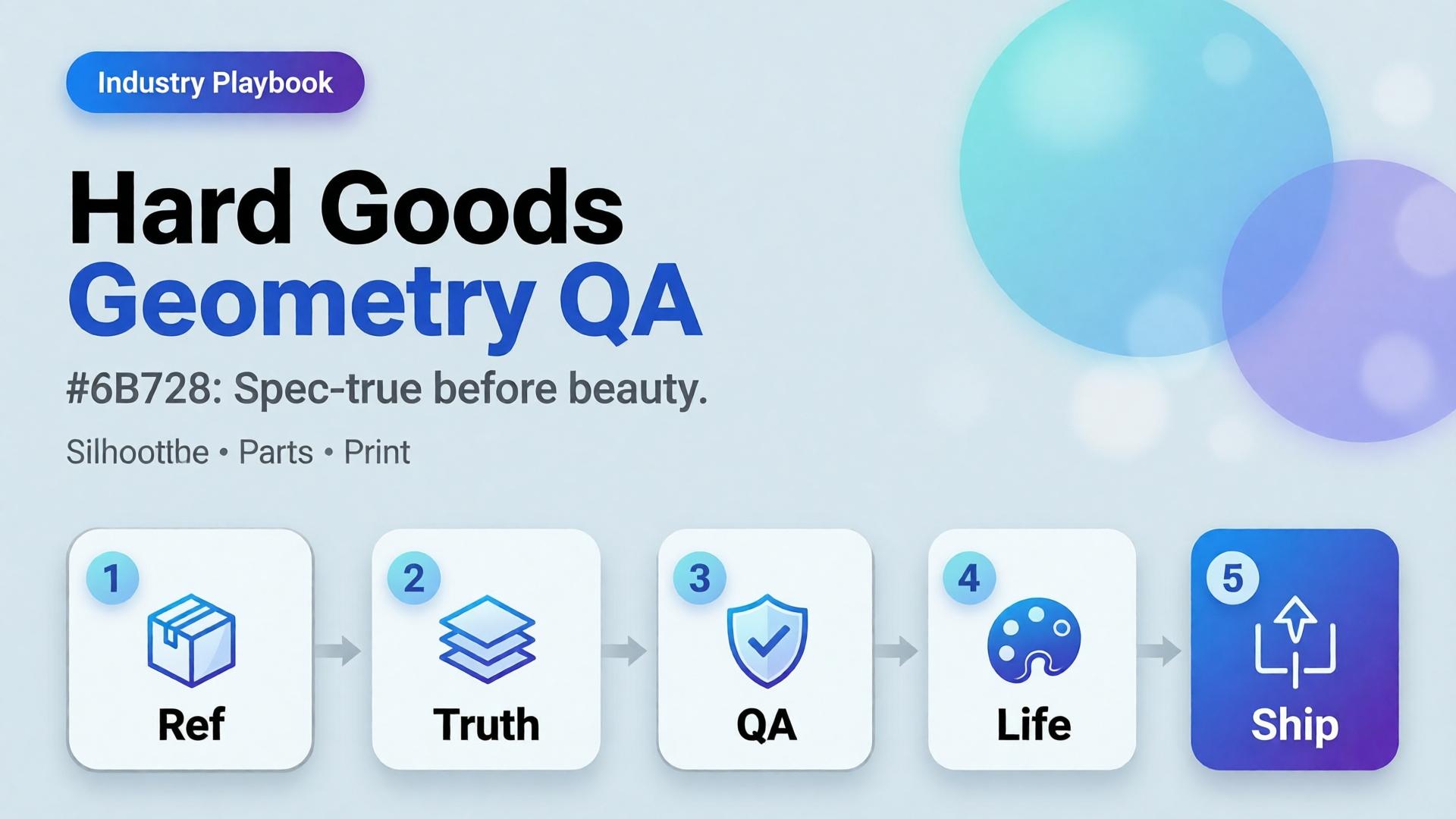
  • Hard Goods Need Geometry QA: Eyewear, Gadgets, and Spec-True AI Images

    Hard Goods Need Geometry QA: Eyewear, Gadgets, and Spec-True AI Images

    Beauty SKUs forgive a soft edge. Eyewear does not. A millimeter of temple warp, a lens reflection that invents a logo, a button row that gains an extra key — and the listing becomes a liability.

    AI hard goods product images fail when teams apply fashion/lifestyle prompting to precision objects. Hard goods need geometry QA as a first-class gate: silhouette, symmetry, ports, hinges, and print — before any lifestyle world.

    Key Takeaways

    >

    – Hard goods are spec products. Buyer trust is dimensional, not only emotional.

    – Run a geometry checklist before beauty, upscale, or lifestyle extension (packshot thinking).

    – Prefer reference-heavy generation; explore mode is for backgrounds after the object passes (reference vs explore).

    – Upscale only after QA (upscale after QA) — sharpening warped hinges makes rejects look confident.

    Why Do Lifestyle Prompts Break Hard Goods?

    Because soft prompts optimize for vibe. Hard goods optimize for match-to-unboxing.

    Soft-goods bias Hard-goods reality
    Fabric drape can vary Hinge angle cannot
    Skin tone mood Port count is binary
    “Premium glow” Specular lies on lenses/metal
    Approximate logo Exact wordmark + icon

    Eyewear, watches, earbuds, keyboards, tools, and small appliances sit on the hard side of that table.

    For hard goods, the hero image is a contract drawing with light — not a moodboard with a product stuck on top.

    Geometry QA Checklist (Pass Before Beauty)

    Silhouette

    • Outer shape matches reference
    • No melted corners, no missing tips (eyewear temples)

    Symmetry / alignment

    • Left-right balance on glasses, buds, paired objects
    • Button grids aligned

    Functional parts

    • Ports, hinges, switches, screws present and correct in count
    • No “extra USB” hallucinations

    Optics / materials

    • Lens transparency plausible (no opaque glass unless product is)
    • Metal vs plastic read correct

    Print / icons

    • Logos and iconography correct — or intentionally out of frame

    Fail any row → reject. Do not lifestyle it “to hide the error.”

    Playbook: Spec-True Then Scroll-Stopping

    1. Capture honest refs — front, 45°, detail of hinge/port
    2. Generate Truth angles reference-heavy (image model after direction)
    3. Geometry QA gate with zoom
    4. Optional lifestyle bridge — same approved object into a scene (desk, face for eyewear with character lock)
    5. Upscale + crop only on winners (node spine)

    For ads, keep scene jobs — but Truth frames carry the SKU.

    Category Notes

    Category Extra risk Extra gate
    Eyewear Lens reflections invent logos Check both lenses
    Earbuds / wearables Stem length drift Side-by-side with ref
    Keyboards / controllers Key count / layout Count visible keys
    Small appliances Cable / button myths Detail crop of controls

    Soft CTA

    Build spec-true packshots before campaign worlds: Packshot · Ecommerce

    Frequently Asked Questions

    What counts as hard goods for AI product images?

    Products where dimensional accuracy and part count matter to purchase and returns — eyewear, electronics, tools, precision accessories.

    Can I still use lifestyle scenes?

    Yes — after the object passes geometry QA. Lifestyle is extension, not repair.

    Should I use a different AI model for hard goods?

    Choose for fidelity bottleneck after direction — not because the category is trendy. See model-after-direction guidance.

    How many reference angles do I need?

    At least front + 45° + one detail of the failure-prone part (hinge, port, lens).

    Conclusion

    Hard goods do not need softer prompts. They need harder gates.

    Geometry first. Beauty second. Lifestyle third. Upscale last. That is how AI hard goods product images survive zoom, returns, and marketplace scrutiny.


    References

    1. Lumepixa, AI Product Photography Statistics 2026. https://lumepixa.app/blog/ai-product-photography-statistics
    2. Adobe, 2026 Creators’ Toolkit Report, June 16, 2026. https://news.adobe.com/news/2026/06/creators-toolkit-report-2026
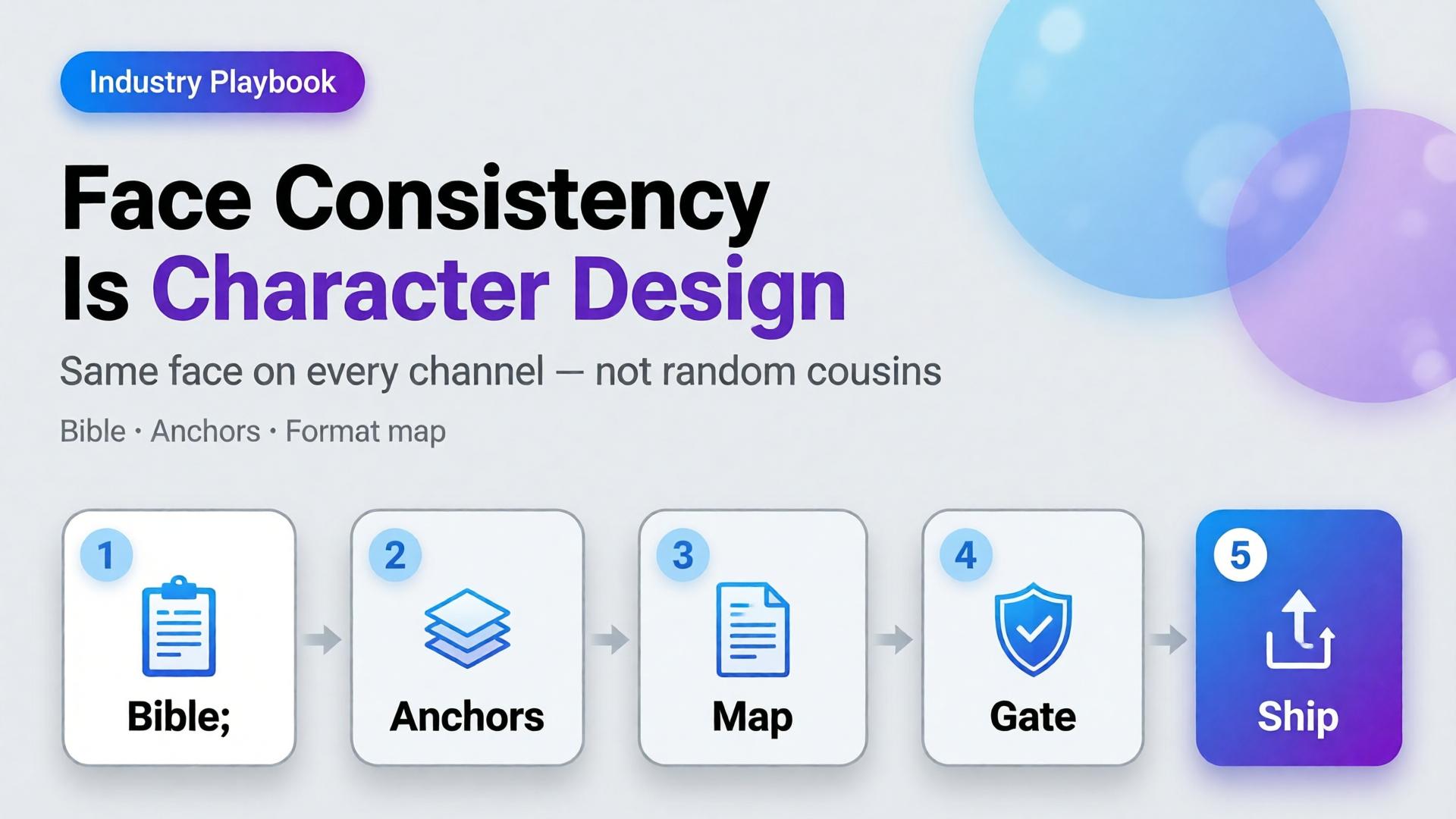
  • Face Consistency Across 12 Formats Is Character Design

    Face Consistency Across 12 Formats Is Character Design

    You generate a strong face for Tuesday’s Reel. Wednesday’s Story looks related. Thursday’s carousel looks like a cousin. By Friday’s marketplace banner, followers comment: is that a different person?

    That is not a model failure. That is a design failure.

    AI character consistency is not a filter you toggle after the prompt. It is character design — the same discipline animation studios and game teams use before a single frame ships. Creators who treat the face as a lucky seed will keep losing identity across formats. Creators who write a character bible first can ship the same person across twelve placements without the audience noticing the pipeline.

    Key Takeaways

    >

    – Face consistency across formats is a character design problem, not a prompt trick. Lock identity rules before you open the generator.

    – Adobe’s 2026 Creators’ Toolkit Report found 57% of creators say AI outputs need moderate or extensive editing before publish — and 42% say AI-generated work makes distinctive voices harder to surface (Adobe, 2026).

    – A workable kit has three layers: character bible, reference pack, format map (12 placements, one identity).

    – Curator gates beat more seeds. One approved face family scales; twenty “almost right” faces destroy trust.

    This is an industry playbook for creators, KOLs, and brand teams who put a human face in front of products. If you need the failure autopsy, read Brand Consistency Trap. If you need when to lock references versus explore, read Reference Images vs AI Explore. This article answers: how do you keep one face alive across twelve formats?

    Why Does Face Drift Break Creator Trust Faster Than Bad Lighting?

    Lighting mistakes look amateur. Face drift looks dishonest.

    Followers forgive a soft shadow. They do not forgive a jawline that migrates every post. The brain treats facial identity as a continuity contract. Break it and engagement does not just drop — recognition resets. You are introducing a new spokesperson every week without meaning to.

    Creators feel this as “the model changed my face again.” The deeper issue is upstream: there was no locked character. Every generation started from vibes instead of a bible.

    Audience trust for AI-assisted creators is not “was this generated?” It is “is this the same person I already know?” Face consistency is continuity, not aesthetics.

    What Is Character Design for AI Creators?

    Character design means deciding — in writing and in images — what must never change, what may change, and what is forbidden.

    Layer Lock forever Soft rules Never do
    Face geometry Eye distance, jaw, nose bridge Expression intensity Age jumps, ethnicity drift
    Hair Base cut + color family Styling for scene Random length each post
    Skin Undertone, freckle map Makeup level Plastic smoothness one day, heavy pores the next
    Wardrobe world Signature palette Outfit per format Brand-clash logos
    Age / era Apparent age band Season styling Teen ↔ mid-30s oscillation

    If you cannot fill this table in ten minutes, you are not ready to batch. You are ready to explore — once — then lock.

    Citation capsule: Distinctive creator voices are already under pressure. Adobe’s 2026 survey found 42% of creators believe AI-generated work makes it harder for distinctive voices to surface. Face drift accelerates that problem by dissolving the one asset audiences use to recognize you.

    The 12-Format Map: Same Face, Different Jobs

    Consistency does not mean identical crops. It means identical identity under different jobs.

    # Format Job Face rule
    1 Feed 1:1 Stop scroll Full face, strong eye contact
    2 Feed 4:5 Depth / product hold Face + product in same plane
    3 Story 9:16 Immersion Closer crop, same bone structure
    4 Reel cover Click Peak expression from approved set
    5 Thumbnail Search / browse High-contrast, readable at 120px
    6 Carousel keyframe Sequence Same lighting family across slides
    7 Live avatar / talking head Trust Strict reference lock
    8 Product demo still Proof Hands + face optional; no new identity
    9 Marketplace banner Store ID Smaller face, brand-safe crop
    10 Email hero Click-through Calm expression, clear silhouette
    11 Ad variant A/B Test hooks Same face, different props only
    12 Long-form cover Authority Most “portrait bible” accurate

    Write the map once. Every new campaign inherits it. That is how narrative systems stay coherent when volume rises.

    How Do You Build a Character Bible That Survives AI?

    Step 1 — Capture three anchor references

    Not twenty. Three:

    1. Neutral front (passport energy)
    2. Three-quarter with soft smile
    3. Profile or strong side light

    These become the identity spine. Everything else is a variation, not a rewrite.

    Step 2 — Write the non-negotiables in one paragraph

    Example: East Asian woman, apparent late 20s, warm undertone, soft freckles across nose bridge, straight dark hair to collarbone, almond eyes with slight monolid, no beauty marks, natural brows.

    If the paragraph is longer than six lines, you are over-specifying fashion and under-specifying face.

    Step 3 — Separate explore mode from production mode

    Exploration is allowed before lock — moodboards, casting tests, style worlds. After lock, switch to reference-heavy mode. Production is not the time to “see what the model invents.”

    Step 4 — Assign a curator gate

    Someone (you, or a teammate) must reject outputs that break identity even if they look prettier. Pretty-but-wrong is how brands wake up with twelve spokespersons.

    Gate Pass Fail
    Bone structure Matches anchors Soften / reshape
    Hair identity Same family New cut / color
    Age read Same band Younger/older leap
    Skin map Same marks / freckles Clean slate skin
    Expression Approved range New “character personality”

    Adobe’s finding that 57% of creators still edit AI outputs heavily is not a reason to skip direction. It is a reason to edit against a checklist, not against taste alone.

    What Breaks Face Consistency in Practice?

    Five patterns show up constantly in creator pipelines:

    1. Prompt adjective stacking — “beautiful, glamorous, cinematic, ultra detailed” invites the model to redesign the face toward a beauty average.
    2. Style refs stronger than face refs — a lighting moodboard overpowers identity when weights are wrong.
    3. Format panic — regenerating from scratch for 9:16 instead of cropping/extending an approved master.
    4. Multi-model hopping without re-locking — each model has a different face prior; hopping without anchors guarantees drift.
    5. Batch publishing without a set review — each image looks fine alone; the grid looks like a casting call.

    These map to the broader brand consistency trap. Face is simply the highest-stakes version.

    Playbook: Ship One Face Across a Week of Content

    1. Monday — Lock — approve three anchors + character paragraph
    2. Monday — Map — fill the 12-format table for the week
    3. Tuesday — Masters — generate 6–8 hero frames in one lighting family
    4. Wednesday — Adapt — crop/extend masters into Story, Reel cover, banner; regenerate only when crop fails
    5. Thursday — Curate — reject identity breaks; keep expression range tight
    6. Friday — Publish set — review the week as a contact sheet, not as singles
    7. Sunday — Archive — save winners into the character kit for next week

    This is the same spine freelancers use when one workflow serves five clients — swap the character kit, keep the gates.

    When Should You Redesign the Character on Purpose?

    Sometimes drift is a feature — new season, new brand deal, new persona arc. Redesign deliberately:

    • Announce the change in content (glow-up, season 2, brand collab era)
    • Rebuild anchors; do not “nudge” the old face into a new identity
    • Freeze the old kit; do not mix eras in the same week

    Accidental redesign reads as error. Intentional redesign reads as storytelling — which belongs in your narrative system.

    Soft CTA

    Build character kits and format maps inside a production system, not twelve disconnected tabs. Explore Orauria’s creative workflow for ecommerce and creator teams: Orauria solutions · Gallery

    Frequently Asked Questions

    What is AI character consistency?

    It is the practice of keeping the same facial identity, hair family, and age read across many generated images and formats. It is achieved with a character bible, reference anchors, and curator gates — not by hoping the next seed matches.

    How many reference images do I need for a stable face?

    Three strong anchors beat twenty weak ones. Add scene refs after identity is locked. More images help only when they reinforce the same person.

    Can I keep one face across different AI image models?

    Yes, if you re-lock with the same anchors in each model and treat the first approved outputs as the new production set. Hopping models mid-campaign without anchors is the fastest path to cousins.

    Should every format show the full face?

    No. Marketplace banners and some product demos may use smaller face presence or hands-only. The rule is: if a face appears, it must be the same face.

    How is this different from brand consistency?

    Brand consistency covers palette, light, and scene world. Character consistency is the human identity layer inside that brand. You need both; face drift can break a brand even when colors are perfect.

    What is the biggest mistake creators make with AI faces?

    Treating each post as a new casting session. Character design decides once, then produces many times.

    Conclusion

    Face consistency across twelve formats is not a prompt setting. It is character design — anchors, non-negotiables, format jobs, and a curator who rejects prettier lies.

    Write the bible. Lock three references. Map the twelve placements. Adapt masters before you regenerate. Review the week as a set.

    The creators who scale AI without losing their audience are not the ones with the luckiest seeds. They are the ones who decided who they are — then refused to renegotiate every Tuesday.


    References

    1. Adobe, 2026 Creators’ Toolkit Report, June 16, 2026. https://news.adobe.com/news/2026/06/creators-toolkit-report-2026
    2. Adobe, Inaugural Creators’ Toolkit Report (Adobe MAX 2025), October 28, 2025. https://news.adobe.com/news/2025/10/adobe-max-2025-creators-survey