Brand Consistency Trap: 5 Times AI Broke Your Visual Identity
Every team that scales AI creative hits the same wall. Image four is beautiful. Image seven is beautiful. Image twelve is beautiful. Together they look like three different brands hired three different agencies on three different continents.
That is the brand consistency trap: AI makes volume easy and coherence hard. The model does not know your palette, your light logic, or your character rules unless you enforce them — and even then, drift finds a way in.
This article documents five failure patterns we see repeatedly in lookbooks, beauty campaigns, and ecommerce batches. Not to scare you off AI — to give you a diagnostic checklist before the damage ships.
The trap hides in the set — not in any single frame.
Key Takeaways
AI brand consistency fails in predictable places: light, color, character, scene genericity, and curation gaps — not random model bad luck.
Adobe's 2026 report found 42% of creators say AI-generated work makes it harder for distinctive voices to surface — volume without guardrails adds to that noise.
In 2026, 57% of creators say AI outputs need moderate or extensive editing before publish — editing fixes polish; brand rules fix identity (Adobe Creators' Toolkit Report, 2026).
Recovery always returns to brief + moodboard + references — not a better model or longer prompt.
The trap is mistaking output quality for brand coherence.
Signal
Healthy batch
Trapped batch
Individual images
Strong
Strong
Set together
Same world
Different worlds
Palette
Brand kit
Model defaults
Light
Consistent season
Random moods
Character
Intentional
Accidentally duplicated or swapped
Publish set
3–5 curated
12–20 "all good enough"
AI ecommerce design treats brand as infrastructure. The consistency trap treats brand as an afterthought — fix it in Photoshop later.
Coherence is a set property: each frame can pass review while the gallery still breaks identity.
Failure #1: Light Logic Broke
What it looked like
A skincare brand ran eight lifestyle scenes for a serum launch. Scene 1: soft morning window light. Scene 3: cool clinical blue. Scene 5: golden hour warmth. Scene 7: neon bathroom accent from a prompt someone thought sounded "modern."
Each image alone passed review. The Instagram carousel looked like a mood disorder.
Root cause
No light logic rule in the brief. Each prompt described environment without describing time-of-day and temperature. The model defaulted to whatever "looked cinematic" per prompt.
Diagnostic question
If these frames were stills from one film, would they be the same day?
Fix
Write one sentence: "All scenes: late autumn, soft directional daylight, no neon, no clinical blue."
Add to Brand Style rules
Regenerate only the outliers — not the whole batch
Reference SCENE Context + Emotion rows with light attached
Prevention: Moodboard temperature before render — warm vs cool, soft vs hard — as locked in lookbook thinking.
Failure #2: Color Discipline Drifted
What it looked like
A DTC fashion brand with camel, cream, and soft black palette shipped a lookbook where scene 4 introduced burgundy props, scene 6 had teal wall wash, and scene 8 shifted skin tones warmer than brand guidelines allow.
Nobody chose burgundy or teal. The model did — because prompts mentioned "rich" and "vibrant" without palette constraints.
Root cause
Palette not in the generation brief. Brand hex codes lived in a PDF nobody opened during prompting. Reference images covered product, not environment color.
Diagnostic question
Squint at the set as thumbnails. Do they feel like one Instagram feed — or a stock site search?
Fix
Pull palette from brand kit — max 5 colors, name them in every prompt block
Upload moodboard frames that only use approved tones
Kill any scene with unapproved dominant color — do not "fix in post" if hue is wrong in generation
Adobe's 2025 survey found 85% of creators would consider AI that learns their creative style (Adobe MAX 2025, 2025) — because manual palette policing does not scale without system support.
Palette discipline: hex codes and moodboard anchors in every batch — not optional polish.
Failure #3: Character Face Slipped
What it looked like
A character-led campaign for a contemporary apparel line used the same "model" across ten scenes. Scene 2 and scene 9 were clearly different people. Scene 5 had the right face, wrong jawline. Marketing approved each image in isolation.
Paid social retargeting showed all three in one week. Comments asked if they changed models mid-campaign.
Root cause
Face treated as a filter, not an asset. Reference uploads were inconsistent — one front shot, one profile from a different session, no posture rules. Explorer and curator were the same person rushing a deadline.
Diagnostic question
Cover the outfit. Can you still name the character?
Fix
Build a character sheet: 3–4 approved angles, expression range, hair rules
Reference-heavy mode only — no open exploration for face during scale
Reject any frame where geometry slips; do not "almost" approve
For multi-format scale, see upcoming face consistency playbook (HUB 4)
This failure mode is why the eight-scene experiment held character as a control variable — same face, same posture language.
Failure #3: treat the face as a locked reference asset — not a filter you hope repeats.
Failure #4: Scenes Turned Generic
What it looked like
A beauty SME generated "luxury bathroom" scenes that looked like every other AI skincare ad: marble, gold fixtures, orchids, fog machine energy. On-brand palette, off-brand world. The product was honest; the context was stock-photo generic.
Shoppers scrolled past. Nothing signaled this brand's point of view.
Root cause
Scene prompts copied category clichés instead of buyer-specific contexts from a context map. No Story row in SCENE — only "beautiful bathroom."
Diagnostic question
Could a competitor swap their product into this scene without changing the prompt?
Fix
Rewrite scenes from buyer moments, not category keywords
Add one non-generic detail per scene tied to brand story (real morning mess, real desk clutter, real travel bag)
Generic is not wrong for marketplace heroes. It is wrong for differentiation — and Adobe notes 53% of creators blame content quantity for harder stand-out (2026).
Failure #5: Volume Shipped Without a Curator
What it looked like
A freelancer delivered twenty AI images to a client "so they have options." The client published fourteen on the website over two weeks — every image technically on brief, collectively incoherent. Light, palette, and scene tone varied across the PDP gallery.
Conversion flatlined. Return rate crept up — products "looked different" than expected.
Root cause
Deliverable confusion. The freelancer sold files, not a curated set. No explorer/curator split. No publish priority table (P0/P1/hold). Client equated more images with more professionalism.
Diagnostic question
How many images would you remove if you could only keep five?
If the answer is more than half, you had a curation problem — not a generation problem.
Fix
Contract for campaign kit (3–5 images + workflow), not raw folder
Adobe: 85% insist final creative decision stays human (2026) — bake that into process
Save phone-to-campaign template so next batch starts from rules, not zero
Adobe also reports 93% say AI helps them produce faster (2026) — speed without curation is how brands outrun their own identity.
Failure #5: twenty files delivered, fourteen published — coherence lost in volume.
How Do You Audit a Batch Before Publish?
Run this five-point check on the full set as thumbnails:
#
Check
Pass criteria
1
Light logic
Same season / time-of-day feel
2
Palette
No unapproved dominant colors
3
Character
Same face geometry if character-led
4
Scene specificity
Competitor swap test fails
5
Set size
≤5 publish images from exploration grid
Fail any check → regenerate affected scenes only. Do not re-brief the entire project unless three or more fail.
Recovery Playbook: When Identity Already Broke
If incoherent assets already shipped:
Pause new posts — stop adding drift to the feed
Pick the 3 strongest that accidentally match each other
Write the world sentence you should have written on Day 1
Rebuild moodboard from those 3 winners only
Regenerate missing slots under reference-heavy mode
Document Brand Style so the mistake is a template fix, not a memory
Recovery is cheaper before a paid campaign scales. It is still possible after — if you stop publishing first.
How Does Brand Style Prevent the Next Trap?
Brand Style is not a logo upload. It is enforceable rules replayed every batch:
Palette hex + forbidden tones
Light temperature sentence
Character reference pack
Composition habits (negative space, crop style)
Voice and caption tone for cross-channel kits
In AI ecommerce design, Brand System is Layer 2. The consistency trap is what happens when teams skip Layer 2 and wonder why Layer 3 (scene production) feels chaotic.
Protect brand identity across AI batches on Orauria:Try Orauria
Frequently Asked Questions
Is brand inconsistency always the AI model's fault?
Rarely. Drift usually traces to missing brief rules, weak references, or no curation gate — not model capability alone.
Which failure is most common for small brands?
Failure #5 (volume without curator) and Failure #4 (generic scenes) show up most in SME batches. Enterprise teams more often hit #1 and #2 at scale.
Can I fix consistency in Photoshop after generation?
Color grading can help minor drift. Wrong light logic, wrong face geometry, or wrong scene world usually need regeneration with tighter rules — not hours of retouching.
How many images should a brand publish from one AI batch?
Three to five for most launches. Eight to twelve generated for exploration; most killed in curation. See eight-scene experiment publish priority table.
When should I switch models vs fix the brief?
Switch models after brief, references, and moodboard are locked and outputs still break rules. Otherwise you are randomizing, not directing.
Does brand consistency matter for AI citation and SEO?
Coherent visual sets improve dwell time, gallery depth, and brand search recognition — indirect SEO signals. Disjointed sets increase bounce and returns.
Conclusion
AI did not break your brand. Process gaps did — light logic skipped, palette unchecked, face unprotected, scenes generic, volume uncured.
The five failures in this article are predictable. That is good news. Predictable failures have checklists.
Audit before publish. Curate ruthlessly. Lock Brand Style after the first win. The trap only wins when speed outruns taste.
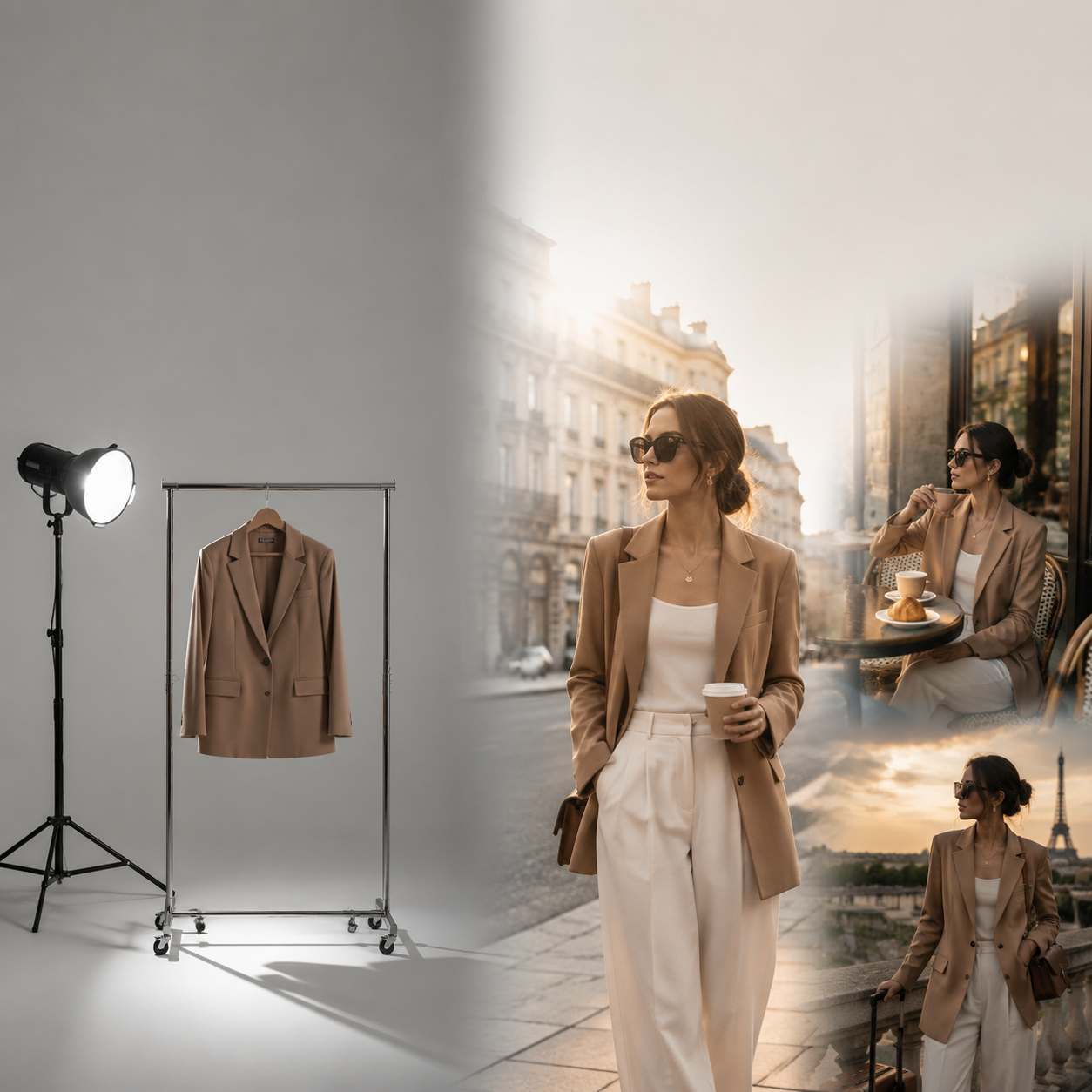
Hypothesis: For a single hero outfit, eight deliberate lifestyle scenes will outperform eight random AI variations — not because more images always win, but because scene diversity with narrative coherence covers more buyer moments without breaking brand identity.
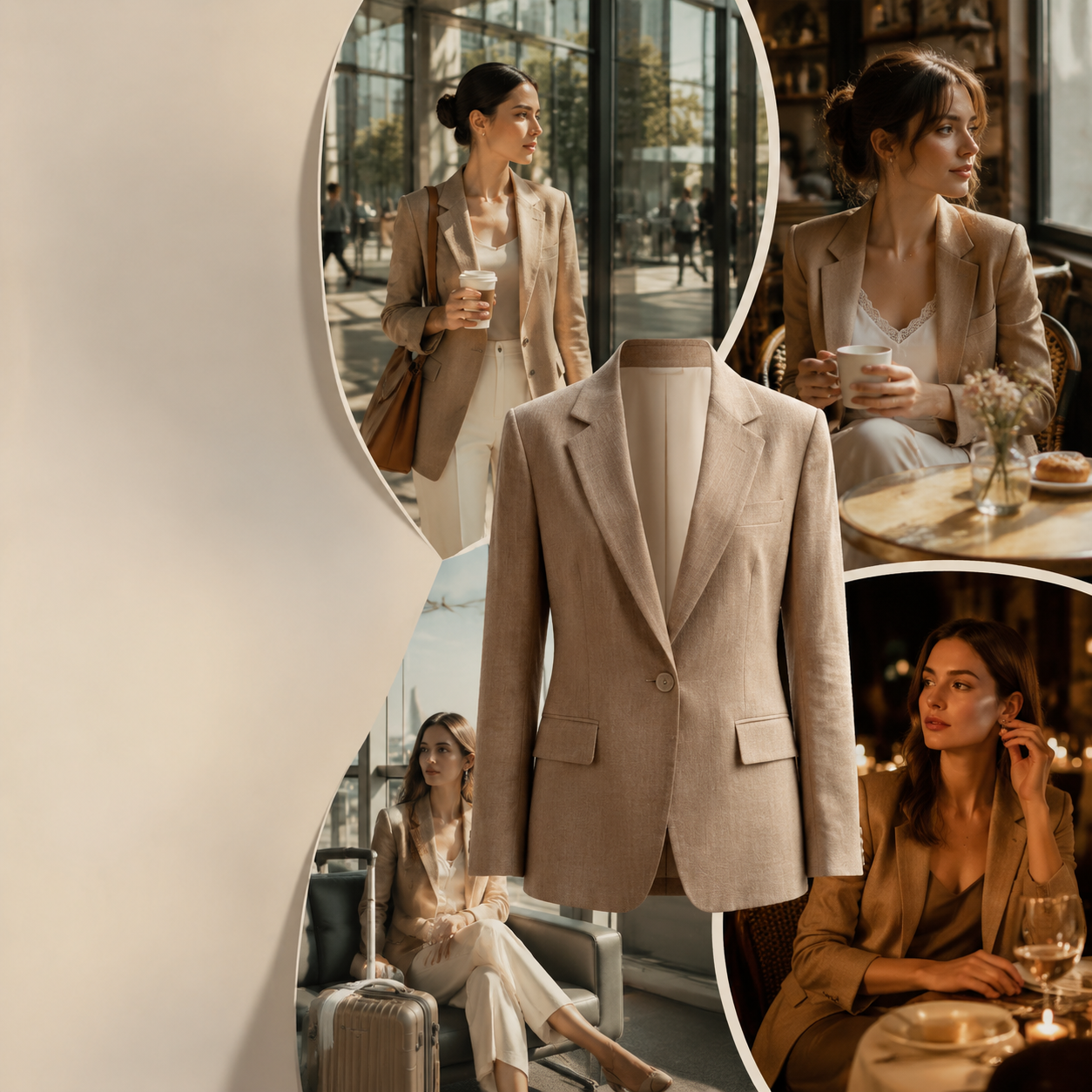
Setup: One structured camel blazer (contemporary urban, ages 28–40). Eight SCENE-mapped contexts. Same light logic, same palette, same character continuity rules. No studio reshoot. AI-assisted scene generation with human curation.
What we are testing: Not whether AI can make pretty pictures — that is settled. Whether a designed eight-scene grid beats undirected volume for lookbook, PDP, and paid social performance.
Key Takeaways
Eight scenes is not arbitrary — it maps to eight distinct buyer moments without aesthetic drift, if SCENE and brand rules are locked first.
Aggregated fashion ecommerce data suggests on-model lifestyle contexts outperform flat product isolation by 20–30% on conversion in apparel categories (industry A/B aggregates, 2025–2026).
In 2026, Adobe found 53% of creators blame content quantity for harder stand-out — volume without scene logic adds noise, not sales.
The winning set is never all eight. Curate three to five for publish; use the full grid for exploration and testing.
This experiment extends lookbook thinking and the SCENE method. Read those first if you need the frameworks. This article is the field test.
One outfit, multiple worlds: the experiment starts with a designed scene grid — not random volume.
What Was the Experiment Design?
Controls (held constant)
Variable
Rule
Hero garment
Structured camel blazer, single SKU
Buyer persona
Urban professional, 28–40, smart-casual wardrobe
Brand palette
Warm neutrals, camel + cream + soft black
Light logic
Same season feel — late autumn, soft directional
Character
Same face and posture language across scenes
Curation
Explorer generates 15–20 per scene; curator picks 1
Independent variable
Scene context — eight predetermined lifestyle moments, not eight prompt variations.
Dependent variables (how to score your own run)
Metric
Where to measure
Thumb-stop rate
Paid social (3-second hold)
CTR
Ad click-through
PDP gallery depth
% scrolling past image 2
Add-to-cart from PDP
Primary conversion
Save / share rate
Instagram, TikTok
Return rate (30-day)
Expectation match
We designed this as a replicable protocol — not a proprietary client case with sealed numbers. Run it on your SKU, your traffic, your channels. The structure is the deliverable.
What Were the Eight Lifestyle Scenes?
Each scene maps to SCENE dimensions. Narrative role explains where it sits in the funnel.
#
Scene name
Story
Context
Emotion
Narrative role
1
Monday momentum
First meeting of the week
Glass office lobby, morning light
Composed confidence
Open — aspiration
2
Coffee pause
Mid-morning reset
Corner café, ceramic cup
Unhurried warmth
Relate — humanize
3
Commute stride
City movement
Crosswalk, soft overcast
Capable, in motion
Proof — real life
4
Desk minimal
Work session
Clean desk, laptop closed
Focused elegance
Trust — professional
5
Lunch terrace
Midday social
Outdoor table, soft sun
Approachable polish
Desire — lifestyle upgrade
6
Gallery evening
After-work culture
White walls, art, dim light
Quiet sophistication
Differentiate — taste
7
Dinner date
Evening transition
Restaurant candlelight
Warm confidence
Close — identity
8
Travel ready
Weekend departure
Airport lounge, carry-on
Capable adventure
Extend — versatility
Same blazer. Eight chapters. One lookbook experiment — not eight unrelated renders.
Scene diversity with narrative coherence: the grid covers buyer moments without aesthetic drift.
What Did Each Scene Type Hypothesize?
Before looking at category data, we assigned commercial jobs to each scene:
Scene type
Hypothesized job
Risk if overused
Office / commute
Professional identity
Feels corporate-only
Café / social
Relatability
Too generic "lifestyle stock"
Evening / dining
Aspiration close
Wrong if brand is casual
Travel
Versatility proof
Irrelevant for desk-only buyers
Gallery / culture
Taste signaling
Niche — not for mass market
Design insight: Scenes 1, 3, and 7 form a minimum viable trilogy — work, movement, evening. Scenes 2, 5, 6, 8 expand reach for paid social and email. Scene 4 anchors PDP professionalism.
What Does Category Data Suggest Actually Sells?
We cross-referenced the eight-scene grid against published fashion and ecommerce benchmarks. No invented experiment CTRs — these are category signals to inform which scenes to weight.
Lifestyle beats isolation (apparel)
Aggregated Shopify merchant data cited in industry analyses shows on-model lifestyle imagery outperforming flat lay by roughly 20–30% on conversion across most apparel categories. Lifestyle creates identity recognition; flat lay creates specification clarity. You need both — not one alone.
Implication for our grid: Scenes 1–7 (lifestyle-led) drive desire. You still need a clarity frame — often a cropped detail or compliant hero — for marketplace and comparison shoppers. That is scene 4's desk minimal or a separate packshot, not scene 8.
Volume without coherence fails
Adobe's 2026 Creators' Toolkit Report found 53% of creators who find it harder to stand out blame sheer content quantity online, and 42% say AI-generated work makes distinctive voices harder to surface (Adobe, 2026).
Implication: Publishing all eight scenes everywhere is not a strategy. It is noise. Test two on paid social. Put three in PDP gallery. One in email. Kill the rest.
Mobile-first discovery
Adobe's 2025 survey found 72% of creators frequently create content on mobile (Adobe MAX 2025, 2025). Fashion discovery happens in feed — not gallery.
Implication: Scenes with immediate context (commute stride, coffee pause) likely outperform slow-burn scenes (gallery evening) in cold traffic. Save gallery for retargeting and email.
Scene 1 + 3 (office, commute): strongest cold-traffic candidates in our publish priority table.Movement + context: identity recognition beats flat isolation in apparel feeds.
Curation still mandatory
Adobe reports 57% of creators say AI outputs need moderate or extensive editing before publish, and 85% insist final creative decisions remain theirs (2026).
Implication: The experiment is not "generate eight and post." It is "generate eight candidates, publish three curated."
What Would We Publish From the Eight?
Based on scene job + category signals, our recommended publish set from this experiment:
Priority
Scene
Primary use
P0
Monday momentum (1)
PDP gallery opener, brand homepage
P0
Commute stride (3)
Paid social cold traffic
P0
Dinner date (7)
Email hero, retargeting
P1
Coffee pause (2)
Instagram organic
P1
Travel ready (8)
Versatility story, TikTok
P2
Desk minimal (4)
LinkedIn, B2B-leaning brands
P2
Lunch terrace (5)
Seasonal campaign
Hold
Gallery evening (6)
Test on small budget — niche taste
Your SKU may invert this. A weekend-first brand might lead with scene 5 or 8, not scene 1. The grid is fixed; the priority order is brand-specific.
Scene 7 (dinner date): P0 for email hero and retargeting — aspiration close.Scene 8 (travel ready): versatility proof for TikTok and seasonal campaigns.
How Do You Run This Experiment on Your Own SKU?
Week 1: Design
Lock hero garment and buyer persona (one sentence each)
Copy the eight-scene table; rewrite rows for your brand
Moodboard: light, palette, character rules
List channels and metrics (from dependent variables table)
Week 2: Produce
Generate 15–20 variations per scene (explorer role)
Curate one winner per scene (curator role)
Hold consistency review — kill any scene that broke light or palette
Week 3: Test
Run paid social A/B: scene 3 vs scene 7 vs packshot-only control
Swap PDP gallery image 2: scene 1 vs scene 2
Track 14 days minimum before calling winners
Week 4: Systemize
Document winning three scenes in brand playbook
Save workflow template for next SKU (phone-to-campaign pattern applies)
Archive losers — do not delete; they inform next season
What Broke During the Experiment?
Honest failure modes we designed against — and you will hit at least two:
This experiment is one spoke in AI ecommerce design: one creative direction, multiple commercial assets, human curation, saved workflow.
The outfit is not the campaign. The scene selection is the campaign. Eight is the exploration grid. Three to five is the commercial kit.
Fashion teams without studios already proved the worldview in Your Lookbook Doesn't Need a Studio. This experiment asks the harder question: which worlds actually move product — and gives you a protocol to find out on your own traffic.
Run your eight-scene experiment on Orauria:Try Orauria
Frequently Asked Questions
Do I need exactly eight scenes?
No. Eight is a useful exploration grid for one hero SKU — enough coverage, not infinite drift. Four scenes may be enough for a tight launch; six for seasonal drops. The method matters more than the count.
Can I run this without paid ads budget?
Yes. Use organic posting order (scene 3 vs 7 on alternate days), email A/B heroes, or PDP gallery swap tests. Slower signal, same logic.
Which scene usually wins for cold traffic?
Category data points to movement + immediate context — commute, street, café — over slow atmospheric scenes for thumb-stop. Your brand may differ; test beats theory.
Is this only for blazers and fashion?
The eight-scene structure applies to any hero garment. For beauty or F&B, swap scenes using lifestyle context mapping rows instead of outfit moments.
How long should I test before picking winners?
Minimum 14 days for paid social; 30 days if measuring returns and repeat purchase. Do not call winners on 48 hours of data unless spend is very high.
What if all eight scenes look good but feel unrelated?
You skipped moodboard and consistency rules. Regenerate as a set, not eight separate prompts. Coherence is a brief problem, not a model problem.
Conclusion
One outfit. Eight lifestyle scenes. Not eight random AI outputs — eight designed buyer moments with narrative roles, curation gates, and a publish priority table.
What actually sells is not the biggest grid. It is the smallest curated set that covers aspiration, proof, and identity — drawn from a scene map you built before the first render.
Run the experiment. Measure your traffic. Publish three. Save the workflow. Next SKU starts faster.