Category: Creative Thinking & Frameworks

  • The SCENE Method for AI Product Storytelling

    The SCENE Method for AI Product Storytelling

    Most AI product images fail for a boring reason: the prompt describes the object, not the story. “A serum bottle on a marble counter” is not creative direction. It is inventory. The shopper does not buy marble. They buy the morning ritual, the skin confidence, the version of themselves that appears in the mirror before a hard day.

    AI product storytelling is the discipline of placing a product inside believable commercial narratives — then generating images that prove the product belongs there. The SCENE method is the framework that makes those narratives repeatable across SKUs, seasons, and channels without aesthetic drift.

    Key Takeaways

    • SCENE stands for Story, Context, Emotion, Narrative, and Extension — five questions to answer before any AI render.
    • In 2026, Adobe found 57% of creators say AI outputs need moderate or extensive editing before publish. SCENE front-loads the brief so editing fixes polish, not fundamental story failure.
    • One hero product mapped through four to six SCENE contexts beats twelve random angles on a grey background — for conversion and for brand coherence.
    • SCENE works beyond fashion: beauty, F&B, home, and electronics all sell through context and emotion, not isolation.

    If you arrived from lookbook thinking, you have already seen SCENE applied to a camel blazer across four worlds. This article generalizes the method for any product category — and connects it to the larger discipline of AI ecommerce design.
    Storyboard planning for multi-scene product storytelling
    SCENE starts on paper — or in a brief doc — before any AI model opens.

    What Is the SCENE Method?

    SCENE is a pre-render framework. Before you open any image model, you answer five dimensions for each product or hero SKU:

    LetterDimensionCore question
    SStoryWhat micro-story does this single frame tell?
    CContextWhere is the product — physically and in the buyer’s life?
    EEmotionWhat should the viewer feel in under two seconds?
    NNarrativeHow does this frame connect to the frames before and after it?
    EExtensionWhat other scenes could this product inhabit without breaking character?

    In 2026, Adobe’s Creators’ Toolkit Report found that 87% of creators using creative AI say it has accelerated business or audience growth — yet 85% insist the final creative decision must remain theirs (Adobe Creators’ Toolkit Report, 2026). SCENE is built for that reality: AI explores the scenes; humans define the story and approve what ships.
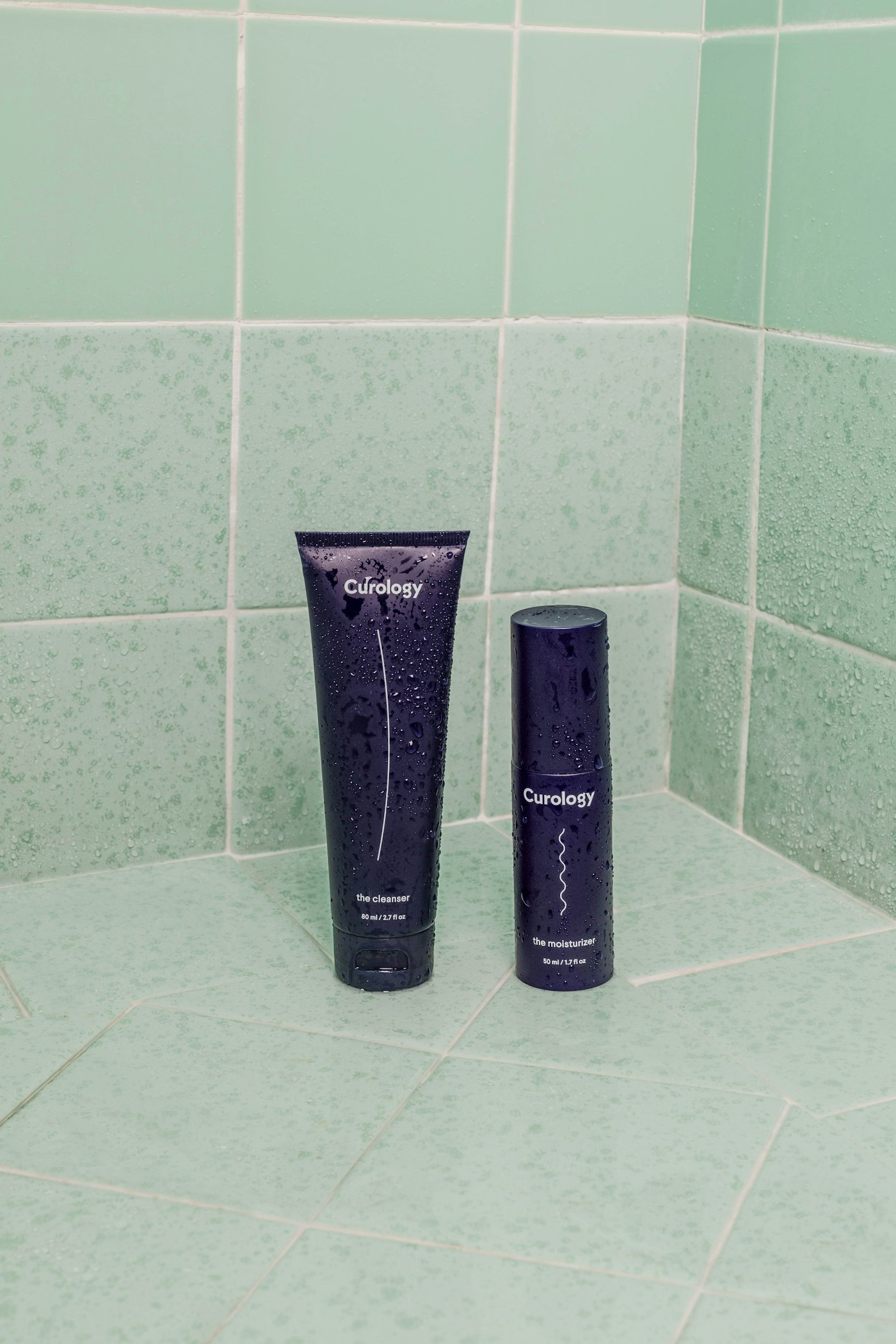
    Skincare products in bathroom morning ritual lifestyle context
    Beauty SCENE in practice: context and ritual, not sterile product isolation.

    Why Do AI Product Images Fail Without a Story Framework?

    They fail because teams confuse catalog clarity with commercial persuasion.

    Catalog clarity answers: What is this product? What are its dimensions? What color is it? Commercial persuasion answers: Why does this product belong in my life right now?

    Three failure modes repeat across categories:

    1. Object-first prompting. “Generate a photo of a coffee bag” produces a bag. It does not produce desire, ritual, or morning warmth.
    2. Scene without sequence. Each image is individually fine. Together they feel like a stock photo mood board — not a brand chapter.
    3. No extension plan. The team renders one hero and stops. Marketing later asks for ads, email headers, and marketplace crops — and every new prompt drifts from the original.

    Adobe’s 2025 inaugural survey found 48% of creators use creative AI for ideation and brainstorming, while 52% use it for generating new assets (Adobe MAX 2025 survey, 2025). SCENE sits upstream of both: it is the ideation structure that makes generation intentional.
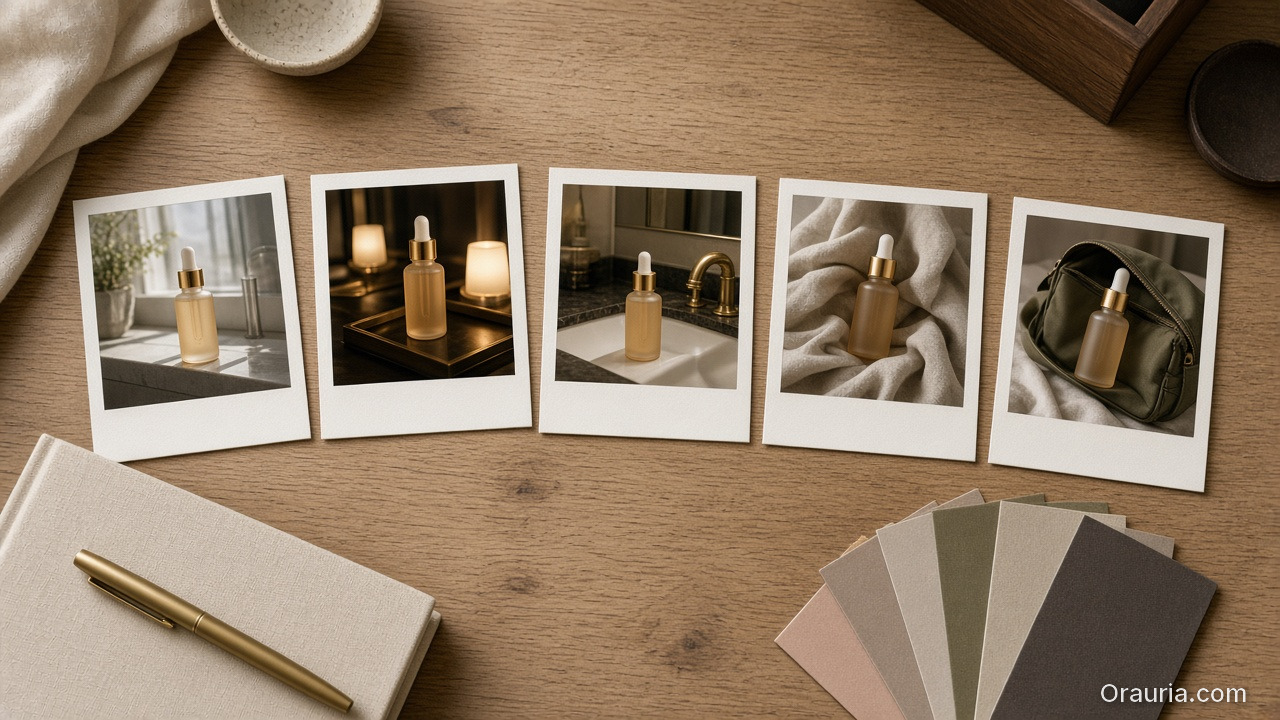
    Five Polaroid prints of the same frosted serum bottle in morning bathroom, evening vanity, hotel sink, linen wrap, and travel pouch contexts, arranged on an oak desk with a linen notebook and color swatches
    SCENE is applied letter by letter — the same product, five distinct moments, one story system.

    How Do You Apply Each Letter of SCENE?

    S — Story: One frame, one moment

    Every product image is a frozen scene from a longer film. Name that scene in one sentence.

    • Weak: “Skincare serum product shot.”
    • Strong: “First light hits the bathroom shelf; she reaches for the serum before the city wakes up.”

    The story does not need drama. It needs specificity. Vague stories produce vague images.

    C — Context: Physical place + social meaning

    Context has two layers:

    • Physical: kitchen counter, gym locker, office desk, hotel bathroom
    • Social: alone, with partner, at work, preparing for an event

    A protein powder on a gym bench and the same powder on a Sunday kitchen island tell different stories — even if the product is identical.

    E — Emotion: The feeling that closes the gap

    Name one primary emotion per frame. Not three. One.

    EmotionWhen it works
    CalmWellness, skincare, home
    AmbitionProfessional tools, fashion, tech
    WarmthFood, family products, gifts
    PlayfulnessCreator tools, youth brands
    ConfidenceBeauty, fitness, career products

    Emotion is the bridge between scroll and stop. If you cannot name it, the image will not carry it.

    N — Narrative: How frames connect

    Narrative is sequence logic. Ask: if these images were a carousel, would they feel like chapters or like shuffle mode?

    Example sequence for a reusable water bottle:

    1. Morning fill at home (hydration habit)
    2. Gym floor beside mat (performance context)
    3. Desk beside laptop (workday companion)
    4. Evening park bench (recovery wind-down)

    Same bottle. Four chapters. One product story.

    Laptop and team collaboration representing connected narrative sequence across scenes
    Narrative is sequence logic — each frame should feel like the next chapter, not shuffle mode.

    E — Extension: Plan the family before you render

    Extension prevents the “we need five more images by Friday” panic. Before the first render, list every scene the product must inhabit this quarter: PDP gallery, paid social, email hero, marketplace, seasonal campaign.

    Extension is where AI ecommerce design meets SCENE: one creative direction, many formats.

    A long oak table with a frosted serum bottle, a specialty coffee bag and pour-over, a minimal desk lamp over a notebook, and a camel blazer on a wooden chair
    The same method travels across categories: beauty, food, home, and fashion all sell through context and emotion.

    What Does SCENE Look Like Across Product Categories?

    Beauty: Vitamin C serum

    SceneStoryContextEmotion
    1Morning ritualBathroom shelf, soft window lightCalm renewal
    2Pre-event prepVanity mirror, evening glowConfident glow
    3Travel essentialHotel bathroom, compact bagCapable, cared-for
    4Gift momentWrapped box on linen, natural lightWarm generosity

    We explore beauty-specific scene mapping in Lifestyle Context Mapping for Beauty Ads.

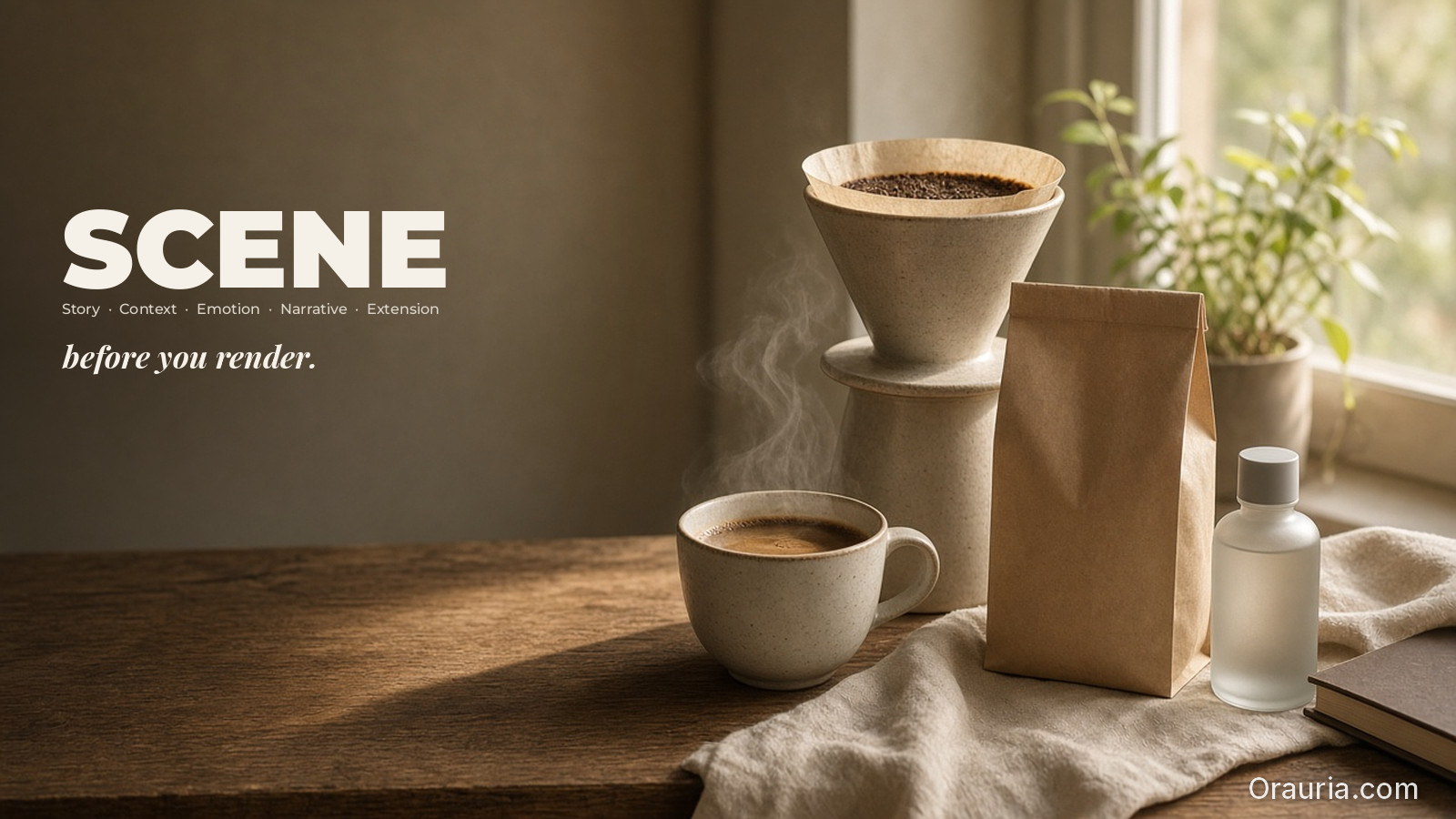
    Pour-over coffee on kitchen island — Sunday morning lifestyle scene
    F&B SCENE: the story is ritual and warmth, not just the bag on white.

    Food & Beverage: Specialty coffee bag

    SceneStoryContextEmotion
    1Slow SundayKitchen island, pour-over setupUnhurried warmth
    2Work-from-homeDesk beside laptop, ceramic mugFocused comfort
    3Friends overDining table, shared potSocial connection
    4Gift shelfPantry display, handwritten tagThoughtful giving

    Home: Minimal desk lamp

    SceneStoryContextEmotion
    1Late work sessionHome office, blue hour through windowQuiet focus
    2Reading hourArmchair, book, warm pool of lightRestful intimacy
    3Student setupCompact desk, notebook stackAmbitious clarity

    Fashion: (recap from lookbook thinking)

    The camel blazer example from Your Lookbook Doesn’t Need a Studio — Monday momentum, Saturday slow, red-eye ready, after hours — is SCENE applied to apparel. Fashion is not a separate method. It is SCENE with a human character at center frame.
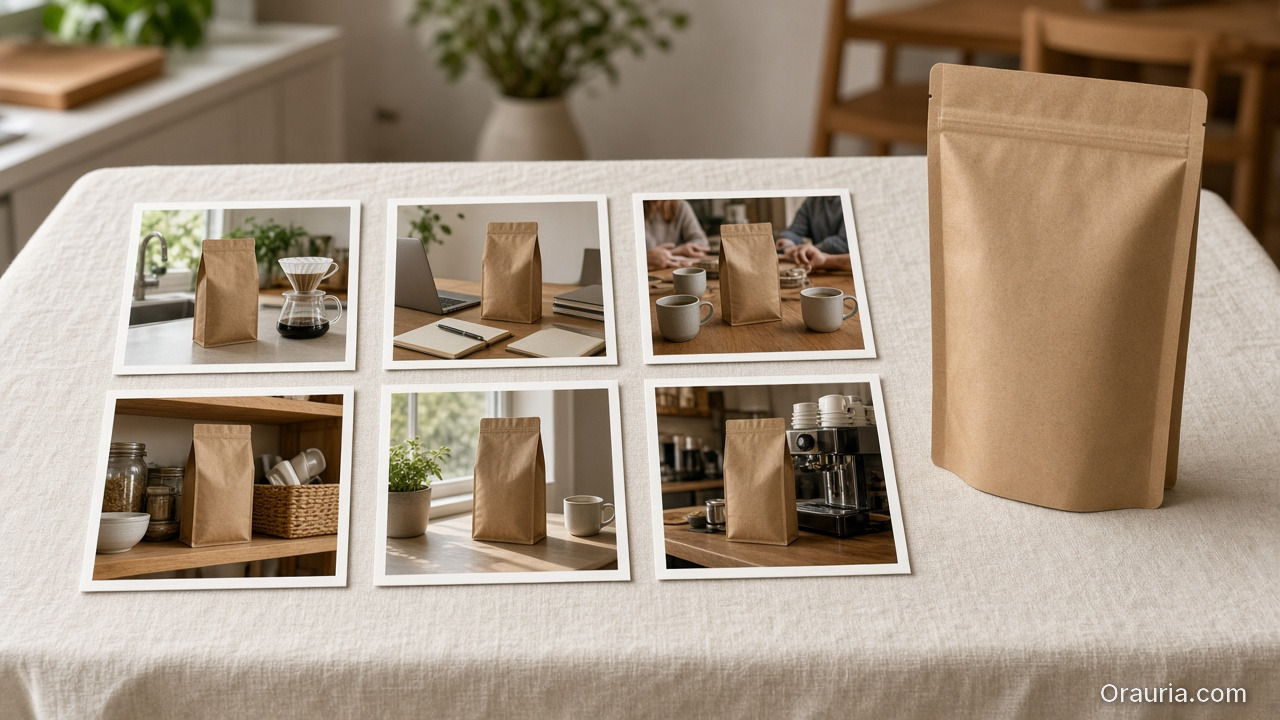
    Six prints of the same matte coffee bag in kitchen, desk, friends, pantry, windowsill, and cafe contexts, with the physical bag standing beside them on linen
    Four to six planned contexts for one hero SKU beat a pile of random angles.

    How Many SCENE Contexts Should One Product Have?

    Start with four to six scenes per hero SKU. That is enough narrative range for a launch week without drowning in production.

    Product stageRecommended SCENE count
    New launch / hero SKU4–6 scenes
    Catalog extension2–3 new scenes per seasonal refresh
    Marketplace-only SKU3 scenes minimum (hero clarity + 2 context)
    Full campaign drop6–8 scenes across channels

    Adobe reports that 93% of creators say AI helps them produce content faster (Adobe Creators’ Toolkit Report, 2026). SCENE channels that speed: you are not generating twenty random variations. You are filling a predetermined scene grid.

    Team planning SCENE brief at desk with laptop and notes
    A SCENE brief takes 15–30 minutes. Re-prompting orphans takes days.

    What Is a SCENE Brief Template You Can Use Today?

    Copy this before your next render session:

    PRODUCT: [name + category]
    BUYER: [who, age range, life moment]
    BRAND EMOTION: [one word — calm, ambition, warmth, etc.]
    
    SCENE 1
      Story:
      Context:
      Emotion:
      Narrative role: [opening / proof / desire / close]
    
    SCENE 2
      Story:
      Context:
      Emotion:
      Narrative role:
    
    [repeat for scenes 3–4]
    
    EXTENSION (formats needed this month):
      - PDP hero:
      - PDP gallery:
      - Paid social:
      - Email:
      - Marketplace:
    
    CONSISTENCY RULES:
      - Light logic:
      - Palette:
      - Character/product continuity:

    This is not bureaucracy. It is the three-line brief expanded into a commercial map — the difference between prompting and directing.

    Left, a controlled packshot setup of a frosted serum bottle with swatches and references; right, the same bottle in a sunlit bathroom lifestyle scene
    SCENE works in both modes: references protect continuity; exploration finds the world.

    When Should SCENE Use Reference Images vs Open Exploration?

    • Open exploration when you are discovering the world: new product line, rebrand, first-season lookbook, pitch deck mood.
    • Reference-heavy when you are scaling: same bottle shape, same label details, same model face across twelve formats.

    The full decision tree lives in When to Use Reference Images vs Let AI Explore. SCENE works in both modes — it defines what to explore or what to protect.

    A messy pile of mismatched serum-bottle photos on the left, contrasted with a tidy row of four consistent warm lifestyle prints on the right
    The common failure is not a bad model — it is a set of frames that do not belong together.

    What Are the Most Common SCENE Mistakes?

    MistakeSymptomFix
    Skipping ExtensionFriday panic for “more assets”List formats before first render
    Emotion stackingMuddy, confused framesOne emotion per scene
    Context without storyPretty location, no momentName the micro-story in one sentence
    Narrative shuffleCarousel feels randomAssign narrative role per scene
    No consistency rulesBeautiful set, wrong brandLock light + palette before batch

    When drift appears across a SCENE set, return to the brief — not the model. Read Brand Consistency Trap: 5 Times AI Broke Your Visual Identity for recovery patterns.

    How Does SCENE Connect to Workflow and Tools?

    SCENE is thinking, not clicking. In practice, the method maps to a repeatable pipeline:

    1. Write SCENE brief for hero SKU
    2. Build moodboard from references (temperature, palette, emotion)
    3. Generate scene variations per SCENE row
    4. Curate 1 winner per scene — kill the rest
    5. Adapt winners per channel format
    6. Save brief + workflow as template for next SKU

    For teams starting with phone photos instead of studio assets, see From Phone Photo to Campaign. SCENE still applies — the reference image is just noisier at the start.

    In workspaces like Orauria, SCENE rows become workflow nodes: reference upload → Brand Style → scene generation → upscale/crop per format → template save. The framework survives the toolchain change.


    Map your next product story on Orauria: Try Orauria

    Frequently Asked Questions

    Is SCENE only for fashion and lookbooks?

    No. SCENE originated in lookbook thinking but applies to any product sold through context: beauty, food, home, electronics, wellness. If your buyer imagines a life around the product, SCENE applies.

    How long should a SCENE brief take to write?

    Fifteen to thirty minutes for a hero SKU with four scenes. That is less time than re-prompting twenty orphaned images and trying to make them feel related afterward.

    Can I use SCENE with only text-to-image tools?

    Yes. SCENE is model-agnostic. It defines the brief before the tool. Whether you use Flux, Midjourney, or a multi-model workspace, the five questions stay the same.

    What is the difference between SCENE and a creative brief?

    A traditional creative brief is often a document. SCENE is a grid — one row per scene, five columns, built for batch production. It is brief structure designed for AI iteration speed.

    How does SCENE help with AI product storytelling for SEO?

    Search engines and AI assistants reward content that answers buyer questions clearly. SCENE-based galleries naturally produce image sets with descriptive alt text, coherent narratives, and FAQ-friendly context — which supports both PDP engagement and topical authority posts.

    Should every scene include a person?

    Not always. Some products — food, objects, decor — tell stories through environment alone. SCENE still applies: the “character” can be the room, the table, the hands, or the light — not necessarily a full model.

    Conclusion

    AI product storytelling is not about prettier packshots. It is about evidence — proof that a product belongs in a life the buyer recognizes.

    SCENE makes that evidence systematic. Define the story before the object. Place the product in context. Name the emotion. Connect the frames. Plan the extension before the first render.

    Stop prompting products. Start directing scenes.


    References

    1. Adobe, 2026 Creators’ Toolkit Report, June 16, 2026. https://news.adobe.com/news/2026/06/creators-toolkit-report-2026
    2. Adobe, Inaugural Creators’ Toolkit Report (Adobe MAX 2025), October 28, 2025. https://news.adobe.com/news/2025/10/adobe-max-2025-creators-survey
    3. 9to5Mac, “Adobe survey: AI is helping creators grow, but not without tradeoffs,” June 16, 2026. https://9to5mac.com/2026/06/16/adobe-survey-ai-is-helping-creators-grow-but-not-without-tradeoffs/
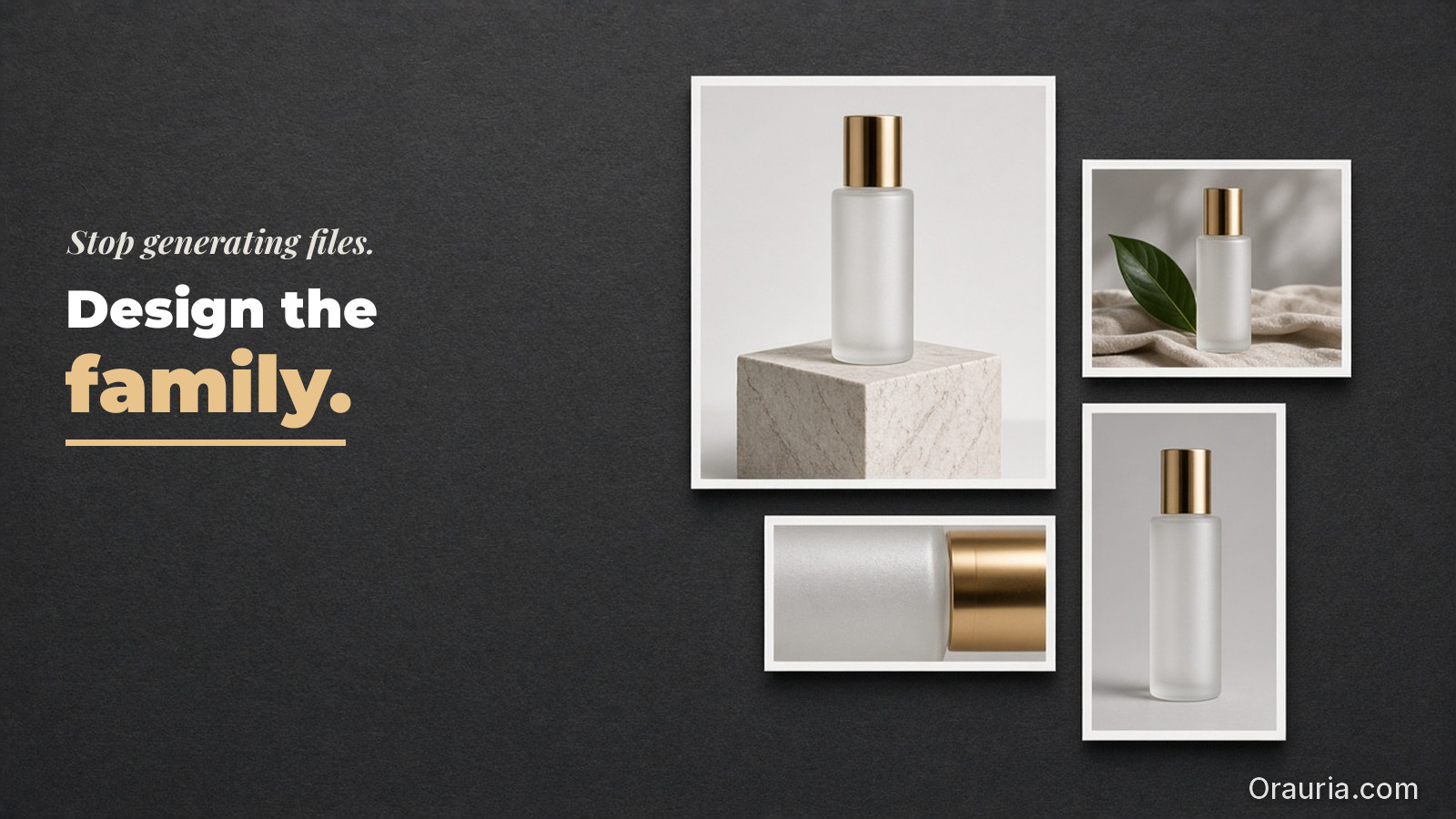
  • AI Ecommerce Design Is Not AI Image — Here Is the Difference

    AI Ecommerce Design Is Not AI Image — Here Is the Difference

    Open any ecommerce team’s Slack channel after they “try AI,” and the pattern repeats. Someone generates a stunning product shot. Everyone reacts. Then marketing asks for the TikTok version. Then the marketplace crop. Then the same model face on a banner. Then a video loop. Then someone notices the color drifted from the brand kit.

    The team did not fail at AI. They failed at category confusion. They bought an AI image outcome when the business needed AI ecommerce design — a system that turns one creative direction into publishable commercial assets across channels without breaking brand coherence.

    Key Takeaways

    • AI image answers: What does this product look like in one frame? AI ecommerce design answers: What commercial story does this product tell — and how does that story survive every format?
    • In 2026, Adobe’s Creators’ Toolkit Report found that 75% of creators describe creative AI as integrated or essential — yet 57% say outputs still need moderate or extensive editing before publish. Speed without a design system creates rework, not revenue.
    • Adobe’s 2025 inaugural survey found 60% of creators use more than one creative AI tool in a three-month window — a signal that image generation alone rarely closes the commercial loop.
    • The shift from image to design is not more prompts. It is creative direction + brand guardrails + channel adaptation + reusable workflow.

    If you have read Your Lookbook Doesn’t Need a Studio. It Needs a World, you already know one piece of this puzzle: world-building beats studio thinking for fashion and lifestyle brands. AI ecommerce design is the larger frame — the discipline that connects lookbook thinking, product pages, paid social, marketplace listings, and campaign extensions into one coherent commercial language.

    Modern retail checkout representing a full commercial ecommerce creative system
    AI ecommerce design is not one render — it is the commercial system behind every touchpoint.

    What Is the Difference Between AI Image and AI Ecommerce Design?

    AI image is output. You describe a scene, select a model, render variations, pick a winner. The deliverable is a file.

    AI ecommerce design is infrastructure. You define a commercial world — who buys this product, where they encounter it, what emotion closes the gap between scroll and cart — then produce a family of assets that all obey the same creative rules. The deliverable is a system: hero shot, lifestyle context, detail crop, social format, video still, voice-over script, all traceable to one brief.

    In 2026, Adobe reported that 87% of creators using creative AI say it has accelerated business or audience growth, while 93% say it helps them produce content faster (Adobe Creators’ Toolkit Report, 2026). Those numbers describe opportunity — not automatic quality. The same report found 57% of outputs need moderate or extensive editing before they are ready to share. In ecommerce, “editing” is not polish. It is fixing off-brand color, wrong aspect ratio, inconsistent model faces, and scenes that sell aspiration but fail to answer practical buyer questions.

    Isolated product on white background — single AI image output
    One file, one frame: the AI image mindset stops here. Ecommerce design starts with the asset family.

    Why Do Ecommerce Teams Confuse the Two?

    Three habits cause the confusion — and all three feel productive in the moment.

    1. Tool-first buying. A team licenses an image model, runs a workshop on prompting, declares victory. Nobody owns creative direction, brand rules, or channel specs. The tool becomes the strategy.

    2. Channel-last thinking. Assets are generated in isolation: one hero for the website, another prompt for Instagram, a third tool for video. Each channel looks fine alone. Together, they look like three different brands.

    3. Speed mistaken for scale. Adobe’s 2026 report shows creators produce faster with AI — but faster single images do not equal faster catalogs, seasons, or campaigns. Scale in ecommerce means repeating a coherent visual language across hundreds of SKUs and dozens of formats without aesthetic drift.

    Adobe’s 2025 inaugural Creators’ Toolkit Report offers a telling detail: 60% of creators used more than one creative generative AI tool in the prior three months to improve quality, experiment with capabilities, or match the right tool to the task (Adobe MAX 2025 survey, 2025). That is not failure. That is evidence that commercial creative work spans ideation, generation, editing, upscaling, adaptation, and distribution. Image generation is one station on the line — not the whole factory.

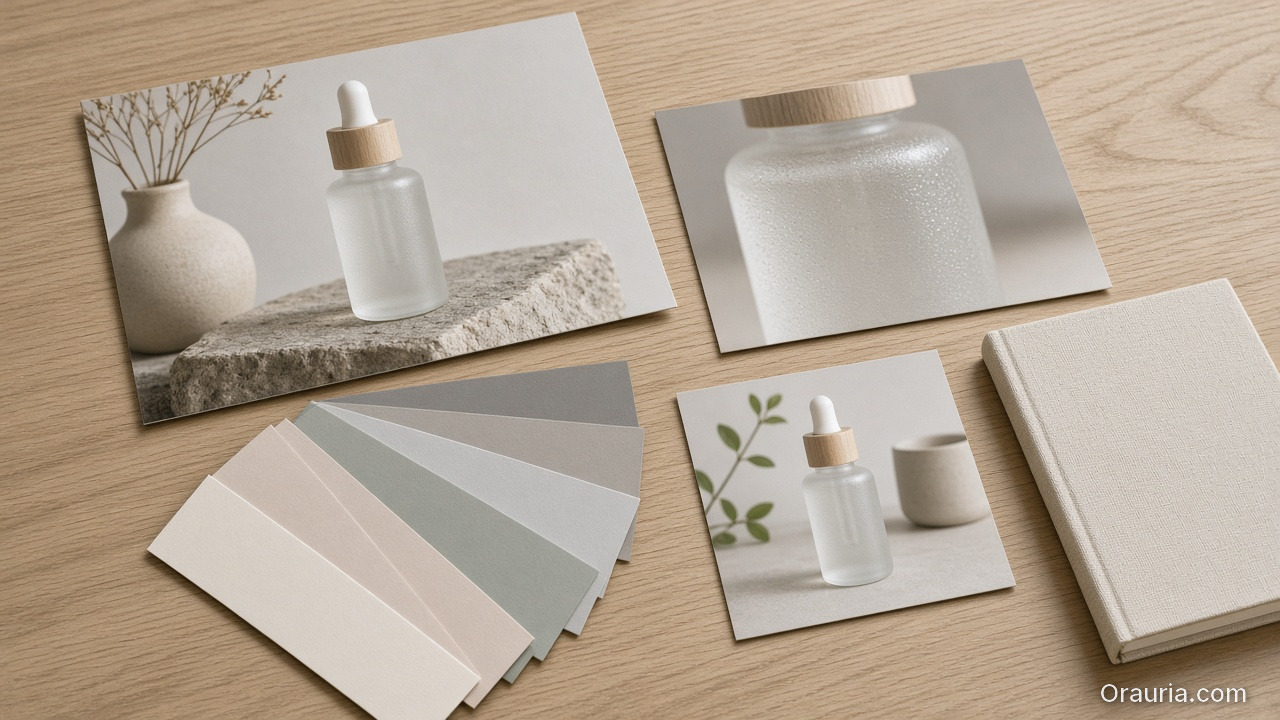
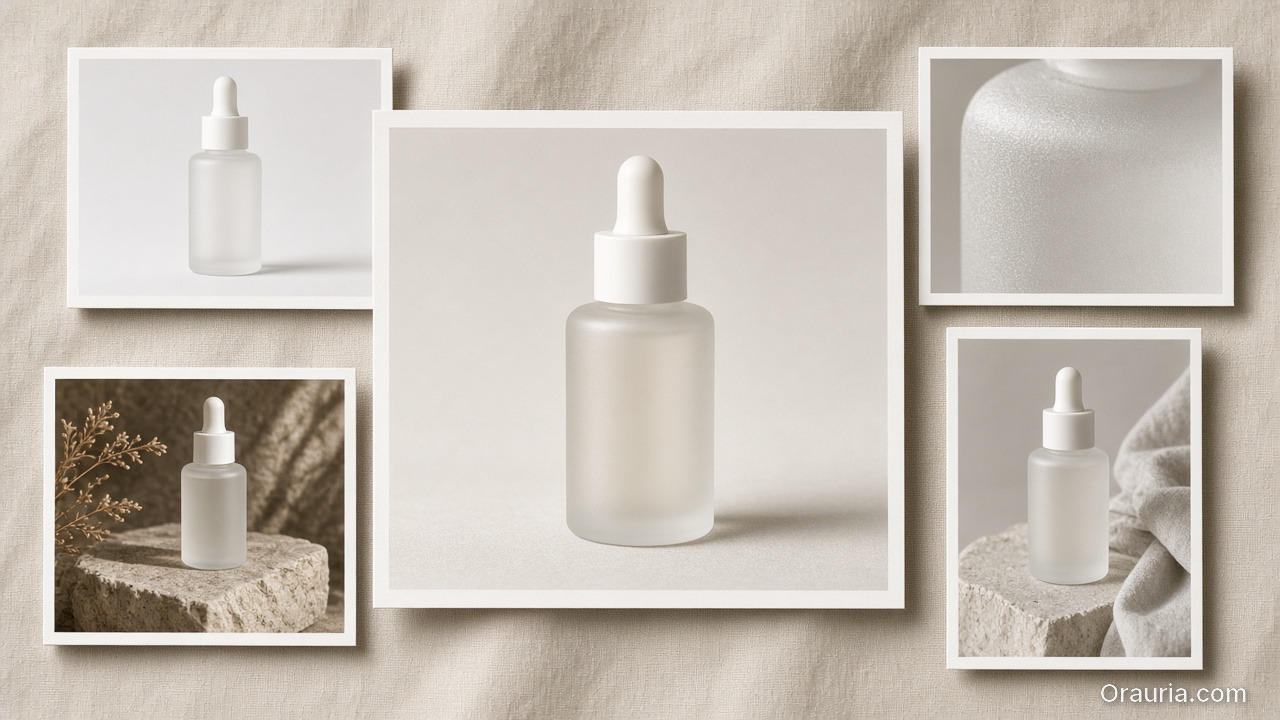
    Lifestyle, texture, and square crops of a frosted serum bottle with color swatches and a linen notebook on an oak desk

    What Are the Five Layers of AI Ecommerce Design?

    Before you evaluate tools, map the stack. AI ecommerce design has five layers. Skip one, and the system collapses back into random pretty images.

    LayerQuestion it answersWhat breaks if you skip it
    1. Creative DirectionWhat world does this product belong to?Gorgeous orphans — images that do not belong together
    2. Brand SystemWhat must stay constant across every asset?Color drift, typography chaos, wrong tone
    3. Scene ProductionWhat evidence proves the product fits a life?Flat persuasion — no context, no desire
    4. Channel AdaptationWhat does each platform require?Right image, wrong crop, wrong file, wrong moment
    5. Workflow & ReuseHow does next week’s batch start faster?Reinventing the brief every Monday
    Designer workspace with color swatches and screens for brand system planning
    The five layers live in practice: direction, brand, scenes, formats, and reusable workflow.

    Layer 1: Creative Direction

    This is where lookbook thinking and the SCENE method live. You are not prompting “a photo of a serum bottle.” You are defining Story, Context, Emotion, Narrative, and Extension for a buyer who discovers the product on a phone, compares alternatives in three tabs, and decides in under eight seconds.

    Layer 2: Brand System

    Brand is not a logo file. It is enforceable rules: palette, light temperature, composition habits, voice, character continuity. Adobe’s 2025 survey found 85% of creators would consider using AI that learns their creative style — because consistency is the hard part, not the first render.

    Layer 3: Scene Production

    Ecommerce creative is moving from white-background clarity to scene-based persuasion. Fashion needs lifestyle contexts. Beauty needs bathroom counters and morning light, not sterile isolation — a pattern we explore in Lifestyle Context Mapping for Beauty Ads. The scene is not decoration. It is the argument for why this product fits a real life.

    Layer 4: Channel Adaptation

    A hero image is not a TikTok Shop thumbnail. A lookbook frame is not an Amazon main image. AI ecommerce design plans formats up front: aspect ratios, safe zones, text overlay zones, motion crops. Adaptation is design work — not an afterthought resize.

    Smartphone with social app icons representing multi-channel ecommerce asset formats
    Channel adaptation is design work: each platform needs its own crop, safe zone, and context.

    Layer 5: Workflow and Reuse

    The test of maturity: can you run next month’s drop without rewriting the creative logic from scratch? Saved workflows, brand presets, reference libraries, and batch templates turn one season’s thinking into next season’s head start. See From Phone Photo to Campaign: A Workflow Mindset for Small Brands for how this mindset applies when you start with almost nothing.

    A central print of a frosted serum bottle surrounded by packshot, lifestyle, texture, and vertical crops on linen

    When Does a Single AI Image Become a Commercial Creative System?

    The transition happens when three conditions are true:

    1. The brief is commercial, not descriptive. “Generate a red dress” is an image brief. “Show this dress in three contexts our buyer actually inhabits — commute, dinner, weekend travel — with the same light logic and palette” is an ecommerce design brief.
    2. Outputs are planned as a set, not a single winner. You know in advance you need a marketplace hero, two gallery lifestyle frames, one detail macro, one paid-social crop, and one video loop source. The set is the unit of work — not the one image that tested well in Discord.
    3. A human curator signs the system, not just the file. Adobe found in 2026 that 85% of creators insist the final creative decision must remain theirs, whether the tool is generative or agentic. AI ecommerce design respects that: explore widely, decide deliberately, publish only what belongs in the same commercial world.
    A scattered pile of mismatched prints of a dropper bottle in neon, beach, kitchen, and white-studio styles

    What Breaks When You Treat AI Like a Photo Booth?

    Treating AI as a photo booth — insert prompt, receive image, move on — produces predictable commercial failures:

    Photo booth habitCommercial consequence
    New prompt every assetBrand drift across PDP, ads, and email
    No reference systemDifferent model face on every format
    No channel planConstant rework for crops and specs
    No saved workflowEvery launch week starts at zero
    No curator roleVolume without point of view

    Adobe’s 2026 report notes that 53% of creators who find it harder to stand out blame the sheer quantity of content online, while 42% say AI-generated work makes it harder for distinctive voices to surface. In ecommerce, that translates directly: more product images do not automatically mean more conversion. Coherent commercial storytelling does.

    When drift appears, the fix is rarely “a better model.” Read Brand Consistency Trap: 5 Times AI Broke Your Visual Identity for the failure modes — and how teams recover by returning to brand system and creative direction, not prompt tweaking.

    A frosted serum bottle on a pale bathroom vanity in morning light, with a closed laptop and a ceramic cup

    How Does AI Ecommerce Design Connect to Conversion?

    AI ecommerce design is not abstract theory. It maps to how shoppers actually decide.

    Product pages need clarity and context in deliberate order: a clean hero for trust and comparison, lifestyle frames deeper in the gallery for desire and scale. Teams that plan only one AI image often optimize for the wrong slot — a beautiful lifestyle render where the marketplace requires a compliant packshot, or a sterile white background where the ad feed needed emotion.

    The design question is not “which image is prettier?” It is which image does which job in the funnel — and can your system produce the full set without breaking character?

    That is why world-building from lookbook thinking scales down to SKU pages and up to campaigns. One creative direction propagates:

    • Hero lookbook scenes → cropped for product detail pages
    • Lifestyle frames → adapted for paid social and short video
    • Character continuity → reused in voice and motion later
    • Brand Style rules → enforced across the next 100 SKUs

    If you treat AI as image generation, you rebuild every asset from scratch for each channel. If you treat it as ecommerce design, one direction becomes a commercial kit.

    Woman shopping online on laptop — lifestyle context in the ecommerce funnel
    Conversion happens when clarity and context work together — not when one pretty image does every job.

    AI Image vs AI Ecommerce Design: A Side-by-Side View

    DimensionAI ImageAI Ecommerce Design
    Unit of workOne fileOne asset family
    Brief typeDescriptive promptCommercial creative direction
    Brand roleOptionalEnforced (palette, style, character)
    Channel awarenessRareBuilt in (crop, format, placement)
    ReuseLow — start over next timeHigh — workflows and templates
    Success metric“Does it look good?”“Does the set convert and stay on-brand?”
    Human rolePrompt writerCurator + art director
    Tool countOften oneOften several — by design

    Adobe’s 2025 data supports the last row: 55% of creators use creative AI for editing, upscaling, and enhancement; 52% for generating new assets; 48% for ideation and brainstorming. Ecommerce design uses all three modes — not just generation.

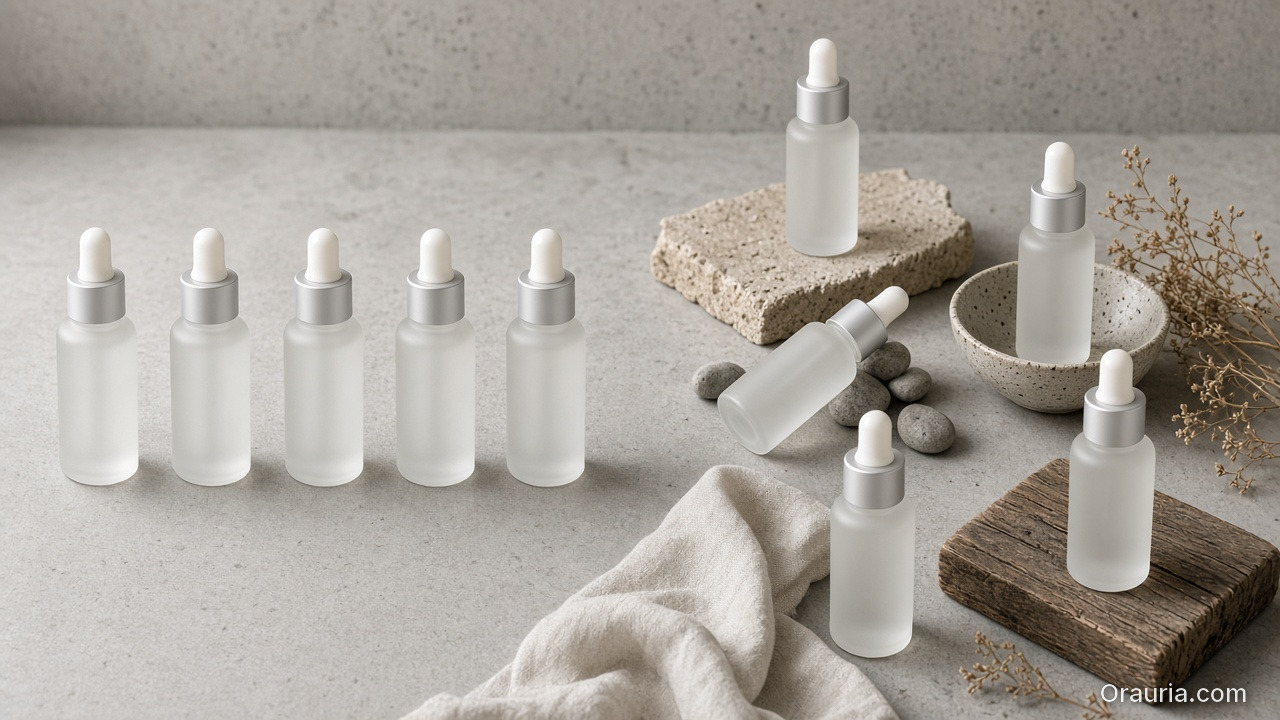
    A neat row of matching frosted bottles on the left and a looser scatter of the same bottle in varied settings on the right

    When Should You Use Reference Images vs Open Exploration?

    Use reference-heavy workflows when continuity is the brief: same product details, same model face, same brand silhouette across formats. Use exploration-heavy workflows when you are discovering the commercial world for a new line, rebrand, or first-season lookbook.

    We unpack the full decision tree in When to Use Reference Images vs Let AI Explore. The short version for ecommerce teams: exploration finds the world; references protect it during scale.

    A Brief Note on Tools (Not a Tutorial)

    This article is about category clarity, not button clicks. Still, teams ask where ecommerce design lives in practice.

    In workspaces built for commercial creative — including Orauria — the five layers map to a repeatable pattern:

    1. Upload product and reference images
    2. Define Brand Style (palette, photography rules, voice)
    3. Map scenes with creative direction (SCENE, lifestyle contexts)
    4. Generate variations across image — and extend to video, voice, copy when needed
    5. Upscale, crop, and export per channel
    6. Save the workflow as a template for the next drop

    The value is not that one model makes one beautiful image. The value is that the creative direction survives the whole pipeline — from first scene to fiftieth SKU.

    For a deeper comparison of scattered tools versus integrated workspaces, see Orauria vs Scattered AI Stack: When All-in-One Actually Wins.


    Build commercial creative systems on Orauria: Try Orauria

    Frequently Asked Questions

    Is AI ecommerce design just a fancy name for AI product photography?

    No. Product photography is one output type inside a larger system. AI ecommerce design includes creative direction, brand enforcement, multi-format adaptation, and reusable workflows — so teams do not regenerate the same commercial logic for every channel and every SKU.

    Do I need AI ecommerce design if I only sell on one marketplace?

    Even single-channel sellers need more than one image type: hero, angles, lifestyle context, detail shots. AI ecommerce design plans that asset family up front. One marketplace does not mean one image — it means one coherent visual argument with multiple proofs.

    Can I start with AI image tools and upgrade to ecommerce design later?

    Yes — most teams do. The upgrade happens when you add brand rules, scene mapping, channel specs, and saved workflows. The risk is waiting too long: every orphaned image becomes debt you must redo when you scale to ads, email, or new SKUs.

    What is the first step if my team only generates one-off AI images today?

    Write a three-line commercial brief before the next prompt: who buys, where they see the product, what feeling should close the gap. Then list every format you need this week. That shift from “make a picture” to “design a set” is the practical start of AI ecommerce design.

    How does this relate to AI lookbook thinking for fashion brands?

    Lookbook thinking is a spoke inside AI ecommerce design — the world-building layer for fashion and lifestyle. A lookbook defines aspiration; ecommerce design ensures that aspiration survives product pages, ads, and catalog scale. Start with lookbook thinking if fashion is your entry point.

    Will AI replace my designer or agency?

    Adobe’s 2026 report found 85% of creators insist the final creative decision must remain theirs. AI ecommerce design does not remove designers — it changes their job from manual production to direction, system design, and curation. The scarce asset is taste, not generation speed.

    Conclusion

    The ecommerce industry does not need more random AI images. It needs commercial creative systems — briefs that start with buyers, brand rules that survive every format, scenes that persuade in context, and workflows that make next month faster than this one.

    AI image tools are excellent at the render. AI ecommerce design is accountable for the outcome: a coherent visual language that turns attention into trust, and trust into cart.

    Stop asking whether AI can make your product look good. Start asking whether your team can design the whole commercial story — and publish it everywhere without the brand falling apart.


    References

    1. Adobe, 2026 Creators’ Toolkit Report, June 16, 2026. https://news.adobe.com/news/2026/06/creators-toolkit-report-2026
    2. Adobe, Inaugural Creators’ Toolkit Report (Adobe MAX 2025), October 28, 2025. https://news.adobe.com/news/2025/10/adobe-max-2025-creators-survey
    3. 9to5Mac, “Adobe survey: AI is helping creators grow, but not without tradeoffs,” June 16, 2026. https://9to5mac.com/2026/06/16/adobe-survey-ai-is-helping-creators-grow-but-not-without-tradeoffs/

  • Your Lookbook Doesn’t Need a Studio. It Needs a World.

    Your Lookbook Doesn’t Need a Studio. It Needs a World.

    The old lookbook formula was simple: rent a studio, hire a stylist, bring a photographer, shoot twelve looks, pray the weather holds. That model still works — if you have the budget, the crew, and the calendar.

    Most independent designers, freelance art directors, and small fashion brands have none of those. What they have is one strong collection, a phone full of reference images, and a launch date that will not move. The question is not whether AI can replace a photographer. The question is whether you can think like an art director when AI is your only crew.

    Key Takeaways

    • A traditional lookbook documents clothing. An AI lookbook builds a world around it — and that shift changes every creative decision you make.
    • Adobe’s 2026 Creators’ Toolkit Report found that 58% of creators say their ability to compete with larger studios feels stronger since using creative AI — but 57% still need moderate or extensive editing before publishing.
    • The SCENE framework (Story, Context, Emotion, Narrative, Extension) turns one outfit into multiple publishable scenes without losing brand coherence.
    • Your new role is not “prompt operator.” It is curator: let AI explore widely, then choose the five images that belong in the same world.

    An AI fashion lookbook is not a faster reshoot of last season’s campaign. It is world-building: placing a garment inside believable contexts — office commute, weekend café, travel layover, date night — so the audience sees not just fabric, but a life they want to step into. According to Adobe’s 2026 Creators’ Toolkit Report, which surveyed more than 16,000 creators globally, 87% of those using creative AI say it has accelerated business or audience growth, while 75% now describe AI as integrated or essential to how they work. Adobe also found that 58% of creators feel better equipped to compete with larger studios since adopting creative AI — yet 57% say outputs still need moderate or extensive editing before publish. The opportunity for small brands is real. The risk is producing twenty beautiful images that do not belong to the same brand universe — which is why creative direction, moodboarding, and curation matter more than ever, not less.

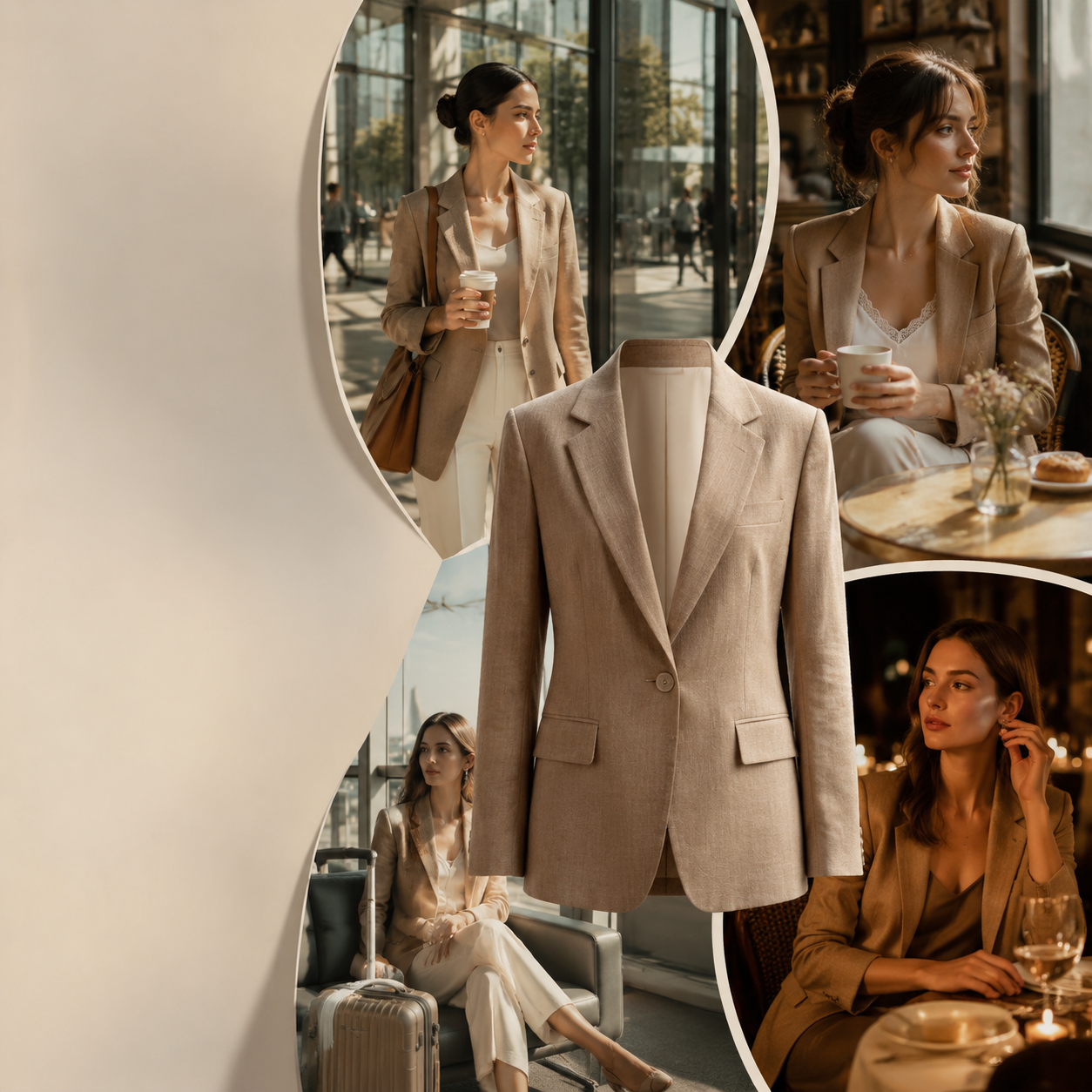
    AI lookbook collage — one camel blazer across office, café, travel, and evening lifestyle scenes
    One garment, four worlds: the core idea of AI lookbook thinking.

    What Is the Difference Between a Traditional Lookbook and an AI Lookbook?

    A traditional lookbook answers one question: What does this piece look like on a body, in controlled light, from three angles?

    An AI lookbook answers a different question: What world does this piece belong to — and can the audience imagine themselves inside it?

    That distinction matters for SEO, for conversion, and for creative quality. When shoppers scroll TikTok Shop or Instagram, they are not comparing hem lengths. They are comparing narratives. The brand that shows a linen blazer in a morning commute, a rooftop aperitivo, and a rainy taxi ride is not just showing a blazer. It is showing a personality.

    Adobe’s report also notes that 53% of creators who find it harder to stand out blame the sheer quantity of content online, while 42% say AI-generated work makes it harder for distinctive voices to surface. Volume is no longer a competitive advantage. Point of view is.

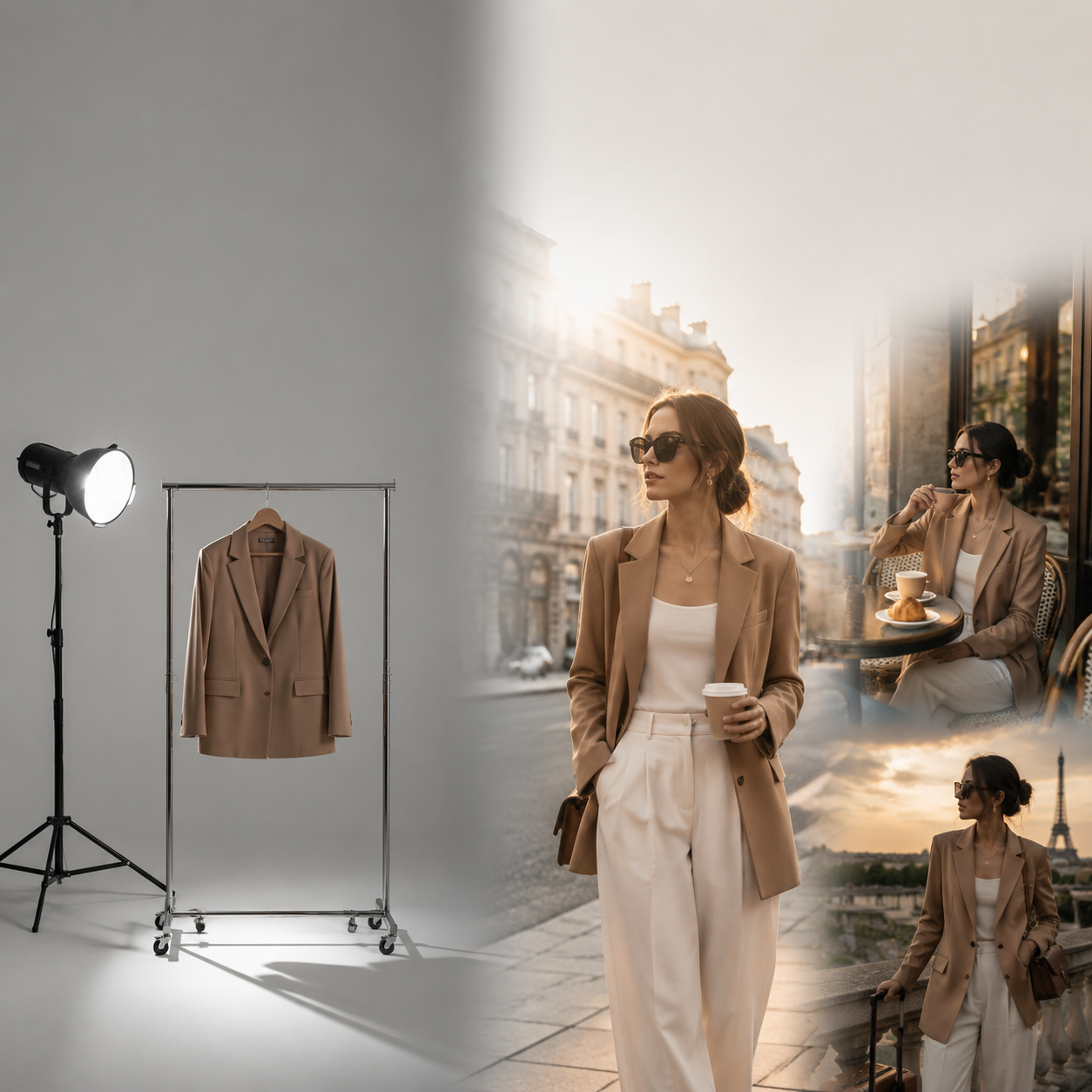
    Studio vs world — empty photo studio compared with lifestyle fashion scenes
    Left: studio clarity. Right: world context. Most AI lookbooks should aim for the right — without renting the left.

    Why Do Most AI Lookbooks Fail Before the First Render?

    They fail at the brief — not the model.

    Most teams jump straight to generation: write a prompt, pick Flux or Seedream, render ten variations, pick the prettiest. The result is a folder of gorgeous orphans. Image four feels like a Scandinavian minimal brand. Image seven feels like a streetwear drop. Image nine looks like a stock photo agency. None of them wrong. None of them together.

    Three failure patterns show up repeatedly:

    1. Outfit-first thinking. The team describes the garment in the prompt but never defines the world around it.
    2. No moodboard gate. AI exploration starts before anyone agrees on light, palette, or emotional temperature.
    3. No curator at the end. Whoever generates the images also approves them — with no separation between exploration and selection.

    Adobe found that 85% of creators insist the final creative decision must remain theirs, whether the tool is generative or agentic. AI lookbook thinking respects that instinct. Generate freely. Decide deliberately.

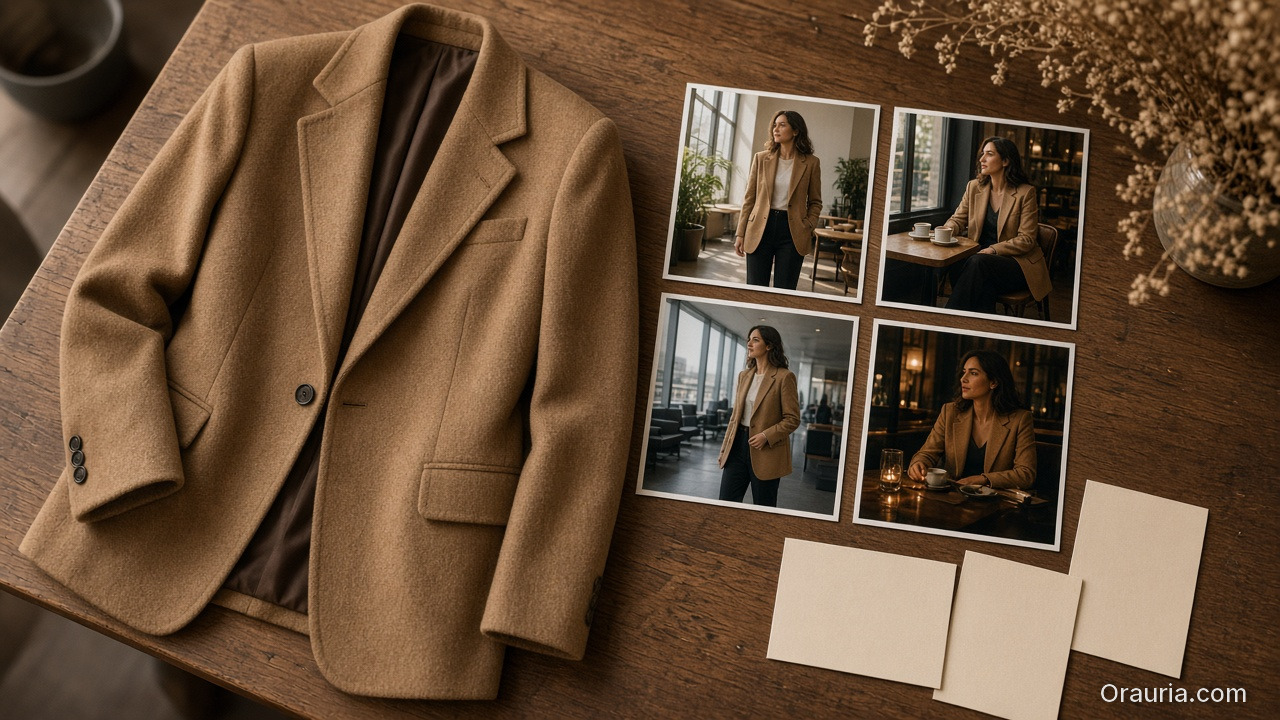
    A camel blazer on a wooden table beside four lifestyle prints of the same jacket in office, cafe, lounge, and evening scenes

    What Is the SCENE Framework for AI Lookbooks?

    Before you write a single prompt, map five dimensions for each look or hero piece:

    LetterDimensionQuestion to answer
    SStoryWhat micro-story is this image telling in one frame?
    CContextWhere is the person, physically and socially?
    EEmotionWhat should the viewer feel — calm, ambition, romance, rebellion?
    NNarrativeHow does this frame connect to the frames before and after it?
    EExtensionWhat other scenes could this same outfit inhabit without breaking character?

    Example: One jacket, four worlds

    Imagine a structured camel blazer for a small contemporary brand targeting urban professionals aged 28–40.

    SceneStoryContextEmotion
    1Monday momentumGlass office lobby, soft morning lightComposed confidence
    2Saturday slowCorner café, newspaper, ceramic cupUnhurried warmth
    3Red-eye readyAirport lounge, carry-on, muted tonesCapable, in motion
    4After hoursDim restaurant, candlelight, laugh mid-conversationApproachable elegance

    Same garment. Four narratives. One lookbook chapter — not four random outputs.

    Monday momentum — professional in camel blazer, sunlit office lobby commute scene
    SCENE 1 in practice: Monday momentum, composed confidence, glass office lobby.

    This is the core of AI lookbook thinking: you are not generating “a photo of a jacket.” You are generating evidence that a jacket belongs in a life.

    For a deeper breakdown of SCENE applied beyond fashion, see our guide on the SCENE method for AI product storytelling.

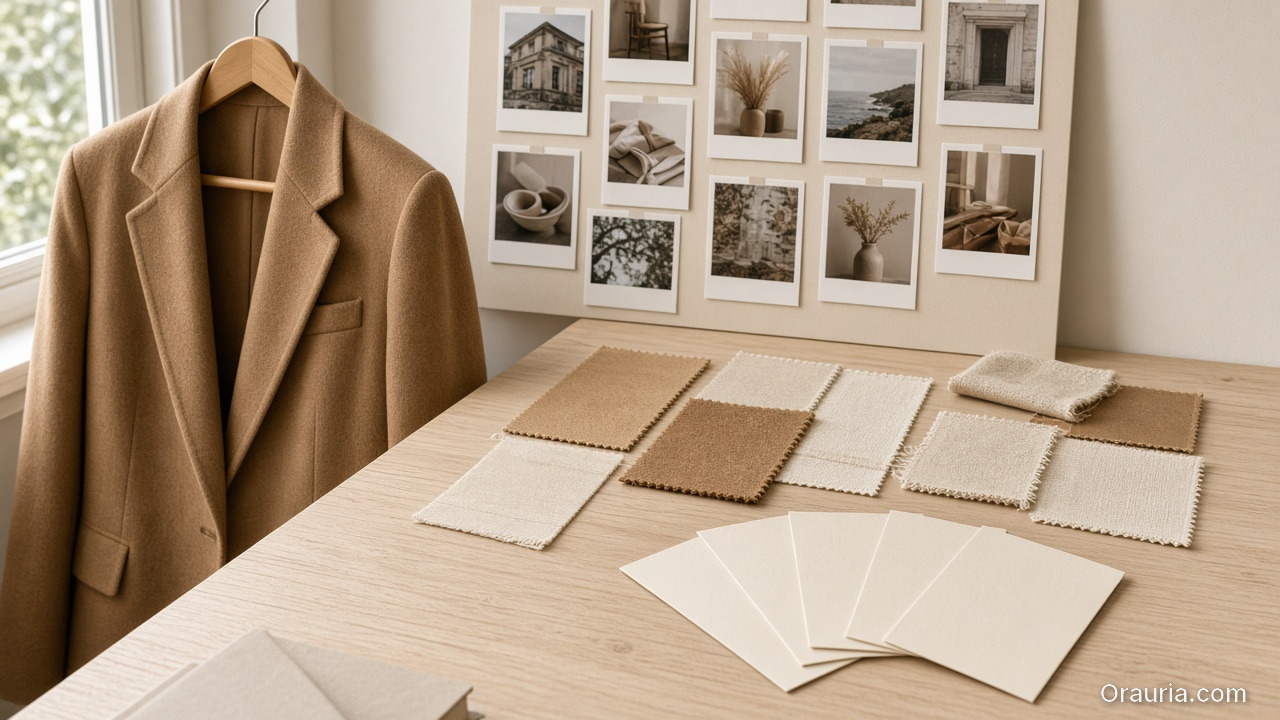
    A camel blazer on a hanger beside a moodboard, fabric swatches, and five blank direction cards on a pale wood desk

    What Are Five Creative Directions When You Have No Studio?

    These are not button-click tutorials. They are art-direction decisions that hold whether you use Orauria, Midjourney, or any multi-model workspace.

    Direction 1: World before wardrobe

    Start with environment and emotion, then introduce the garment. Ask: If this brand were a film, what is the opening shot? Is it rain on a Tokyo crosswalk? Sun on a Lisbon balcony? An empty gallery with one figure?

    Only after the world is defined do you specify cut, fabric, and fit. Designers who reverse this order produce technically accurate images that feel like product cutouts pasted onto backgrounds.

    Direction 2: Moodboard before render

    Skilled designers still moodboard — even when AI is the camera.

    Collect 8–12 references: not for copying, but for locking temperature. Warm vs cool. Soft vs hard shadow. Documentary vs editorial. Share this board with anyone generating images. It becomes your Brand Style guardrail before a single pixel renders.

    If your team uses a workflow tool with a Brand Style node, this is where it earns its keep: reference images plus palette rules stop drift across a 20-image batch.

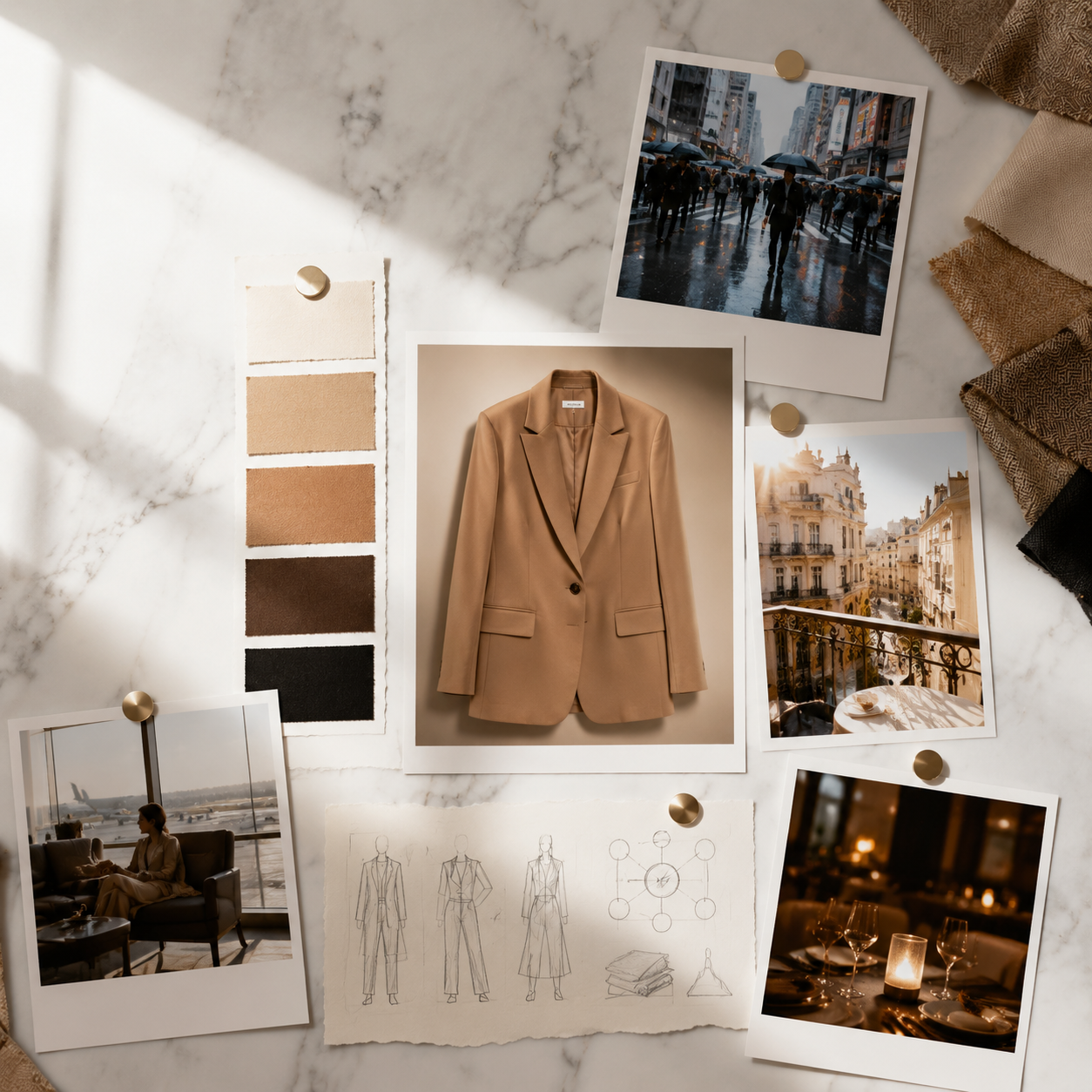
    Fashion art director moodboard with blazer hero, lifestyle polaroids, and color swatches
    Moodboard before render: lock temperature, palette, and emotional direction before AI exploration.

    Direction 3: Lifestyle context mapping

    Ecommerce creative is moving from white-background clarity to scene-based persuasion. For fashion, map contexts your buyer actually inhabits:

    • Commute / work
    • Social / dining
    • Fitness / wellness
    • Travel / transit
    • Home / leisure

    One outfit per context beats five angles on a grey seamless. Shoppers on TikTok Shop and Instagram do not save flat lays. They save identities they recognize.

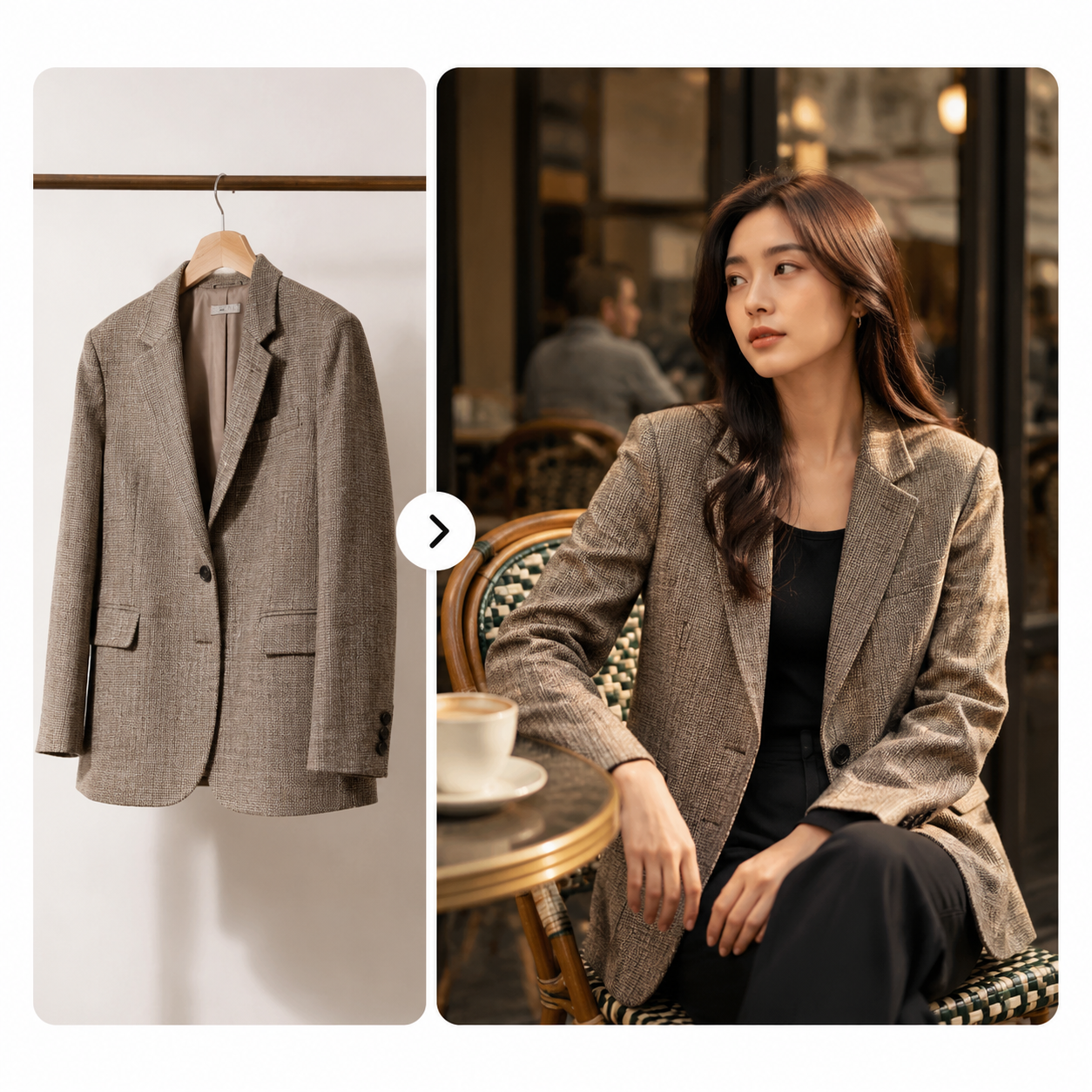
    Blazer on hanger vs styled in outdoor café — product isolation vs lifestyle context
    Scene-based persuasion: the same blazer reads differently in isolation versus in a world.

    Beauty and FMCG brands use the same logic — lifestyle scenes instead of sterile product isolation. We explore that pattern in Lifestyle Context Mapping for Beauty Ads.

    Direction 4: The consistency trap

    The most common AI lookbook failure is aesthetic drift: each image beautiful, the set incoherent.

    Fix it with three non-negotiables across every scene:

    • Light logic — same season, same time-of-day feel
    • Color discipline — palette pulled from brand kit, not model defaults
    • Character continuity — same face, posture language, or silhouette when using reference images

    When drift appears, do not tweak prompts randomly. Return to the moodboard and ask which dimension broke: Story, Context, Emotion, Narrative, or Extension.

    Our experiment post Brand Consistency Trap: 5 Times AI Broke Your Visual Identity walks through real failure modes.

    Direction 5: Curator beats generator

    Adobe reports that 93% of creators say AI helps them produce content faster — but 57% say outputs need moderate or extensive editing before they are ready to share. Speed without curation creates noise.

    Adopt a two-role habit, even if one person wears both hats:

    RoleJob
    ExplorerGenerate 15–20 variations per scene. No judgment during exploration.
    CuratorSelect 3–5 that belong in the same world. Kill the rest without sentiment.

    The lookbook is not the folder. The lookbook is the selection.

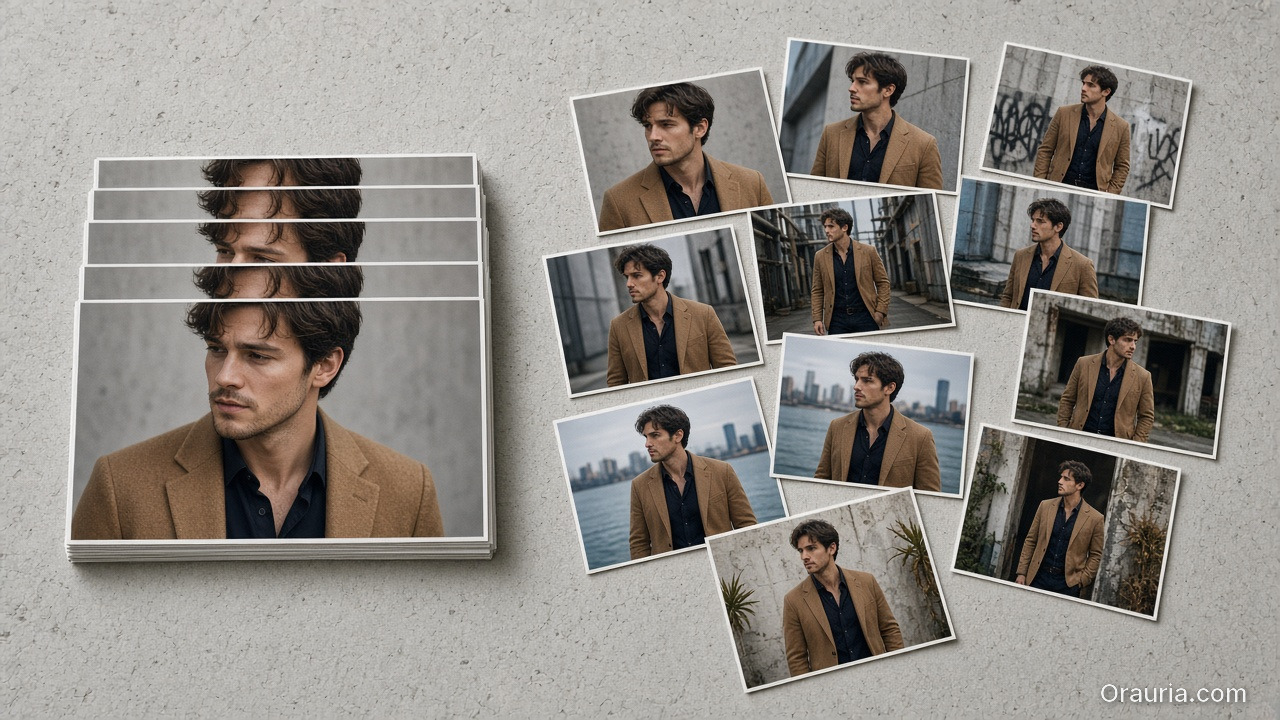
    A neat stack of matching reference portraits on the left and a looser scatter of fashion scenes on the right

    When Should You Use Reference Images vs Let AI Explore?

    Use reference images when continuity is the brief: same model face, same product details, same brand silhouette across twelve formats. Use open exploration when you are searching for the world itself — the first chapter of a new season, a rebrand, a collection you have never visualized before.

    Rule of thumb:

    • Reference-heavy → campaign extension, SKU scaling, character-led brands
    • Exploration-heavy → mood discovery, pitch decks, first lookbook for a new line

    We cover the decision tree in detail in When to Use Reference Images vs Let AI Explore.

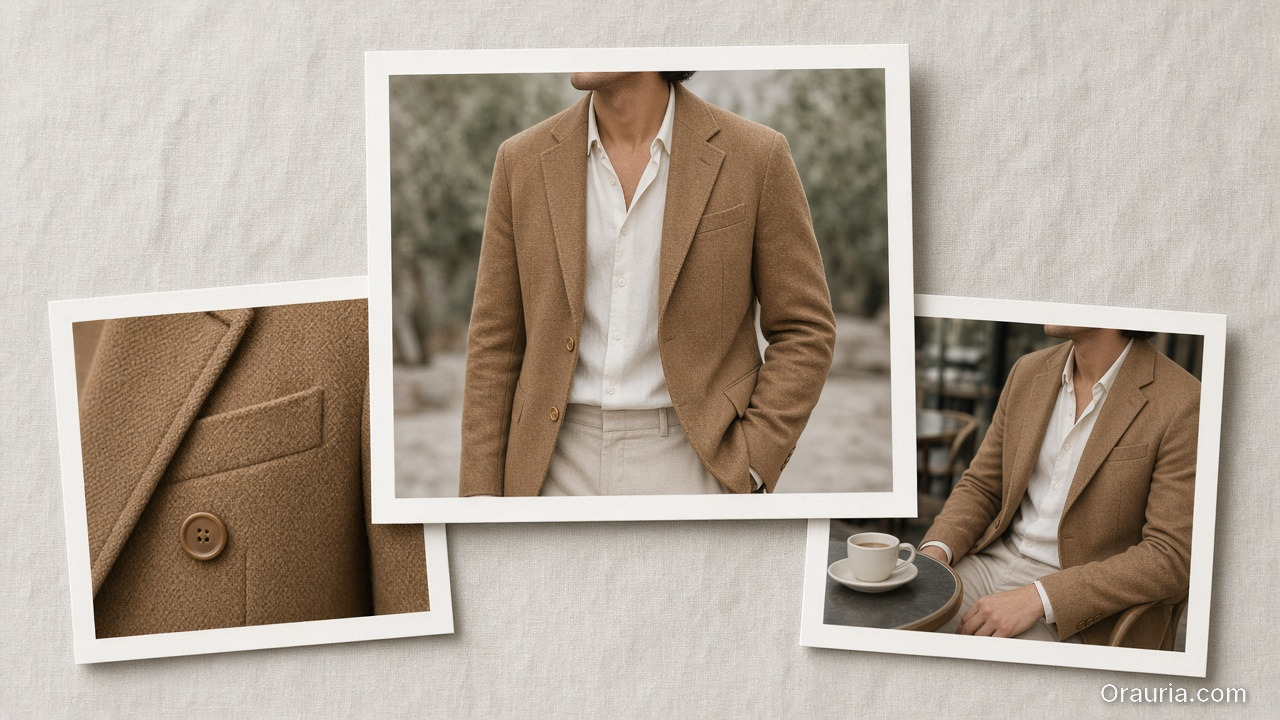
    A camel blazer lookbook print in the center with a fabric-detail crop and a cafe-lifestyle crop beside it on linen

    How Does This Connect to AI Ecommerce Design?

    Fashion lookbooks are not a separate discipline from ecommerce creative. They are the top of the same funnel: aspiration first, product second, cart third.

    An AI lookbook thinking approach scales down cleanly:

    • Hero lookbook scenes → cropped for product detail pages
    • Lifestyle frames → adapted for paid social
    • Character continuity → reused in video and voice content later

    If you treat AI image generation as “make pretty pictures,” you will rebuild every asset from scratch for each channel. If you treat it as world-building, one creative direction propagates across image, video, and campaign copy.

    That is the difference between AI image tools and AI ecommerce design — a topic we unpack in AI Ecommerce Design Is Not AI Image.

    A Brief Note on Tools (Not a Tutorial)

    This article is about thinking, not clicking. Still, teams often ask where world-building lives in practice.

    In workspaces like Orauria, the pattern maps naturally: Upload reference images → define Brand Style → generate scene variations → upscale and crop for channel formats → save the workflow as a template for next season. Fashion teams on the platform often reuse workflows labeled for lookbook, thumbnail, or editorial batches — because the creative direction is what gets saved, not just the pixels.

    If you want to see how phone-to-campaign thinking works for non-fashion products, read From Phone Photo to Campaign: A Workflow Mindset for Small Brands.


    Explore creative workflows on Orauria: Try Orauria

    Frequently Asked Questions

    Can an AI lookbook replace a professional fashion shoot entirely?

    For many small brands and pre-launch collections, yes — with caveats. AI lookbooks excel at context, volume, and iteration speed. They still require human curation: 57% of creators in Adobe’s 2026 report say AI outputs need moderate or extensive editing before publication. Use AI for world-building and exploration; use human judgment for final selection and brand alignment.

    How many scenes should a seasonal AI lookbook include?

    Start with one hero garment or look and map four to six SCENE contexts. That yields enough narrative range for a launch week without aesthetic drift. Expand only after the moodboard and consistency rules are locked — not before.

    Do I need a photographer on retainer to publish a credible lookbook?

    No. You need a point of view. Adobe found that 58% of creators feel better equipped to compete with larger studios since adopting creative AI. Credibility comes from coherent storytelling, not from proving you rented a cyclorama.

    What is the biggest mistake brands make with AI fashion imagery?

    Generating outfit descriptions without defining the world first. The fix is simple and unglamorous: moodboard, SCENE map, then render. Skipping straight to prompts is how brands end up with twenty unrelated beautiful images.

    How do I keep the same model face across multiple AI lookbook scenes?

    Use reference-image workflows and character consistency tools — treat the face as a design asset, not a filter. Define posture and expression rules in your brief so the character feels intentional across scenes, not accidentally duplicated.

    Is AI lookbook content acceptable for ecommerce and advertising platforms?

    Policies vary by platform and region. Many brands disclose AI-assisted creative where required. Adobe reports that 75% of creators believe audiences can detect meaningful AI involvement — transparency and authentic brand voice matter more than hiding the toolchain.

    Conclusion

    The lookbook is not dead. The studio-only lookbook is.

    When you cannot rent the crew, you can still publish work that feels authored — if you stop asking AI for “photos of clothes” and start asking for worlds that clothes belong to. Define the story before the outfit. Moodboard before render. Map lifestyle contexts. Guard against consistency drift. Curate ruthlessly.

    Your lookbook does not need a studio. It needs a world — and someone willing to protect it.


    References

    1. Adobe, 2026 Creators’ Toolkit Report, June 16, 2026. https://news.adobe.com/news/2026/06/creators-toolkit-report-2026
    2. Kerr, M., “AI Made Content Abundant. For Creators, Voice Is Now The Scarce Asset,” Forbes, June 16, 2026. https://www.forbes.com/sites/maureenkerr/2026/06/16/ai-made-content-abundant-for-creators-voice-is-now-the-scarce-asset/
    3. 9to5Mac, “Adobe survey: AI is helping creators grow, but not without tradeoffs,” June 16, 2026. https://9to5mac.com/2026/06/16/adobe-survey-ai-is-helping-creators-grow-but-not-without-tradeoffs/