Category: Trends & Insights

What’s changing in AI creative, visual commerce, and the evolving role of designers and creators.

  • Lookbooks Without Photographers: Opportunity and Risk for Small Brands

    Lookbooks Without Photographers: Opportunity and Risk for Small Brands

    Small brands remove photographers for one reason: cost.

    But the bigger truth is this:

    When you remove the studio, you also remove the continuity mechanism.

    AI can generate images. It cannot automatically preserve your brand identity across scenes, drops, and formats.

    That is the real risk—and the real opportunity.

    Key Takeaways

    – The opportunity: faster drops and lower production overhead.

    – The risk: identity drift (faces, shadows, texture logic, tone).

    – The fix: world kits + QC gates, not random regeneration.

    Why “no photographer” changes everything

    Studios do more than take pictures.

    They enforce consistency through:

    • stable light setups,
    • predictable composition rules,
    • and human curation.

    Without that system, “pretty” becomes the default objective.

    Then each new image feels like a new brand moment.

    The opportunity map (what improves)

    1) Speed to market

    You can plan drops by calendar instead of by availability.

    If your workflow has gates, you can scale safely.

    2) Coverage across channels

    Lookbooks are not only web pages.

    They feed ads, marketplace creatives, PDP visuals, and retargeting.

    No photographer means you need a pipeline that can reuse the same world rules.

    3) Iteration without sunk cost

    Studio reshoots are expensive.

    With AI production, iteration becomes a controlled creative loop.

    The risk map (what breaks)

    Identity drift

    Faces and character cues change when direction is missing.

    Even small shifts in shadow family or label readability train buyers to doubt the brand.

    World collapse

    Lookbooks fail when every scene is a new aesthetic.

    Your audience reads that as inconsistency—not experimentation.

    QA blindness

    If you only check “looks good”, you will ship wrong geometry and wrong offer tone.

    The QC gates that replace studio curation

    Treat your workflow like a continuity contract:

    1. Continuity anchors: identity + product geometry range
    2. Light family: shadow style must remain within the kit
    3. Scene roles: hook, proof, and offer must be assigned
    4. Offer safety: claims and CTA tone must repeat safely

    If a gate fails, do not regenerate blindly.

    Update the kit and regenerate only the affected outputs.

    What to do next

    If you are starting today, start with world-building:

    Then ship small: lock one world kit, generate 3 scenes, run gates, and expand.

  • Image-to-Video Efficiency Workflow (2026): Stop Prompt Sprawl

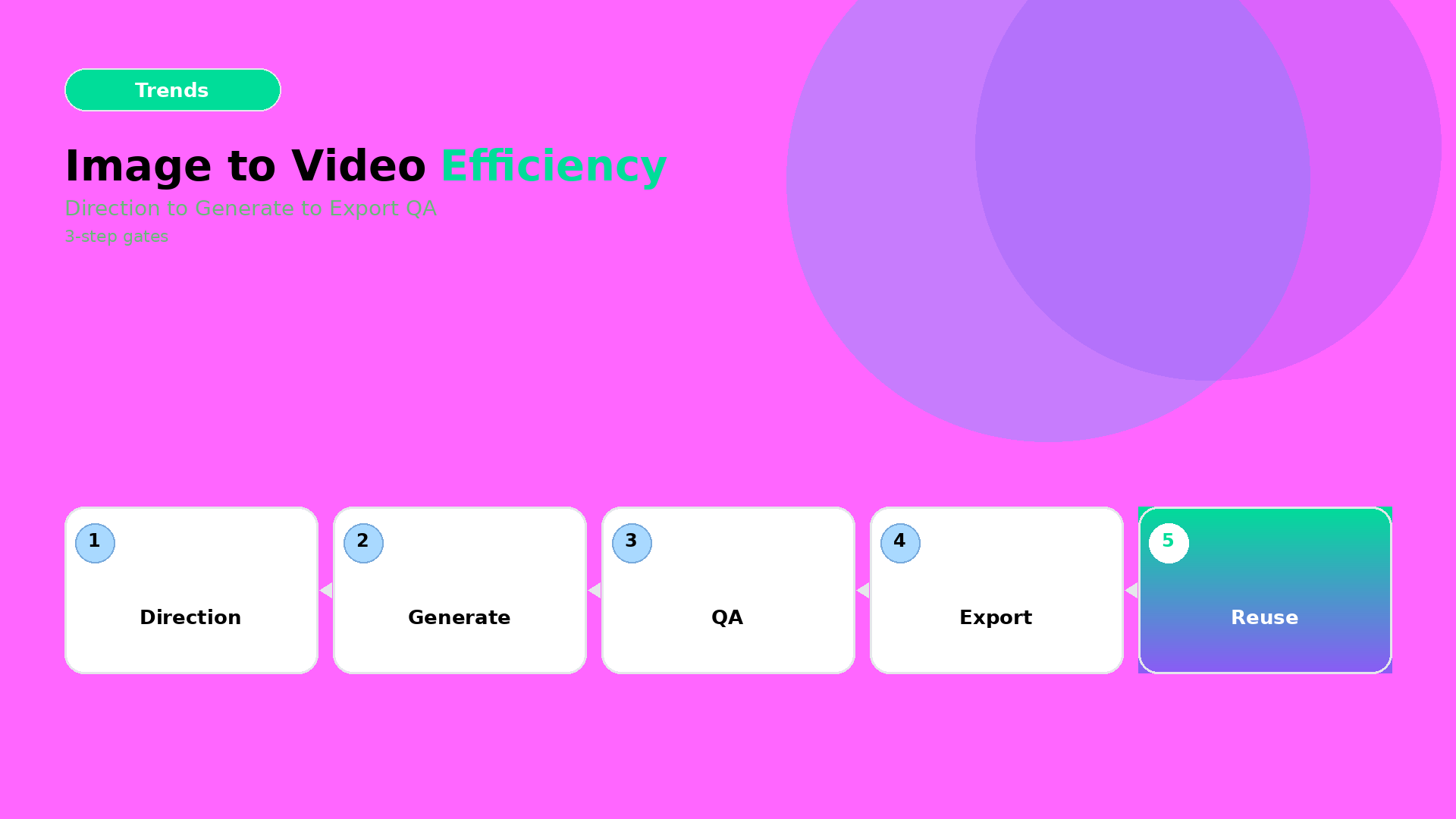
    Image-to-Video Efficiency Workflow (2026): Stop Prompt Sprawl

    Most teams treat image-to-video like an exploration playground.

    That’s fun, but expensive.

    In production, you need efficiency: direction first, then gates, then export variants.

    Key Takeaways

    – Prompt sprawl kills efficiency. Fix it by creating a reusable direction kit.

    – The workflow is 3 steps: Direction → Generation → Crop/Resize QA.

    – “Looks good” is not QA. Product truth is QA.

    Step 1 — Direction (lock what must not change)

    Before you generate, decide your creative direction in one sentence:

    • what moves (pose, camera, light),
    • what stays true (geometry, label readability, brand palette),
    • what the ad outcome is (hook, proof, offer).

    Then attach constraints as rules (your kit):

    • color family (no palette drift),
    • typography rules (if text appears on frame),
    • “geometry no-go”: avoid warped edges and moving shadows that rewrite the product.

    This is the same upstream thinking as Choose the video model after creative direction.

    Step 2 — Generation (batch once, route outputs)

    Generate multiple variations, but route them immediately:

    1. Keep the best direction match candidates.
    2. Reject frames that break product truth early (don’t upscale first).
    3. Only after direction passes, upscale/correct resolution for the winners.

    Efficiency comes from rejecting failures before you spend compute and time on polish.

    Step 3 — Crop/Resize QA (make it channel-safe)

    Most wasted hours happen after generation:

    • wrong safe zones,
    • CTA text cropped out,
    • aspect ratio causing the product to “float”.

    So treat export like a gate:

    Channel QA focus
    1:1 / 4:5 feed readable product center + stable shadows
    9:16 reels hook frame clarity before motion noise
    Stories text safe zones + proof frame hold time

    This is where your workflow moves from “video experiment” to “ad system”.

    A practical mini-checklist (fast, repeatable)

    For each winner clip, verify:

    • label/brand element still readable,
    • product silhouette stable across frames,
    • motion doesn’t destroy the geometry (no stretching artifacts),
    • caption promise matches the first 1–2 seconds.

    If any item fails, don’t rewrite the whole prompt. Update the direction kit and regenerate only the affected part.

    Where to start

    If you’re already doing packshot angle planning, you’re ready.

    Start here:

    Then use this 3-step efficiency workflow for your weekly drops.

    Your goal is simple: ship a reusable graph, not a one-off video.

  • Instagram Video Ads in 2026: Silent Scroll + One World Kit

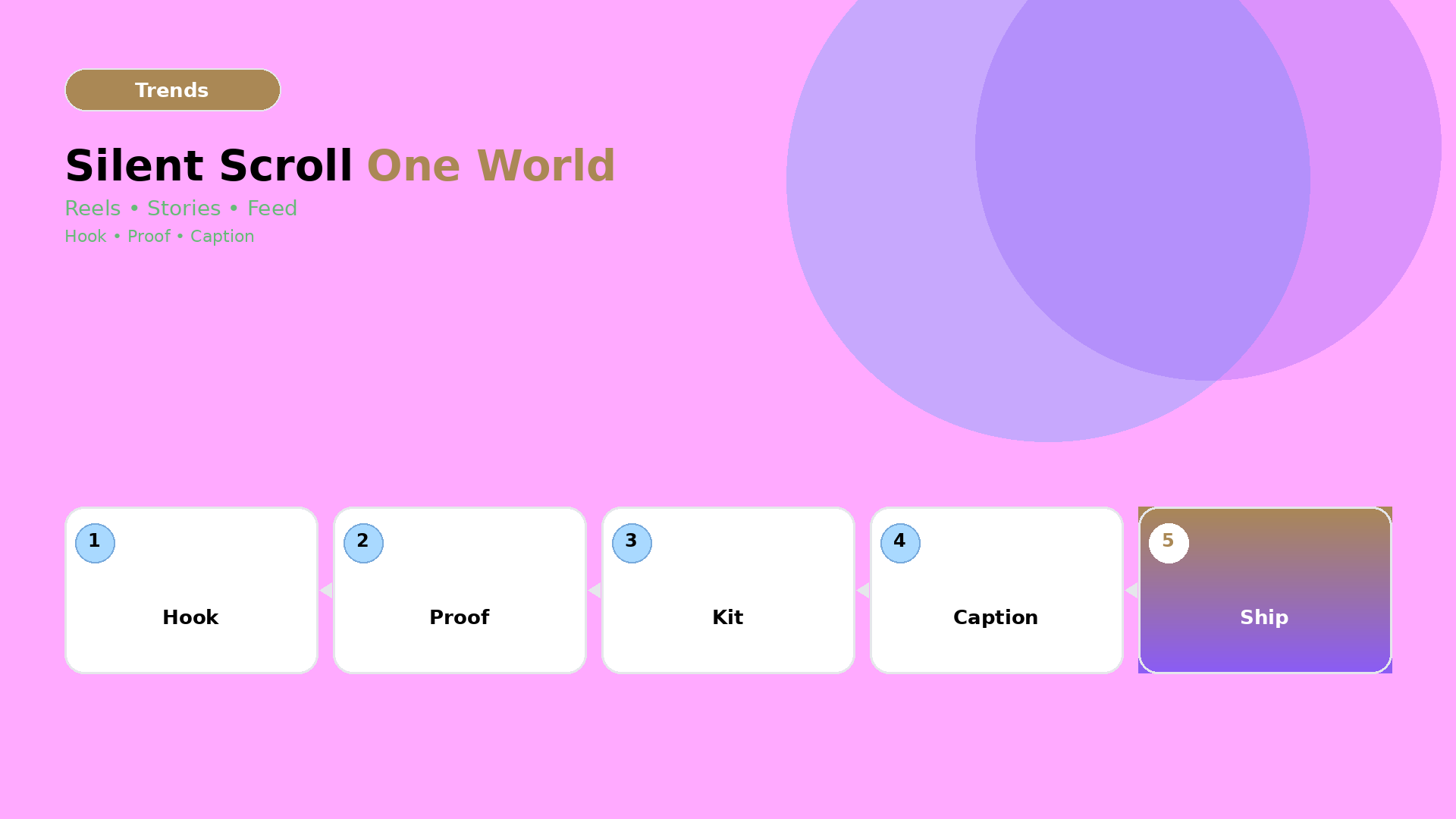
    Instagram Video Ads in 2026: Silent Scroll + One World Kit

    In 2026, “ads” are not just videos.

    They are micro-worlds: hook, attention cue, product truth, and a caption tone that doesn’t contradict the visuals.

    The safest way to ship is to design for the silent reality first.

    Key Takeaways

    – Silent scroll is a design constraint, not a platform setting.

    – Build one One World Kit (world + light + motion rules), then generate channel-safe variants.

    – Your QC checklist should verify attention readability and brand voice consistency, not just “looks good”.

    The silent scroll rule

    When people watch without sound, they evaluate your ad with three fast checks:

    1. Can I instantly tell what it is?
    2. Does the first second communicate value?
    3. Is the tone consistent with what I expect from this brand?

    If your hook relies on narration, you’re designing for a minority of viewers.

    One World Kit: what it includes

    Think of your kit as a set of rules shared by every cut:

    World rules (the “why”)

    • tone: calm, premium, playful, energetic
    • claim boundaries: what you can say safely
    • storyline: problem → transformation → offer

    Visual rules (the “how”)

    • product truth: no warped geometry
    • light family: shadow style stays within a range
    • motion language: what changes per scene vs what stays fixed

    If your world is unstable, your audience treats each output as a new brand. That’s exactly the failure mode behind the “brand consistency trap”.

    Scene planning for IG (reels, stories, feed)

    Use scene planning like a template system:

    Channel Primary goal Scene emphasis
    Reels Hook + fast value attention cue in first 1–2s
    Stories Continuation + clarity product truth before any stylization
    Feed Offer + credibility longer hold on proof frame

    This is where the SCENE method matters: you’re not generating “a video”, you’re generating a set of scenes with fixed roles.

    Hook structure that survives silent viewing

    Good hooks for silent scroll usually contain:

    • a visual transformation cue (before/after or “reveal” moment),
    • an on-frame value hint (short text, safe zones),
    • a rhythm rule (no waiting for narration).

    Even if you generate with AI, your hook should be designed, not discovered.

    QC checklist (the parts that actually fail)

    Before you ship, verify:

    1. First-second readability: can the product be recognized without motion blur?
    2. Text timing: does the value text appear before the scene gets busy?
    3. Caption tone: does the caption agree with the visual promise?
    4. Kit stability: is the face/character consistent across variants (if used)?

    If any item fails, you don’t “regenerate randomly”. You go back to the gate: update the world kit or lock the missing constraint.

    What to do next

    If you already have TikTok Shop scenes, you can reuse the mindset:

    But the IG upgrade is to prioritize silent readability and one-world kit stability.

    Ship weekly drops with templates:

    • Workflow Builder: https://orauria.com/workflow
    • Studio Guide: https://orauria.com/studio-guide
  • Instant High-Converting Marketing Copy with AI: The Brief-to-Caption Gate

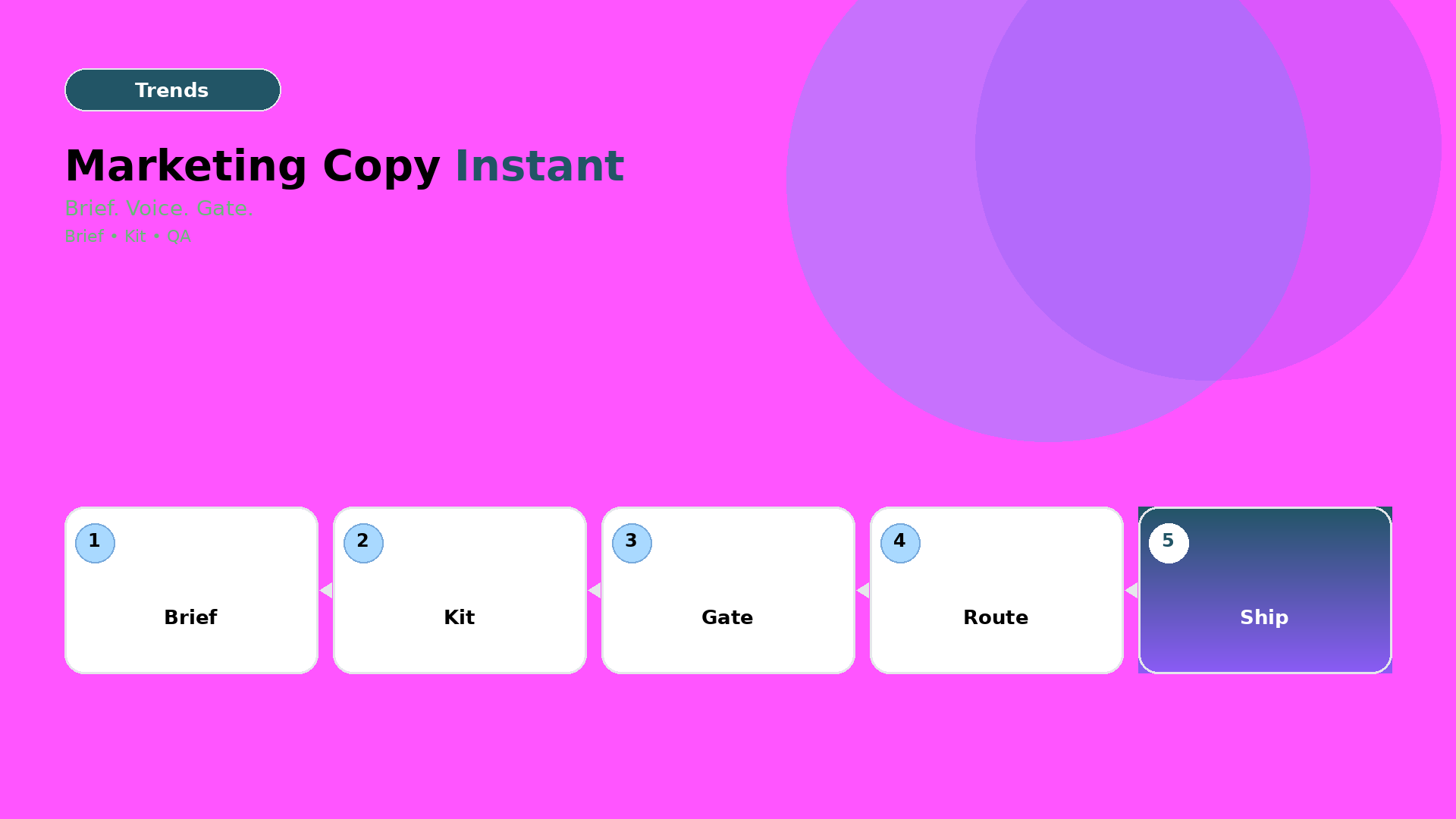
    Instant High-Converting Marketing Copy with AI: The Brief-to-Caption Gate

    The scared story says AI generates better copy.

    The accurate story is quieter: AI can write, but it cannot reliably align your voice with your offer across formats.

    So the real bottleneck becomes a human gate: brief → intent → constraints → voice → output.

    Key Takeaways

    – The problem is rarely “language quality”. It’s alignment drift between your brand kit and the generated text.

    – Use a Brief-to-Caption Gate: copy should not be “prompted”, it should be routed and checked.

    – A good copy workflow ships as templates + rules, not as one-off prompts.

    Why marketing copy fails in AI workflows

    Copy fails when you treat it like:

    • a standalone text task (no kit),
    • a new prompt per channel (no gates),
    • or a “rewrite until it sounds good” loop (no constraints).

    That’s how you get three versions of the same message:

    1. ad copy that overpromises,
    2. caption that under-explains,
    3. product-page tone that doesn’t match the campaign.

    The audience notices. Even if they don’t read every word.

    The Brief-to-Caption Gate (3 layers)

    1) Brief layer: compress the job into 3 lines

    Use your existing template:

    • Buyer (who it’s for)
    • World (setting/tone)
    • Close (desired response)

    If your brief can’t be spoken in one breath, your copy will splinter into variants.

    2) Constraints layer: attach the brand kit rules

    Before generating anything, lock:

    • tone (serious vs playful),
    • claim safety (what you can’t say),
    • formatting rules (CTA style, length ranges),
    • “no-go phrases” and “must-keep phrasing”.

    Think of this like a kit checksum: copy either passes it or gets re-routed.

    3) Gate layer: QA the output, then approve

    QA questions that catch most failure modes:

    QA check What you prevent
    Does it match the 3-line Close? Wrong offer / wrong CTA
    Are claims precise (no vague superlatives)? Overpromising & mismatch
    Does tone stay inside your kit rules? Voice drift across formats
    Can you reuse it across channels? “One ad, one prompt” waste

    A workflow you can reuse in every campaign

    Follow this loop:

    1. Lock: brief + kit constraints (one time per campaign)
    2. Draft: generate 6–10 caption variants (fast)
    3. Gate: filter by QA checks (strict)
    4. Route: pick 1 winner per channel (ad / reel / product)
    5. Ship: export the final kit into your content system

    This is the same mindset as node thinking: you’re building a reusable graph, not a queue of random prompts.

    If you want the exact framework for “upload → brand style → generate → upscale → crop”, start with:

    Example: turning a short brief into 3 formats

    Given a brief for a skincare drop:

    • Buyer: busy beauty shoppers
    • World: calm, late-night routine
    • Close: “buy now, first-time protection”

    Your workflow generates:

    • an ad caption that reads like a promise (but stays claim-safe),
    • a reel script with a silent-suitable hook,
    • a product-page microcopy that repeats the same Close without sounding repetitive.

    The important part: every output shares the same gate-approved core.

    What to do next

    If you’re already generating copy, the biggest upgrade is to stop writing prompts from scratch.

    Create your Brief-to-Caption Gate once, then reuse it across weekly drops.

    Start here:

  • From 1-Month Campaign to 1-Week: Agile Creative with AI

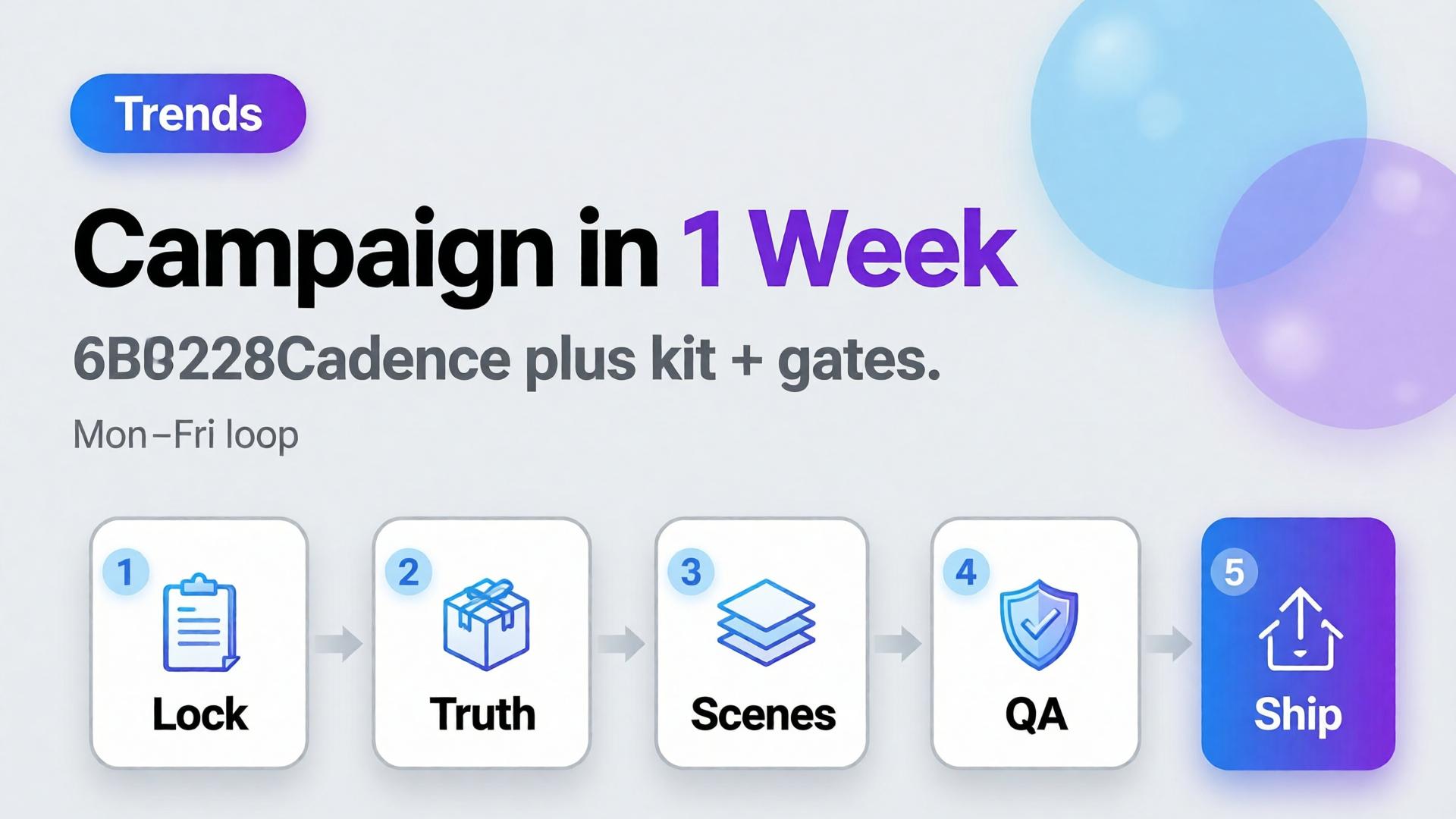
    From 1-Month Campaign to 1-Week: Agile Creative with AI

    Leadership hears “AI” and hears “one-week campaigns.” Teams hear “AI” and feel seven days of unmanaged chaos. Compression without method just moves the all-nighter earlier.

    Agile content production AI is not speed for its own sake. It is smaller creative bets, a locked kit, daily gates, and a slot map — so a month of visuals becomes a week of disciplined loops.

    Key Takeaways

    >

    – Agile creative = cadence + kit + gates, not more seeds per hour.

    – Buffer-style consistency research shows steady presence beats sporadic spikes — agile weeks should compound, not thrash (Buffer, 2025–2026).

    – Steal the spine from node thinking and phone → campaign.

    – Seasonal teams already practice this when one world serves many SKUs (swim season playbook).

    Why “Just Use AI” Does Not Create Agility

    Fake agile Real agile
    New brief daily Stable kit, varying SKUs/slots
    New model daily Routed bottlenecks
    No rejects Daily curator block
    Giant hero bet Small testable scene set
    Friday crop panic Slot map from day one

    AI accelerates whichever process you already have — including a bad one.

    Agile creative is risk sizing. You shrink the bet size so feedback arrives before the budget is gone.

    A One-Week Campaign Spine

    Day Focus Output
    Mon Brief + kit lock 3-line briefs, no-gos
    Tue Truth masters Packshots / product locks
    Wed Scene jobs Hook/demo/lifestyle winners
    Thu Adapt + QA Ratios, localization if needed
    Fri Ship + learn Live set + notes for next week

    Keep the kit across weeks. Change SKUs and hooks — not identity.

    What to Cut From the Old Month

    • Endless exploration after lock
    • Redesigning the world mid-flight
    • Meetings that re-open shade/geometry decisions
    • Upscaling rejects
    • Twelve lifestyles before one Truth frame

    Replace with curator hours on the calendar — non-negotiable.

    Soft CTA

    Run weekly ecommerce creative loops in one system: Workflow · Ecommerce

    Frequently Asked Questions

    Can every brand compress to one week?

    Not every scope. Hero films and regulatory launches may need longer. Always-on catalog and social sets are ideal for weekly loops.

    Does agile mean lower quality?

    It means earlier gates. Quality often rises because rejects happen before spend piles up.

    How many variants per week?

    Enough to staff slots — not enough to skip contact-sheet review. Start with one winner per job.

    Who owns the week?

    An AI creative director role — even if one freelancer wears the hat.

    Conclusion

    AI makes a one-week campaign possible. Process makes it non-destructive.

    Lock the kit. Staff daily gates. Map slots. Learn on Friday. That is agile content production AI — a month of outcomes without a month of thrash.


    References

    1. Buffer, Buffer Data — consistency study. https://buffer.com/resources/buffer-data/
    2. Adobe, 2026 Creators’ Toolkit Report, June 16, 2026. https://news.adobe.com/news/2026/06/creators-toolkit-report-2026
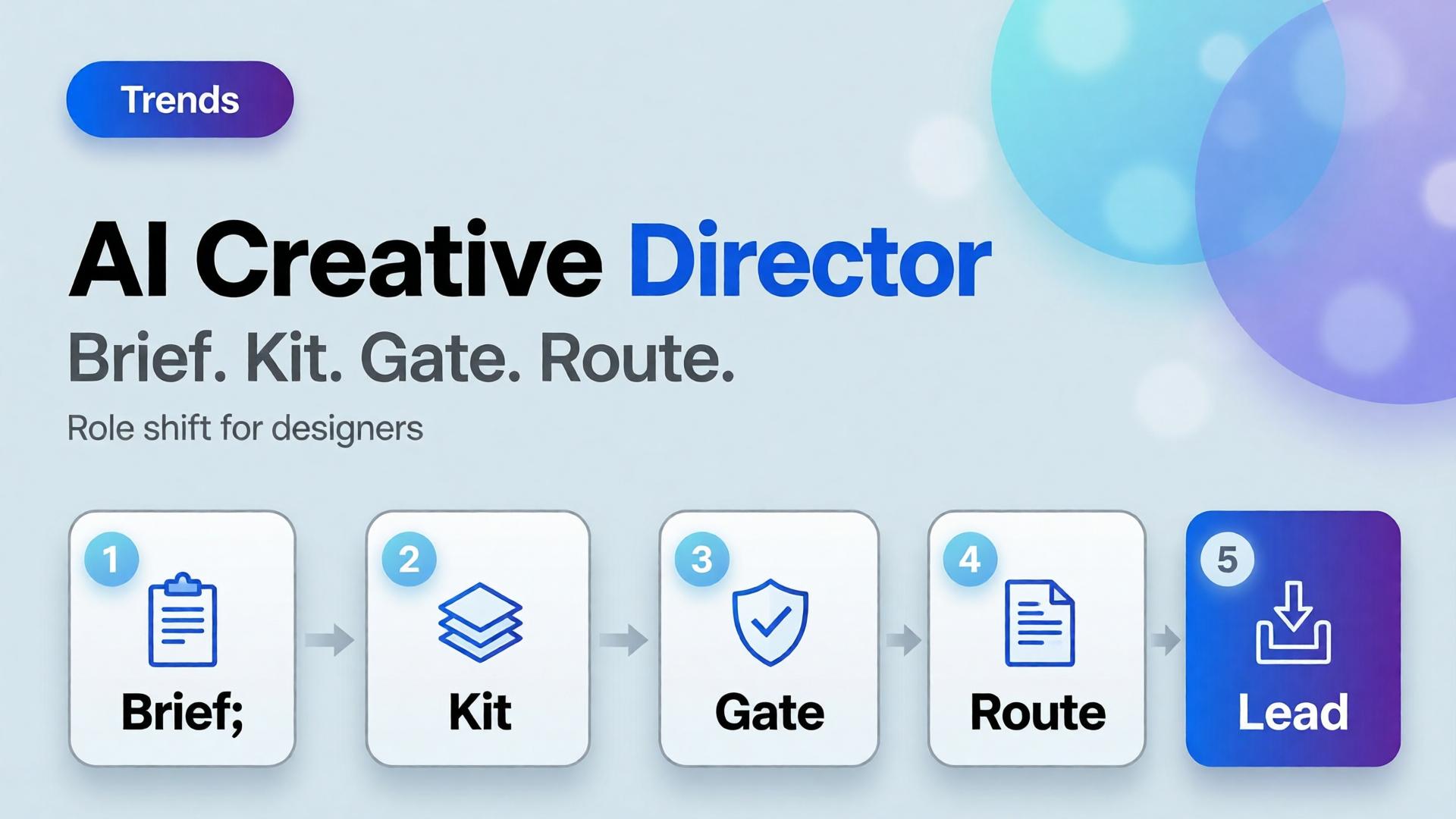
  • The AI Creative Director: How the Designer Role Is Shifting

    The AI Creative Director: How the Designer Role Is Shifting

    The scared version of the story says AI replaces designers. The accurate version is quieter: pixel production got cheaper, so the scarce skill moved upstream. The designers who win in ecommerce now act like AI creative directors — they own briefs, kits, gates, and routing — not like button operators racing every model release.

    Key Takeaways

    >

    – Adobe’s 2026 Creators’ Toolkit Report found 57% of creators still edit AI outputs moderately or extensively — direction and curation remain human bottlenecks (Adobe, 2026).

    42% say AI-generated work makes distinctive voices harder to surface — kits and gates are how brands stay recognizable.

    – The role shift: from “make the asset” to “define the system that makes assets.”

    – Tools: 3-line brief, node thinking, model after direction.

    What Is an AI Creative Director in Practice?

    Not a job title on LinkedIn. A responsibility set:

    Old default AI creative director default
    Open tool, prompt Open brief, lock kit
    Chase pretty seeds Route by bottleneck
    Deliver files Deliver a reusable graph
    Fix in polish Reject at gate
    One-off hero Slot map across channels

    Freelancers already feel this when one template serves five clients (workflow template).

    AI did not remove taste. It moved taste earlier — before generate — and made late taste expensive.

    Skills That Compound

    1. Brief compression — say the job in three lines
    2. Kit literacy — palette, light, character, no-gos
    3. QA vocabulary — geometry, shade, typography, world leak
    4. Routing — which model family for which bottleneck
    5. Narrative systems — arcs over one-offs for creators/brands

    Scattered stacks punish people who only know buttons (Orauria vs scattered stack).

    What Leaders Should Stop Asking Designers

    • “Can you make it pop?” without a job
    • “Try the new model” without a gate
    • “Just upscale it” after a failed Truth frame
    • Volume targets without curator hours

    Ask instead: What is the slot? What is locked? What fails the set?

    Soft CTA

    Build direction-first ecommerce workflows: Workflow · Studio Guide

    Frequently Asked Questions

    Does AI creative director mean managers only?

    No. Individual designers and freelancers practice it whenever they own brief → kit → gate → route.

    Will junior designers be obsolete?

    Juniors who only push pixels struggle. Juniors who learn QA and kits accelerate — because volume needs more gates, not fewer.

    How is this different from a traditional CD?

    Same ownership of coherence — faster loops, more variants, stricter need for written kits because models forget.

    What should I learn first?

    Three-line briefs and a personal reject checklist. Then node thinking.

    Conclusion

    The designer role is not disappearing. It is concentrating on direction.

    Own the brief. Guard the kit. Staff the gates. Route the models. That is the AI creative director shift — and the unfair advantage in ecommerce creative teams.


    References

    1. Adobe, 2026 Creators’ Toolkit Report, June 16, 2026. https://news.adobe.com/news/2026/06/creators-toolkit-report-2026
    2. Adobe, Inaugural Creators’ Toolkit Report (Adobe MAX 2025), October 28, 2025. https://news.adobe.com/news/2025/10/adobe-max-2025-creators-survey
  • Visual Commerce 2026: Is the White-Background Product Shot Dying?

    Visual Commerce 2026: Is the White-Background Product Shot Dying?

    Visual Commerce 2026: Is the White-Background Product Shot Dying?

    Every few months, a headline declares the white-background product shot dead. Lifestyle won. UGC won. AI scenes won. Meanwhile, Amazon still rejects your main image for a gray background, your marketplace hero still needs to read at thumbnail size, and your paid social still needs a world — not a floating SKU in a void.

    Visual commerce trends in 2026 are not about picking a winner. They are about splitting the job: white-background heroes as truth and compliance, contextual lifestyle as conversion and story. The packshot is not dying. It has been demoted from "the only image" to "layer one" in a dual-layer system.

    Key Takeaways
    >
    > – White-background shots still dominate slot one on marketplaces and category grids — lifestyle wins slots 2–8, ads, and social (Nightjar, 2026).
    > – Salsify's 2026 consumer research found 61% of shoppers rank images and video as the most important product page elements when deciding to buy (Salsify, 2026).
    > – 42% of shoppers try to determine product size from images — in-scale and contextual shots are not decorative (Baymard).
    > – Adobe's 2026 Creators' Toolkit Report: 57% say AI outputs need moderate or extensive editing before publish — AI scales lifestyle, not strategy (Adobe, 2026).
    > – Visual commerce 2026 = dual-layer imagery + creative direction (SCENE) at scale.

    If you have read AI Ecommerce Design Is Not AI Image, you know commercial creative is a system. This article is the trend layer — what is changing in how that system gets built and sequenced across channels.

    Split view of white background product packshot and lifestyle contextual ecommerce scene

    What Does Visual Commerce Mean in 2026?

    Visual commerce is the practice of using imagery not as decoration but as the primary sales interface — PDP galleries, marketplace thumbnails, paid social, email heroes, and short video frames that together answer: What is it? How big is it? Will it fit my life? Can I trust it?

    In 2026, three forces reshape that interface:

    1. Mobile-first scanning. Thumbnails are smaller, scroll is faster, and the first image must communicate product identity in under two seconds. Clean heroes still win that moment.

    2. Platform rules vs brand worlds. Amazon and Walmart require pure white (RGB 255,255,255) main images. Shopify and DTC sites have more freedom — but shoppers still expect a clear hero before context (Nightjar, 2026).

    3. AI as scale layer, not strategy layer. Hybrid workflows — real product truth plus AI-generated context — are becoming the default economics for lifestyle expansion (Deep-Image hybrid photography analysis, 2026). The strategy question is not "AI or studio." It is what job each image slot performs.

    Why Do Marketplaces Still Demand White-Background Heroes?

    Because slot one is a compliance and comparison job, not a storytelling job.

    Platform Main image rule Lifestyle role
    Amazon Pure white background, product fills frame Alternate images: in-use, lifestyle, infographics
    Walmart White or neutral per category guidelines Gallery slots 2+
    Google Shopping Solid white/gray/light for non-apparel Apparel may use on-model lifestyle
    Shopify / DTC No enforced background Sequence strategy is yours — but clarity first

    Marketplace algorithms and human moderators treat slot one as product identification. A busy lifestyle scene in slot one fails readability at thumbnail size and often fails policy. White-background heroes are the barcode of visual commerce — unglamorous, essential, not optional.

    That does not mean boring. High-performing 2026 catalogs treat white as a controlled color: realistic shadows, clean edges, visible texture — not flat cutout paste (PicVisual 2026 playbook).

    Where Does Lifestyle Imagery Win Conversion?

    Lifestyle wins where the question shifts from "what is this?" to "how does this fit my life?" Academic A/B research on home décor found contextual lead images roughly 2× conversion on Wayfair (3.93% vs 1.99%) — but no significant lift when contextual images replaced the Amazon hero (Tilburg University, academic study).

    Research synthesis across UX and ecommerce sources points to a consistent pattern:

    Channel / slot Best image type Why
    Marketplace main image White-background hero Policy + thumbnail clarity
    PDP gallery slots 2–8 Lifestyle, detail, in-scale Answers context and trust
    Paid social / feed ads Lifestyle Blends with feed; drives click
    Email hero Lifestyle or styled scene Emotional hook
    Category grid Clean hero or consistent on-model Comparison at speed

    Baymard's product page research emphasizes that users need in-scale images — 42% try to judge size from photos alone (Baymard). Lifestyle without scale reference increases returns. Lifestyle with scale logic reduces doubt.

    For fashion, the sequence matters as much as the type: clarity first, fit second, lifestyle after the product is understood (fashion PDP image order research). That aligns with lookbook thinking — worlds matter, but not before the product reads.

    Ecommerce product gallery showing white hero image followed by lifestyle contextual shots

    What Is the Dual-Layer Model for Visual Commerce?

    Stop choosing white or lifestyle. Run both as layers in one system:

    Layer 1 — Truth (hero / reference)

    • White or neutral marketplace-compliant hero
    • Accurate color, label, geometry, material texture
    • Source for all downstream scenes
    • Phone capture is valid input (phone-to-campaign workflow)

    Layer 2 — Story (scene family)

    • 4–8 contextual images per SKU or outfit
    • SCENE-directed worlds — same light logic, same buyer moment
    • In-scale and detail inserts where Baymard-style UX requires
    • Channel crops from one curated set

    This is AI ecommerce design in practice: not one render, but a coordinated image system per product.

    Beauty brands map buyer rituals before scenes (beauty context mapping). Fashion brands run eight-scene experiments from one outfit. The dual-layer model is the container both fit inside.

    How Is AI Changing the Economics — Not the Strategy?

    AI does not retire the white-background shot. It changes what happens after you have one.

    Hybrid AI photography — real product pixels preserved, AI-generated environment around them — is the 2026 default for scaling lifestyle without reshooting (Deep-Image, 2026). Amazon and Shopify allow AI-assisted alternate images when they accurately represent the real product; heroes still need authentic product truth (ProPhotoStudio 2026 platform rules).

    Adobe's 2026 data frames the human role: 85% of creators insist the final creative decision must remain theirs, and 57% say AI outputs need meaningful editing before publish (Adobe Creators' Toolkit Report, 2026). AI lowers the cost per lifestyle scene. It does not remove the curator.

    Without creative direction With dual-layer + SCENE
    AI lifestyle that drifts from product truth Scenes locked to reference geometry
    Random gallery order Slot-mapped sequence
    Pretty orphans Same-world scene family
    Brand drift at scale Consistency discipline

    The economic shift: one hero capture → many directed scenes. The strategic shift: brief before batch.

    What Breaks When Teams Skip Creative Direction?

    When teams treat visual commerce as "more images, cheaper," three failures show up:

    1. Lifestyle in slot one. Pretty, ambiguous, bad for search and comparison. Conversion friction rises before the shopper understands the SKU.

    2. Scenes that contradict the hero. Color shift, label drift, wrong scale — return rates climb. Hybrid workflows exist precisely to prevent this (Deep-Image, 2026).

    3. No gallery sequence logic. Six random images underperform a deliberate six-image sequence. Image strategy is among the highest-leverage PDP variables (Nightjar, citing Baymard).

    The brand consistency trap is visual commerce at scale without a spine — different scenes, different light, same logo.

    Creative director reviewing ecommerce product image gallery on monitor

    What Is the SME Playbook for Visual Commerce 2026?

    You do not need a studio rebuild. You need a repeatable dual-layer pipeline:

    Step 1 — Capture truth (one afternoon)

    Phone or simple studio hero per SKU. Consistent light. Multiple angles if possible.

    Step 2 — Map slots before generating

    Slot Image job
    1 White/neutral hero — compliance + clarity
    2 Best lifestyle scene — primary context
    3 Detail or texture close-up
    4 In-scale reference
    5–6 Alternate angles or use cases
    7–8 Brand expression / seasonal variant

    Step 3 — Direct with SCENE

    Write 4–6 scene rows obeying one buyer moment and one light logic. Generate scene family — not one-off prompts.

    Step 4 — Curate before publish

    Reject orphans. Check hero-to-scene color match. Approve sequence, not individual files.

    Step 5 — Adapt per channel

    Marketplace main = Layer 1 hero. Meta ads = Layer 2 lifestyle crop. Email = text-safe lifestyle frame.

    Small brands can run this from a phone reference — the phone-to-campaign mindset is the SME entry point to dual-layer visual commerce.

    Small brand entrepreneur photographing product with smartphone for ecommerce reference

    What Should Brands Stop Doing in 2026?

    Stop Start
    "Lifestyle only" PDP heroes on marketplaces Compliant hero + lifestyle gallery
    "White only" DTC galleries with no context Dual-layer sequence
    Generating scenes without reference truth Hybrid: real product pixels + directed world
    Treating AI as replacement for art direction SCENE + curator gate
    One image per SKU 6–8 slot-mapped images per hero SKU
    Online shopping interface with product images on mobile and desktop screens

    Build dual-layer visual commerce on Orauria: Try Orauria

    Frequently Asked Questions

    Is the white-background product shot really dying?

    No. It is specializing. It remains the default for marketplace slot one and comparison contexts. Lifestyle grows in gallery slots 2–8, ads, and social — not as a replacement for the hero.

    Should DTC brands use white-background images if Shopify does not require them?

    Yes for slot one clarity — especially category grids and Google Shopping surfaces. Then add lifestyle in slots 2+. Sequence beats ideology.

    Can AI replace the white-background studio shot?

    Not for marketplace heroes and product truth. AI excels at scaling lifestyle and context from a real reference — the hybrid model platforms increasingly expect in 2026.

    How many images does a product need in 2026?

    For hero SKUs, plan 6–8 slot-mapped images: hero, lifestyle, detail, in-scale, alternates. One image is a catalog entry, not a visual commerce system.

    Does lifestyle or white background convert better?

    Neither universally. Slot and funnel stage decide. White wins slot one and comparison. Lifestyle wins context slots, ads, and social. Best performers use both deliberately.

    How does this connect to AI creative direction?

    Direction defines which scenes belong in slots 2–8 and ensures they match Layer 1 truth. Without SCENE discipline, AI only produces cheaper inconsistency.

    Conclusion

    The white-background product shot is not dying in 2026. Its monopoly is.

    Visual commerce is splitting into two layers: truth (compliance hero, reference geometry, marketplace slot one) and story (lifestyle scenes, in-scale context, channel adaptation). AI makes Layer 2 affordable at scale — but only when Layer 1 is locked and a curator protects sequence.

    The brands that win are not arguing white vs lifestyle. They are building dual-layer systems with creative direction baked in — one hero, one world, one gallery logic per SKU.

    That is the visual commerce trend worth following. Not more images. Better slots.

    References

    1. Nightjar, "Lifestyle vs White Background Product Photos: Which Converts Better, and When," 2026. https://nightjar.so/blog/lifestyle-vs-white-background-product-photos
    2. Baymard Institute, "Product Page UX: Provide at Least One 'In Scale' Image," https://baymard.com/blog/in-scale-product-images
    3. Adobe, 2026 Creators' Toolkit Report, June 16, 2026. https://news.adobe.com/news/2026/06/creators-toolkit-report-2026
    4. Deep-Image, "Hybrid AI Photography: Authenticity in E-commerce (2026)." https://deep-image.ai/blog/hybrid-ai-photography-ecommerce/
    5. ProPhotoStudio, "AI Product Photos on Amazon & Shopify: 2026 Rules." https://www.prophotostudio.net/blog/learning-center/ai-product-photos-amazon-shopify-2026/
    6. PicVisual LLC, "Product Photography Trends in 2026: Full Playbook," LinkedIn Pulse. https://www.linkedin.com/pulse/product-photography-trends-2026-full-playbook-picvisualllc-kh8kc