Danh mục: Industry Playbooks

Applied AI creative thinking per industry — fashion, beauty, F&B, ecommerce, and creator workflows.

  • AI chụp ảnh sản phẩm vẫn cần ánh sáng thật trước khi nhờ AI

    Search AI chụp ảnh sản phẩm thường dẫn tới tool hứa “không cần chụp”. Thực tế seller Shopee/Lazada/TikTok Shop vẫn thua vì một lý do cũ: ảnh gốc thiếu thông tin ánh sáng và chữ trên bao bì, rồi AI bị ép “đoán” ra ảnh chính.

    Bài này không bán fantasy prompt. Bài này nói phần chụp: cái gì phải lấy từ hàng thật, cái gì AI được phép mở rộng sau khi identity đã khóa.

    Key Takeaways

    • AI chụp ảnh sản phẩm thất bại khi nguồn thiếu cạnh, thiếu chữ, thiếu highlight — AI không “phục hồi” sự thật chưa từng có trong file.
    • Ảnh chính nền trắng là kỷ luật ánh sáng (lóa logo, bóng tiếp xúc, chữ đọc được), không phải nút xóa phông.
    • Thủy tinh, foil, kim loại, trang sức, vải nhăn: ưu tiên chụp thật hoặc nguồn macro tốt.
    • AI để mở rộng góc/scene/ads sau khi khóa identity; studio/film brand giữ riêng.

    “Chụp” khác “generator” và khác “bộ creative”

    Ba nhu cầu hay lẫn:

    Bạn gõ Việc thật Sai khi…
    AI chụp ảnh sản phẩm Thay ngày chụp catalog / sửa light điện thoại Coi Midjourney là máy ảnh
    tạo ảnh sản phẩm bằng AI Tool / workflow generate Quên QA identity
    AI tạo ảnh sản phẩm Bộ listing + ads Một file đẹp cho mọi kênh

    Hub bộ kit: AI tạo ảnh sản phẩm. Góc tool: tạo ảnh sản phẩm bằng AI.

    Câu hỏi đúng: Photon nào vẫn phải lấy từ hộp hàng trước khi AI được đụng file?

    Nền trắng Shopee: AI hay che ba lỗi chụp

    Lỗi Buyer thấy gì trên mobile Xử lý trước AI
    Lóa mạnh trên logo/foil Hàng “ảo”, bóng nhựa Khuếch tán đèn; đổi góc
    Bóng chân quá đen SP “chìm” vào nền Fill nhẹ; giữ bóng tiếp xúc mềm
    Chữ nhãn vỡ khi zoom Tin kém, dễ hoàn Chụp gần hơn; nét vào typography

    Nếu output “AI nền trắng” còn viền răng cưa, nền xám, barcode/chữ chảy — model đang đoán. Đoán không phải chụp. Chụp lại.

    Độ khó theo loại hàng (seller VN hay gặp)

    Nhóm Mở rộng AI sau 1 nguồn tốt Nên chụp thật
    Hộp mờ, túi, sachet Mạnh Ít
    Chai nhựa nhãn phẳng Mạnh SKU lệch màu hay claim
    Thủy tinh / dung dịch trong Yếu–TB Hero luôn
    Metal / chrome / ép kim Yếu Hero luôn
    Thời trang treo/flat lay TB Form & drap vải
    Mỹ phẩm nắp bóng + chữ nhỏ Yếu–TB Macro chữ

    Tín hiệu bán nằm ở cách sáng chạy trên bề mặt (kiếng, kim loại, lụa) → đừng tin prompt. Tín hiệu nằm ở hình khối + in + khối màu → phone packshot sạch + AI mở rộng thường đủ listing/ads flash sale 9.9 / 11.11.

    Kế hoạch hybrid cho kho / căn hộ

    1. Một hero trung thực — góc bạn dám duyệt như studio: mặt nhãn đọc được, không rung. Cửa sổ + foam trắng được nếu vật lý đúng.
    2. Khóa identity bằng chữ — màu hộp, logo không méo, “không thêm foil”, nắp phải đúng chất liệu.
    3. Mở rộng sau khóa — góc phụ, bàn lifestyle, prop Tết/sale, crop 9:16 TikTok.
    4. Từ chối redesign thầm — AI đổi silhouette nắp / “làm đẹp” logo = hủy file.
    5. QA như lead ảnh — nền trắng sạch, bóng mềm, chữ đọc được, thumbnail mobile nhận ra SP trước khi lên Shopee.

    Góc hệ thống packshot: Packshot thinking.

    Orauria trong chuỗi này

    Orauria = AI Creative Studio for Product Marketing: 1 ảnh SP → photos, ads, social, video → campaign pack. Bạn mang capture trung thực; hệ thống giúp dựng bộ commercial mà không lệch SKU.

    Tạo Product Kit đầu tiên →

    FAQ

    Bỏ hẳn studio được không?

    Catalog hộp mờ / biến thể ads: thường được sau 1 nguồn tốt. Kiếng, kim loại, film brand: giữ chụp thật. Hybrid là câu trả lời trưởng thành.

    Vì sao nền trắng AI trông “nhựa”?

    Thường lóa và mép sáng sai từ gốc, hoặc model bịa highlight. Sửa hình học ánh sáng trước khi generate lại.

    Brief identity nên ghi gì?

    Màu bao bì, logo không warp, tỉ lệ khóa, chất liệu không được “làm đẹp”, claim lifestyle không được bịa.

    Kết luận

    AI chụp ảnh sản phẩm = chuỗi: bắt sự thật → khóa identity → mở rộng frame bán → QA như photographer. Bỏ mắt xích đầu thì mọi “ảnh AI” phía sau chỉ là cosplay.

    Create Your First Product Kit →

  • Tạo ảnh sản phẩm bằng AI: từ ảnh gốc thành bộ creative sẵn đăng

    Tạo ảnh sản phẩm bằng AI: từ ảnh gốc thành bộ creative sẵn đăng

    Khi search tạo ảnh sản phẩm bằng AI, bạn không cần tool “vẽ đẹp ngẫu nhiên”. Bạn cần quy trình: một ảnh SP thật → bộ ảnh listing + ads vẫn đúng bao bì, logo, màu và hình dáng.

    Tạo ảnh sản phẩm bằng AI đúng cho seller VN: upload ảnh điện thoại hoặc packshot → ra ảnh chính Shopee, lifestyle, banner và creative Facebook/TikTok — không cần studio, không cần crop mù mỗi tỉ lệ.

    Key Takeaways

    • Khoảng 75% shopper dựa vào ảnh SP khi quyết định mua (Weebly, tổng hợp 2026).
    • Bộ 5–7 ảnh (góc + lifestyle) thường convert tốt hơn 1 ảnh (Statista / 2025–2026).
    • Sai phổ biến: prompt lung tung rồi vá lên Shopee — thiếu product kit.
    • Checklist: ảnh gốc sạch → khóa identity → generate theo job → format 1:1 · 4:5 · 3:4 · 9:16 · 16:9.

    Tạo ảnh sản phẩm bằng AI khác art generator thế nào?

    Art (Midjourney, Flux…) Tạo ảnh SP bằng AI (ecommerce)
    Đầu vào Prompt Ảnh SP thật
    Đầu ra Frame đẹp Bộ theo kênh
    Ràng buộc Thẩm mỹ Giữ identity SP
    Đo Like CTR, đơn, giảm return

    Hub liên quan: AI tạo ảnh sản phẩm.

    Seller không thiếu model. Seller thiếu hệ xuất bản: 1 SKU vào → nhiều creative ra, cùng một mặt hàng.

    Vì sao ảnh AI “đẹp” vẫn ế trên Shopee?

    Khoảng 22% return liên quan hàng khác ảnh (Weebly / ngành). Logo chảy, màu hộp lệch = mất trust.

    Lifestyle + packshot thường lift 15–30% so với chỉ nền trắng (A/B 2026). Cần bộ ảnh, không một render.

    Một ảnh → product kit

    Bước Job Kênh VN
    Studio / nền trắng Ảnh chính Shopee, Lazada
    Lifestyle Ngữ cảnh dùng PDP, ads
    Marketplace Banner / gallery TikTok Shop, Shopee
    Social ad Dừng scroll FB, IG, TikTok
    Campaign Sale / Tết / 11.11 Landing, flash sale

    USP:

    1. One Product → Multiple Creatives
    2. Keep Your Product Consistent
    3. Built for Ecommerce
    4. From Product Photo to Ad
    5. Multiple Formats

    Quy trình 5 bước

    1. Ảnh gốc đủ thật — sáng đều, nhãn đọc được.
    2. Khóa identity — màu, logo, tỉ lệ, điều cấm.
    3. Generate theo job — không “làm đẹp hơn”.
    4. Export đúng tỉ lệ — 1:1 sàn; 9:16 Reels/TikTok.
    5. QA — nhận ra SP trên mobile, không claim ảo.

    Xem Packshot thinking.

    Orauria

    Orauria = AI Creative Studio for Product Marketing: 1 ảnh SP → photos, ads, social, video → campaign pack. Không phải “generator art”. Là product → ecommerce content system.

    Tạo Product Kit đầu tiên →

    FAQ

    Dùng trên Shopee được không?

    Được nếu đúng hàng thật và tuân policy. AI để studio/lifestyle/ads — không thay object khác.

    Khác xóa phông?

    Xóa phông là một bước. Tạo ảnh SP bằng AI cần lifestyle, ads, nhiều tỉ lệ và khóa identity cả bộ.

    Cần giỏi prompt?

    Không bắt buộc nếu workflow: upload → chọn job ảnh → generate. Brief thương mại quan trọng hơn.

    Kết luận

    Lấy 1 SKU bán chạy, dựng kit 5 job ở bảng trên, A/B ảnh chính 7–14 ngày.

    Create Your First Product Kit →

  • AI tạo ảnh sản phẩm: từ 1 ảnh gốc thành bộ creative bán hàng

    AI tạo ảnh sản phẩm: từ 1 ảnh gốc thành bộ creative bán hàng

    Đừng dùng AI để “vẽ ảnh đẹp ngẫu nhiên”. Dùng AI để tạo ảnh sản phẩm sẵn bán — đúng hình, đúng format, đủ kênh.

    AI tạo ảnh sản phẩm đúng nghĩa là: upload một ảnh SP thật → ra cả bộ packshot, lifestyle, banner sàn và social ad, vẫn giữ bao bì, logo, màu và hình dáng sản phẩm. Không cần studio, photographer hay workflow thiết kế phức tạp.

    Key Takeaways

    • Người mua online phụ thuộc mạnh vào hình ảnh: khoảng 75% shopper dựa vào ảnh sản phẩm khi quyết định mua (Weebly, tổng hợp 2026).
    • Listing có nhiều ảnh chất lượng thường convert tốt hơn ảnh đơn: dữ liệu ngành ghi nhận lift rõ khi chuyển từ 1 ảnh sang bộ 5–7 ảnh góc + lifestyle (Statista / tổng hợp 2025–2026).
    • Sai phổ biến nhất năm 2026: dùng Midjourney / Flux / GPT Image như art tool, rồi “vá” sang Shopee — thay vì xây product → content kit.
    • Checklist thắng: 1 ảnh gốc sạch → identity lock → output theo job (studio / lifestyle / ads / marketplace) → export đúng tỉ lệ 1:1 · 4:5 · 3:4 · 9:16 · 16:9.

    AI tạo ảnh sản phẩm là gì?

    AI tạo ảnh sản phẩm là quy trình dùng AI để tạo / mở rộng hình ảnh thương mại từ ảnh sản phẩm thật — phục vụ listing, ads và social — chứ không phải text-to-image nghệ thuật tự do.

    Khác biệt quan trọng:

    Art generator (Midjourney, Flux…) AI tạo ảnh sản phẩm (ecommerce)
    Đầu vào Prompt văn bản / mood Ảnh SP thật (packshot hoặc phone photo)
    Mục tiêu Ảnh “đẹp / viral” Asset sẵn đăng bán
    Ràng buộc Ít — ưu tiên thẩm mỹ Giữ hình, nhãn, màu, tỉ lệ SP
    Đầu ra 1– vài frame rời Bộ creative theo kênh
    Đo thành công Like, aesthetic CTR listing, ROAS, giảm return

    Nếu bạn cần tư duy rộng hơn về “design ecommerce ≠ tạo ảnh AI”, đọc thêm AI ecommerce design không phải AI image.

    Seller không thiếu model AI. Seller thiếu hệ xuất bản: một sản phẩm vào → nhiều creative ra, cùng một identity.

    Vì sao ảnh AI “đẹp” vẫn không bán được?

    Ảnh đẹp nhưng lệch SP thật = tăng return và mất trust. Khoảng 22% return liên quan đến việc hàng thực tế khác với ảnh (Weebly / tổng hợp ngành).

    Ba lỗi hay gặp khi “prompt lung tung”:

    1. Identity drift — logo chảy, màu bao bì lệch, tỉ lệ chai/hộp sai.
    2. Một file cho mọi kênh — crop 1:1 đẹp trên Shopee nhưng chết trên Reels 9:16.
    3. Thiếu hệ góc — chỉ có hero đẹp, thiếu close-up, scale, lifestyle và proof.

    Lifestyle kèm packshot thường lift conversion khoảng 15–30% so với chỉ nền trắng (tổng hợp A/B ngành 2026). Nghĩa là bạn cần bộ ảnh, không phải một render “xịn”.

    Một sản phẩm → cả bộ content kit

    Định vị đúng cho Orauria (và cho mọi seller muốn scale):

    Don’t generate random AI images. Generate product creatives that are ready to sell.

    Hoặc ngắn hơn: AI Product Photography, Built for Ecommerce — phiên bản tiếng Việt: AI tạo ảnh sản phẩm, dựng cho bán hàng.

    One Product. An Entire Content Kit.

    Upload sản phẩm một lần. Generate đúng ảnh bạn cần để bán trên mọi kênh.

    Bước pipeline Job của ảnh Dùng ở đâu
    Studio / Packshot Ảnh sạch, premium, nền kiểm soát Ảnh chính listing, catalog
    Lifestyle Scene Đặt SP vào môi trường thật PDP, ads, social
    Marketplace Image Visual tối ưu sàn Shopee, Lazada, TikTok Shop, Amazon
    Social Ad Creative dừng scroll Facebook, Instagram, TikTok
    Campaign Creative Banner / promo nhất quán brand Flash sale, landing, A+

    Đây chính là USP nên đưa ngay dưới hero khi bạn viết landing hoặc bài pillar:

    1. One Product → Multiple Creatives — từ một ảnh SP ra cả bộ ảnh bán hàng.
    2. Keep Your Product Consistent — giữ bao bì, logo, màu, hình dáng.
    3. Built for Ecommerce — Shopify, Amazon, TikTok Shop, Shopee, website, social.
    4. From Product Photo to Ad — packshot → lifestyle → banner → social ad.
    5. Multiple Formats — 1:1 · 4:5 · 3:4 · 9:16 · 16:9.

    Cách dùng AI tạo ảnh sản phẩm (quy trình 5 bước)

    Bước 1: Chuẩn bị ảnh gốc “đủ thật”

    Ảnh gốc quyết định trần chất lượng. Ưu tiên:

    • Ánh sáng đều, không bóng cháy trên nhãn
    • Góc chính diện + 1 góc 45° nếu có
    • Không watermark, không filter mạnh
    • Nền đơn giản (trắng / giấy / bàn sạch)

    Phone photo sạch vẫn đủ. Studio không bắt buộc — packshot thinking mới bắt buộc. Xem thêm Packshot thinking: đủ góc không cần ngày studio.

    Bước 2: Khóa identity sản phẩm trước khi “làm đẹp”

    Trước khi generate lifestyle hay ads, khóa:

    • Màu brand / bao bì
    • Logo và chữ trên nhãn (không được bịa)
    • Hình dáng, tỉ lệ, chất liệu (matte / bóng / trong)
    • Những gì không được thay (SKU variant, claim trên hộp)

    Không khóa identity = mỗi lần generate một “sản phẩm khác”.

    Bước 3: Generate theo job, không theo vibe

    Với mỗi SKU, tối thiểu nên có:

    1. 1–2 studio / nền trắng (ảnh chính sàn)
    2. 2–3 lifestyle (ngữ cảnh dùng)
    3. 1 detail / texture
    4. 1 social ad (có vùng chừa chữ / CTA)
    5. 1 marketplace / banner đúng tỉ lệ sàn

    Đừng hỏi AI “làm ảnh đẹp hơn”. Hỏi: ảnh này trả lời câu hỏi mua nào? (trông thế nào / dùng ra sao / size ra sao / khác gì bản rẻ).

    Bước 4: Export đúng format kênh

    Kênh Tỉ lệ gợi ý Ghi chú
    Shopee / Lazada ảnh chính 1:1 Subject rõ, nền sạch
    Feed Instagram / FB 1:1 hoặc 4:5 Lifestyle + social ad
    Reels / TikTok / Stories 9:16 Safe zone tránh UI
    Banner / cover 16:9 hoặc tỉ lệ sàn Ít chữ trong ảnh nếu có thể
    PDP / lookbook 3:4 hoặc 4:5 Editorial

    Một ảnh “master” rồi crop mù thường phá composition. Generate aspect-aware ngay từ đầu.

    Bước 5: QA trước khi đăng (cổng chặn return)

    Checklist 60 giây trước publish:

    • [ ] SP nhận ra ngay trong 1 giây trên mobile
    • [ ] Logo / nhãn đọc được, không méo
    • [ ] Màu khớp hàng thật (không “filter bán hàng”)
    • [ ] Không claim ảo trong ảnh (quà, % giảm nếu không có)
    • [ ] File nhẹ, rõ trên 4G
    • [ ] Cùng family ánh sáng với các ảnh khác trong listing

    AI tạo ảnh sản phẩm cho Shopee, TikTok Shop và website

    Seller Việt thường cần cùng một SP trên nhiều mặt trận:

    • Shopee / Lazada: ảnh chính sạch + gallery góc + lifestyle
    • TikTok Shop: vẫn ảnh listing + creative dọc cho video/ads
    • Website / Shopify: hero + lifestyle + trust shots
    • Facebook / Instagram ads: biến thể angle & background để test

    Cùng một kit giúp brand không “đổi mặt” mỗi sàn. Nếu bạn đang dựng hệ 1 ảnh → nhiều crop kênh, tham khảo thêm One product: feed, story, cover, marketplace banners.

    Khi nào nên dùng studio thật, khi nào dùng AI?

    Tình huống Nên
    Launch 30–100 SKU, budget mỏng AI tạo ảnh sản phẩm + ảnh gốc phone sạch
    Refresh season / Tết / sale AI biến thể lifestyle & banner từ packshot đã có
    Hero campaign lớn, vật liệu cực khó (kim loại gương, trong suốt) Hybrid: studio vài hero + AI scale biến thể
    Cần chứng minh texture / size cực kỳ pháp lý Ảnh thật + AI chỉ làm context, không bịa chi tiết

    AI không thay mọi buổi chụp. AI thay nút thắt scale: số lượng creative / SKU / kênh mà team nhỏ không kịp làm tay.

    Orauria: từ ảnh sản phẩm thành product kit

    Orauria định vị là AI Creative Studio for Product Marketing: upload một ảnh sản phẩm → tạo product photos, ads, social posts và short videos — rồi ship campaign pack cho Shopify, Amazon, TikTok Shop, Shopee, Lazada, WooCommerce.

    Không bán “thêm một AI image generator”. Bán product → ecommerce content system:

    • Một ảnh vào → nhiều creative đồng nhất
    • Giữ identity sản phẩm xuyên listing và ads
    • Format sẵn theo kênh bán

    CTA: Tạo Product Kit đầu tiên →

    Muốn hiểu workspace sáng tạo end-to-end: Orauria là gì? Workspace sáng tạo AI cho ecommerce.

    FAQ — AI tạo ảnh sản phẩm

    AI tạo ảnh sản phẩm có được dùng trên Shopee không?

    Được, nếu ảnh vẫn thể hiện đúng hàng thật và tuân policy sàn. Nên giữ ảnh gốc người bán đăng kèm; dùng AI để nâng studio look, lifestyle và creative — không thay SP bằng object khác.

    Khác gì xóa phông / đổi nền thông thường?

    Xóa phông chỉ là một bước. AI tạo ảnh sản phẩm theo hướng ecommerce còn cần lifestyle, ads, banner, nhiều tỉ lệ và khóa identity xuyên bộ ảnh.

    Cần bao nhiêu ảnh cho một listing?

    Thực tiễn hay gặp: 5–7 ảnh (góc + detail + lifestyle) thường cân bằng hơn 1 ảnh hoặc gallery quá dài gây mệt quyết định. Đo trên traffic thật của shop bạn.

    Có cần biết prompt kỹ không?

    Không bắt buộc nếu tool có workflow ecommerce (upload SP → chọn job ảnh → generate). Quan trọng hơn prompt là brief thương mại: kênh, job ảnh, identity lock, format.

    Midjourney có đủ để làm ảnh bán hàng không?

    Có thể ra frame đẹp, nhưng thường thiếu pipeline identity + multi-format + marketplace. Dùng art model làm “engine”, vẫn cần lớp product kit / workflow bán hàng phía trên.

    Kết luận

    AI tạo ảnh sản phẩm thắng khi bạn đo bằng doanh số và độ tin listing — không bằng độ “AI-looking” của một frame.

    Nhớ 3 việc:

    1. Khóa identity từ ảnh gốc thật
    2. Generate theo job (studio → lifestyle → marketplace → social ad)
    3. Export đúng format, QA trước khi đăng

    Bước tiếp theo: lấy 1 SKU bán chạy nhất, dựng một product kit đủ 5 loại ảnh ở bảng trên, rồi A/B ảnh chính trong 7–14 ngày.

    Create Your First Product Kit →

  • Beauty Catalogs Across Languages: Shade Truth First, Claims Second

    Beauty Catalogs Across Languages: Shade Truth First, Claims Second

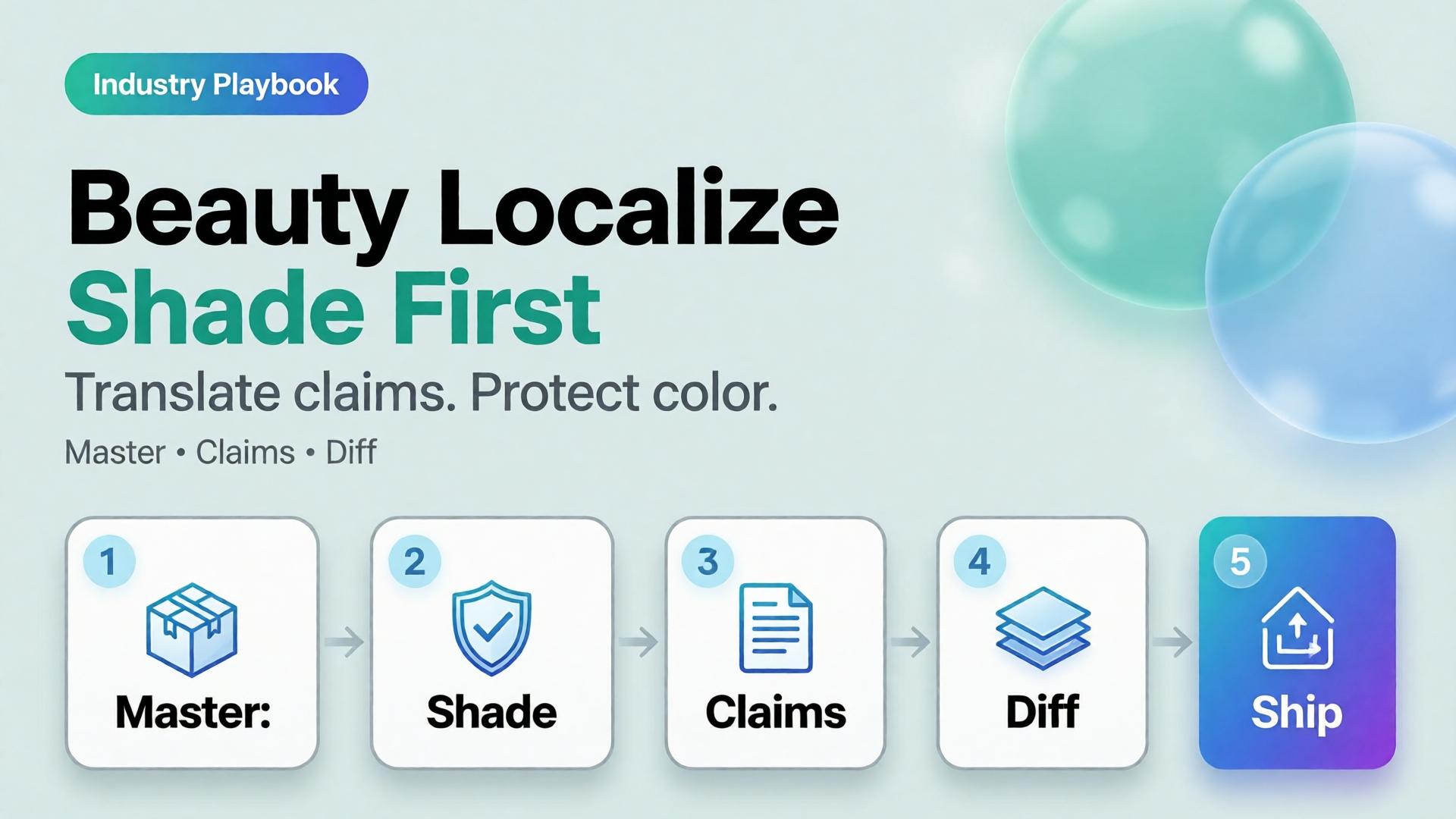
    Beauty goes global faster than packaging teams can reshoot. The failure mode is familiar: regenerate the whole lifestyle for each language, watch the foundation shade drift, and discover marketplace complaints that “the bottle looked different.”

    AI beauty catalog localization extends cross-border image rules (ecommerce localization) with a beauty-specific law: shade and formula cues are sacred; marketing claims are what you translate.

    Key Takeaways

    >

    – Never “re-beautify” the SKU while translating overlays — color match is the product.

    – Keep ritual contexts from beauty lifestyle mapping; swap language layers, not bathrooms every market.

    – Claim sheets per locale beat prompt translation.

    – Upscale only after shade QA (upscale after QA).

    Why Is Beauty Localization Harder Than Soft Goods Copy?

    Because buyers purchase color and texture promises.

    Safe to localize Dangerous to regenerate
    Promo badges Foundation shade
    Hook lines Serum tone in bottle
    Units / legal lines Cap and label print fidelity
    Ingredient callouts (approved) “Glow” that changes undertone

    If localization changes undertone, you did not translate — you SKU-swapped.

    In beauty, mistranslation is annoying. Mishade is a return. Treat color like a regulatory asset.

    Beauty Localization Stack

    Master layer (global)

    • Packshot truth (packshot thinking)
    • Shade chip / arm swatch if used
    • Ritual scene family (morning mirror, bag, travel)

    Claim layer (per locale)

    • Hook, offer, disclaimer, unit system
    • Character limits per marketplace

    Gate

    • Side-by-side diff: bottle geometry + shade unchanged
    • Text accuracy reviewed by market owner

    Playbook: One Shade, Many Languages

    1. Approve shade-true master stills
    2. Build claim sheet EN → target locales
    3. Localize overlays in safe zones only
    4. Diff QA against master
    5. Attach locale packs to the brand kit for the next SKU drop
    6. Keep ritual contexts stable across languages unless culture blocks a scene

    Soft CTA

    Keep beauty catalogs coherent across markets: Ecommerce · Packshot

    Frequently Asked Questions

    How is this different from general ecommerce image localization?

    Same master-and-layer system — with stricter shade/texture gates and beauty ritual contexts.

    Can AI translate text on the physical label?

    High risk. Prefer real packaging photography for Truth; localize marketing frames separately.

    Should every market get new lifestyle bathrooms?

    Only when culture requires it. Default to one ritual kit + language layers.

    What should QA zoom on first?

    Shade, pump/cap geometry, then translated claims.

    Conclusion

    Translate claims. Protect shade.

    Master first. Locale layers second. Diff always. That is AI beauty catalog localization that grows markets without multiplying undertones.


    References

    1. Lumepixa, AI Product Photography Statistics 2026. https://lumepixa.app/blog/ai-product-photography-statistics
    2. Adobe, 2026 Creators’ Toolkit Report, June 16, 2026. https://news.adobe.com/news/2026/06/creators-toolkit-report-2026
  • Seasonal Swim Campaigns with AI: Fast Drops Without Losing the World

    Seasonal Swim Campaigns with AI: Fast Drops Without Losing the World

    Swim drops do not wait for studio weather. Colors change weekly. Cuts multiply. The brand that regenerates a new beach every SKU looks like a stock site by mid-season.

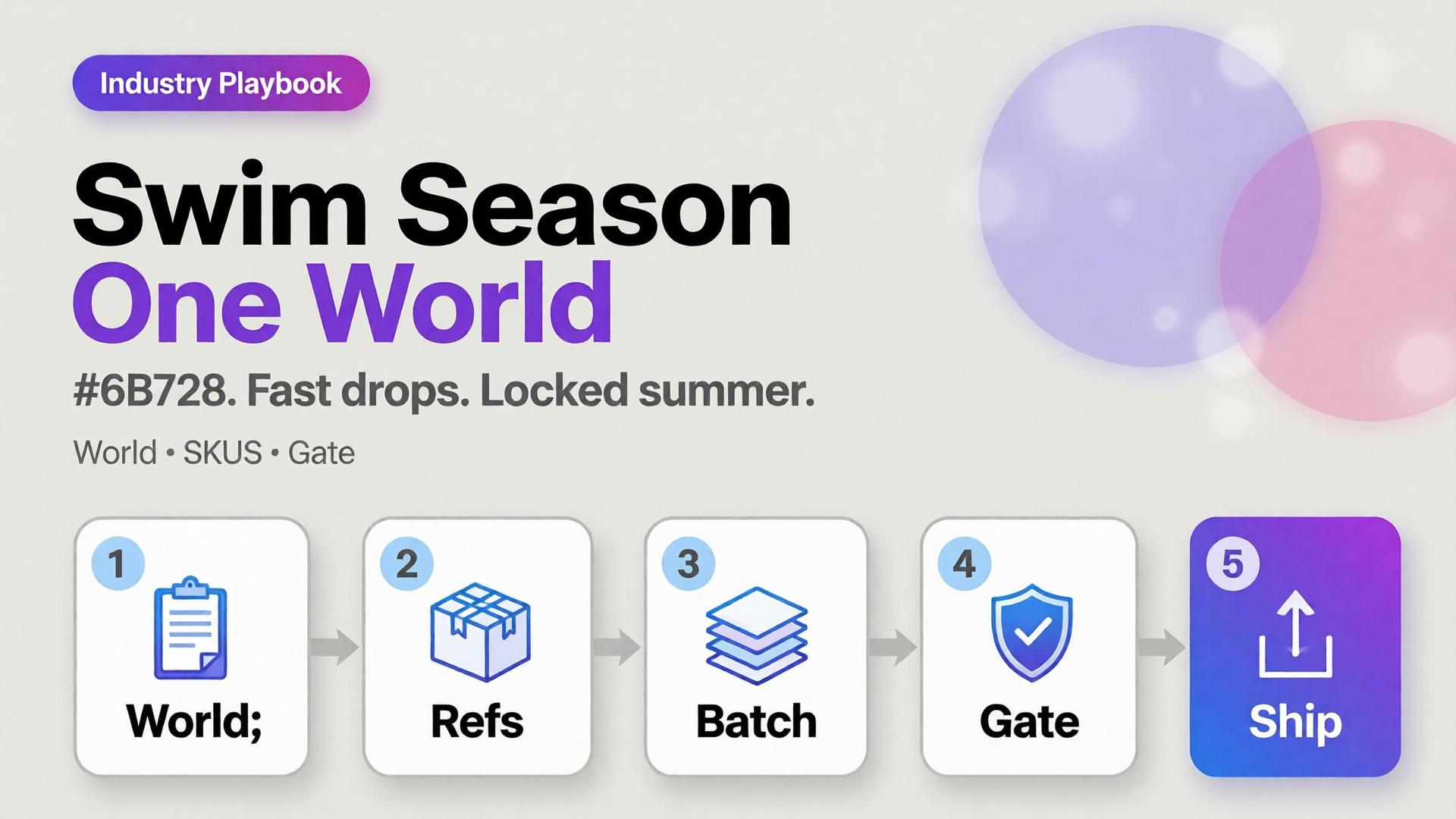
    AI swimwear campaign images scale when you freeze a season world, swap garment refs, and gate fit — the same spine as a zero-budget lookbook, tuned for sun, water, and fabric cling.

    Key Takeaways

    >

    – Seasonal speed comes from one world × many SKUs, not one prompt × many worlds.

    – Swim fabrics exaggerate fit errors — treat try-on gates seriously (virtual try-on ads).

    – Map campaign scenes with SCENE: hero stand, waterline, detail, motion freeze, shade/lifestyle.

    – Keep batch kit rules for palette and light across the season.

    Why Do Seasonal AI Sets Look Cheap Mid-Campaign?

    Because time pressure invites world hopping.

    Fast bad habit Season-safe habit
    New beach per colorway One locked coast/pool kit
    New model per drop week One character family
    Explore-first always Refs-first after week one
    Publish every generate Curator gate on cling/fit

    Speed without a kit is just accelerated drift.

    Seasonal commerce rewards recognizable weather. Shoppers should feel “same summer, new cut” — not “new planet every Thursday.”

    Season World Checklist

    Lock before the first SKU batch:

    • Location class (pool / rocky coast / urban sun)
    • Time of day + light temperature
    • Water presence rules (wet fabric yes/no)
    • Prop kit (towel, chair) — minimal
    • Character / body anchors

    Write it in ten lines. Reuse all season.

    Playbook: Weekly Swim Drop

    Monday — Refs

    Photograph or flat-lay each new cut. Capture print scale.

    Tuesday — Generate in-world

    On-body + hero stills with garment lock. No new locations.

    Wednesday — Gates

    • Fit/cling accuracy
    • Print placement
    • Character continuity
    • World leak check (suddenly indoor marble)

    Thursday — Channel crops

    Feed / Story / Shop hooks from winners (scene jobs).

    Friday — Archive

    Winners enter the season kit for next colorway swaps.

    Soft CTA

    Ship seasonal listing and campaign stills from locked worlds: Listing Images · Photography

    Frequently Asked Questions

    How many scenes does a swim campaign need?

    Five strong in-world scenes beat fifteen unrelated beaches. Expand SKUs, not planets.

    Wet look — generate or shoot?

    If wet drape matters to the SKU story, brief it explicitly and QA cling. Do not invent wetness that misrepresents fabric.

    Can I reuse last year’s world?

    Yes if brand season identity continues. Update props lightly; keep light logic if it still matches the collection.

    What breaks swim AI images most?

    Print drift on small patterns and strap geometry errors. Zoom those first.

    Conclusion

    Seasonal swim is a world business.

    Lock summer once. Swap cuts weekly. Gate fit. Crop for channels. That is how AI swimwear campaign images stay fast without looking rented from a stock library.


    References

    1. Adobe, 2026 Creators’ Toolkit Report, June 16, 2026. https://news.adobe.com/news/2026/06/creators-toolkit-report-2026
    2. Lumepixa, AI Product Photography Statistics 2026. https://lumepixa.app/blog/ai-product-photography-statistics
  • Virtual Try-On Ads: Fit Storytelling, Not Face Filters

    Virtual Try-On Ads: Fit Storytelling, Not Face Filters

    Virtual try-on promises “see it on me.” Too many AI ads deliver “see a stranger wearing almost your SKU.” Necklines drift. Sleeve lengths invent themselves. The face is gorgeous — and the garment is fiction.

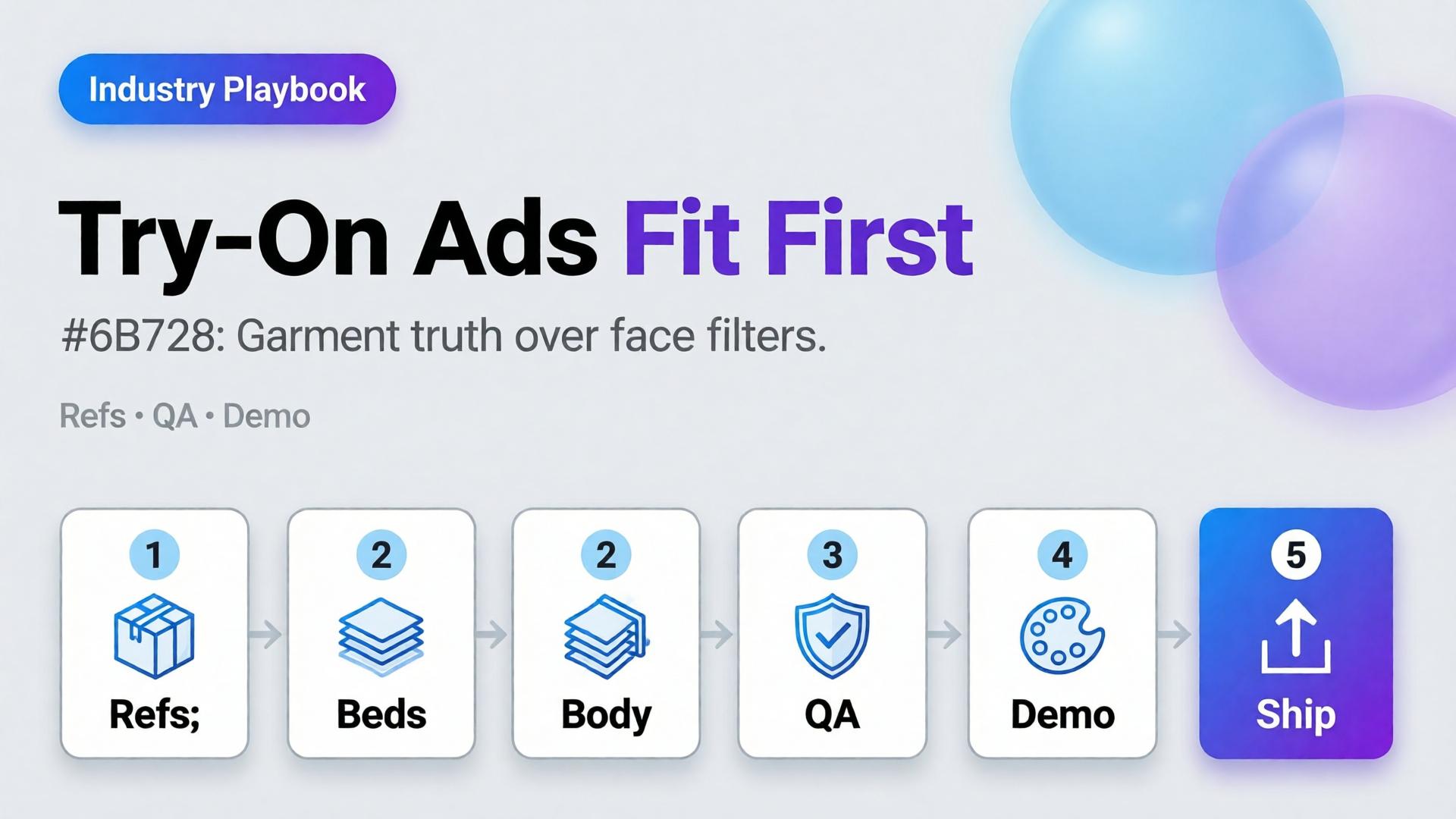
    AI virtual try-on ads work when you treat try-on as fit storytelling: garment truth first, character second, filter effects never.

    Key Takeaways

    >

    – Try-on is a garment fidelity problem with a human in frame — not a beauty filter with clothes attached.

    – Lock garment refs like hard goods lock geometry (hard goods QA); lock faces like character design.

    – Use try-on for Demo / Proof jobs in Shop scene types — not as every hook.

    – Zero-reshoot colorways: swap garment refs inside one pose world (3-day lookbook).

    Why Do Try-On Ads Fail After the Click?

    Because the ad sold a face mood and the PDP shows a different garment.

    Ad promise PDP reality Result
    Perfect drape Stiffer fabric Return
    Shorter hem True length Distrust
    Model body match Size chart ignored Size chaos
    New face every frame Brand amnesia Low recall

    Try-on without gates burns paid traffic.

    Shoppers forgive AI skin. They do not forgive AI seam lines. Fit storytelling starts at the stitch, not the smile.

    What Must Be Locked for Honest Try-On?

    Garment bible

    • Silhouette, neckline, sleeve, length, closure
    • Print scale and placement
    • Fabric category (knit / woven / sheer)

    Character rules (if face/body shown)

    • One anchor identity across the set
    • Body proportions stable enough for size intuition
    • No “new cousin” every creative

    Scene job

    • Demo: on-body motion or turn
    • Proof: detail of fit at shoulder/waist
    • Hook: only after garment passes

    Playbook: Try-On Without Filter Energy

    1. Capture garment refs — flat + on-hanger + detail
    2. Approve a base on-body still reference-heavy
    3. Garment QA gate — zoom hems, necklines, prints
    4. Extend to ads — crop to 9:16 / 4:5; do not regenerate identity per ratio
    5. Colorway variants — swap garment ref only; keep pose/world
    6. Reject beauty-only winners that fail garment match

    Pair with lookbook world rules (lookbook needs a world).

    Soft CTA

    Build listing and on-body stills from real garment refs: Listing Images · Gallery

    Frequently Asked Questions

    What makes AI virtual try-on ads trustworthy?

    Garment fidelity under zoom, stable character, and clear Demo/Proof jobs — not maximal beauty scores.

    Do I need a different model for try-on vs packshots?

    Choose for the fidelity bottleneck after direction. Try-on usually needs stronger reference lock than lifestyle exploration.

    Can try-on replace size charts?

    No. It supports intuition. Charts and measurements remain mandatory.

    How many try-on frames per SKU?

    One approved on-body hero + one detail proof beats six drifted beauties.

    Conclusion

    Stop shipping face filters in dresses. Ship fit stories.

    Lock the garment. Gate the seams. Keep one character. Use try-on where Demo and Proof matter. That is how AI virtual try-on ads earn clicks that survive the PDP.


    References

    1. Adobe, 2026 Creators’ Toolkit Report, June 16, 2026. https://news.adobe.com/news/2026/06/creators-toolkit-report-2026
    2. Lumepixa, Product Image Statistics 2026. https://lumepixa.app/blog/ecommerce-product-image-statistics
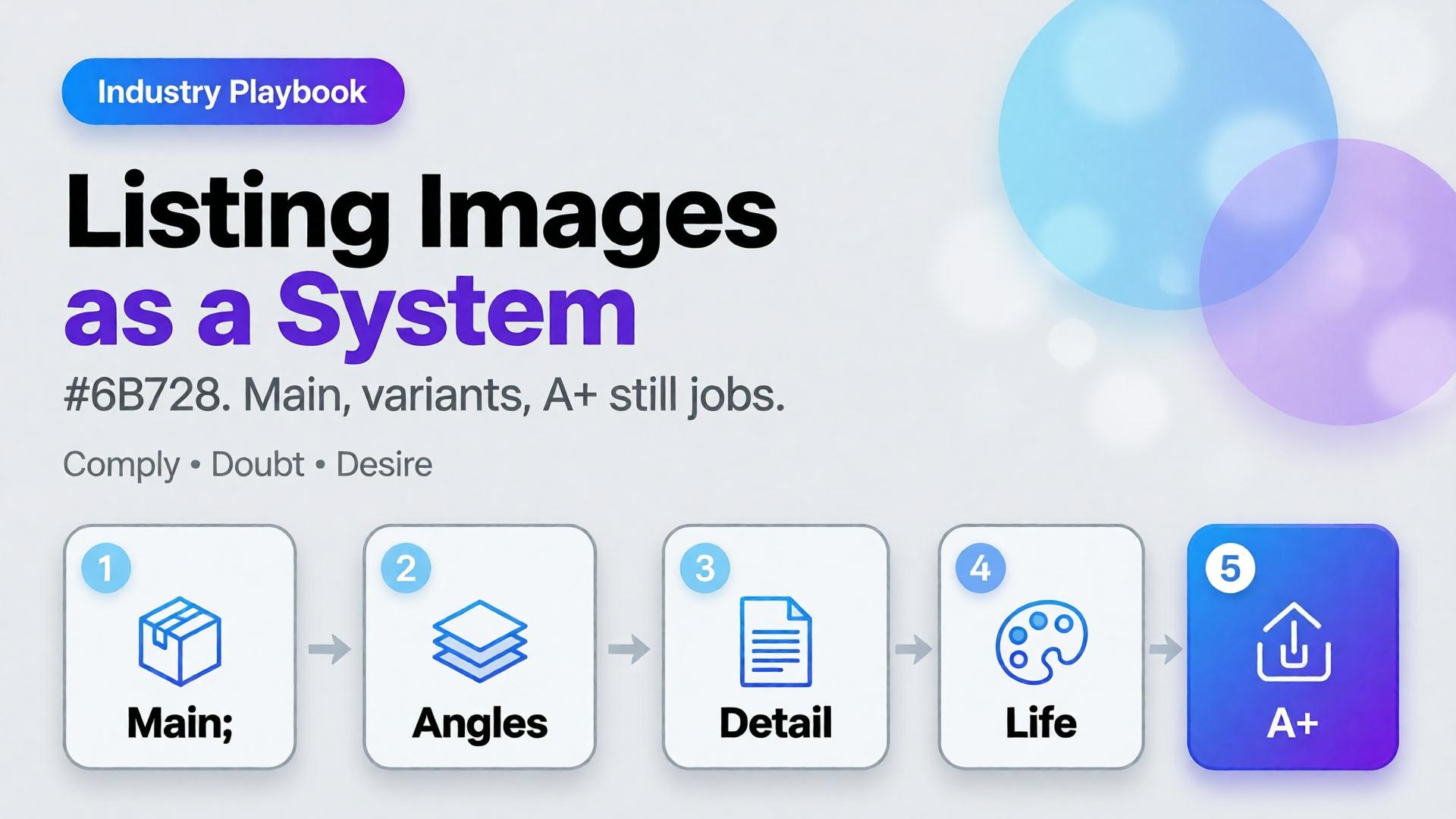
  • Amazon Listing Images as a System: Main, Variants, and A+ Still Logic

    Amazon Listing Images as a System: Main, Variants, and A+ Still Logic

    Amazon does not buy your moodboard. It buys slot performance: a compliant main image, a gallery that answers doubts, and A+ stills that explain without breaking catalog rules. Teams that AI-generate “seven pretty heroes” still lose the Buy Box war on clarity.

    AI Amazon listing images work when you treat the gallery as a system of jobs — not a folder of vibes.

    Key Takeaways

    >

    – Main image = compliance + recognition. Secondary slots = doubt removal. A+ = story without replacing Truth.

    – Listings with richer image sets convert more strongly in large studies (~50% higher with 5+ images vs thinner galleries in Catchlab-cited 2026 roundups).

    – Reuse packshot angle families and scene jobs — mapped to Amazon slots.

    – Upscale only after QA (upscale playbook).

    Why Do Random AI Galleries Underperform on Amazon?

    Because each thumbnail has a job in the purchase path.

    Slot Job Fail mode
    Main Recognize + comply Props, text, lifestyle bleed
    2–3 Form / angle truth Duplicate beauty shots
    4–5 Detail / texture / scale Unreadable macros
    6–7 Lifestyle / in-use Fantasy that fights main
    A+ Features / compare / story Walls of unread text

    If every file tries to be a campaign hero, none of them staff the gallery.

    Amazon creative is information architecture with pixels. AI should fill slots, not audition for a perfume ad.

    The Listing Image System

    Layer A — Compliance Truth

    • Main on approved background
    • True color, full product, no promotional overlays (follow current marketplace policy)
    • Geometry QA for hard goods

    Layer B — Doubt Removers

    • 45° / back / open-box / scale in hand
    • Detail of materials and controls

    Layer C — Desire / Context

    Layer D — A+ Stills

    • Feature callouts in clean layouts
    • Comparison charts as designed graphics (prefer controlled text, not hopeful in-image AI type)

    Playbook: One SKU, One System Day

    1. Write slot map — which file fills which job
    2. Shoot/generate Truth set reference-heavy
    3. QA geometry + typography
    4. Add one lifestyle only after Truth passes
    5. Build A+ frames from approved masters (crop + layout)
    6. Upscale delivery sizes once
    7. Contact-sheet review against competitor galleries in-category

    Ratio/adapt habits from marketplace banners still help for off-Amazon ads — but on Amazon, slot jobs beat ratio panic.

    Soft CTA

    Produce listing-ready packshots and gallery systems: Ecommerce · Packshot

    Frequently Asked Questions

    Can AI generate Amazon main images?

    Yes — if compliance and product fidelity pass. Treat main as the strictest Truth frame, not a creative playground.

    How many lifestyle images should an Amazon gallery include?

    Usually one or two. Fill remaining slots with doubt removers before stacking lifestyles.

    Is A+ a place for experimental AI worlds?

    Keep A+ clearer than experimental. Use approved product masters; add controlled graphics for features.

    How is this different from TikTok Shop scene types?

    TikTok optimizes scroll jobs (hook/demo). Amazon optimizes catalog jobs (compliance/doubt). Share masters; change the slot map.

    Conclusion

    Stop generating seven heroes. Staff seven jobs.

    Main for compliance. Variants for truth. Lifestyle for desire. A+ for explanation. Gate fidelity. Then deliver.

    That is an AI Amazon listing images system — built for the buy path, not the moodboard.


    References

    1. Lumepixa, AI Product Photography Statistics 2026 (Catchlab / Salsify citations). https://lumepixa.app/blog/ai-product-photography-statistics
    2. Adobe, 2026 Creators’ Toolkit Report, June 16, 2026. https://news.adobe.com/news/2026/06/creators-toolkit-report-2026
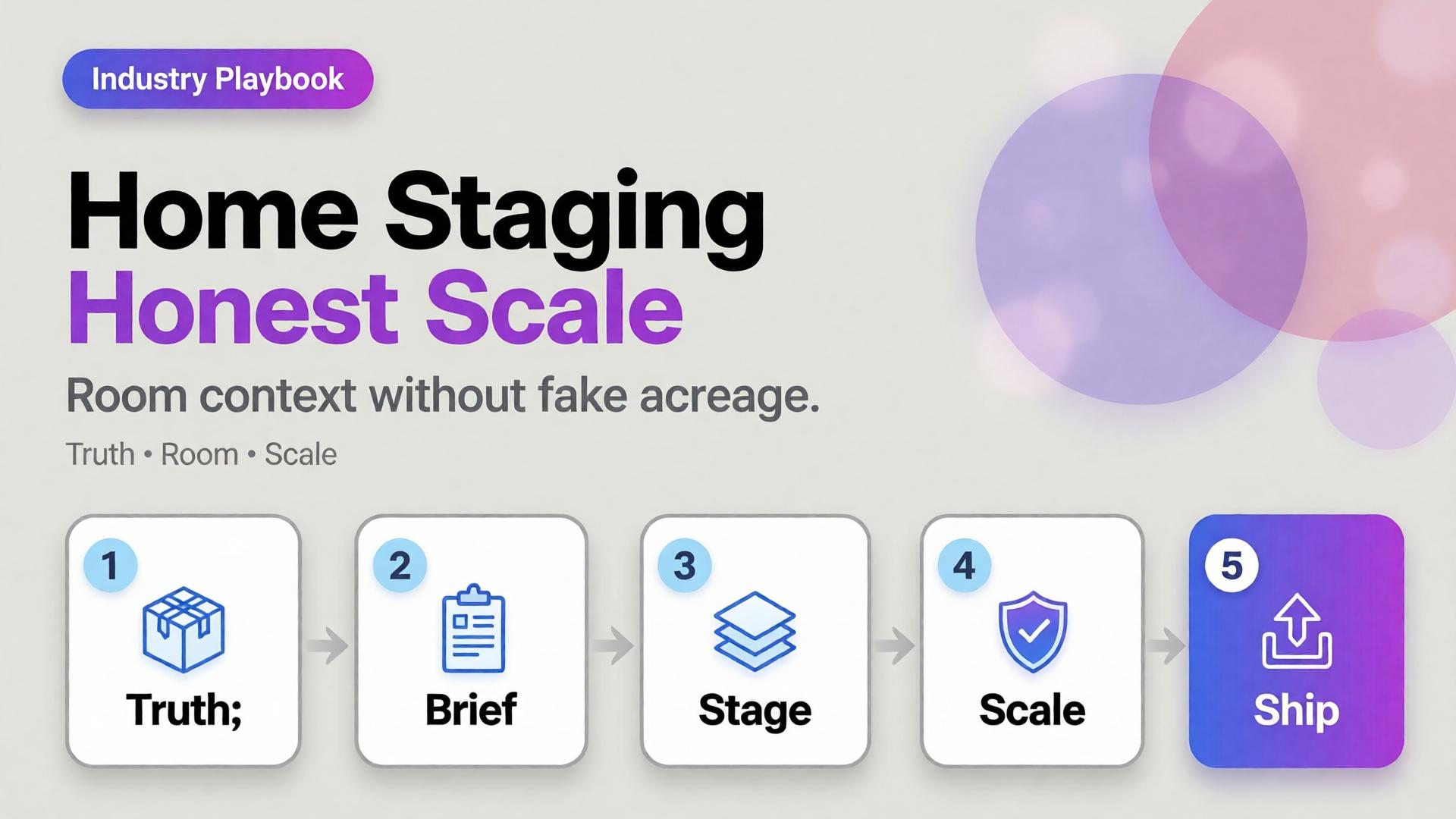
  • Home Product Staging with AI: Room Context Without Fake Square Footage

    Home Product Staging with AI: Room Context Without Fake Square Footage

    A sofa on pure white tells dimensions badly. A sofa in a cathedral living room tells lies well. Home and furniture ecommerce lives in that tension: buyers need context, but context that invents square footage creates “looked bigger online” returns.

    AI home product staging is the discipline of placing SKUs in believable rooms with scale honesty, locked light, and gates — not generating dream interiors that your warehouse cannot ship.

    Key Takeaways

    >

    – White-only home catalogs under-inform; fantasy rooms over-promise. Use dual-layer galleries like visual commerce 2026.

    – Stage with known scale anchors (door, outlet, side table) and real product dimensions in the brief.

    – Map rooms like beauty maps rituals — a context grid before generate (SCENE).

    – Geometry still matters for legs, seams, and hardware (hard goods QA when parts are precise).

    Why Does Home Staging Break Trust Online?

    Because furniture is purchased as space math.

    Staging sin Buyer consequence
    Oversized rooms “Tiny in real life” returns
    Wrong camera height Proportions feel off
    Mixed design eras Brand looks incoherent
    Soft rug hiding feet Leg style unknown
    Invented materials on props Cart confusion

    Lifestyle lift is real in ecommerce image research — but only when lifestyle stays honest.

    Home staging is not interior design porn. It is dimensional storytelling: how big, how it sits, how it lives with ordinary walls.

    Context Map for Home SKUs

    Borrow beauty’s context mapping mindset (beauty lifestyle contexts):

    Context Job Avoid
    Studio / white Spec + color truth Only image on PDP
    Apartment daylight Real-life scale Mansion windows
    Corner / tight wall Small-space proof Endless open plan
    Detail / fabric Material truth Fake weave
    Lifestyle lived-in Emotion Clutter that hides SKU

    Write 4–5 contexts per hero SKU. Reuse the room kit across the catalog (batch thinking).

    Playbook: Honest Room Extension

    1. Lock packshot truth — front, side, fabric detail
    2. Write room brief — room size class (studio / 1BR living), camera height, light (north window / warm lamp)
    3. Place scale anchors — known objects; state approximate room width in brief if critical
    4. Generate staging with product ref locked
    5. Scale QA — does the SKU dominate the room unrealistically?
    6. Ship dual layer — truth + staging for PDP; staging-heavy for ads

    Soft CTA

    Produce catalog truth and room contexts in one ecommerce creative system: Ecommerce · Photography

    Frequently Asked Questions

    What is AI home product staging?

    Placing furniture or home SKUs into room contexts with AI while preserving product fidelity and believable scale for ecommerce.

    Should every furniture PDP drop white backgrounds?

    Keep a truth layer. Add staging as secondary images and ads — same dual-layer logic as visual commerce guidance.

    How do I prevent “mansion staging”?

    Specify room class and camera height in the brief. Reject outputs where the SKU looks doll-sized or palace-scaled.

    Can staging replace dimensions in the listing?

    No. Staging supports intuition; specs remain mandatory.

    Conclusion

    Rooms sell home products. Fake acreage unsells them after delivery.

    Map contexts. Lock scale. Gate the fantasy. Keep a truth layer. That is AI home product staging that converts without breeding return tickets.


    References

    1. Lumepixa, Product Image Statistics 2026. https://lumepixa.app/blog/ecommerce-product-image-statistics
    2. Adobe, 2026 Creators’ Toolkit Report, June 16, 2026. https://news.adobe.com/news/2026/06/creators-toolkit-report-2026
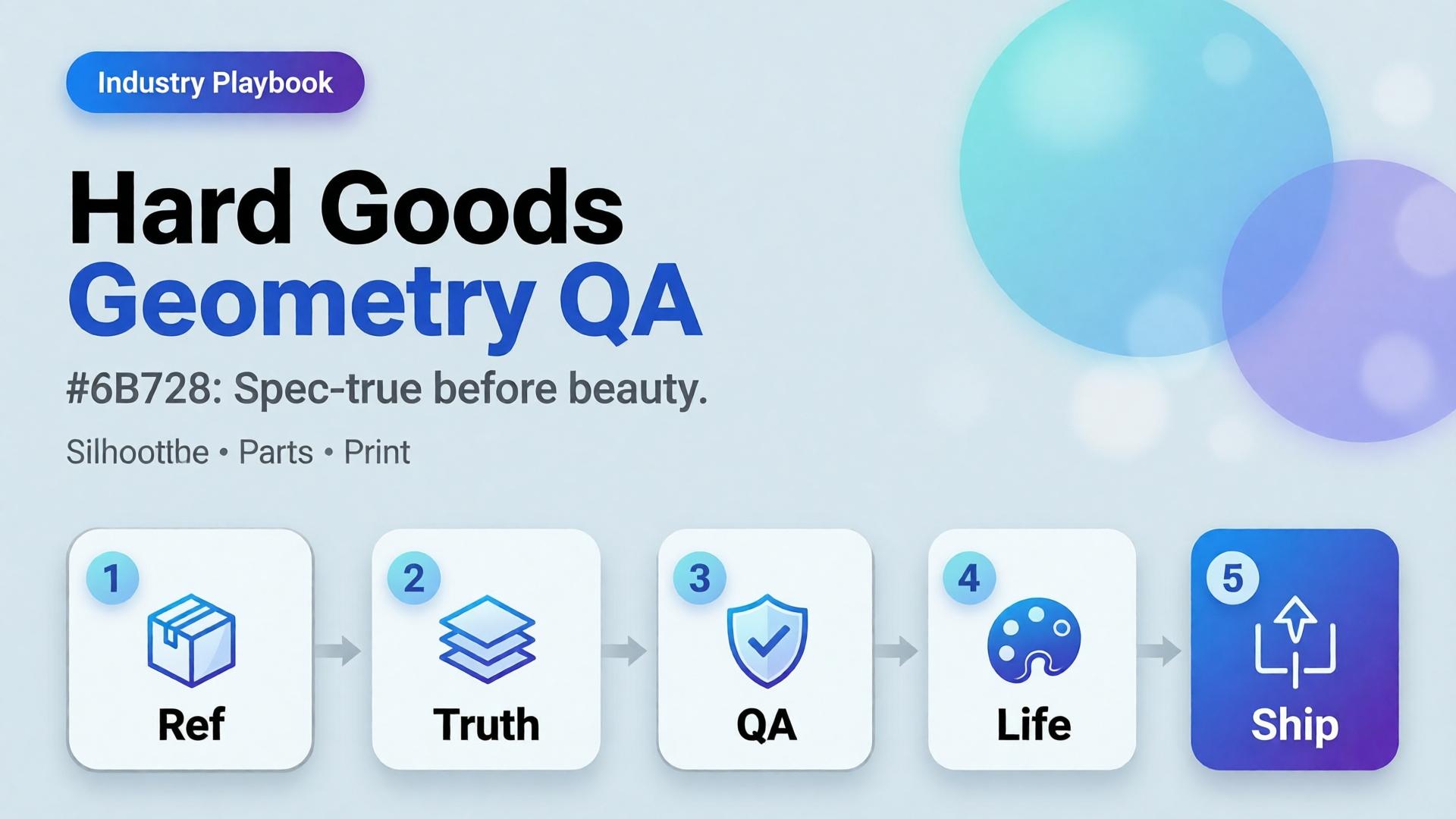
  • Hard Goods Need Geometry QA: Eyewear, Gadgets, and Spec-True AI Images

    Hard Goods Need Geometry QA: Eyewear, Gadgets, and Spec-True AI Images

    Beauty SKUs forgive a soft edge. Eyewear does not. A millimeter of temple warp, a lens reflection that invents a logo, a button row that gains an extra key — and the listing becomes a liability.

    AI hard goods product images fail when teams apply fashion/lifestyle prompting to precision objects. Hard goods need geometry QA as a first-class gate: silhouette, symmetry, ports, hinges, and print — before any lifestyle world.

    Key Takeaways

    >

    – Hard goods are spec products. Buyer trust is dimensional, not only emotional.

    – Run a geometry checklist before beauty, upscale, or lifestyle extension (packshot thinking).

    – Prefer reference-heavy generation; explore mode is for backgrounds after the object passes (reference vs explore).

    – Upscale only after QA (upscale after QA) — sharpening warped hinges makes rejects look confident.

    Why Do Lifestyle Prompts Break Hard Goods?

    Because soft prompts optimize for vibe. Hard goods optimize for match-to-unboxing.

    Soft-goods bias Hard-goods reality
    Fabric drape can vary Hinge angle cannot
    Skin tone mood Port count is binary
    “Premium glow” Specular lies on lenses/metal
    Approximate logo Exact wordmark + icon

    Eyewear, watches, earbuds, keyboards, tools, and small appliances sit on the hard side of that table.

    For hard goods, the hero image is a contract drawing with light — not a moodboard with a product stuck on top.

    Geometry QA Checklist (Pass Before Beauty)

    Silhouette

    • Outer shape matches reference
    • No melted corners, no missing tips (eyewear temples)

    Symmetry / alignment

    • Left-right balance on glasses, buds, paired objects
    • Button grids aligned

    Functional parts

    • Ports, hinges, switches, screws present and correct in count
    • No “extra USB” hallucinations

    Optics / materials

    • Lens transparency plausible (no opaque glass unless product is)
    • Metal vs plastic read correct

    Print / icons

    • Logos and iconography correct — or intentionally out of frame

    Fail any row → reject. Do not lifestyle it “to hide the error.”

    Playbook: Spec-True Then Scroll-Stopping

    1. Capture honest refs — front, 45°, detail of hinge/port
    2. Generate Truth angles reference-heavy (image model after direction)
    3. Geometry QA gate with zoom
    4. Optional lifestyle bridge — same approved object into a scene (desk, face for eyewear with character lock)
    5. Upscale + crop only on winners (node spine)

    For ads, keep scene jobs — but Truth frames carry the SKU.

    Category Notes

    Category Extra risk Extra gate
    Eyewear Lens reflections invent logos Check both lenses
    Earbuds / wearables Stem length drift Side-by-side with ref
    Keyboards / controllers Key count / layout Count visible keys
    Small appliances Cable / button myths Detail crop of controls

    Soft CTA

    Build spec-true packshots before campaign worlds: Packshot · Ecommerce

    Frequently Asked Questions

    What counts as hard goods for AI product images?

    Products where dimensional accuracy and part count matter to purchase and returns — eyewear, electronics, tools, precision accessories.

    Can I still use lifestyle scenes?

    Yes — after the object passes geometry QA. Lifestyle is extension, not repair.

    Should I use a different AI model for hard goods?

    Choose for fidelity bottleneck after direction — not because the category is trendy. See model-after-direction guidance.

    How many reference angles do I need?

    At least front + 45° + one detail of the failure-prone part (hinge, port, lens).

    Conclusion

    Hard goods do not need softer prompts. They need harder gates.

    Geometry first. Beauty second. Lifestyle third. Upscale last. That is how AI hard goods product images survive zoom, returns, and marketplace scrutiny.


    References

    1. Lumepixa, AI Product Photography Statistics 2026. https://lumepixa.app/blog/ai-product-photography-statistics
    2. Adobe, 2026 Creators’ Toolkit Report, June 16, 2026. https://news.adobe.com/news/2026/06/creators-toolkit-report-2026
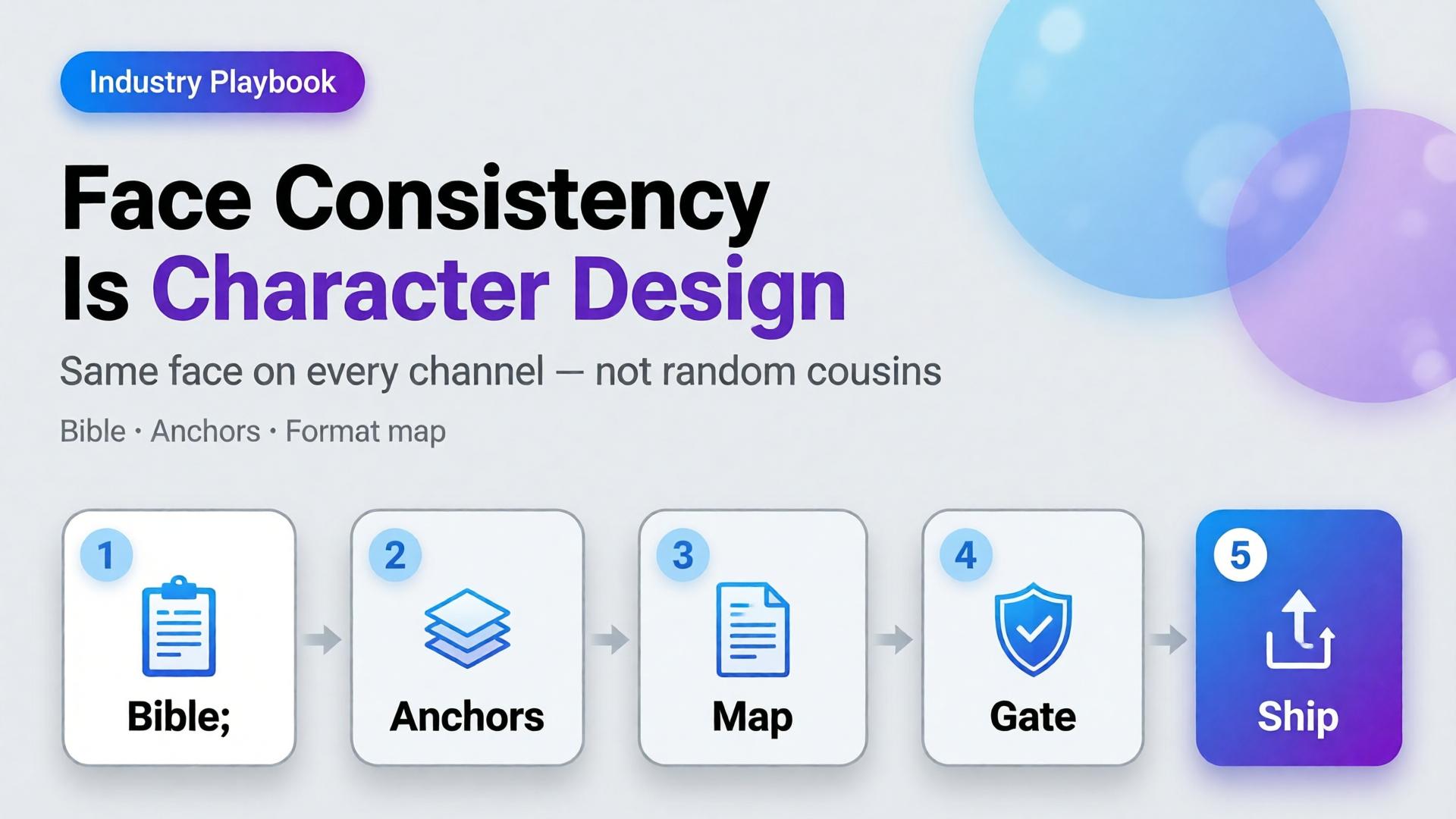
  • Face Consistency Across 12 Formats Is Character Design

    Face Consistency Across 12 Formats Is Character Design

    You generate a strong face for Tuesday’s Reel. Wednesday’s Story looks related. Thursday’s carousel looks like a cousin. By Friday’s marketplace banner, followers comment: is that a different person?

    That is not a model failure. That is a design failure.

    AI character consistency is not a filter you toggle after the prompt. It is character design — the same discipline animation studios and game teams use before a single frame ships. Creators who treat the face as a lucky seed will keep losing identity across formats. Creators who write a character bible first can ship the same person across twelve placements without the audience noticing the pipeline.

    Key Takeaways

    >

    – Face consistency across formats is a character design problem, not a prompt trick. Lock identity rules before you open the generator.

    – Adobe’s 2026 Creators’ Toolkit Report found 57% of creators say AI outputs need moderate or extensive editing before publish — and 42% say AI-generated work makes distinctive voices harder to surface (Adobe, 2026).

    – A workable kit has three layers: character bible, reference pack, format map (12 placements, one identity).

    – Curator gates beat more seeds. One approved face family scales; twenty “almost right” faces destroy trust.

    This is an industry playbook for creators, KOLs, and brand teams who put a human face in front of products. If you need the failure autopsy, read Brand Consistency Trap. If you need when to lock references versus explore, read Reference Images vs AI Explore. This article answers: how do you keep one face alive across twelve formats?

    Why Does Face Drift Break Creator Trust Faster Than Bad Lighting?

    Lighting mistakes look amateur. Face drift looks dishonest.

    Followers forgive a soft shadow. They do not forgive a jawline that migrates every post. The brain treats facial identity as a continuity contract. Break it and engagement does not just drop — recognition resets. You are introducing a new spokesperson every week without meaning to.

    Creators feel this as “the model changed my face again.” The deeper issue is upstream: there was no locked character. Every generation started from vibes instead of a bible.

    Audience trust for AI-assisted creators is not “was this generated?” It is “is this the same person I already know?” Face consistency is continuity, not aesthetics.

    What Is Character Design for AI Creators?

    Character design means deciding — in writing and in images — what must never change, what may change, and what is forbidden.

    Layer Lock forever Soft rules Never do
    Face geometry Eye distance, jaw, nose bridge Expression intensity Age jumps, ethnicity drift
    Hair Base cut + color family Styling for scene Random length each post
    Skin Undertone, freckle map Makeup level Plastic smoothness one day, heavy pores the next
    Wardrobe world Signature palette Outfit per format Brand-clash logos
    Age / era Apparent age band Season styling Teen ↔ mid-30s oscillation

    If you cannot fill this table in ten minutes, you are not ready to batch. You are ready to explore — once — then lock.

    Citation capsule: Distinctive creator voices are already under pressure. Adobe’s 2026 survey found 42% of creators believe AI-generated work makes it harder for distinctive voices to surface. Face drift accelerates that problem by dissolving the one asset audiences use to recognize you.

    The 12-Format Map: Same Face, Different Jobs

    Consistency does not mean identical crops. It means identical identity under different jobs.

    # Format Job Face rule
    1 Feed 1:1 Stop scroll Full face, strong eye contact
    2 Feed 4:5 Depth / product hold Face + product in same plane
    3 Story 9:16 Immersion Closer crop, same bone structure
    4 Reel cover Click Peak expression from approved set
    5 Thumbnail Search / browse High-contrast, readable at 120px
    6 Carousel keyframe Sequence Same lighting family across slides
    7 Live avatar / talking head Trust Strict reference lock
    8 Product demo still Proof Hands + face optional; no new identity
    9 Marketplace banner Store ID Smaller face, brand-safe crop
    10 Email hero Click-through Calm expression, clear silhouette
    11 Ad variant A/B Test hooks Same face, different props only
    12 Long-form cover Authority Most “portrait bible” accurate

    Write the map once. Every new campaign inherits it. That is how narrative systems stay coherent when volume rises.

    How Do You Build a Character Bible That Survives AI?

    Step 1 — Capture three anchor references

    Not twenty. Three:

    1. Neutral front (passport energy)
    2. Three-quarter with soft smile
    3. Profile or strong side light

    These become the identity spine. Everything else is a variation, not a rewrite.

    Step 2 — Write the non-negotiables in one paragraph

    Example: East Asian woman, apparent late 20s, warm undertone, soft freckles across nose bridge, straight dark hair to collarbone, almond eyes with slight monolid, no beauty marks, natural brows.

    If the paragraph is longer than six lines, you are over-specifying fashion and under-specifying face.

    Step 3 — Separate explore mode from production mode

    Exploration is allowed before lock — moodboards, casting tests, style worlds. After lock, switch to reference-heavy mode. Production is not the time to “see what the model invents.”

    Step 4 — Assign a curator gate

    Someone (you, or a teammate) must reject outputs that break identity even if they look prettier. Pretty-but-wrong is how brands wake up with twelve spokespersons.

    Gate Pass Fail
    Bone structure Matches anchors Soften / reshape
    Hair identity Same family New cut / color
    Age read Same band Younger/older leap
    Skin map Same marks / freckles Clean slate skin
    Expression Approved range New “character personality”

    Adobe’s finding that 57% of creators still edit AI outputs heavily is not a reason to skip direction. It is a reason to edit against a checklist, not against taste alone.

    What Breaks Face Consistency in Practice?

    Five patterns show up constantly in creator pipelines:

    1. Prompt adjective stacking — “beautiful, glamorous, cinematic, ultra detailed” invites the model to redesign the face toward a beauty average.
    2. Style refs stronger than face refs — a lighting moodboard overpowers identity when weights are wrong.
    3. Format panic — regenerating from scratch for 9:16 instead of cropping/extending an approved master.
    4. Multi-model hopping without re-locking — each model has a different face prior; hopping without anchors guarantees drift.
    5. Batch publishing without a set review — each image looks fine alone; the grid looks like a casting call.

    These map to the broader brand consistency trap. Face is simply the highest-stakes version.

    Playbook: Ship One Face Across a Week of Content

    1. Monday — Lock — approve three anchors + character paragraph
    2. Monday — Map — fill the 12-format table for the week
    3. Tuesday — Masters — generate 6–8 hero frames in one lighting family
    4. Wednesday — Adapt — crop/extend masters into Story, Reel cover, banner; regenerate only when crop fails
    5. Thursday — Curate — reject identity breaks; keep expression range tight
    6. Friday — Publish set — review the week as a contact sheet, not as singles
    7. Sunday — Archive — save winners into the character kit for next week

    This is the same spine freelancers use when one workflow serves five clients — swap the character kit, keep the gates.

    When Should You Redesign the Character on Purpose?

    Sometimes drift is a feature — new season, new brand deal, new persona arc. Redesign deliberately:

    • Announce the change in content (glow-up, season 2, brand collab era)
    • Rebuild anchors; do not “nudge” the old face into a new identity
    • Freeze the old kit; do not mix eras in the same week

    Accidental redesign reads as error. Intentional redesign reads as storytelling — which belongs in your narrative system.

    Soft CTA

    Build character kits and format maps inside a production system, not twelve disconnected tabs. Explore Orauria’s creative workflow for ecommerce and creator teams: Orauria solutions · Gallery

    Frequently Asked Questions

    What is AI character consistency?

    It is the practice of keeping the same facial identity, hair family, and age read across many generated images and formats. It is achieved with a character bible, reference anchors, and curator gates — not by hoping the next seed matches.

    How many reference images do I need for a stable face?

    Three strong anchors beat twenty weak ones. Add scene refs after identity is locked. More images help only when they reinforce the same person.

    Can I keep one face across different AI image models?

    Yes, if you re-lock with the same anchors in each model and treat the first approved outputs as the new production set. Hopping models mid-campaign without anchors is the fastest path to cousins.

    Should every format show the full face?

    No. Marketplace banners and some product demos may use smaller face presence or hands-only. The rule is: if a face appears, it must be the same face.

    How is this different from brand consistency?

    Brand consistency covers palette, light, and scene world. Character consistency is the human identity layer inside that brand. You need both; face drift can break a brand even when colors are perfect.

    What is the biggest mistake creators make with AI faces?

    Treating each post as a new casting session. Character design decides once, then produces many times.

    Conclusion

    Face consistency across twelve formats is not a prompt setting. It is character design — anchors, non-negotiables, format jobs, and a curator who rejects prettier lies.

    Write the bible. Lock three references. Map the twelve placements. Adapt masters before you regenerate. Review the week as a set.

    The creators who scale AI without losing their audience are not the ones with the luckiest seeds. They are the ones who decided who they are — then refused to renegotiate every Tuesday.


    References

    1. Adobe, 2026 Creators’ Toolkit Report, June 16, 2026. https://news.adobe.com/news/2026/06/creators-toolkit-report-2026
    2. Adobe, Inaugural Creators’ Toolkit Report (Adobe MAX 2025), October 28, 2025. https://news.adobe.com/news/2025/10/adobe-max-2025-creators-survey