Search AI product photography and most results sell the same fantasy: type a prompt, skip the light, publish. That is not photography. Photography — even when AI sits in the pipeline — is still about how light hits a physical object and whether a stranger on Amazon can trust what they see.
Orauria’s job in that pipeline is not “invent a prettier bottle.” It is to help you turn a truthful capture into the rest of the commercial set. This article is about the photography half of that bargain: what you must still get right in camera (or on a phone), and what AI should never be allowed to invent.
Key Takeaways
AI product photography fails when the source image has no usable light, edge, or label data — AI cannot recover truth that was never captured.
White-background Main Images are a discipline (specular control, soft shadow, readable type), not a background-remove button.
Hard categories (glass, foil, clear liquids, fine jewelry, wrinkled apparel) need a real shoot or a better source — not more prompts.
Use AI to expand angles, scenes, and formats after identity is locked; keep studio days for brand film and impossible materials.
Photography intent is different from “generator” intent
People who type AI product photography usually want one of three jobs:
Replace a day rate for catalog white / three-quarter packs.
Fix bad phone light without renting a softbox.
Scale a proven hero shot across variants and seasons.
Those are photography problems. They are not the same as asking a text-to-image model for “luxury skincare on marble.” If your brief still starts with a moodboard and no SKU photo, you are shopping for art direction — not product photography. For the kit / campaign framing, see AI generated product images for ecommerce. For tool-shaped search language, see AI product image generator.
The useful question is not “Can AI shoot my product?” It is: Which photons do I still need from the real object before AI is allowed to touch the file?
White background is a lighting test, not a cutout
Amazon-style white Main Images punish three photography mistakes AI tools often hide poorly:
Failure
What the buyer sees
Fix before AI
Hard specular blowout
Plastic looks wet / fake
Diffuse key; kill glare on logo foil
Contouring shadow too dark
Product “sinks” into white
Lift fill; keep a soft contact shadow
Label mush at 100% zoom
Returns and bad reviews
Closer capture; sharper focus on type
If your “AI white background” output still has frayed edges, gray cast, or melted barcode/type, the model is guessing. Guessing is not photography. Re-shoot or re-capture until edges and type survive a phone-screen zoom.
Category difficulty: when AI expansion is honest
Category
AI expansion after one good source
Still shoot for real
Matte cartons, boxes, sachets
Strong
Rarely
Opaque bottles with flat labels
Strong
Color-critical SKUs
Glass / clear liquids
Weak–medium
Always for hero
Metal / chrome / foil stamping
Weak
Always for hero
Apparel on hanger / flat lay
Medium
Fit and fabric drape
Jewelry / tiny hardware
Weak
Macro and sparkle
Rule of thumb used by catalog teams: if the material’s value signal is how light moves across it (glass, metal, silk), budget a real capture. If the value signal is shape + print + color block, a clean phone packshot plus disciplined AI expansion is often enough for listing and ads.
A hybrid shoot plan that respects photography
One truthful hero — same angle you would approve from a studio: level, labeled side readable, no motion blur. Austin kitchen window + white foam board is fine if the physics are right.
Lock identity in writing — Pantone/hex of carton, logo do-not-warp, “no extra foil,” “cap must stay matte black.”
Expand only after lock — alternate angles, lifestyle tables, seasonal props, 9:16 ad crops.
Refuse silent redesign — if AI invents a new lid silhouette or “improves” the logo, discard. That is not photography; that is product fraud in slow motion.
Channel QA like a photographer — check white purity, soft shadow, type legibility, and mobile thumbnail recognition before Amazon or Shopify publish.
Formats still matter commercially (1:1 · 4:5 · 3:4 · 9:16 · 16:9), but they are exports of a photographic decision — not the decision itself. Angle systems without a studio day: Packshot thinking.
What Orauria is for in this workflow
Orauria is an AI Creative Studio for Product Marketing: one product image → photos, ads, social, short video → campaign pack. In photography terms: you bring the truthful capture; the system helps you build the commercial set without drifting the SKU. Soft CTA only after the craft is clear — not instead of it.
Can AI product photography replace a studio entirely?
For matte catalog SKUs and rapid ad variants, often yes after one good source. For glass, metal, jewelry, or brand hero film, keep a real shoot. Hybrid is the adult answer.
Why does my AI white background look “plasticky”?
Usually speculars and edge light were wrong in the source, or the model filled missing highlight data. Fix capture geometry before regenerating.
What should I put in the identity brief?
Exact packaging color, logo integrity, proportion locks, materials that must not be “beautified,” and claims you refuse to imply in lifestyle scenes.
Conclusion
Treat AI product photography as a chain: capture truth → lock identity → expand commercial frames → QA like a photo lead. If you skip the first link, every downstream “AI photo” is cosplay.
If you searched for an AI product image generator, you do not need another art toy. You need a system that turns one real product photo into listing and ad creatives that still look like your SKU.
A useful AI product image generator for US ecommerce: upload a phone or packshot → get white-background Main Images, lifestyle frames, and Meta-ready crops — while packaging, logo, color, and shape stay locked. No Brooklyn studio day required. No “pretty but wrong bottle” returns.
Key Takeaways
About 75% of shoppers rely on product photos when deciding to buy (Weebly, industry compilation 2026).
Moving from one image to a 5–7 image set (angles + lifestyle) is repeatedly linked to higher conversion in industry summaries (Statista / 2025–2026 compilations).
Tool intent fails when “generator” means Midjourney vibes forced onto Amazon Main Image rules.
“Generator” is the wrong noun if it only generates files. The right product generates a publishable set.
Why generic generators burn Amazon and Shopify listings
Roughly 22% of returns tie to items looking different than photos (Weebly / industry compilations). Drifted logos and wrong carton color fail Main Image trust and A+ modules.
Lifestyle + packshot often lifts conversion about 15–30% versus white-only galleries (2026 A/B summaries). Your generator must output a set, not one hero.
One upload → product kit
Stage
Job
Ships to
Studio / white
Clean Main Image
Amazon.com, catalog
Lifestyle
Use context
Shopify PDP, Meta
Marketplace
Listing rules
Walmart, Etsy, eBay
Social ad
Scroll stop
IG, TikTok, FB
Campaign
Seasonal
Prime Day, Black Friday
USPs under any tool landing:
One Product → Multiple Creatives
Keep Your Product Consistent
Built for Ecommerce
From Product Photo to Ad
Multiple Formats — 1:1 · 4:5 · 3:4 · 9:16 · 16:9
How to run an AI product image generator (5 steps)
Honest source — even light, readable label, no watermark (LA apartment kitchen phone shot is fine).
Identity lock — color, logo, proportion, hard no-gos.
Orauria is an AI Creative Studio for Product Marketing: one product image → photos, ads, social, short video → campaign pack. Not “another generator.” A product → ecommerce content system.
Is an AI product image generator allowed on Amazon?
Yes if images represent the real item and follow current Amazon image policies. Prefer clean Main Images; use AI for lifestyle and secondary expansion.
How is this different from background removal?
Removal is one step. A real generator outputs lifestyle, ads, multi-aspect exports, and identity lock across the kit.
Do I need advanced prompts?
Not if the workflow is upload → pick image job → generate. The commercial brief matters more.
Conclusion
Pick your best Shopify or Amazon SKU, run one kit through the five jobs above, and A/B the Main Image for 7–14 days.
Don’t generate random AI images. Generate product creatives that are ready to sell.
AI generated product images for ecommerce means this: upload one real product photo → get a kit of studio packshots, lifestyle scenes, Amazon listing frames, and Meta/TikTok ads — while keeping packaging, logo, color, and product shape intact. No downtown studio day in Brooklyn. No photographer day rate in Austin. No Canva scramble every time you need a 9:16 crop for Reels.
Key Takeaways
Online shoppers lean hard on visuals: about 75% say they rely on product photos when deciding to buy (Weebly, industry compilation 2026).
Multi-image listings typically convert better than single-image listings; industry summaries show clear lifts when you move from one shot to a 5–7 image set with angles + lifestyle (Statista / 2025–2026 compilations).
The 2026 failure mode for US sellers: treat Midjourney, Flux, or GPT Image like an art toy, then force-fit the output onto Amazon Main Image rules — instead of building a product → content kit.
What Are AI Generated Product Images for Ecommerce?
AI generated product images for ecommerce are commercial visuals expanded from a real product photo — built for listings, paid ads, and social — not freeform text-to-image art.
US brands do not lack image models. They lack a publishing system: one SKU in → many channel creatives out, same product identity.
Why “Beautiful” AI Images Still Fail on Amazon and Shopify
A gorgeous render that drifts from the real SKU burns trust and drives returns. Roughly 22% of returns tie to items looking different in person than in photos (Weebly / industry compilations).
Three failure modes US teams hit every week:
Identity drift — melted logos, off-brand carton color, warped bottle proportions (fatal on Amazon Main Image and A+ modules).
One file for every channel — a square that looks fine on Etsy dies when cropped for Instagram Reels or TikTok Shop.
No angle system — one hero beauty shot, no detail, no scale, no lifestyle, no proof.
Lifestyle plus packshot commonly lifts conversion about 15–30% versus white-background-only galleries (2026 A/B industry summaries). You need a set, not one “premium” render.
One Product. An Entire Content Kit.
Orauria’s positioning — and the right brief for any US DTC or Amazon seller:
AI Product Photography, Built for Ecommerce.
Or the sharper line:
Don’t generate random AI images. Generate product creatives that are ready to sell.
Pipeline: upload once, sell everywhere
Pipeline stage
Job of the image
Where it ships
Studio / Packshot
Clean, premium, controlled background
Amazon Main Image, Shopify PDP hero, catalog
Lifestyle Scene
Product in a believable US home / use context
PDP gallery, Meta ads, email
Marketplace Image
Listing-optimized frames
Amazon, Walmart Marketplace, Etsy, eBay
Social Ad
Scroll-stopping creative
Instagram, Facebook, TikTok, Pinterest
Campaign Creative
On-brand promo / seasonal
Prime Day, Black Friday, A+ Content, landing pages
Put these USPs under any hero for this keyword:
One Product → Multiple Creatives — one SKU photo becomes a full selling set.
Keep Your Product Consistent — packaging, logo, color, and shape stay true.
Built for Ecommerce — Amazon, Shopify, Etsy, TikTok Shop, Walmart, your site, and social.
From Product Photo to Ad — packshot → lifestyle → promo banner → social ad.
Multiple Formats — 1:1 · 4:5 · 3:4 · 9:16 · 16:9.
How to Create AI Generated Product Images for Ecommerce (5 Steps)
Step 2: Lock product identity before you “beautify”
Before lifestyle or ads, freeze:
Brand / packaging color
Logo and on-label text (do not invent claims)
Shape, proportion, material (matte, gloss, glass)
Hard no-gos (variant SKU, restricted claims, regulated badges)
No identity lock = every generation is a slightly different product — a policy and return risk on Amazon.com.
Step 3: Generate by job, not by vibe
Per SKU, ship at least:
1–2 studio / pure white frames (Amazon Main Image friendly)
2–3 lifestyle scenes (how Americans actually use it — bathroom vanity, backyard patio, desk setup)
1 detail / texture crop
1 social ad frame with safe space for headline + CTA
1 marketplace / banner crop for seasonal pushes (Prime Day, Black Friday, Cyber Monday)
Do not ask AI to “make it prettier.” Ask: which purchase question does this frame answer? (What does it look like? How do I use it? How big is it? Why not the cheaper listing?)
Step 4: Export aspect-aware for US channels
Channel
Suggested ratio
Notes
Amazon Main Image
1:1 (white background)
Product fills most of the frame; follow current Amazon image rules
TikTok Shop (US) — listing stills + vertical creatives for ads and live
Meta Ads + Google — angle and background variants for creative testing
One kit keeps the brand from “changing face” between Amazon and Instagram. Seasonal refreshes — back-to-school in August, Halloween in October, holiday in November–December — should remix the same identity, not reinvent the product.
Lifestyle scenes that read “US” without feeling fake
Use believable American contexts, not generic stock fantasy:
Skincare on a bright bathroom vanity (not a European château marble cliché)
Coffee gear on a Brooklyn apartment counter or a Portland cafe-style wood table
Outdoor gear on a Colorado trailhead or Austin backyard patio
Home goods in a Midwest living room with soft afternoon window light
The scene sells aspiration. The product identity still has to match what ships from your 3PL in New Jersey or California.
When to Use a Real Studio vs AI
Situation
Do this
Launching 30–100 SKUs on a lean budget
AI product imagery + clean phone/packshot sources
Prime Day / Black Friday creative refresh
AI variants of lifestyle + banners from locked packshots
National brand campaign, tricky materials (chrome, glass, sheer fabric)
Hybrid: shoot a few hero stills, AI-scale the rest
Claims that must be photographically true (texture, fill level, size)
Real photo for truth; AI only for context — never invent details
AI does not replace every shoot in Los Angeles or New York. It replaces the scale bottleneck: creatives × SKUs × channels that a three-person DTC team cannot hand-build before the sale calendar.
Orauria: From Product Photo to Campaign Pack
Orauria is an AI Creative Studio for Product Marketing: upload one product image → generate product photos, ads, social posts, and short videos — then export a campaign pack for Shopify, Amazon, TikTok Shop, and more.
We are not selling “another AI image generator.” We sell a product → ecommerce content system:
Yes — if they still represent the real item and follow Amazon’s current image and AI-disclosure policies. Keep truthful Main Image standards (typically pure white background, product as the focus). Use AI to expand lifestyle, secondary angles, and A+ visuals — not to invent a different product.
How is this different from background removal?
Background removal is one step. AI generated product images for ecommerce also means lifestyle, ads, banners, multi-aspect exports, and identity lock across the whole kit.
How many images should each listing have?
In practice, 5–7 images (angles + detail + lifestyle) often balances better than a single hero or a 12-image decision-fatigue gallery. Measure on your own Amazon and Shopify traffic.
Do I need advanced prompting?
Not if the tool is ecommerce-native (upload product → pick image job → generate). The commercial brief matters more than prompt poetry: channel, job, identity lock, format.
Is Midjourney enough for Amazon and Shopify?
It can produce beautiful frames. It usually lacks identity lock + multi-format + marketplace pipeline. Treat art models as an engine layer; you still need a product kit / selling workflow on top.
Conclusion
AI generated product images for ecommerce win when you measure sell-through and listing trust — not how “AI-looking” a single frame feels on Behance.
Remember three moves:
Lock identity from a real source photo
Generate by job (studio → lifestyle → marketplace → social ad)
Export the right formats and QA before publish
Next step: pick your best-selling SKU on Amazon or Shopify, build one product kit with the five image jobs above, then A/B the Main Image or PDP hero for 7–14 days.
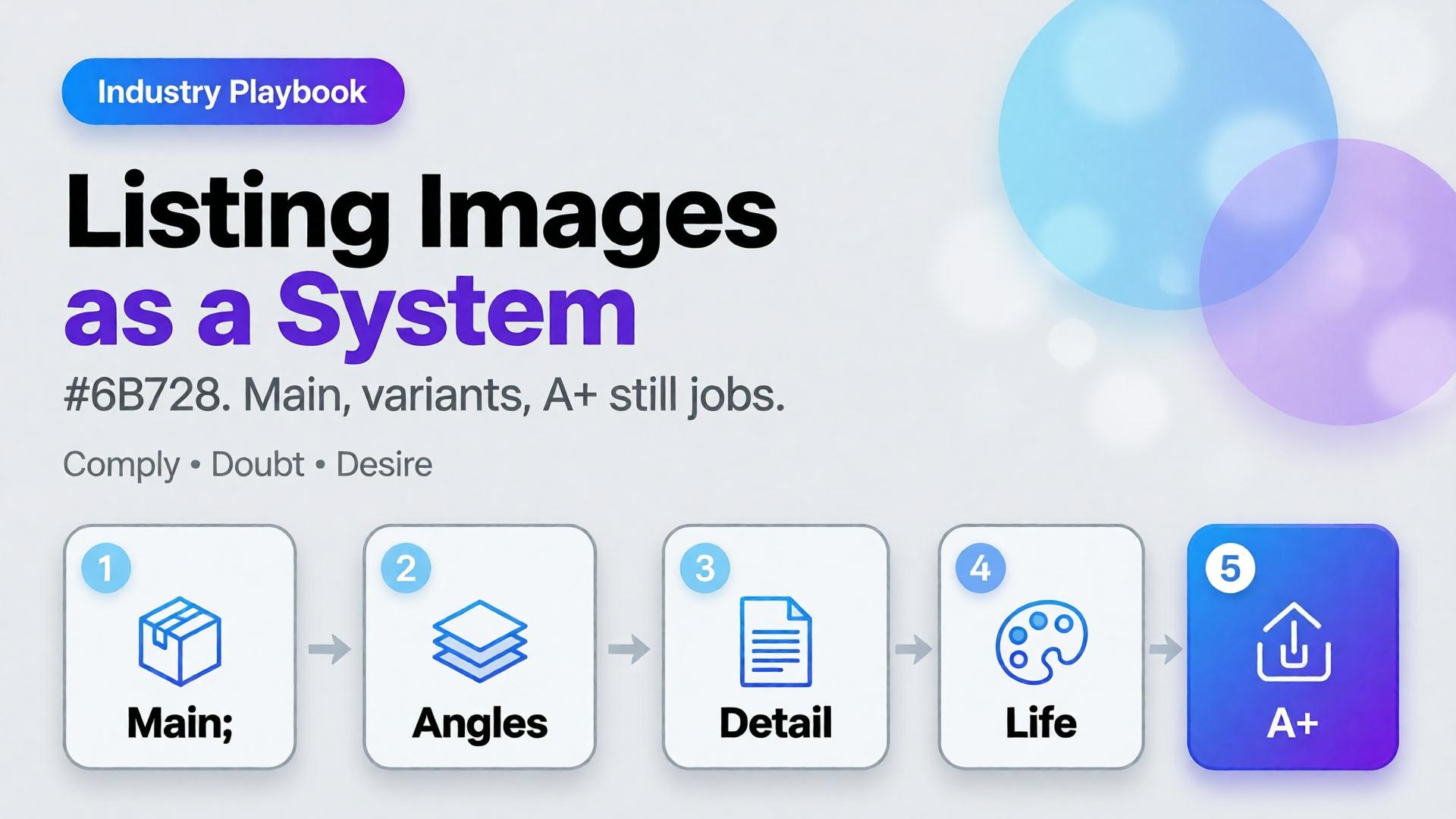
Amazon does not buy your moodboard. It buys slot performance: a compliant main image, a gallery that answers doubts, and A+ stills that explain without breaking catalog rules. Teams that AI-generate “seven pretty heroes” still lose the Buy Box war on clarity.
AI Amazon listing images work when you treat the gallery as a system of jobs — not a folder of vibes.
Key Takeaways
>
– Main image = compliance + recognition. Secondary slots = doubt removal. A+ = story without replacing Truth.
– Listings with richer image sets convert more strongly in large studies (~50% higher with 5+ images vs thinner galleries in Catchlab-cited 2026 roundups).
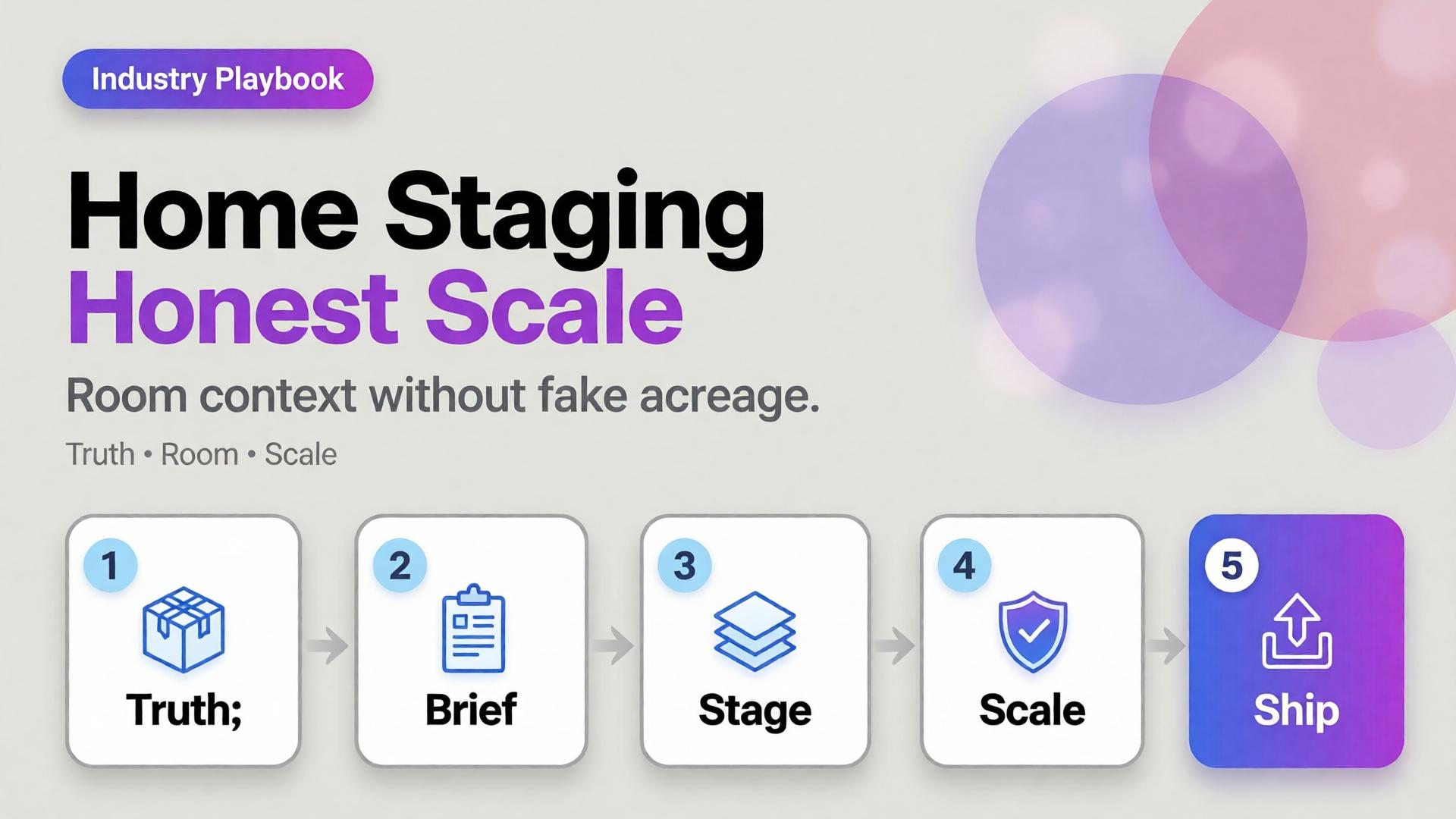
A sofa on pure white tells dimensions badly. A sofa in a cathedral living room tells lies well. Home and furniture ecommerce lives in that tension: buyers need context, but context that invents square footage creates “looked bigger online” returns.
AI home product staging is the discipline of placing SKUs in believable rooms with scale honesty, locked light, and gates — not generating dream interiors that your warehouse cannot ship.
Key Takeaways
>
– White-only home catalogs under-inform; fantasy rooms over-promise. Use dual-layer galleries like visual commerce 2026.
– Stage with known scale anchors (door, outlet, side table) and real product dimensions in the brief.
– Map rooms like beauty maps rituals — a context grid before generate (SCENE).
– Geometry still matters for legs, seams, and hardware (hard goods QA when parts are precise).
Why Does Home Staging Break Trust Online?
Because furniture is purchased as space math.
Staging sin
Buyer consequence
Oversized rooms
“Tiny in real life” returns
Wrong camera height
Proportions feel off
Mixed design eras
Brand looks incoherent
Soft rug hiding feet
Leg style unknown
Invented materials on props
Cart confusion
Lifestyle lift is real in ecommerce image research — but only when lifestyle stays honest.
Home staging is not interior design porn. It is dimensional storytelling: how big, how it sits, how it lives with ordinary walls.
Beauty SKUs forgive a soft edge. Eyewear does not. A millimeter of temple warp, a lens reflection that invents a logo, a button row that gains an extra key — and the listing becomes a liability.
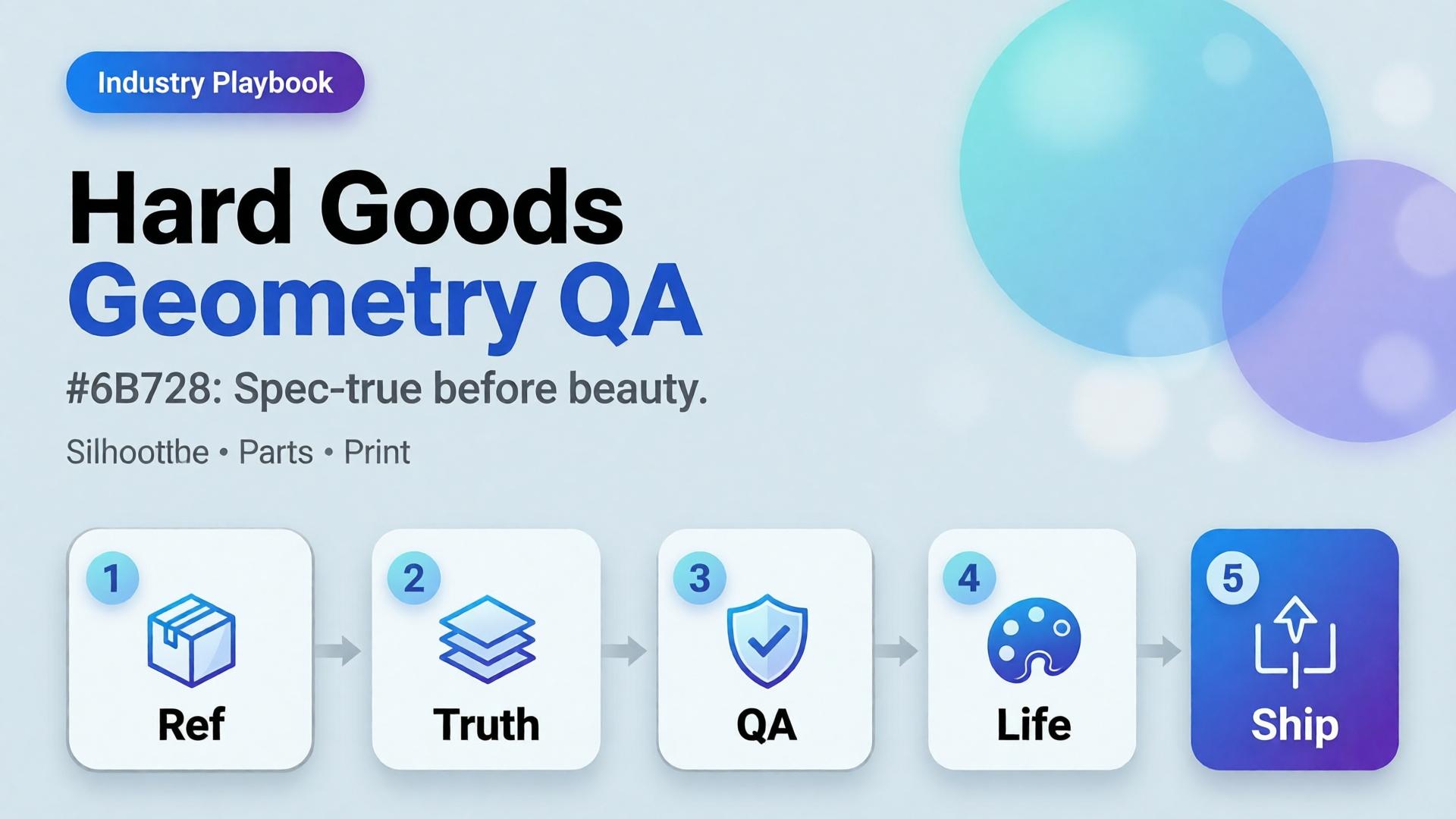
AI hard goods product images fail when teams apply fashion/lifestyle prompting to precision objects. Hard goods need geometry QA as a first-class gate: silhouette, symmetry, ports, hinges, and print — before any lifestyle world.
Key Takeaways
>
– Hard goods are spec products. Buyer trust is dimensional, not only emotional.
– Run a geometry checklist before beauty, upscale, or lifestyle extension (packshot thinking).
– Prefer reference-heavy generation; explore mode is for backgrounds after the object passes (reference vs explore).
– Upscale only after QA (upscale after QA) — sharpening warped hinges makes rejects look confident.
Why Do Lifestyle Prompts Break Hard Goods?
Because soft prompts optimize for vibe. Hard goods optimize for match-to-unboxing.
Soft-goods bias
Hard-goods reality
Fabric drape can vary
Hinge angle cannot
Skin tone mood
Port count is binary
“Premium glow”
Specular lies on lenses/metal
Approximate logo
Exact wordmark + icon
Eyewear, watches, earbuds, keyboards, tools, and small appliances sit on the hard side of that table.
For hard goods, the hero image is a contract drawing with light — not a moodboard with a product stuck on top.
Geometry QA Checklist (Pass Before Beauty)
Silhouette
Outer shape matches reference
No melted corners, no missing tips (eyewear temples)
Symmetry / alignment
Left-right balance on glasses, buds, paired objects
Button grids aligned
Functional parts
Ports, hinges, switches, screws present and correct in count
No “extra USB” hallucinations
Optics / materials
Lens transparency plausible (no opaque glass unless product is)
Metal vs plastic read correct
Print / icons
Logos and iconography correct — or intentionally out of frame
Fail any row → reject. Do not lifestyle it “to hide the error.”
Playbook: Spec-True Then Scroll-Stopping
Capture honest refs — front, 45°, detail of hinge/port
For ads, keep scene jobs — but Truth frames carry the SKU.
Category Notes
Category
Extra risk
Extra gate
Eyewear
Lens reflections invent logos
Check both lenses
Earbuds / wearables
Stem length drift
Side-by-side with ref
Keyboards / controllers
Key count / layout
Count visible keys
Small appliances
Cable / button myths
Detail crop of controls
Soft CTA
Build spec-true packshots before campaign worlds: Packshot · Ecommerce
Frequently Asked Questions
What counts as hard goods for AI product images?
Products where dimensional accuracy and part count matter to purchase and returns — eyewear, electronics, tools, precision accessories.
Can I still use lifestyle scenes?
Yes — after the object passes geometry QA. Lifestyle is extension, not repair.
Should I use a different AI model for hard goods?
Choose for fidelity bottleneck after direction — not because the category is trendy. See model-after-direction guidance.
How many reference angles do I need?
At least front + 45° + one detail of the failure-prone part (hinge, port, lens).
Conclusion
Hard goods do not need softer prompts. They need harder gates.
Geometry first. Beauty second. Lifestyle third. Upscale last. That is how AI hard goods product images survive zoom, returns, and marketplace scrutiny.
You launch in one language. Then marketplace ops asks for EN, VI, TH, and ID versions of the same banner by Friday. Someone regenerates the whole scene four times. The bottle changes shape. The light shifts. The brand kit quietly dies.
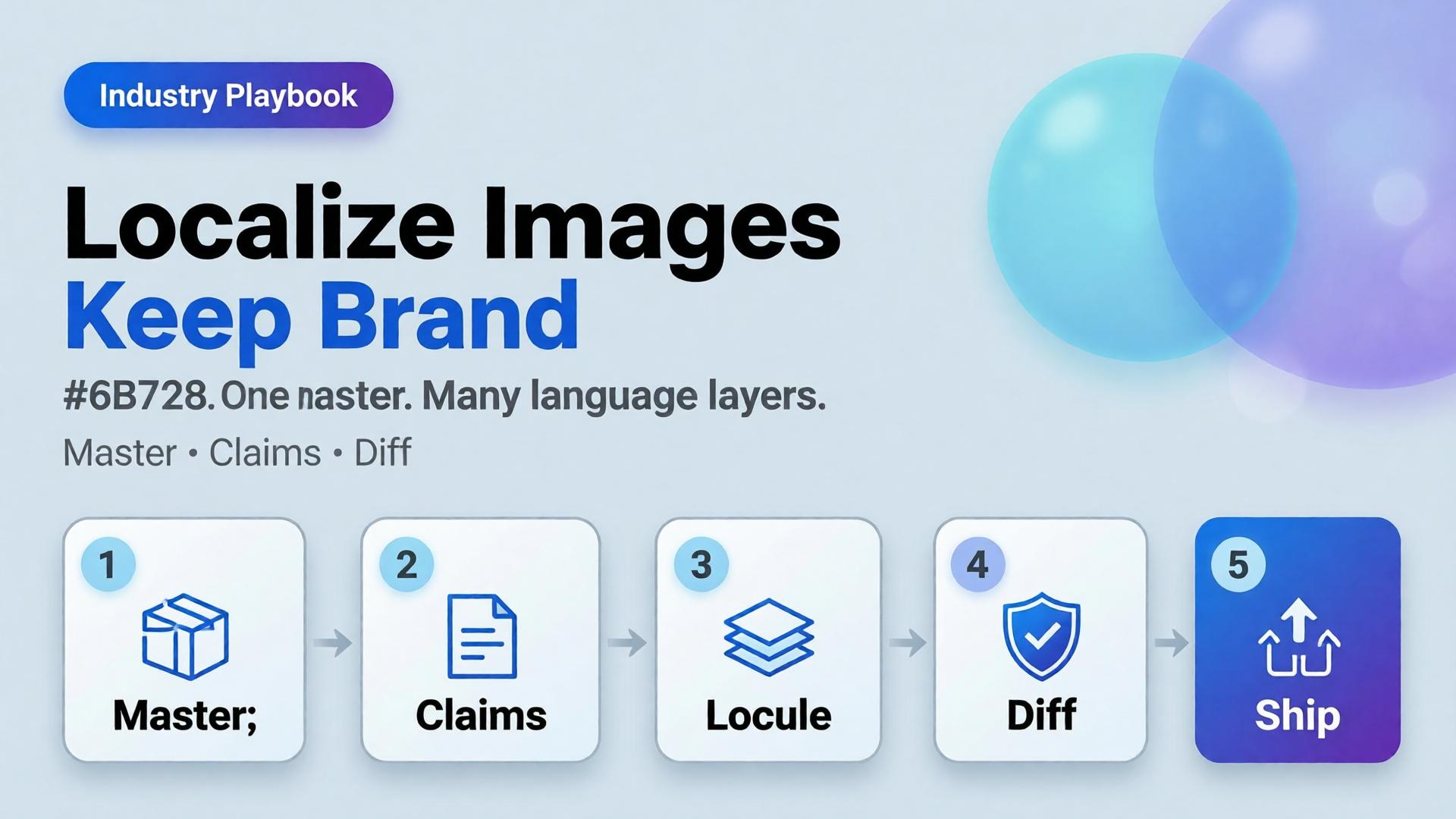
AI ecommerce image localization is not “translate and pray.” It is a production rule: one visual master, many language layers — with gates that protect SKU truth and brand identity across borders.
Key Takeaways
>
– Rebuild-per-language is how catalogs fracture. Localize text and claims, not the entire world, unless the market truly needs a new scene.
– High-quality product imagery remains a conversion lever in 2026 roundups (Salsify-cited lifts vs weak photos); localization must not destroy that quality (Lumepixa, 2026).
– Treat localization as a node after Brand Style + Generate — never as a fresh creative brief.
– Legal claims, units, and badge rules are market-specific gates — not prompt adjectives.
Why Do Per-Language Regenerations Break Brands?
Because generation optimizes for a new pretty frame, not for identity continuity.
Rebuild-per-language
Master + localize
New light each market
Same light family
Label drift risk × N
One Truth gate
Four art directions
One kit
Slow QA
Diff-check text regions
Cross-border teams do not need more models. They need batch thinking applied to locales.
Localization fails when teams translate campaign vibes instead of translating claims. Vibes can stay global. Claims must go local.
What Should Stay Global vs Go Local?
Keep global (master layer)
Product geometry and packshot truth
Brand palette and light logic
Scene world / lifestyle context (unless culturally wrong)
Character identity if a face is used
Localize deliberately
In-image headlines and CTAs
Promotional badges and price callouts
Measurement units and regulatory lines
Marketplace-required disclaimers
Redesign only when required
Cultural taboo in scene
Model casting rules by market
Category compliance that forbids the original composition
If you redesign every time, you do not have a localization system. You have N brands.
Playbook: Master → Locale Pack
Step 1 — Ship a language-agnostic master
Prefer compositions with clear text safe zones (marketplace banner thinking). Avoid burning essential claims into tiny packaging type you cannot legally alter.
Step 2 — Extract a claim sheet per market
Field
EN
VI
Notes
Hook line
…
…
Char limit
Offer badge
…
…
Color locked
Unit line
oz
ml
Compliance
Disclaimer
…
…
Legal review
Step 3 — Localize as a gated node
Input: approved master + claim sheet. Output: locale variants. Gate: geometry unchanged, brand kit intact, text correct, no new product.
Step 4 — Diff review, not vibes review
Flip EN ↔ VI on the same crop. If the bottle moved, reject — even if Vietnamese typography looks nicer.
Step 5 — Archive locale packs with the kit
Next drop swaps SKU refs, reuses locale claim templates. That is how cross-border catalogs scale.
Where AI Helps — and Where It Lies
Helps: rapid text replacement in safe zones, layout fitting, bulk varianting after master lock.
Lies: rewriting packaging legal text “to look native,” inventing certificates, changing ingredient panels, or “improving” the product silhouette while translating.
Packshot honesty still applies (packshot thinking). A localized ad that misrepresents the SKU creates returns in every language.
It is the practice of adapting in-image text and market claims on a locked visual master so catalogs stay consistent across languages and marketplaces.
Should every market get a unique lifestyle scene?
Only when culture or compliance demands it. Default to one world, many language layers.
Can AI translate text printed on the product package?
Treat package print as high risk. Prefer accurate photography of the real SKU for Truth frames; localize marketing overlays separately.
How do I QA localized images quickly?
Side-by-side diff against the master. Check geometry first, typography second, claim accuracy third.
Where does this sit in a workflow builder?
After Generate and before Upscale/Crop variants — localization should not invent a new product.
Conclusion
Cross-border growth should multiply locales, not multiply identities.
Lock a master. Write claim sheets. Localize as a node. Diff-check like a skeptic. Keep the bottle the same bottle.
That is AI ecommerce image localization that scales — without quietly founding a new brand in every language.
The listing looks soft on mobile zoom. Someone drops the file into an upscaler. Edges crisp. The logo grows new serifs. A seam appears that the product does not have. The marketplace still rejects the crop — or worse, accepts it and returns spike later.
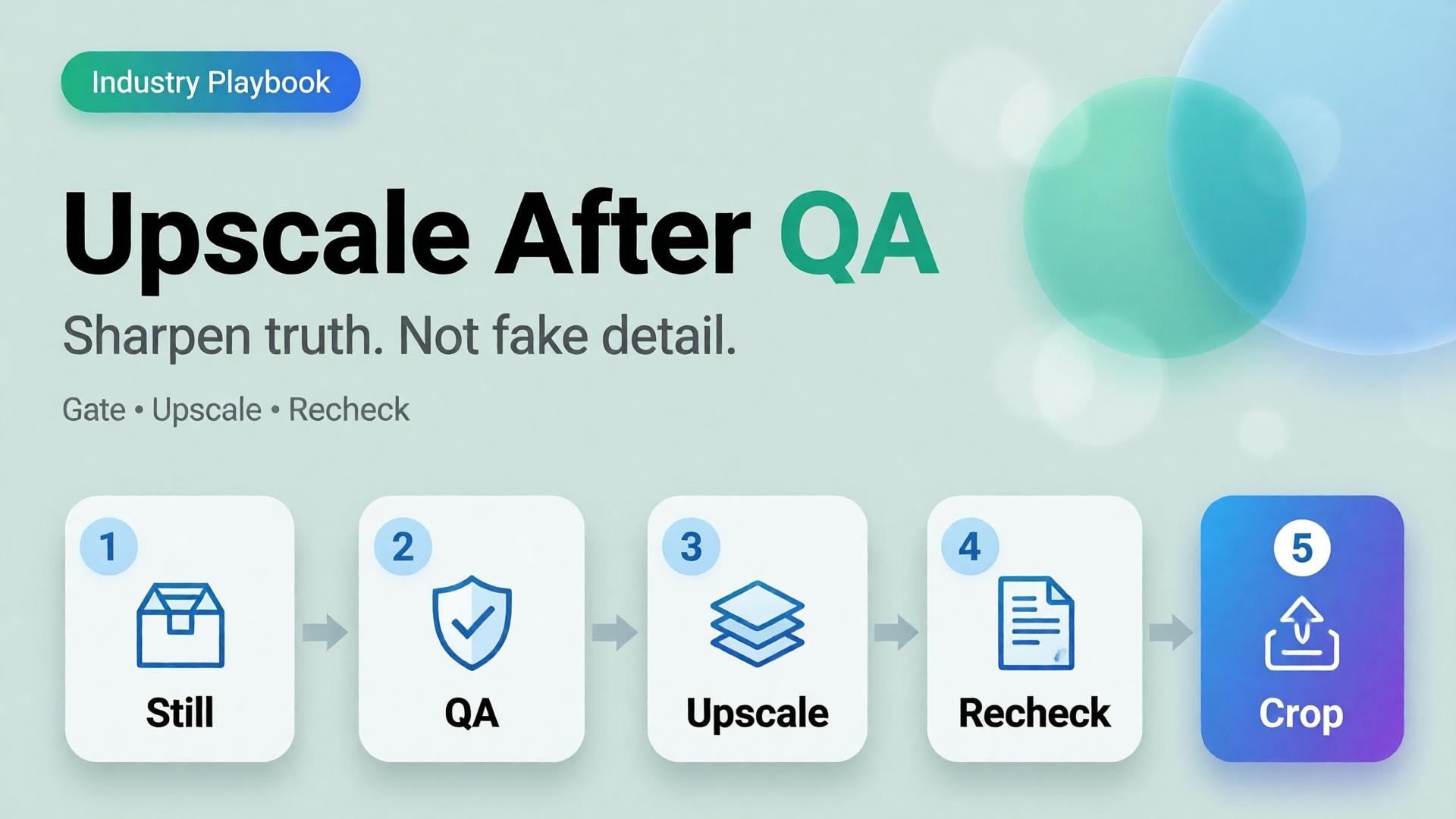
AI product image upscale is not a magic “make HD” button. It is the Upscale node in a workflow: sharpen only what already passed geometry and label QA.
Key Takeaways
>
– Upscale amplifies truth and lies equally. QA before sharpen.
– Products with high-quality photos convert far better than weak imagery in 2026 roundups (Salsify-cited ~94% lift vs low-quality) — but “sharp fakes” are not high quality (Lumepixa, 2026).
– Place Upscale after Generate gates in node thinking — never as forgiveness for a bad reference.
– Marketplace min resolution is a delivery constraint, not a creative strategy.
Why Do Teams Upscale Too Early?
Because resolution is measurable and fidelity is judgment.
Early upscale habit
What actually happens
Soft phone photo → 4K
Soft lies become sharp lies
Rejected AI still → upscale
Warped type becomes confident warped type
Every crop upscaled
Hours spent polishing variants that should die
Upscale instead of reshoot/ref
Reference problem becomes production debt
Phone-to-campaign discipline still starts with a usable reference (workflow mindset). Upscale cannot invent a better capture — only a bolder one.
Marketplace buyers do not reward megapixels. They reward zoom that still matches the unboxing. Upscale without QA is how you fail that contract in high resolution.
The QA Gate Before Upscale
Run this checklist on the winner still only:
Geometry
Silhouette matches physical SKU
No melted corners, stretched labels, floating caps
Typography / print
Brand wordmarks readable and correct
No invented ingredients, seals, or stars
Material
Fabric / plastic / glass reads plausible
No “plastic skin” or fake micro-contrast
Compliance
Background rules for the target marketplace
Required margins for the crop job
Fail any row → regenerate or recapture. Do not upscale.
TikTok Shop does not reward “pretty product on marble.” It rewards readable intent in the first second — then enough truth that a tap does not feel like a trap.
Most AI ecommerce batches fail here: every frame is a vague lifestyle. The hook looks like the demo. The demo looks like the offer. The offer looks like stock. Buyers scroll. You regenerate. Nothing compounds.
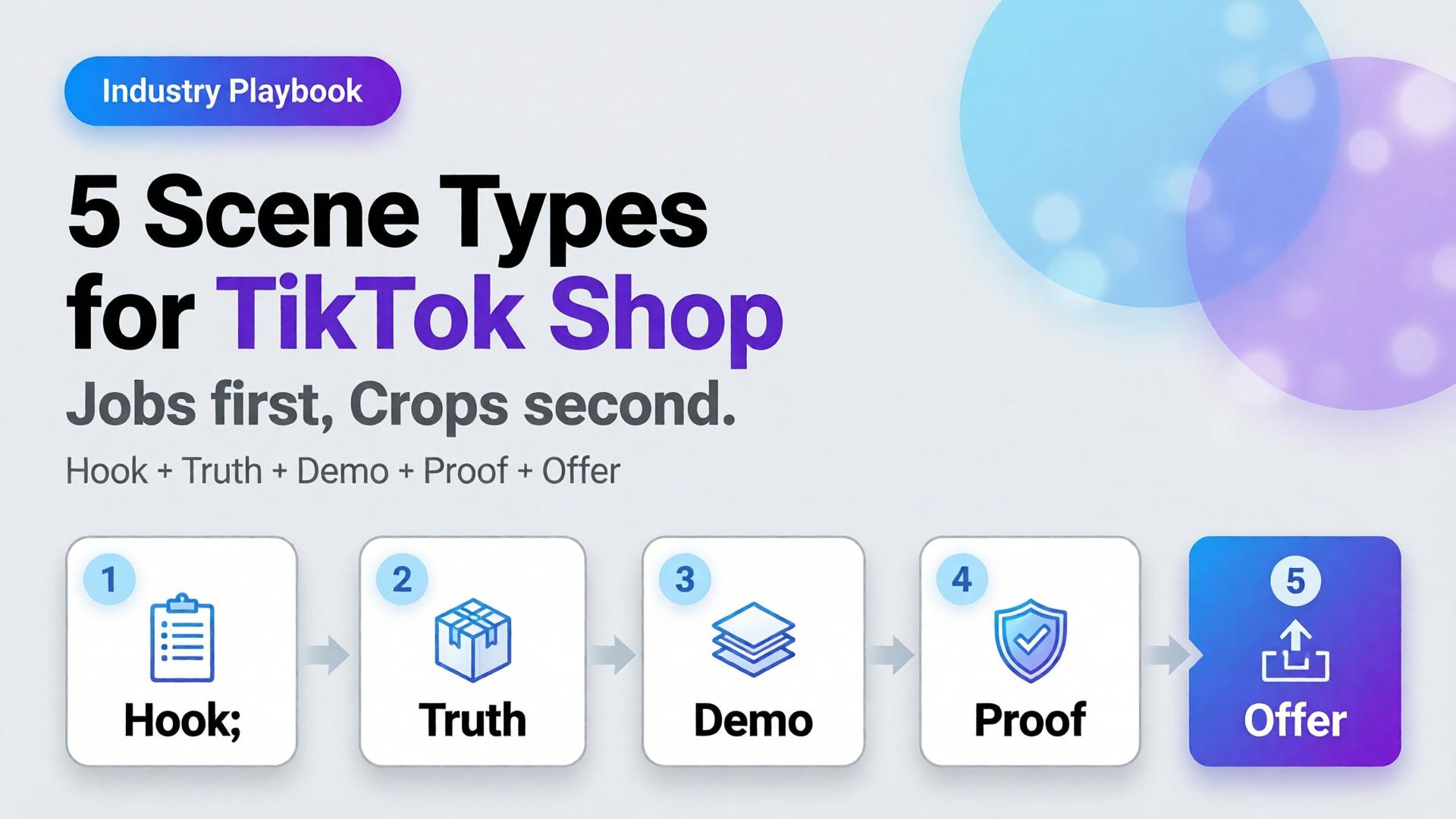
AI TikTok Shop product images work when you cast scenes by job, not by aesthetic. Five scene types cover almost every SKU drop: hook, truth, demo, proof, offer.
Key Takeaways
>
– Treat TikTok Shop creative as a scene system, not a single hero crop.
– Listings and ads with richer visual coverage convert more strongly — large listing studies show 5+ images correlating with ~50% higher conversion versus thin galleries (Catchlab via 2026 image stats roundups).
– High-quality product photography still shows outsized lifts versus weak imagery in Salsify-cited analyses (~94% better conversion vs low-quality photos in 2026 roundups).
– Pair scene types with ratio families (1:1, 4:5, 9:16) — scene job first, crop second.
Images assigned to clear jobs — hook, truth, demo, proof, offer — with locked product fidelity and consistent brand kit across ratios.
Do I need video if I have strong still scene types?
Stills still matter for Shop cards, carousels, and ads. Video helps demo and hook; it does not replace Truth and Proof frames.
How many scenes should I generate per SKU?
Start with one winner per type (five). Expand variants only after the five jobs pass a set review.
Is this the same as marketplace banner thinking?
Banner thinking solves ratios. Scene types solve narrative jobs. You need both: job first, then crop.
Can AI lifestyle replace packshots on TikTok Shop?
No. Lifestyle without Truth increases returns and distrust. Keep a truth layer even when the hook is cinematic.
What is the biggest AI mistake on TikTok Shop creatives?
Generating twelve “nice” lifestyles with no demo verb and no label-true hero — volume without jobs.
Conclusion
TikTok Shop does not buy your moodboard. It buys scenes that do jobs.
Hook to earn the pause. Truth to earn trust. Demo to earn understanding. Proof to remove fear. Offer to invite the tap. Crop each winner into the ratios the channel demands.
That is how AI TikTok Shop product images stop looking like stock — and start behaving like a sales system.
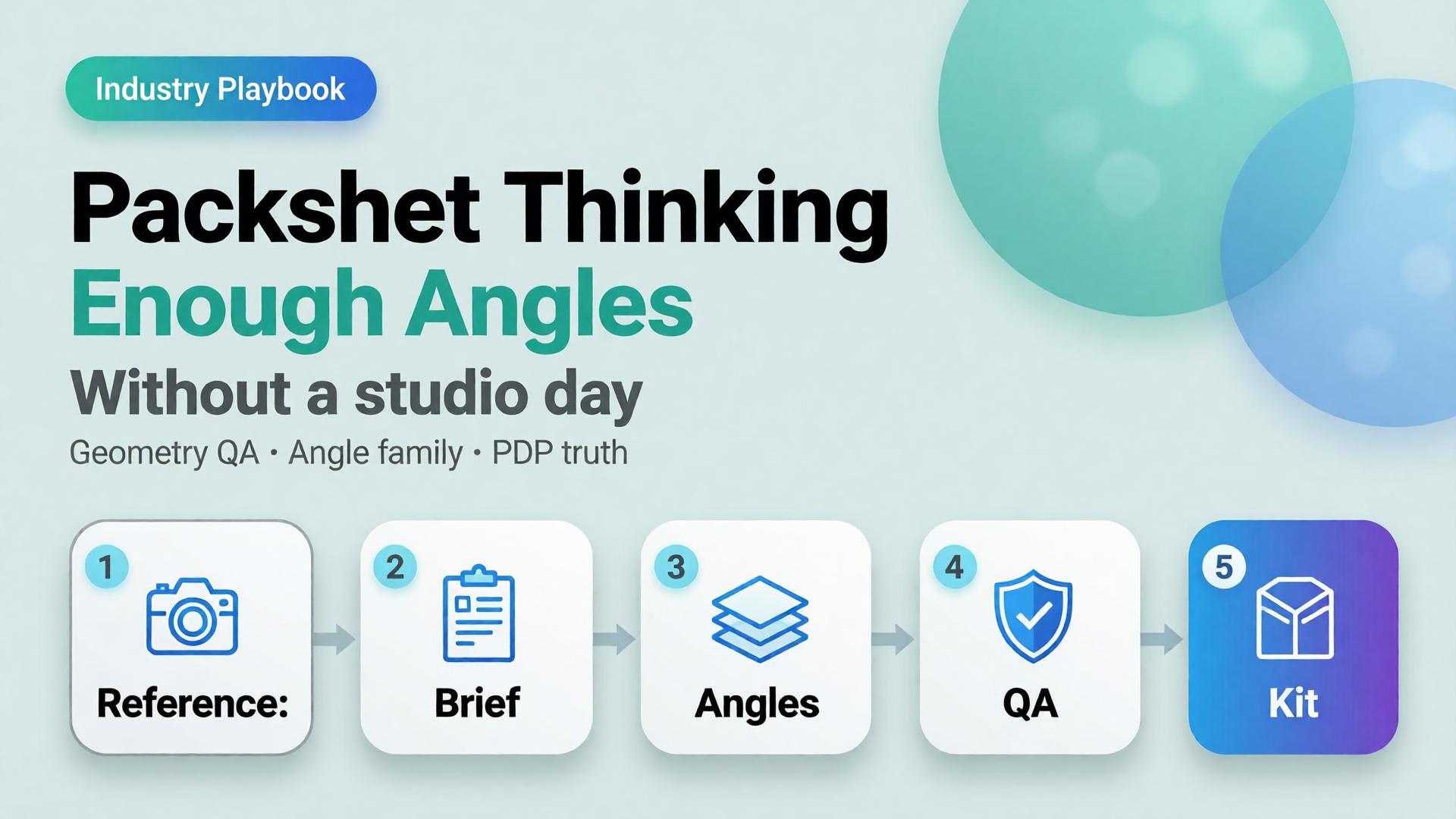
Editorial cover for Packshot Thinking: Enough Angles without a studio day
Most ecommerce teams still treat a packshot as a single file: product centered, white background, “good enough for the listing.” Then returns spike because buyers never saw the hinge, the texture, or the size relative to a hand. The problem was never the camera. The problem was packshot thinking — treating product photography as one pretty frame instead of a system of angles that answers buyer questions.
AI packshot work in 2026 is not “make the bottle prettier.” It is: from one honest reference, produce enough commercial angles that a stranger on a phone can decide without calling support.
Key Takeaways
A packshot is a question-answering set, not a hero beauty shot. Front, 45°, detail, scale, and packaging are different jobs.
Adobe’s 2026 Creators’ Toolkit Report found 57% of creative AI outputs still need moderate or extensive editing before publish — packshot QA fails for the same reason: geometry and label fidelity, not “vibe.”
Studio days buy control. Packshot thinking buys coverage: enough angles to list, retarget, and reuse without booking another shoot.
Orauria’s Packshot Studio and Ecommerce solutions are built for this job — reference in, angle family out — inside one creative workspace.
If you have already read AI Ecommerce Design Is Not AI Image, this post is the product-layer version of that idea. Ecommerce design is the system. Packshot thinking is how the SKU itself survives marketplace scrutiny.
What Is Packshot Thinking?
Packshot thinking means you plan product images the way a merchandiser plans a shelf talker: every frame must close a doubt.
Angle
Buyer question it answers
Fail mode if missing
Front hero
What is this product?
Listing looks empty or “stock”
45° / 3/4
What is the form in space?
Flat, toy-like, hard to trust
Detail / macro
What is the material / print / finish?
“Looks cheap online” returns
Scale
How big is it?
Size shock after delivery
Packaging / in-box
What arrives?
Unboxing disappointment
Lifestyle bridge(optional)
Where does it live?
Cold catalog, weak ads
White-background front shots are not “dead” — they are incomplete. Visual Commerce 2026 argued that white-only feeds underperform when every competitor ships context. Packshot thinking agrees — and adds a rule: lifestyle does not replace geometry. You still need the honest product block.
A studio day gives you control. Packshot thinking gives you coverage. Coverage is what marketplaces and media buyers actually buy.
Why Do Teams Still Book Studio Days for Simple SKUs?
Three reasons — all rational, all incomplete.
1. Fear of label drift. AI that “improves” a bottle often invents typography. Media buyers then reject the export because the listing hero and the ad disagree. The fix is not “never use AI.” The fix is reference-first packshots with a QA checklist that scores geometry before beauty.
2. Habit of one hero. Designers deliver one approved beauty shot. Marketing asks for six crops Friday afternoon. Nobody owned the angle family. From Phone Photo to Campaign names this as a workflow failure, not a photography failure.
3. Confusion between packshot and campaign. Campaign images sell aspiration. Packshots sell truth. Mixing the briefs produces images that are neither listable nor scroll-stopping.
Adobe’s 2025–2026 creator surveys show most teams already juggle more than one creative AI tool in a quarter. That sprawl is exactly what packshot thinking tries to prevent: one reference, one brand kit, one angle plan — then generate.
How Many Angles Are “Enough”?
Enough is not a fixed number. Enough is coverage of buyer doubt for that category.
Category
Minimum useful set
Notes
Supplements / beauty bottles
Front + 45° + label detail + scale
Label fidelity is the QA bottleneck
Electronics / gadgets
Front + ports/detail + in-hand scale + packaging
Ports and buttons must stay readable
Apparel accessories
Front + texture + on-model or flat scale
Texture sells more than logo
Home / hard goods
Front + 45° + material detail + room bridge
Staging is secondary to form
If you only ship one angle, you are optimizing for the photographer’s portfolio — not the PDP.
How to Build a Packshot Angle Family with AI
This is a thinking workflow, not a button tour. Use any capable image model inside Orauria Studio; the discipline matters more than the model name.
Step 1 — Lock the reference, not the vibe
Upload a clean product photo: label facing camera, product centered, minimum ~1000×1000 px if you can. Phone photos work as references if focus holds on the label — see the phone-to-campaign mindset post.
Write what must not change: bottle height, cap color, logo placement, material finish. That list is your Brand Style guardrail, not a moodboard.
Step 2 — Write the angle brief before prompts
Borrow the SCENE method only for lifestyle bridges. For pure packshots, write a shorter table:
Angle name
Buyer question
Background rule (white / soft gray / none)
Crop rule (full product vs detail)
Do not invent scene poetry until the front and 45° pass QA.
Step 3 — Generate the geometry set first
Produce front and 45° before lifestyle. Score each export on:
Does the SKU still read as the SKU?
Is type on the label still legible at phone width?
Do proportions match the reference (no “stretched bottle”)?
If an export fails geometry, regenerate. Do not “fix in Photoshop for an hour” and pretend the system worked.
Step 4 — Add detail, scale, then optional lifestyle
Detail and scale close returns. Lifestyle bridges feed ads and social. Keep them in that order so campaign beauty never overwrites listing truth.
Step 5 — Publish the family into a reusable kit
Store approved angles with the SKU ID. When batch thinking across 100 SKUs starts, you reuse the angle plan — not reinvent prompts per product.
For the productized path — shot planner plus studio generation — see Orauria’s AI Packshot landing and the broader ecommerce hub.
Packshot QA Checklist (Traffic-Ready)
Use this before anything leaves the folder:
[ ] Front hero matches listing color and silhouette
[ ] 45° does not invent new branding
[ ] Detail crop shows real texture / print / seam
[ ] Scale cue is honest (hand, coin, known object — or stated dimensions in copy)
[ ] No burned-in promo text unless the ad brief requires it
[ ] All angles feel like one SKU, not three product lines
Adobe’s finding that 57% of AI creative still needs editing before publish is not a reason to avoid AI. It is a reason to budget QA as part of packshot thinking.
How Does Packshot Thinking Connect to Ads and Marketplaces?
Packshots feed three surfaces:
Marketplace PDPs — geometry and trust
Prospecting statics — same product block, new scenes and ratios
Workflow reuse — nodes that cut, upscale, and re-crop without re-shooting
The next post in this cluster — One Product → Feed, Story, Cover — covers ratio families for Meta, TikTok, and marketplace banners. Packshot thinking is the source of truth. Banner thinking is the channel adaptation.
Inside Orauria, that handoff lives in one workspace: Packshot for angles, Banner Ads / marketplace tools for sizes, Workflow for cleanup — instead of exporting to three vendors and losing brand coherence.
Frequently Asked Questions
Is an AI packshot good enough for Amazon or Shopee listings?
It can be — if geometry and label fidelity pass human QA. Marketplaces punish misleading imagery. Treat AI as a production system for angles, not a license to invent product features.
Should lifestyle images replace white-background packshots?
No. Lifestyle answers context; packshots answer form. Strong catalogs use both. See Visual Commerce 2026.
What if I only have a messy phone photo?
Start with phone-to-campaign workflow mindset. Clean the reference enough that the label is readable, then build the angle family. Do not expect a blurry label to become sharp legal type.
Which AI image model is best for packshots?
The model that holds product geometry under your QA checklist. Choose the model after the angle brief — not before. That decision framework is covered in Choose the Image Model After Creative Direction.
How is this different from a full studio day?
A studio day maximizes control for hero campaigns. Packshot thinking maximizes coverage and reuse for catalogs and weekly ads. Many teams need both — just not for every SKU every week.
Soft next step
If your bottleneck is “we never have enough angles,” open Orauria Packshot and plan the angle family before you chase another model trend. For the full ecommerce loop — listing through social reuse — start at solutions/ecommerce.